Live Interpretation Without Booths or Hardware: What Event Planners Need to Know
- What do you need for traditional simultaneous interpretation at an event?
- What do booths, headsets, infrared and technicians cost, and what logistics do they add?
- How does software-only live translation work?
- Which live translation platforms work without hardware or booths?
- Booth vs boothless: how do they compare side by side?
- How much does software-only live translation cost?
- When do you still need a booth?
- How do you decide which setup your event needs?
- FAQ
Live interpretation no longer needs booths, headsets or infrared receivers: software-only platforms such as Maestra Live take the speaker's audio, translate it in real time and deliver it to attendees' own phones through a link or QR code.
A booth is still the right call for some events, though. This guide compares the two setups on equipment, logistics and cost, so you can decide which one your event needs.
⭐ Key takeaway: A traditional setup puts hardware in the room: booths, consoles, transmitters, a receiver for every listener and a technician. A software-only setup needs a clean audio feed, an internet connection and the phones your attendees already carry.
What do you need for traditional simultaneous interpretation at an event?
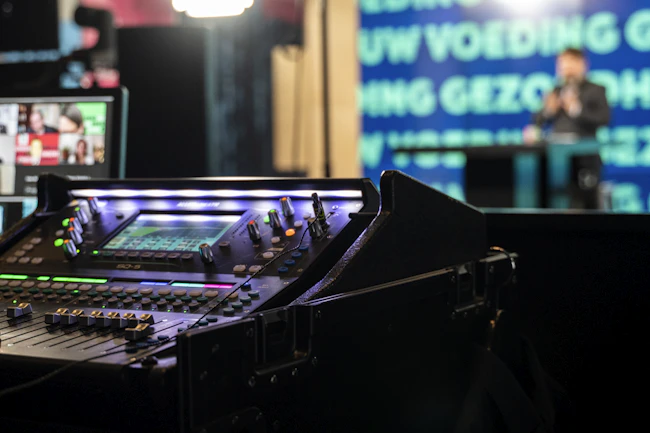
Traditional simultaneous interpretation is a team of people plus a chain of equipment that carries their voices to the audience. If you are new to the format, our guide to what simultaneous interpretation is and how it works covers the basics.
For an in-person event, the usual list looks like this:
- Interpreters. Two per language, because they work in pairs and swap every 20 to 30 minutes.
- A booth for each language. Mobile booths follow ISO 4043 and permanent ones follow ISO 2603. The standards cover size, sound insulation, ventilation and lighting.
- Interpreter consoles. Each interpreter has a console with a microphone, headphones and channel controls.
- A transmission system. Infrared or radio transmitters send each language to the audience on its own channel.
- Receivers and headsets. Every listener who needs interpretation gets one.
- A technician. Someone sets up the system, monitors the channels during the event and fixes problems.
- A feed from the sound desk. The interpreters need to hear the speaker clearly, so the booth is wired into the room's audio.
What do booths, headsets, infrared and technicians cost, and what logistics do they add?
The equipment adds two things to an event plan: a rental bill and a list of jobs that someone has to manage on the day.
Rental costs
Prices vary a lot by country and supplier, and most rental companies quote per event. As one published reference point, a UK rental firm's cost guide from January 2025 lists these day rates:
- Interpreter booth: £200 to £500 per day.
- Headsets: £5 to £15 per headset per day.
- Full interpretation package: £1,000 to £3,000 per day.
- On-site technician: about £150 per day in the guide's example.
These figures cover the equipment only. Interpreter fees come on top, and so do travel and accommodation if the interpreters are not local.
The bill also grows in steps. Each extra language means another booth and another pair of interpreters. Each extra room means another full set of equipment.
Logistics on the day
- Floor space. A mobile booth for two interpreters takes up roughly 1.6 by 1.6 metres and stands about 2 metres tall, before you add access space behind it.
- Sightlines. Interpreters need to see the speaker and the screen, which limits where booths can go.
- Setup and teardown. Booths are delivered, built, wired and tested before doors open, then taken down afterwards. That usually means extra venue time.
- Handing out receivers. Someone has to distribute headsets, explain the channels, collect everything at the end and deal with units that go missing.
- Infrared limits. Infrared needs a clear line between the emitters and the receivers, so pillars, balconies and breakout rooms need their own coverage.
- Lead time. Interpreters and equipment are booked weeks ahead, and late changes to languages are hard to absorb.
How does software-only live translation work?
Software-only live translation replaces the hardware chain with an internet connection. The interpretation still happens in real time, but nothing is installed in the room for it.
The flow has three steps:
- The speaker's microphone or the room's sound desk feeds audio into a laptop.
- The platform translates the speech. Depending on the platform, that is done by AI, by human interpreters working remotely, or by both.
- Attendees scan a QR code or open a link on their own phone, pick a language, and read captions or listen through their own earphones.
You still need a few things, and they are worth checking before the event:
- A clean audio feed. Translation quality follows audio quality, so take the feed from the sound desk where you can.
- Reliable internet. The laptop needs a stable connection, and attendees need Wi-Fi or mobile signal in the room.
- Phones and earphones. Ask attendees to bring earphones if they want to listen instead of read.
- A visible QR code. Put it on the opening slide, on signage and in the event app or email.
💡 Tip: Test the venue's Wi-Fi with the room full, not empty. A network that works during setup can slow down once a few hundred phones join it.
Which live translation platforms work without hardware or booths?
Several platforms deliver interpretation to attendees' phones with no booths or receivers in the room. They differ mainly in who does the translating:
- Maestra Live: AI translation in 100+ languages, as captions or an AI voice. Attendees join by QR code or link in a browser, with no app or account, and plans can be bought online.
- Wordly: AI translation in more than 60 languages. Attendees join through a QR code or link with no equipment or downloads.
- KUDO: AI translation in 70+ languages plus human interpreters in 200+ spoken and sign languages. Attendees scan a QR code or open a web link.
- Interprefy: human interpreters working from a cloud-based virtual booth, AI translation in more than 80 languages, or a mix of both. Attendees use its web platform or mobile app.
This guide is about the setup, not the vendors. For plans, prices and a feature-by-feature view, see our comparison of KUDO, Wordly, Interprefy and Maestra Live.
Booth vs boothless: how do they compare side by side?
| Traditional booth setup | Software-only setup | |
|---|---|---|
| Equipment in the room | Booths, consoles, transmitters, receivers and headsets | A laptop connected to the audio feed |
| Who translates | Human interpreters on site, two per language | AI, remote human interpreters or both |
| How attendees listen | Rented receiver and headset | Their own phone, as captions or audio |
| Setup | Delivery, build, wiring and testing before the event | Connect the audio, choose languages, share a QR code |
| Floor space | One booth per language, with a view of the stage | None |
| Adding a language | Another booth and another pair of interpreters | A setting in the platform, within the plan's limits |
| Multiple rooms | A full set of equipment per room | One session per room |
| Remote attendees | Needs a separate streaming setup | The same link works anywhere |
| Depends on | Equipment delivery and on-site staff | Internet connection and attendees' phones |
| Cost model | Equipment rental per day plus interpreter fees | Subscription or per-event price |
How much does software-only live translation cost?
Software-only platforms charge for the service, not for equipment. Some quote per event, some sell hour packages and some sell subscriptions.
Maestra Live publishes its prices, which makes it a useful reference point:
- Organizations: $359 per month, billed annually. Includes a room link and QR code, sessions up to 3 hours, 50 viewers at once and 3 languages per session.
- Events: from $799 per day. Includes 3 rooms, 100 viewers per room, 5 languages, setup help and day-of support.
Paid plans include unlimited sessions. Prices were checked in November 2026; see Maestra Live pricing for current plans.
When you compare quotes, compare the full picture. A booth quote should include interpreters, equipment, delivery and the technician. A software quote should include the number of languages, rooms and viewers you need.
When do you still need a booth?
Software-only is not the answer for every event. A booth with on-site interpreters is still the better choice in these cases:
- High-stakes proceedings. Diplomatic meetings, legal hearings and regulated proceedings, where a qualified human interpreter is expected or required.
- Weak or restricted connectivity. Venues with poor signal, or secure sites where phones are not allowed.
- Audiences that will not use phones. Some delegations expect a receiver on the seat, and some attendees are not comfortable with a QR code.
- Institutional rules. Some organizations require on-site interpreters working in standard booths.
- Long, dense programs. Multi-day negotiations and technical congresses, where interpreters benefit from proper working conditions and direct contact with the speakers.
The two setups can also be combined. Some events keep a booth for the one or two languages that matter most and use software for the rest, or use booths in the plenary hall and software in the breakout rooms.
⚠️ Good to know: AI translation is not a certified interpretation. If a mistranslation could have legal or safety consequences, book a qualified human interpreter, whether they work from a booth or remotely.
How do you decide which setup your event needs?
Five questions settle it for most events:
- Does anything in the program carry legal, diplomatic or regulatory weight? If yes, plan for human interpreters.
- How many languages do you need? The more you add, the more the hardware bill and floor plan grow.
- How many rooms run at once? Every room multiplies a booth setup.
- Is the venue's internet reliable, and can attendees use their phones?
- How much time do you have? Booths and interpreters are booked weeks ahead, while software can be set up in a day.
If the answers point to software, Maestra Live is one option to test: it translates into 100+ languages and has a free plan for trying it on a real talk before the event. Its limits are that it is AI only, and that each plan caps the number of languages and viewers per session.
Run Your Event Without Booths or Receivers
FAQ
Maestra Live, Wordly, KUDO and Interprefy all deliver translation to attendees' own devices with no booths or receivers in the room. Maestra Live and Wordly use AI, while KUDO and Interprefy offer AI and human interpreters. Attendees join through a QR code, link or app.
Yes. Software-only platforms send the interpretation to attendees' phones over the internet, so no booth is built in the room. The translation is done by AI or by human interpreters working remotely.
Not with browser-based platforms. Attendees scan a QR code or open a link on their own phone and choose a language. They can read captions, or listen through their own earphones.
Usually, because there is no equipment to rent, deliver or staff. One UK rental guide lists a full interpretation package at £1,000 to £3,000 per day before interpreter fees. Software is priced by subscription or per event, so compare full quotes for your languages and rooms.
A laptop, a clean audio feed from the microphone or sound desk, and a reliable internet connection. Attendees need their own phones, and earphones if they want to listen instead of read.
For diplomatic, legal or regulated proceedings, for venues with poor connectivity or phone restrictions, and for audiences that expect a receiver on the seat. Some events combine both: a booth for key languages and software for the rest.
