Chaitanya P.
Managing Director"Master the Media with Maestra"
The best side of this product is auto subtitling. And most importantly, it supports multiple languages.
Read full reviewUpload your movie and dub using realistic AI voices and lip sync.
Available in 125+ languages.
MP4, MOV, WebM, AVI, MKV, SRT…
Your free trial is used — convert your next file in the Maestra app.
Continue in the AppYouTube, Vimeo, Google Drive, or a direct media URL
Your free trial is used — convert your next file in the Maestra app.
Use your microphone
Your free trial is used — convert your next file in the Maestra app.







Trusted by Teams Worldwide
Upload the movie and select the language you want to dub in.
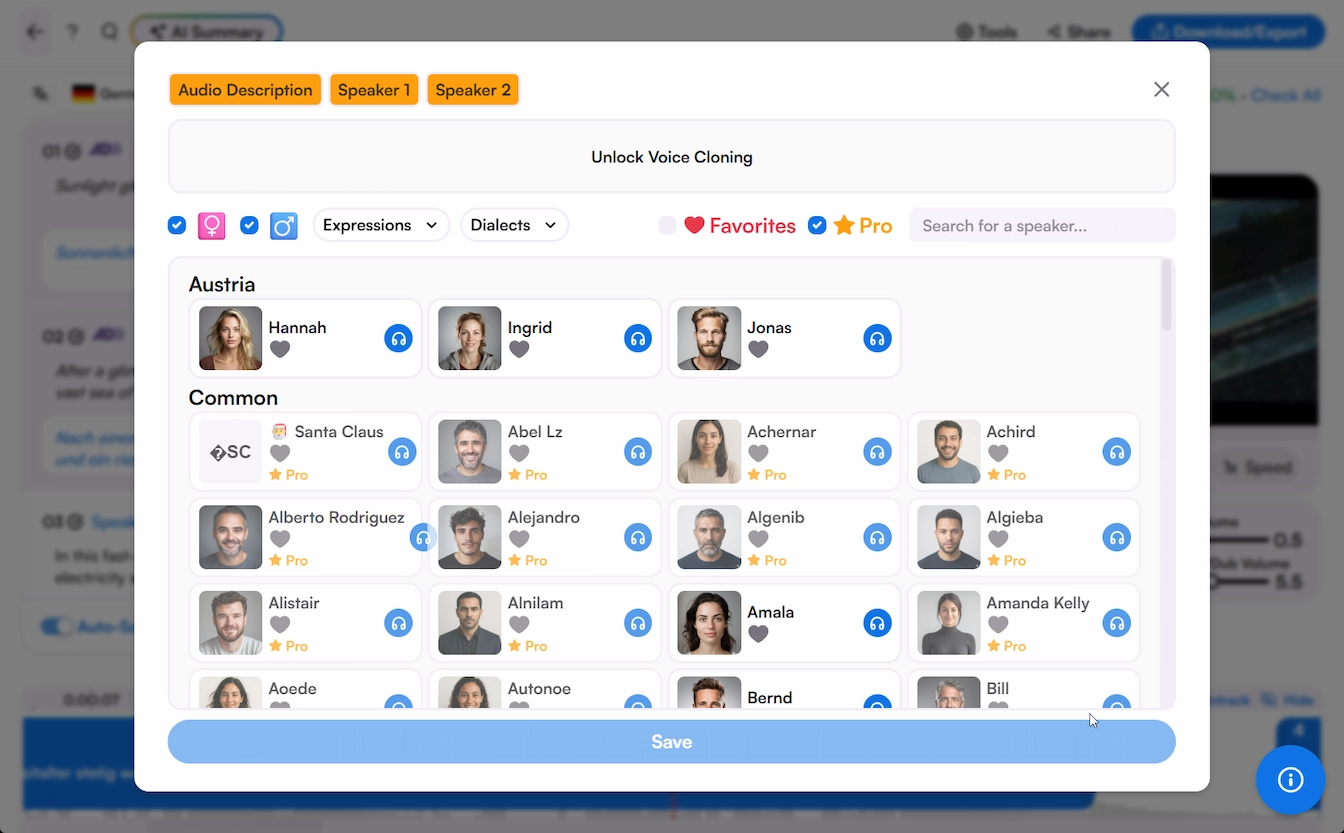
Find and select the perfect voices from Maestra's diverse AI voice library and generate the voiceover.
Edit the script, polish the voiceovers, share to collaborate, and download it in the format you prefer.
Upload your movie. Find the perfect AI voices for characters. Review, refine, and sync every line using our built-in voiceover editor, no timeline software or download required.
 English
 French
 Arabic
 German
 Spanish
 Japanese

Common questions answered regarding Maestra's AI movie dubbing tool.
You can. Upload your film to Maestra, pick the target languages, and AI generates the dubbed audio with each speaker voiced separately. You review the result in the editor and export when every line sounds right.
Hours instead of months. Processing time scales with the film's length and how many languages you order, but even feature-length projects finish the same day, with most of your time going to review rather than waiting.
That's what voice cloning is for. Maestra clones each actor's voice and uses it to speak the translated lines, so the dubbed cut keeps the original performances' character instead of replacing them.
One upload covers all of them. Select every target language when you start the job and each version renders separately, ready to review and export on its own.
You can try it free and preview how your film sounds dubbed. Full-length movie dubbing runs on paid plans, which still cost a fraction of booking a traditional dubbing studio.
Strong enough to publish, but you stay in control. The translation captures idioms and tone in 125+ languages, and the editor lets you correct any line, retime it, and rebalance the audio before export.
Alongside every dubbed version, Maestra can generate translated captions in the same languages, so you can ship dubbing and subtitles together for each market.