
Chaitanya P.
Managing Director"Master the Media with Maestra"
The best side of this product is auto subtitling. And most importantly, it supports multiple languages.
Read full reviewTranslate live Zoom meetings in 125+ languages.







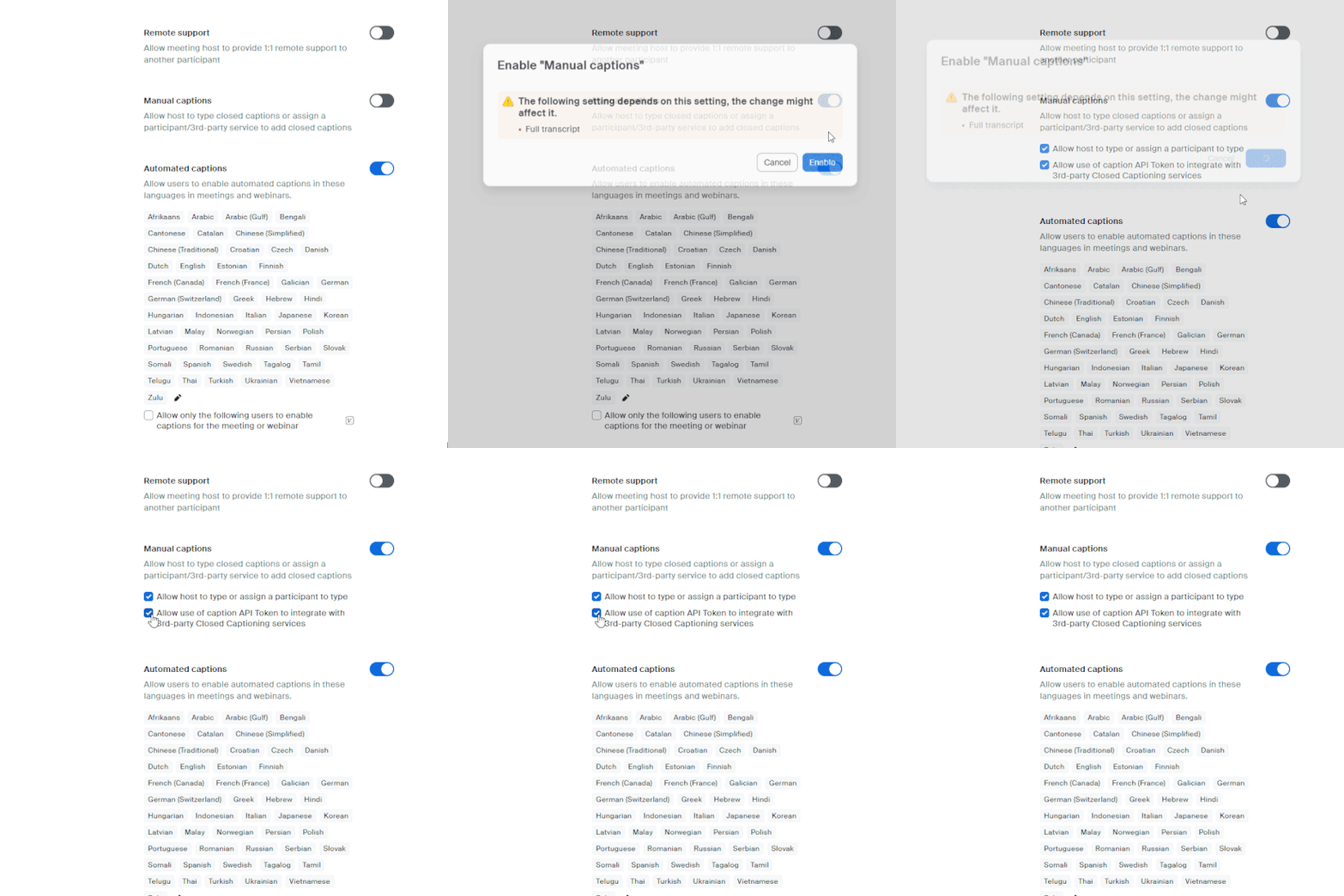
Head on to your In Meeting (Advanced) settings on your Zoom account and enable Manual captions. Don't forget to allow use of caption API Token.
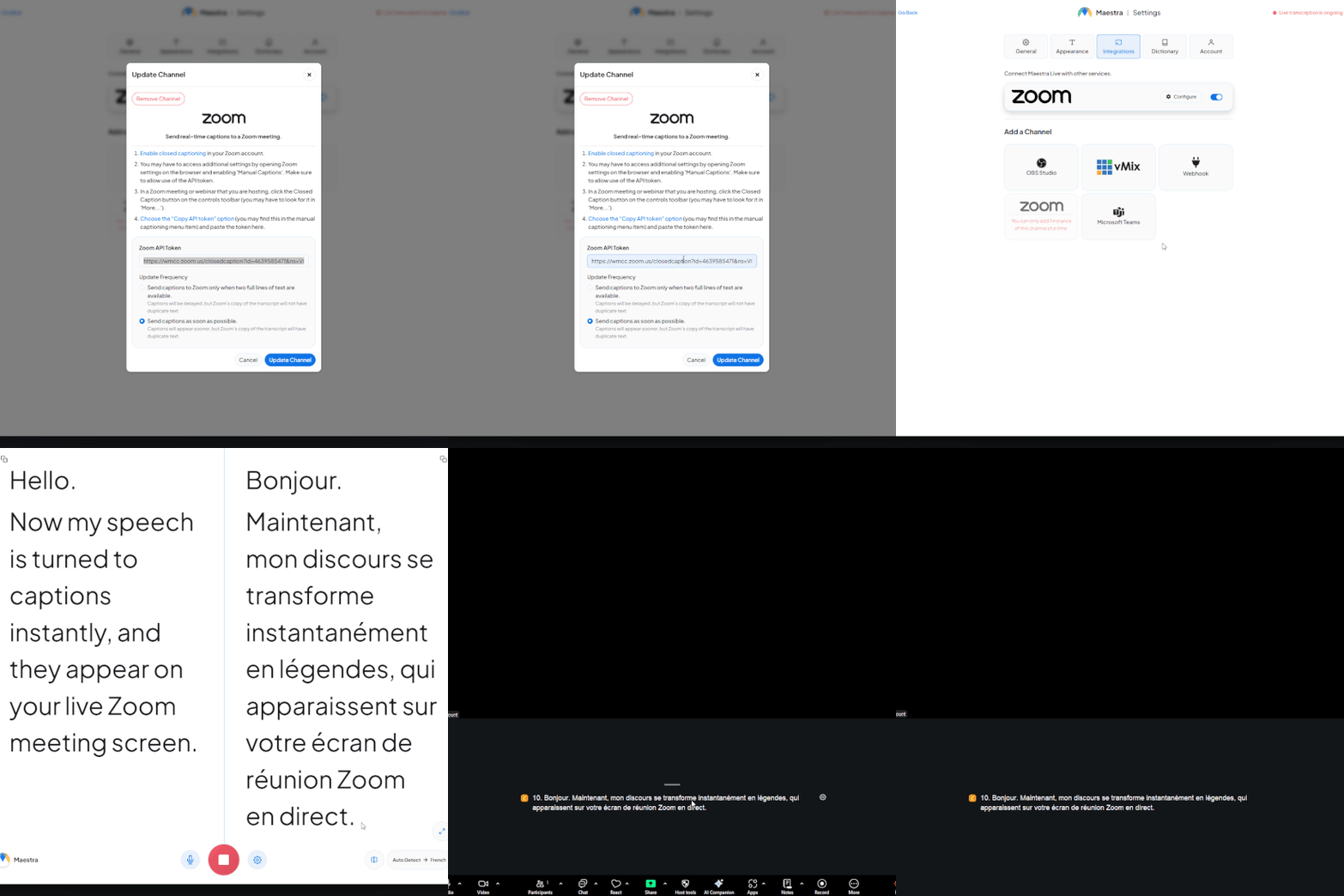
Start the meeting and turn on manual captions in the toolbar. Copy the API Token of that specific meeting.
Go to the Integrations tab on Maestra Live. Paste the API Token in the Zoom integration pop-up. Then start the app, choose the translation language(s), and start speaking. The translated captions will show up on your Zoom meeting screen.
Maestra integrates with Zoom to provide real-time speech translation during live meetings, webinars, and events.
When a participant speaks, the audio is captured and processed instantly, then translated into the selected target language. Attendees can follow the translation as live captions in their preferred language.
No. Participants do not need to install additional software.
They simply join the Zoom meeting as usual and can access live translated captions through the provided interface.
For hosts, setup takes only a few minutes.
Maestra supports live translation in 125+ languages, allowing global audiences to follow the same meeting in their native language.
Yes. Translation happens in real time with minimal latency.
Speech is processed and displayed as translated captions within seconds, making it suitable for international business meetings, webinars, virtual conferences, training sessions, and global team calls.
No, this is different from Zoom’s built-in interpretation feature. Zoom interpretation relies on human interpreters and requires manual language channel management. Maestra’s solution uses AI-powered live translation, which does not require interpreters, can scale to multiple languages instantly, reduces operational costs, and allows for much faster setup.
Yes, the integration works for Zoom Meetings, Zoom Webinars, and large-scale virtual events. It is designed to support international audiences and can handle high participant volumes without additional technical complexity.
Yes, after the session you can download both the original transcript and the translated versions. These can be used for documentation, subtitles, compliance records, or repurposed into written content.
Yes, all audio processing follows strict data security standards. The platform is designed for professional and enterprise environments, ensuring that meeting data is handled securely and responsibly.
You can reach out to us and book a demo to see all our AI-powered localization & accessibility solutions.