Chaitanya P.
Managing Director"Master the Media with Maestra"
The best side of this product is auto subtitling. And most importantly, it supports multiple languages.
Read full reviewUpload a video in Arabic and translate it to English within seconds using subtitles and AI dubbing.
MP4, MOV, WebM, AVI, MKV, SRT…
Sign up to export the translated file.
Sign up nowYouTube, Vimeo, Google Drive, or a direct media URL
Sign up to export the translated file.
Use your microphone
Sign up to export the translated file.
 English
 French
 Arabic
 German
 Spanish
 Japanese

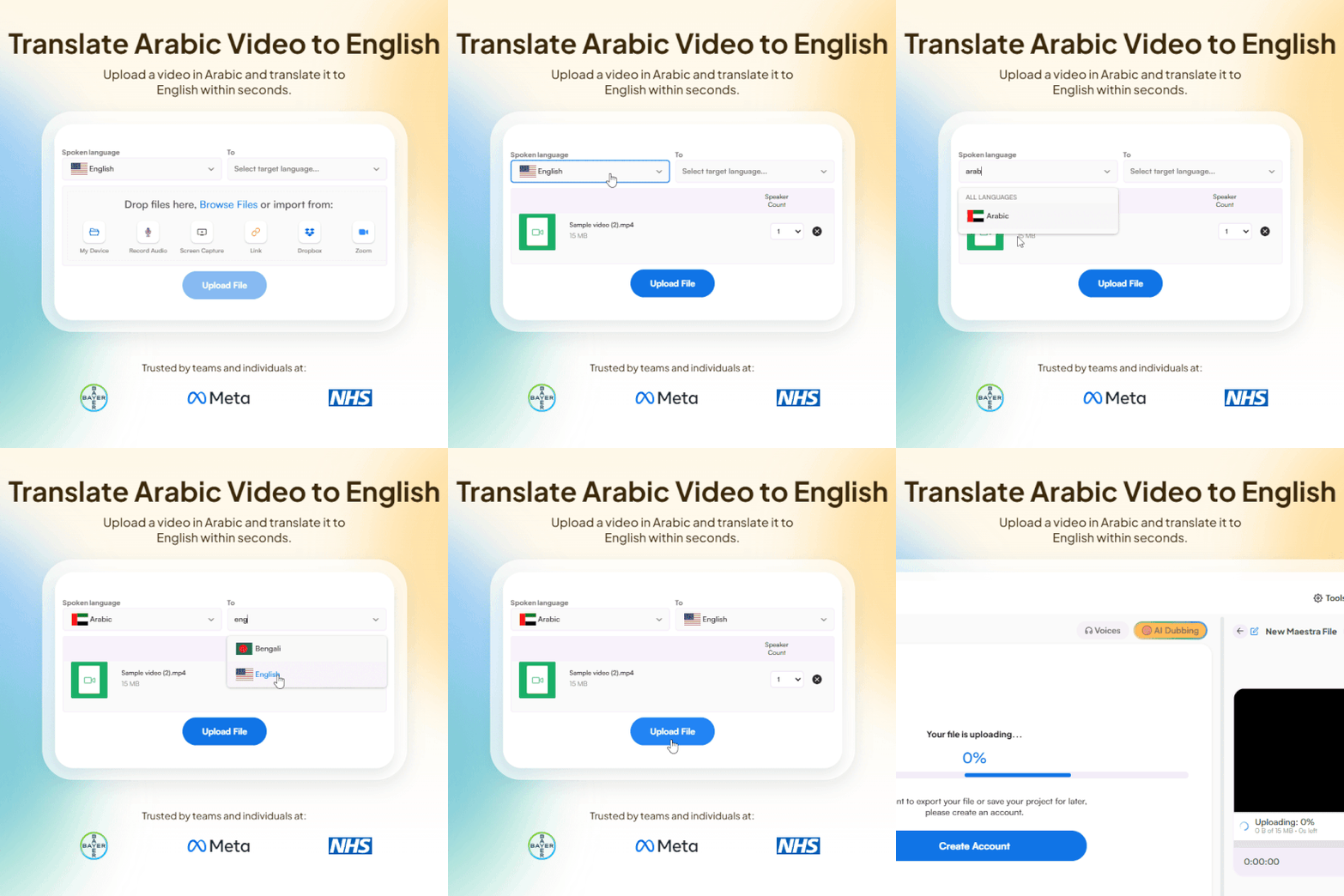
Upload a video file in Arabic, choose Arabic as the original language and English as the target language.
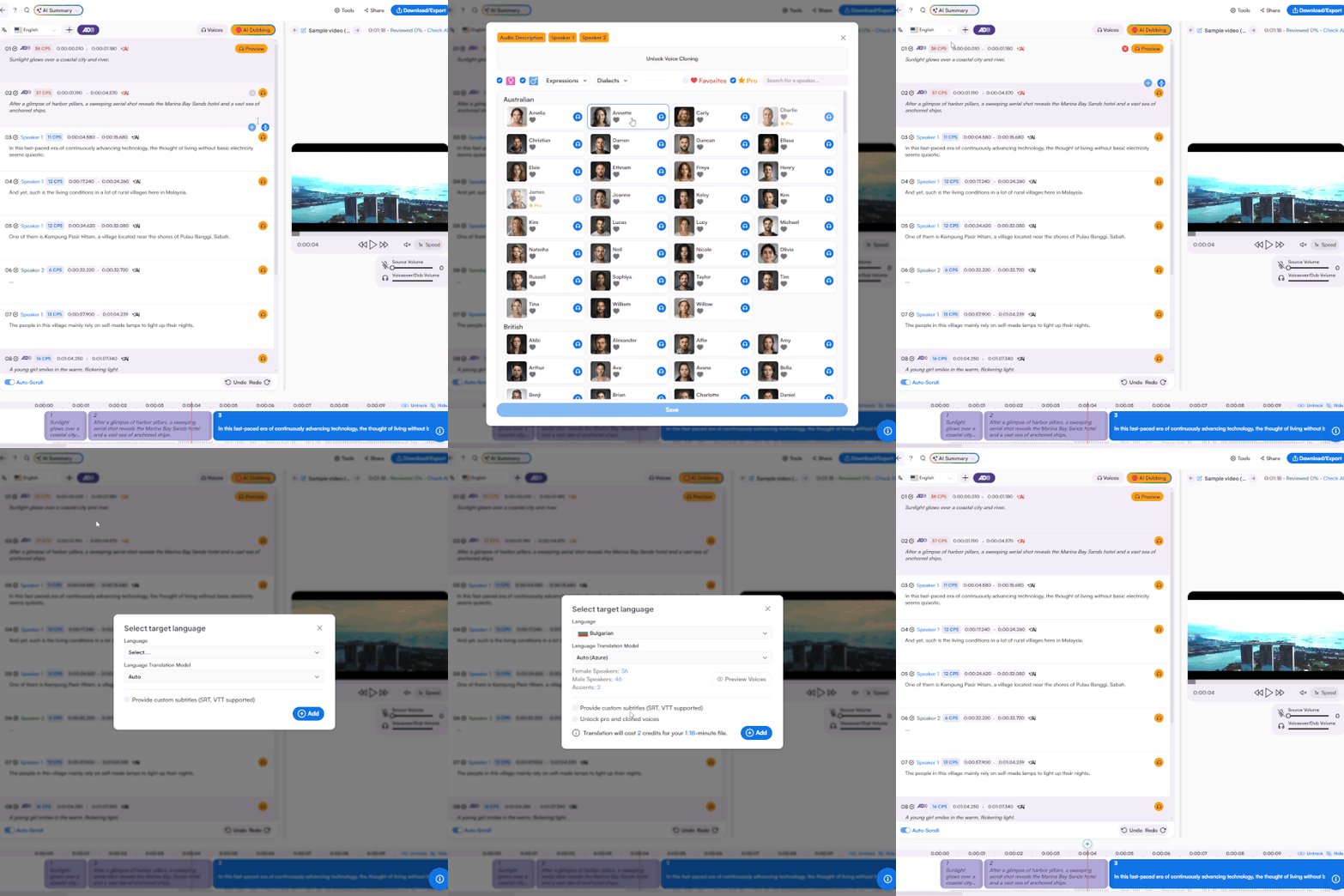
Translate Arabic video to English using subtitles or AI dubbing. You can also translate to more languages and edit to polish in the same interface.
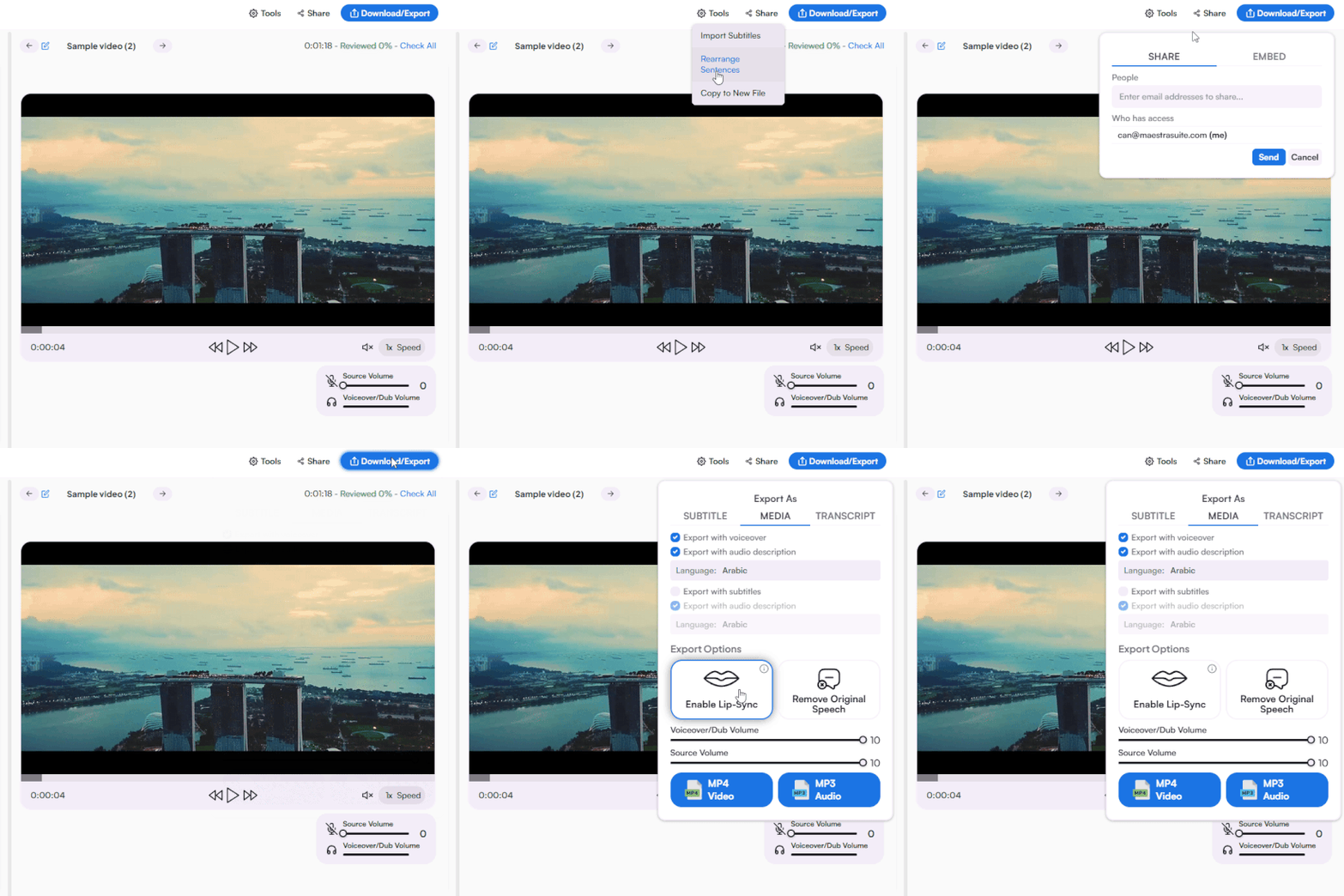
Share to collaborate and download in the format you prefer.
Upload your Arabic video, select Arabic as the source language and English as the target, choose subtitles or AI dubbing, and download your translated video.
Yes. Upload your Arabic YouTube video and translate it to English with subtitles, dubbing, or both. Export in YouTube-ready formats.
Yes. A free trial is available with full access to Arabic to English video translation including subtitles and AI dubbing. No credit card required.
Subtitles display the English translation as text over the original Arabic video. Dubbing replaces the Arabic audio with AI-generated English voiceover. You can use both together for maximum accessibility.
Maestra's Arabic to English video translator uses the latest AI models for high accuracy across Modern Standard Arabic and common dialects. You can edit the translation directly in the editor before exporting.
Yes. Translate your Arabic video into 125+ languages from the same editor, not just English. Each translation supports subtitles, dubbing, and voice cloning.
AI voice cloning can replicate a speaker's voice for the English dubbed version. Make sure you have the necessary permissions from the original speaker before cloning their voice.
Yes. Translate, subtitle, dub, and edit your Arabic to English video all from a single interface. No need to switch between separate video translation tools.