Get Started Free

vMix Live Captioning & Translation

Integrate vMix with Maestra to effortlessly caption & translate livestreams.

Boost viewership and break language barriers with live vMix translation!

Boost viewership and break language barriers with live vMix translation!

Caption Livestreams Now

Trusted by teams and individuals at:

HP
Walmart
Bayer
Meta
NHS
Dell
Deloitte
HP
Walmart
Bayer
Meta
NHS
Dell
Deloitte

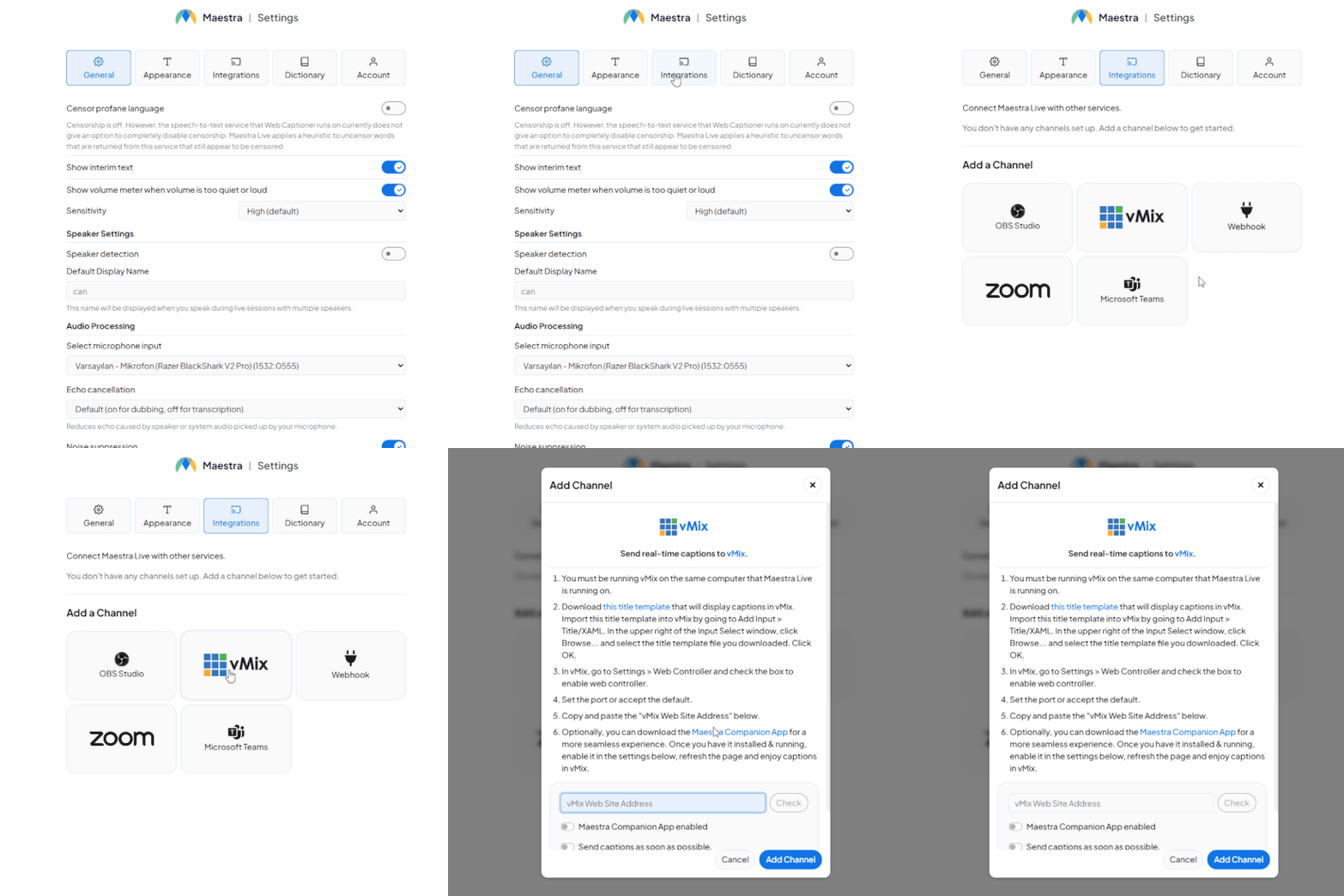
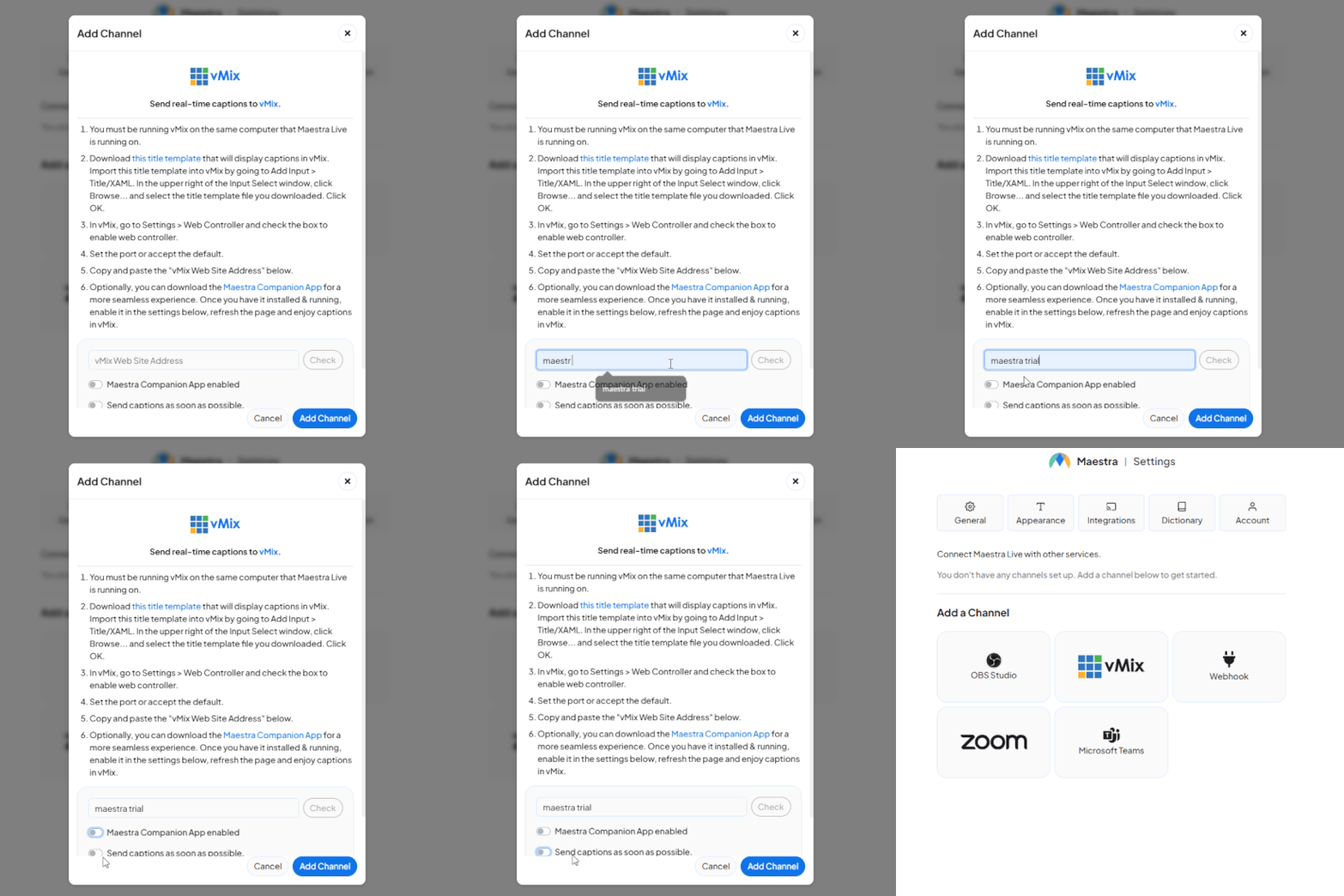
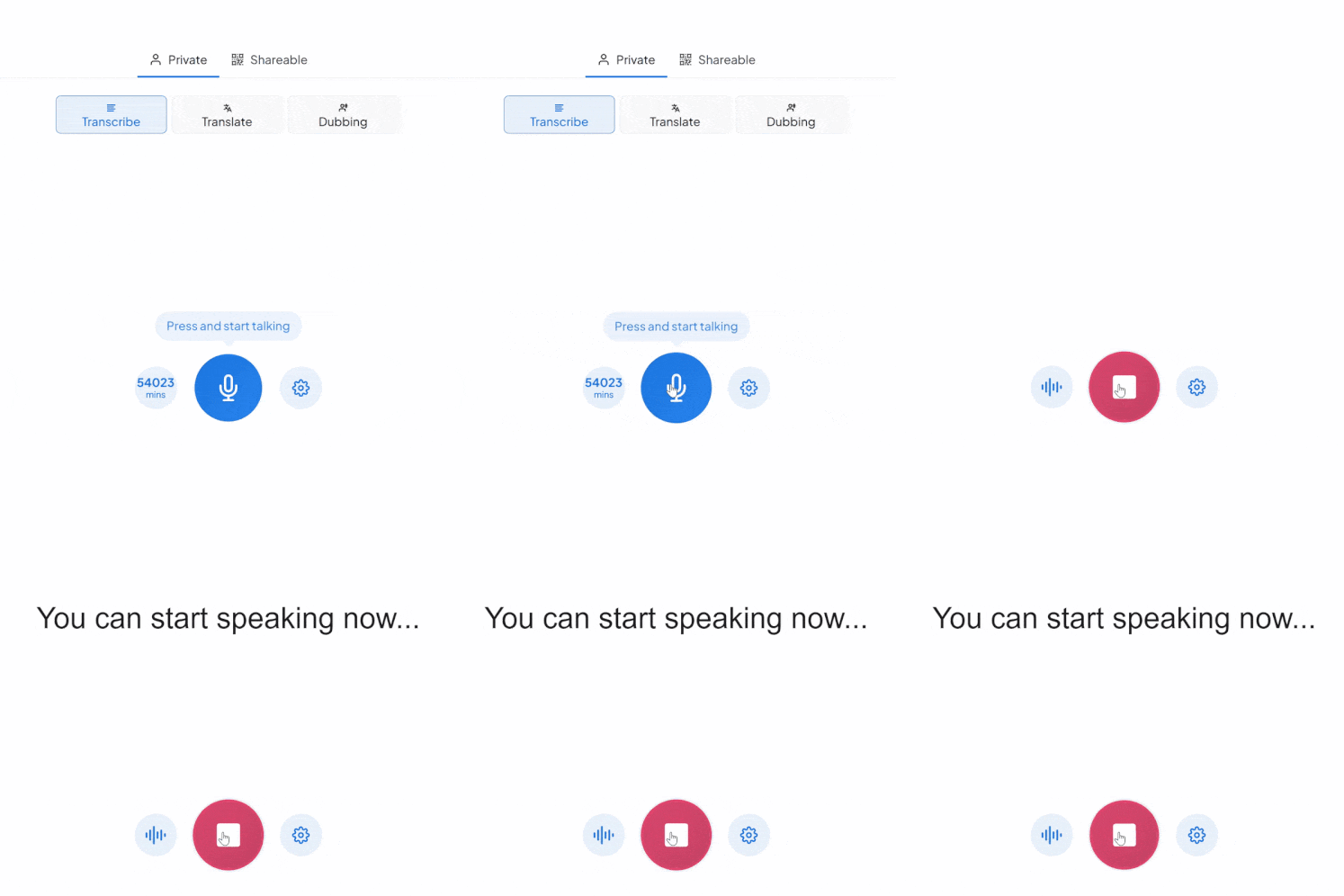
How to Integrate vMix with Maestra

Integrations tab
Follow the setup instructions
Live captioning session

AI-Powered vMix Translation & Captions

Take a look at what you can do with our live translator and vMix integration.

Accurate & Live Captions

Provide translated captions to livestreams in real-time to boost viewership and break language barriers.

Live Dubbing & Voice Cloning

In addition to captions, you can dub your voice in real-time using realistic AI voices or real-time voice cloning!

Save Meeting Transcripts

Save the transcripts and translations to repurpose and share on your other channels.

Customer Reviews

g2

4.8 out of 5 stars

Read all reviews

"Master the Media with Maestra"

The best side of this product is auto subtitling. And most importantly, it supports multiple languages.

Read full review

"The All In One "over the top" turnkey solution for Automatic Transcripts, Subtitles and Voiceovers"

What comes to mind as Maestra being the go-to solution for our company is that it's such a time and money saver.

Read full review

"perfect for anything transcript needs"

The best thing about Maestra is how well it creates transcripts. It's so useful for me. It makes my day a lot easier.

Read full review

"MAESTRA IS THE GO-TO FOR SUBTITLING. LOVE IT!"

Maestra is just amazing! We were able to produce subtitles in multiple languages assisted by their platform. Multiple users were able to work and collaborate thanks to their super user-friendly interface.

Read full review

"Pocket Friendly Content Creator"

It is cloud-based. It allows to automatically transcribe, caption, and voiceover video and audio files to hundreds of languages. It helps to reach and educate people all around the globe.

Read full review

FAQ

How does the vMix live captioning integration work?

Connect vMix to the live captioning tool and generate real-time captions and translations directly on your stream. No complex setup required.

Do participants need to install anything?

No. Captions appear directly on the stream. Viewers don't need to download or install anything.

How many languages are supported?

125+ languages are supported for live captioning and translation on your streams.

Can I translate live stream captions in real-time?

Yes. Captions are generated and translated in real-time as you speak, with minimal delay.

Can I try the vMix integration before committing?

Yes. A free trial is available to test the vMix live captioning and translation features before subscribing.

Can I use it for large webinars or conferences?

Yes, the integration works for large-scale virtual events. It is designed to support international audiences and can handle high participant volumes without additional technical complexity.

Can I record and export the translated transcript?

Yes, after the session you can download both the original transcript and the translated versions. These can be used for documentation, subtitles, compliance records, or repurposed into written content.

Is the integration secure?

Yes, all audio processing follows strict data security standards. The platform is designed for professional and enterprise environments, ensuring that meeting data is handled securely and responsibly.

Does the vMix integration support team or enterprise use?

Yes. Enterprise solutions are available with team collaboration features, custom workflows, and dedicated support for professional streaming operations.


