Chaitanya P.
Managing Director"Master the Media with Maestra"
The best side of this product is auto subtitling. And most importantly, it supports multiple languages.
Read full reviewUpload a video in French and translate it to English within seconds.
MP4, MOV, WebM, AVI, MKV, SRT…
Sign up to export the translated file.
Sign up nowYouTube, Vimeo, Google Drive, or a direct media URL
Sign up to export the translated file.
Use your microphone
Sign up to export the translated file.
 English
 French
 Arabic
 German
 Spanish
 Japanese

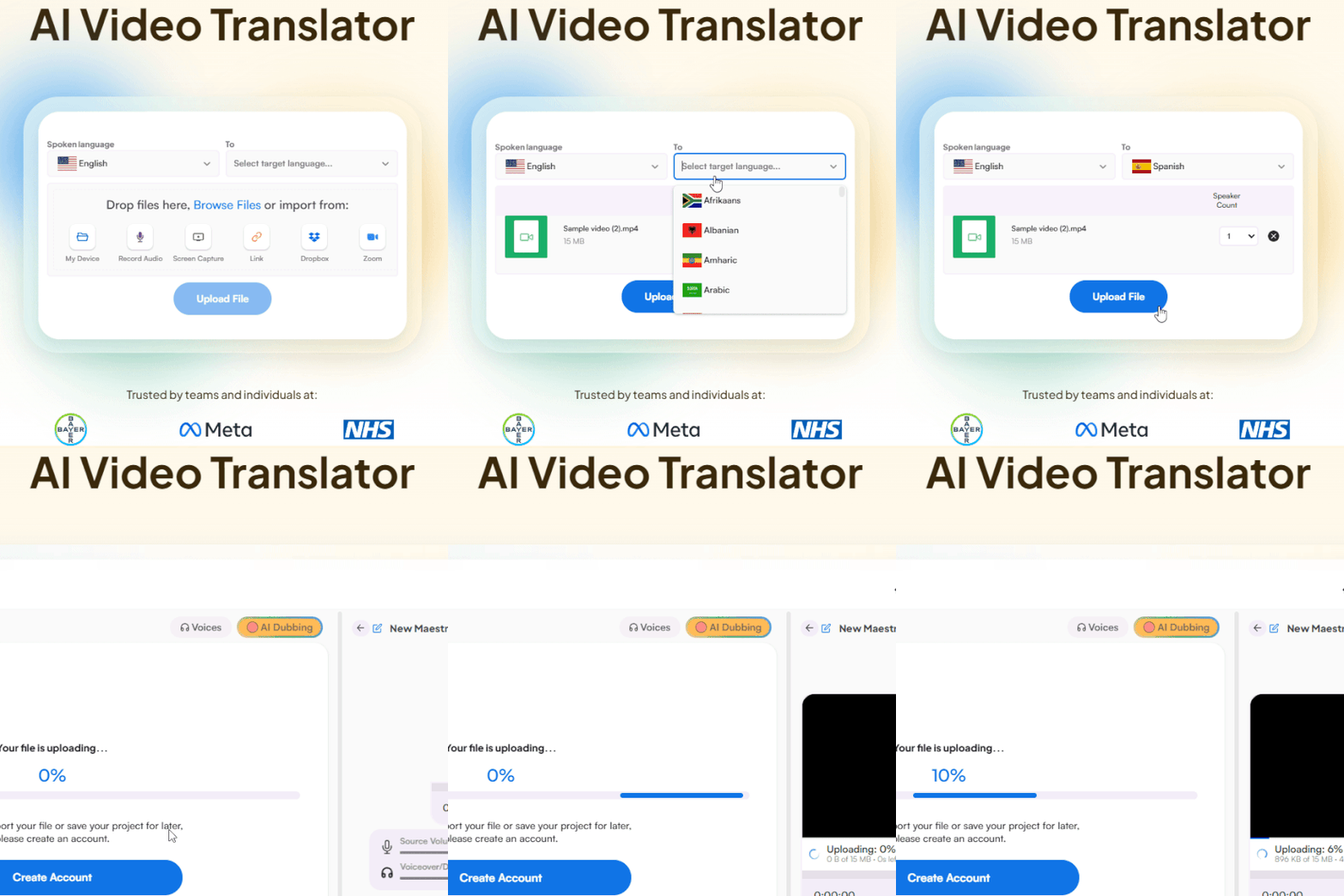
Upload a video file from your device, Dropbox, Zoom, or paste a link. Set French as the source language and English as the target.
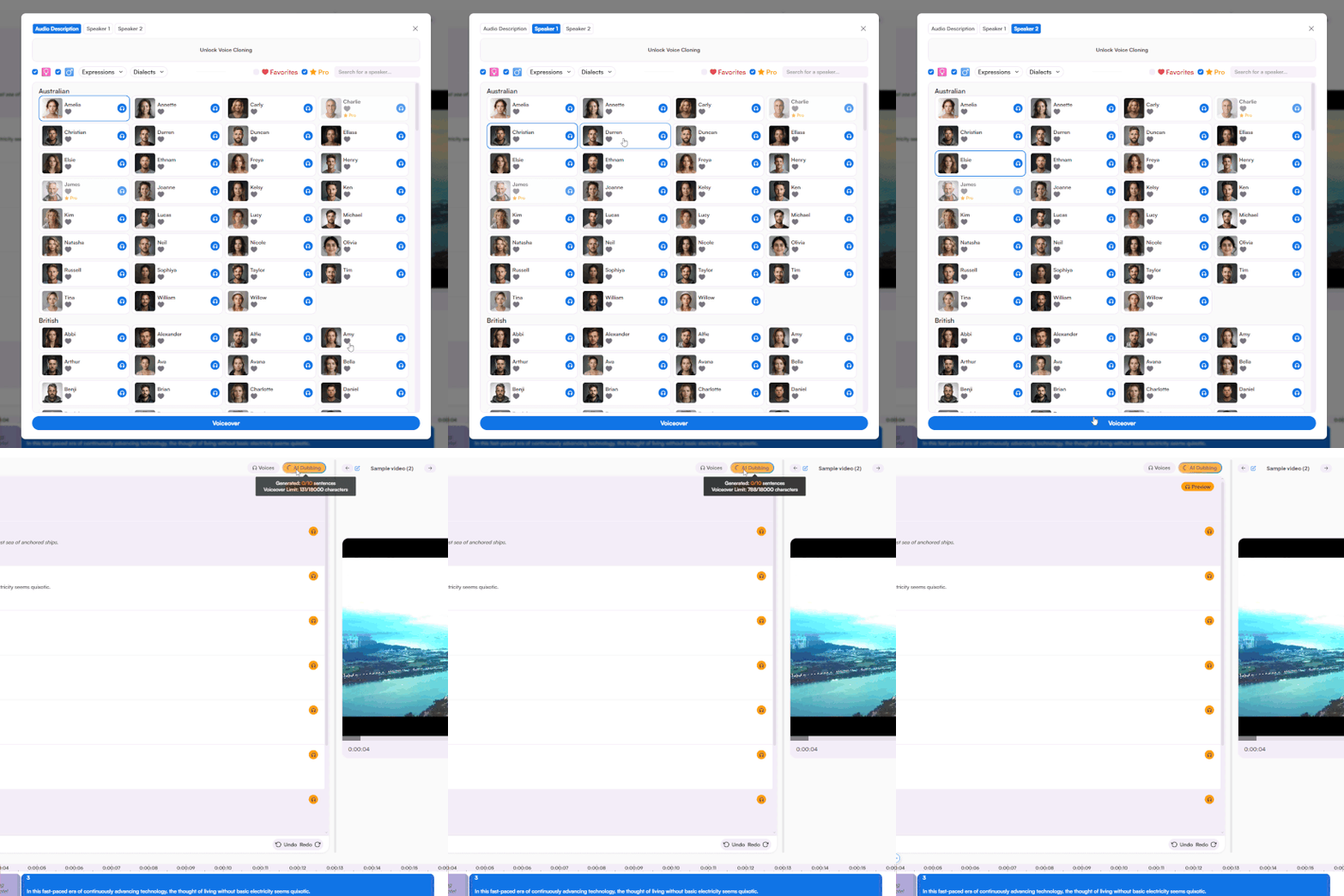
Translate your French video to English with subtitles or AI dubbing. Add more languages and refine the translation in the same interface.
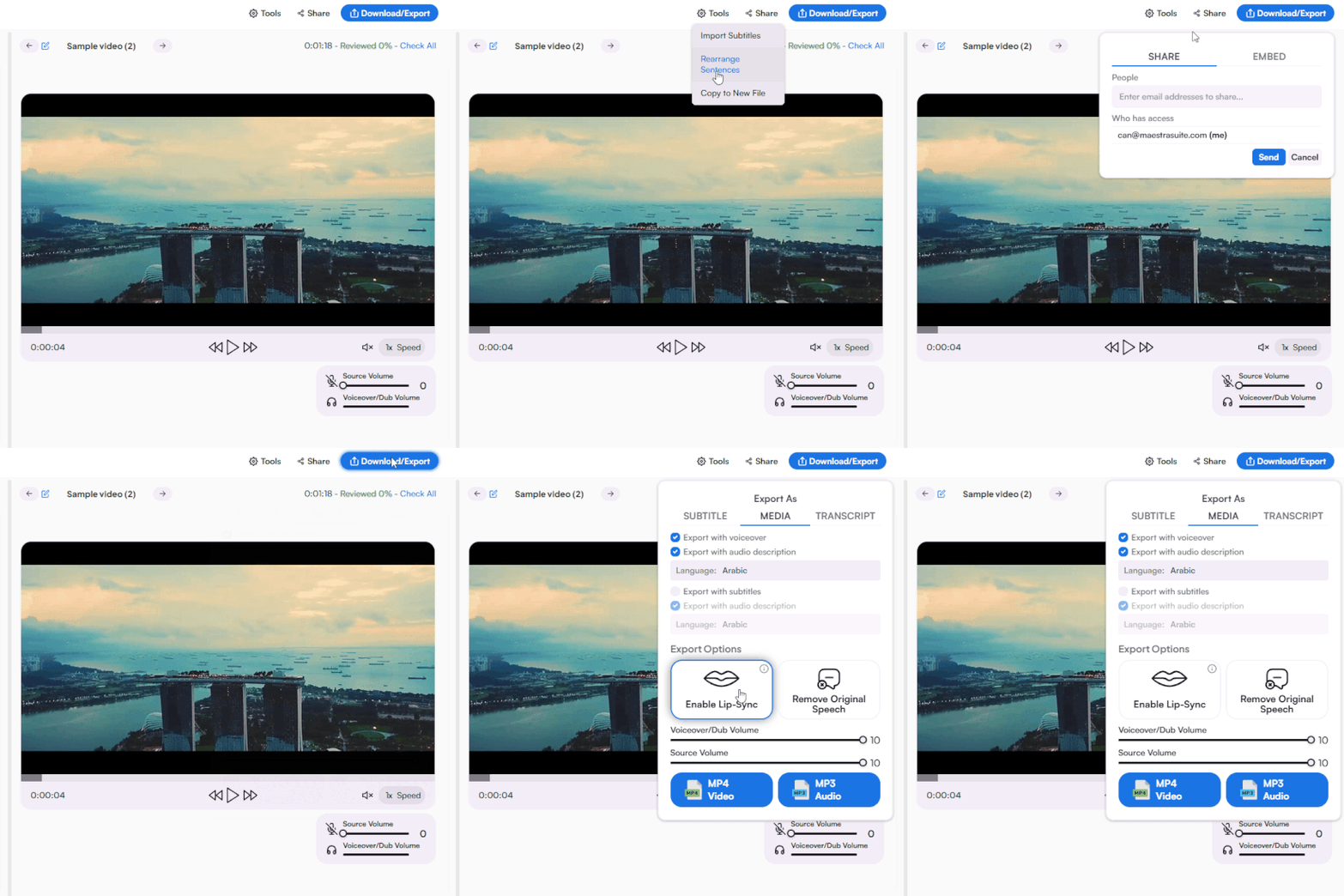
Export as MP4 with subtitles, voiceover, or both. Download subtitle files separately in SRT, VTT, and other formats. Share with collaborators for review.
Upload your French video, set French as the source and English as the target, choose subtitles or AI dubbing, and download your translated video.
Yes. The AI handles French dialects from Europe and Africa, so whether your video is from France, Belgium, Senegal, or Côte d'Ivoire, the translation stays accurate.
Yes. Upload your French YouTube video, translate it to English, and manage subtitles directly from the platform without switching tools.
Yes. Start with a free trial that includes subtitles, AI dubbing, and voice cloning. No credit card required.
Upload the video file, select French as the source language, and choose between English subtitles or full AI dubbing. Edit the translation and export in your preferred format.
Yes. Translate your French video into English and 125+ other languages from a single editor. Manage every version without re-uploading.
Lip sync technology aligns the English audio with the original French speaker's mouth movements. Voice cloning is also available to preserve the speaker's tone with proper permissions.
Yes. Upload your French video file and convert it to English with subtitles, AI dubbing, or both. The entire process takes seconds from upload to download.
Yes. Upload any French video and translate it to English with subtitles or AI dubbing. Works with films, lectures, corporate media, and any other French video content.
Export subtitles in SRT, VTT, and other popular formats, download your video as MP4 or MP3, or save transcripts as TXT, DOCX, PDF, or JSON. Choose what fits your workflow.