Chaitanya P.
Managing Director"Master the Media with Maestra"
The best side of this product is auto subtitling. And most importantly, it supports multiple languages.
Read full reviewUpload an audio file in French and translate it to English within seconds.
MP3, WAV, M4A, AAC, FLAC, SRT…
Your free trial is used — convert your next file in the Maestra app.
Sign up nowYouTube, Vimeo, Google Drive, or a direct media URL
Your free trial is used — convert your next file in the Maestra app.
Use your microphone
Your free trial is used — convert your next file in the Maestra app.
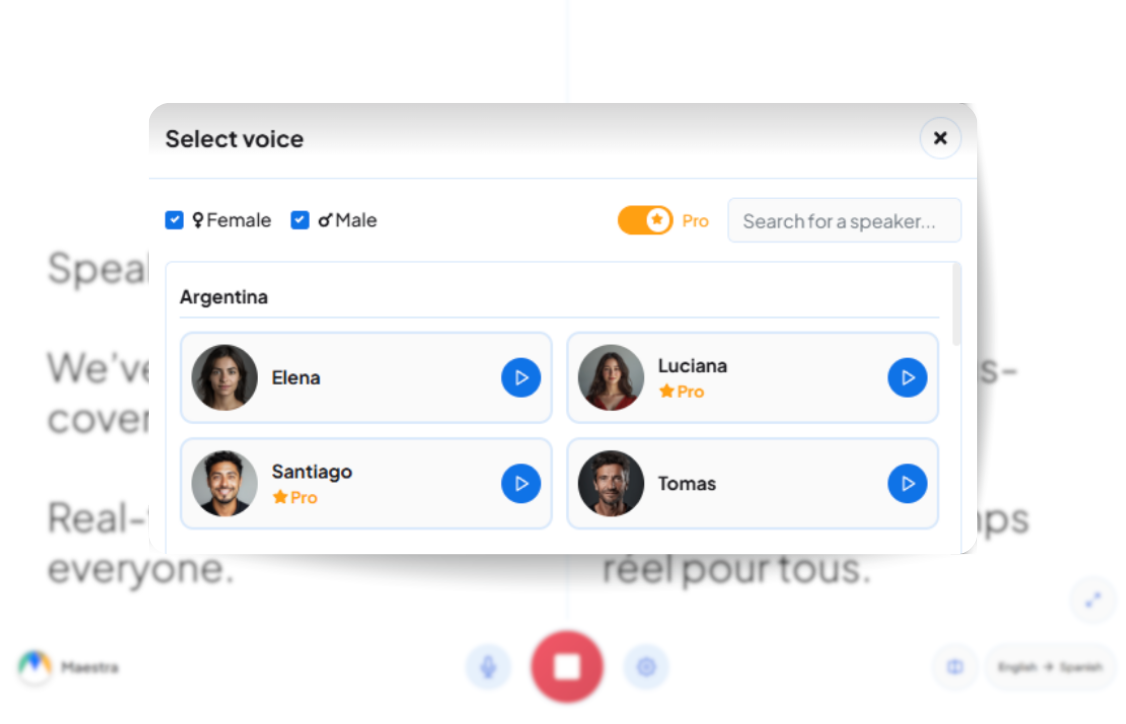
Live Translation from spoken audio, transcribed and translated as you speak.
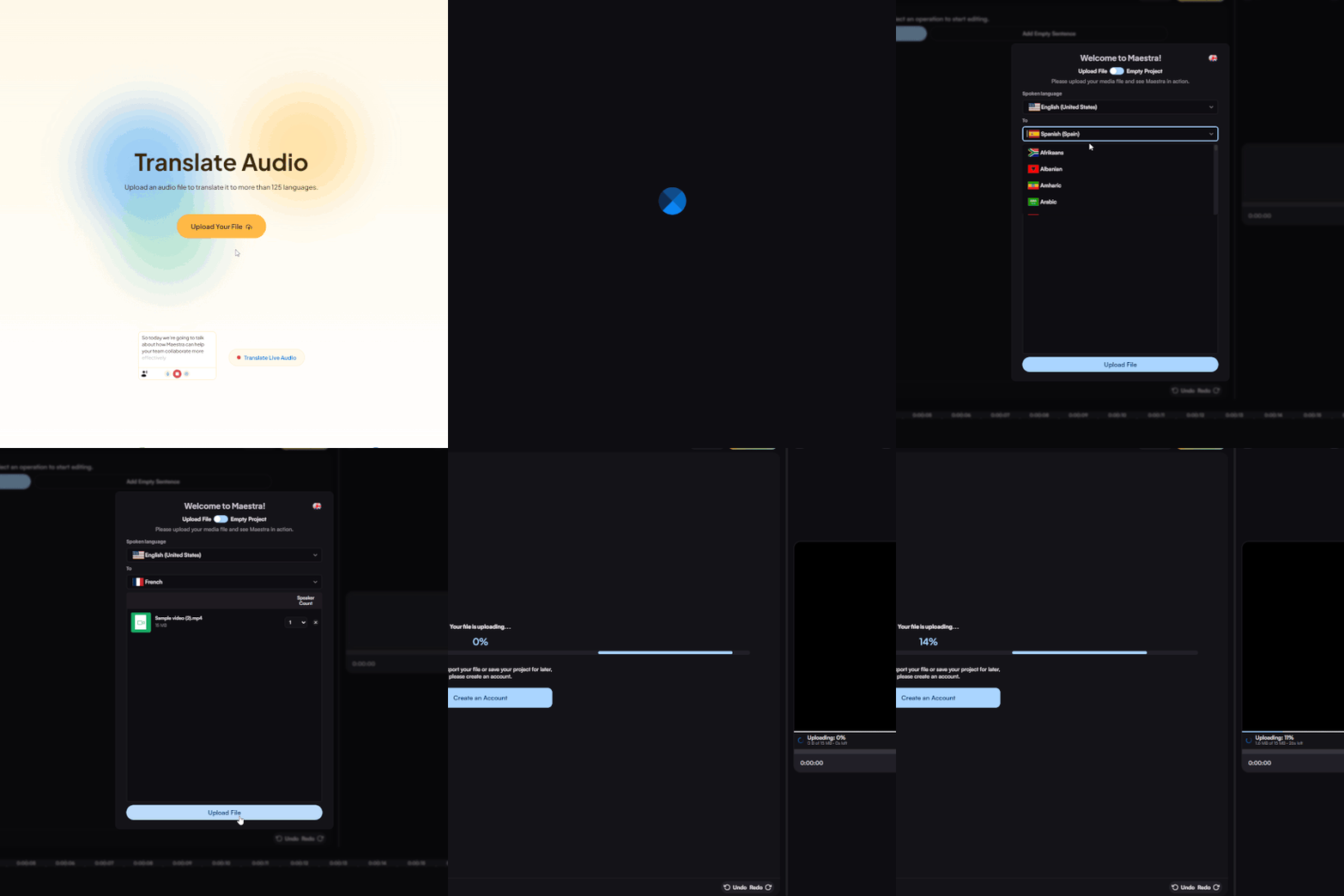
Upload a French audio file from your device, Dropbox, Zoom, or paste a link. Set French as the source language and English as the target.
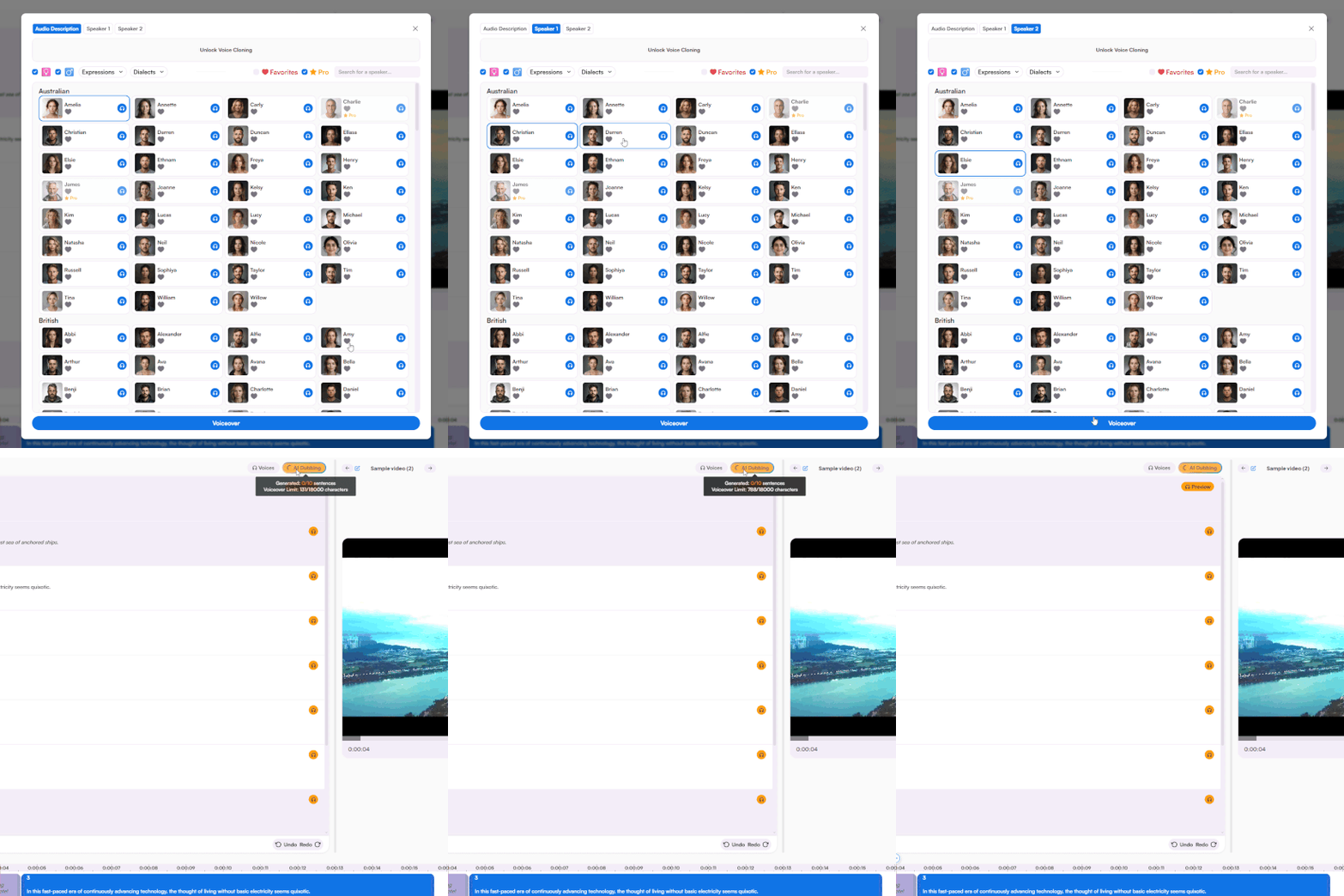
Choose from a rich portfolio of voices and receive the full audio translation to English within minutes. Fine-tune every aspect of the voiceover with a simple yet advanced voiceover editor.
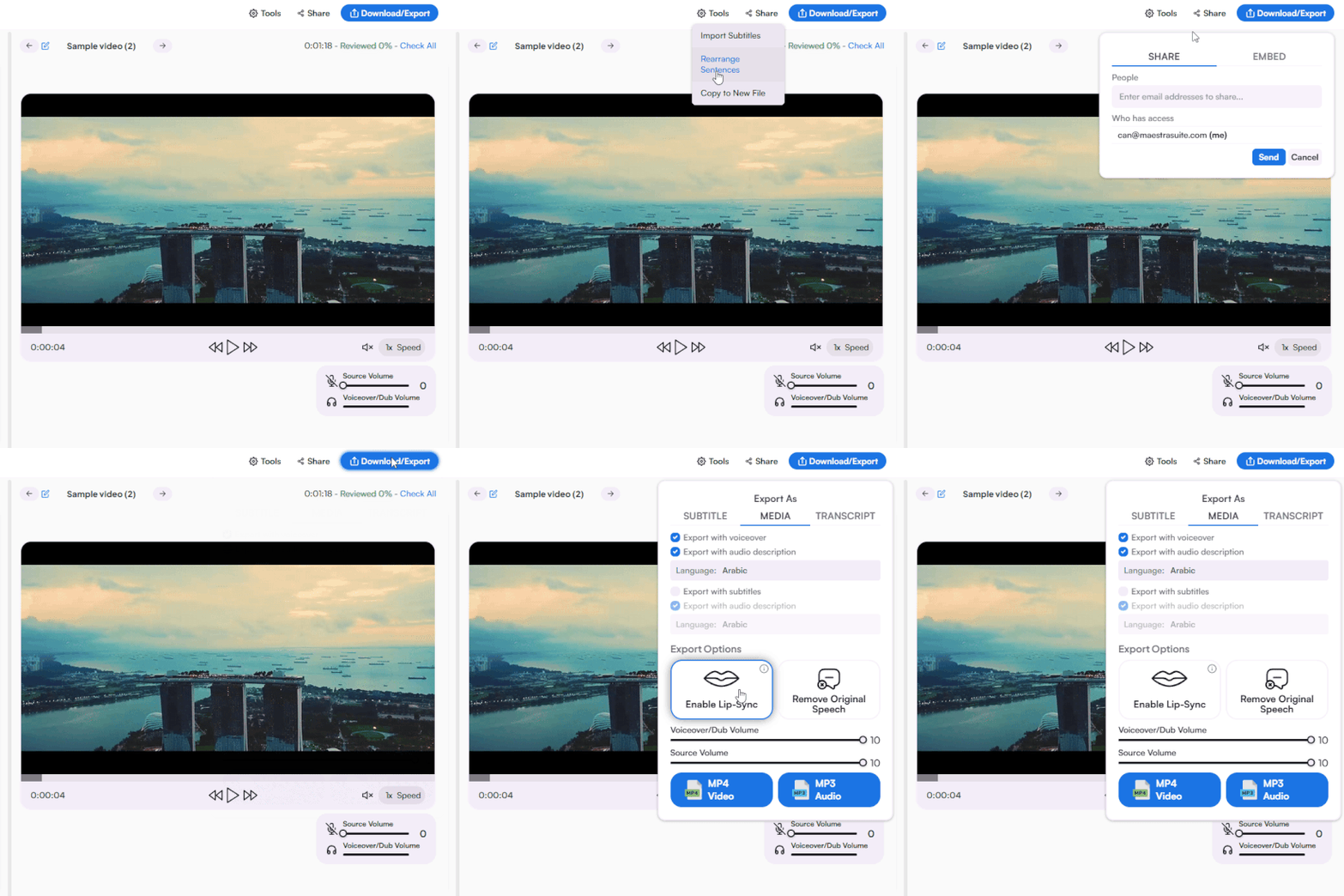
Share to collaborate or export as MP3 or MP4 with English voiceover, along with the option to export as various subtitle and transcript formats.
.webp)

Upload your French audio file from your device, Dropbox, Zoom, or paste a link. Set French as the source and English as the target, choose an AI voice, and download your translated audio within seconds. The French to English audio translator works directly in your browser without installation.
Yes. Real-time audio translation converts French voice to English live during meetings, conferences, webinars, and events. No uploads or waiting required, translation happens as the conversation flows. Both uploaded French audio and live French voice translation are supported.
Yes. AI is trained on French dialects from Europe, Canada, and Africa, so accuracy stays consistent whether your audio comes from France, Belgium, Quebec, Senegal, or Côte d'Ivoire. Each variant is handled with native-level recognition.
Yes. A free trial is available with full access to French to English audio translation, voice cloning, real-time translation, and AI voices. No credit card or account required to start.
Yes. Upload French songs, podcasts, audiobooks, interviews, or any spoken content and translate it to English with realistic AI voices. Export the translation as audio, subtitles, or a full English transcript.
Every French to English audio translation generates a matching transcript and subtitle file. Download the transcript in TXT, DOCX, PDF, or JSON, or export subtitles in SRT, VTT, and other formats with timestamps and speaker tags.
AI translation trained on French and English speech patterns delivers accurate pronunciation, pacing, and natural delivery across all major French dialects. Edit any phrase or refine pronunciation directly in the browser-based editor before exporting.
Yes. The translator handles spoken French audio and outputs both translated English audio and a written English transcript. Useful for transcribing French interviews, meetings, podcasts, and lectures into English text directly from a microphone or uploaded file.