Live Translation for Corporate Training: Onboarding, Compliance and Workshops
- How do you deliver live training in several languages?
- How does live translation work for onboarding, compliance training and workshops?
- What should trainers do differently in a translated session?
- Can you record and reuse translated training sessions?
- How much does live translation cost for recurring training programs?
- Where does AI live translation fall short?
- FAQ
Live translation for corporate training turns a trainer's speech into captions or audio in each employee's language while the session is happening. It lets HR and L&D teams run one onboarding, compliance or workshop session for a multilingual workforce instead of repeating it in every language.
Tools such as Maestra Live deliver it to trainees' own phones and laptops. This guide covers how it works in each type of session, what trainers should do differently, how to reuse recordings and what it costs.
⭐ Key takeaway: One translated session can replace a separate session for every language. It works best when the audio is clear, key terms are in a glossary and trainees follow on their own devices.
How do you deliver live training in several languages?
There are four ways to deliver live training in several languages, and they differ mostly in how much trainer time they use.
| Option | How it works | Best for | Main limit |
|---|---|---|---|
| One session per language | A bilingual trainer repeats the session in each language | One extra language and a small group | Trainer hours multiply, and content drifts between versions |
| Human interpreter | An interpreter translates while the trainer speaks | Legal, safety-critical or sensitive training | Booked per session and per language, so it is hard to scale to weekly sessions |
| Built-in meeting captions | Zoom, Teams or Google Meet shows translated captions inside the call | Online sessions where everyone joins the same call | Languages and availability depend on the platform and plan, and in-person rooms are not covered |
| AI live translation tool | Software turns speech into captions or an AI voice on each trainee's device | Recurring sessions in several languages, in person or online | Accuracy depends on clear audio, and there is no human in the loop |
With a dedicated AI live translation tool, the setup takes three steps:
- The trainer's microphone or meeting audio goes into the tool.
- The organizer picks the target languages.
- Trainees scan a QR code or open a link and choose their language.
From there, trainees read captions or listen to an AI voice while the trainer keeps talking.
For a closer look at the tools for online sessions, see our comparison of real-time translators for meetings.
How does live translation work for onboarding, compliance training and workshops?

The setup is the same in all three, but each type of session puts pressure on a different part of it.
Onboarding
Onboarding is the easiest place to start because it repeats. The same welcome session, benefits overview and systems walkthrough run every week or month, often for new hires who speak three or four different languages.
With live translation, HR runs one session instead of one per language. New hires scan a QR code on the first slide, pick their language and follow along, with no app to install on a phone they may have received that morning.
Three things make onboarding sessions translate well:
- Load company terms first. Add product names, team names, system names and acronyms to the glossary before the first session. They will come up in every session after that.
- Keep the first ten minutes slow. New hires are still finding the link and choosing a language.
- Ask for language preferences before day one. That way the right languages are switched on when the session starts.
Compliance and safety training
Compliance training raises the stakes, because the point is that every employee understands the content, not just that the session took place. In the United States, OSHA's training standards policy statement says an employer must instruct employees using both a language and vocabulary they can understand.
Live translation helps a mixed-language group follow the same session, but treat it as one part of the answer:
- Check understanding in each language. Use a short quiz or a show of hands after every section.
- Keep the translated transcript. Store it with your training records if your tool can save it.
- Translate the handouts and the sign-off form. A translated talk does not cover an untranslated document.
⚠️ When to use a human interpreter: For training with legal weight, such as a session that follows an incident or anything tied to a regulator's requirement, a qualified human interpreter may still be required. Ask your legal or safety lead before relying on AI alone.
Workshops
Workshops are harder than lectures because people talk to each other. Translation has to run in every direction: the trainer to the group, a participant back to the trainer, and participants to one another.
Look for two-way translation, where each person speaks their own language and everyone else reads or hears it in theirs. Maestra Live does this with automatic language detection, so nobody has to change a setting when a different person starts speaking.
The format needs a few adjustments:
- Put a microphone near every speaker. Group size matters less than audio. In a larger room, pass a handheld microphone or give each table its own device.
- Keep to one speaker at a time. Overlapping voices are where AI translation makes most of its mistakes.
- Give written instructions in every language. Hand them out before each exercise starts.
- Allow extra time. Reading a translation takes a moment longer than listening in your own language.
What should trainers do differently in a translated session?
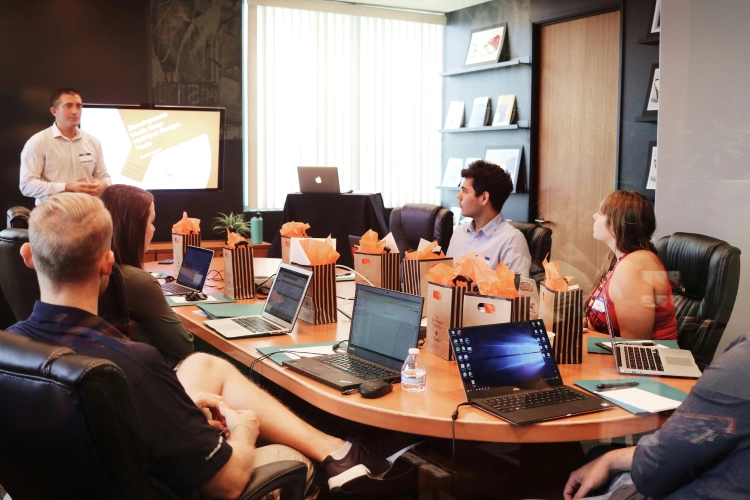
Most of what makes a translated session work happens before it starts and in how the trainer speaks. The same habits apply when you translate a live presentation, but training adds interaction, so a few more matter here.
- Send terms ahead. Add product names, acronyms and job-specific vocabulary to the glossary so they are recognized and translated the same way every time.
- Use a close microphone. A headset or lapel microphone gives cleaner audio than a laptop across the room, and clean audio is the biggest factor in accuracy.
- Speak in full sentences. Finish one thought, pause, then start the next. Short pauses give the translation time to catch up.
- Repeat questions from the room. If a participant asks something away from the microphone, say it again before you answer.
- Skip idioms and spell out acronyms. Say an acronym in full the first time, and avoid expressions that only make sense in one language.
- Put numbers and key terms on slides. Dates, limits, part numbers and step names are easier to follow when they are also on screen.
- Check understanding often. Ask a question after each section instead of waiting until the end.
- Test every language first. Run five minutes of the real content with a speaker of each language before the session.
Can you record and reuse translated training sessions?
Yes, and for training it is worth planning before the session, because the recording often gets more use than the live event. People who were on shift or on leave need to catch up, new hires join between sessions, and compliance teams need a record of what was said.
In Maestra Live, saving is a choice you make before the session starts. A saved session keeps the transcript and, if you choose, the audio. Afterwards you can:
- Play it back and switch between the saved translations.
- Export the transcript as a text or Word file.
- Generate an AI summary with chapters and key topics.
For a video version, record the session in your meeting platform or on a camera, then upload the file to Maestra Studio to add subtitles or a dubbed voice track in 125+ languages. That turns one live session into an on-demand course.
Our guides on what to do with a live event recording and making training videos with AI cover those steps.
How much does live translation cost for recurring training programs?
Cost depends on the pricing model more than on the tool, and recurring training makes the difference obvious. There are three models:
- Human interpreters are booked per session and per language.
- Usage-based AI tools charge by the minute or hour, so the bill rises with every extra session and language.
- Subscription tools charge a flat fee.
Maestra Live is in the third group: paid plans include unlimited sessions, so a weekly onboarding costs the same as a monthly one.
- Free: 10 minutes a week, enough to test a real session.
- Meetings: $39 per user per month, billed annually. Sessions inside Zoom, Google Meet and Microsoft Teams, up to 75 minutes each, in 2 languages.
- Organizations: $359 per month, billed annually. Adds a room link and QR code, sessions up to 3 hours, 50 viewers at once and 3 languages per session.
Prices were checked in November 2026; see Maestra Live pricing for current plans.
💡 Tip: To compare models, count your sessions per month, multiply by their length and the number of languages, and price that total on each model. One two-hour workshop a quarter may be cheaper on usage-based pricing. Weekly sessions in three languages usually are not.
Where does AI live translation fall short?
AI live translation is not the right tool for every session:
- It depends on audio quality. A noisy shop floor or a trainer who walks away from the microphone will produce more mistakes.
- It can mistranslate names, slang and rare technical terms unless they are in the glossary.
- It is not a certified translation. Training with legal consequences may still need a qualified human interpreter.
- Plans limit the languages per session. On Maestra Live that is 2 on the Meetings plan, 3 on Organizations and 5 on Events, so a group with eight home languages needs the right plan or more than one session.
None of this rules it out for everyday training. It means you should test with your own content, in your own room, in the languages your team speaks, before you roll it out across the program.
Train Every Team in Their Own Language
FAQ
For recurring sessions in several languages, a browser-based AI tool is the most practical choice. Maestra Live translates the trainer into 100+ languages as captions or an AI voice, and trainees join by QR code or link with no app or account. For legal or safety-critical sessions, add a qualified human interpreter.
Not with browser-based tools. With Maestra Live, trainees scan a QR code or open a link on a phone, tablet or laptop, pick their language and start reading or listening. They do not need an account.
Yes, if the tool supports two-way translation. Each person speaks their own language, and the trainer and the rest of the group read or hear it in theirs. Ask people to speak one at a time and close to a microphone.
For everyday content it works well when the audio is clear and key terms are in the glossary. Compliance training also requires that employees understand the material, so check comprehension in each language and use a qualified human interpreter for sessions with legal consequences.
Yes. In Maestra Live, turn on saving before the session to keep the transcript and, optionally, the audio. You can replay it, switch between translations and export the transcript. For video, upload the recording to Maestra Studio to add subtitles or dubbing.
It depends on the tool and plan. Maestra Live supports 100+ languages overall, with 2 languages per session on the Meetings plan, 3 on Organizations and 5 on Events.
