Chaitanya P.
Managing Director"Master the Media with Maestra"
The best side of this product is auto subtitling. And most importantly, it supports multiple languages.
Read full reviewGenerate a Romanian voice over for any video with AI dubbing.
MP4, MOV, AVI, MP3, WAV, SRT…
Sign up to export your dubbed file.
Sign up nowYouTube, Vimeo, Google Drive, or a direct media URL
Sign up to export your dubbed file.
Use your microphone
Sign up to export your dubbed file.
Live translation from spoken audio, transcribed and translated as you speak.
 English
 French
 Arabic
 German
 Spanish
 Japanese

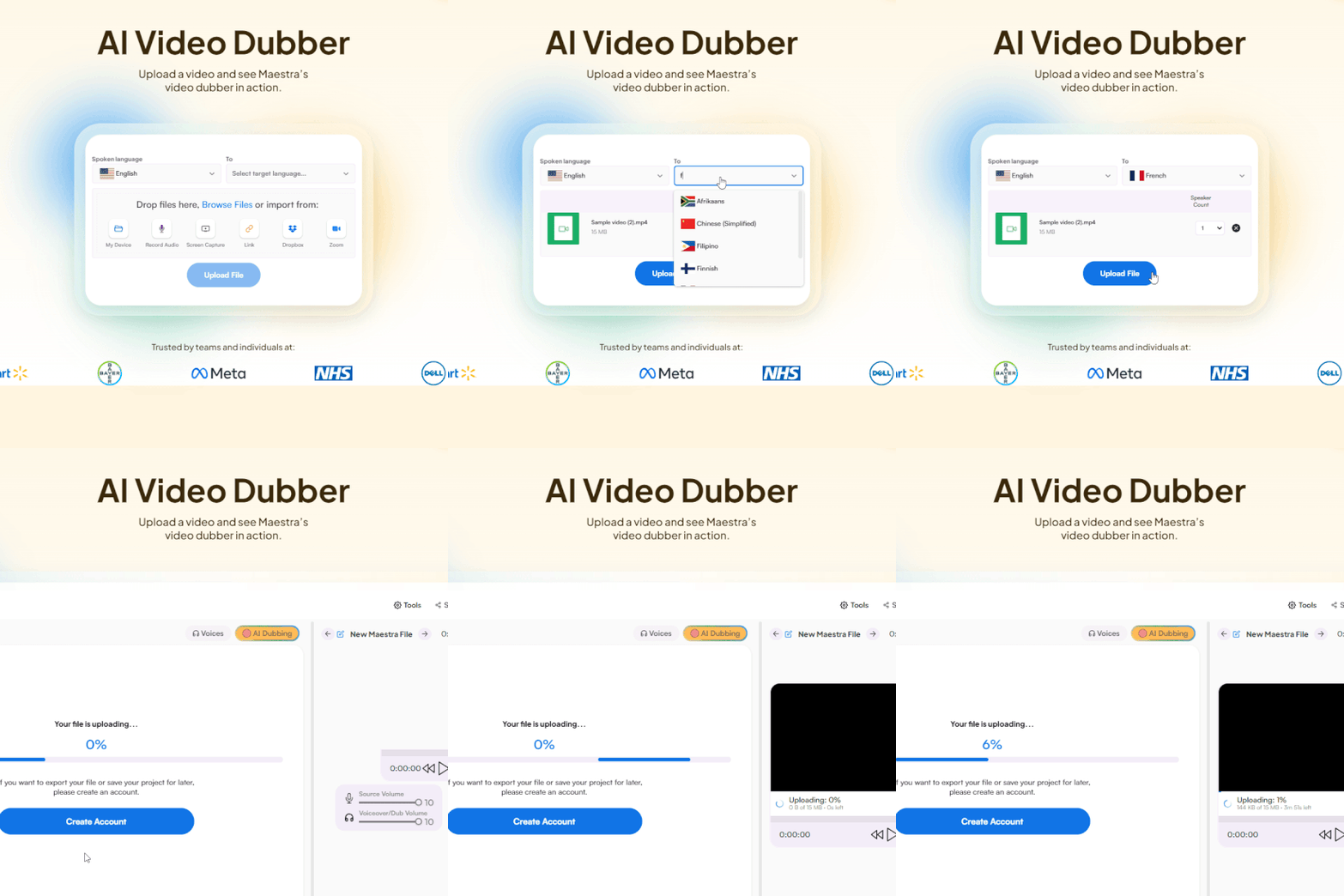
Upload a video file or paste a link. Select the original language and choose Romanian as the target.
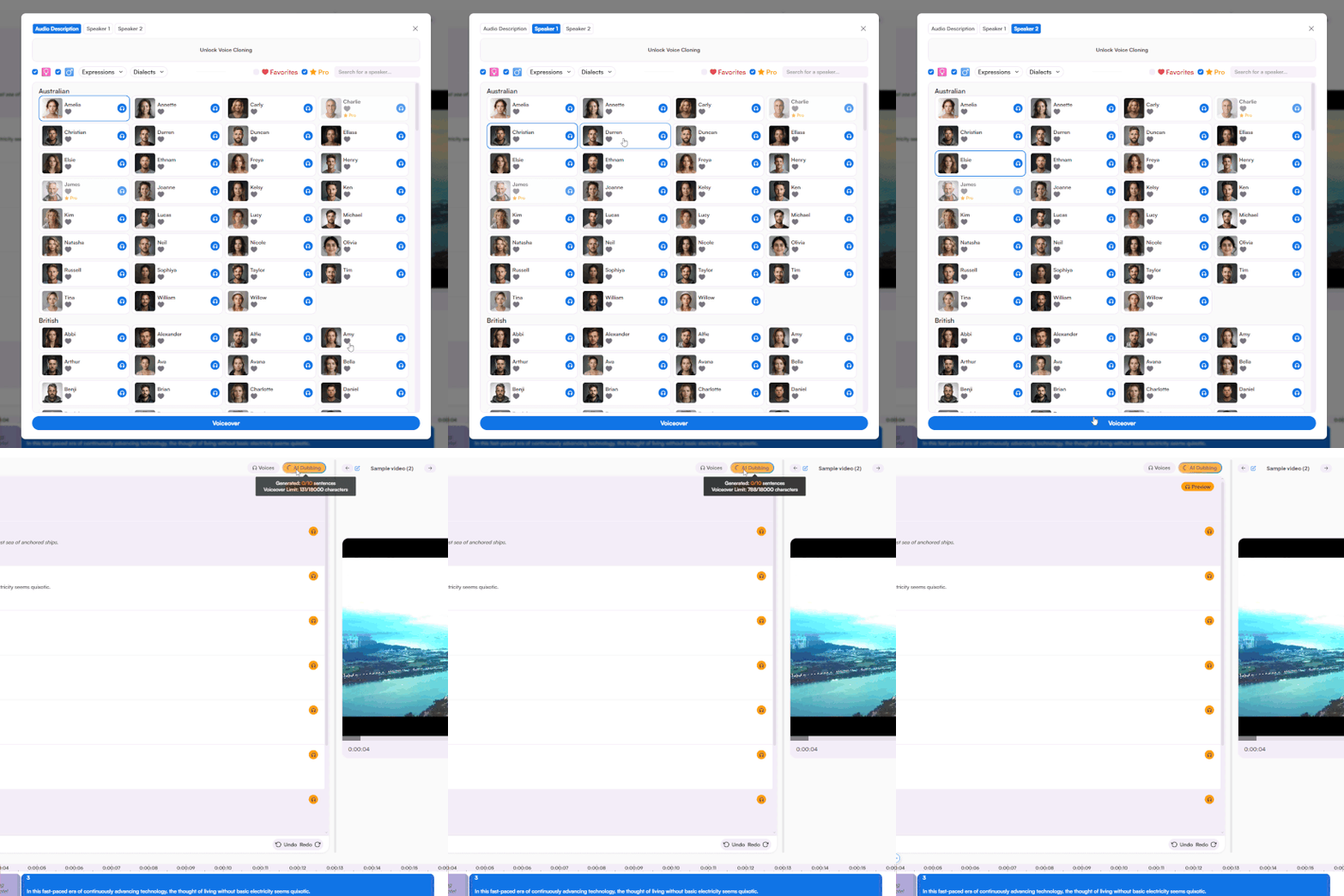
Select a Romanian AI voice for each speaker, generate the voiceover, and edit the result flexibly in the built-in editor.
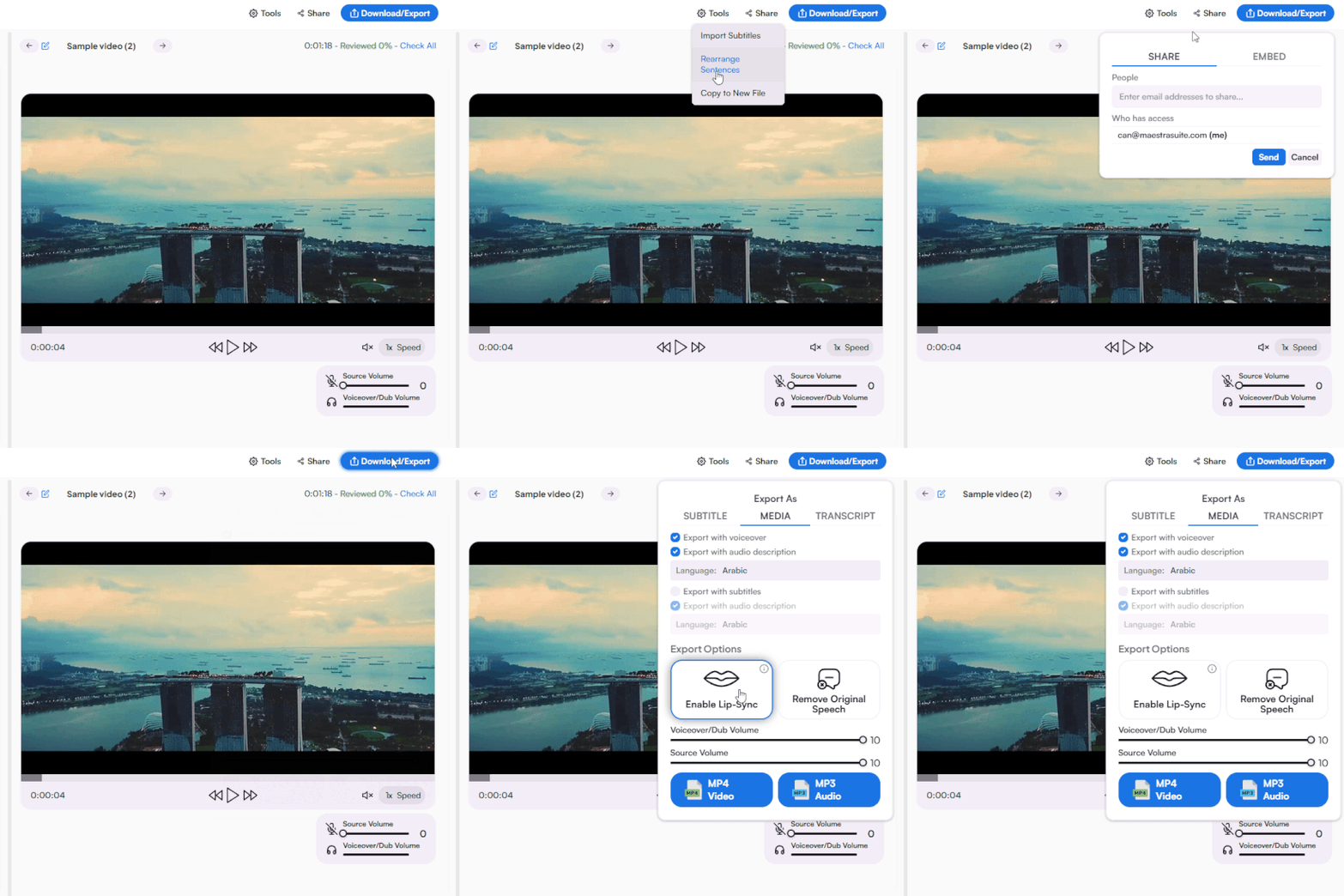
Download the final video with or without subtitles, share with your team, or publish it directly to your website.
Yes. You can generate a Romanian voice over for a segment of your video to test the AI voices, translation quality, and export options. For full access, you can explore available plans on Maestra's Pricing page.
Start by uploading a video file or pasting a link. Choose the original language of your video and set the target language to Romanian. Once Maestra processes the content, assign a Romanian AI voice to each speaker, generate the voiceover, and polish the result in the editor before exporting.
Most videos are processed in minutes depending on file length. Voice generation takes a few additional minutes after you pick your voices. This is significantly faster than working with voice over artists, which typically takes days.
Maestra's Romanian voice over generator combines advanced translation and speech synthesis technology to produce natural-sounding results. If anything needs adjusting, you can edit each line in the built-in editor or use the AI rewriting feature for quick improvements.
Yes. Maestra's AI voice cloning feature captures the original speaker's vocal characteristics and recreates them in Romanian. This keeps the speaker recognizable across other languages, which is particularly useful for brands, educators, and content creators with an established voice.
Yes. Maestra's AI lip sync feature aligns the Romanian audio with the speaker's on-screen mouth movements for a polished result. This is ideal for training videos, e-learning content, interviews, and any footage with a visible speaker.
Yes. Every Romanian AI voice on Maestra is licensed for commercial use. You can use them in any project, from advertising and branded content to e-learning and product demos.
Yes. Just turn on subtitles during export and they'll be generated in sync with the Romanian dubbed audio. You can also download separately as SRT, VTT, or other file types if preferred.
Maestra works with MP4, MP3, WAV, MOV, and many other formats. You can export dubbed Romanian content as MP4 or MP3, and download subtitles in SRT, VTT, or additional formats. Visit Maestra's Supported Formats page for the full list.
Yes. You can export the dubbed Romanian audio as a standalone MP3 file, which is perfect for podcasts, audiobooks, or any audio-only format.
Yes. Maestra encrypts all files in transit and at rest, and your content is never shared with third parties or used for training. You can view Maestra's Privacy Policy for complete details.
Yes. Maestra provides a separate Romanian text to speech tool that converts written scripts into spoken Romanian. Just paste your text into the tool and generate the audio instantly; no video upload needed.