How to Choose Which Languages to Offer at Your Event (Without Guessing)
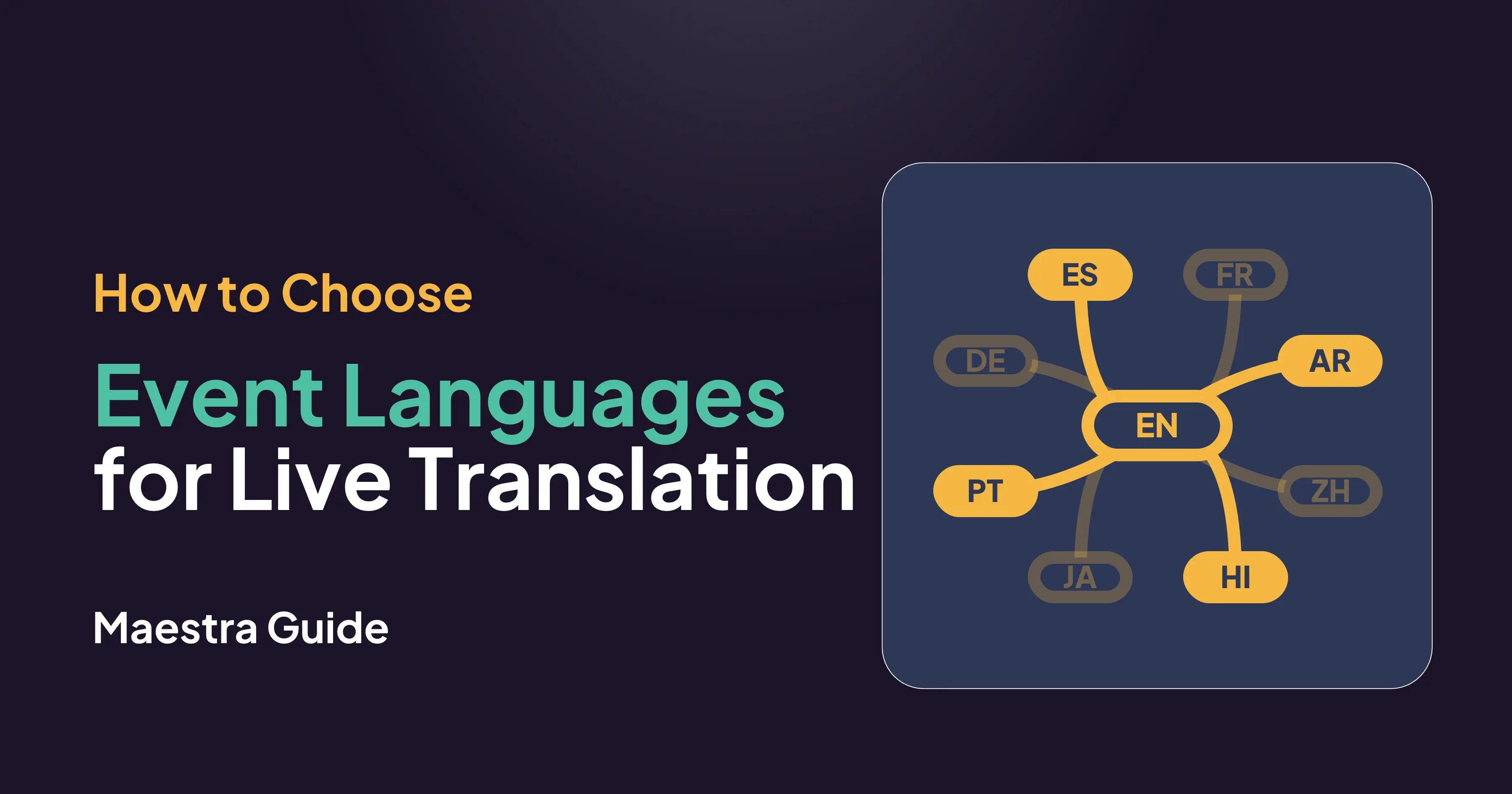
- How many languages should an event offer?
- How can you use registration and CRM data to find real language needs?
- Which languages should you start with in Europe, LATAM, MENA and APAC?
- Should you start small, then pilot and expand?
- What should a language selection checklist include?
- Final verdict: how should you choose event languages?
- FAQ on Choosing Languages for Live Event Translation
To choose which languages to offer at an event, start from attendee data instead of assumptions. Ask every registrant for their preferred language, check where attendees come from, and review past events. Offer the three to five languages that cover most non-native speakers, then add more when registrations show real demand.
How many languages should an event offer?
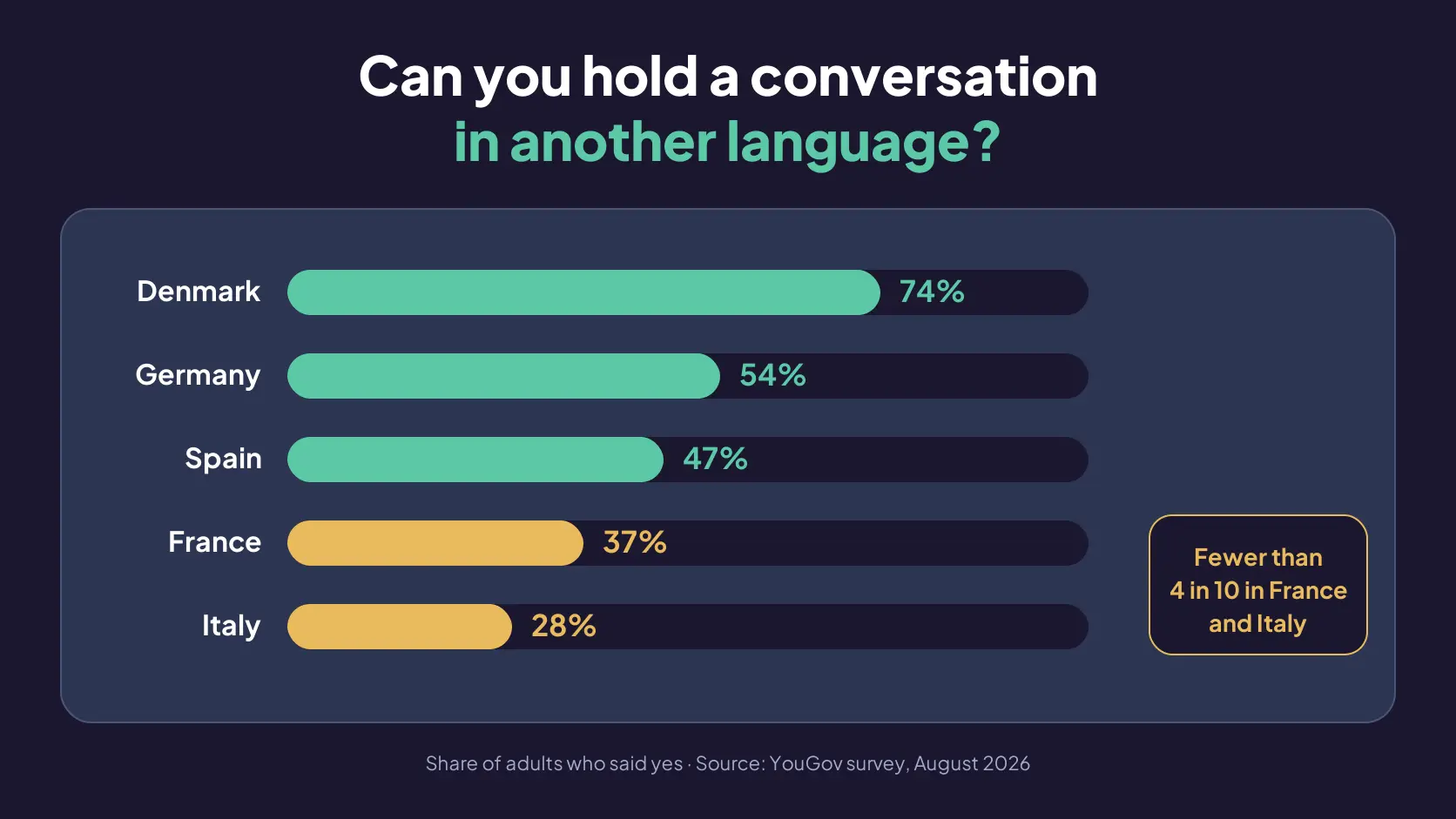
Most events should start with three to five translated languages, picked from registration data, and add more only when attendees ask for them. English alone is rarely enough. In a 2026 YouGov survey, only 37% of French adults and 28% of Italian adults said they could hold a conversation in another language. [1]
The technical ceiling is high. AI live translation tools turn one audio feed into many languages at once, and each attendee picks their own.
Maestra Live supports 100+ languages, so organizers choose which ones to offer in each session. Every plan includes a set number of languages per session, and more can be added when an event needs them. So the useful question is not how many languages a tool can handle, but which languages earn a place.
How can you use registration and CRM data to find real language needs?
The most reliable signal is a direct question on the registration form: "Which language would you prefer to follow sessions in?" Make it a required single-choice field with an "Other" box. Ask it separately from country of residence, because where someone lives does not tell you which language they want to listen or read in.
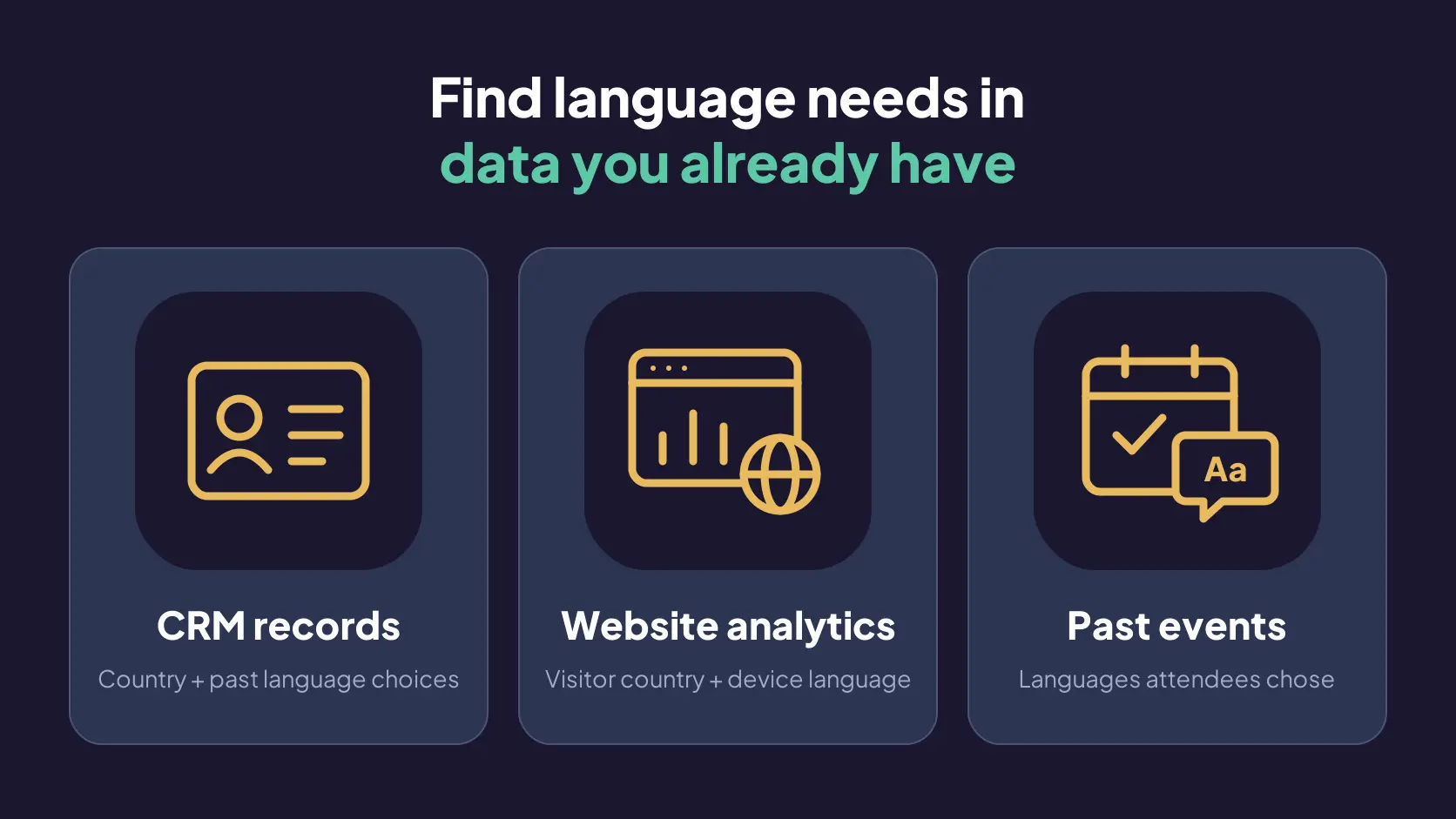
Then check three sources you already have:
- CRM records show the country and past language choices of members, customers and previous attendees.
- Website analytics show where visitors are and what language their devices use. Google Analytics reports a Country dimension and a Language dimension taken from the device's language setting, per Google’s documentation. [2]
- Past events show which languages people selected, if your translation tool reports usage per language.
Count attendees per preferred language and rank the list. One language wanted by a large group beats three languages wanted by a handful each.
| Data source | What it tells you | Limit to keep in mind |
|---|---|---|
| Registration form question | Each attendee's stated preference | Covers only people who have registered, so ask from day one |
| CRM or member database | Country and past language choices | Country is a proxy, not a preference |
| Website and email analytics | Visitor country and device language | Includes people who never register |
| Past event usage reports | Languages attendees selected | Shows only the languages you offered |
| Speaker list | Languages spoken on stage | Sets the source languages, not what the audience needs |
Which languages should you start with in Europe, LATAM, MENA and APAC?
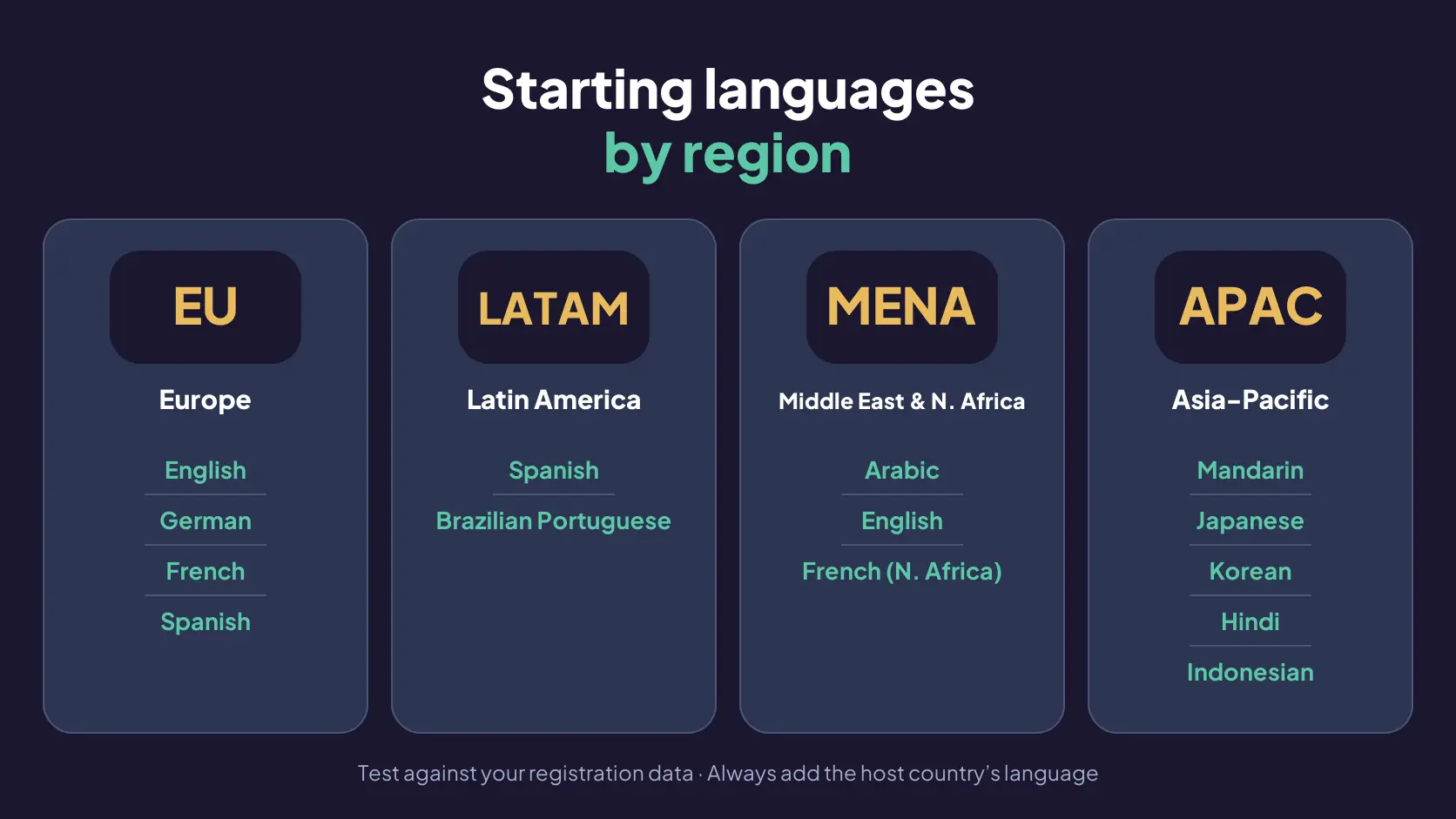
Regional starting sets are hypotheses to test against your registration data, not final answers.
For Europe, start with English, German, French and Spanish. After English, which 47% of EU citizens speak as a foreign language, the most widely spoken foreign languages are French (11%), German (10%) and Spanish (7%), according to the European Commission. [3]
For Latin America, start with Spanish and Brazilian Portuguese.
For the Middle East and North Africa, start with Arabic and English, and add French for North African audiences.
Asia-Pacific has no shared regional language, so choose by country mix from Mandarin Chinese, Japanese, Korean, Hindi and Indonesian.
Mandarin, Hindi, Spanish, Arabic, French and Portuguese all rank among the ten most spoken languages worldwide in the Ethnologue 200. [4]
Always add the host country's language if it is missing from the list.
🌟 Variants matter as much as the language name. Maestra Live covers Mexican and European Spanish, Brazilian and European Portuguese, Simplified and Traditional Chinese, regional Arabic accents, and more. Not every language has an AI voice in every tool, so confirm whether attendees in each language will get captions only or captions with spoken audio.
Should you start small, then pilot and expand?
Yes. Start with the three to five languages your data supports, run one pilot session, and expand only when usage or requests justify it.
A small set is easier to check: a native speaker can review each language, you can load speaker names and event terms into a glossary, and the team can rehearse the attendee journey before event day.
Maestra Live supports this start-small approach to live event translation. Its Events plan includes five languages per session with unlimited rehearsals, and the free plan gives 10 minutes a week in one language for a first test. Captions appear instantly, and the AI voice follows once each sentence is complete.
❓ If you are still deciding how to deliver translation during an event, our comparison of live translation devices vs apps covers what you need to know.
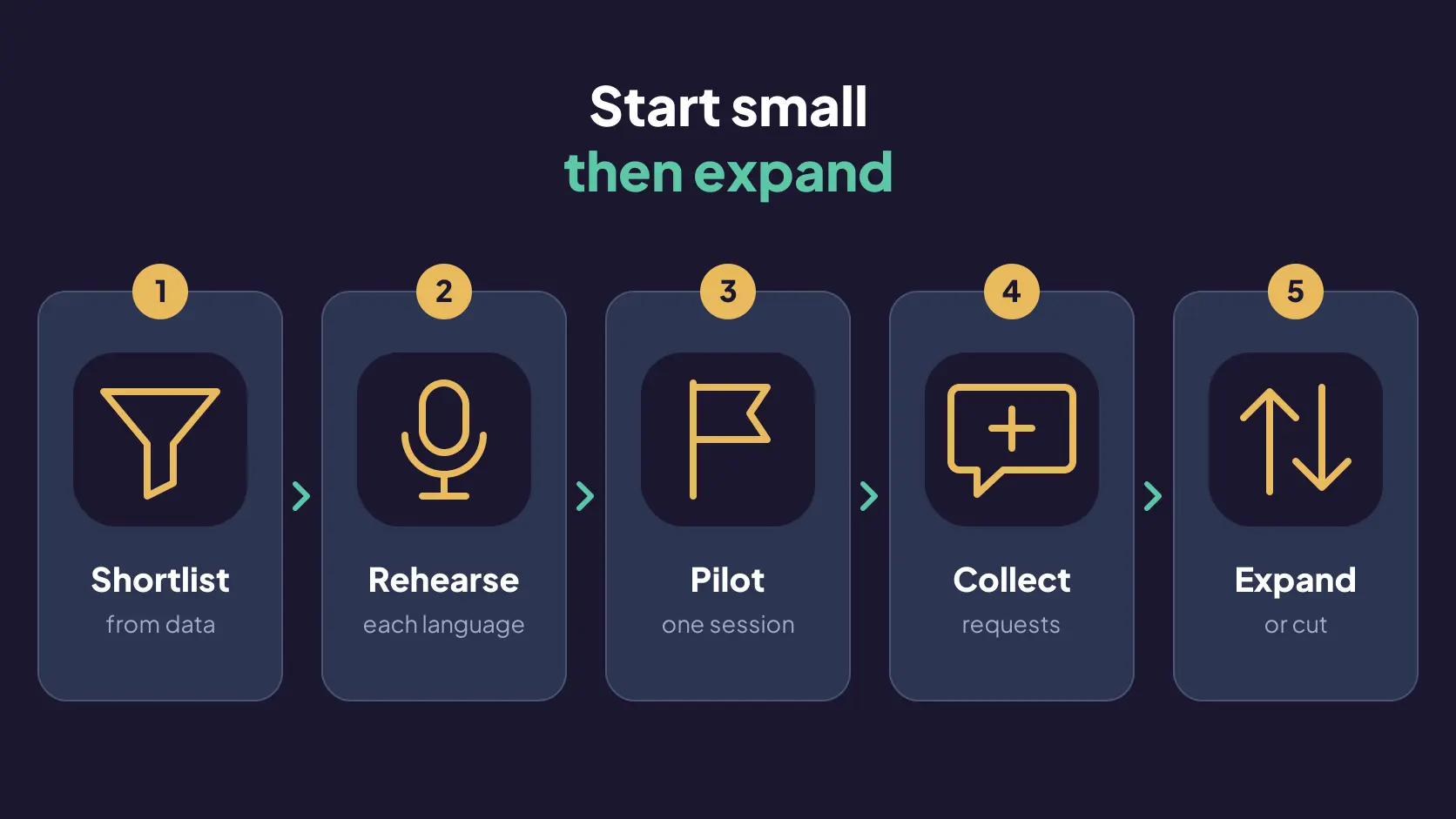
Whichever tool you use, the start-small approach comes down to five steps:
- Shortlist from data: Rank languages by number of registrants and keep the top three to five.
- Rehearse each language: Ask a native speaker to follow a real talk and note errors in names and terms.
- Pilot one session: Use the opening keynote and record which languages attendees select.
- Keep a request route: Add a "Don't see your language?" field to the form.
- Expand or cut: Before the event, decide how many requests a new language needs, for example 5% of registrants. Add a language when it reaches that number, and drop any language nobody uses.
What should a language selection checklist include?
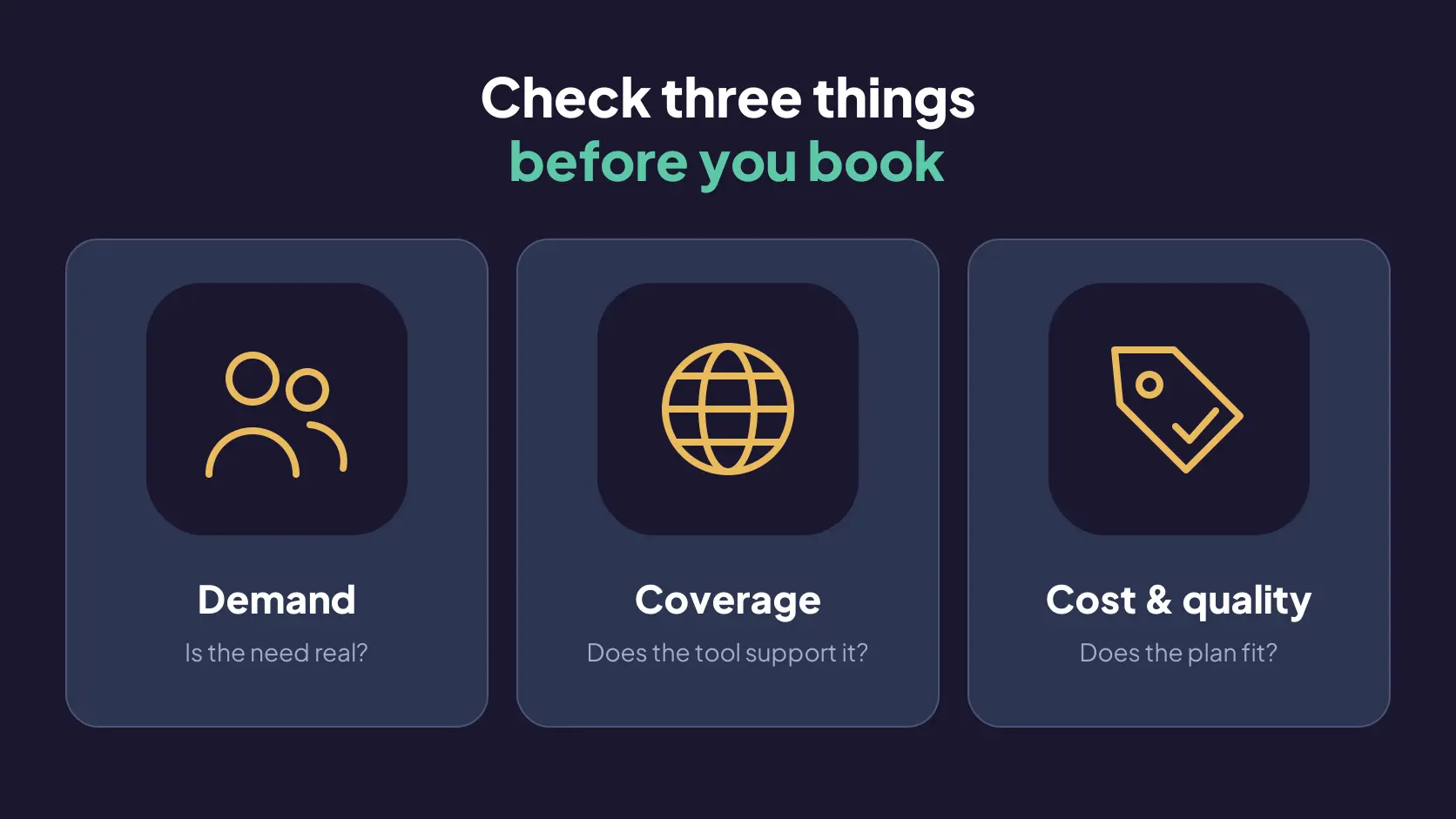
A language selection checklist should confirm three things: the demand is real, the tool supports each language in the mode you need, and the cost fits the plan.
Demand
- The registration form asks for each attendee's preferred session language.
- CRM, analytics and past event data have been checked against the form answers.
- Languages are ranked by number of attendees, and the top three to five are shortlisted.
- The host country's language is on the list.
Coverage
- Each language is supported by the tool for both speech recognition and translation.
- You know which languages get an AI voice and which get captions only.
- The variant is set.
- Speakers’ languages are set or auto-detected.
Cost and quality
- The plan's included languages per session cover the shortlist, or the fee for extra languages is known.
- Speaker names, product names and technical terms are in the glossary.
- A native speaker has reviewed each language in a rehearsal.
- Attendees have a way to request a language that is missing.
Final verdict: how should you choose event languages?
Choose event languages from attendee data, not assumptions. Ask every registrant which language they prefer, check it against your CRM, analytics and past events, and start with the three to five languages most people asked for. Add the host country's language, and settle variants early, such as Mexican or European Spanish, before you book.
Treat your first event as a pilot. Rehearse each language with a native speaker, track which languages attendees actually select, and give people an easy way to request a missing one. Then add or drop languages for the next session based on what you learned.
An AI live translation tool makes this low-risk, because changing languages between sessions costs a few clicks rather than a new interpreter booking. Maestra Live supports 100+ languages with live captions and AI voice, unlimited rehearsals on the Events plan, and a free plan for a first test.
FAQ on Choosing Languages for Live Event Translation
Offer three to five languages at a first multilingual event. Choose them by ranking the preferred languages attendees gave on the registration form, then add the host country's language. A short list lets a native speaker review every language in rehearsal, and you can add more for the next session once you see which ones attendees select.
Yes. AI live translation turns one audio feed into many languages at the same time, and each attendee picks their own. Maestra Live supports 100+ languages. Its plans include up to five languages per session, and more can be added for a fee, so you need to confirm the per-session total before a 20-language event.
It depends on the vendor. Maestra Live plans include a set number of languages per session (two, three or five) at published prices, with extra languages available for a fee. The platform is self-serve, so you can buy online, and the sales team is available if you prefer to talk first.
Not always. Some AI live translation tools ask attendees to install an app, while others run in the browser. Maestra Live works in the browser: attendees scan a QR code or open the event link, choose their language, and follow live captions or AI voice on their own phone or laptop, with nothing to download.
Solve it on the spot. First, check whether your translation tool lets the organizer add a language to the live session. With AI translation this is usually a settings change rather than a new interpreter booking, as long as your plan has room for another language or lets you add one for an extra fee. Contact your tool's support team if you need help adding it mid-event.
No. AI translation quality varies by language pair, accent and subject, and widely spoken languages usually perform best. Test each language you plan to offer on content close to your real sessions, ideally with a native speaker listening. Add speaker names, product names and technical terms to the glossary before the event, because those are the words AI translation most often gets wrong.
Yes. AI live translation works from whatever language each speaker uses, so languages can change between sessions, between panelists, or even within one presentation. Maestra Live can auto-detect the source language, so organizers don't have to switch settings when a panelist or presenter changes language. You can also add more than one source language manually.
Use human interpreters when a session legally requires certified interpretation, such as court, diplomatic or some medical settings, or when a misheard word carries serious risk. For most conferences, meetings and webinars, AI translation covers more languages at lower cost. Many events combine both: human interpreters for one high-stakes session or language, and AI translation for everything else.