Chaitanya P.
Managing Director"Master the Media with Maestra"
The best side of this product is auto subtitling. And most importantly, it supports multiple languages.
Read full reviewUpload any podcast episode and get an accurate transcript with speaker labels in 125+ languages.
MP3, WAV, M4A, AAC, FLAC, OGG…
Sign up to export the transcript.
Sign up nowYouTube, Vimeo, Google Drive, or a direct media URL
Sign up to export the transcript.
Use your microphone
Sign up to export the transcript.
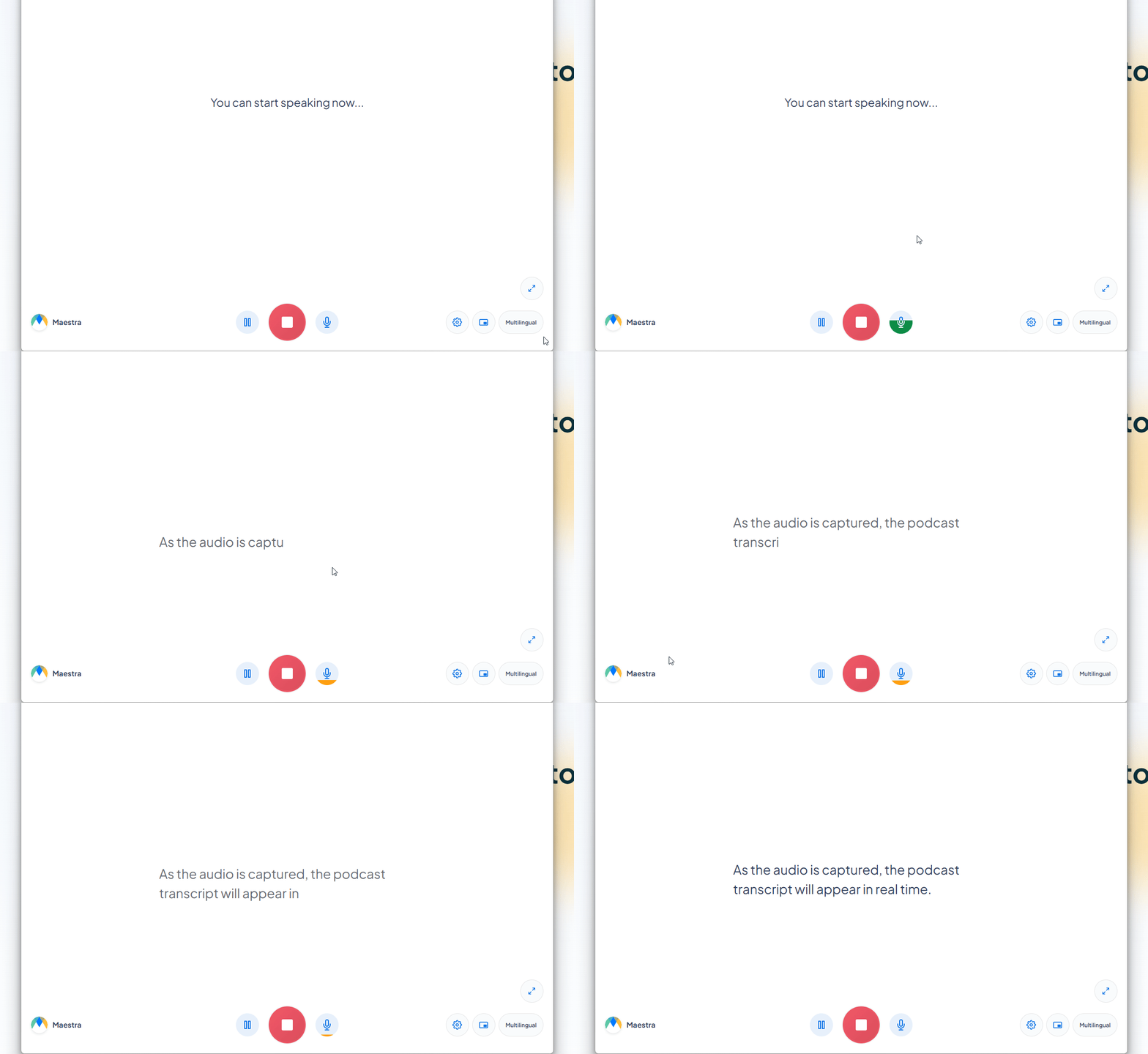
Our Live Transcribe tool captures speech in real time, no upload required.
Your file transcribed successfully. Sign up to download.This is just a sampleYour file was transcribed successfully.No speech was found in your file.The result came up empty again.
Your 1-minute transcription trial has ended. Sign up to export the transcript.
Your transcript is ready to preview.
Sign up to download or export your file.
Try it with your own file. Upload one here, or continue in the Maestra app.
This is a 1-minute preview. Sign up to download or export your transcript.
Upload an episode for a polished transcript, or capture it live while it plays. Both end in accurate, editable text.
Upload the audio or video file and pick from 125+ languages.
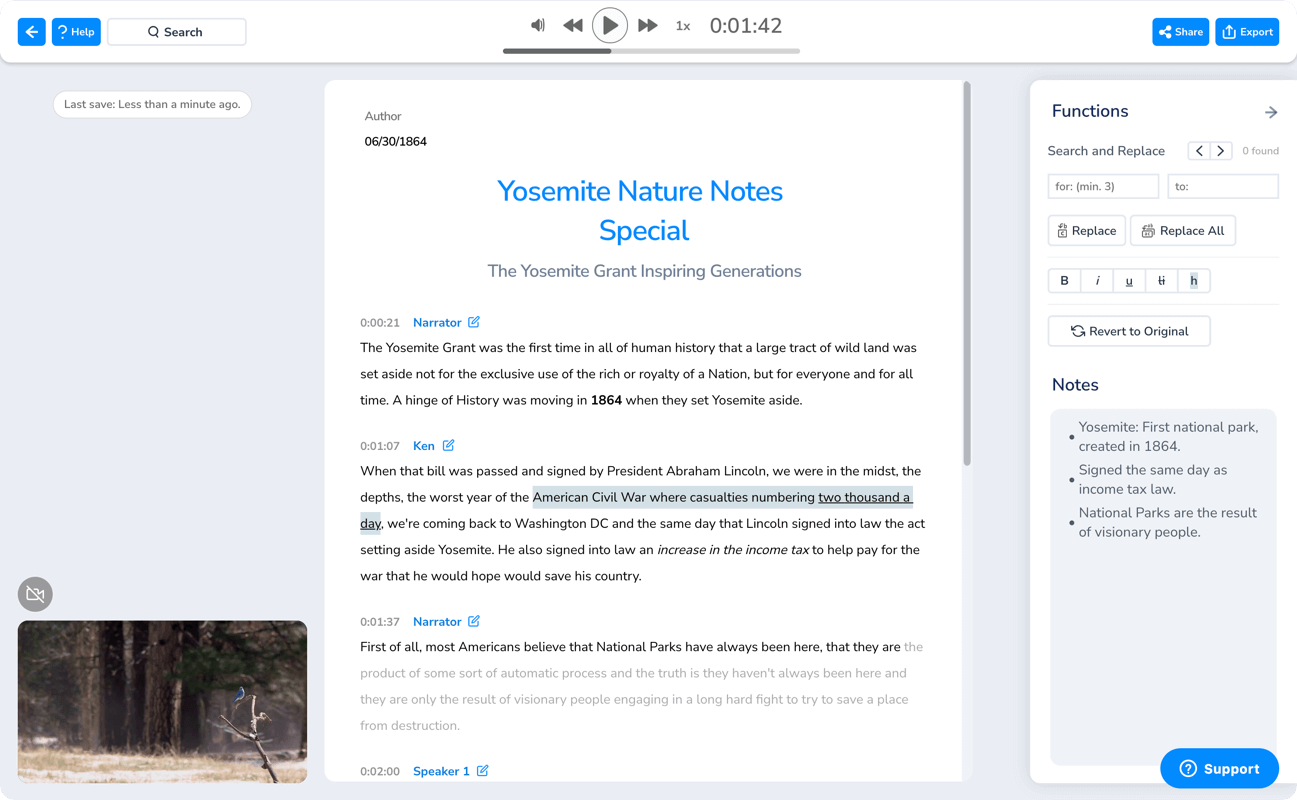
Get your podcast transcription in minutes, complete with speaker labels and timestamps. Review, edit, or summarize it right in the editor.
Share the podcast transcript with your team to collaborate, or download it as DOCX, PDF, TXT, or JSON.
Accurate transcripts you can edit, search, repurpose, and share, whatever side of the mic you're on.
Upload the episode's audio or video file, choose the language, and Maestra generates the transcript in minutes with speakers labeled. Review it in the editor, then share or download it.
If you have the episode file or it's on YouTube, upload it and transcribe away. For Spotify episodes, see our guide on how to get a Spotify podcast transcript.
Live transcription is completely free: play the episode and read it as text in real time. For uploaded episodes, a free trial lets you test the quality before choosing a plan.
Full-length episodes are fine. Upload an hour-plus recording in one file and get the whole transcript at once.
Hosts and guests are separated and labeled automatically, so interview episodes stay readable.
The editor can summarize the transcript for you, a quick way to draft show notes, episode descriptions, and highlights.
Search engines index text, not audio. A transcript makes every episode searchable, more accessible, and easier to repurpose into other content.
Everything runs in the browser on desktop and mobile. No downloads, no plugins.