10 Best Interpreter Apps for Real-Time Translation (Free & Paid)
- Quick Verdict: Best Interpreter App by Use Case
- Interpreter Apps Compared
- How to Choose an Interpreter App
- 10 Best Interpreter Apps for Conversations, Meetings and Events
- How to Use Maestra Live as an Interpreter App
- Tips for Getting Accurate Translations From an Interpreter App
- Final Verdict: Which Interpreter App Should You Choose?
- FAQs on the Best Interpreter Apps
The best interpreter apps in 2026 are Maestra Live, Google Translate, Apple Translate, iTranslate, Talkao, DeepL Voice, Transync AI, JotMe, KUDO and Wordly. Maestra Live interprets speech in 125+ languages for in-person conversations, online meetings and live events, and it can be bought online without a sales call. Google Translate and Apple Translate are free for face-to-face talks, and KUDO adds human interpreters for events.





An interpreter app such as Maestra Live listens to speech, translates it in real time and delivers it as live captions, or as captions plus an AI voice. Google Translate and Apple Translate handle one-to-one conversations on a phone. Maestra Live, Transync AI and JotMe also translate online calls, and Maestra Live, KUDO and Wordly share one session with a whole audience by link or QR code.
Quick Verdict: Best Interpreter App by Use Case
| If you need | Pick | Why |
| One tool for conversations, meetings and events, bought online | Maestra Live | 125+ languages, AI captions or AI voice plus captions, Zoom, Teams and Google Meet, plans from $15/month |
| Free everyday conversations and travel | Google Translate | Up to 249 text languages, live translate in 70+, offline text packs, free |
| Face-to-face talks on iPhone with AirPods | Apple Translate | Built-in Live Translation, on-device offline mode, free |
| Offline text translation on a trip | iTranslate | 100+ languages, offline text in 41 languages with PRO |
| Language learning and meeting new people | Talkao | 125+ text languages, 50+ for live conversation, from $4.99/month |
| Business conversations face to face or in groups | DeepL Voice for Conversations | 40+ languages, split screen, group conversations by QR code |
| Low-cost online calls without a bot | Transync AI | 60 languages, desktop and mobile app, from $8.99/month |
| Meeting notes plus live translation | JotMe | 200+ languages, transcripts and AI notes, free plan, Pro from $10/user/month |
| Events that also need human interpreters | KUDO | 70+ AI languages, 12,000+ human interpreters |
| AI translation inside event platforms such as Cvent | Wordly | 60 speaker languages, event-platform integrations, from about $1,500 for 10 hours |
Interpreter Apps Compared
JotMe, Maestra Live, Google Translate and Talkao list the most languages, while Apple Translate trades languages for free on-device translation. Google Translate, Apple Translate and iTranslate state an offline mode, and Talkao mentions offline use without details. Maestra Live, KUDO and Wordly share one session with a whole audience by link or QR code.
| App | Languages | Voice or text | Platforms | Offline | Price |
| Maestra Live | 125+ | AI captions, or AI voice plus captions (incl. voice cloning); captions only inside Zoom, Teams and Google Meet | Browser; Zoom, Teams, Google Meet, OBS, vMix | ❌ No | From $15/mo billed yearly |
| Google Translate | Up to 249 (text), 70+ (live translate) | Voice and text | iOS, Android, web | Text packs; offline live translate on Pixel 9–11 only | Free |
| Apple Translate | 21 (app), 11 (Live Translation with AirPods) | Voice and text | iPhone, iPad, Apple Watch | ✅ On-device mode | Free |
| iTranslate | 100+ | Voice and text | iOS, macOS, Android, web | Text in 41 languages (PRO) | Free; PRO $9.99/week or $99.99/year |
| Talkao | 125+ (text), 50+ (conversation) | Voice and text | iOS, Android | Partly; features not specified | Free; Premium $4.99/mo or $39.99/year |
| DeepL Voice for Conversations | 40+ | Voice and captions | iOS, Android, web | Not stated | Through DeepL sales; 30 min of Voice in paid DeepL plans |
| Transync AI | 60 | Voice and captions | Mac, Windows, iOS, Android, web | Not stated | 40 free minutes; from $8.99/mo |
| JotMe | 200+ | Captions, transcripts, AI notes | Mac, Windows, Chrome, iOS, Android | Not stated | Free plan; Pro $10/user/mo billed yearly |
| KUDO | 70+ (AI), 200+ (human) | AI voice and captions, or human interpreters | Browser by link or QR, iOS, Android; Teams, Zoom, Google Meet | Not stated | No published prices; sales-led |
| Wordly | 60 (speaker), 67 (attendee) | AI audio and subtitles | Browser by link or QR, iOS, Android; Zoom, Teams, Google Meet, Webex, event platforms | Not stated | From about $1,500 per 10 hours |
Last checked on vendor pages: October 2026.
How to Choose an Interpreter App
The right interpreter app depends on where the conversation happens: face to face, on a video call or in front of an audience. At Maestra, we checked each of the ten apps below against the vendor's own website, app store listing and pricing page in October 2026, and compared them on these points:
- Languages: the total count, and whether spoken output covers fewer languages than text.
- Output: spoken translation, on-screen text or both.
- Setting: one-to-one conversations, online meetings or events with many listeners.
- Offline use: whether the vendor states that translation works without internet.
- Access: phone app, desktop app, or a browser link or QR code with nothing to install.
- Pricing: free tier, published prices, and whether you can buy online without a sales call.
- Maintenance: an update in 2025 or 2026, and no retired core features.
10 Best Interpreter Apps for Conversations, Meetings and Events
1. Maestra Live: Best for Conversations, Meetings and Events in One App
Best for: people and teams that need one interpreter app for face-to-face conversations, online meetings and live events, bought online.
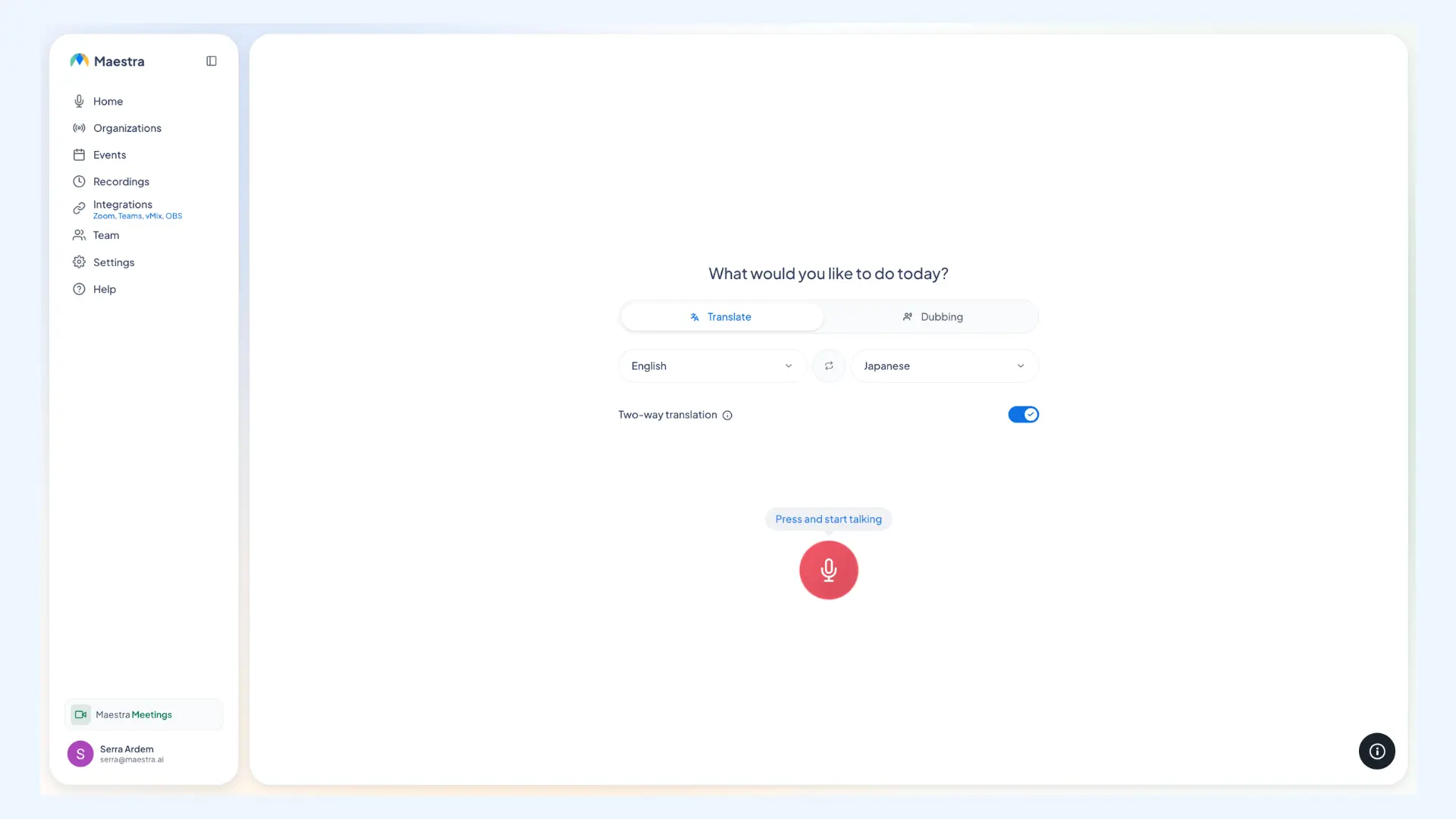
Maestra Live is an AI interpreter for in-person, online and hybrid conversations, meetings and events. It translates speech in real time into 125+ languages and runs in the browser. Every Maestra Live session offers AI captions or AI voice plus captions: a private session plays the translation on your own device, and a shareable session gives listeners a room link or QR code, with no app.
For face-to-face conversations, Maestra Live detects several source languages automatically and supports two-way translation with captions. The Maestra Live Personal plan, built for everyday conversations, includes sessions up to 15 minutes, recordings, transcripts and AI voice cloning, so listeners can hear the translation in a voice modeled on the speaker.
For online calls, Maestra Live adds AI captions to the Zoom and Microsoft Teams meeting screen, and to Google Meet through a captions link that the Maestra bot posts in the chat. For livestreams and conference translation, Maestra Live connects to OBS and vMix and shares one room link with up to 100 viewers on its Events plan.
Key features:
- AI captions, or AI voice plus captions (including voice cloning), in every Maestra Live session, private or shared by QR code or link
- Several source languages per session with automatic language detection, plus two-way translation for captions
- AI captions in Zoom and Teams calls, and through a captions link in Google Meet
- OBS and vMix for livestreams
- Several target languages in shared sessions, where each listener picks a language; 2 to 5 languages included depending on plan, with more for an added fee
- Custom glossary for names and industry terms
- Transcript export and AI summary after each session
Pricing: Maestra Live has three subscription plans with unlimited use, billed yearly at 20% less than monthly, plus a one-time Events purchase:
- Personal: $15/month for everyday conversations, with sessions up to 15 minutes, AI voice cloning, recordings and transcripts
- Meetings: $39 per seat per month for online meetings and teams, with Zoom, Google Meet and Teams, 2 languages per session, sessions up to 75 minutes and AI meeting summaries
- Organizations: $359/month for recurring sessions and live audiences, with a room link and QR code, up to 50 viewers, 3 languages per session, sessions up to 3 hours, and OBS and vMix
- Events: from $799 a day for one-time events and conferences, with no session limits, setup help, day-of support, unlimited rehearsals, 3 rooms, up to 100 viewers and 5 languages per session
Limitations: Maestra Live is AI only, with no human interpreter option, and it needs an internet connection. Two-way translation works with captions only, not AI voice. Personal plan sessions last up to 15 minutes, and a shareable room link with QR code starts on the Organizations plan.
Interpret Speech Live in 125+ Languages
2. Google Translate: Best Free App for Everyday Conversations
Best for: travelers and everyday users who want a free app for quick face-to-face conversations.
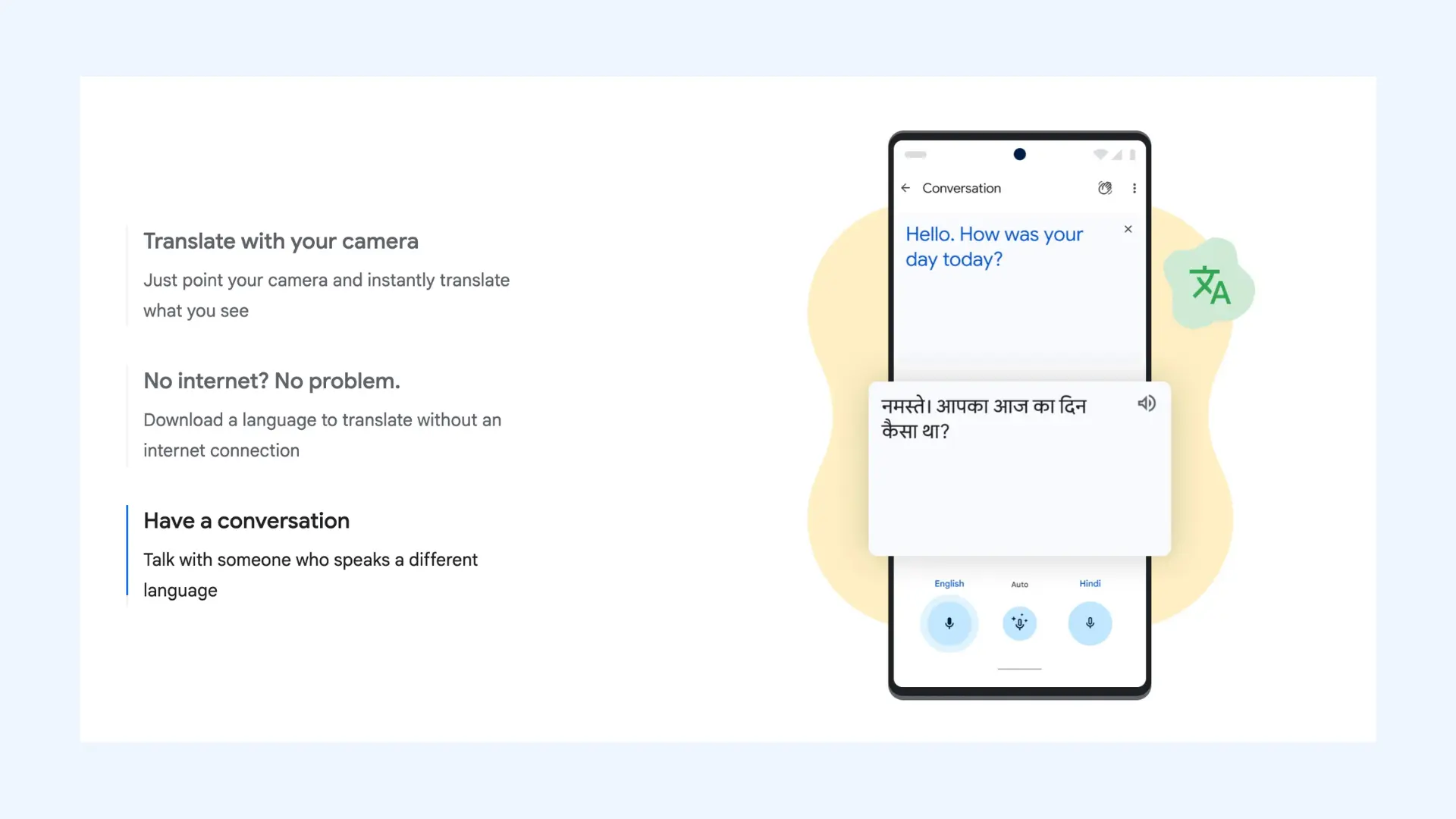
Google Translate is a free translation app from Google for iOS, Android and the web. It translates text between up to 249 languages, and its live translate feature handles spoken conversations in 70+ languages. In Conversation mode, translations play aloud as two people take turns; in Listening mode, translations play through headphones.
Since June 9, 2026, Google has been rolling out Gemini 3.5 Live Translate in the Google Translate app globally, on Android and iOS, with any headphones. Google Translate also translates text offline through downloaded language packs, while offline live translate is limited to Pixel 9, 10 and 11 phones.
Key features:
- Conversation mode for turn-taking talks and Listening mode with headphones
- Gemini 3.5 Live Translate with any headphones on Android and iOS
- Camera, handwriting, transcribe and phrasebook tools
- Offline text translation with downloaded language packs
Pricing: Free.
Limitations: Google Translate's offline live translate works only on Pixel 9, 10 and 11, for 10 language pairs with English. On iPhone, Listening mode works only with headphones connected, and Google notes that feature support varies by language.
Google Meet Real-Time Speech Translation Guide + Alternative
3. Apple Translate: Best for iPhone and Apple Users
Best for: iPhone users with supported AirPods who want free, on-device conversation translation.
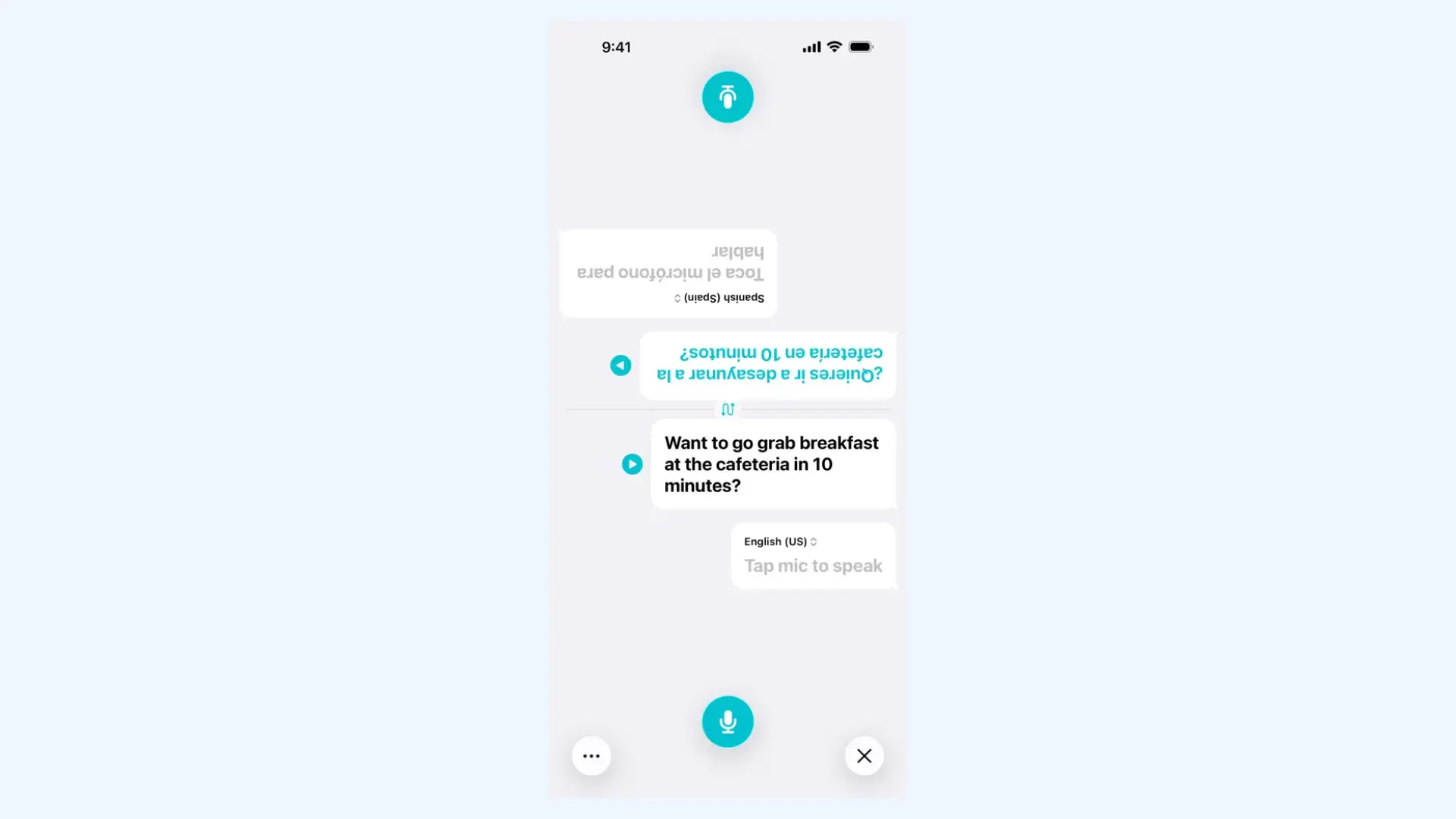
Apple Translate is Apple's free, built-in translation app for iPhone, iPad and Apple Watch. It translates voice and text between 21 languages, with a Conversation view for face-to-face talks. Its Live Translation feature with AirPods plays the translation in your ears in 11 languages, and processing happens on the iPhone once models are downloaded.
Apple Translate's Live Translation works both ways when both people wear supported AirPods. If the other person has none, the iPhone shows a transcript or plays the translation on its speaker. Live Translation also works in Phone and FaceTime calls in 12 languages and in Messages in 33 languages.
Key features:
- Conversation view with automatic language detection
- Live Translation with AirPods, two-way when both people wear them
- On-device mode for fully offline translation of downloaded languages
- Live Translation in Phone, FaceTime and Messages
Pricing: Free and built in. Live Translation with AirPods needs an iPhone 15 Pro or later on iOS 26 or later with Apple Intelligence turned on, plus AirPods 4 (ANC), AirPods 5, AirPods Pro 2, AirPods Pro 3 or AirPods Max 2.
Limitations: Apple Translate runs only on Apple devices, with no Android, web or Windows version. Live Translation with AirPods covers 11 languages, Apple says usage limits may apply, and Apple warns that its generative models may produce inaccurate output.
4. iTranslate: Best for Offline Translation While Traveling
Best for: travelers who want voice and text translation with offline language packs.
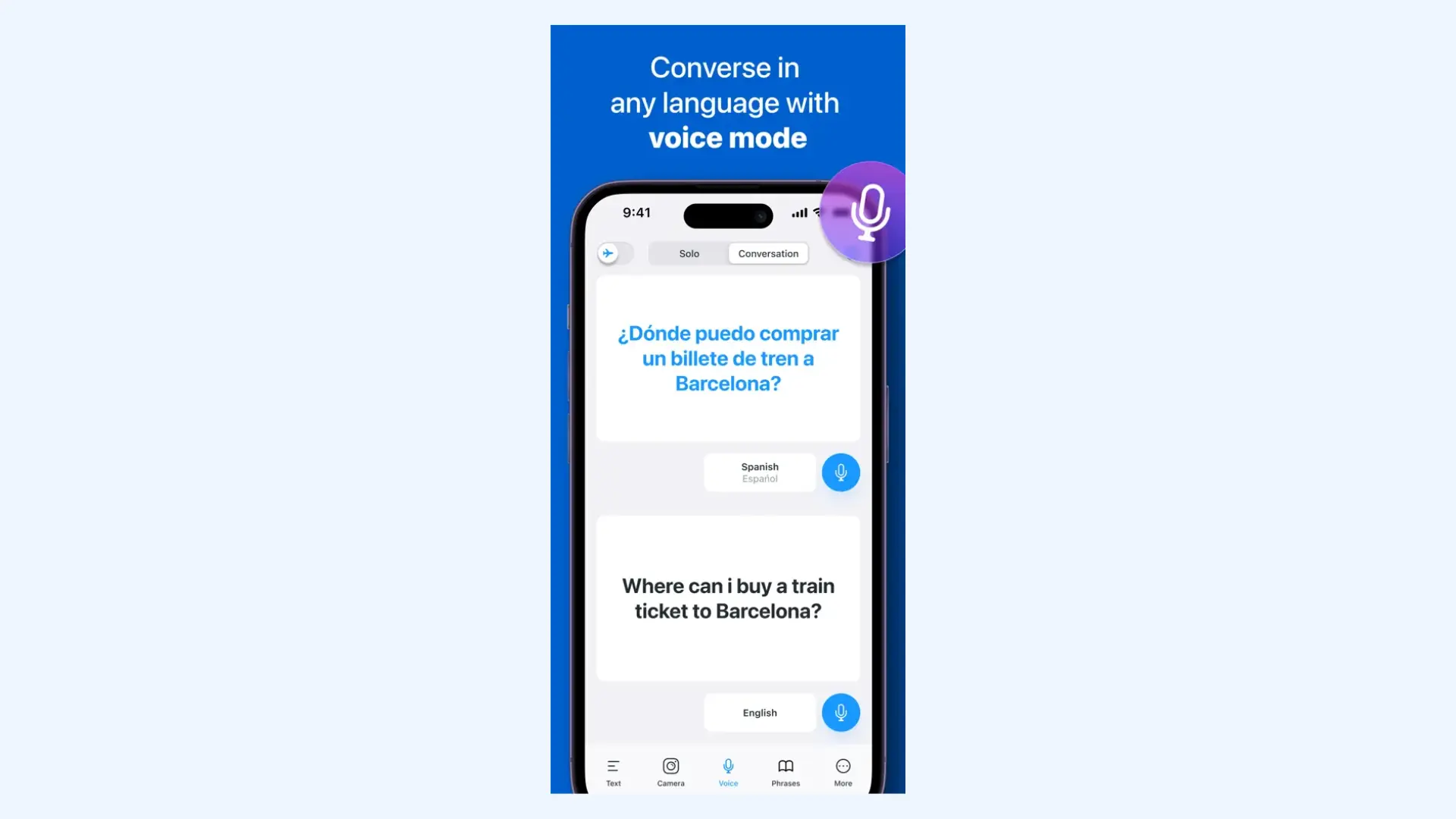
iTranslate is a translation and dictionary app for iOS, macOS, Android and the web. The free iTranslate app translates text in 100+ languages. iTranslate PRO, the app's paid upgrade, adds voice-to-voice conversation and offline translation through downloaded packs: text in 41 languages and voice in a few languages.
iTranslate Voice is a separate app from the same company, built only for spoken conversations. It offers real-time voice chats in 40+ languages, a phrasebook of 240+ phrases and exportable transcripts. It is a separate download with its own in-app plans on the App Store: $9.99/month with a 7-day trial, or $39.99/year.
Key features:
- Voice-to-voice conversation (PRO)
- Offline text in 41 languages and offline voice in a few languages (PRO)
- Dictionary and phrase translation
- iTranslate Voice, a separate app for voice chats in 40+ languages
Pricing: Free with in-app purchases. On the US App Store, iTranslate PRO lists $9.99/week with a free trial, $12.99 to $14.99/month and $99.99/year.
Limitations: iTranslate needs an internet connection except for downloaded packs, and offline voice covers only a few languages. Conversation mode requires PRO, and the App Store shows more than one monthly price, so check the price at checkout.
5. Talkao: Best for Language Learners and Social Connections
Best for: language learners and travelers who want conversation translation plus learning tools.
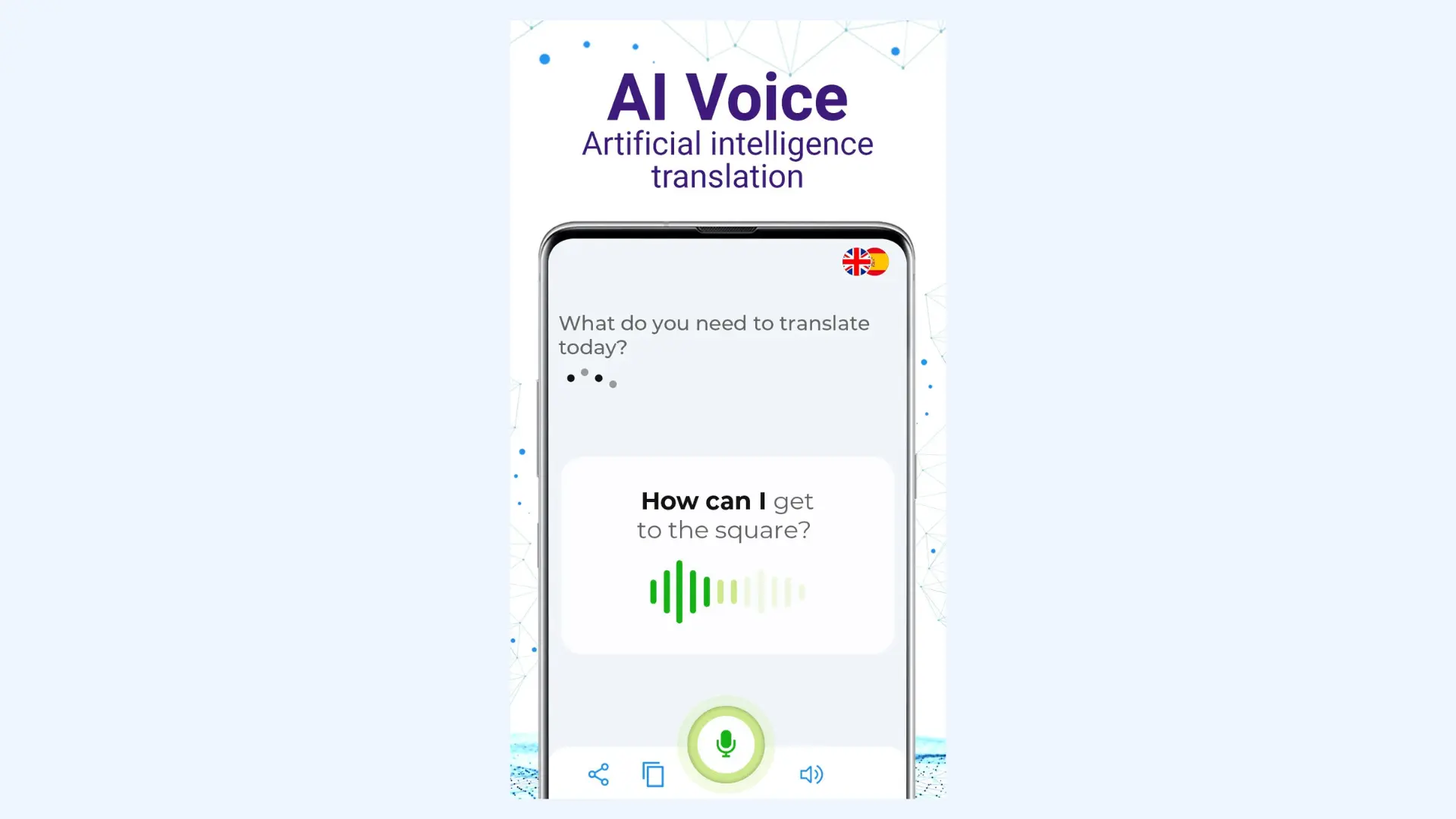
Talkao Translate is an AI voice translator app for iOS and Android. It translates text in 125+ languages and live conversations in 50+ languages, with a real-time conversation mode and a hands-free mode. The app is free to download, and its iOS version reached 6.1.0 in June.
Talkao also targets learning and social use: Smart books help users study a language, and Translate Connect lets them reach other users by name, email or QR code and chat across languages.
Key features:
- Real-time conversation mode and hands-free Automic mode
- Smart books for language learning
- Translate Connect for chatting with other Talkao users
- Available on iOS, Android and Huawei AppGallery
Pricing: Free to download, with ads and in-app purchases, according to Talkao's Google Play listing. The App Store listing describes Premium at $4.99/month or $39.99/year, with a 7-day trial.
Limitations: Talkao's Google Play listing says it works as an offline translator but does not say which features work offline. The App Store listing gives lower language counts than Talkao's website, including 44 languages for voice, so spoken coverage is narrower than 125+.
6. DeepL Voice for Conversations: Best for Business Conversations
Best for: businesses and frontline teams that already use DeepL and need face-to-face or group conversation translation.
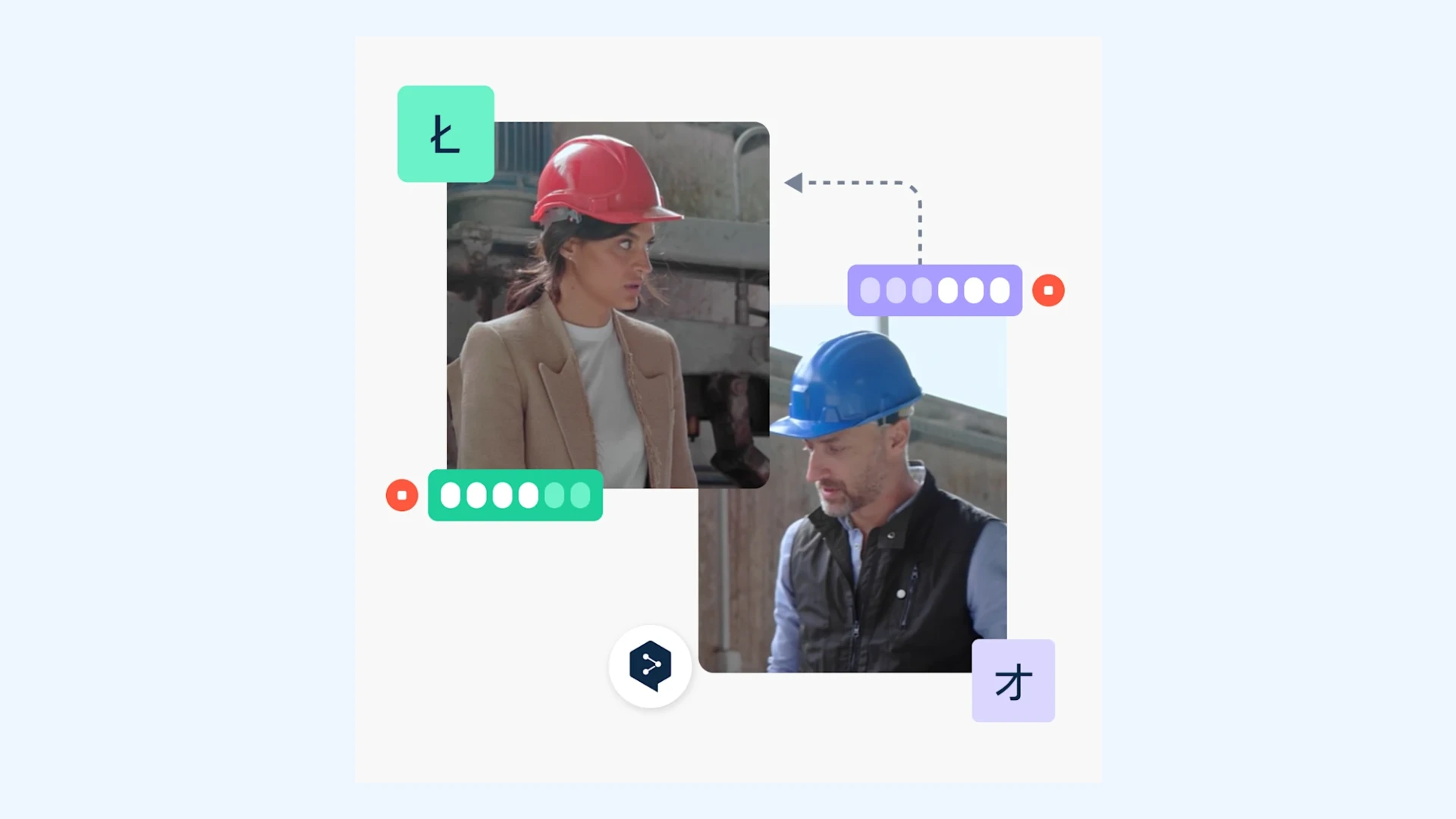
DeepL Voice for Conversations is a real-time speech translation feature for face-to-face talks, inside the DeepL mobile app on iOS and Android and on the web. It translates speech in 40+ languages as captions and spoken output, with a split-screen view for one-on-one talks, and became generally available on April 16, 2026.
Group conversations followed on April 30, 2026: participants join a DeepL Voice conversation on their own devices by scanning a QR code. The feature also detects speakers automatically, and DeepL says its newer voice models keep each speaker's voice recognizable.
Key features:
- Split screen for one-on-one conversations
- Group conversations joined by QR code across devices
- Automatic speaker detection
- Captions plus spoken translation
Pricing: DeepL sells Voice for Conversations through its sales team, as a standalone plan or within Voice Business plans. Paid DeepL Translator plans include 30 minutes of DeepL Voice per user per month (Individual €7.49, Team €24.99 and Business €49.99 per user per month, billed yearly). DeepL offers a one-time Voice trial.
Limitations: DeepL Voice for Conversations has no published standalone price, and DeepL does not say it works offline. Spoken output covers fewer languages than captions, and some languages run through a third-party provider.
10 Best DeepL Voice Alternatives for Live Meetings & Events
7. Transync AI: Best for Low-Cost Online Calls Without a Bot
Best for: individuals and small teams who want translation in online calls and in-person talks without adding a bot.
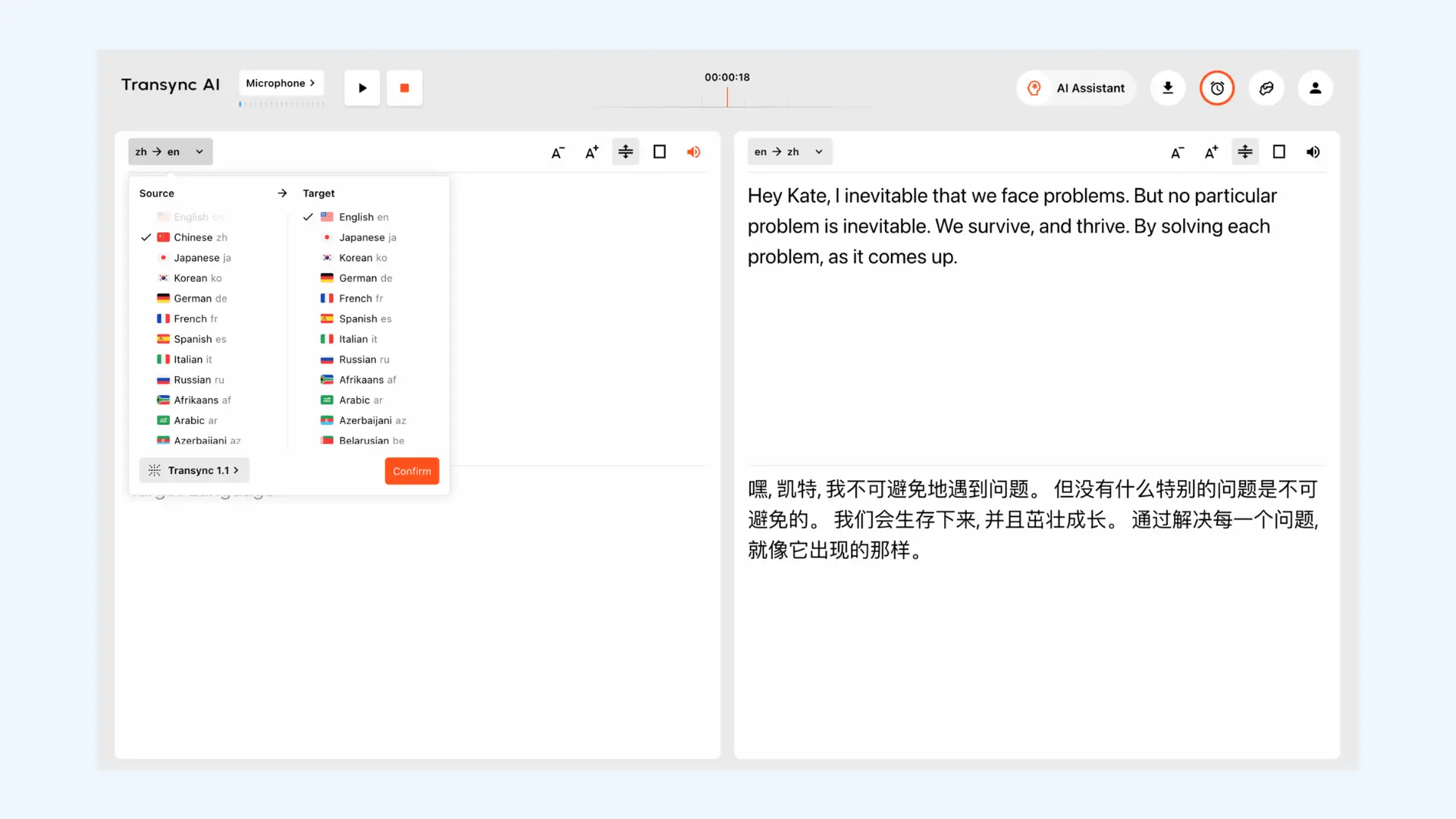
Transync AI is a real-time AI translation platform for meetings, live calls, audio and in-person conversations. It translates 60 languages with bilingual split-screen subtitles and AI voice playback, and runs on Mac, Windows, iOS, Android and the web, alongside Zoom, Teams, Google Meet and WhatsApp calls with no meeting bot or browser extension.
On macOS, Transync AI can send translated speech into a call through a virtual microphone, so other participants hear the translation in their own app. After the call, the app provides bilingual transcripts, AI meeting summaries and action items, and a personal vocabulary feature for names and terms arrived in October 2026.
Key features:
- Bilingual split-screen subtitles and floating picture-in-picture captions
- AI voice playback and voice clone
- Virtual microphone for translated speech (macOS)
- Bilingual transcripts, AI summaries and action items
- Personal vocabulary
Pricing:Transync AI's Free plan includes 40 minutes on sign-up. Personal Premium costs $8.99/month for 10 hours, and Enterprise costs $24.99 per seat per month for up to 40 hours. Extra hours start at $0.70.
Limitations: Transync AI uses minutes faster in multilingual sessions: 2x for 3 languages, up to 9x for 10. Its pricing page lists ISO 27001 and SOC 2 Type II as under audit.
8. JotMe: Best for Meeting Notes + Live Translation
Best for: remote teams that want live translation, transcripts and AI notes in online meetings, plus a mobile app for in-person talks.
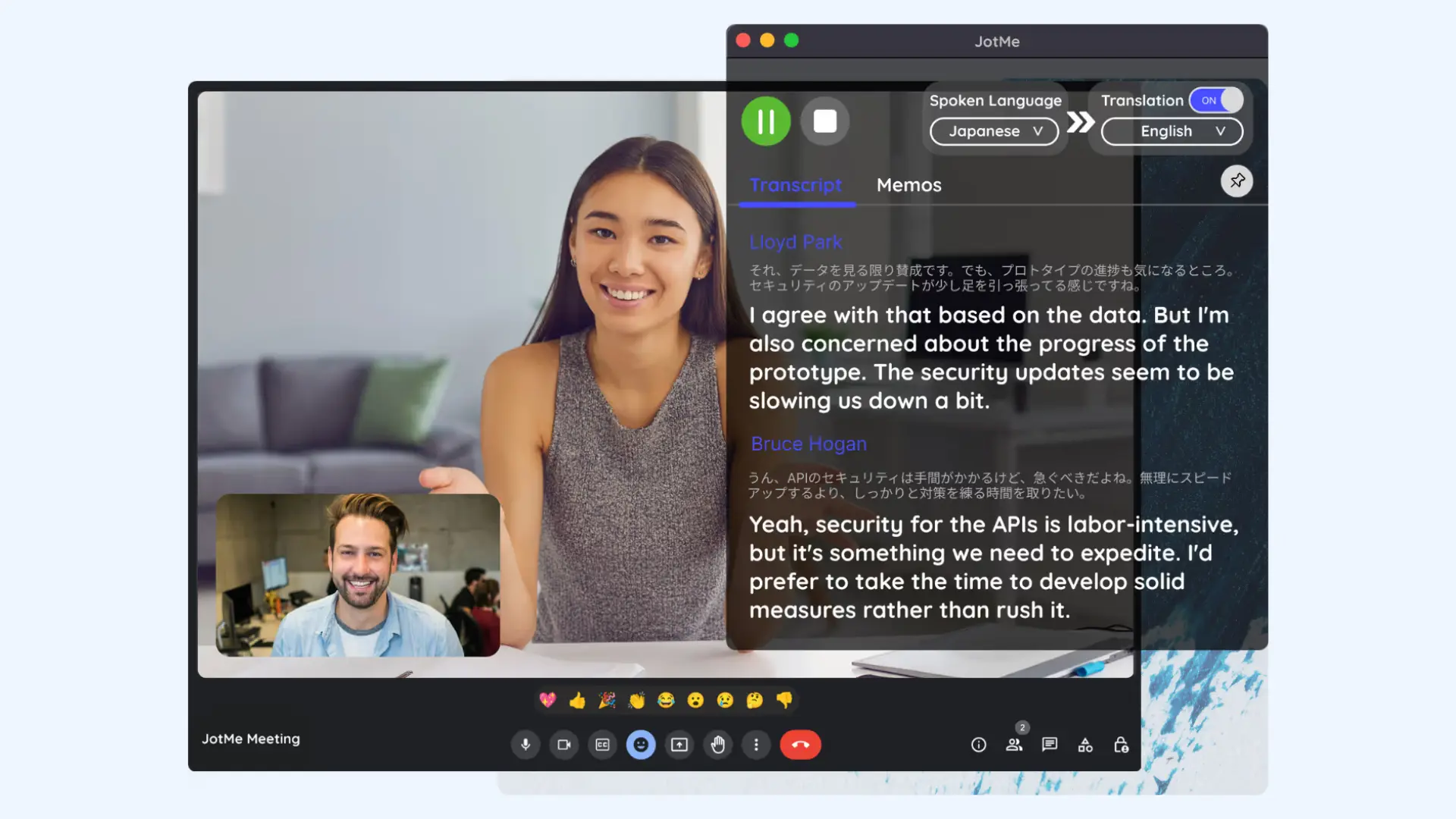
JotMe is an AI translation and note-taking app for online meetings and in-person conversations. It translates 200+ languages as live captions and works with Zoom, Microsoft Teams, Google Meet and Webex, plus apps such as Slack, Discord and WhatsApp, with no bot joining the call. The app runs on Mac and Windows desktops, as a Chrome extension for Google Meet, and on iOS and Android.
After each meeting, JotMe provides speaker-labeled transcripts and AI notes, plus an assistant that answers questions about what was said. Users can share a session by link or QR code, and the mobile app, Live AI Translator, handles face-to-face conversations on a phone.
Key features:
- Live translated captions in 200+ languages, with no bot in the call
- Desktop apps for Mac and Windows, and a Chrome extension for Google Meet
- Speaker-labeled transcripts, AI notes, recordings and Ask JotMe
- Sharing by link or QR code
- iOS and Android app for in-person conversations
Pricing:JotMe's Free plan includes 20 minutes of live translation, 50 minutes of transcription and the last 5 recordings each month. Pro costs $10 per user per month billed yearly ($20 monthly), Premium $15 ($30 monthly) and Teams from $30 ($60 monthly). Enterprise is custom.
Limitations: The JotMe mobile app does not translate phone calls and points users to the desktop app instead. JotMe's iOS app is at an early version (0.1.2), and JotMe's pages do not mention offline use.
9. KUDO: Best for Events That Need AI and Human Interpreters
Best for: conferences and organizations that want AI translation and professional human interpreters on one platform.
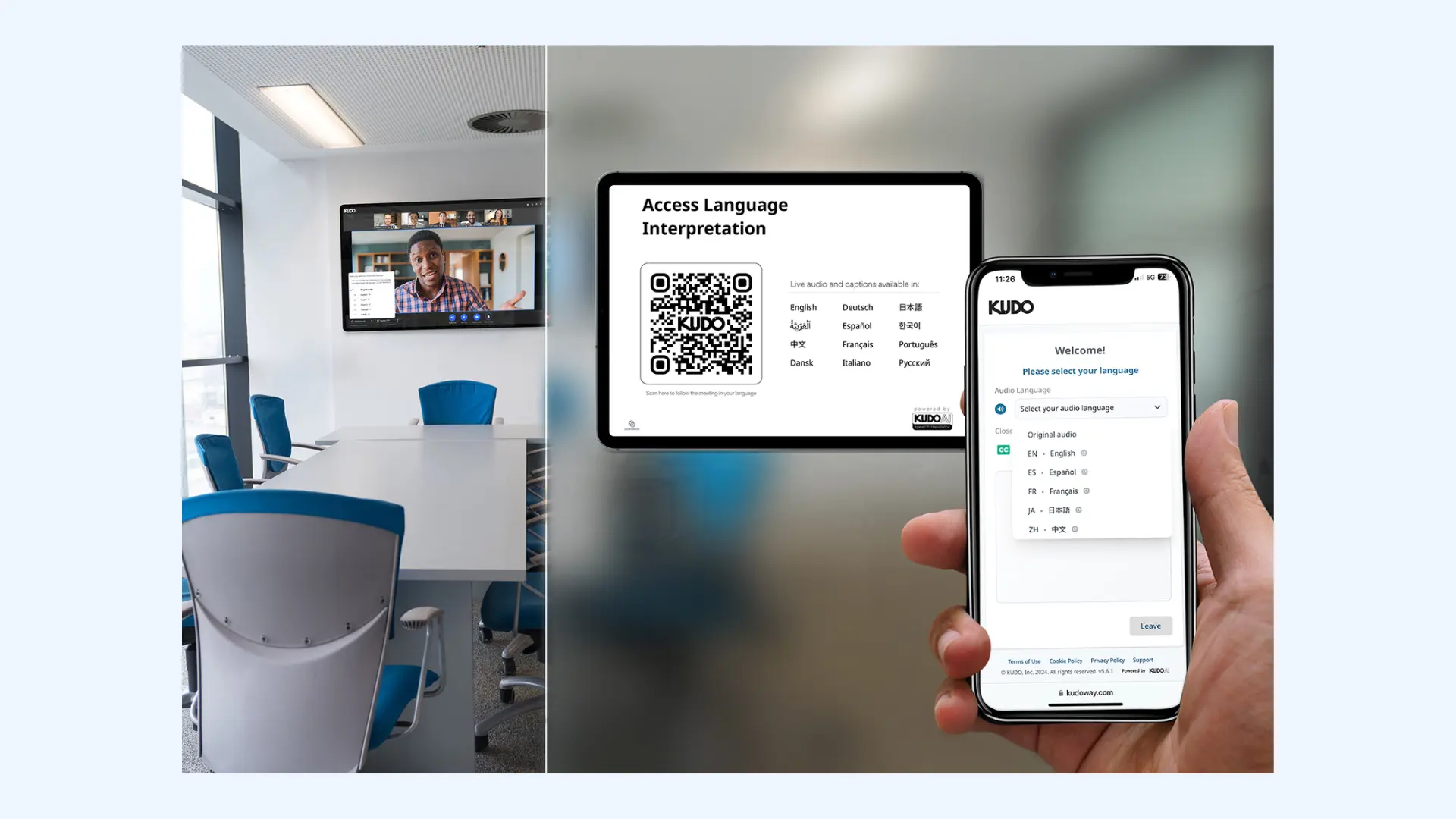
KUDO is a live speech translation platform that offers both AI and human interpretation. Its AI translates 70+ languages as AI voice and captions, and its marketplace adds 12,000+ human interpreters covering 200+ spoken and sign languages. Participants join by link or QR code in a browser, with no app or login.
KUDO integrates natively with Microsoft Teams and adds a widget to Zoom, Google Meet and event platforms such as Bizzabo, ON24 and RingCentral. The platform supports up to 3,000 users per language, recordings in each language and custom glossary upload, with mobile apps for iOS and Android.
Key features:
- AI voice and captions in 70+ languages
- Human interpreter marketplace with 12,000+ interpreters
- KUDO Mobile Link by link or QR code, with no app or login
- Native Microsoft Teams integration and a widget for Zoom, Google Meet and event platforms
- Custom glossary and recordings in each language
Pricing:KUDO's pricing page lists no prices. Human interpreters can be booked online through the Marketplace with no subscription. Pay As You Go and the Annual Plan (from 50 hours per year) go through "Contact Sales". No trial terms are published.
Limitations: KUDO's AI plans are sales-led, so a team cannot buy and start the same day without a sales conversation. Its AI voices come in male and female options, with no mention of voice cloning.
10. Wordly: Best for Translation Inside Event Platforms
Best for: conference and event teams that need AI translation inside event platforms such as Cvent, Bizzabo and Whova.
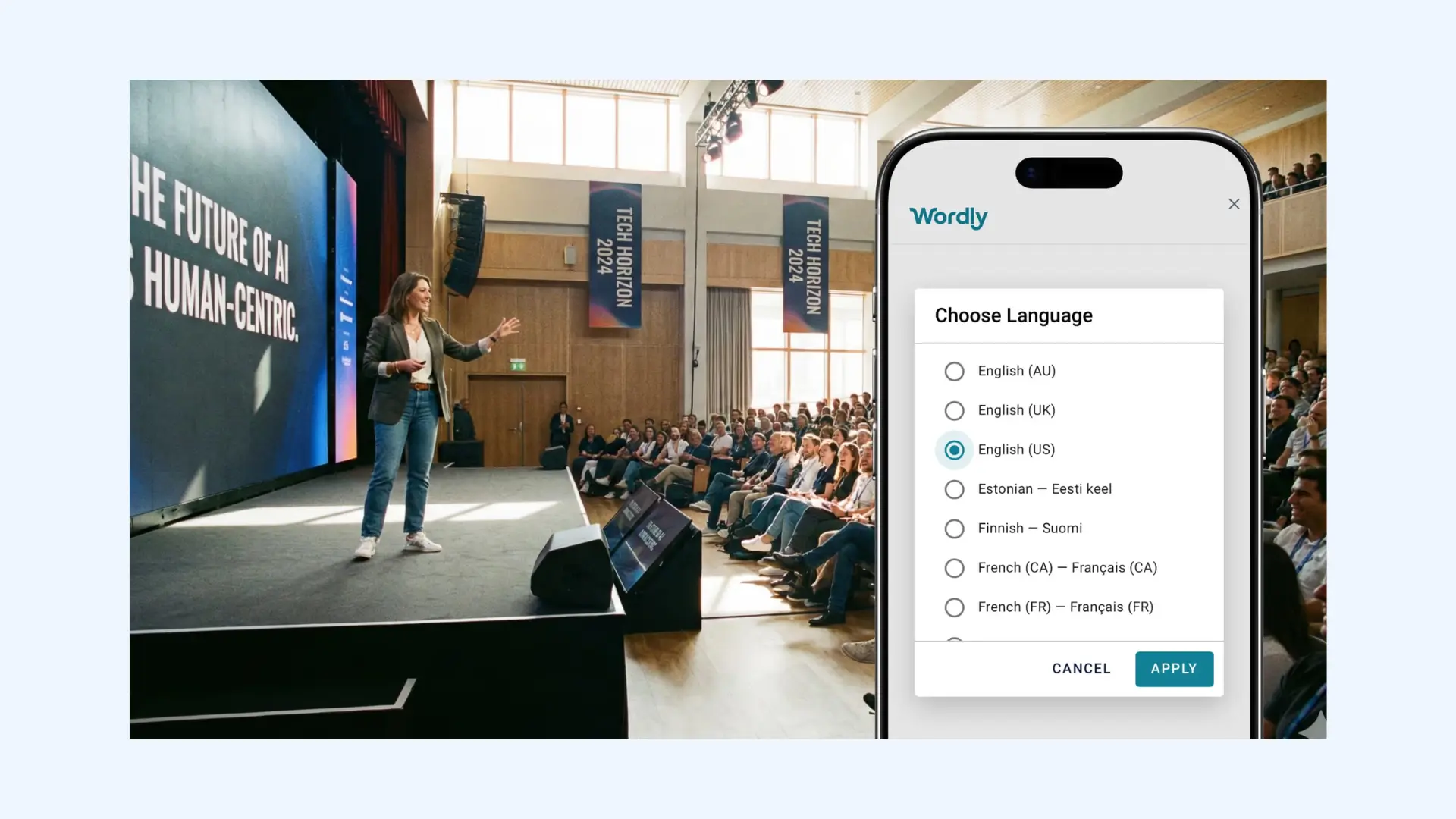
Wordly is an AI translation and captioning platform for meetings and events. It translates 60 speaker languages into 67 attendee languages, delivered as translated audio or live subtitles. Attendees join by QR code or browser link with no app or sign-up, and native iOS and Android apps are also available.
Wordly connects to Zoom, Microsoft Teams, Google Meet and Webex, and to event platforms including Cvent, Bizzabo, RainFocus, Swoogo and Whova. The platform detects and switches the input language automatically, supports a custom glossary, and provides transcripts and summaries for every session.
Key features:
- Translated audio or live subtitles, from 60 speaker languages into 67 attendee languages
- QR code or browser link with no app or sign-up
- Zoom, Teams, Google Meet, Webex and event-platform integrations
- Automatic input-language detection
- Custom glossary, transcripts and summaries
Pricing:Wordly pricing starts at about $1,500 for a 10-hour package, with hours valid for 12 months. Smaller purchases can be paid online by card through "Buy Online"; larger packages go through sales. Trials are arranged with a sales rep, and a 10-minute online demo is available.
Limitations: Wordly is AI only, with no human interpreters, and its pages do not mention voice cloning. The smallest published package is 10 hours, which is more than one person needs for a short conversation.
How to Use Maestra Live as an Interpreter App
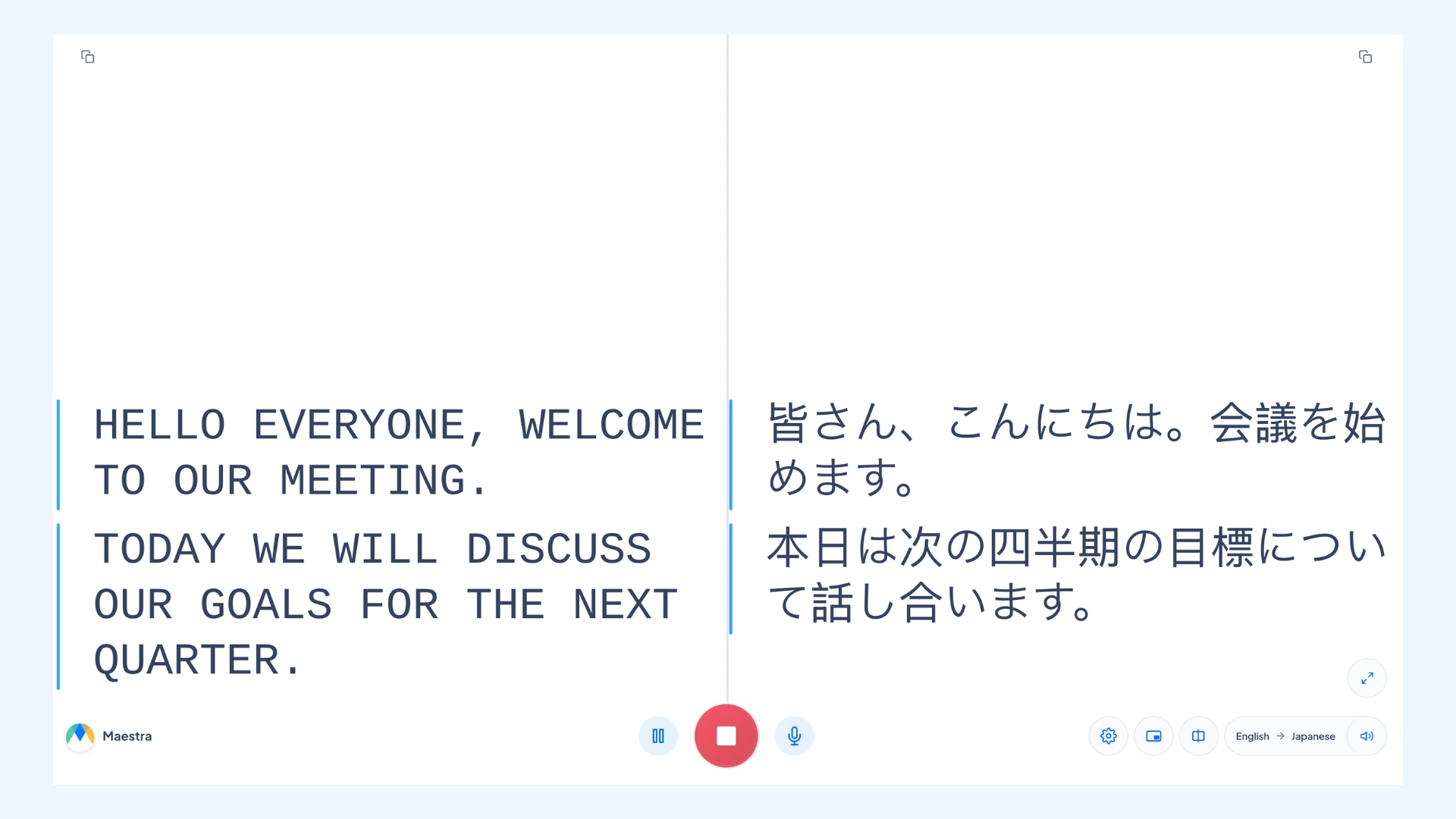
To use Maestra Live as an interpreter app, start a standalone session for in-person conversations and events (it works for online too), or connect it to a Zoom, Microsoft Teams or Google Meet call. A standalone Maestra Live session shows the translation on your own device or shares it by room link or QR code, while the integrations add AI captions to the call.
As a standalone session (in-person or online)
- Start a session in Maestra Live and pick the source languages (or turn on auto-detect) and a target language.
- Keep it private or share it. A private session shows the translation on your own device, as AI captions or AI voice plus captions. A shareable session gives listeners a room link or QR code and supports several target languages.
- Listeners open it in any browser, with no app or account, and choose AI captions or AI voice plus captions. In a shareable session, each listener picks their own language.
For a Zoom, Teams or Google Meet Call
- Connect Maestra Live: paste the Zoom API token or the Teams meeting invite link into Maestra Live's Integrations tab. For Google Meet, paste the meeting link and admit the Maestra bot when it asks to join.
- In Zoom and Teams, turn on captions first (CART captions in Teams).
- Pick your languages and start the session. In Zoom and Teams, translated captions appear on the meeting screen. In Google Meet, the bot posts a captions link in the chat, and each participant picks a caption language.
Tips for Getting Accurate Translations From an Interpreter App
- Download languages before you travel. Google Translate, Apple Translate and iTranslate (PRO) translate text offline once languages are downloaded.
- Use earphones for spoken translation. Google Translate's Listening mode and Apple Translate's Live Translation with AirPods play the translation in your ears.
- Speak in short sentences, one person at a time. AI interpreters such as Maestra Live work from the audio, so a clear microphone and pauses between speakers improve accuracy.
- Add names and terms first. Maestra Live's custom glossary, Transync AI's personal vocabulary, and the KUDO and Wordly glossaries help with product names, acronyms and people's names.
- Save the transcript. Maestra Live exports a transcript and an AI summary after each session, and JotMe and Transync AI also provide transcripts.
- Book a human interpreter when stakes are high. Certified legal, medical or diplomatic sessions may still require a professional, which KUDO offers alongside AI translation.
Best Translation Apps For Live Conversation (2026 Guide)
Final Verdict: Which Interpreter App Should You Choose?
The right interpreter app depends on the setting: a face-to-face talk, an online call or an event. For people and teams who need one tool for all three, Maestra Live translates 125+ languages as AI captions or AI voice plus captions, and it can be bought online without a sales call.
For free one-to-one conversations, Google Translate translates text in up to 249 languages and live speech in 70+, and Apple Translate adds free on-device Live Translation for iPhone and AirPods users. iTranslate suits travelers who want offline packs, Talkao suits language learners, and Maestra Live's Personal plan adds AI voice cloning for everyday conversations from $15/month.
For business conversations and online calls, DeepL Voice for Conversations suits teams already on DeepL, Transync AI suits low-cost use from $8.99/month without a bot, and JotMe suits meetings that also need transcripts and AI notes. Maestra Live adds AI captions inside Zoom, Teams and Google Meet calls.
For events, Wordly connects to event platforms such as Cvent and Bizzabo, and KUDO adds professional human interpreters. Maestra Live's Events plan is a one-time purchase from $799 a day, with setup help, day-of support and up to 100 viewers across 3 rooms.
Maestra Live is self-serve: sign up, pay online and start interpreting a conversation, meeting or event in minutes, without talking to a sales team.
FAQs on the Best Interpreter Apps
What is the best interpreter app for real-time conversations?
Maestra Live is a strong all-round interpreter app, translating speech in 125+ languages for conversations, online meetings and events as AI captions or AI voice plus captions. For free one-to-one talks, Google Translate and Apple Translate work well, and KUDO suits events that also need human interpreters.
Is there a free interpreter app that works offline?
Yes. Google Translate and Apple Translate are free and translate offline once languages are downloaded. Apple Translate's on-device mode works fully offline, while Google Translate's offline live translate is limited to Pixel 9, 10 and 11 phones. iTranslate offers offline text in 41 languages with PRO.
What is the best interpreter app for iPhone?
Apple Translate is built into the iPhone and offers free Live Translation with supported AirPods on an iPhone 15 Pro or later. Google Translate, iTranslate, Talkao, DeepL Voice and JotMe also have iOS apps.
What is the best interpreter app for Android?
Google Translate is free on Android, with live translate in 70+ languages, Gemini 3.5 Live Translate with any headphones and offline live translate on Pixel 9 to 11. iTranslate, Talkao, DeepL Voice, Transync AI and JotMe also have Android apps.
Which interpreter app works for a group or an audience?
Maestra Live, KUDO and Wordly share one translated session with many listeners by link or QR code, with no app. Maestra Live's Organizations plan supports up to 50 viewers and its Events plan up to 100, while KUDO supports up to 3,000 users per language. DeepL Voice and JotMe also let people join a conversation by QR code.
Can an interpreter app translate Zoom, Teams or Google Meet calls?
Yes. Maestra Live adds AI captions to Zoom and Microsoft Teams calls on the meeting screen, and to Google Meet through a captions link in the chat. Transync AI and JotMe translate calls from a desktop app with no bot, and KUDO and Wordly integrate with all three platforms. Compare more real-time translators for meetings.
Can an interpreter app speak the translation in my own voice?
Yes. Maestra Live offers AI voice cloning in its own sessions, so listeners hear the translation in a voice modeled on the speaker. Transync AI also offers voice clone, and DeepL says its newer voice models keep each speaker's voice recognizable.
Which interpreter apps save a transcript of the conversation?
Maestra Live exports the transcript and an AI summary after each session. JotMe saves speaker-labeled transcripts and AI notes, and Transync AI saves bilingual transcripts, summaries and action items. KUDO offers recordings in each language, and Wordly provides transcripts and summaries for every session.
Can AI interpreter apps replace human interpreters?
Not for every job. AI interpreter apps such as Maestra Live, Google Translate and Wordly handle everyday conversations, meetings and events in real time. Certified legal, medical or diplomatic sessions may still require a professional, and KUDO offers 12,000+ human interpreters alongside its AI translation.
Can I buy an interpreter app without talking to sales?
Yes. Maestra Live is self-serve: you sign up, choose a plan and start translating online, with no demo or contract. Google Translate and Apple Translate are free, iTranslate, Talkao, Transync AI and JotMe sell plans in-app or online, and Wordly sells smaller packages online.