10 Best Russian Translation Apps in 2026
- The 10 Best Russian Translation Apps in 2026 ( Comparison Table)
- 10 Best Russian Translation Apps - Reviewed
- Best Russian Translation App for iPhone and Android
- Best Live Russian Translation for Meetings and Business
- Which Russian Translation App Fits Your Use Case?
- Final verdict: Choosing the Right Russian Translation App
- Frequently Asked Questions
Finding a Russian translation app that actually handles the language well is harder than it looks.
It doesn't translate the way most translation apps work - for three reasons.
First, Russian is a morphologically rich language.
One word can change form depending on its grammatical role.
Second, it carries the classic polysemy problem: one word, multiple meanings, with context deciding which one applies.
Most apps pick the most common Russian interpretation and move on.
Third, the semantic space does not map well between English and Russian. Meaning, what English expresses in three words, Russian might capture in one.
What this language encodes in a single suffix, English needs an entire clause to explain.







Why Trust Our Recommendations?
These ten apps were tested by a working translator with Russian among three active languages.
Across many hours of testing, each app was evaluated on the four criteria above.
Test scenarios included:
- Live meetings with native Russian speakers
- Casual back-and-forth conversation
- Formal business exchanges (Вы register)
- Technical and legal Russian text
- Mobile travel scenarios
What we didn't measure:
- Marketing claims about language counts
- Subscription tiers above the standard paid plan
- Mobile-only edge cases for apps marketed as web tools
No vendor on this list paid for placement. No app was given a preview or asked to comment on rankings.
The 10 Best Russian Translation Apps in 2026 ( Comparison Table)

| Russian Translation App | Free Trial/Version | Languages | Platform Availability | Best Use |
| Maestra | ✅ (10 min trial) | 125+ | Web (browser-based) | Live meetings |
| Yandex Translate | ✅ | 102 | Web, iOS, Android | Russian specialist |
| Google Translate | ✅ Fully free | 133+ | Web, iOS, Android | Travel & quick lookups |
| DeepL | ✅ | 30+ | Web, iOS, Android, Desktop | Formal written Russian |
| Microsoft Translator | ✅ | 100+ | Web, iOS, Android, Windows | Business conversations |
| Reverso | ✅ Fully free | 110+ | Web, iOS, Android | Contextual translation |
| iTranslate | ✅ Fully free | 100+ | Web, iOS, Android | Casual mobile use |
| Transync AI | ✅ | 60+ | Web | Real-time professional |
| PROMT.One | ✅ | 20+ | Web, iOS, Android | Technical & scientific |
| Speak & Translate | ✅ | 100+ | iOS | iPhone voice translation |
10 Best Russian Translation Apps - Reviewed
1. Maestra: Best for Live Russian Translation
Russian communication has a formality problem. In a meeting setting, all it takes is one wrong pronoun and the room goes dead. Silence. No nods.
Maestra is the only tool I tested that takes this seriously.
Its performance across other live language pairs is top-notch as well.
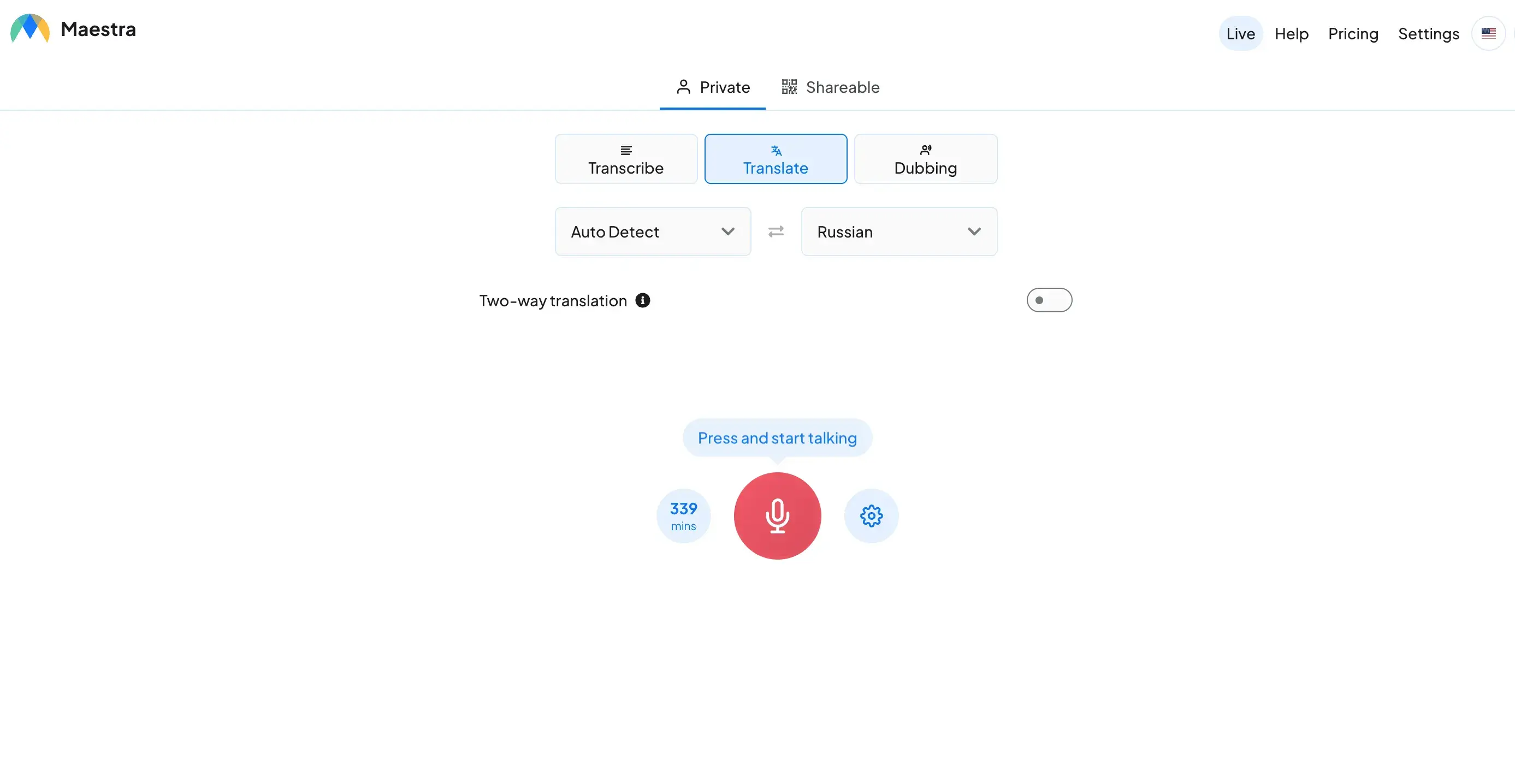
Key features:
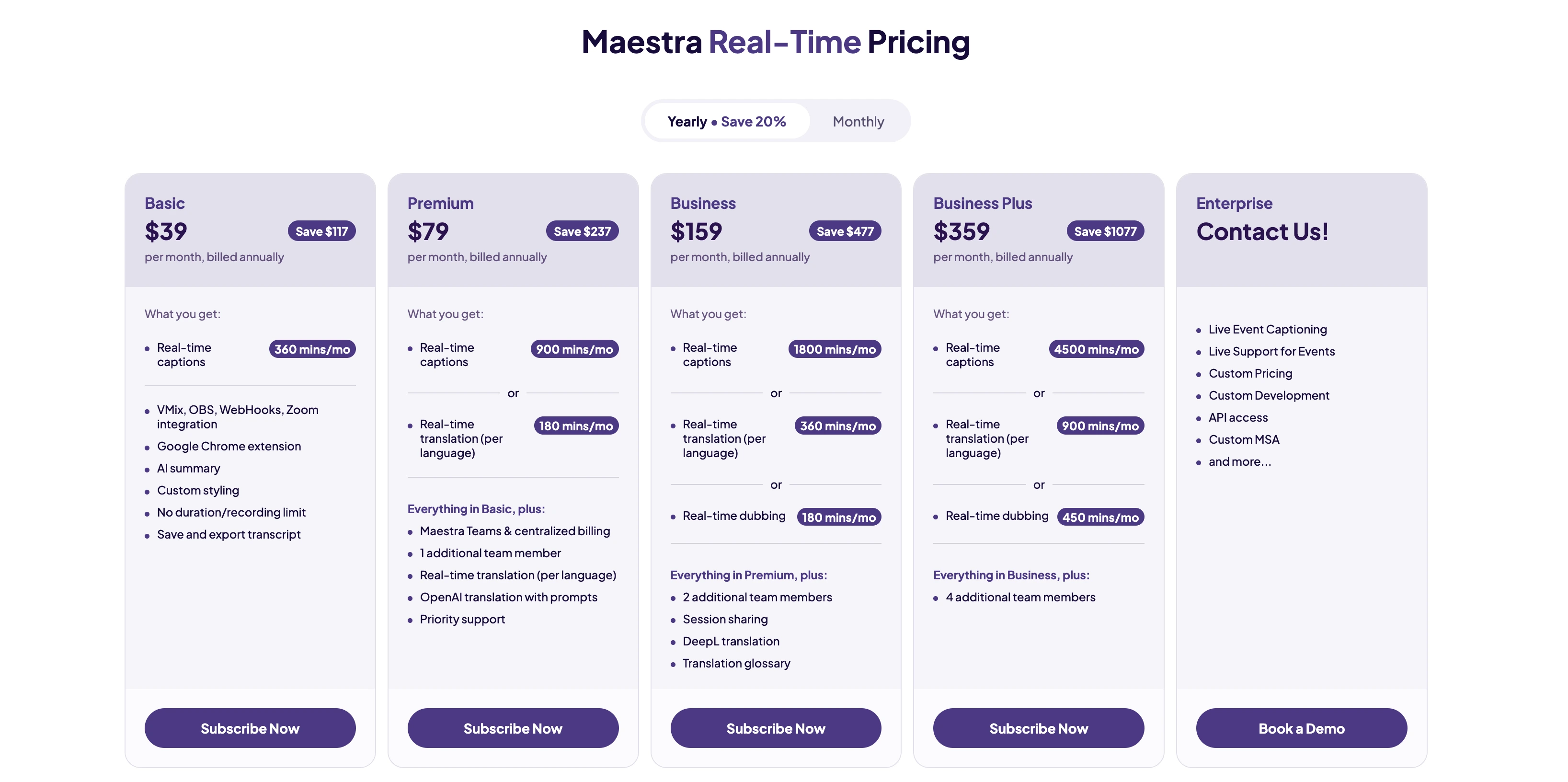
- Live Russian voice translation and captions in 125+ languages
- Two-way conversation mode with multi-speaker diarization
- Runs in browser - no installation required
- Runs with OpenAI and DeepL models
- Shareable sessions via link or QR code
- Integrations with Zoom, Microsoft Teams, OBS, YouTube, Slack
Pros
- Dual-model engine handles Russian polysemy better than single-engine tools
- No installation removes friction in meeting environments
- Handles sustained Russian speech without latency drift
Cons
- Requires internet - no offline mode
- Free trial limited to 10 minutes
Best for: Live Russian business meetings and real-time professional translation
Translate Russian in Real Time
2. Yandex Translate : Best Russian Specialist App
Yandex was built around Russian, and it shows in the output.
Russian morphology is the element most Western tools flatten into the nearest equivalent - Yandex doesn't.
It also covers Russian national minority languages like Bashkir, Tatar, and Chuvash.
No other app on this list reaches that level of nuance.
Key features:
- 102 languages including Russian national minority languages
- Hybrid SMT and NMT model for superior accuracy
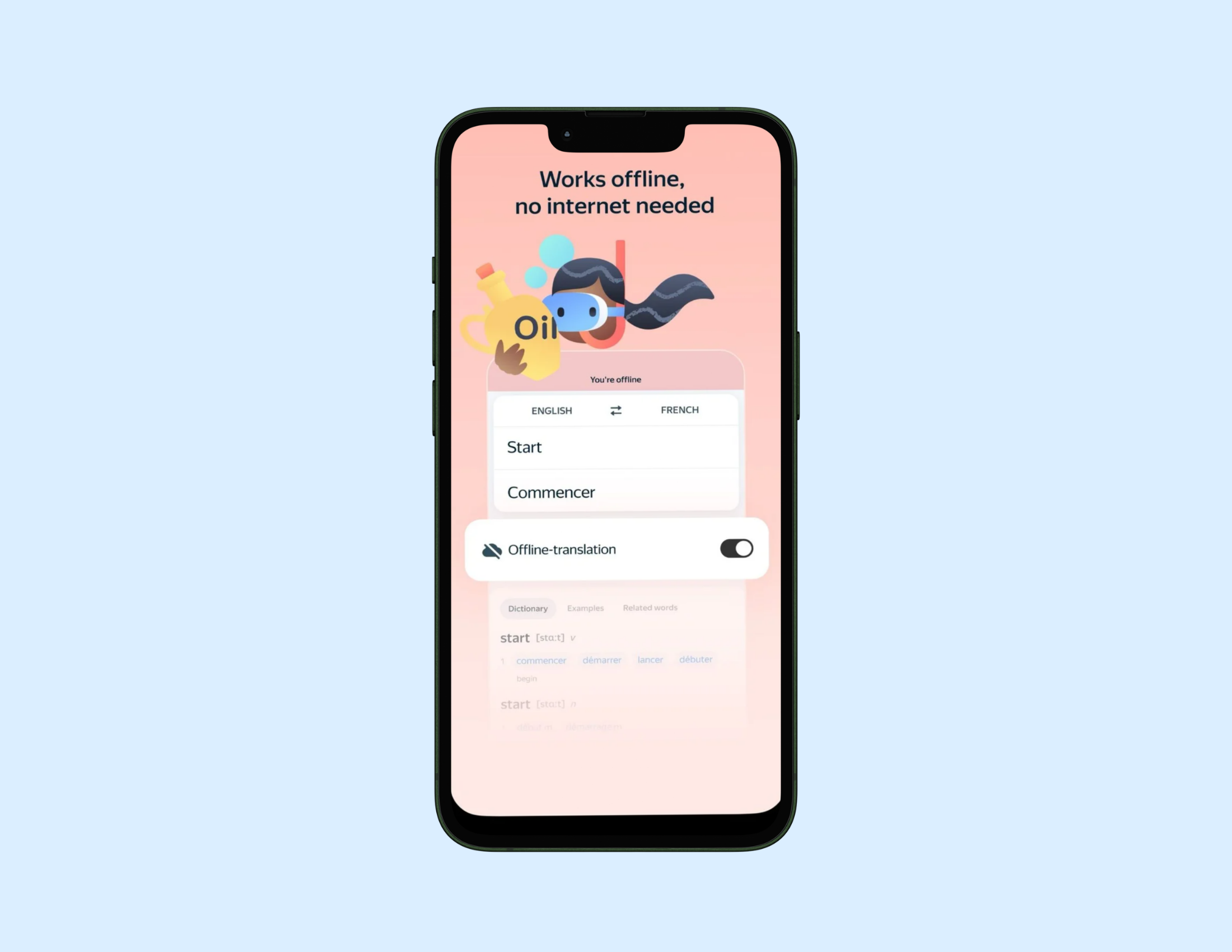
- Offline Russian via downloadable language pack
- Camera translation for signs, menus, and printed text
- Integrated dictionary with translation examples
- Voice and text translation across Web, iOS, Android
Pros
- Best morphological accuracy for Russian of any free app tested
- Minority language support unmatched by Western alternatives
- Offline mode reliable for travel
Cons
- Russian ownership raises data privacy considerations for some users
- Camera translation slower than Google on dense Cyrillic text
Best for: Russian language specialists, learners, and travelers needing offline reliability.
Pricing: Free. Ad-free on Android for $2.99.
3. Google Translate: Best Free Russian Translation App
Google's language corpus is the vastest of them all.
BLEU benchmarks from EPSTEM 2025 put it at 0.291 in news and 0.282 in speech. These are strong numbers.
But beware that a more complex Russian input might tell a different story.
.webp)
Key features:
- 130+ languages including Russian
- Offline Russian via downloadable language pack
- Camera translation with proprietary OCR technology
- Conversation mode for two-way voice exchanges
- Voice input with text and audio output
- Handwriting input for Cyrillic script
Pros
- Most complete free feature set of any app on this list
- Camera OCR benchmarks among the best for Russian signs and menus
- Leads BLEU benchmarks in news and speech domains
Cons
- Produces stiff output on complex Russian syntax
- Dialect and morphologically dense input reduces accuracy noticeably
Best for: Travel, quick lookups, and everyday free Russian translation.
Pricing: Completely free.
4. DeepL: Best for Formal Written Russian
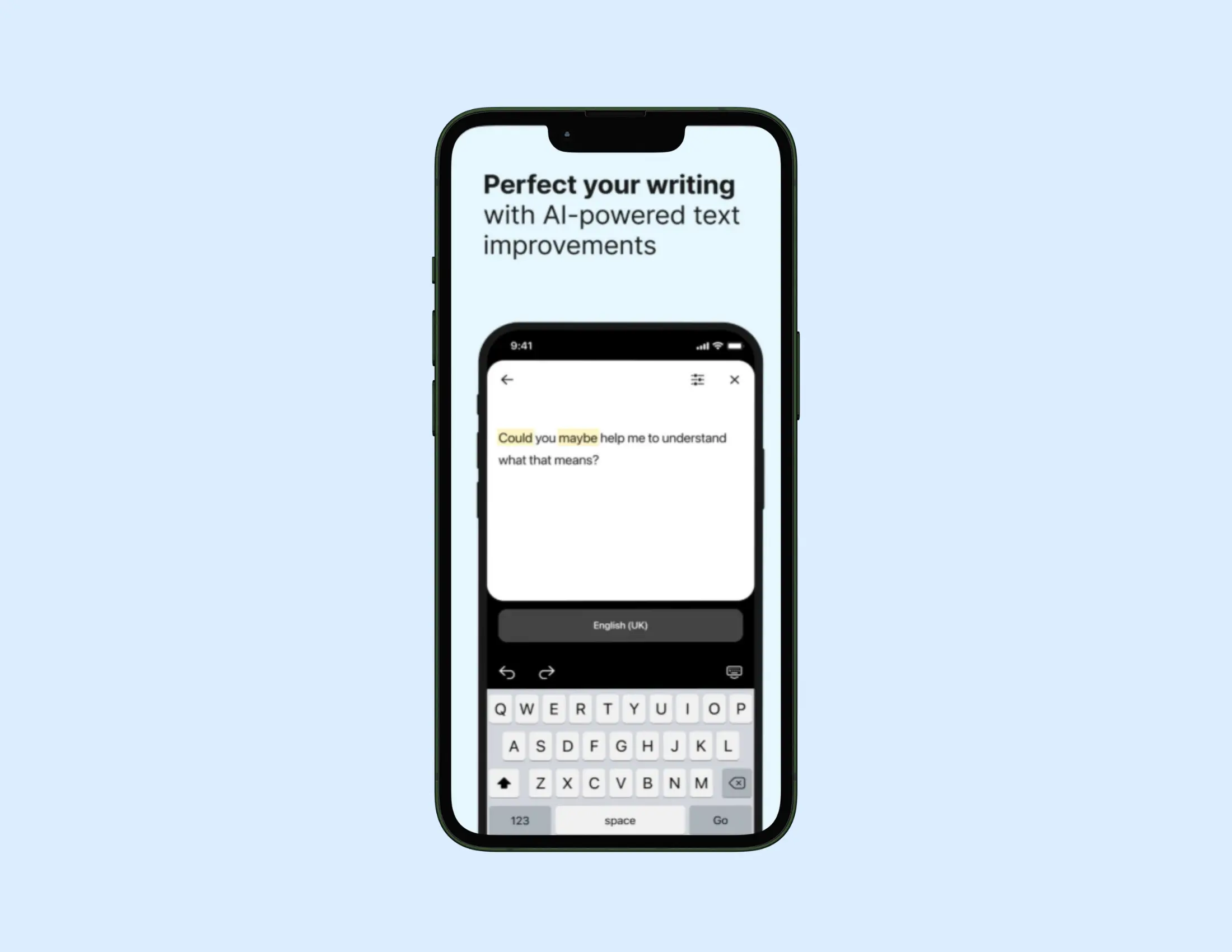
DeepL produces the most natural-sounding Russian output of any engine I tested. It was definitely trained for formal language as well & my testing confirmed that.
So if you have business documents, legal text, or serious writing to do in Russian - the output reads cleanly and preserves tone better than any other tool here.
Conversational input comes back sounding formal, though. Not wrong. Just formal. If that's an issue for you, skip this one.
Key features:
- Advanced NMT engine for natural-sounding Russian text output
- Document translation - PDF, Word, PowerPoint (Pro)
- Glossary feature for technical term consistency (Pro)
- Tone selection for formal or informal register
- 30+ supported languages including Russian
- Web, macOS, Windows, iOS, Android
Pros
- Most natural-sounding formal Russian output of any tool tested
- Document translation preserves original layout
- Glossary feature valuable for technical and legal Russian
Cons
- Over-formalizes casual Russian input
- No camera or OCR translation plus weak live translation
Best for: Formal written Russian, business documents, and professional communication.
Pricing:
- Free version available.
- Paid plans start at $8.74 per month billed annually.
5. Microsoft Translator: Best for Business Environments
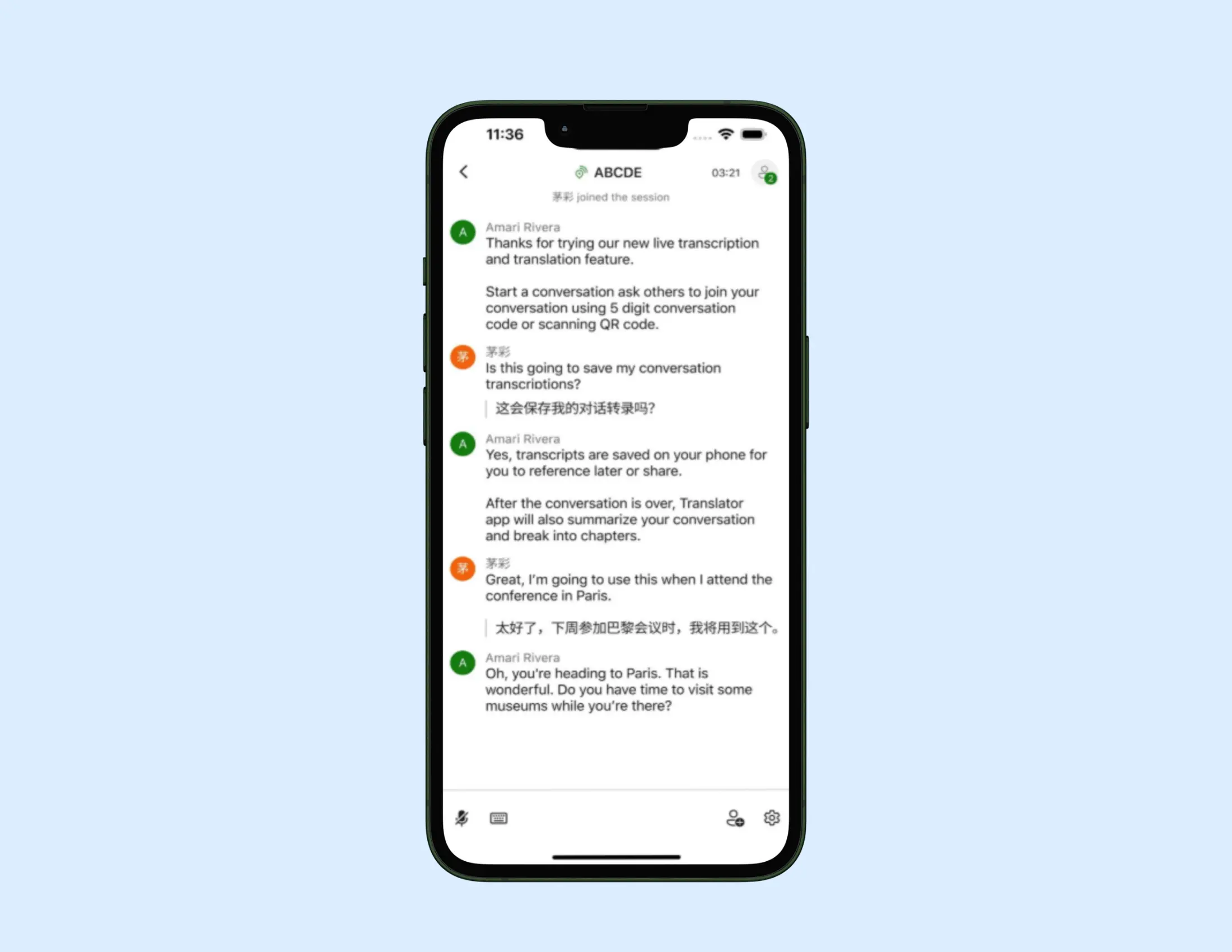
I noticed that Microsoft Translator does one thing no other app on this list does. For one, 100 participants are allowed in group conversation mode. And the best part is that each person can read captions in their own language.
Key features:
- Live group conversation translation for meetings and teams
- Offline Russian via downloadable language packs
- Microsoft 365 and Teams native integration
- Speech-to-text and Russian voice translation
- Phrasebook for common Russian expressions
Pros
- Group conversation mode unmatched for scale
- Teams integration removes setup friction for Microsoft users
- Reliable for formal business Russian
Cons
- Morphological nuance weaker than Yandex or DeepL
- Interface less intuitive than Google or iTranslate
Best for: Russian business conversations and multilingual meeting environments.
Pricing:
- Free for personal use.
- Enterprise features via Microsoft 365.
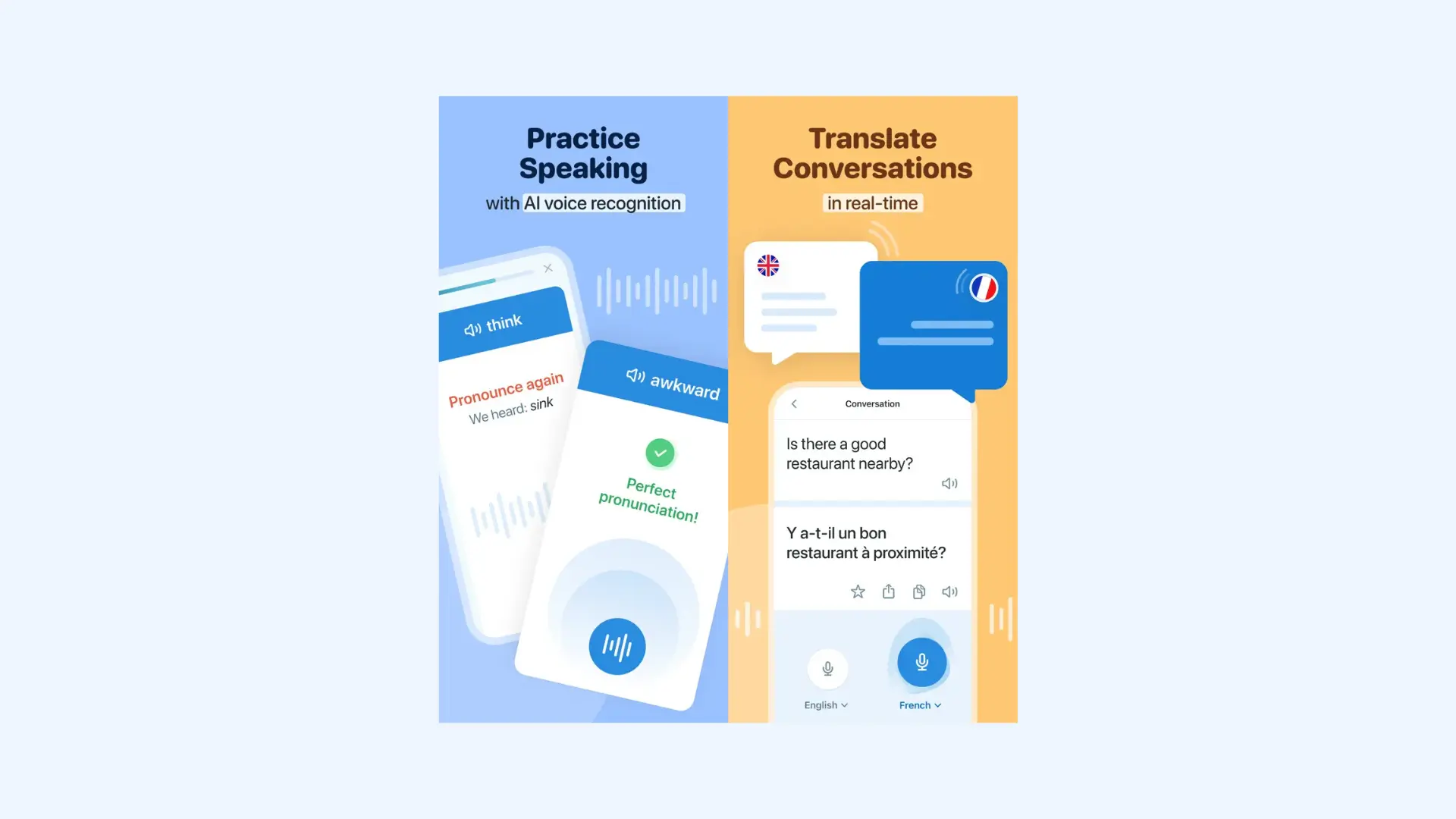
6. Reverso: Best for Contextual Russian Translation
What I really like about Reverso is that it accurately shows how a word behaves in a sentence.
Contextual examples pulled from books, films, and websites. Real sentences. Real usage. For Russian specifically, that distinction is so important.
Key features:
- Contextual translation with real bilingual sentence examples
- Russian verb conjugation and grammar tools
- Voice input and pronunciation playback
- Offline dictionary
- Web, iOS, Android
Pros
- Contextual examples surface polysemy better than any tool tested
- Russian conjugation tools genuinely useful for learners
- Completely free for core features
Cons
- Not a voice translation tool
- Dialect handling stays close to standard Russian
Best for: Contextual Russian translation, written text, and language learners.
Pricing:
- Free version available.
- Premium version is $4.99 monthly.
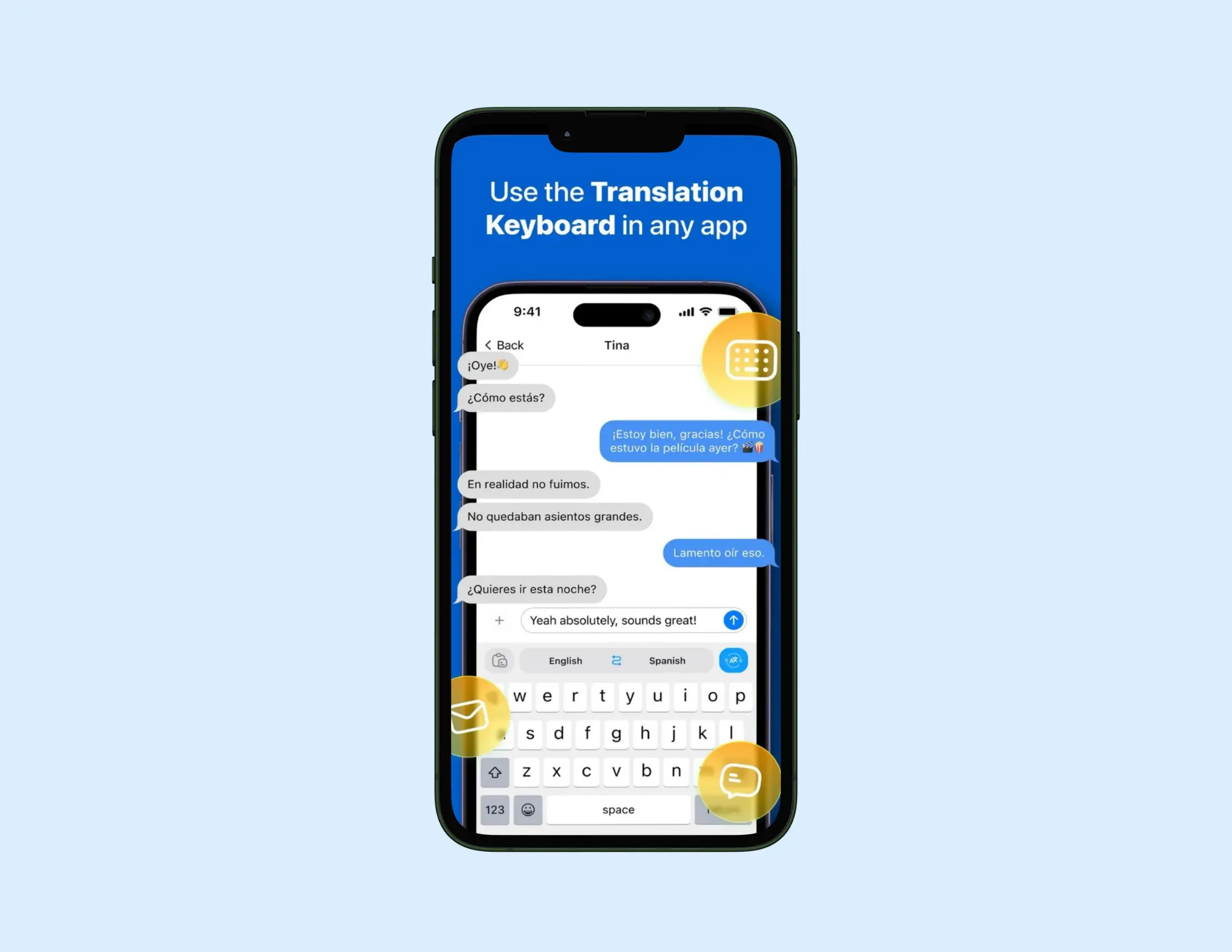
7. iTranslate: Best for Casual Mobile Russian Translation
iTranslate is truly built for mobile. It has a clean interface. Responsive voice input. Offline coverage without a data connection.
For short Russian phrases and travel scenarios, it works reliably. Extended voice input is where accuracy starts to slip.
The Apple Watch integration and Safari extension set it apart within iOS. For iPhone users who want Russian translation across their devices without switching apps, this is the one to go for.
Key features:
- 100+ languages with voice, text, and conversation modes
- Offline translation for 40+ languages (Pro)
- AR camera translation (Pro)
- Verb conjugations and phrasebook
- Apple Watch integration and Safari extension
- Keyboard extension for multilingual messaging
Pros
- Most frictionless iOS experience on this list
- Apple Watch integration unique to iTranslate
- Clean interface suited to travel scenarios
Cons
- Extended Russian voice input reduces accuracy
- Camera and offline features locked behind Pro
Best for: Casual mobile Russian translation and iOS users.
Pricing:
- Free version with limitations.
- iTranslate Pro costs $9.99/month or $99.99/year.
8. Transync AI: Best for Real-Time Professional Russian
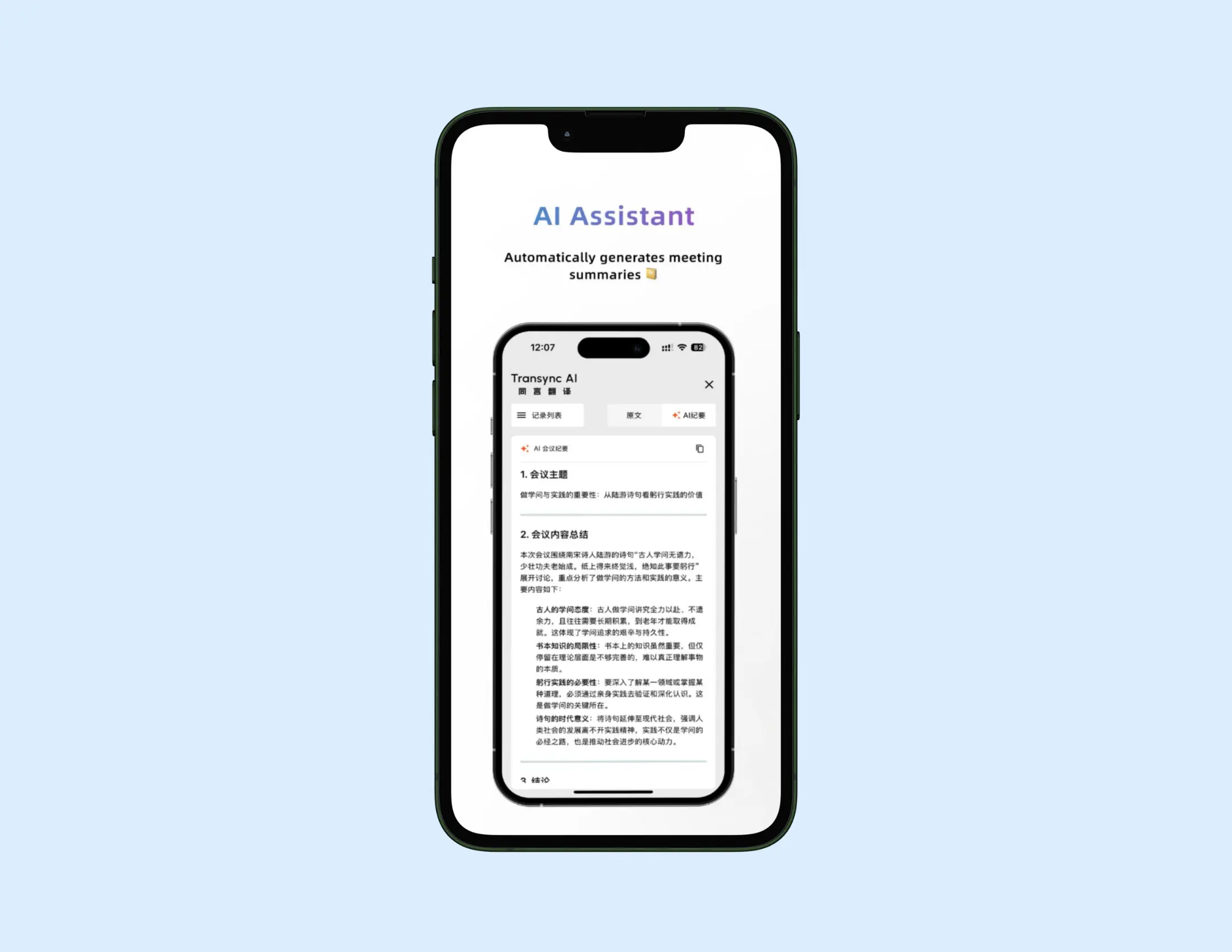
Transync AI stands out in professional Russian communication - the tone capture is impressive.
It automatically reads the situation and generates accurate meeting summaries for Zoom, Teams, and Google Meet.
Teams working in Russian across enterprise environments will find it especially useful.
Key features:
- Simultaneous interpretation in 60+ languages with natural voice playback
- Context-aware Вы vs. ты formality detection
- AI-generated meeting summaries for Zoom, Teams, and Google Meet
- Dual-screen subtitles displaying source and target text simultaneously
- Real-time B2B meeting support
Pros
- Second app on this list with dedicated Вы vs. ты formality detection
- Meeting summary feature adds value beyond live translation
- Near-zero latency for professional Russian speech
Cons
- No offline mode
- Narrower language coverage than Google or Microsoft
Best for: Real-time Russian business meetings and enterprise communication.
Pricing:
- Free tier available.
- Paid plans for business use - check their site for current pricing.
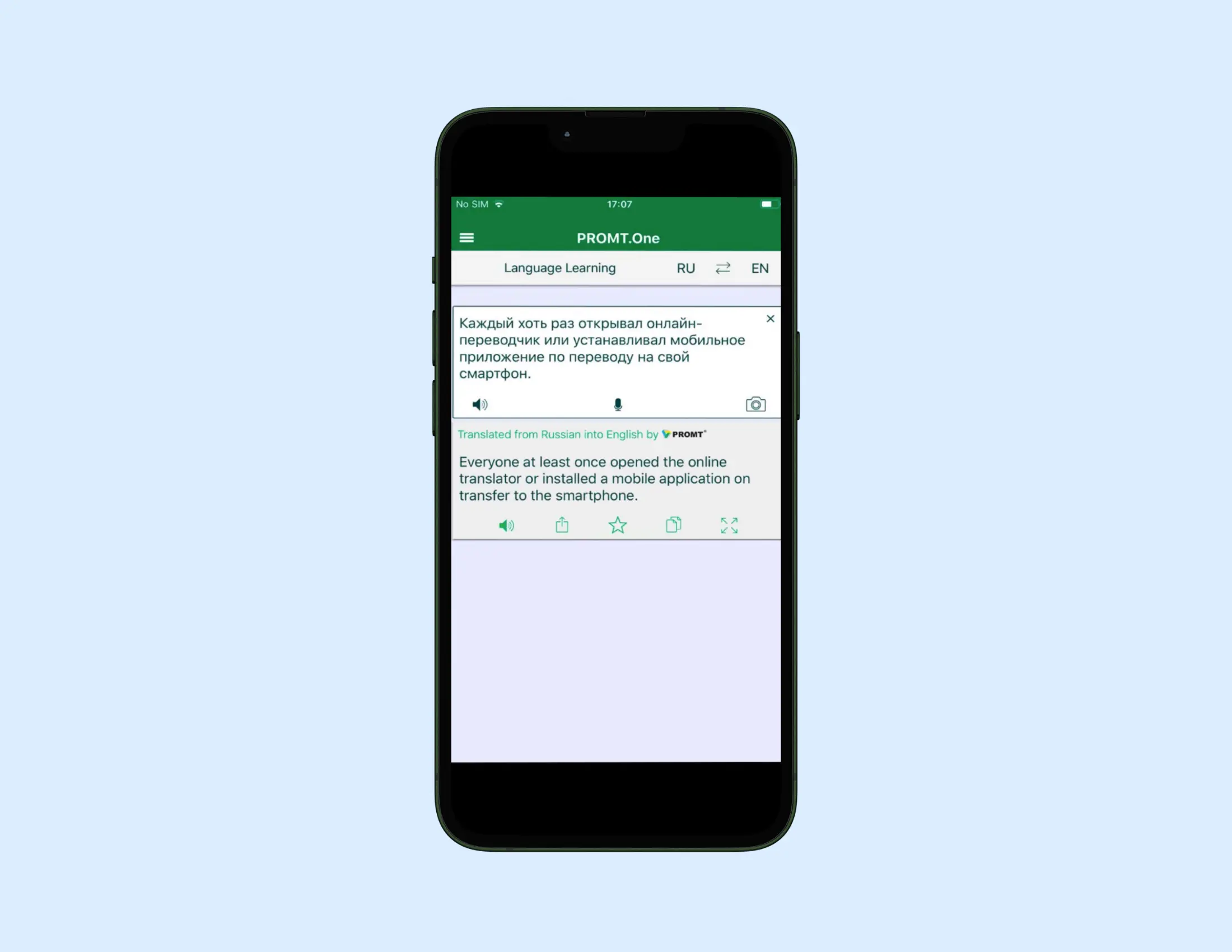
9. PROMT.One: Best for Technical and Scientific Russian
General-purpose apps fail technical Russian miserably. PROMT.One was built for it - and it shows. Dedicated declension and conjugation pages, plus GOST and ISO compliance built in.
A specialist tool for people who need Russian to be critically correct.
Key features:
- ISO 17100:2015 quality standards compliance
- GOST standards for Russian measurements and technical nomenclature
- Dedicated declension and conjugation reference pages
- Offline Russian language pack available
- Web, iOS, Android
Pros
- Built for technical and scientific Russian
- GOST compliance essential for Russian industrial documentation
- Declension pages genuinely useful for complex Russian grammar
Cons
- Not suited for casual or travel Russian translation
- Limited language coverage outside Russian
Best for: Technical writers, scientists, and anyone working with Russian regulatory or industrial documentation.
Pricing:
- 7-day free trial available.
- Premium subscription is $12.99/month.
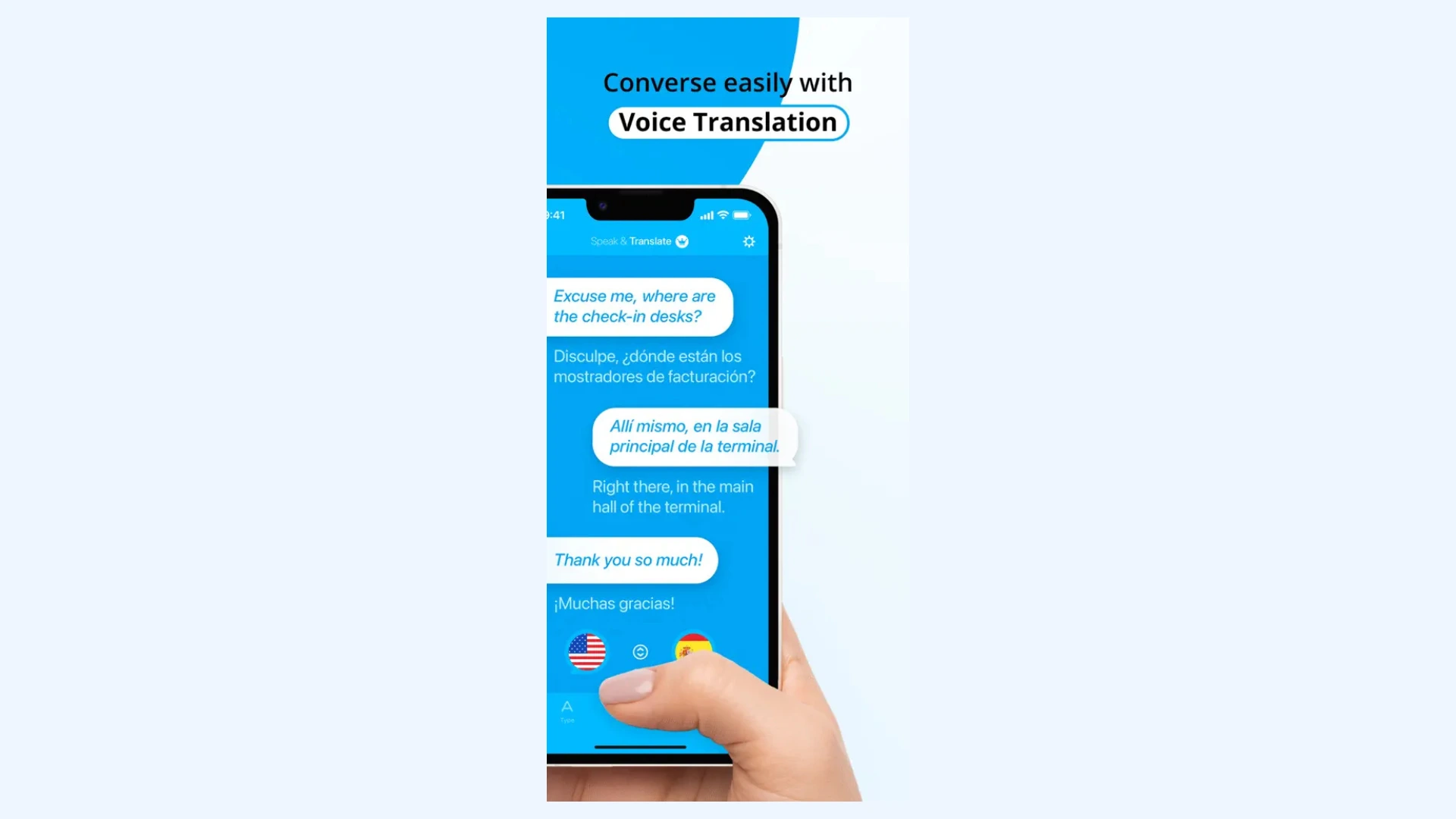
10. Speak & Translate: Best Russian Translation App for iPhone Voice
Voice and text translation perform well and the interface is designed for travel and everyday use.
The app knows its scope, and users should too.
For iPhone use, it's fast and clean Russian voice translation.
Very straightforward - point, speak, read.
Key features:
- Voice and text Russian translation in 100+ languages
- Unlimited translations (paid)
- Ad-free experience (paid)
- iPhone, iPad, Apple Vision Pro support
Pros
- Cleanest iOS voice translation interface on this list
- Reliable for standard Russian phrases and travel scenarios
- No setup required
Cons
- Not suited for extended Russian speech or morphologically complex input
- Limited to iOS ecosystem
Best for: iPhone users needing fast, reliable Russian voice translation for travel.
Pricing:
- Free version with limitations.
- Premium subscription starts at $7.99/month.
Best Russian Translation App for iPhone and Android
The best app can depend on the device at times. Here are the best options for each mobile case:
- On Android: Yandex Translate runs cleanly on Android 12 and above, and outperforms Google on complex Russian input. The offline pack is reliable. The Cyrillic camera translation works on signs and menus without a connection.
- On iPhone: iTranslate is the cleanest iOS Russian translator I tested. The Apple Watch integration and Safari extension are unique to iTranslate among the apps on this list.
One practical note. Download your offline language pack before you lose service. Do this on home Wi-Fi, not at the gate.
Best Live Russian Translation for Meetings and Business
Live Russian translation in a business setting is the hardest test of any app on this list.
- Maestra held up best here. Two-way conversation mode handles multiple speakers, captions update live, and the dual-model engine catches the kind of Russian polysemy that flattens out in single-engine tools. The register stays consistent across long stretches, which is where most apps slip.
- Transync AI is a solid alternative for enterprise teams, especially on Zoom, Teams, or Google Meet. It also handles formality automatically and generates meeting summaries.
Tip. Run your most critical Russian phrases through two apps before a meeting. Yandex and DeepL trained on different corpora and make different errors. Where one mistranslates, the other often does not. Cross-referencing takes thirty seconds and catches mistakes that only become obvious after the damage is done.
Which Russian Translation App Fits Your Use Case?
The right Russian translation app depends on what you're actually translating, not just which one has the best reviews. Here's how the picks shake out by scenario.
1. Best free Russian translation app
Google Translate is the strongest free Russian translation app for everyday use. The coverage is unmatched.
It has 130+ languages, voice input, conversation mode, camera OCR, and a downloadable offline pack. All completely free.
Plus, BLEU benchmarks for Russian news and speech are among the highest in the field.
Google's weakness is complex Russian syntax. It produces stiff, literal output when the input gets long or idiomatic. For casual translation, lookups, and travel, that doesn't matter.
For anything formal or sustained, look further down this list.
2. Best for translating Russian documents and text
DeepL is the best app for translating Russian documents, contracts, and long-form text.
The output reads cleanly. Formal register holds. Sentence structure stays intact across long passages, which most apps butcher.
DeepL also preserves document layout on PDF, Word, and PowerPoint uploads, and the Pro glossary feature keeps technical terms consistent across a whole project.
While not built for conversation, DeepL gives casual Russian input back over-formal, with no camera or live translation.
For written Russian, though, nothing else on this list comes close.
3. Best for learning Russian
Reverso is the best Russian translation app for language learners.
It isn't really a translator. It's a context engine. Search a Russian word or phrase and you get real example sentences from books, films, and articles, with the English equivalent right next to it.
You see how the language actually behaves, not just a dictionary definition.
Conjugation tables, pronunciation audio, and an offline dictionary fill in the rest.
For students working through Russian grammar or anyone trying to internalize how phrases actually get used, Reverso earns its place.
It's slow for quick translations on the move. But that's not what it's for.
Final verdict: Choosing the Right Russian Translation App
Maestra is my overall pick when Russian translation has to work live. It holds up in meetings, business calls, and any setting where accuracy under pressure matters. For everything else, the right tool depends on the job in front of you.
A quick scenario guide:
- On Android:Yandex Translate
- On iPhone:iTranslate
- Live meetings and business:Maestra
- Free everyday use:Google Translate
- Documents and long-form text:DeepL
- Learning Russian:Reverso
- Technical and scientific Russian:PROMT.One
Frequently Asked Questions
What is the best free Russian translator app?
Google Translate and Yandex dominate answers - both free, both offline capable.
Which Russian translator app works offline?
Google Translate and Yandex both offer downloadable packs.
What is the most accurate Russian to English translator app?
Maestra for live translation. Yandex for everyday Russian. DeepL for formal text. PROMT.One for technical.
Does Google Translate work well for Russian?
Short answer: reliable for standard Russian, struggles with complex syntax and idioms.
Which Russian translator app handles formal and informal speech ?
Maestra & Transync AI are the only apps on the list that handle this automatically.
Top 10+ Voice Translator Apps