How to Set Up Live Wedding Translation & 7 Best Apps
- TL;DR
- What Live Wedding Translation Actually Means
- Live Wedding Translation Apps Compared at a Glance
- Live Wedding Translation Apps for Broadcasting Translated Speech
- Live Wedding Translation Apps for One-on-One Conversations
- How to Set Up Live Translation for a Wedding
- How to Use Maestra for Live Wedding Translation
- Final Verdict
- FAQs on Live Wedding Translation
Two families, one ceremony, more than one language. At a bilingual wedding, if some of your guests speak a language the officiant doesn't, live wedding translation apps let them follow the vows, speeches, and toasts on their own phones in real time. The best option for most ceremonies is a broadcast tool, where guests scan a QR code to hear live translated speech or read live translated captions without having to download an app. For talking to vendors or in-laws one on one, a free conversation app is mostly enough.
In this blog, I compare 7 apps that can be used for live wedding translation based on their capabilities, pros and cons, language counts, and pricing as of July 2026. This time I tested Maestra's live translation app considering the specific needs of a wedding, and its section reflects what I saw firsthand. You can also find a step-by-step guide for setting it up at the end, so you know exactly what to do on your big day.
First, here's a shortlist of the apps and what each one is best for:




TL;DR
The list splits into two purposes: broadcast tools that stream the ceremony to every guest at once, and conversation apps for one-on-one talks with vendors or family.
Best for ceremonies and speeches: Maestra's real-time voice translator.
Best for large weddings with a full sound system: Wordly.
Best if you want a human interpreter backup: Interprefy.
Best for a scripted ceremony: spf.io
Best free option for vendor coordination: Google Translate.
Best for Korean, Japanese, or Chinese: Papago.
Best for dialect precision: iTranslate.
Before the comparison table and the full reviews, here's what live wedding translation actually is.
What Live Wedding Translation Actually Means
Live wedding translation converts speech into another language as it happens. A microphone picks up the officiant or speaker, AI transcribes and translates the words within seconds, and guests read the translated captions or hear translated audio. Most wedding translation apps work through a shared link or QR code so guests can easily follow along on their own phones without downloading anything. The link opens in a browser, guests pick their language, and the translation runs for as long as the session stays live.
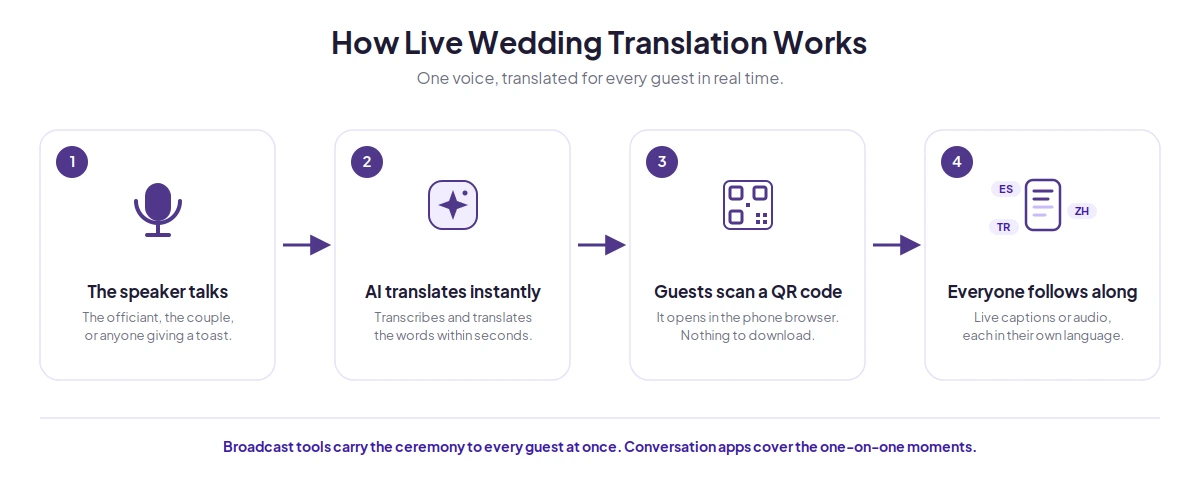
That's the broadcast form, and it's most of what this guide covers. There's also a turn-based form: conversation apps where two people speak in turn and the phone translates each side, which suits one-on-one moments with vendors or relatives rather than a continuous ceremony. Both translate speech as it happens, so both count here. (What live wedding translation isn't is hiring a human interpreter, who translates aloud in sequence and roughly doubles the length of every spoken segment.)
That split is how I've organized this list: tools that broadcast the ceremony to your guests, and tools for one-on-one conversations around the wedding.
Live Wedding Translation Apps Compared at a Glance
| App | Best for | Languages | Guest Access | Free Trial |
| Maestra | Ceremonies and speeches | 125+ | Link or QR code, browser | ✅ |
| Wordly | Large weddings with a full sound system | Dozens | Link or QR code, browser | ✅ |
| Interprefy | Hybrid approach (AI + human interpretation) | 80 | Browser link, or app via QR code | ❌ (customized demo only) |
| spf.io | Scripted ceremonies | 100+ captions (40+ audio) | Link or QR code, browser | ❌ (customized demo only) |
| Google Translate | Vendor conversations | 70+ for conversation mode | One phone, turn-based | ✅ (100% free) |
| Papago | Korean, Japanese, Chinese conversations | 14 | One phone, conversation mode | ✅ (100% free) |
| iTranslate | Dialect-specific conversations | 40+ for voice translation | One phone, conversation mode | ✅ |
Live Wedding Translation Apps for Broadcasting Translated Speech
The following tools carry the ceremony to your whole guest list at once. Each one lets guests join from their own phones and follow the vows and speeches in their language.
1. Maestra: Best for Translating Ceremonies and Speeches
Maestra's live voice translator captures speech through a microphone or the event's system audio and streams translated speech and captions to guests in 125+ languages. Guests scan a QR code or open a link in their phone browser, pick their language, and connect to the live feed. No login is required for guests, since the whole session runs in a browser.
Two things separate it from caption-only tools in a wedding context. First, guests can choose to hear a spoken translation in addition to reading captions, which suits older relatives who would rather listen to the toast than read it. With voice cloning switched on, that audio keeps the speaker's own voice rather than an AI one. Second, the tool can detect each new speaker automatically and identify the language they use (which happens constantly at bilingual weddings) so a single running session can carry the wedding ceremony, dinner, and toasts.
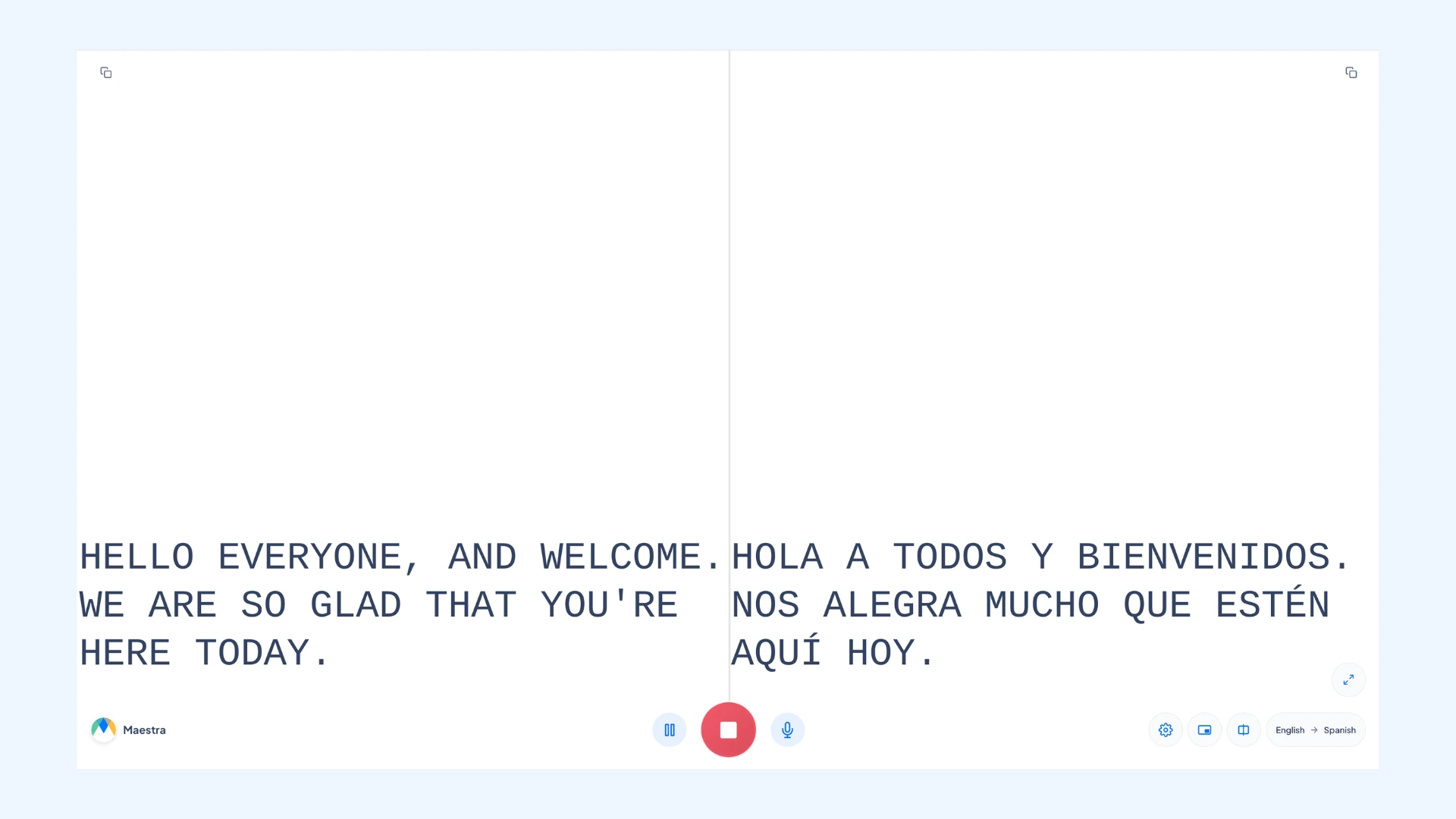
I regularly use Maestra for live speech translation, and to see how it behaves for an event like this I ran a session with these use cases in mind. Setup is quick and the interface is simple. The feature that stands out most is adding more than one source and target language at once, which is exactly what a multilingual wedding needs. Voice translation comes through accurate and natural, with almost no latency. There can be a minor delay in the first moments of a session, but it catches up quickly and runs smoothly afterward.
Smaller touches help a lot: each speaker can be given a color and tag, so a transcript with the officiant, the bride, and the groom stays readable, and a split-screen view makes the live speech easier to follow. After the event, the session can be saved and exported, so you can keep a transcript of the vows and speeches in every language guests used.
Note: My testing was with the tool itself rather than a live ceremony, so the notes below on running it through a full wedding day are things worth checking at your rehearsal.
Pros
- Custom dictionary to save the couple's and family names
- Free trial to test the live translation features
- Choice of advanced translation engines (OpenAI, DeepL, Gemini)
Cons
- Needs a steady internet connection
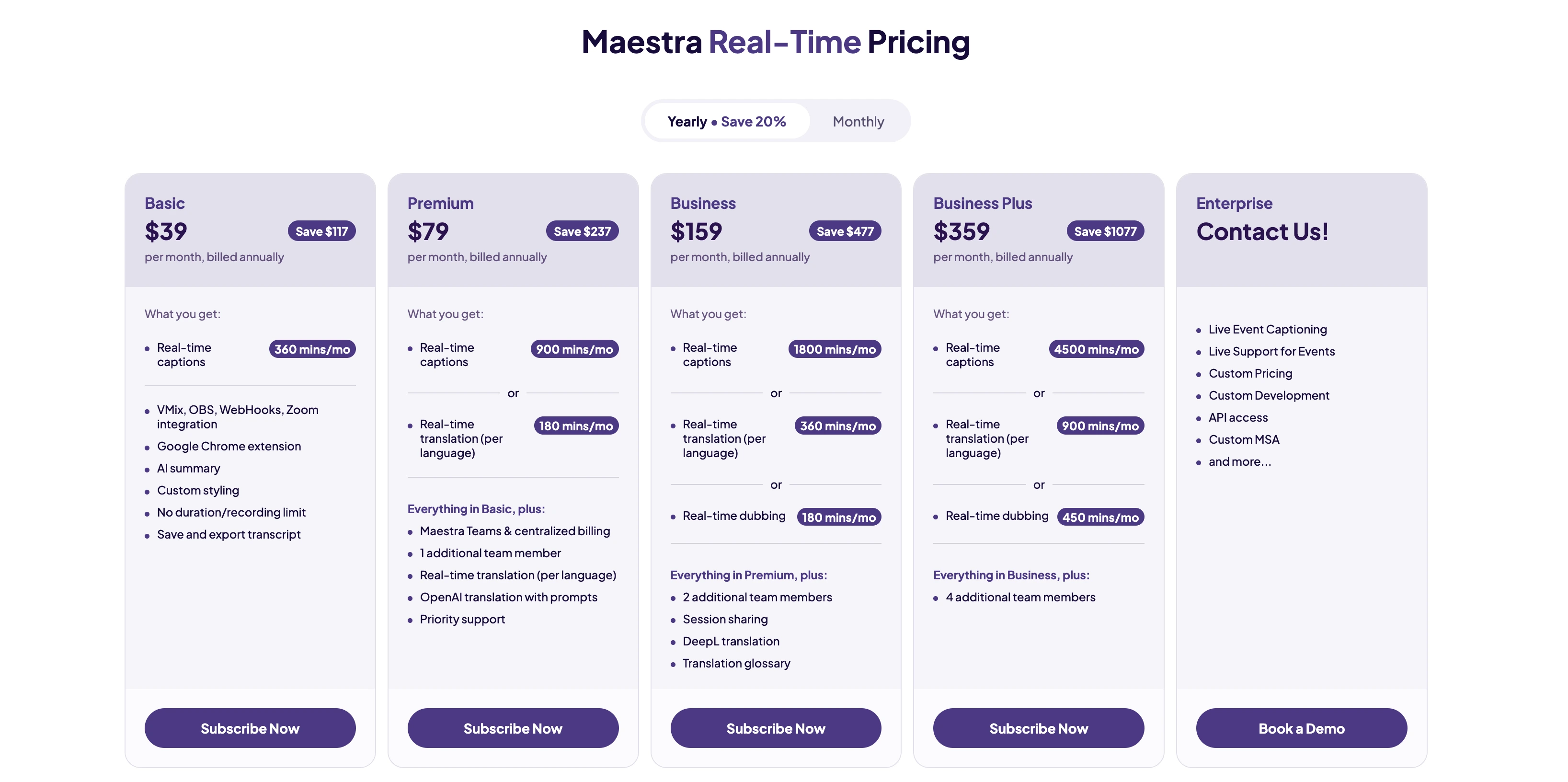
- Voice cloning needs the paid Business plan or higher
- Paid plans include a set block of translation minutes (a long reception can use them up)
Translate Weddings Live in 125+ Languages
2. Wordly: Best for Large Weddings with a Full Sound System
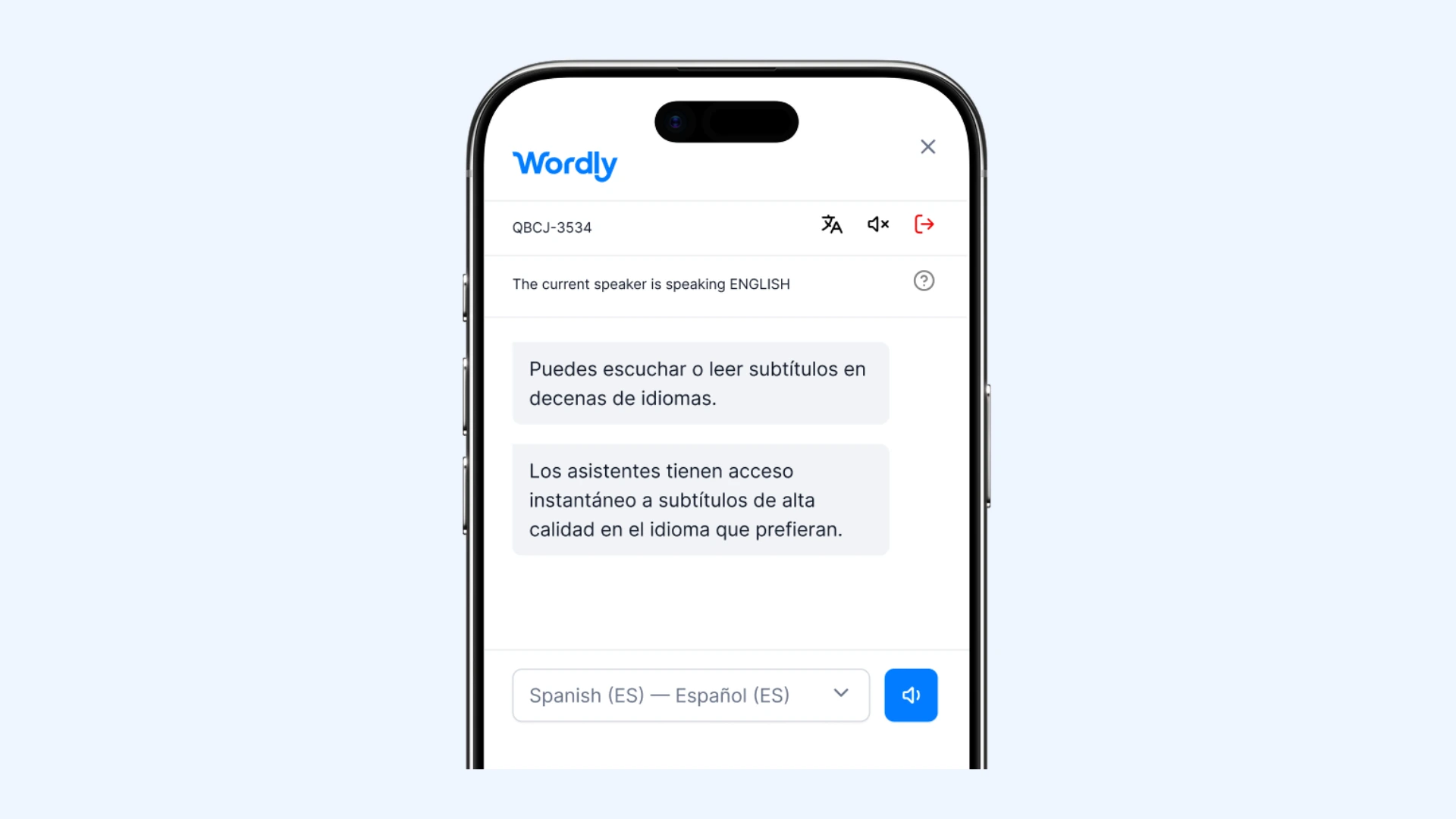
Wordly is built for conferences and corporate events, and that heritage shows in ways that help at larger weddings. It plugs straight into the venue's sound system, so it hears the same clean audio that comes out of the speakers instead of relying on a phone microphone picking up sound from across the room. Guests join by QR code or link and choose captions or translated audio.
The pricing model is the standout: you buy a package of hours, all supported languages are included at one fixed price, and you're only charged for the minutes you actually use. Packages start at 10 hours, which is more than a single wedding needs, but the hours stay valid for 12 months, so the same package can cover the rehearsal dinner, ceremony, and any post-wedding events.
Pros
- Two-way translation across thousands of language pairs
- Captions can display on monitors around the room, not just phones
- Integrates with Zoom and Teams for guests joining remotely
Cons
- Setup guidance is written for corporate events, not weddings
- AI only, with no way to bring a human interpreter into the session
- Translated audio plays in generic AI voices rather than the speaker's own
Pricing:No public price list; you buy online or get a quote. Six packages from Starter (10 hours) to Enterprise (500+), valid for 12 months, with all languages, captions, transcripts, and summaries included at one price.
7 Best Wordly AI Alternatives for Live Translation
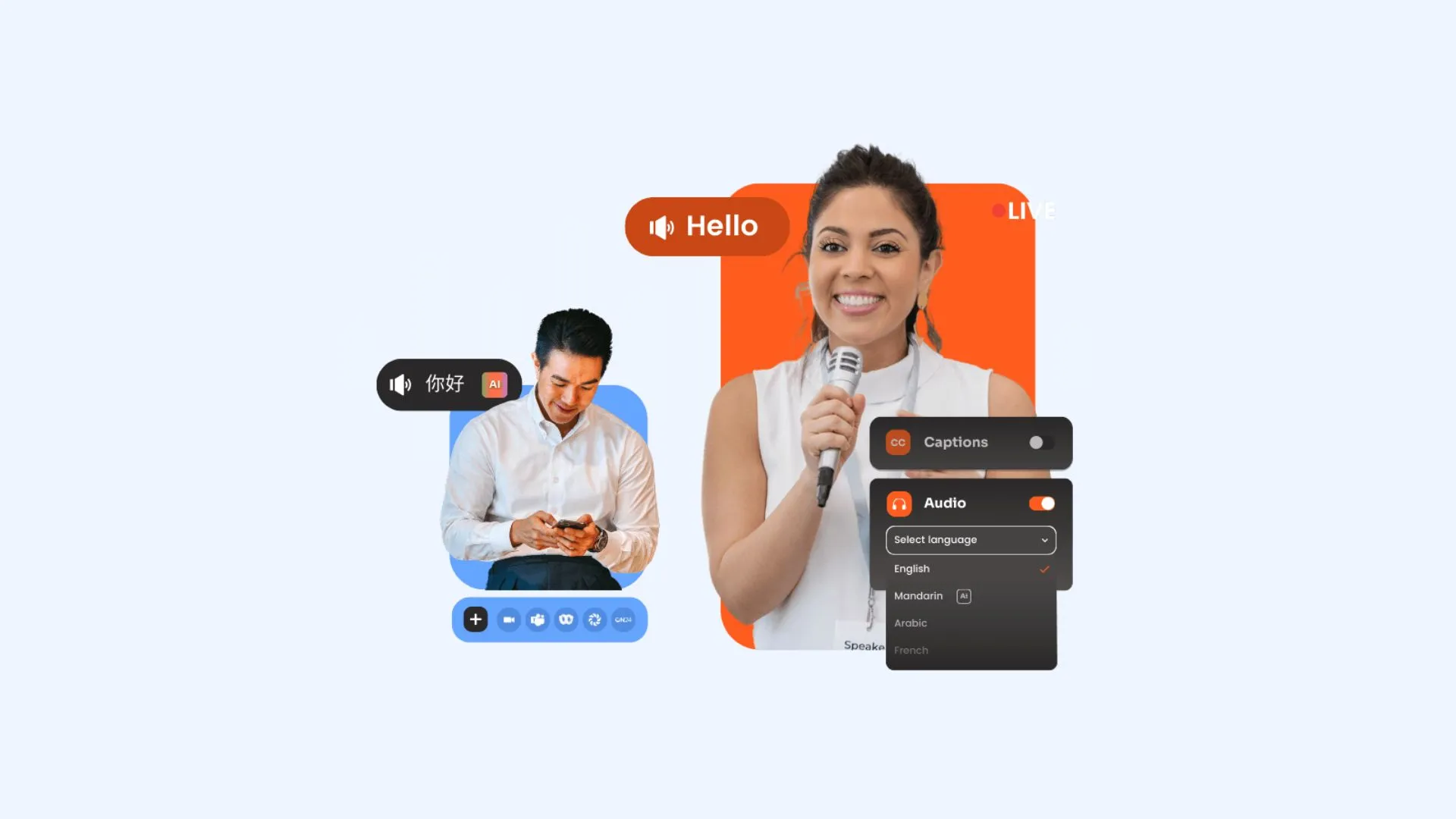
3. Interprefy: Best for AI Translation and Human Interpretation Combined
Interprefy comes from the professional interpretation world, and it's the tool on this list that most directly bridges AI and human translation. Its AI speech translation covers 80+ languages with over 6,000 language combinations claimed, delivered to guests as captions or AI audio in their browser. The distinguishing feature is that professional human interpreters, including sign language interpreters, run on the same platform. For instance, you can put the vows in the hands of a professional and let AI carry the speeches and toasts, all within one setup.
The catch is that Interprefy is built and priced for conferences, government hearings, and trade shows, not private events. There are no published rates; every event gets a custom quote through their sales team, and third-party estimates put typical event costs starting around $500. For a large multicultural wedding where translation is a priority line item, that can still undercut hiring individual interpreters per language. For a modest guest list, it's the most expensive path on this page.
Pros
- Guests without smartphones can listen through handheld headset receivers
- Their team sets everything up and runs it on the day (so no one in the family has to)
- Certified security and encryption keep a private event private
Cons
- You have to go through their sales team first (so it can't be set up the same day)
- No free version to test before paying
- Setup help and support can cost extra on top of the quoted price
Pricing:No public rates; every event gets a tailored quote. You can choose hourly rates for short sessions, daily rates for full event days, or 12-month hour plans for recurring use. Cost depends on duration, languages, attendee numbers, and whether human interpreters are added.
10 Best Interprefy Alternatives
4. spf.io: Best for Scripted Ceremonies
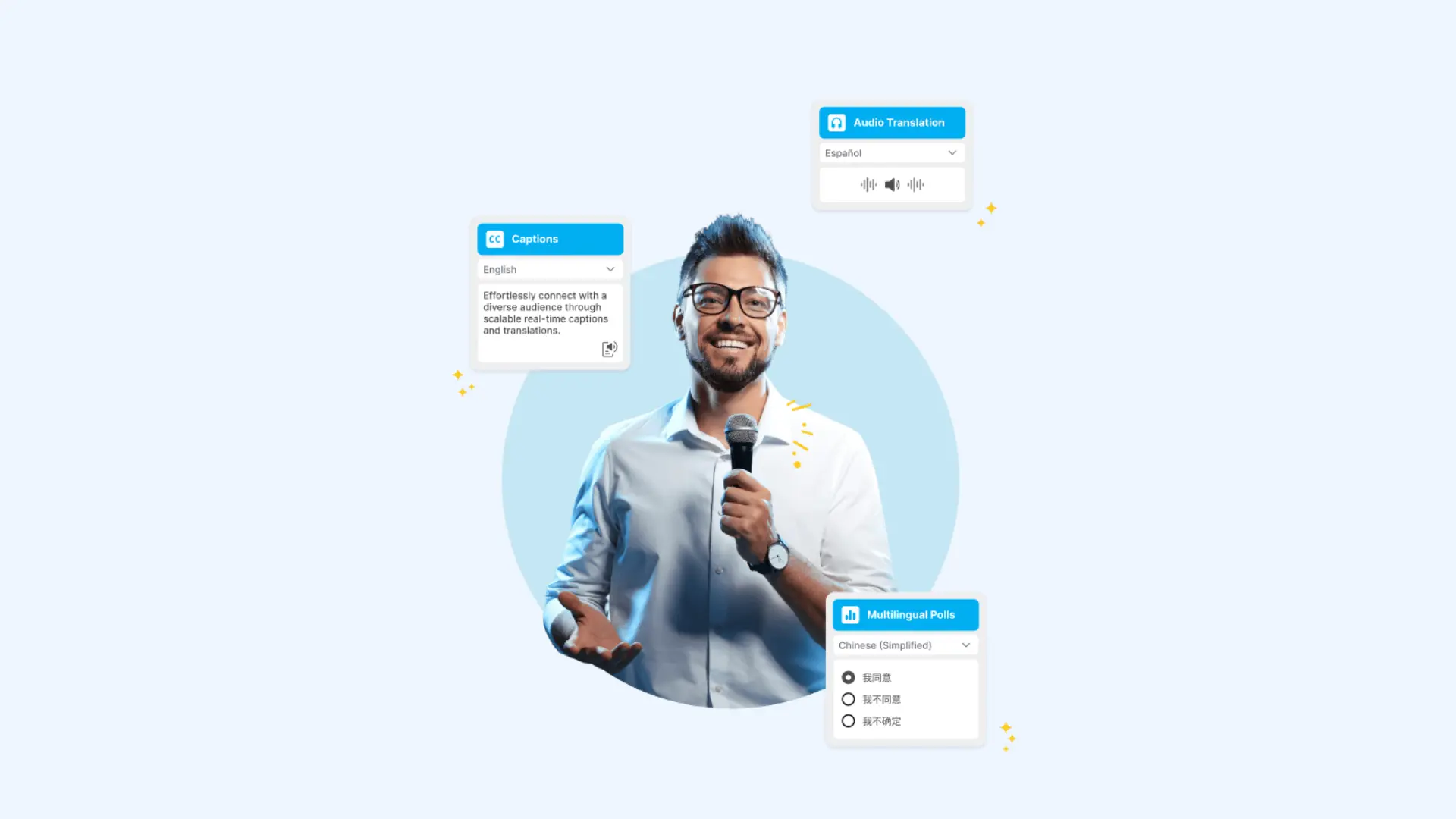
spf.io (pronounced "spiffy-oh") has been captioning and translating live events for years, mostly churches, conferences, and community gatherings, and it's the one platform here with a documented real wedding on its own blog: an English-language ceremony where Indonesian relatives followed along on their phones. Guests join through a QR code or link in their browser and pick from 100+ caption languages, with a listening option in high-quality speech voices for guests who'd rather hear than read.
What makes it unusually good for weddings specifically is that ceremonies are scripted events, and spf.io is built around that. Pricing isn't published; you request a quote, and its track record with small community events suggests it lands well below the enterprise platforms.
Pros
- Upload the ceremony script in advance, and captions release perfectly timed and pre-translated
- A human operator can supervise the AI and fix captions live during the event
- If you hire an interpreter anyway, their spoken interpretation can be captioned too
Cons
- Audio listening covers 40+ languages (noticeably fewer than its captions)
- On-screen projector view shows at most four languages at once
- Lighter third-party review footprint than the bigger platforms on this list
Pricing:Plans start at $199 a month, with a demo and quote for event-specific needs. No free trial.
Live Wedding Translation Apps for One-on-One Conversations
The tools above broadcast to an audience. These three handle the other half of a multilingual wedding: negotiating with a florist in another language, or having conversations with guests who traveled from abroad for the ceremony.
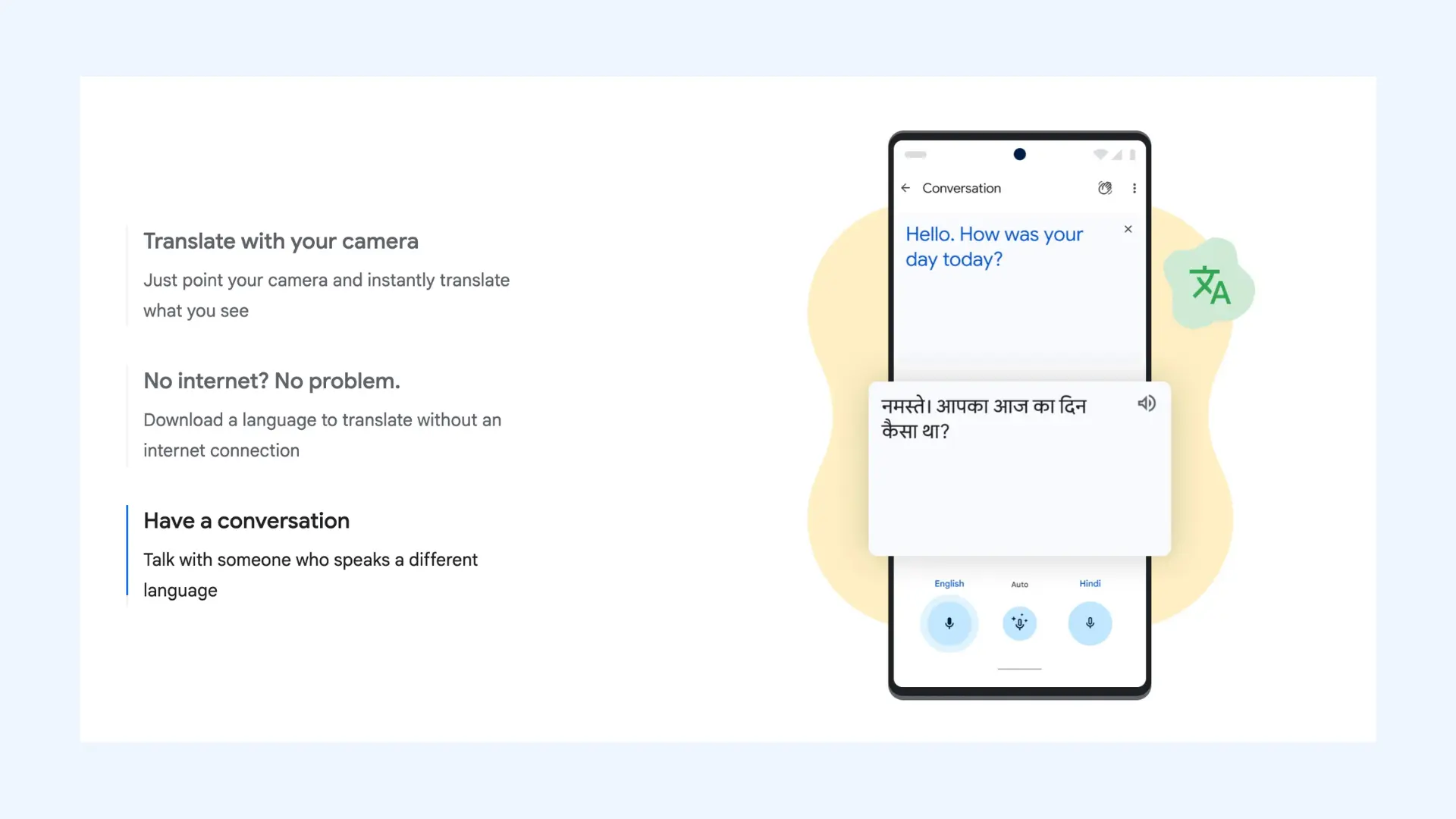
5. Google Translate: Best for Vendor Conversations
Free, no account needed, and installed on half the planet's phones already. Conversation mode handles turn-based spoken exchanges, and camera translation reads menus, signage, and vendor contracts on the spot, which is genuinely useful during destination wedding planning. The limitation is structural: it translates in turns, one speaker at a time, so it cannot follow a continuous ceremony, and there's no way to broadcast output to a room full of guests.
Pros
- Broadest language coverage of any tool in this list
- Phrasebook saves key phrases in advance (useful for greetings and toasts)
- Translation history keeps a record of past exchanges
Cons
- Conversation mode fits two people, not a table of relatives
- No control over formal vs. informal address
- Translation quality may drop noticeably outside the most common language pairs
Pricing: Free.
10 Best Speech Translator Apps for Live Voice Translation
6. Papago: Best for East Asian Languages
Papago is Naver's free translation app, and the one to install if the wedding brings together a Korean, Japanese, or Chinese-speaking family with anyone else. It's the app locals in Korea recommend over Google Translate because it handles everyday speech, slang, and context in Asian languages noticeably better. The app covers 14 languages, and its conversation mode works like Google's: two people speak in turn, one phone between them, no account needed.
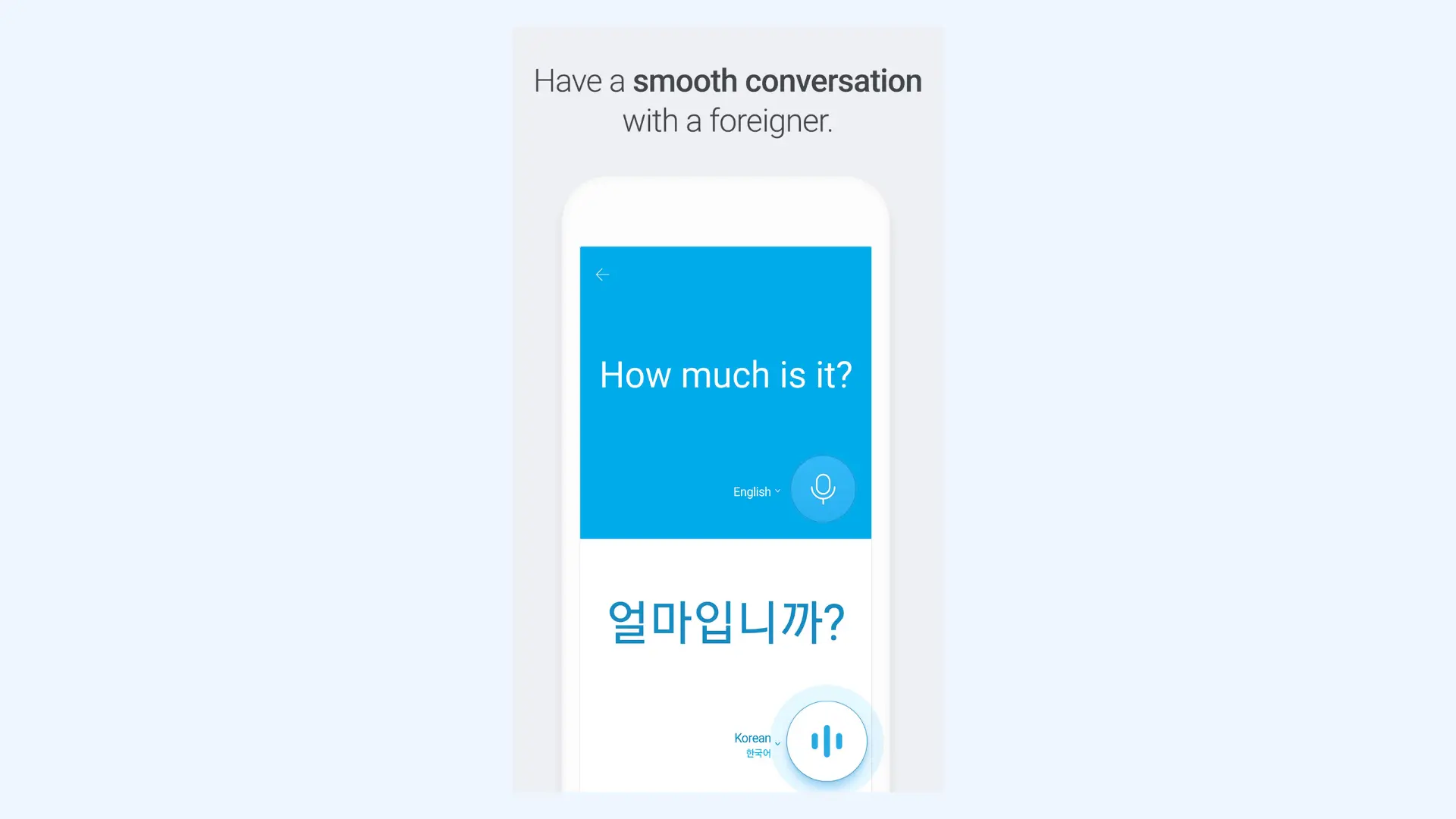
Where it earns its place at a wedding is cultural fit. Speaking to someone's grandmother through a machine is already awkward; doing it in a language where respect is grammatical makes word choice matter even more, and that's the territory Papago was built for.
Pros
- Honorific setting for Korean keeps translated speech respectful toward elders
- Pronunciation guides help you learn a short thank-you phrase in the other family's language
- Translates uploaded documents while keeping the original formatting
Cons
- 14 languages is the shortest list in this post
- Syncing favorites and saved words need a Naver account
- Without internet, only typed text gets translated (talking needs a connection)
Pricing: Free, no subscription. Naver's separate Papago Plus app adds paid plans aimed at business use.
10 Best Korean Translator Apps: Complete Guide
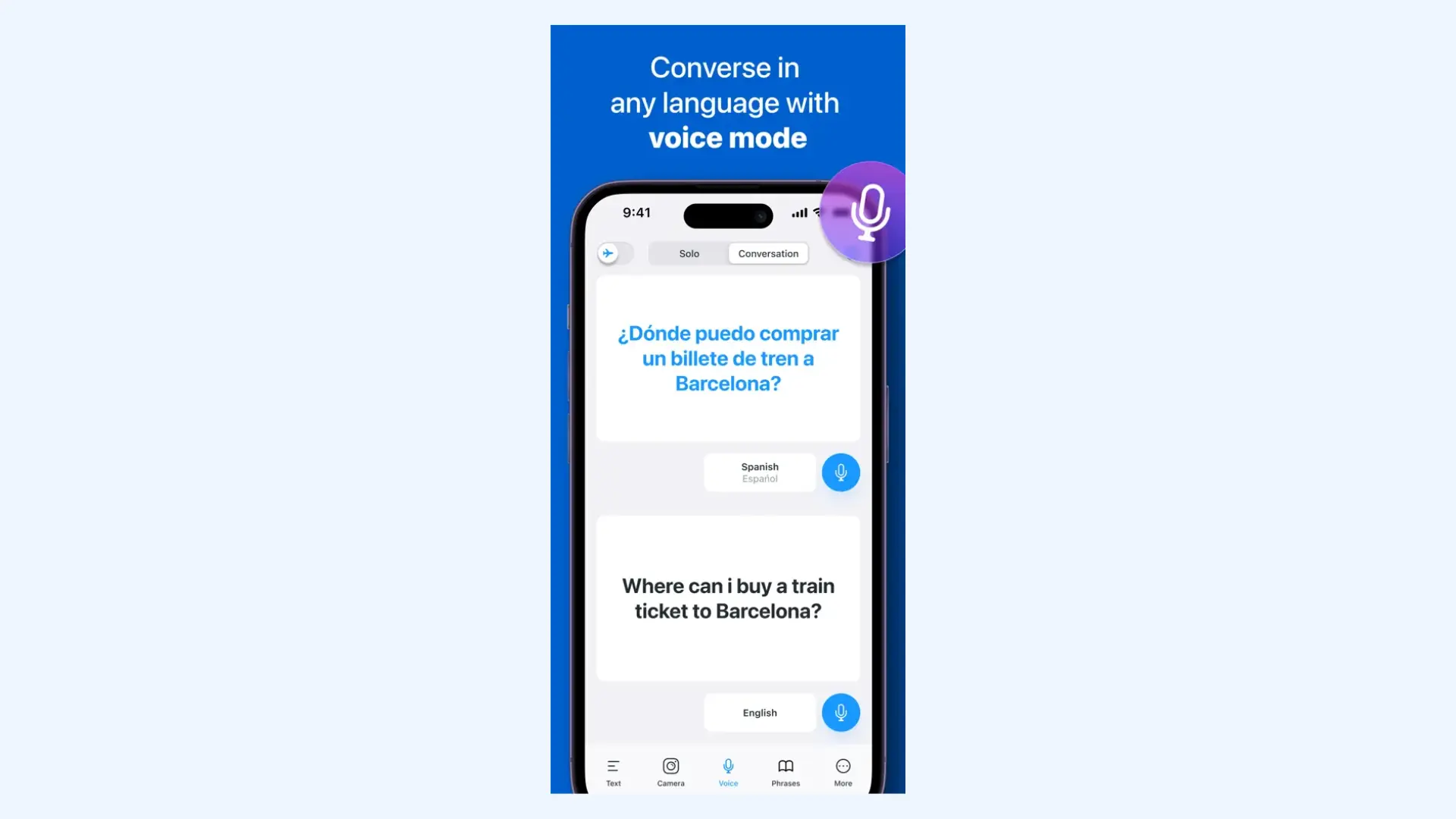
7. iTranslate: Best for Dialect-Specific Conversations
iTranslate has been in the app stores longer than almost any translation app, and it holds a place on this list for one specific strength: dialects. Where most apps offer one Spanish, iTranslate lets you pick Mexican or European Spanish, and the same goes for Arabic variants, Portuguese, and regional English. When the bride's family speaks Mexican Spanish and the groom's speaks European Spanish, choosing the matching regional variant can produce more familiar vocabulary and pronunciation. Note that while basic text translation is available for free, voice conversations, camera translation, and offline mode require a Pro subscription.
Pros
- Dialect selection (so the translation matches the Spanish or Arabic your family actually speaks)
- Built-in dictionaries show synonyms and alternative meanings when word choice matters
- Translates full websites (useful for venue pages that don't have an English version)
Cons
- Voice conversations, the feature a wedding needs most, require the paid plan
- The free version carries ads
- The voice trial converts to a paid plan unless canceled at least 24 hours before it ends
Pricing: Free for text translation. Pro subscription unlocks voice conversations, camera translation, and offline mode.
How to Set Up Live Translation for a Wedding
Choosing the right app is only half the job for live event. The rest is practical: clean audio, a QR code guests can easily find and use, and a plan for the relatives who struggle with their phones. Work through them in order, ideally a week or two before the day, so nothing is left to chance at the ceremony itself.
- Pick your languages and count your guests. You need to know which languages matter and roughly how many guests will use each. This decides whether a broadcast tool is worth it or a bilingual program covers you.
- Solve the microphone first. Every tool on this list is only as good as what it can hear. If the venue has a sound system, connect the translation tool to it instead of relying on a phone microphone picking up sound from a distance. For outdoors with no speakers, you can clip a wireless microphone near the officiant.
- Print the QR code where guests can see it. You can put it in the ceremony program, on a sign at the entrance, or on place cards for the specific tables that need it. Don't forget to add one line of instructions in each relevant language.
- Run the full setup at the rehearsal. Same venue, same microphone, same phones. Check caption delay, test the languages your guests will actually use, and load names into the tool's custom dictionary if it has one, since AI transcription can confuse names, and weddings are full of them.
- Help guests connect before the ceremony starts. Older relatives often need translation the most and find QR codes the hardest. Ask a few younger relatives to help them open the link as they arrive, and suggest earphones to anyone listening to the translation so the sound doesn't disturb the ceremony.
How to Use Maestra for Live Wedding Translation
The general checklist above applies to any tool. Here is how the process works in Maestra's real-time online voice translator separately:
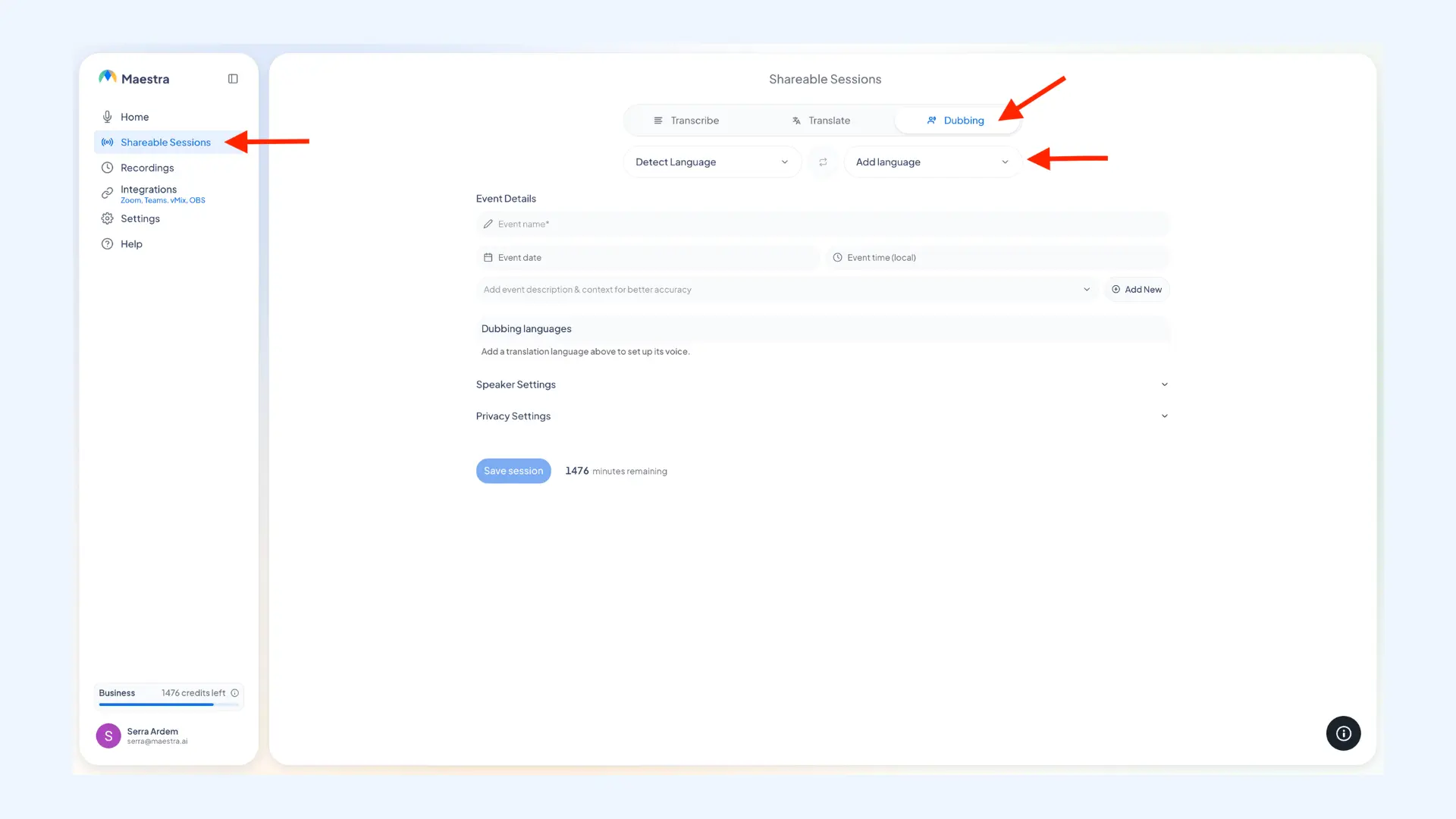
- Start a shareable session. Open the live translator, log in, and choose "Shareable Sessions" from the left-side menu.
- Set your mode and languages. Choose dubbing from the three options, since that is the one that gives guests spoken translation rather than captions alone. Then set your source and target languages. You can leave the source on auto-detect, or pick several languages on each side to cover a multilingual wedding.
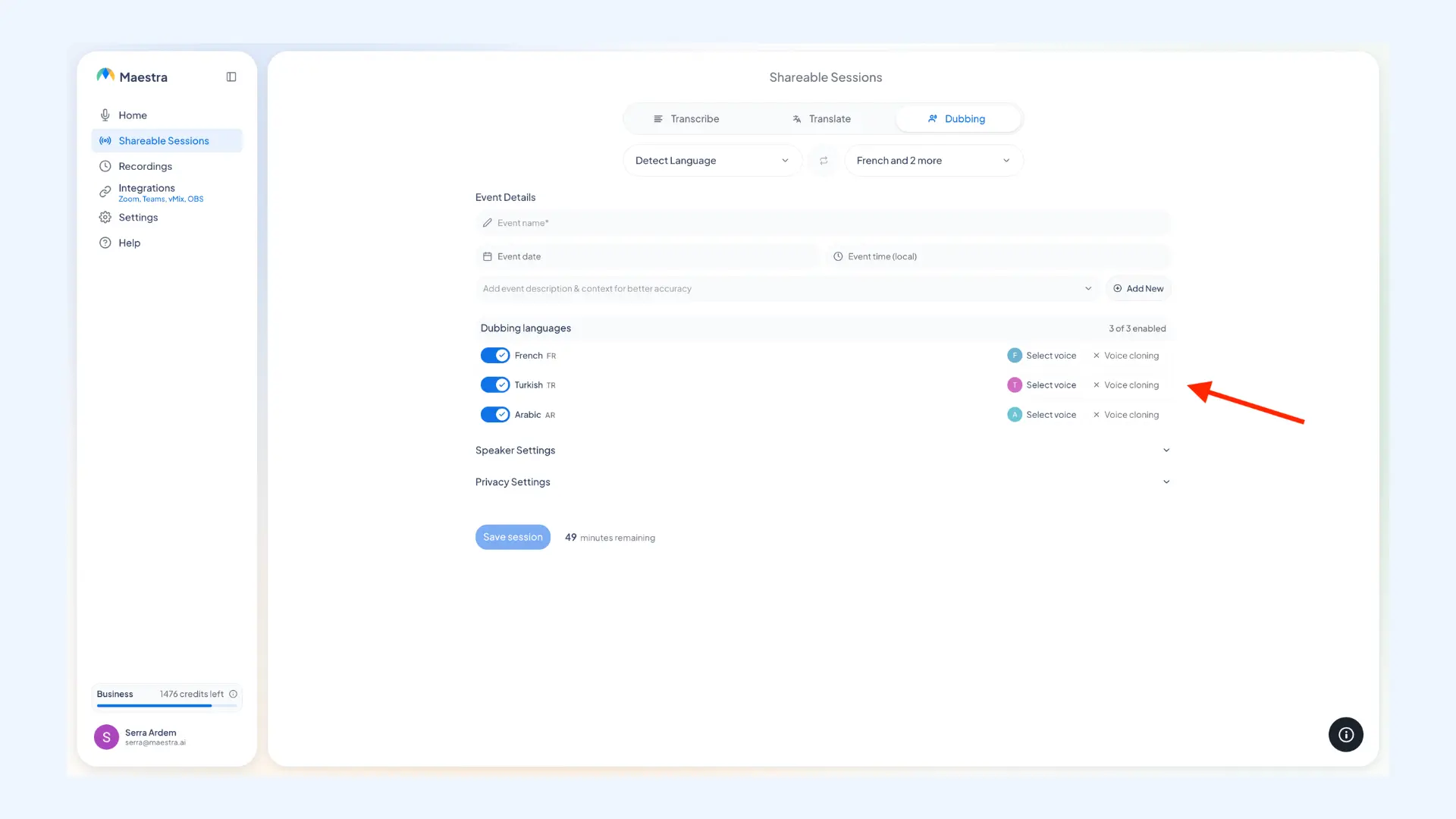
- Pick the voice for each language. Choose an AI voice for each target language, or enable voice cloning to keep the speaker's own voice, which is the most personal option for the vows.
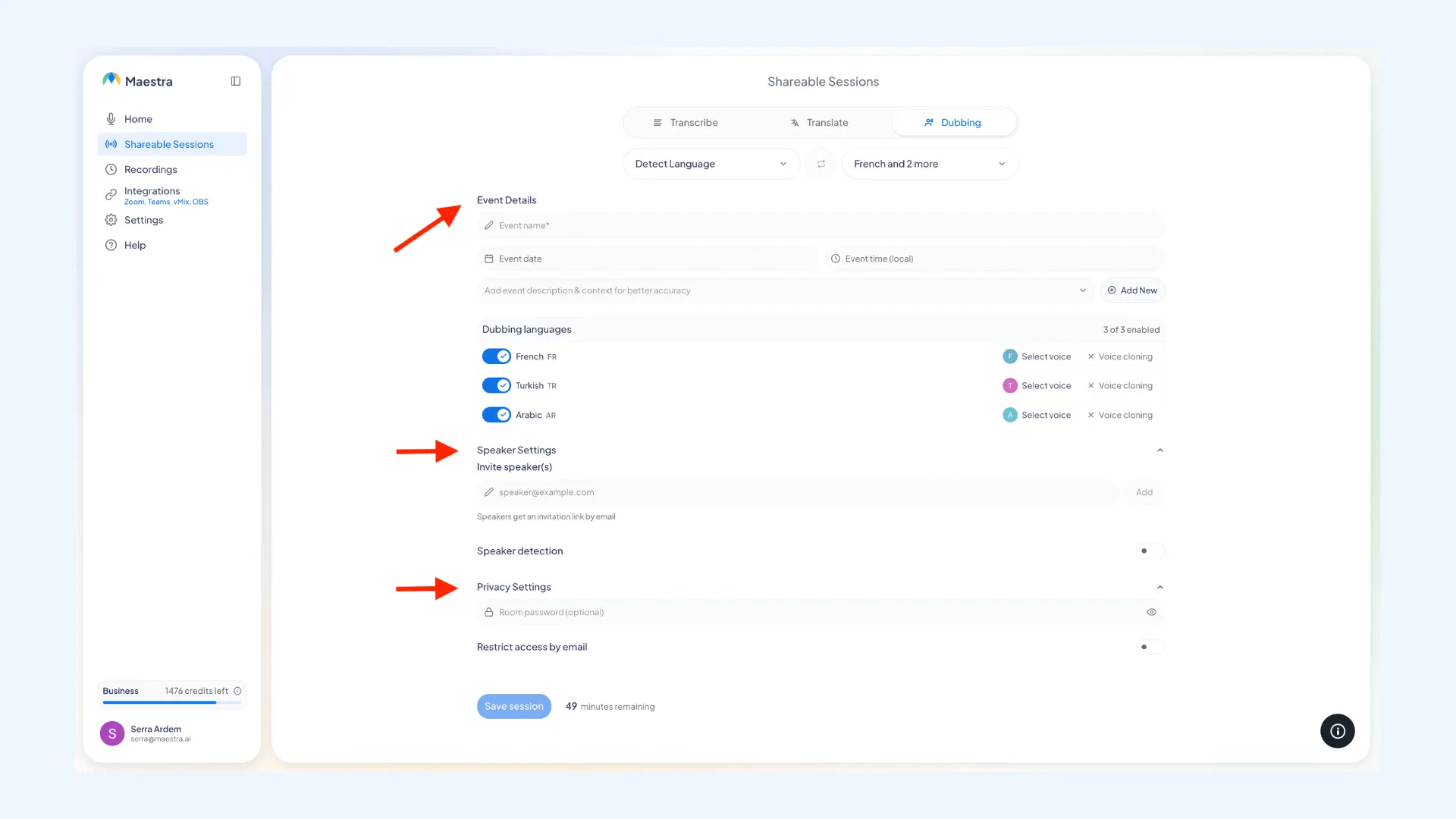
- Add event details. Give the session an event name and set the date and time. You can also add event description and context for better accuracy, such as the topic summary for vows or rehearsal dinner speeches.
- Adjust speaker and privacy settings. Invite your speakers by email, and turn on speaker detection so the tool labels who is talking. Meanwhile, you can set up a password for the session so only your guests can open the link.
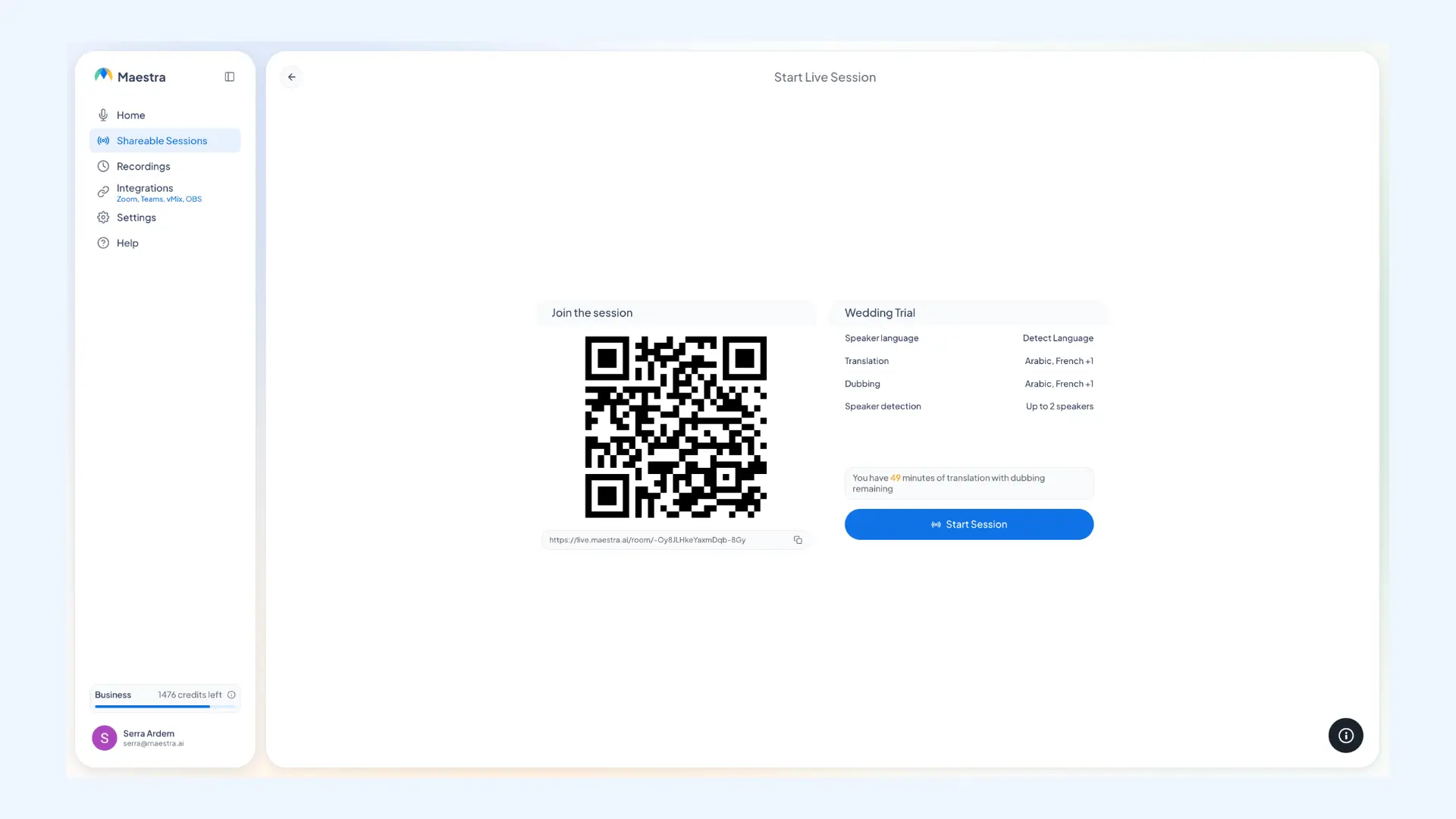
- Save to proceed. When you save the setup, you'll see the session's QR code and a shareable link. Print the QR code in the program and on a sign at the entrance, and send the link to international guests. They can open it in a phone browser, pick their preferred language, and switch it at any time, with nothing to install or log in.
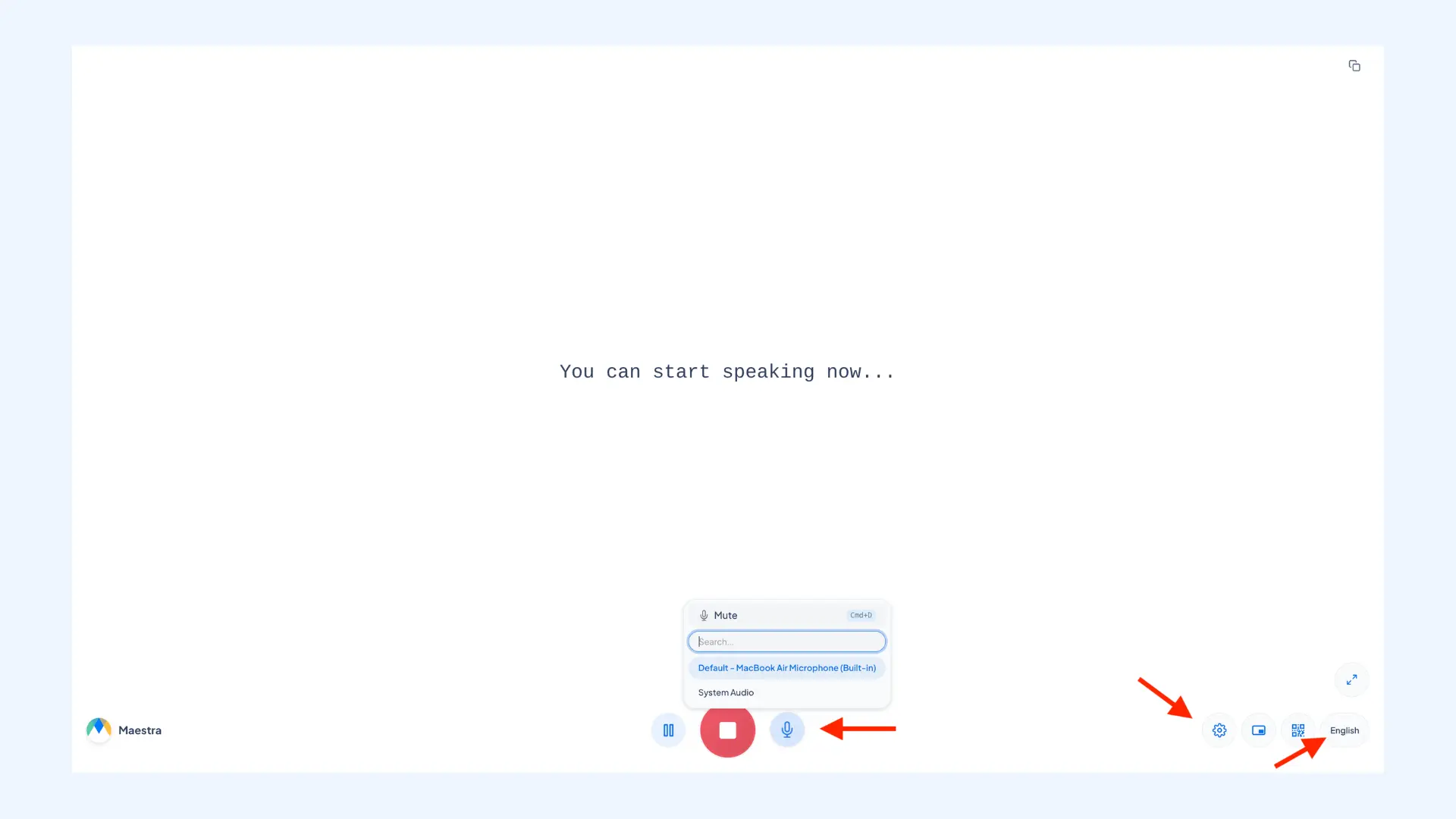
- Connect your audio and start. Feed the audio from the venue's sound system or the microphone, whichever gives the cleanest sound.
- Fine-tune the live view. Language options can be found in the bottom-right corner. Select one to sit side by side with the original language in split screen, so the room can follow both at once. Meanwhile, Settings hold the customization options for captions and speaker tags, and you can pull up the QR code again from here too.
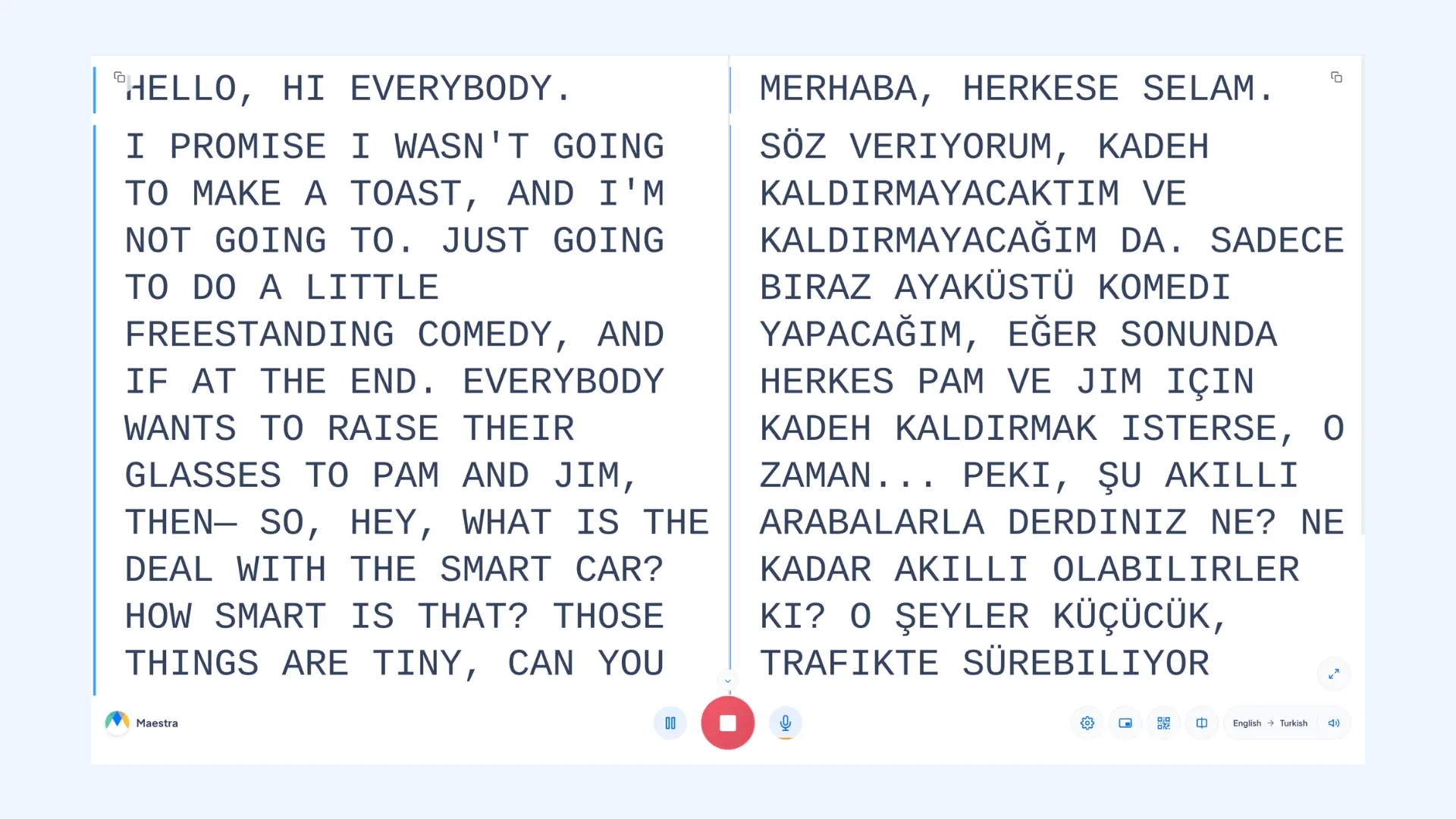
- Once ready, start speaking. Speech is translated in real time, with captions appearing alongside it.
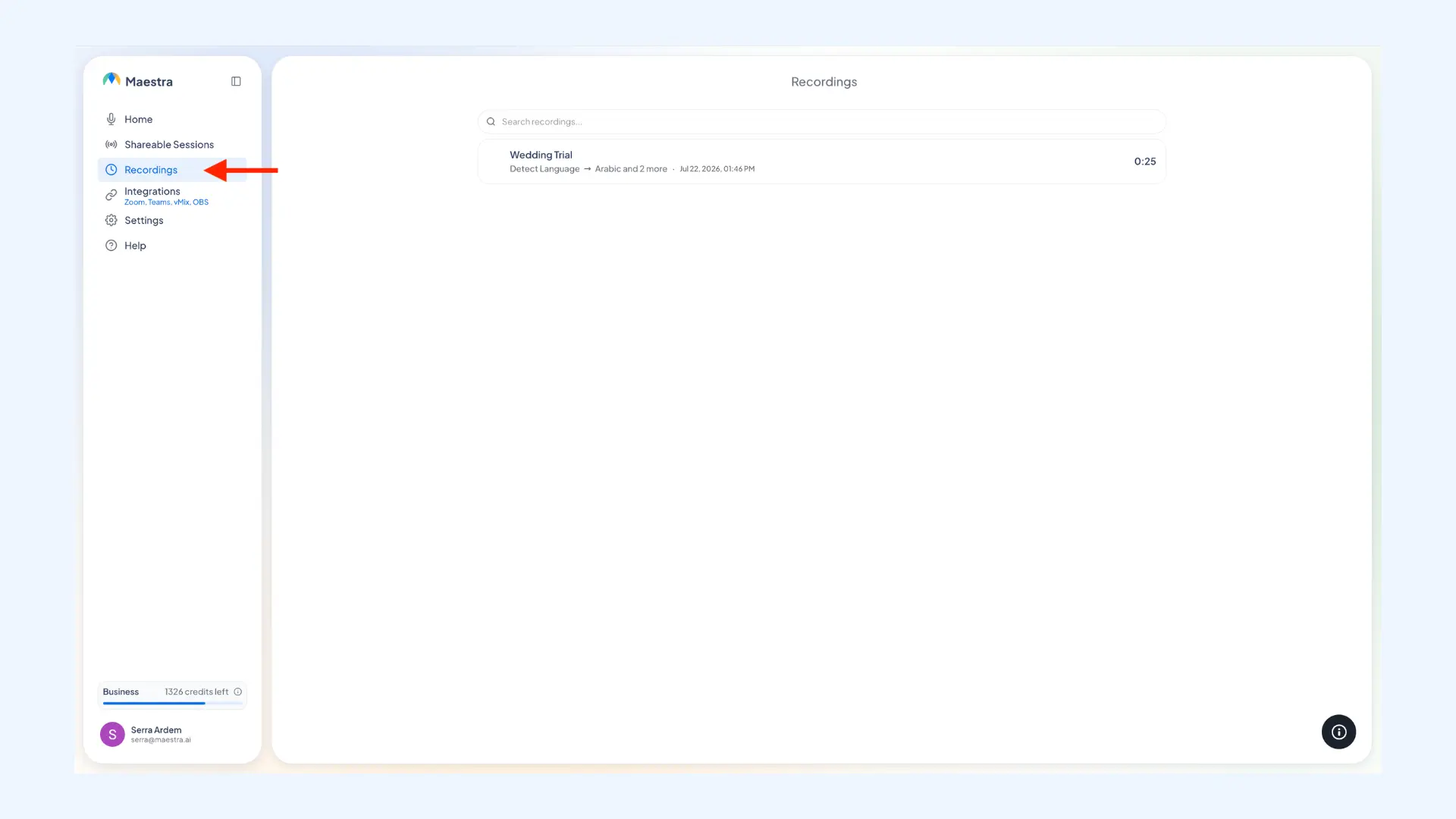
- Stop and download the transcript. Click Stop Captioning once the event is over. The session is saved to the Recordings tab, where you can see the full transcript and download it as a TXT or DOCX file. That way, the couple keeps their vows and speeches in every language guests followed.
💻 Planning a hybrid event? If some guests are joining online, Maestra connects to Zoom, Microsoft Teams, and Google Meet for video calls, and to OBS and vMix for a livestream. With integrations, remote guests get the same live translation as everyone in the room, in their own language.
🎯 Get the names right. A wedding is full of names AI might never have heard of. In Settings, open the Dictionary and add the couple's and family names, along with any cultural or religious terms and place names. This will improve the accuracy of both the captions and the spoken translation.
Final Verdict
There's no single winner here, because the right app depends on what you need it to do.
Broadcasting the ceremony to guests:
🎙️ Maestra: my first reach. Browser-based, with spoken audio or captions and several languages in one session. Just note it needs steady internet and long events use up your minute balance.
🔊 Wordly: better for a full sound system and a large guest count, with a soundboard connection and pay-per-minute pricing.
🧑💼 Interprefy or spf.io: when you want a human interpreter for the vows. spf.io is the gentler fit for a scripted ceremony on a smaller budget.
Conversations around the wedding:
🆓 Google Translate: free, and covers most vendor and family exchanges.
🌏 Papago: when an East Asian language is involved.
🗣️ iTranslate: when the two families speak different regional dialects of the same language.
Two closing notes. For the legally binding part of the ceremony, some places require a certified human interpreter, and no app changes that, so check your local rules before relying on translation alone. And whatever you choose, run the full setup at your rehearsal. Audio, languages, and guest access all reveal their problems there, rather than during the vows.
FAQs on Live Wedding Translation
Yes, and it is the easiest way to get past language barriers at a multilingual wedding. Tools like Maestra and Wordly generate a link or QR code that guests can open in their phone browser. They pick their native language and follow the ceremony as live captions or translated audio, with no app to download.
Yes. Broadcast tools here translate into multiple languages simultaneously, with each guest choosing their own. This matters at multicultural weddings where three or four guest languages are common.
It depends on the tool, and the range is wide. Turn-based apps for conversations are mostly free. Broadcast tools run from prepaid hour packages to monthly subscriptions and per-event quotes. All of it costs far less than remote simultaneous interpretation with human interpreters, who are usually booked per hour and per language.
An interpreter translates aloud in sequence, which roughly doubles the length of every speech and covers one language per interpreter. Live translation apps run simultaneously in many languages without adding time, which suits a multilingual guest list. Many couples use both: human interpretation for the legally binding portion of the ceremony, and AI translation across the wider celebration.
This is a different use case than live wedding translation. If you want to add subtitles to your wedding film or recap video, Maestra's AI subtitle translator can caption it and translate it to 125+ languages. Just upload the video, pick your languages, and export the subtitled version to share with family or friends.