Translation vs. Transcription: What's the Difference and Which Do You Need?
- Translation vs. Transcription at a Glance
- What Is Transcription?
- What Is Translation?
- Key Differences Between Translation and Transcription
- When Do You Need Both Transcription and Translation?
- Which Tools and Software Can I Use for Translation and Transcription?
- Translation vs. Transcription: Best Practices
- Final Verdict
- Frequently Asked Questions
If you've ever Googled "translation vs. transcription," you've probably noticed two things: the terms get confused constantly, and most explanations dive into jargon before answering the actual question. This guide fixes that.
Here's the short version: transcription turns speech into written text in the same language. Translation turns text (or speech) from one language into another. Same goal, making content readable or accessible, but very different jobs.
That distinction matters more than ever. According to Slator's 2025 Language Industry Market Report, the global language transformation market (which includes translation, dubbing, and multilingual content) is now valued at $31.7 billion, with live AI speech translation and AI captioning called out as the fastest-accelerating segments. [1]
Whether you're a podcaster, a marketer, a researcher, or a small business owner, knowing which service you actually need will save you time, money, and a lot of avoidable rework.
TL;DR
- Transcription: converting spoken audio into written text in the same language.
- Translation: converting content from one language to another (text or speech).
- Many real projects (subtitles, dubbing, multilingual interviews) need both, performed in sequence.
- AI tools have closed the speed and cost gap dramatically but human review is still worth it for high-stakes work.
- AI is fast and cheap, humans are slower but more accurate, and a mix of the two fits most real projects.
Now let's look at how the two compare side by side.
Translation vs. Transcription at a Glance
The table below shows the core differences at a glance. We'll look at each one in detail below.
| Transcription | Translation | |
| Input | Audio or video | Text, audio, or video (audio or video is transcribed first) |
| Output | Written text in the same language | Text, subtitles, or voiceover in another language |
| Language | Stays the same | Changes |
| Common use cases | Interviews, podcasts, meetings, lectures | Websites, contracts, books, marketing, subtitles, dubbing |
| Typical AI accuracy | 90-98% (clean audio) | Varies by language pair |
What Is Transcription?
Transcription is the process of converting spoken words into written text, keeping the language the same. If you record an English podcast and want a written version in English, that's transcription. If you film a Spanish interview and want a Spanish-language transcript, that's also transcription.
The medium changes from audio to text or video to text but the language doesn't.
Types of Transcription
There are four main types of transcription, and picking the wrong one can mean rework:
- Verbatim transcription captures every single word, including "ums," "uhs," repetitions, false starts, and even non-verbal cues like laughter or pause. This is used heavily in legal proceedings, qualitative research, and linguistic analysis where exact wording is evidence.
- Edited (or "clean read") transcription removes filler words, false starts, and stutters to produce a polished, readable version. This is what most podcasters, journalists, and content creators want.
- Intelligent transcription goes one step further and lightly paraphrases for clarity while preserving meaning. This can be useful for executive summaries and educational content.
- Phonetic transcription uses symbols (like the International Phonetic Alphabet) to represent pronunciation rather than words. This is a niche format used in linguistics, language learning, and speech therapy.
Human vs. AI Transcription
Once you know which type of transcript you need, the next question is how to produce it. There are three practical paths:
- Human transcription: A trained transcriptionist listens to the audio and types out the text. Slowest and most expensive, but reaches around 99% accuracy even on tough audio with multiple speakers, accents, or technical jargon.
- AI transcription: Software handles the entire job using speech-to-text models. On clean audio, modern AI tools land between 90% and 98% accuracy, turn an hour of audio into text in a couple of minutes, and cost a fraction of human work. [2]
- Hybrid (AI + human review): AI produces the first draft, then a human cleans it up. You get most of the speed and cost savings of AI with accuracy close to a fully human transcript.
💡 Tip: If you're working on legal, medical, or anything that could be quoted publicly, go human or hybrid. For everything else (podcasts, meetings, internal notes, content repurposing), AI on its own does the job.
Here is a brief comparison between AI transcription vs. human transcription:
AI Transcription
- 90–98% accuracy on clean audio
- Takes minutes for an hour of a video
- May struggle with noise, accents, and overlapping speakers
- 100+ languages supported on most platforms
- Best for podcasts, meetings, internal notes, content
Human Transcription
- ~99% accuracy, even on tough audio
- Takes hours or days
- Handles difficult audio well
- Limited to the transcriptionist's fluency
- Best for legal, medical, research, published quotes
Ready to try AI transcription yourself?
Common Use Cases for Transcription
Transcription shows up across more industries than people realize.
- Podcast episodes (also great for SEO, as search engines can't crawl audio)
- Recorded interviews for journalism or research
- Legal depositions and court hearings
- Medical dictation and clinical notes
- Lecture and meeting notes
- Same-language video captions for accessibility
- YouTube videos (transcripts boost discoverability significantly)
💡 Tip: If you publish any audio or video content, always create a transcript. It's one of the highest-ROI moves for SEO. You make your content searchable, accessible to deaf and hard-of-hearing audiences, and easy to translate later.
What Is Translation?
Translation is the process of converting content from one language into another while preserving meaning, tone, and intent. Most translation work is text-to-text (an English contract becoming a German contract), but it can also include speech-to-speech (live interpretation) or speech-to-text (subtitles in another language).
The medium typically stays the same. The language changes.
Types of Translation
There are five main types of translation, each suited to a different kind of content.
- Literal translation sticks as closely as possible to the source, including word order, structure, and phrasing. It's appropriate for technical documents, legal text, and anything where deviation could create liability. It's almost never appropriate for marketing.
- Localization adapts content for a specific region or culture, including currency, date formats, idioms, images, even color choices. Localizing your U.S. e-commerce site for Japan (not just translating it) is what wins shoppers over.
- Transcreation is essentially creative rewriting in another language. A clever English ad slogan rarely works word-for-word in Mandarin, so a transcreator builds something that lands the same emotional punch in the target language.
- Certified translation is a translation accompanied by a signed statement of accuracy, required for legal documents like birth certificates, diplomas, and immigration paperwork.
- Machine translation (Google Translate, DeepL, and large language models) handles most of online translation today, often with a human editor doing post-editing. This hybrid approach now represents a large and growing share of the market. [3]
Human vs. AI Translation
Just like with transcription, you have three practical ways to translate content:
- Human translation: A bilingual translator (often with subject-matter expertise) translates the content from scratch. This method is slow and expensive, but still the standard for legal, medical, literary, and high-stakes marketing work.
- AI translation: Neural translation models handle the entire job. This method is near-instant and low-cost compared to human translation.
- Hybrid (AI + human post-editing): AI produces the first draft, then a human translator edits for accuracy, tone, and cultural fit. This is now the dominant approach in the language services industry.
💡 Tip: For internal docs and casual content, AI on its own is usually enough. For published marketing, legal contracts, or anything culturally sensitive, lean on human or hybrid translation.
Here is a brief comparison between AI translation vs. human translation:
AI Translation
- Near-instant for any volume
- Lowest cost option (often free to start)
- May miss idioms, tone, and cultural nuance
- Best for high-volume content, internal docs, drafts
- Improves with glossaries, custom prompts, and post-editing
Human Translation
- Hours to weeks depending on length
- Per-word rates that add up with complexity and language pair
- Handles nuance, tone, and cultural context naturally
- Best for legal, medical, and literary work
- Strong cultural and creative judgment
Need to translate an entire video?
Common Use Cases for Translation
- Websites and software (localization)
- Subtitles and dubbing scripts for film and TV
- Marketing campaigns and product descriptions
- Technical manuals and product documentation
- Legal contracts and immigration documents
- Books, articles, and academic papers
- Multilingual customer support content
💡 Tip: Before getting started, decide whether you need literal translation, localization, or transcreation. Match the choice to your audience: literal for technical readers, localization for everyday users, transcreation for anyone you're trying to move emotionally.
Key Differences Between Translation and Transcription
It helps to think about the differences across several specific dimensions rather than as a single contrast.
Input Format
Transcription always starts with audio or video. Translation can start with text, audio, or video. Still, when the source is audio or video, it gets transcribed first as part of the workflow (whether you do it manually or a platform handles it for you).
Output Format
Transcription always produces written text in the source language. Translation produces written text in the target language, and can also produce speech through AI dubbing, voiceover, or live interpretation.
Language Change
This is the single biggest distinction. If the language doesn't change, it's transcription. If it does, it's translation.
Skills Required
If you're relying on human services, transcriptionists need strong listening and typing skills, while translators need bilingual fluency and cultural knowledge. With AI tools, the skill becomes choosing the right tool and reviewing what it produces.

Pricing Models
AI tools are usually priced per minute, per word, or by monthly/annual subscription. Human services are priced per audio minute (transcription) or per source word (translation), with higher rates for specialized work.
Turnaround Time
Live and on-demand AI tools deliver results in seconds to minutes, whether it's live meeting translation or a full transcript after upload. Human services typically take hours to days for transcription and days to weeks for translation, depending on length, complexity, and language pair.
Accuracy Challenges
Transcription accuracy depends on audio quality: background noise, overlapping speakers, accents, and technical jargon all reduce it. Translation accuracy depends on context: idioms, cultural references, and subjective tone are harder for any tool (and many translators) to get right consistently.
Tools and Workflow
The two services run on different software ecosystems entirely. While transcription tools focus on speech recognition, translation tools rely on neural machine translation and computer-assisted translation memory.

When Do You Need Both Transcription and Translation?
This is where most people get stuck. Many real-world projects need transcription and translation, performed in that order.
Below are some common "both" scenarios.
Foreign-Language Interviews
A journalist records an interview in Korean and needs an English article. Transcribe the Korean, then translate the transcript.
Subtitling and Dubbing
An English film needs Spanish subtitles. Use an AI tool to transcribe the English dialogue with timestamps and translate it into Spanish in one workflow. For dubbing, generate Spanish voiceovers from the translated script using AI voices or voice cloning.
Multilingual Podcasts
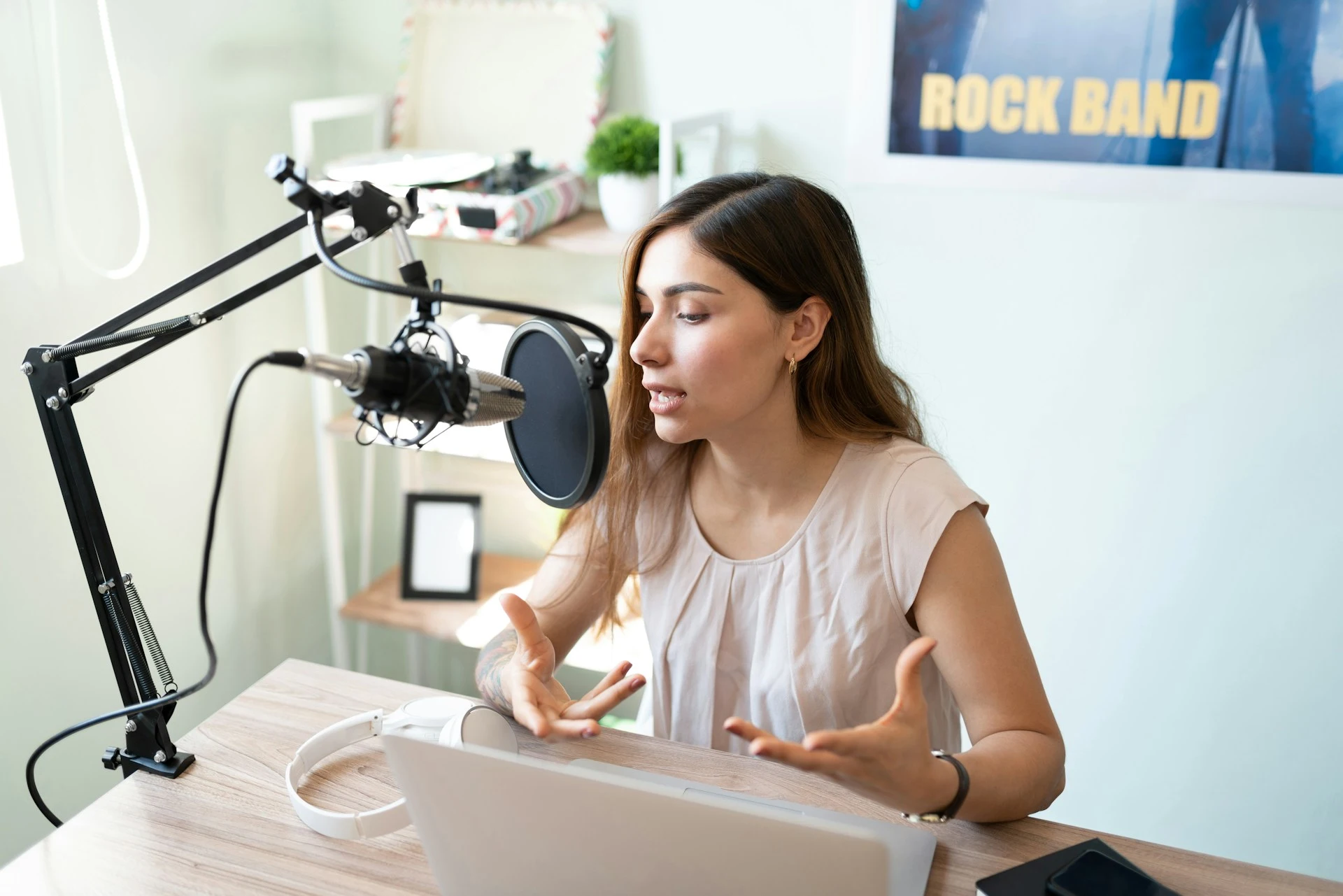
A podcaster wants to grow internationally. Use an AI podcast transcript generator to transcribe each English episode, then translate the transcripts into other languages for translated show notes and SEO. Or take it further and generate AI-dubbed versions of each episode in the target languages, so listeners can hear the show in their own language.
Legal Depositions
A witness testifies in Mandarin in a U.S. court. Transcribe verbatim in Mandarin, then produce a certified English translation.
Academic Research
A researcher records focus groups in multiple languages. Transcribe each in its original language, then translate to a common working language for analysis.
Meeting Documentation
A global team holds meetings in multiple languages. Use live meeting transcription and translation so attendees follow along in their own language during the call, or transcribe and translate the recording afterward for shared notes and action items.
💡 Tip: Always transcribe first, then translate. Platforms like Maestra do both in one place, so you don't have to bounce between tools.
Which Tools and Software Can I Use for Translation and Transcription?
The right tool in the translation vs. transcription debate depends on three things: what you're working with (audio, video, or text), how much accuracy you need, and your budget. Here is a quick map of the leading options for each side, plus where each one fits best.
For transcription:
- AI-first platforms: Maestra, Otter, Rev, Descript, and Sonix are all strong options. These are best for podcasts, meetings, content creators, and any job that doesn't need word-perfect accuracy.
- Human transcription services: Rev (human tier), Scribie, GoTranscript, TranscribeMe, and Happy Scribe all offer human-reviewed or fully human transcription. These are ideal for critical work like legal proceedings, medical records, and published research.
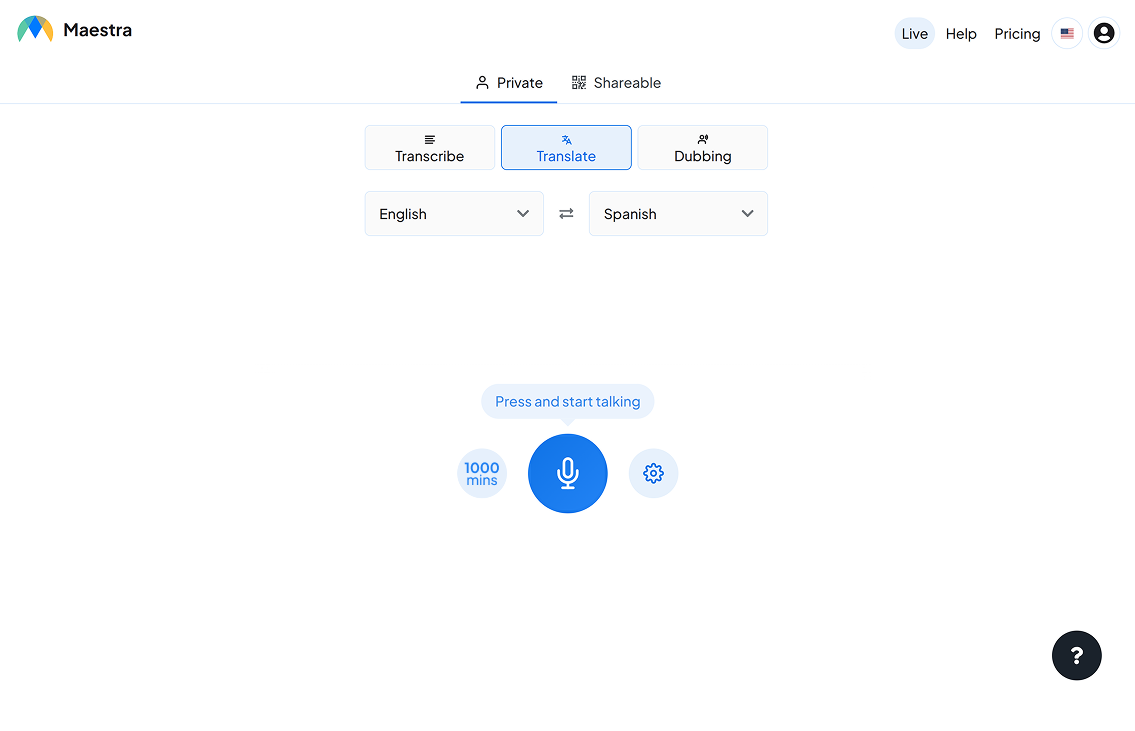
- Live/real-time: Tools like Maestra's live transcription app handle real-time captions and transcription for meetings and events in a variety of languages.
For translation:
- Machine translation: DeepL, Google Translate, ChatGPT, and Claude are free or low-cost and near-instant. They are good for casual use and high-volume work in common language pairs.
- Computer-assisted translation (CAT) tools: Trados, MemoQ, Smartcat, and Wordfast combine machine translation with translation memory and glossaries. These are used by professional translators for long documents, software localization, and projects that need consistent terminology.
- All-in-one platforms for video and audio: Maestra and similar tools combine transcription and translation (including subtitles and AI dubbing) in a single workflow. These are best for content creators, marketers, and teams localizing video and audio at scale.
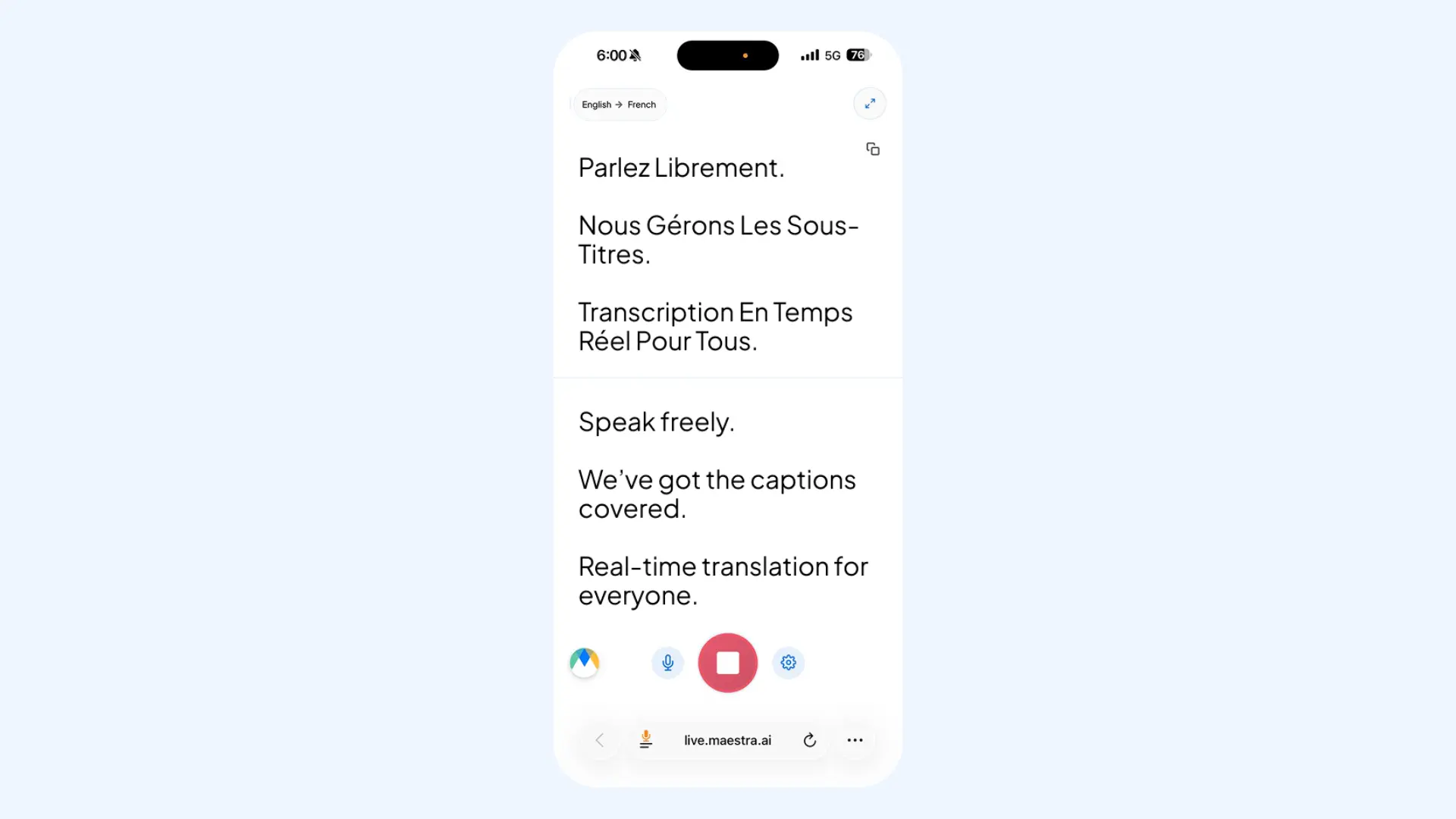
- Real-time translation: Tools like Maestra's real-time translator convert live speech into the target languages with spoken output and live captions. They are great for international meetings, webinars, conferences, and live events where attendees need to follow along in their own language.
Which is right for you?
The fastest way to decide is to match your situation to a real scenario and follow the recommendation from there:
🎙️ "I have recorded audio and need a written record in the same language." → Transcription.
📄 "I have a written document and need it in another language." → Translation.
🌐 "I have audio in one language and need text in another." → Both. Transcribe first, then translate.
🎬 "I need captions or subtitles for a video." → If the captions are in the same language as the speech, that's transcription. If they're in a different language, that's transcription and translation.
💻 "I'm hosting a multilingual webinar." → Real-time transcription and translation.
🚀 "I'm launching my product internationally." → Translation, specifically localization (and possibly transcreation for marketing copy).
What if you need to both transcribe and translate in real time?
Translation vs. Transcription: Best Practices
Whichever side you land on, a few habits make the difference between a smooth project and a frustrating one.
For transcription:
- Record clean audio. AI accuracy depends heavily on input quality so make sure you use closer mics, quieter rooms, and one speaker at a time. According to research from Deepgram, even minor signal degradation can double or triple word error rate, which means your recording environment matters as much as the model you choose. [4] Human transcriptionists also slow down significantly on bad audio.
- Pick the right type upfront. Decide whether you need verbatim, edited, or intelligent transcription before you hit transcribe or hand off the brief.
- Use a custom dictionary. Best transcription software let you add specialized terms and brand names to a custom dictionary before you transcribe. This stops the same misheard word from appearing dozens of times in a single file, especially in technical content or recurring meetings.
- Always proofread. Even at 98% accuracy, a one-hour transcript can have small errors. Read it before you publish, paying special attention to names, numbers, and technical terms.
- Save the source file. Keep your original audio or video alongside the transcript so you can re-run or fact-check it later.
For translation:
- Match the type to the audience. Use literal translation for technical readers, localization for everyday users, and transcreation for anything you're trying to move emotionally.
- Translate from a clean transcript, not raw audio. Cleaner input produces better output. Get this step right and the rest of your video or podcast localization gets a lot easier.
- Specify the language variant. "Spanish" isn't enough. Tell your translator (or AI tool) whether you need Latin American or European Spanish, Brazilian or European Portuguese, Simplified or Traditional Chinese.
- Provide context with a glossary. A glossary and brand voice notes cut translation errors dramatically. Research from Lionbridge shows that proper terminology setup meaningfully improves both accuracy and brand consistency in machine translation output. [5] The same principle applies when you're working with a human translator.
- Have a native-speaker review high-stakes work. Even the best translation apps can miss tone, register, or culturally loaded phrasing. A 10-minute review by a native speaker catches most of these issues.
Final Verdict
Translation and transcription solve different problems, but the choice between them rarely needs to be hard. Once you know your source format, your audience, and your accuracy needs, the right service is usually obvious.
Quick checklist before you start:
- What's my source format: audio, video, or text?
- Does the language need to change?
- Who's my audience and how much accuracy do they need?
- What's my budget and timeline?
- Will this be reused (e.g., for SEO, accessibility, future translation)?
The answers point you straight to a service, and from there the tool choice falls into place: AI for speed and scale, humans for precision, hybrid for almost everything in between. Whatever you choose, the goal is the same: make the content work for whoever needs it, whether that's your team, your audience, or just you.
Frequently Asked Questions
Is transcription the same as translation?
No. Transcription keeps the language the same and just changes the medium (audio to text). Translation changes the language. They're often confused because both produce written text.
Can you translate without transcribing first?
For text sources, yes, you go straight from text to text. For audio sources, transcribing first is almost always the better method because translating directly from audio is slower, more expensive, and more open to errors. AI tools like Maestra handle the transcription step automatically as part of the translation process.
Which is harder, translation or transcription?
Each has its own challenges. AI tools may struggle with audio quality on the transcription side and cultural nuance on the translation side. For humans, transcriptionists need sharp listening, while translators need bilingual fluency and cultural knowledge.
What's the difference between transcription and captioning?
Captions are a specific application of transcription, formatted with timecodes so they sync to a video. All captions involve transcription, but not all transcripts become captions. Meanwhile, live captions are generated in real time during a meeting or live event, rather than from a finished recording.
Is AI transcription accurate enough for professional use?
For most purposes, yes. Modern AI transcription tools deliver strong accuracy on clean audio, which is more than enough for podcasts, meetings, content repurposing, and most business work. For high-stakes areas like legal proceedings, medical records, and published research, human review is the safest choice.
References