Chaitanya P.
Managing Director"Master the Media with Maestra"
The best side of this product is auto subtitling. And most importantly, it supports multiple languages.
Read full reviewTranslate live meetings into 125+ languages so distributed teams, customers, and partners can collaborate in their preferred language. Works alongside Zoom, Microsoft Teams, and other meeting platforms.
Fill out the form for a personalized demo from our team.







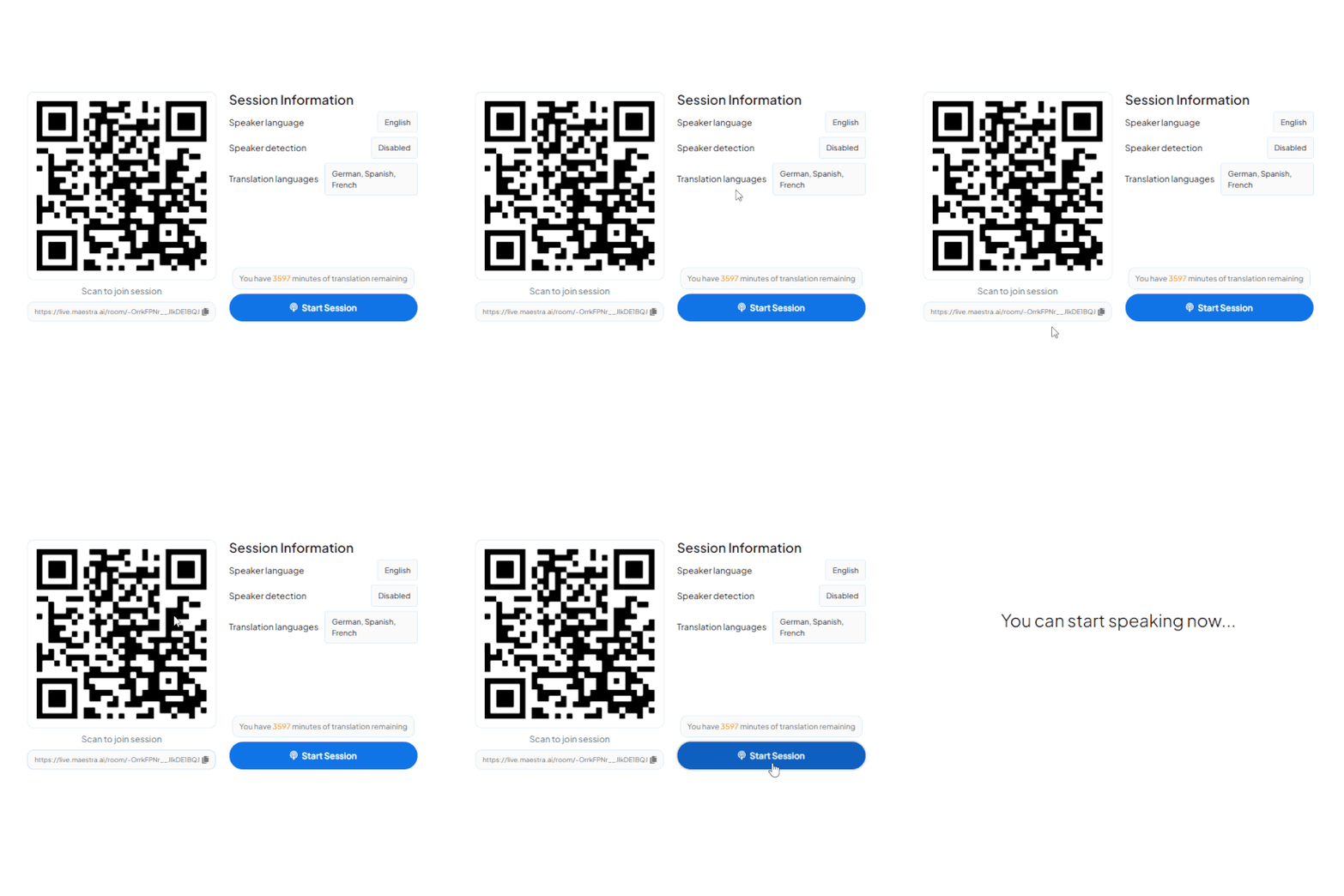
A QR appears in your meeting window or shared link. Participants scan with their camera, no app download, opens instantly in any browser.
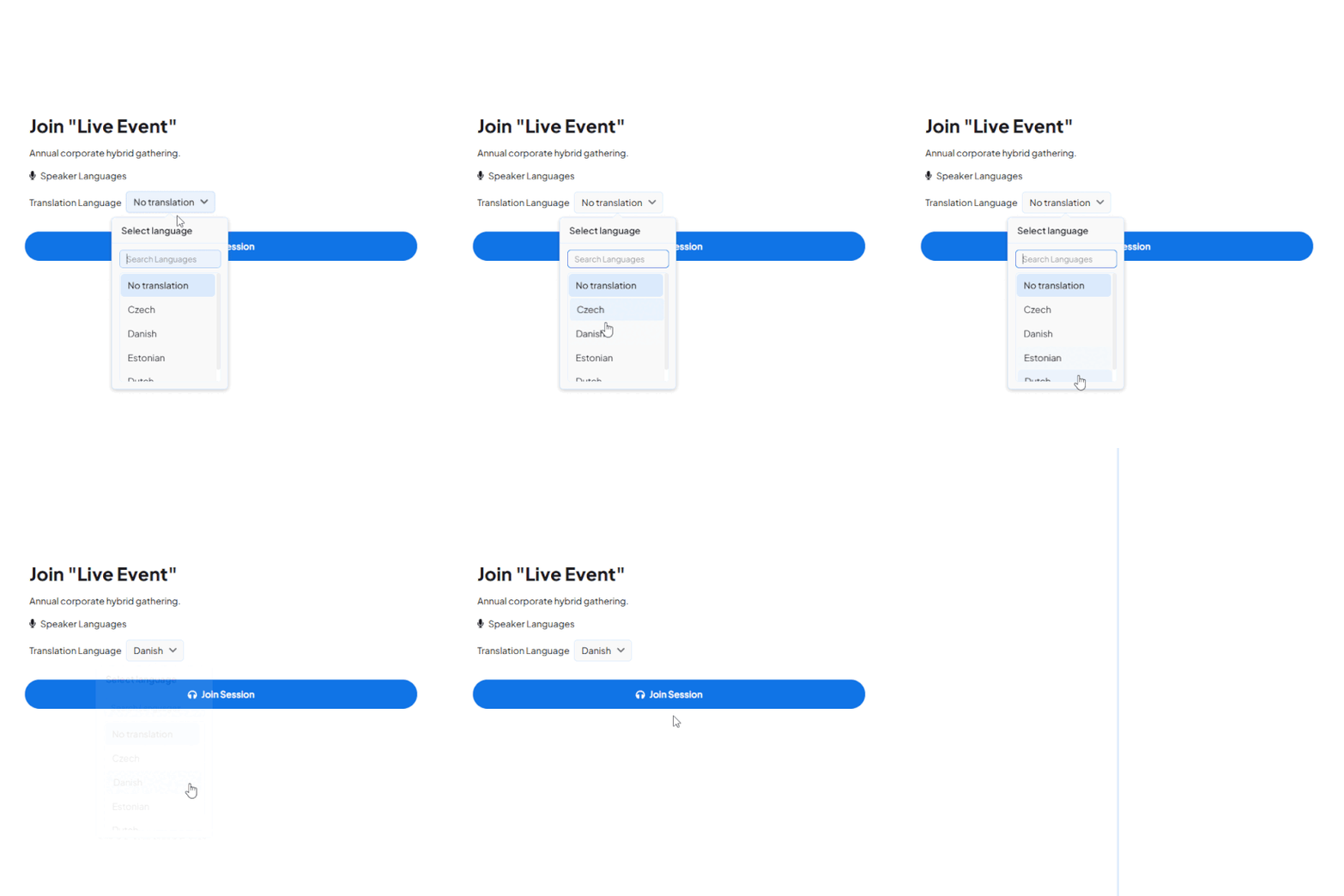
All active channels appear instantly, 125+ languages available. One tap and they're connected to the live audio stream in their language.
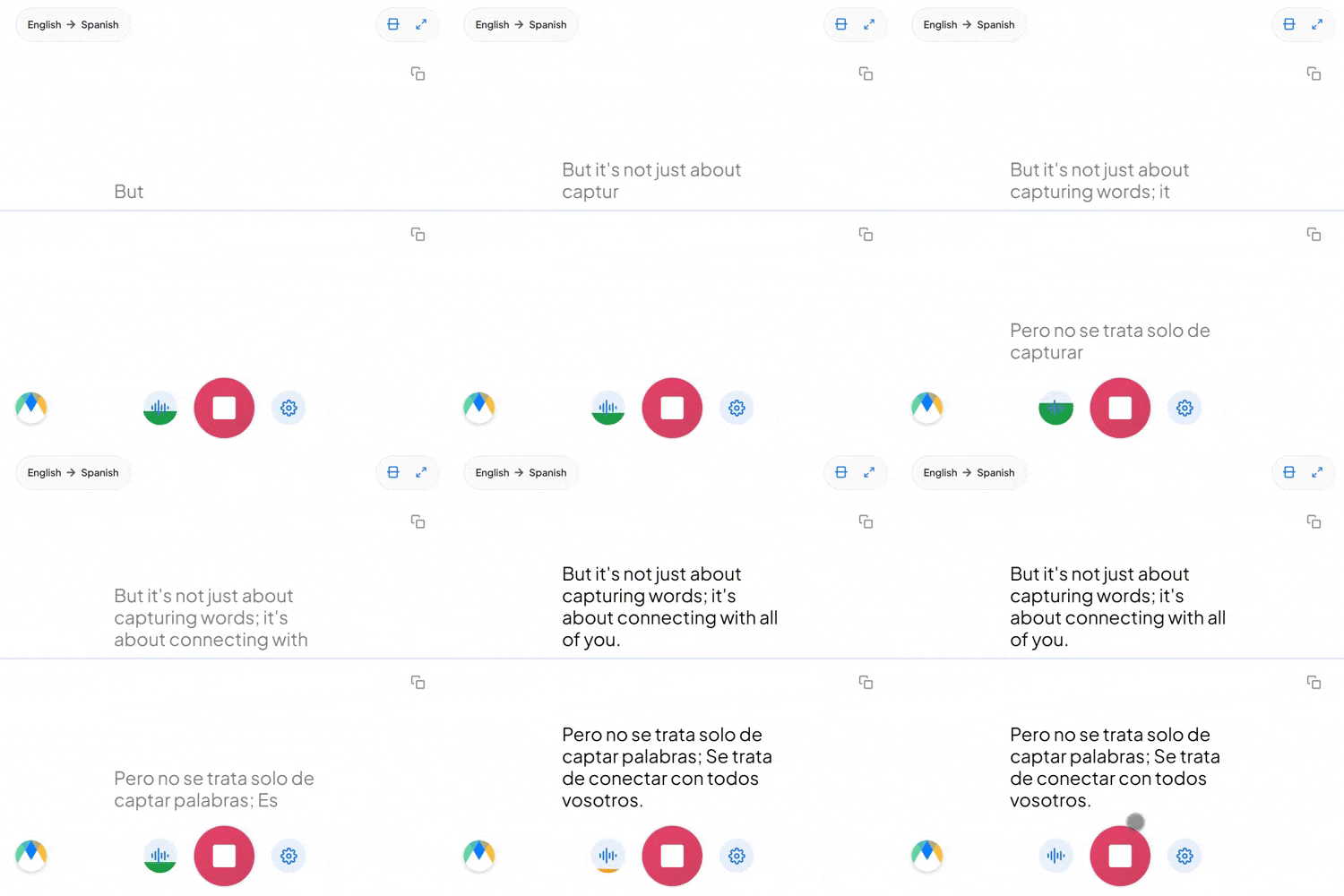
Participants hear the speaker's cloned voice or selected AI voices live in their preferred languages. Simultaneously, they can read live captions on their screens.
A two-person check-in or twenty people across four countries, everyone speaks and listens in their own language.
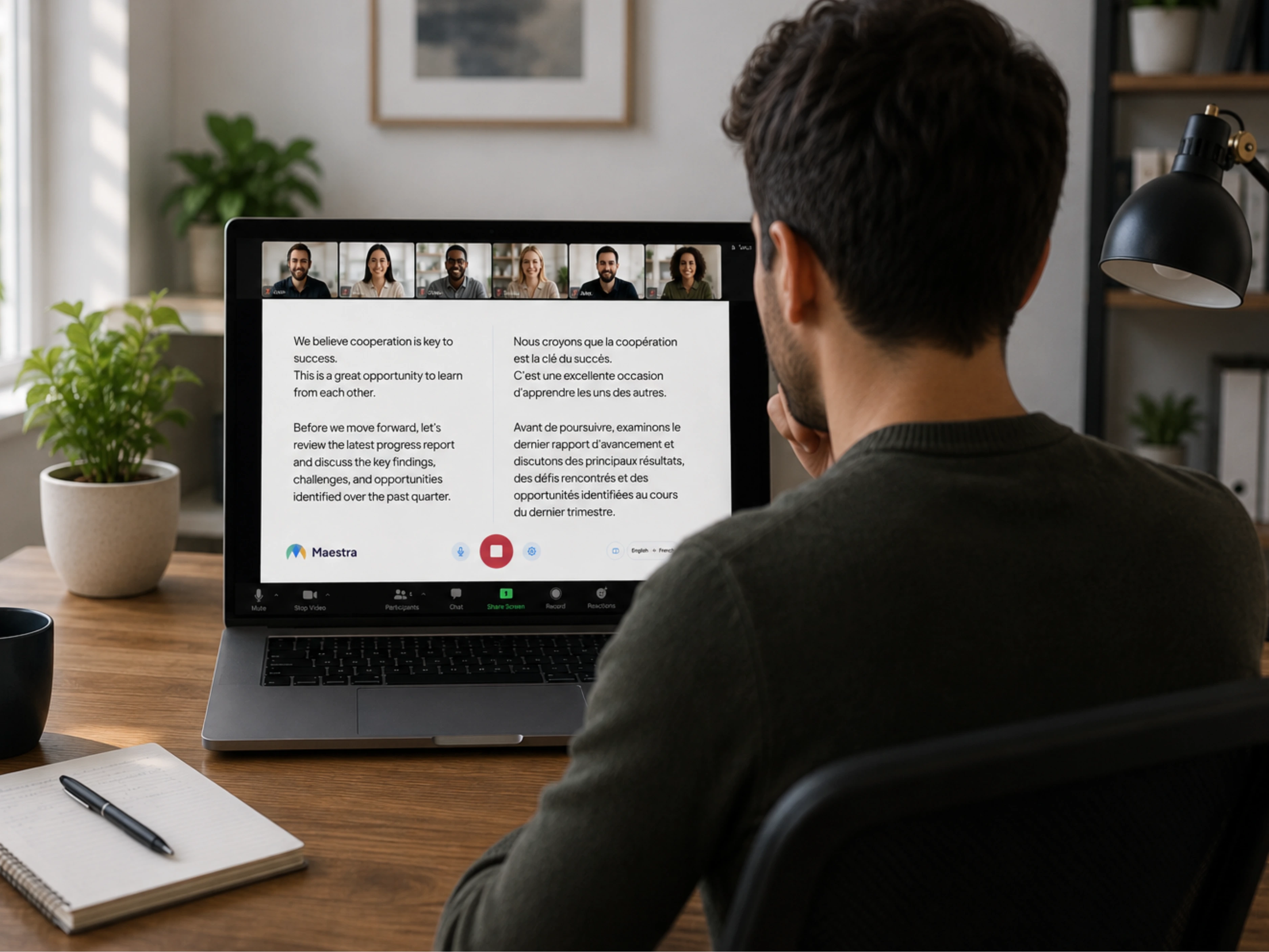
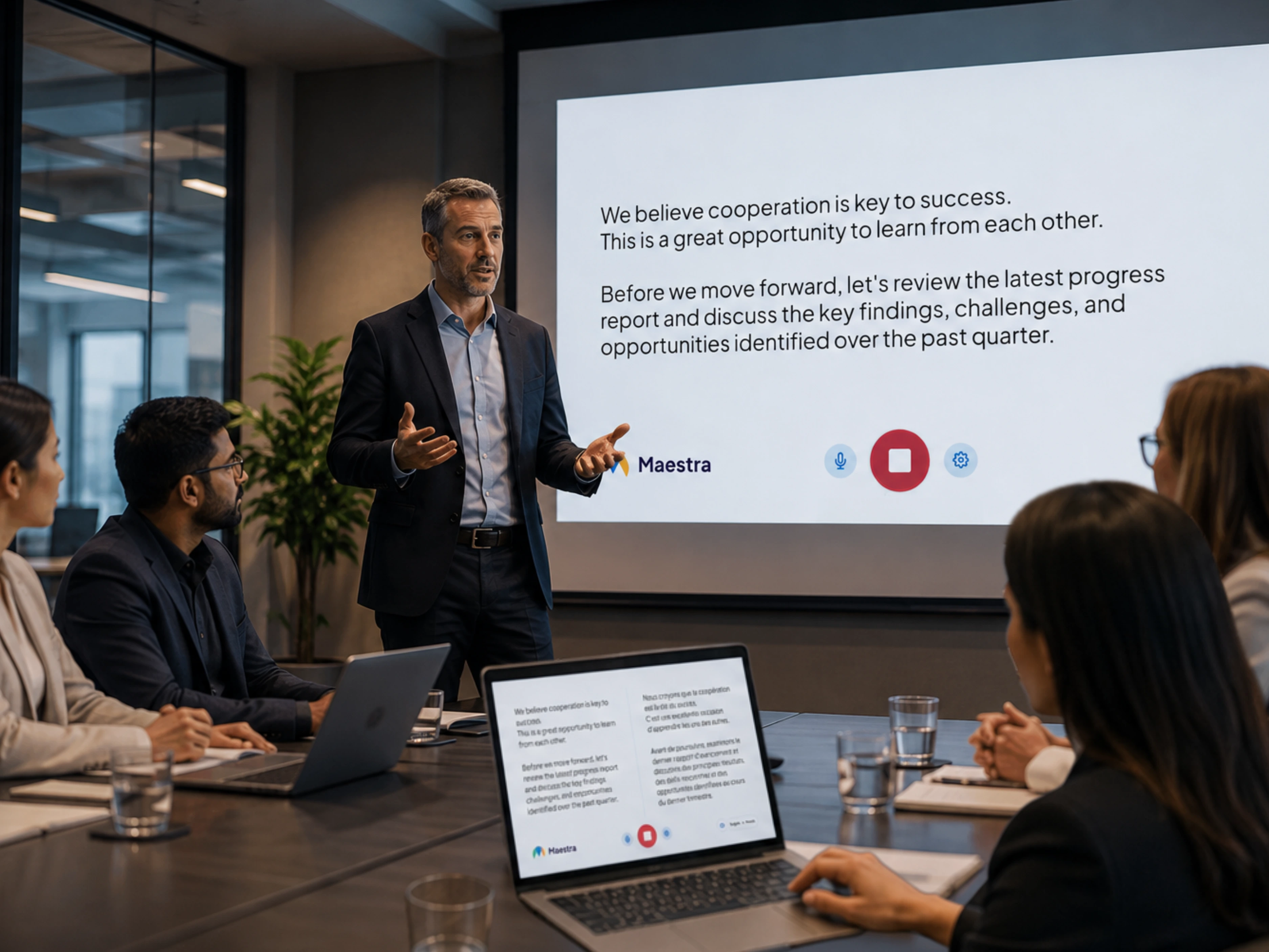
Translate live meetings on Zoom, Microsoft Teams, and other tools your team uses to collaborate every day.
Add live Zoom translation and captions to meetings, sales calls, and customer reviews.
Learn more
Run live Teams translation for standups, distributed team meetings, and global collaboration.
Learn more
Stream live meeting translation as captions and translated audio inside your OBS broadcast.
Learn more.webp)
Mix live translated audio and captions into vMix production for hybrid meetings or broadcasts.
Learn more



Translate meetings of any size, in 125+ languages, on any device.
Connect Maestra to your meeting platform or audio source, choose the spoken language and the languages to translate into, then start the session. Participants join with a QR code or link and select their preferred language to read captions or listen to translated audio.
Run Maestra alongside your Microsoft Teams meeting to add live captions and AI voice translation in 125+ languages. Participants join the translation session via a link or QR code while attending the Teams call as usual.
Yes. Translate Zoom meetings in 125+ languages using our integration. The translation session works alongside your Zoom call, with no separate app required for participants.
Maestra lets you start a live meeting translation session in your browser before subscribing to a paid plan. Premium features and longer sessions are available with paid plans.
Yes. Participants scan a QR code or open a link in any browser on phone, tablet, or desktop. No app install or account is required.
Yes. Maestra detects the spoken language and switches translation automatically, so every participant can speak and follow along in their own language across 125+ options.
Yes. Both transcripts and translated audio can be saved when the relevant options are enabled in your session settings before the meeting starts.
AI meeting translation removes the need to schedule interpreters or coordinate per-language sessions. It scales to dozens of languages on demand at a fraction of the cost, making multilingual meetings viable for recurring sales calls, customer reviews, and distributed team collaboration.
Over 125 languages are supported for live captions and speech-to-speech translation, covering most international and multilingual team setups.
Live meeting translation converts spoken conversation into other languages in real time, delivered as live captions, translated audio, or both. Distributed teams, customers, and partners join the same meeting in their preferred language without waiting for a recording.