Top 7 Happy Scribe Alternatives for AI Transcription in 2026
HappyScribe is a capable transcription and subtitling tool, but it may not be the right fit for every workflow or budget. Depending on what you need, whether that's free live transcription, meeting intelligence, human-verified legal accuracy, or all-in-one video editing, another tool may serve you better.
To put this list together, I compared the most popular HappyScribe alternatives on the things that matter most: language coverage, real pricing (including what happens when you run past a plan's limit), the job each tool is genuinely built for, and where each one falls short.
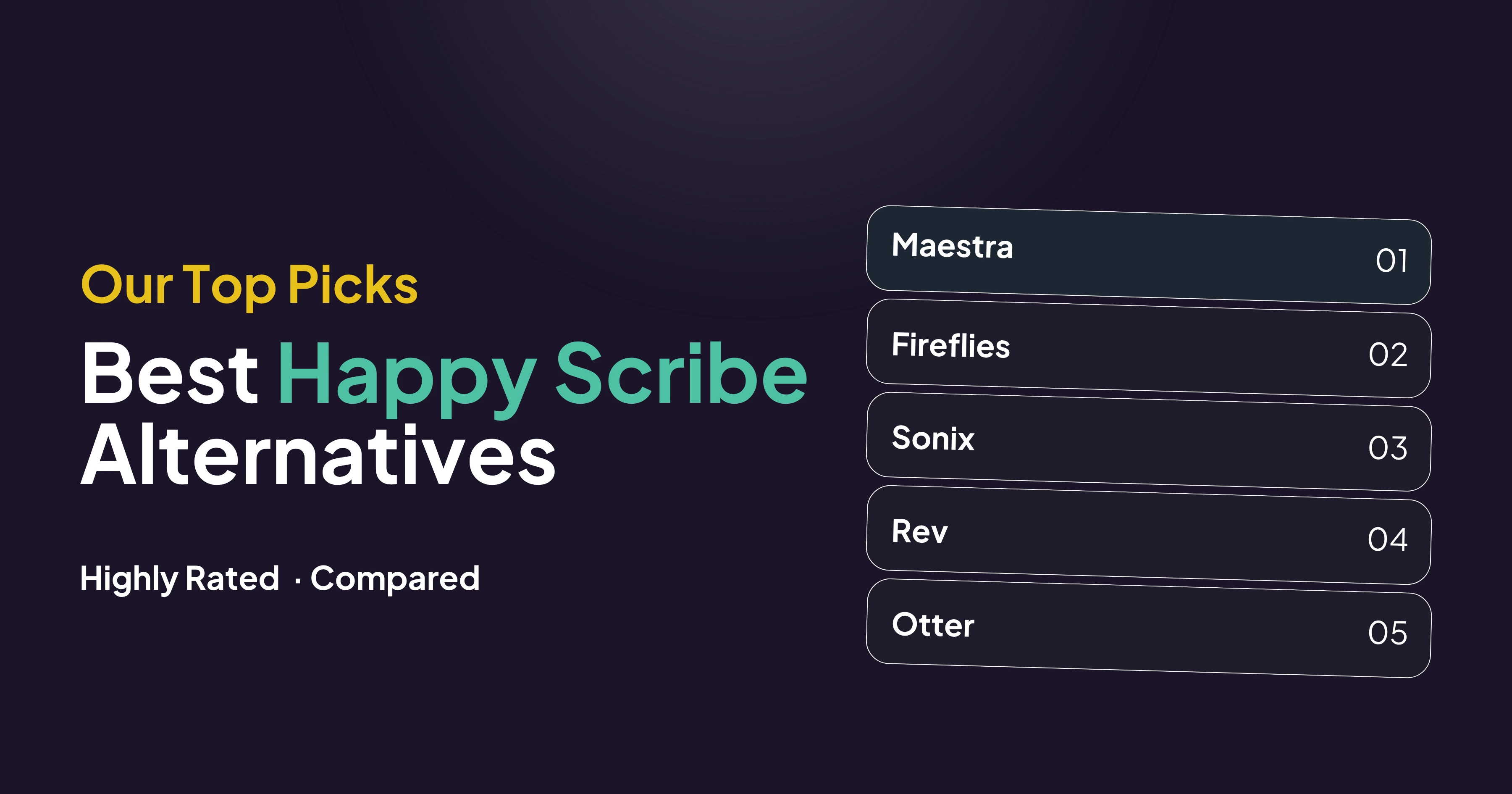
Below is a shortlist of the best HappyScribe alternatives in the market right now:




Let's first take a look at how they compare side by side.
7 Best Happy Scribe Alternatives at a Glance
The table below highlights each tool's best use case, language coverage, starting price, and free plan, so you can narrow your options before the full reviews.
| HappyScribe Alternative | Best for | Languages | Free Plan |
| Maestra | Free live transcription and multilingual content | 125+ | ✅ (live transcription) |
| Fireflies | Meeting transcription and conversation intelligence | 100+ | ✅ (unlimited transcription) |
| Sonix | High-volume transcription with team collaboration | 54+ | ❌ (30-min trial only) |
| Rev | Legal, research, and human-verified accuracy | 37+ | ✅ (45 min/month) |
| Otter | Meeting notes and AI meeting assistance | 6 | ✅ (300 min/month) |
| Descript | Video and podcast editing | 25 | ✅ (60 min/month) |
| Verbit | Enterprise accessibility and compliance | 50+ | ❌ (paid plans only) |
Top Happy Scribe Alternatives for Transcription, Subtitles & More
That is the quick comparison. Now here is a closer look at each tool, with what it does best, where it falls short, and what it costs.
1. Maestra: Best for Free Live Transcription and Multilingual Content
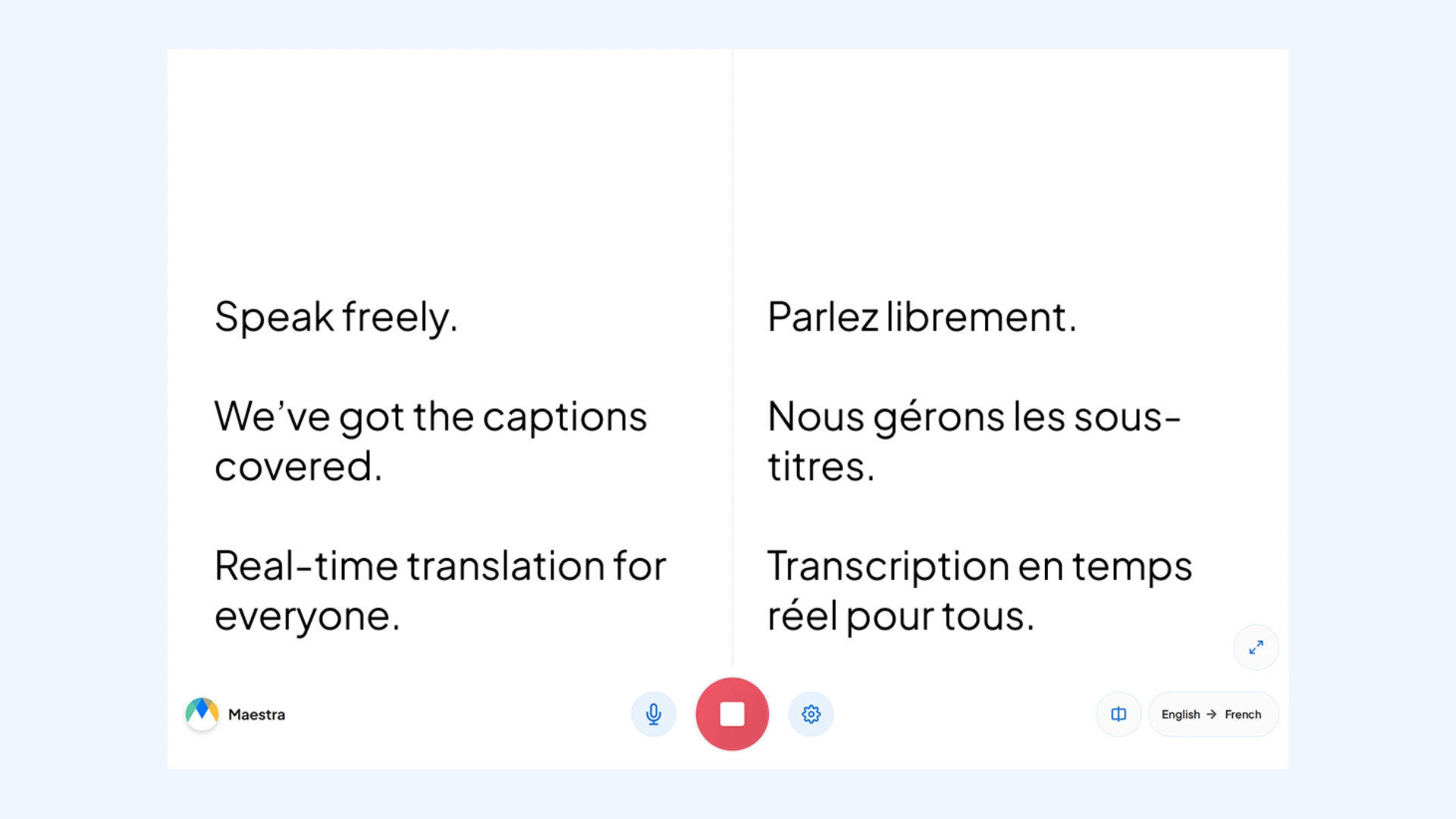
Maestra is the most versatile Happy Scribe alternative on this list. Start the web captioner for free live transcription in your browser with no account, or upload video and audio files to convert audio to text in 125+ languages.
Automated transcription is only the start. With Maestra, you can also generate subtitles, add AI voiceovers, and dub videos using voice cloning in 30+ languages. You can even translate speech in real time, and turn spoken audio into another language as it happens.
Pros
- Free live transcription with no account and no time limit
- Integrates with Zoom, Teams, OBS, vMix, YouTube, TikTok, and Slack
- Distraction-free, user-friendly interface
Cons
- Heavy accents can need a light manual edit, as with any automatic tool
- Only live transcription is free; live translation and transcribing uploaded files requires paid credits or plans
- No automated meeting-assistant features like calendar auto-join or conversation analytics
Pricing:Free live transcription, no account required. Paid transcription starts at $12 for 60 minutes on Pay As You Go. Monthly subscriptions billed annually run from $23 (Lite) to $79 (Premium), plus custom Enterprise pricing.
Live Transcribe for Free
2. Fireflies: Best for Meeting Transcription and Conversation Intelligence
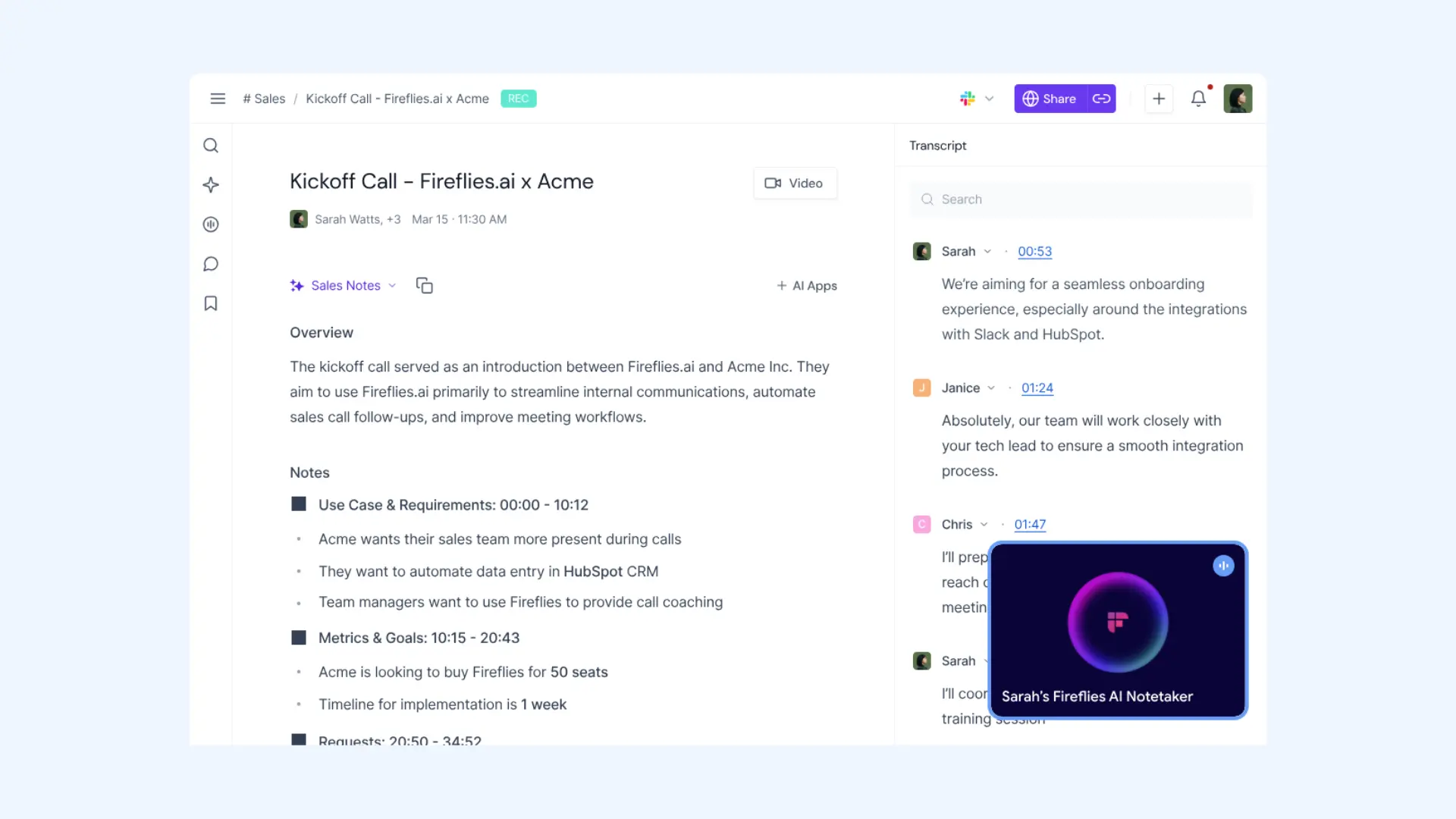
Fireflies is built around meetings. It joins your calls on Zoom, Google Meet, and Teams, records and transcribes them automatically, and returns summaries, action items, and a searchable archive of everything that was said.
Its stronger draw is analysis rather than raw transcription. Conversation intelligence tracks speaker talk time and sentiment, topic trackers flag recurring themes, and the AskFred assistant answers questions across past meetings.
Pros
- Automatic recording and note-taking across the major meeting platforms
- Analytics that turn calls into trackable data for sales and support teams
- A generous free plan with unlimited transcription
Cons
- Purpose-built for meetings, so it's a weak fit for podcasts, videos, or file-based work
- Longer storage and the deeper analytics sit behind higher-tier plans
- Pricing is per seat, so costs can scale up quickly for larger teams
Pricing:Free plan available. Pro is $18/user per month ($10 billed annually), Business is $29 ($19 annual), and Enterprise is $39/user per month (annual only).
10 Best Real-Time Translators for Meetings
3. Sonix: Best for High-Volume Transcription and Team Collaboration
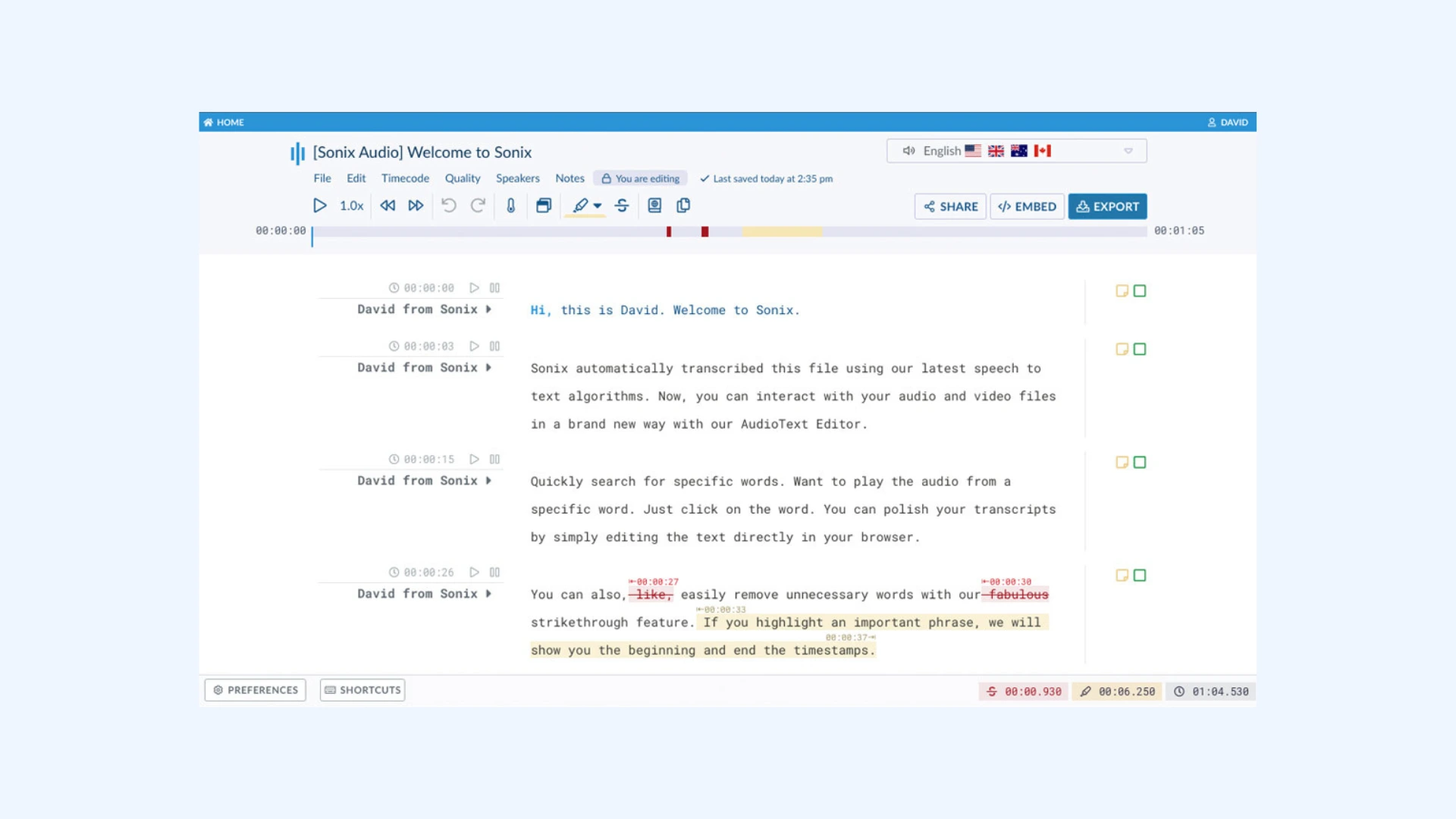
Sonix converts audio and video to text in 54+ languages with a polished in-browser editor, automated timestamps, and speaker labels. It's built for teams working through a lot of files, with shared workspaces and an admin panel for managing seats and billing.
It also handles translation into 55+ languages, automated subtitles, and AI analysis for summaries and themes. It connects with Zoom, Teams, and Adobe Premiere, so it fits your existing setup.
Pros
- Fast, accurate transcription paired with strong collaborative editing
- Translation, subtitles, and AI summaries in the same workspace
- A flexible pay-as-you-go rate alongside monthly subscriptions
Cons
- Subscription costs can climb quickly at high monthly volume
- No permanent free plan, only a 30-minute trial
- Built for uploaded files, with no live or real-time transcription on standard plans
Pricing:30-minute free trial. Pay As You Go is $10/hour. Subscriptions are Core at $25/month (5 hours), Advanced at $50/month (20 hours), and Pro at $80/month (40 hours), with extra hours at $10/hour.
4. Rev: Best for Legal, Research, and Human-Verified Accuracy
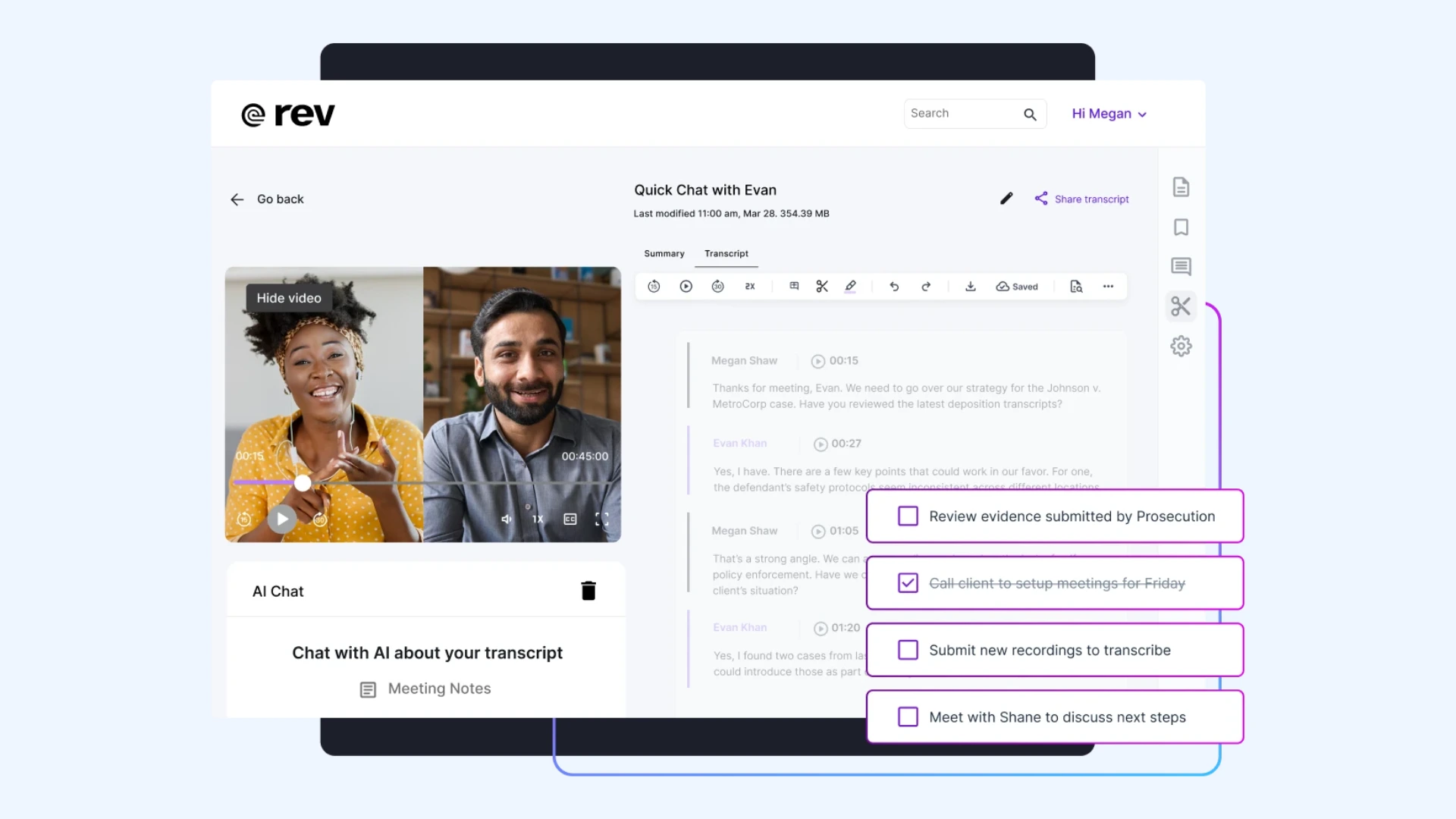
Rev is the pick when accuracy has to be guaranteed. Alongside AI transcription, it offers human transcription at 99%+ accuracy, which matters for court reporting, healthcare, and research where a machine draft isn't enough.
Its VoiceHub platform records, transcribes, and analyzes from one place, with editing tools like low-confidence word flagging and version control. Beyond transcription, Rev also creates captions and subtitles and offers an API for teams that want speech-to-text built into their own products.
Pros
- Both AI and human transcription from a single platform
- 99%+ human accuracy for high-stakes and legal content
- A simple per-minute option with no subscription required
Cons
- Human transcription at $1.99/minute adds up fast on long files
- The AI model is optimized for English, so accuracy on other languages is less dependable
- Human transcription is not instant, and turnaround can take hours or longer depending on file length
Pricing:Free plan with 45 AI minutes/month. Pay-as-you-go is $0.25/minute for AI and $1.99/minute for human transcription. Paid subscriptions carry per-seat AI-minute allowances, and the top Unlimited tier is custom-priced.
5. Otter: Best for Meeting Notes and AI Meeting Assistance
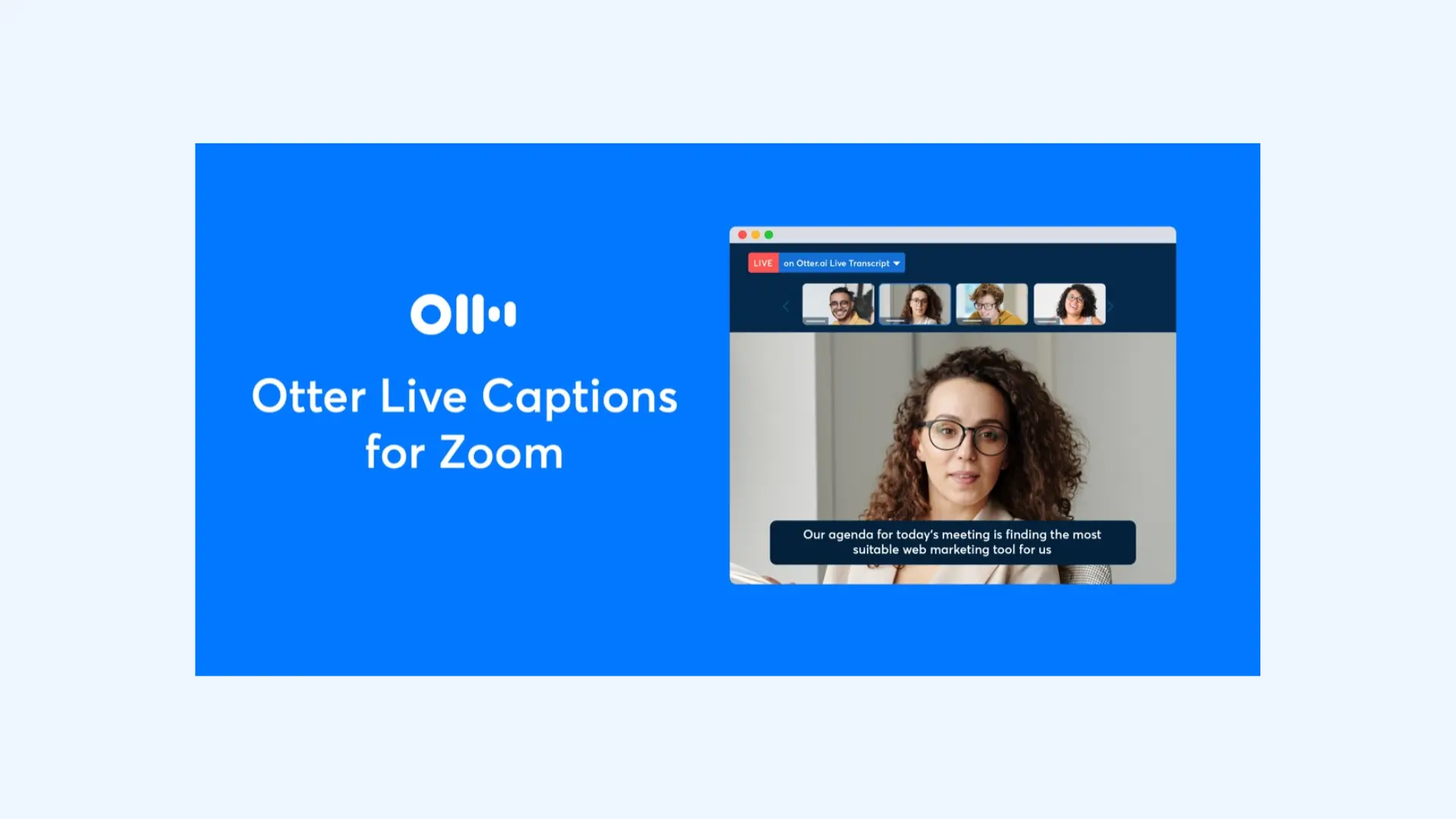
Otter is an AI meeting assistant first. Connect your Google or Microsoft calendar and OtterPilot joins your meetings automatically, transcribing in real time and taking notes even if you arrive late.
After the call, Otter Chat answers questions about what was discussed, assigns action items to teammates, and posts summaries straight to Slack. As of July 2026, Otter transcribes English, Spanish, French, German, Japanese, and Simplified Chinese, a wider set than it supported before.
Pros
- Hands-off meeting capture with automatic notes and action items
- AI chat and Slack posting keep teams aligned without extra work
- A free plan that covers 300 minutes a month
Cons
- Language coverage is still narrow next to the multilingual-first Happy Scribe alternatives
- The free plan caps each conversation at 30 minutes and allows only three lifetime file imports
- Even on the Pro plan, transcription is capped at 1,200 minutes a month, which can limit heavy users
Pricing:Free (Basic) with 300 minutes/month. Pro is $16.99/month ($8.33 billed annually), Business is $30/month ($19.99 annual), and Enterprise is custom.
The Best 15 Otter.ai Alternatives, including Free Options
6. Descript: Best for Video and Podcast Editing
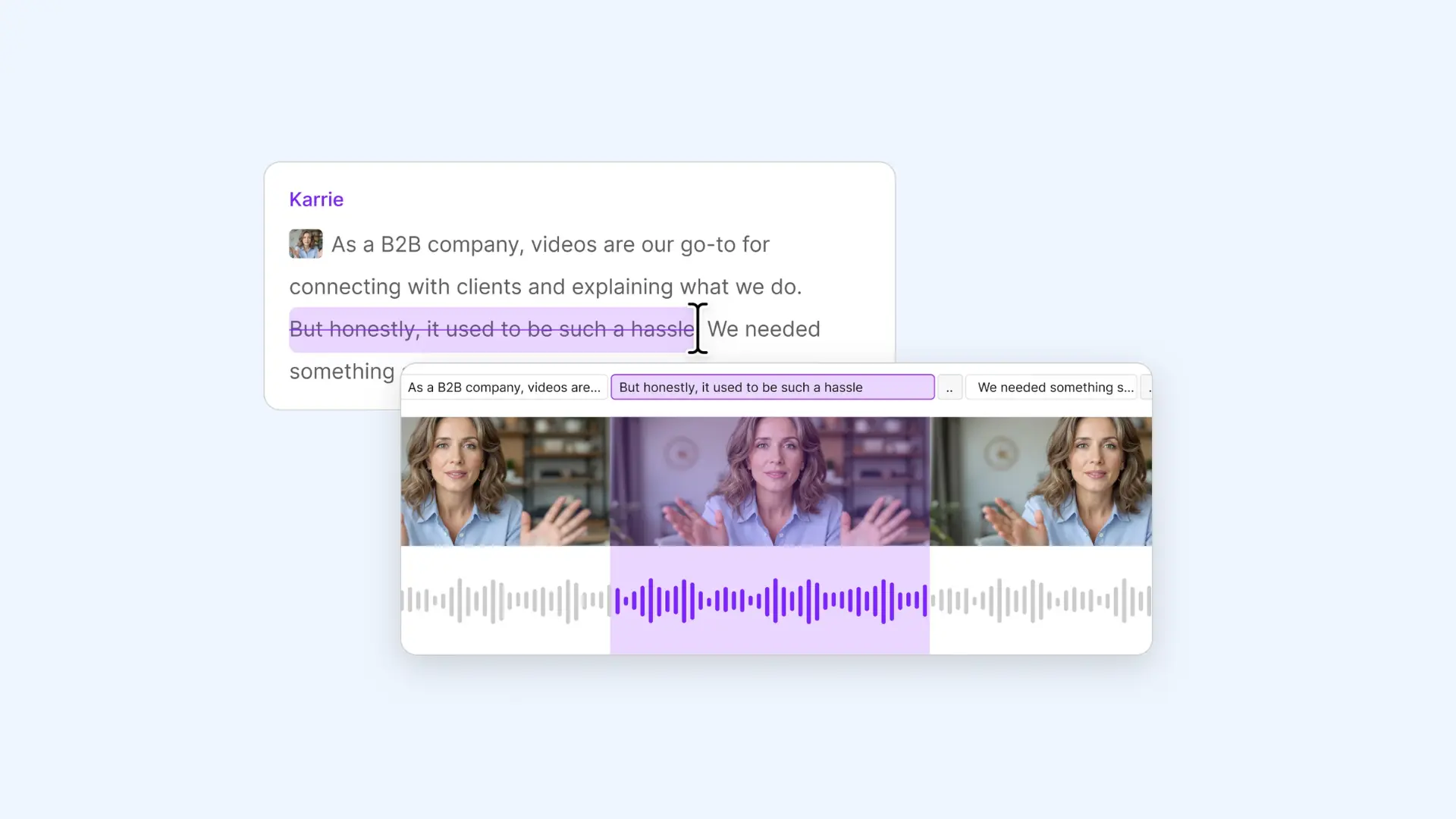
Descript treats your transcript as the edit. Delete a word from the text and it cuts the matching audio and video, which makes it a favorite for podcasters and video creators who would rather edit a script than a waveform.
On top of that it removes filler words, generates clips and show notes, and offers AI voices and dubbing. Transcription covers 25 languages, with caption translation reaching 61 and dubbing 30.
Pros
- Text-based editing that doubles as a full video and podcast editor
- Built-in AI for filler removal, clip creation, and show notes
- A free plan to try it out before committing
Cons
- The depth of features is overkill if all you need is a transcript
- Transcription covers 25 languages, narrower than some Happy Scribe alternatives on this list
- It can slow down or lag on large or long video projects
Pricing:Free plan with 60 minutes/month. Hobbyist is $16/month billed annually ($24 monthly), Creator is $24/month annually ($35 monthly), Business is $50/month annually ($65 monthly), and Enterprise is custom.
7. Verbit: Best for Enterprise Accessibility and Compliance
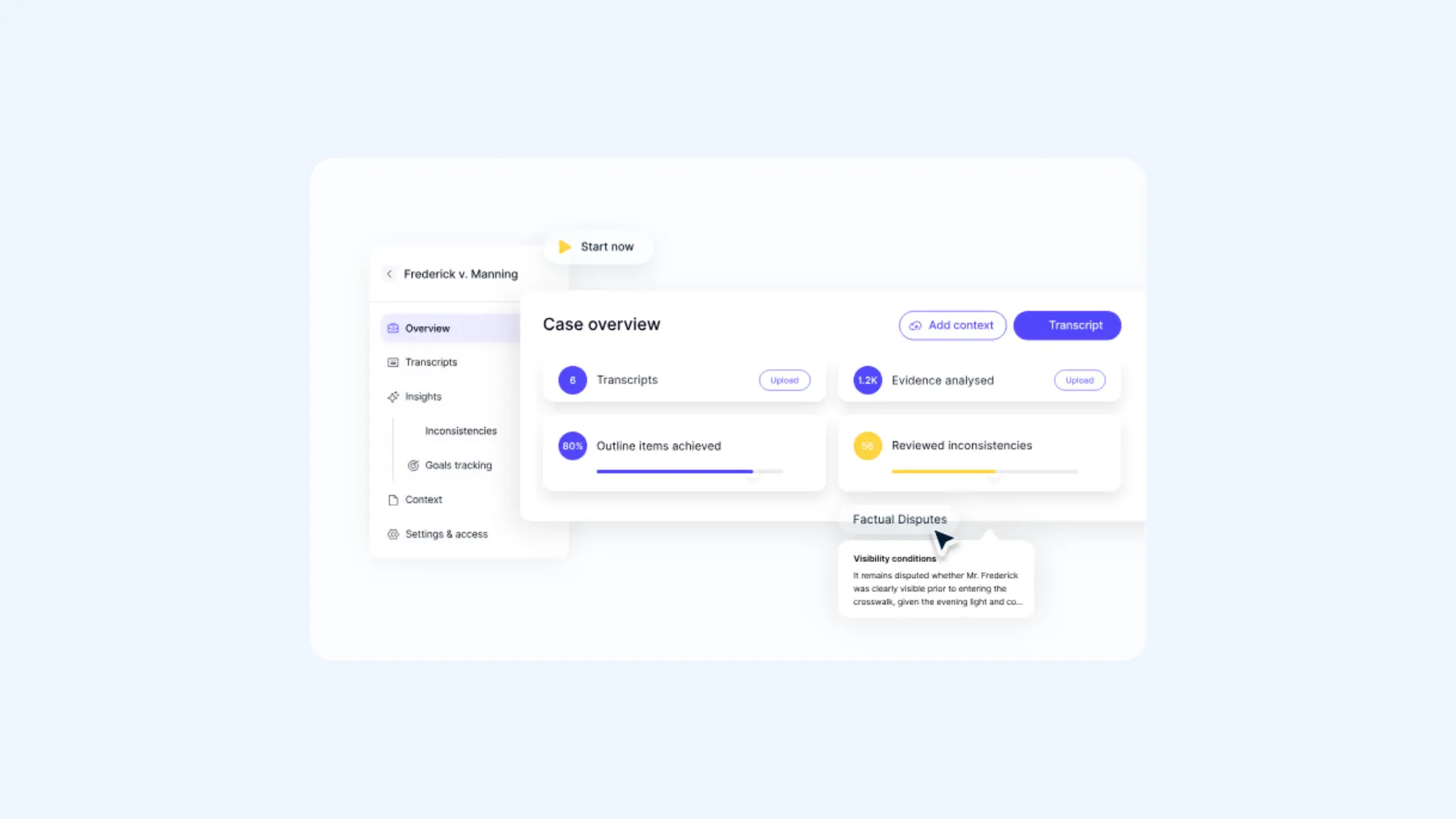
Verbit is built for organizations that have to meet accessibility rules. Its Captivate ASR pairs with human captioners to reach up to 99% accuracy, and it handles both live and recorded content for universities, courts, and media companies.
Compliance is the whole point. Verbit supports ADA, FCC, GDPR, SOC 2, and HIPAA standards, exports in nearly any format, and covers 50+ languages. Its services go beyond captions to include transcription, translation, and audio description, so one vendor can handle an organization's full range of content needs.
Pros
- Hybrid AI-and-human captioning for compliance-grade accuracy
- Broad regulatory coverage for education, legal, and government work
- Live and on-demand captioning at scale with dedicated support
Cons
- Custom enterprise pricing and setup make it a poor fit for individuals
- Users report lower accuracy on less common languages and dialects
- Some users find the platform's interface dated and harder to navigate than newer tools
Pricing:Verbit's Legal plans start with a self-serve Standard tier at $24/month, plus quote-based Legal Capture and Legal Visor options for court and litigation teams. Its Media, Corporate, and Education plans work the same way, from a $24/month Standard tier up to custom enterprise quotes.
Top 7 AI Transcription Apps
Deciding on the Best Happy Scribe Alternative
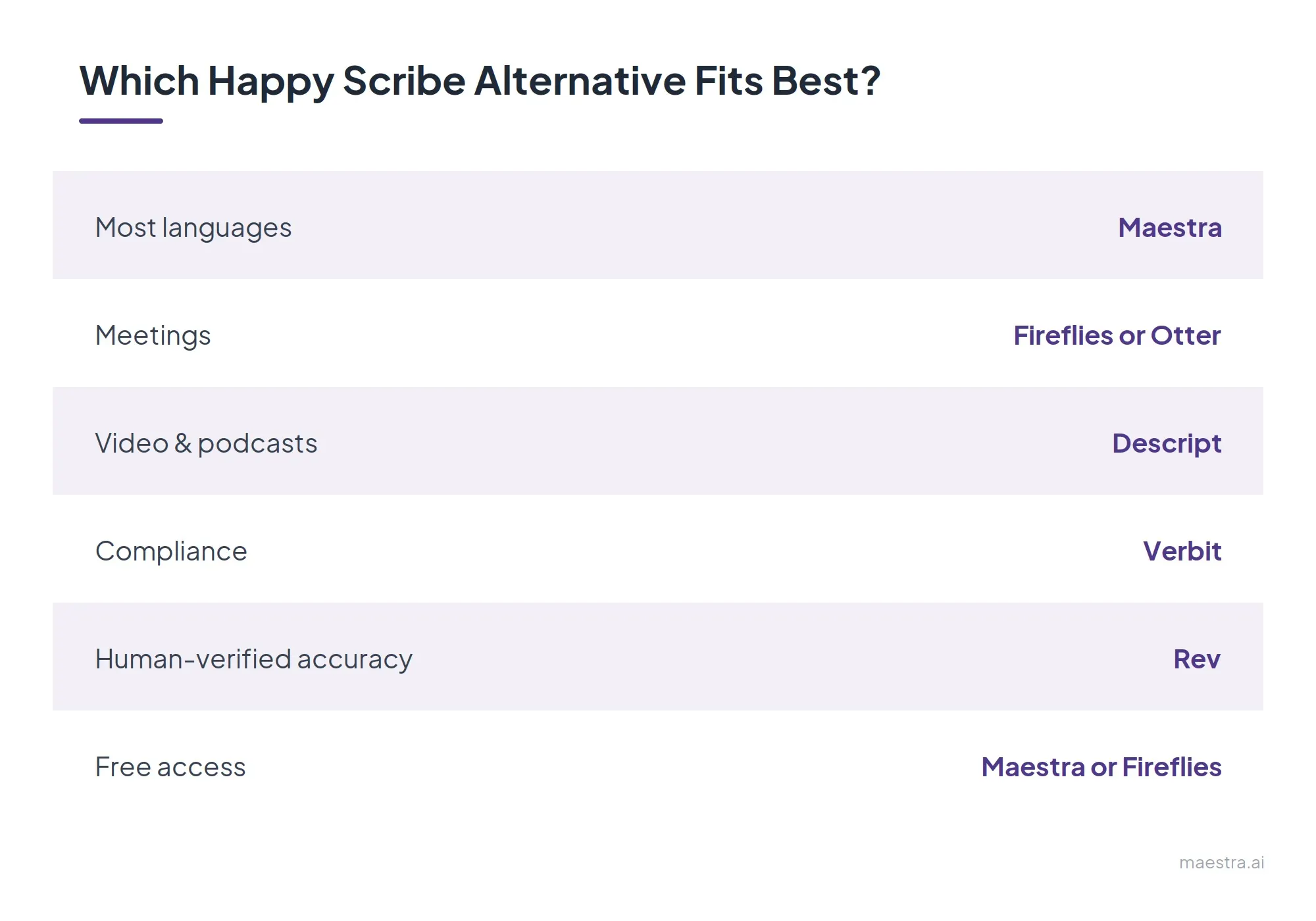
The right Happy Scribe alternative comes down to four questions:
- How many languages do you need? Maestra (125+), Fireflies (100+), and Verbit (50+) lead here. Otter's six languages are the tightest on the list.
- How do you want to pay? Pay-as-you-go options (Sonix, Rev) suit occasional projects, while subscriptions (Otter, Descript, Fireflies) work out cheaper for steady monthly use.
- What's the main job? Meetings point to Fireflies or Otter, creative videos to Descript, compliance to Verbit, human-verified accuracy to Rev, and everything-in-one to Maestra.
- How much free access matters? Maestra's free live transcription and Fireflies' free plan go furthest. Sonix offers only a 30-minute trial, and Verbit has no free tier.
Beyond those four questions, weigh how accurate your transcripts need to be. If they have to meet accessibility or legal standards, automatic captions are treated only as a starting point under the W3C's accessibility guidance, and captions are a baseline (Level A) requirement for prerecorded video. [1] A tool with human review or dedicated compliance support is the safer choice.

Privacy is the other thing worth checking. Recordings and transcripts often hold personal data, from names and contact details to health or financial information, and regulators treat that data as personal information that has to be handled lawfully and kept secure. [2] If you transcribe sensitive calls, interviews, or meetings, look at where a vendor stores your data, how long it keeps it, whether it trains its models on your recordings, and which certifications it holds, such as SOC 2, GDPR, or HIPAA.
The GDPR protects personal data regardless of the technology used for processing that data.
Final Verdict
The best Happy Scribe alternative depends on the job in front of you. Each tool here is built to do one thing especially well, so the right choice comes down to matching your main use to a tool's core strength.
🎙️ Maestra for free live transcription plus multilingual subtitles, voiceover, and dubbing in one place.
🤝 Fireflies for automatic meeting notes and conversation analytics.
📁 Sonix for teams processing high volumes of audio and video.
⚖️ Rev for legal, medical, and research work that needs human-verified accuracy.
📝 Otter AI for hands-off meeting capture inside Google and Microsoft calendars.
🎬 Descript for creators who want to edit video and podcasts by editing text.
🔒 Verbit for enterprises with strict accessibility and compliance requirements.
If you are still deciding, start with the free options. Maestra's free live transcription and 10 minutes of live caption translation, along with the free plans from Fireflies, Rev, Otter, and Descript, let you test each one on your own audio before you spend anything.
FAQs on Happy Scribe Alternatives
How much does Happy Scribe cost?
As of mid-2026, Happy Scribe has a free plan plus three paid tiers: Basic at $17/month, Pro at $29/month, and Business at $89/month, along with custom Enterprise pricing. Annual billing lowers each tier, and paid plans include a set number of AI transcription, subtitling, and translation minutes with top-ups at $0.20/minute.
What is the best Happy Scribe alternative?
It depends on what you use Happy Scribe for, since most transcription tools specialize in one job. If you need live and on-demand transcripts and translations in one place with strong multilingual support, Maestra covers them all, while Otter is built for live meetings and Descript for editing video by editing text. Comparing transcription software by your actual use case matters more than any single feature.
How accurate is Happy Scribe compared to alternatives?
Happy Scribe advertises around 85% transcription accuracy for its AI service and up to 99% for its human-made service. In practice, transcription accuracy depends on audio quality, accents, and how many people are speaking. Background noise and overlapping speakers may push it lower, so testing with your own audio is the only reliable method.
Which Happy Scribe alternative offers broad language support?
If broad language coverage is your priority, Maestra supports transcription, subtitles, and translation across 125+ languages. Fireflies and Sonix also support a wide range of languages. For work that spans many languages or dialects, checking each tool's supported language list against your specific needs matters more than the headline number.
Is there a free Happy Scribe alternative for automatic transcription?
Yes. Several alternatives offer free tiers, though they vary widely in what they include. Some cap you at a set number of minutes, while others provide free live transcription in the browser with no account required. Check whether the free plan lets you export your file, since some restrict downloads until you upgrade.
How do I choose the right Happy Scribe alternative?
Start with the job you do most: uploading files for transcripts, capturing live meetings, or editing video and subtitles. Then compare the key features that affect your real output, like accuracy on your type of audio, whether it supports multiple languages, export formats, and how pricing scales with your volume. The best way to decide is to run the same recording through two or three tools and compare the results before you commit.