10 Best AI Note Taker Apps to Use in 2026 (Tested & Reviewed)
AI note taker apps are designed to remove one of the biggest frustrations of meetings: trying to listen, participate, and take notes at the same time. These tools automatically capture conversations, generate meeting notes, and summarize discussions so nothing important gets lost. In many cases, they can also extract action items and key insights automatically.
To curate this list, I tested several popular tools across different scenarios such as team meetings, interviews, and training sessions. We’ll look at the selection criteria in a moment, but first here’s a shortlist of the AI note taker apps that performed best in my testing.


Before looking at each tool in detail, here are the key factors to consider when choosing an AI note taker app.
What to Look for in an AI Note-Taker App: Key Selection Criteria
To curate the best AI note-taker apps, I focused on practical factors that determine how useful these tools are in real meetings, interviews, and daily work.
The criteria below guided my analysis of the tools included in this list. If you're choosing an AI note-taking app for yourself or your team, I suggest using these same factors as a checklist.
Transcription Accuracy
Accurate voice-to-text conversion is the foundation of any AI note-taking app. According to 2026 benchmarks, while top AI engines reach 95–98% accuracy on clean, studio-quality audio, this often drops below 80% in real-world settings. That's why it's important to look at how well the tool handles multiple speakers, background noise, and fast-paced discussions. [1]
Tip: If your meetings often involve multiple speakers or technical discussions, choose apps that support speaker recognition and custom vocabulary to improve transcription accuracy.
Meeting Capture Method
AI note-taker apps capture meetings in different ways: some join calls as bots, others use browser extensions or desktop apps. Each approach has its own advantages and disadvantages in terms of convenience, privacy, and reliability.
Tip: If you want fully automated recording and notes without thinking about it, tools that join meetings as bots are usually the most convenient. But if you prefer privacy and a more natural meeting environment without extra participants, bot-free tools that run as browser extensions or desktop apps may be a better choice.

Integrations
Strong integrations help meeting notes fit into existing work habits. Research from Glean suggests that teams using AI-powered meeting assistants integrated with their work tools see a 30% increase in productivity and spend up to 50% less time on manual administrative tasks like note-taking. [2]
I recommend prioritizing tools that connect with apps you already use, such as Slack, Notion, Google Calendar, CRMs, or project management platforms.
Tip: If you meetings lead to tasks or client follow-ups, choose an app that can automatically push notes and action items into your CRM or project management system.
Language Support
For international teams and multilingual environments, language coverage is important. As someone who collaborates across different regions, I know how valuable it is when a note-taker app can accurately transcribe multiple languages and mixed-language conversations.
Tip: If your meetings involve participants from different countries, pick an app that can handle varied accents and dialects well, not just multiple languages.
Search and Collaboration Features
Good AI notes should be easy to review later. Tools that allow keyword search, speaker filtering, highlights, comments, and shared workspaces make it much more convenient to revisit past discussions.
Tip: Some apps allow you to tag important moments or topics, so you can track recurring themes across conversations.

Security and Privacy
Since meeting recordings can contain sensitive information, always evaluate how an app handles data storage and access control. Pay attention to whether the tool follows common security standards and compliance practices.
Tip: If privacy is your top priority, look for apps that offer local processing, end-to-end encryption, and bot-free recording options.
Pricing
AI note-taker apps vary widely in pricing, from limited free plans to enterprise-level subscriptions. When evaluating tools, consider not only the monthly cost but also what features are included in each tier, such as transcription limits, AI summaries, integrations, or collaboration features.
Tip: Look closely at usage limits on free plans. Some tools restrict recording hours, transcription minutes, or advanced AI features, which can affect long-term usability.
Now let's take a closer look at the tools that excel in AI note-taking, transcription, and summarization.
Best AI Note Taker Apps Compared & Reviewed
To compare the best AI note taker apps at a glance, you can use the table below, which highlights each tool's standout feature, supported languages, and whether it can generate live notes during conversations.
| AI Note Taker App | Standout Feature | Supported Languages | Live Meeting Notes |
| Maestra | Real-time meeting notes with live translation and multilingual transcrioti | 125+ | ✅ |
| Otter | Real-time meeting notes with live transcription and AI summaries | English, French, Japanese, Spanish | ✅ |
| Fireflies | AI meeting notes with conversation intelligence and CRM integrations | 100+ | ✅ |
| Bluedot | Bot-free recording that generates structured AI meeting notes automatically | 100+ | ❌ |
| Krisp | Noise-free calls with AI-generated meeting notes and summaries | 17+ | ✅ |
| Tactiq | Real-time meeting notes captured directly inside your browser | 60+ | ✅ |
| tl;dv | Video meeting notes with shareable highlights and clips | 30+ | ❌ |
| Fellow | Structured meeting notes combined with agendas and action items | 90+ | ❌ |
| Fathom | Unlimited free meeting notes with instant AI summaries | 35+ | ❌ |
| Granola | AI that turns rough bullet points into polished meeting notes | 30+ | ❌ |
1. Maestra
Best for: Real-time meeting notes with live translation and transcription for multilingual meetings.
G2 rating:4.8/5
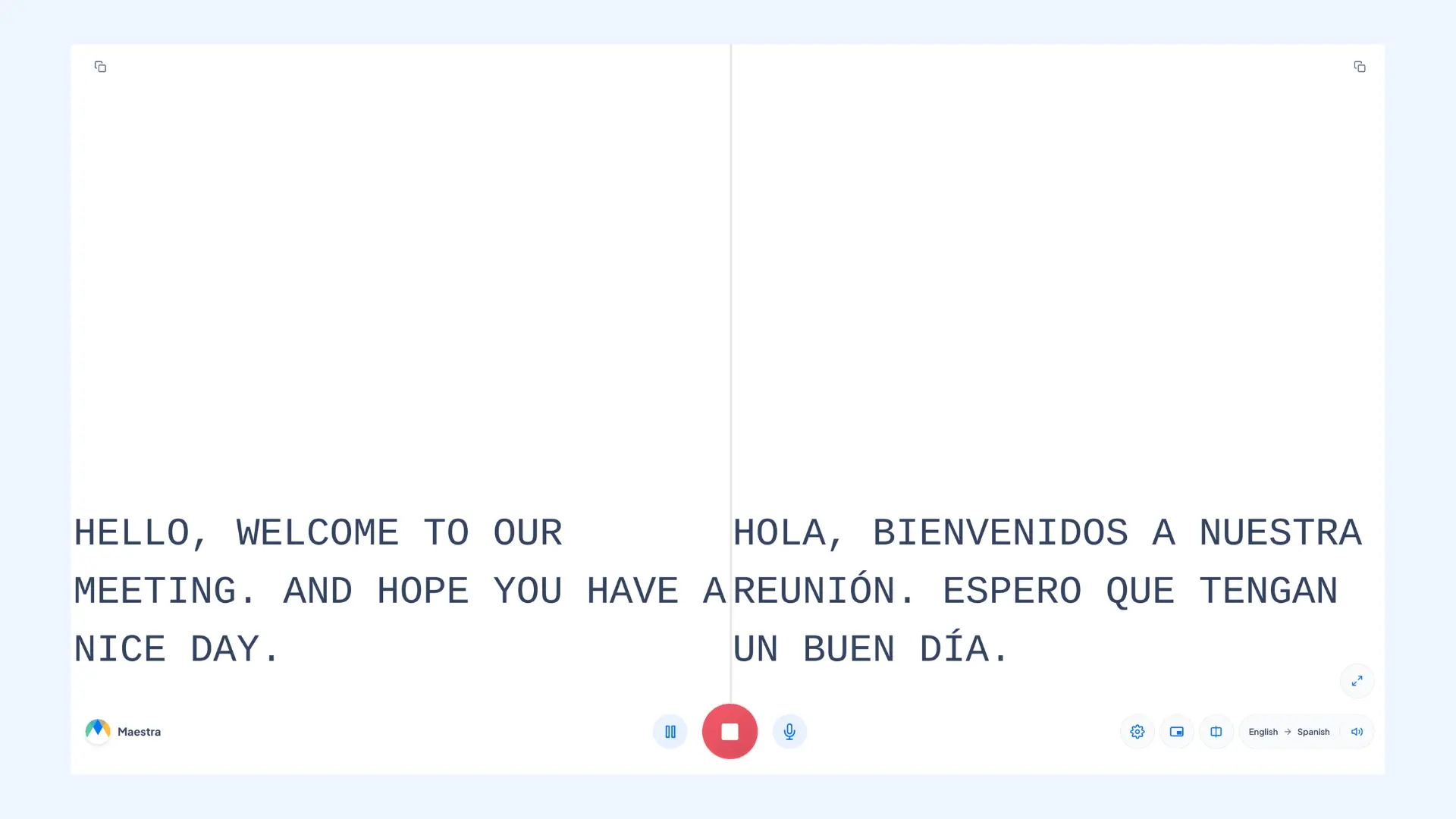
Maestra stands out by combining real-time meeting notes, transcription, and live translation in a single platform. Unlike many tools that only summarize meetings after they end, Maestra can transcribe conversations as they happen while also translating them into over 125 languages. It is invaluable if your meetings involve participants from different countries who need both accurate meeting notes and real-time translation during the conversation.
Key features:
- Live meeting notes with bilingual captions: Generates real-time meeting notes while displaying captions in both the original and translated language.
- Real-time voice translation: Converts speech into translated audio instantly, helping participants understand conversations across languages.
- AI-powered meeting summaries: Automatically generates meeting notes and lets you extract keywords, perform fact-checking, and analyze the overall sentiment of the discussion.
- Integrations: Connects with Zoom and Microsoft Teams to automatically generate meeting notes without manual uploads.
- Team workspaces: Allows teams to organize, review, and collaborate on meeting notes and transcripts in a shared environment.
Pros
- Clean and minimal interface that makes the app easy to adopt
- Custom glossary for recognizing company terminology and industry jargon
- Supports both live transcription and uploaded audio/video files
Cons
- Advanced AI features like summaries are available on higher-tier plans
- Transcription accuracy may decrease in meetings with heavy background noise
Pricing:Free trial available. Paid plans start at $39 per month billed annually.
Final verdict: Maestra is the right choice for you if you work in a global environment and need meeting notes with built-in live translation in a wide range of languages.
Get AI Meeting Notes in Real Time
2. Otter
Best for: Real-time transcription of meetings, interviews, and lectures with collaborative AI summaries.
G2 rating:4.4/5
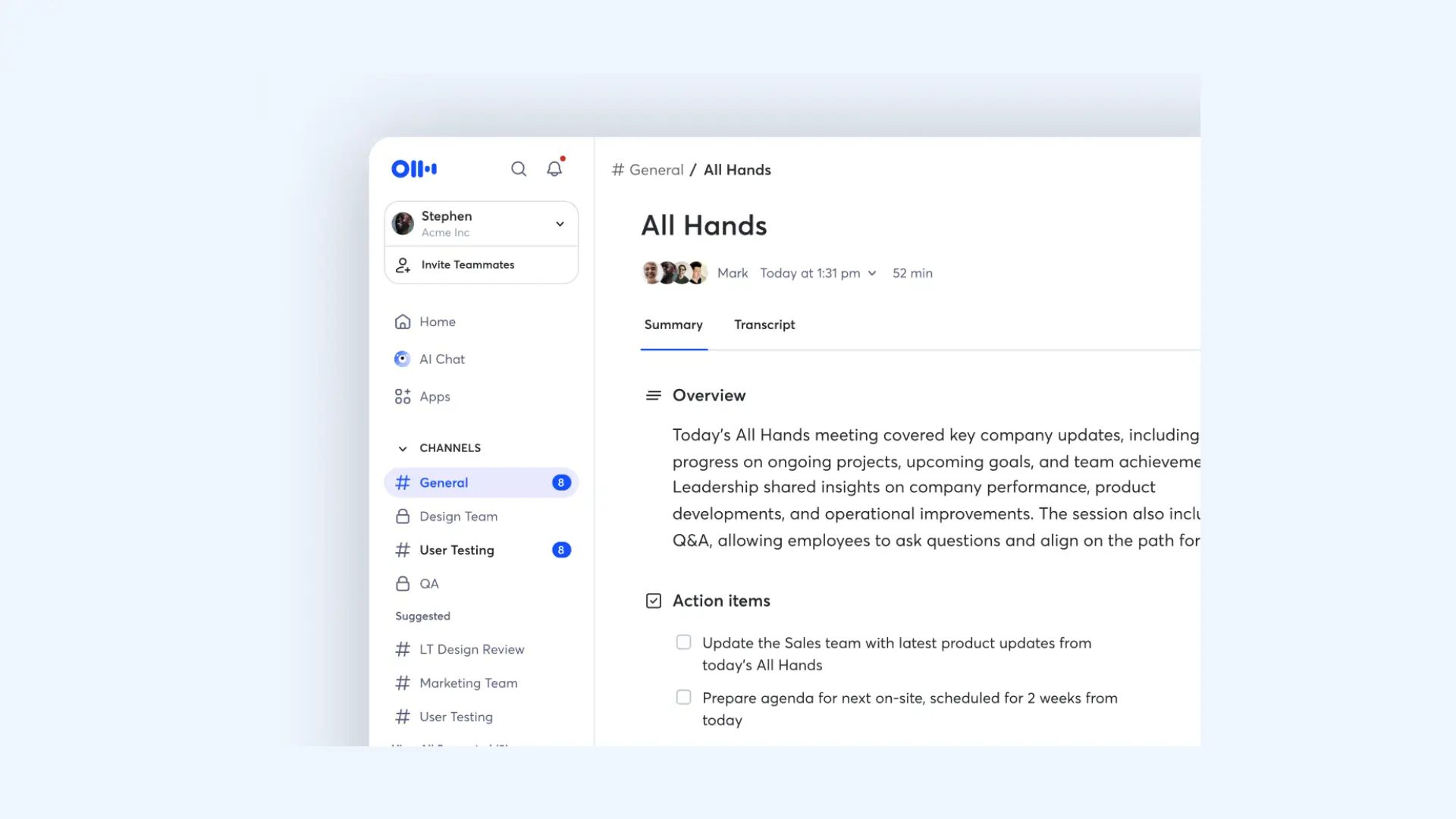
Otter is one of the most well-known AI note-taking apps designed to capture spoken conversations and turn them into structured notes automatically. The platform generates real-time transcripts, highlights key points, and creates summaries that make conversations easier to review later. I’ve used it for transcribing meetings and lectures, and what impressed me most was how efficiently it extracts the most important insights from long recordings.
Key features:
- Real-time AI transcription: Generates live text for meetings, interviews, and lectures with high speed and accuracy.
- OtterPilot™ meeting assistant: Automatically joins your Zoom, Google Meet, or Microsoft Teams calls (even if you're running late) to record audio, capture shared slides, and write notes.
- Otter AI Chat: A built-in assistant you can message during or after a meeting. You can ask it to "write a follow-up email" or "list the action items," and it pulls the answers directly from the transcript.
- Custom vocabulary: You can teach the AI specific industry jargon and names to ensure higher accuracy in specialized fields.
- Multi-platform sync: Syncs recordings and transcripts across devices so you can access, search, and edit notes from your phone, tablet, or desktop anytime.
Pros
- Excellent "set and forget" automation with calendar integration
- The AI Chat is surprisingly good at drafting post-meeting emails
- Live captions are a great accessibility feature for remote teams
Cons
- Limited language support compared to other alternatives
- Free plan only allows for 3 lifetime audio/video file imports
Pricing:Free plan available. Paid plans start at $8.33 per user per month billed annually.
Final verdict: Otter is ideal for people who want their conversations automatically documented and organized without changing how they run meetings or interviews.
3. Fireflies
Best for: Sales teams who need deep CRM integration and advanced search across thousands of meetings.
G2 rating:4.7/5
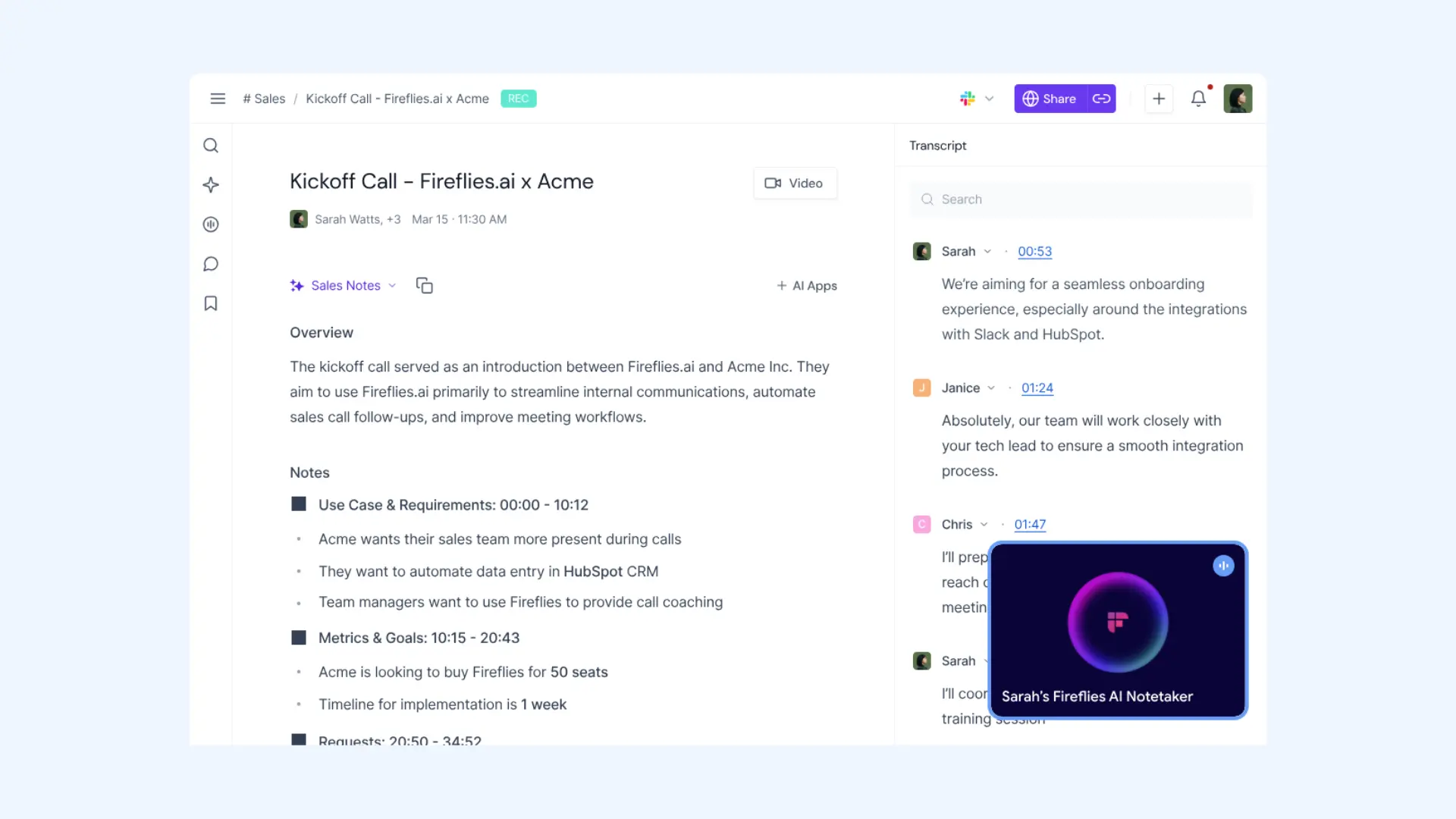
Fireflies feels like a searchable database for your entire company’s conversations. It is specifically built for professionals, offering "Conversation Intelligence" that tracks speaker sentiment, talk-to-listen ratios, and even custom topics like "competitor mentions" or "pricing objections." Its AI assistant, AskFred, acts like a specialized researcher that can answer questions about any past meeting or draft follow-up content based on the discussion.
Key features:
- Meeting capture: Automatically joins Zoom, Google Meet, and Microsoft Teams calls to record, transcribe, and summarize discussions.
- AskFred AI assistant: You can chat with Fred to fact-check claims, summarize specific segments, or even draft a LinkedIn post based on the meeting’s transcript.
- CRM integrations: Automatically logs meeting notes, transcripts, and recordings directly into platforms like Salesforce, HubSpot, and Slack.
- Smart search: Lets you search across thousands of meeting transcripts by keyword, speaker, or topic and jump directly to the exact moment in the recording.
- Topic tracker: Allows you to define specific keywords (e.g., "pricing" or "roadmap") so you can see exactly how often those subjects come up across your team's calls.
Pros
- Great for teams handling a high volume of meetings
- Excellent CRM integrations for sales teams
- Conversation analytics that reveal patterns in team calls
Cons
- Some analytics features require higher-tier plans
- Bot joining meetings may not suit all teams
Pricing:Free plan available. Paid plans start at $10 per seat per month billed annually.
Final verdict: While Fireflies is excellent for teams that need searchable meeting intelligence and deep CRM integration, it can feel like overkill for individuals who just want simple AI note-taking.
4. Bluedot
Best for: Recording meetings without a bot and generating AI summaries automatically.
G2 rating:4.8/5
If you find meeting bots intrusive or distracting, Bluedot is your best alternative. Unlike Otter or Fireflies, Bluedot uses a browser extension to record directly from your screen, meaning no bot appears in the guest list. I like this privacy-focused approach and how it captures meetings quietly in the background without interrupting the flow of the conversation.

Key features:
- Bot-free recording: Uses a Chrome extension or desktop app to capture audio and video directly from your browser or system.
- AI meeting notes: Generates structured summaries with key decisions, action items, and highlights shortly after the meeting ends.
- Adaptive AI summaries: Offers custom templates tailored to different meeting types (e.g., sales, recruitment, or daily stand-ups) so the AI knows exactly what information to prioritize.
- Team workspace: Organizes recordings and summaries in a shared workspace where teams can review, comment on, and manage meeting insights.
- Meeting clips: Lets you create short shareable clips from specific moments in a conversation for quick collaboration with teammates.
Pros
- Keeps meetings natural without an extra participant joining
- Notes are well-structured and easy to skim afterward
- Simple interface with minimal setup
Cons
- Less powerful search compared to conversation intelligence tools like Fireflies
- Browser/desktop dependent (you have to start the recording manually using the extension or app)
Pricing:Free plan available. Paid plans start at $14 per member per month billed annually.
Final verdict: Bluedot is the perfect app for professionals who want high-quality AI summaries and notes without the social awkwardness or privacy concerns of a visible meeting bot.
5. Krisp
Best for: Crystal-clear meetings with AI noise cancellation and automatic meeting notes.
G2 rating:4.6/5
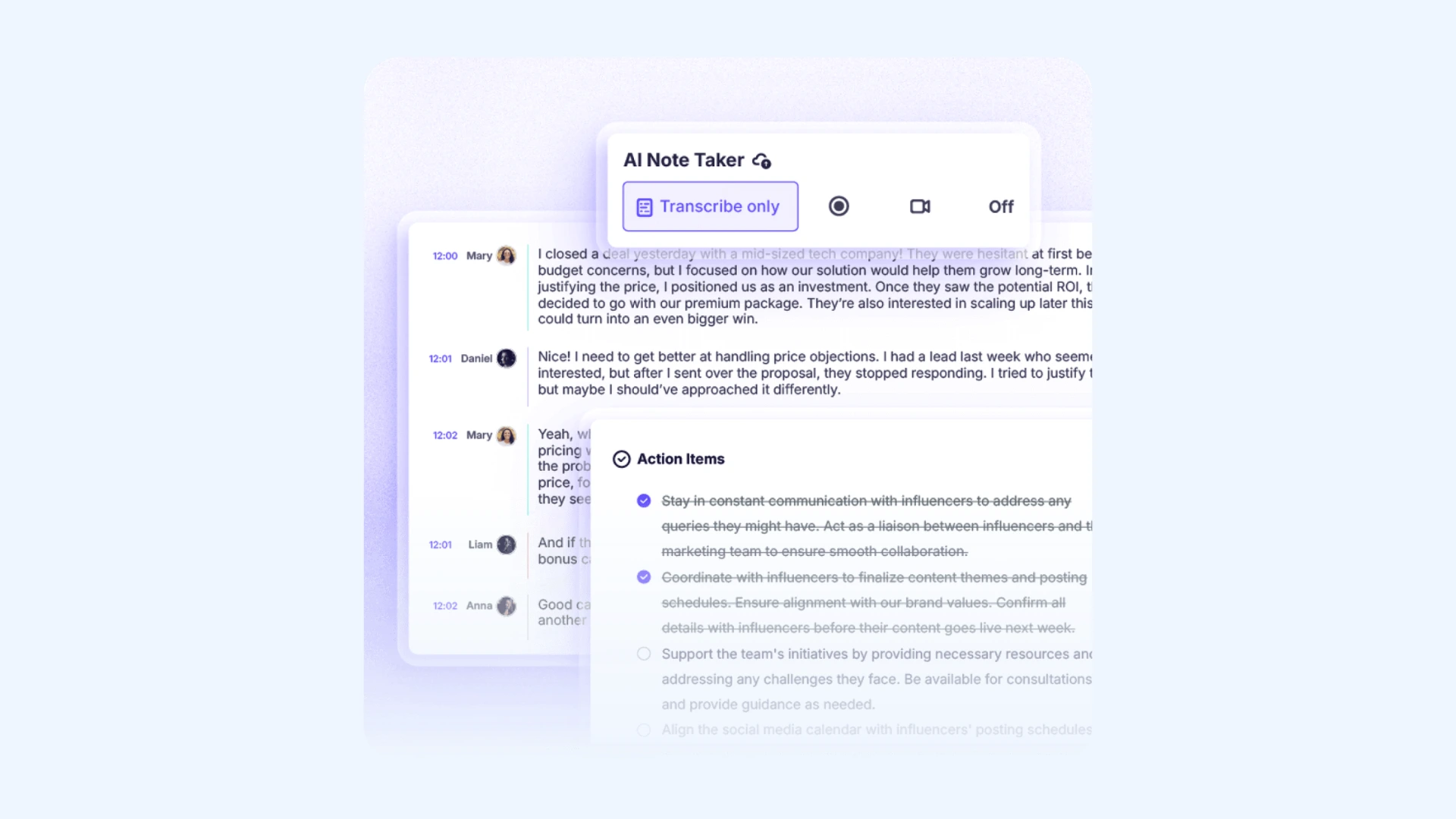
Krisp originally made a name for itself as the world’s best noise-canceling software, but over time, it has also evolved into a capable AI note taker. It now automatically records, transcribes, and summarizes meetings while cleaning up background noise in real time. This makes both conversations and recordings much clearer, resulting in more accurate transcripts and easier-to-review meeting notes.
Key features:
- Two-way noise cancellation: Uses AI to remove background noise (barking dogs, crying babies, or keyboard clicks) from both your end and the other participants' end.
- AI meeting notes: Automatically records meetings and generates transcripts, summaries, and action items after the call ends.
- Live transcription: Converts conversations into real-time transcripts so you can follow and review discussions during the meeting.
- Accent conversion: Uses AI to adjust and clarify accents in real time so speech is easier for others to understand.
- On-device processing: Processes audio locally on your device to improve privacy and reduce reliance on cloud processing.
Pros
- Improves both meeting quality and note accuracy at the same time
- Works across most meeting platforms without complicated setup
- Helpful for remote teams working in noisy environments
Cons
- Pricing can feel high if you only need note-taking features
- Meeting notes features are newer than some competitors
Pricing:Free trial available. Paid plans start at $8 per user per month billed annually.
Final verdict: Krisp is a great choice if you want cleaner calls and reliable AI meeting notes in one tool, but it may be unnecessary if you only need basic transcription.
6. Tactiq
Best for: Google Meet users who want real-time note-taking via a browser extension.
G2 rating:4.3/5
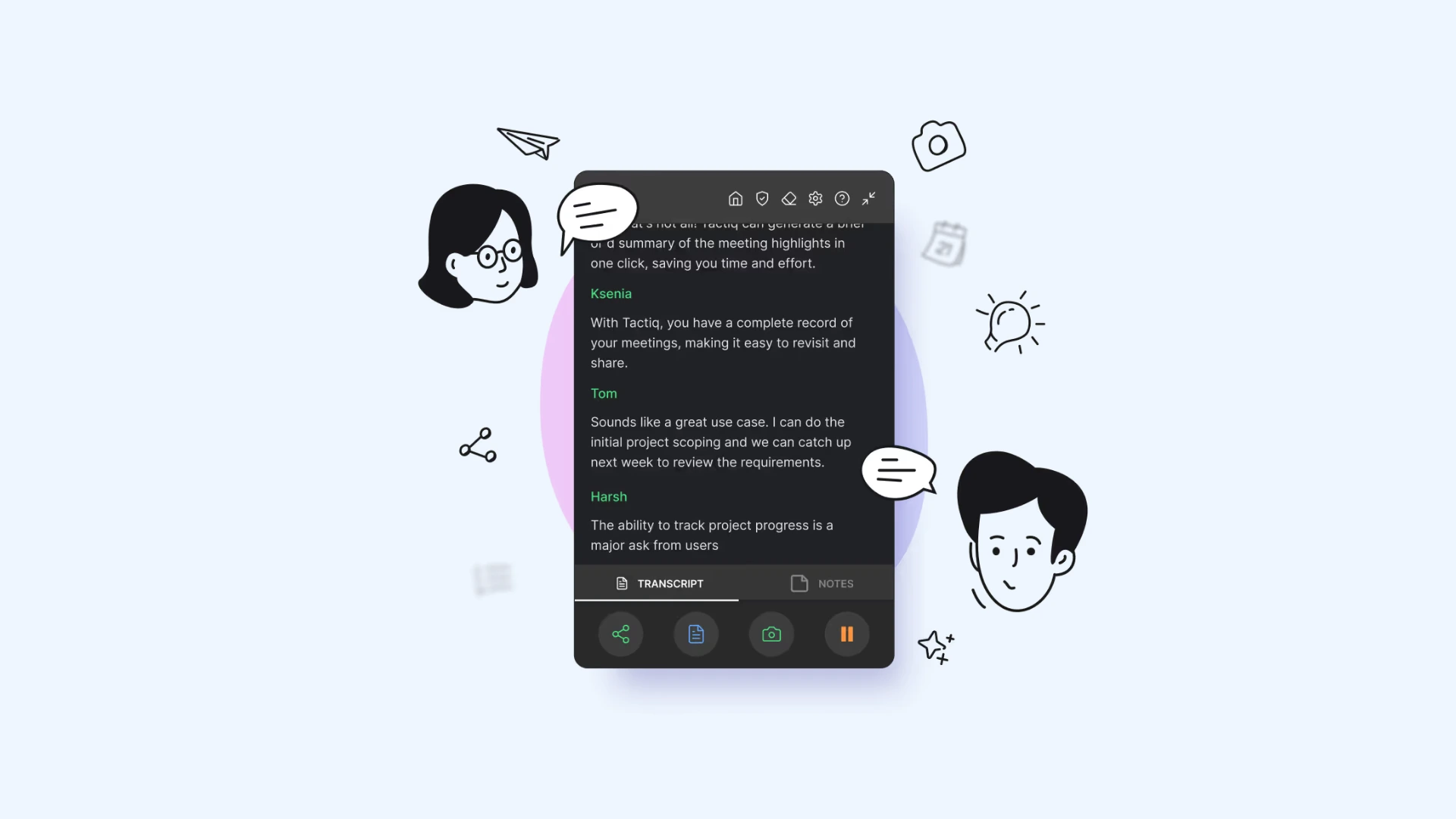
Tactiq is a lightweight, browser-based assistant that works without a bot joining your meeting. Instead, it runs as a Chrome extension that captures live transcripts directly from your meeting interface while the call is happening. This simple setup makes it easy to get meeting notes instantly without interrupting the conversation.
Key features:
- Bot-free transcription: Runs directly in your browser to capture text; meaning no external bots ever appear in your call or guest list.
- In-meeting AI highlights: Allows you to highlight key moments or tag action items manually while the meeting is still in progress.
- Real-time AI summaries: Generates instant summaries, follow-up emails, and next steps the moment you hang up.
- Screenshot capture: Lets you snap a screenshot of a shared slide or presentation directly into the transcript for visual context.
- One-click exports: Pushes your finished notes and action items to Notion, Slack, Google Docs, or your preferred CRM.
Pros
- Very easy to install and start using within minutes
- Clean and minimal interface with little learning curve
- Useful for quick internal meetings and daily stand-ups
Cons
- No audio recording (meaning you can’t replay the meeting to verify tone or exact wording)
- Speaker identification can be inconsistent in large meetings with many participants
Pricing:Free plan available. Paid plans start at $8 per user per month billed annually.
Final verdict: Tactiq is a great option for Google Meet users who want fast, bot-free transcripts and simple AI notes, though it’s less suitable if you need full recordings or deeper meeting analytics.
7. tl;dv
Best for: Recording meetings, interviews, and demos while creating shareable highlights and summaries.
G2 rating:4.7/5
While many AI note taker tools focus purely on text, tl;dv (short for "too long; didn't view") is a video-first platform. It records meetings and lets you create timestamped highlights so you can quickly revisit the most important moments without rewatching the entire call. I’ve found this especially useful for interviews, where seeing the exact moment something was said adds valuable context.
Key features:
- Video-centric documentation: Captures high-definition video alongside the transcript.
- One-click highlighting: Lets you mark important moments during the meeting so you can instantly create timestamped highlights in the recording and transcript.
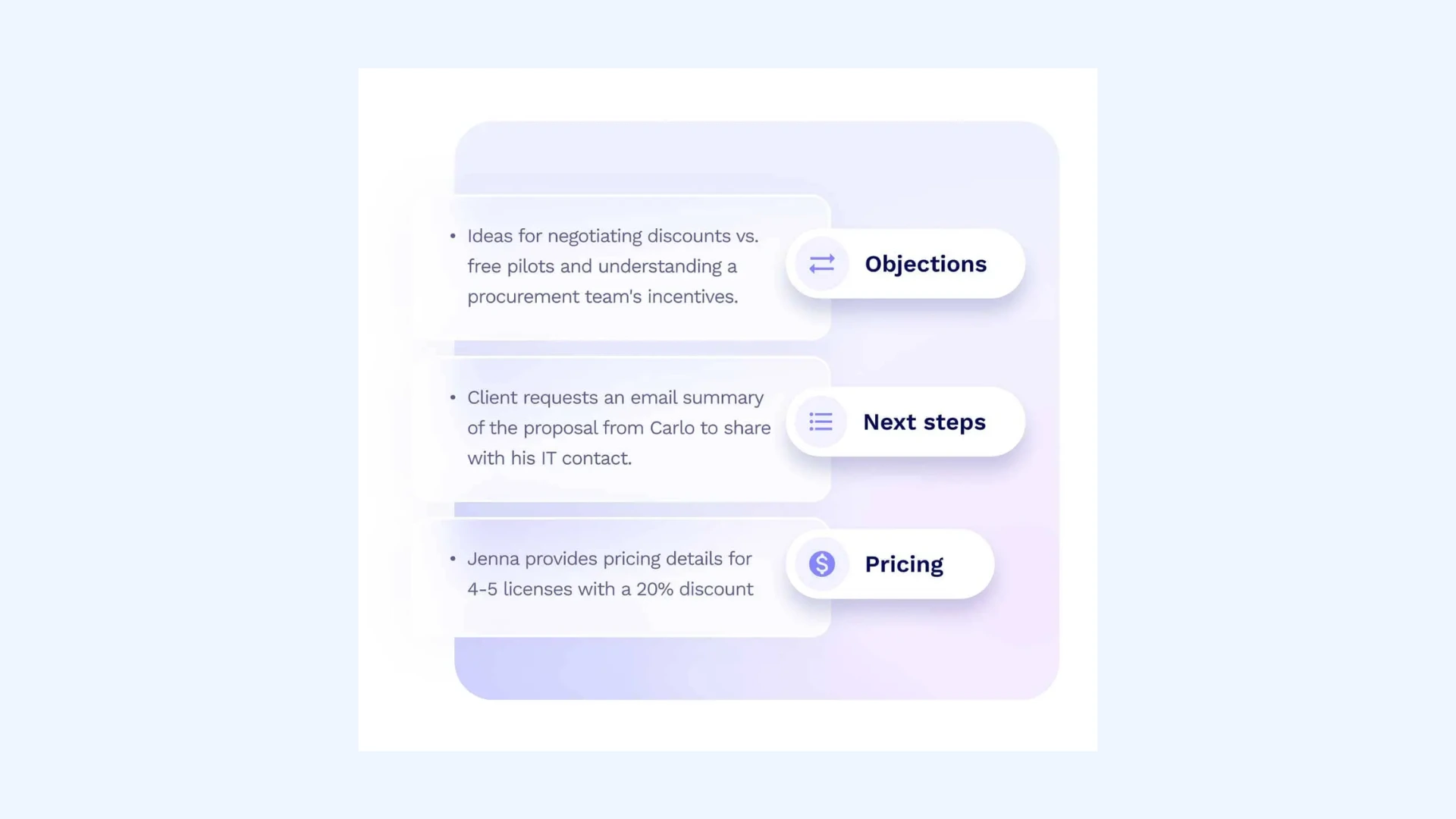
- AI meeting summaries: Automatically generates concise summaries with key takeaways, decisions, and action items after the meeting.
- Meeting clips: Allows you to turn highlighted moments into short video clips that can be easily shared with teammates.
- Integrations: Connects natively with Slack, Notion, and HubSpot for easier collaboration.
Pros
- Free plan is generous compared to many competitors
- Makes sharing specific parts of meetings quick and effortless
- Very useful for documenting interviews, demos, and customer calls
Cons
- Strict AI features on free tier
- Free recordings aren't permanent and vanish after three months
Pricing:Free plan available. Paid plans start at $18 per seat per month billed annually.
Final verdict: tl;dv is an excellent choice if you rely on video context and want to share key meeting moments quickly, but it may feel excessive if you only need simple written notes.
8. Fellow
Best for: Teams that want meeting notes, agendas, and action items organized in one collaboration platform.
G2 rating:4.7/5
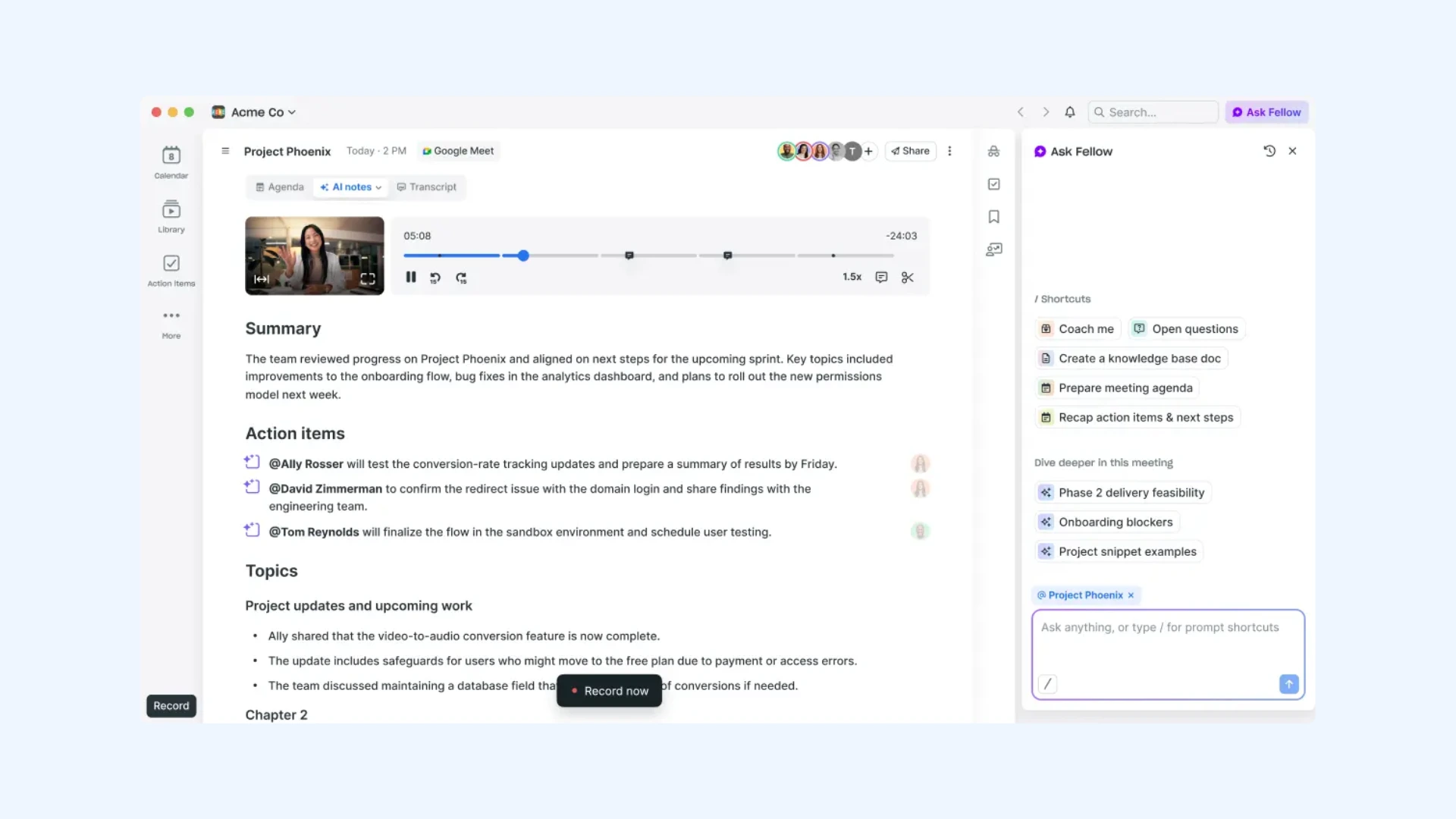
Besides being one of the best AI note taker apps, Fellow can also be considered as a complete meeting productivity system. It helps teams plan agendas, capture notes during discussions, and track action items afterward, keeping the entire process organized in one place. Plus, it now offers both bot-free recording and traditional meeting bot options, giving teams flexibility depending on how they prefer to capture their meetings.
Key features:
- AI meeting notes: Automatically records and summarizes meetings with key takeaways and action items.
- Action item tracking: Turns discussion points into assigned tasks that can be tracked after the meeting.
- Collaborative meeting agendas: Lets participants add talking points, notes, and files before the meeting so everyone comes prepared.
- Ask Fellow: A powerful AI assistant that answers questions about past meetings, tracks long-term project sentiment, and drafts follow-up emails.
- Meeting analytics: Provides deep insights into meeting habits, such as "talk time" and adherence to agenda best practices.
Pros
- Generates clear, well-structured meeting notes that are easy to review
- Keeps notes, agendas, and follow-ups connected in one place
- Automatically turns discussions into organized action items
Cons
- Can feel heavy for users who just want simple transcription
- Less focused on interview and content recording use cases
Pricing:Free plan available. Paid plans start at $7 per user per month billed annually.
Final verdict: Fellow is better suited for organized team environments than casual note-taking due to its structured approach to meetings, agendas, and action items.
9. Fathom
Best for: Individuals and small teams looking for a completely free, unlimited AI note-taker with premium features.
G2 rating:5/5
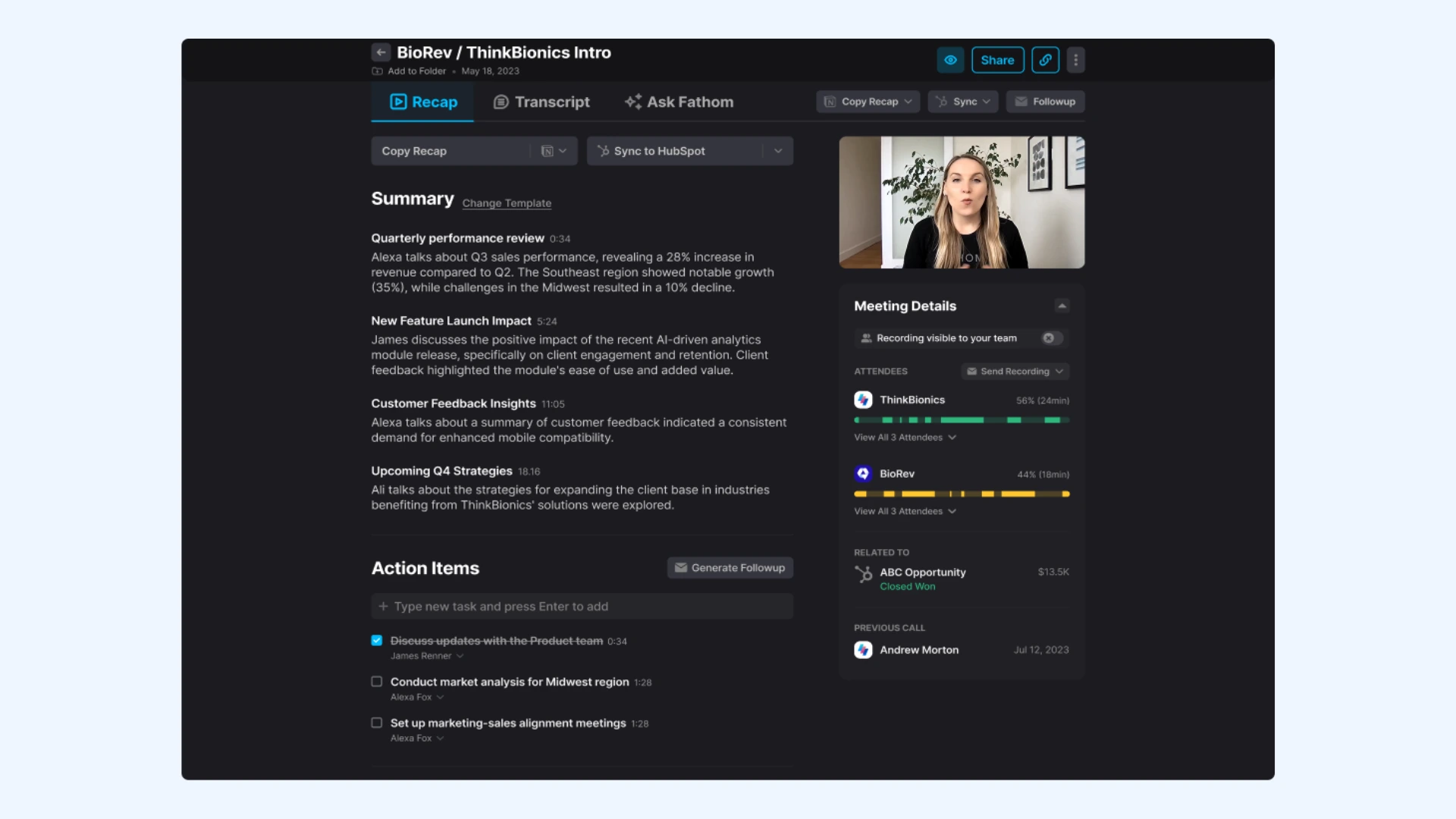
Fathom has a unique place in the AI note-taking space by offering a truly "free forever" model that doesn't sacrifice quality. While many competitors gate their best features behind monthly subscriptions, Fathom provides unlimited recording and transcription at no cost. What I like most is its simplicity and fast summary generation that turns long discussions into clear notes within seconds.
Key features:
- Truly unlimited free recording: Doesn't limit the number of meetings you can record or transcribe each month.
- Instant AI summaries: Automatically generates structured notes with key takeaways, decisions, and action items right after the call.
- Auto follow-ups: Creates ready-to-send summaries and recap emails based on the meeting discussion.
- Ask Fathom: A conversational AI assistant that lets you query your entire meeting history (e.g., "What was the client’s feedback on the latest presentation?").
- CRM sync: Pushes meeting notes and summaries directly into tools like Salesforce and HubSpot.
Pros
- One of the most generous free plans among AI note-takers
- Simple interface that’s easy for new users to adopt
- Very fast at generating clear post-meeting notes
Cons
- Advanced collaboration features require upgrading to the Team plan
- Desktop-focused recording means meetings joined from mobile devices can’t be captured natively
Pricing:Free plan offers unlimited meeting recordings and transcriptions. Paid plans start at $15 per month per used billed annually.
Final verdict: Fathom is one of the best free AI note takers available, making it perfect for individuals and small teams who don't want to pay for premium meeting transcription tools.
10. Granola
Best for: Professionals in back-to-back meetings who want to quickly turn messy bullet points into polished notes.
G2 rating:4.8/5
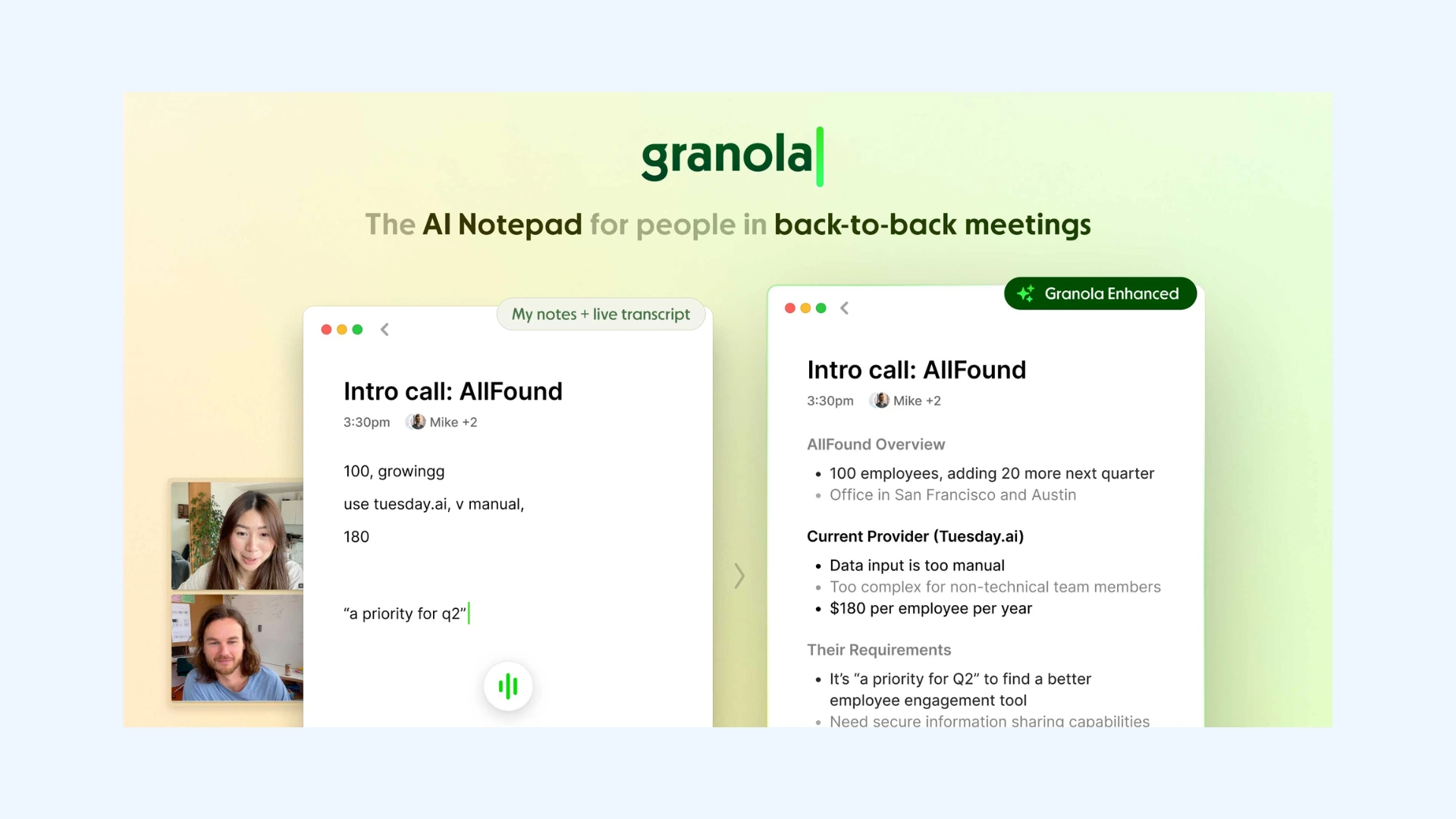
Granola takes a different approach from most AI note-taking apps. During meetings, you can jot down rough bullet points, and the tool's AI expands them into clear, well-written notes you can instantly share with others. I like how this keeps you engaged in the conversation while still producing polished documentation afterward.
Key features:
- Live note-taking interface: Lets you type quick thoughts during the conversation without worrying about formatting.
- Automatic meeting context: Uses audio from the meeting to understand the discussion and improve the generated notes.
- No-bot approach: Works quietly on your device without sending a recording bot into the meeting, keeping the call natural and distraction-free.
- Custom templates: Allows you to create reusable note structures for different meeting types like stand-ups, client calls, or project updates.
- Integrations: Connects with tools like Slack, Notion, and Google Docs so you can easily share and store notes.
Pros
- Great for fast-paced meeting schedules
- Notes that stay authentic (because the AI expands on your own bullet points)
- Built-in “Jargon-Buster” that recognizes company terminology and technical language
Cons
- May not suit users who prefer fully automated note-taking
- You must manually start note-taking since the app doesn’t auto-join meetings
Pricing:Free plan available. Paid plans start at $14 per user per month.
Final verdict: Granola is the best choice if you still want to take notes but also want an AI assistant to do the heavy lifting of formatting the final draft.
Common Use Cases for AI Note-Taker Apps
While AI note-taker apps are commonly associated with meetings, they're useful anywhere conversations need to be captured and organized quickly. From interviews and research to lectures and customer calls, here are some of the most common use cases.
Meetings and Team Collaboration
AI note-taker apps are most commonly used for internal meetings, stand-ups, project reviews, and client calls. They automatically record discussions, generate summaries, and extract action items so teams can focus on the conversation instead of taking notes.
🔒 Best for privacy: Granola (invisible, bot-free recording)
🌍 Best for global teams: Maestra (live meeting translation in 125+ languages)
📋 Best for project management: Fellow or Fireflies (deep integration with team tasks)

Interviews and User Research
For journalists, recruiters, and researchers, AI note-taker apps can transcribe interviews and highlight key insights. Video-based tools are particularly useful here because they preserve tone, facial expressions, and context.
🎥 Best for video clips: tl;dv (easy to share "reels" of user feedback)
🏷️ Best for live tagging: Tactiq or Otter (perfect for marking insights as they happen)
Sales and Customer Calls
Sales teams often rely on AI note-takers to track customer objections, pricing discussions, and product feedback. Conversation intelligence tools can also analyze patterns across calls and automatically log notes into CRMs.
⚡ Best for automation: Fireflies or Fathom (syncs structured notes to your deal pipelines instantly)
🧩 Best for minimalist workflows: Bluedot (bot-free and stays out of the way)

Lectures, Webinars, and Training Sessions
Students, educators, and professionals attending webinars or training sessions can use AI note-takers to automatically capture transcripts and generate summaries of long presentations.
💬 Best for real-time captioning services: Maestra (perfect for fast-paced lectures and live webinar translation)
🎧 Best for noisy environments: Krisp (ensuring your recording is clear even in a crowded place)
The AI-powered Meeting Assistants Market size is expected to be worth around USD 24.6 Billion by 2034, growing from USD 2.68 Billion in 2024, at a CAGR of 24.80% during the forecast period from 2025 to 2034.
Conclusion
AI note taker apps are still developing quickly, and the tools on this list are only a glimpse of where this technology is heading. Future versions are expected to move beyond “after-the-fact” summaries to even more sophisticated real-time communication assistance and autonomous action execution.
Until then, the best strategy is to choose a tool that aligns with your specific meeting needs, whether that means bot-free simple note-taking, deep CRM integrations, or AI-powered translation. The right AI note taker should reduce manual work, capture reliable meeting notes, and fit naturally into the way you already run conversations.
Frequently Asked Questions
What is the most accurate AI note taker app?
Maestra is one of the most accurate AI note taker apps as it combines advanced speech recognition with real-time transcription and translation across 125+ languages. Its system can capture conversations clearly even when multiple speakers are involved, helping generate reliable meeting notes. Other tools like Otter and Fireflies are also highly accurate, especially for meetings and interviews.
What is the best AI note taker app for AI summaries?
If your main priority is AI-generated summaries, several tools stand out. Fathom, Fireflies, and Otter can automatically extract key points, decisions, and action items from meeting transcripts. Maestra also supports live and on-demand transcription and can generate AI summaries after the meeting.
Is there an AI note taker app that offers unlimited meeting recordings?
Yes, some AI note taker apps offer unlimited meeting recordings. For instance, Fathom includes unlimited video recordings and transcripts even on its free tier, though some advanced AI features are reserved for paid plans. This makes it a strong option if you attend many meetings regularly.
What is the best AI note taker app for in-person meetings?
For in-person meetings, the best AI note taker apps are usually tools that can record audio directly from your device rather than joining a call as a bot. Apps like Granola or Krisp work well because they capture conversations locally and generate meeting notes afterward. This makes them practical for interviews, brainstorming sessions, or discussions happening in the same room.
What is the best AI note taker app for Android?
Otter’s Android app is a great choice due to its reliability and ease of use. Fireflies is another good option if you prioritize searchable intelligence and want to review meeting insights across multiple devices. If you're frequently in noisy environments, Krisp's Android app can be the right solution for you.
What is the best AI note taker app for iPhone?
Otter is one of the best AI note taker apps for iPhone because its iOS app is stable, easy to use, and supports real-time transcription. Granola is also a standout option if you prefer a bot-free experience, as its native iOS app can record phone calls and in-person conversations with incredible clarity. Fireflies is another strong choice if you want to analyze conversations from your iPhone.
Is it legal to use AI note taker apps?
Yes, using AI note taker apps is generally legal, but the rules depend on local recording laws. In many regions, you must inform participants that the meeting or conversation is being recorded. To avoid legal or ethical issues, it’s best to always ask for consent before using an AI note-taking tool.