Chaitanya P.
Managing Director"Master the Media with Maestra"
The best side of this product is auto subtitling. And most importantly, it supports multiple languages.
Read full reviewGenerate a Greek voice over for any video with AI dubbing.
MP4, MOV, AVI, MP3, WAV, SRT…
Sign up to export your dubbed file.
Sign up nowYouTube, Vimeo, Google Drive, or a direct media URL
Sign up to export your dubbed file.
Use your microphone
Sign up to export your dubbed file.
Live translation from spoken audio, transcribed and translated as you speak.
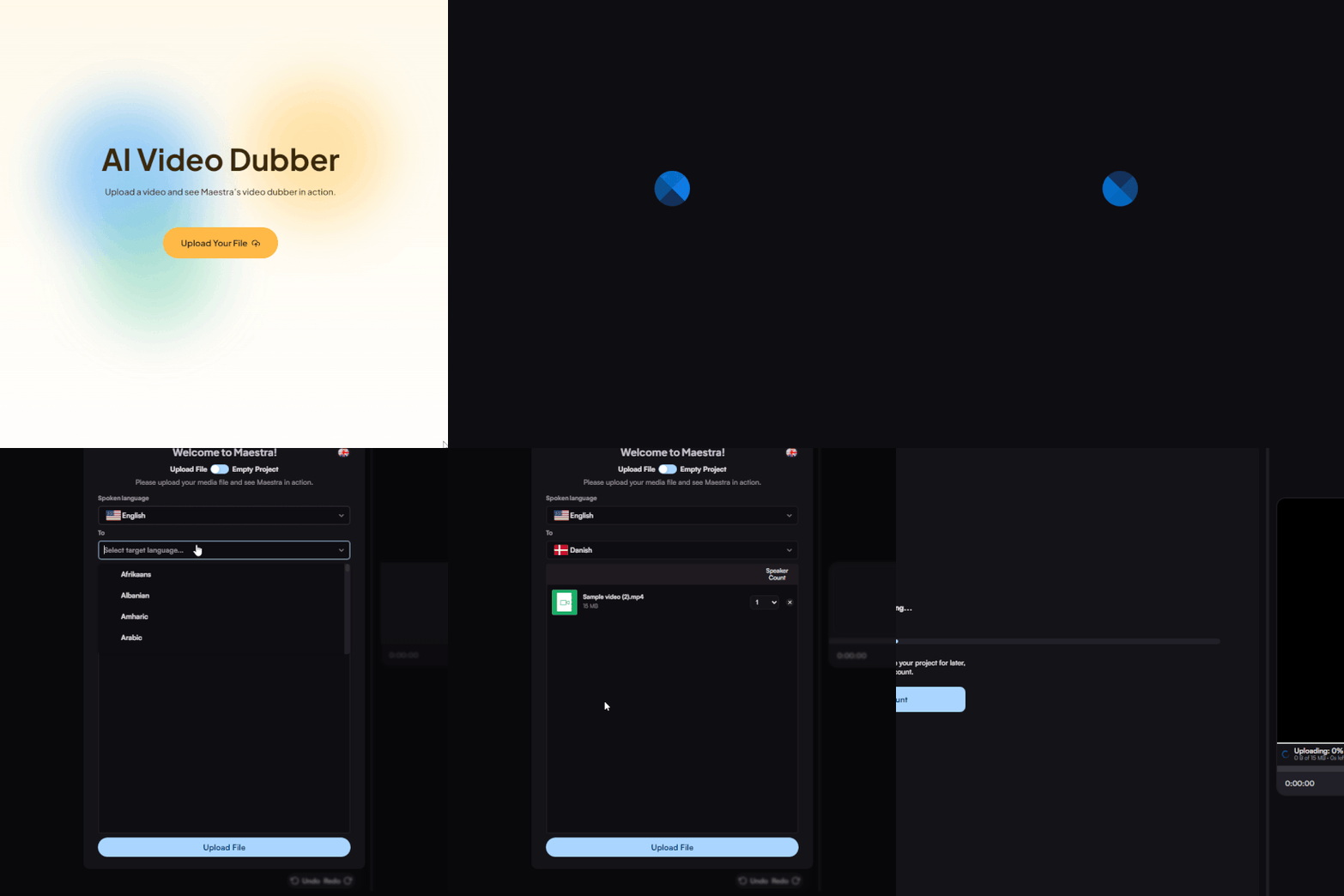
Upload a video file from your device or import the video from another platform. Select the source language and set Greek as the target.
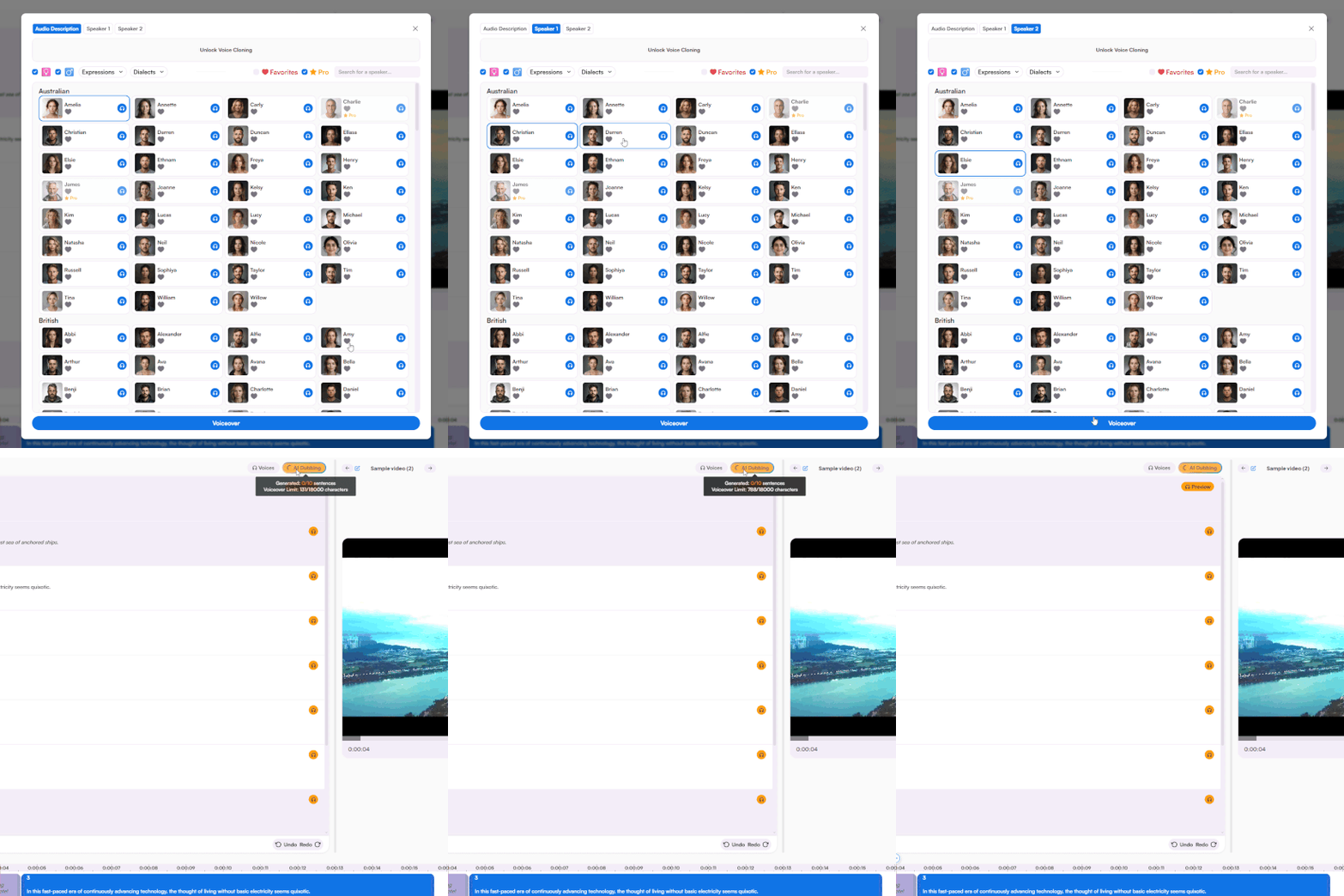
Choose a Greek AI voice for each speaker or use voice cloning. Generate the voiceover, then fine-tune anything you need in the editor.
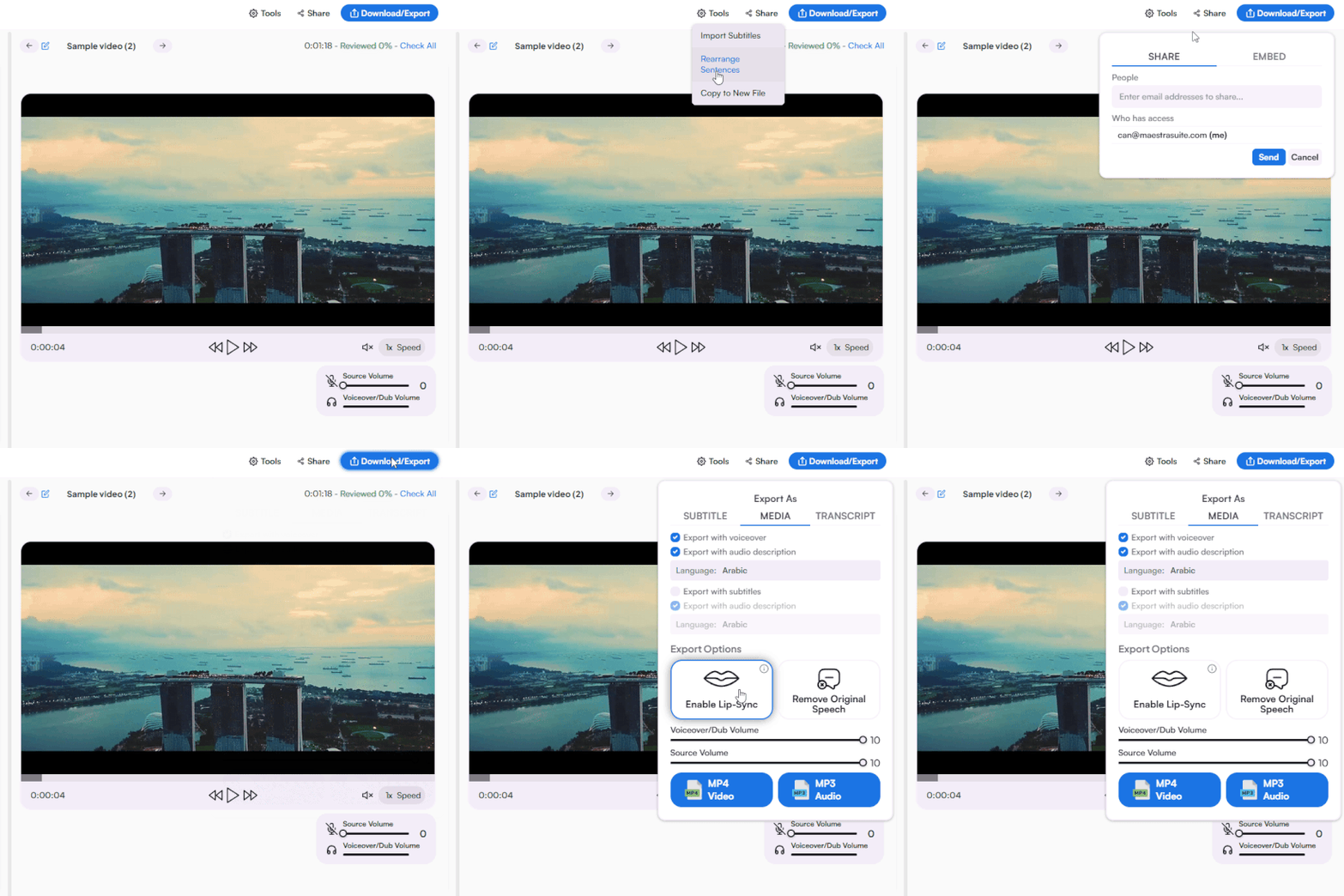
Export the voiceover with or without subtitles, send it to your team for review, or publish directly to your website.
Yes. You can generate a Greek voice over for a portion of your video to evaluate the AI voices, accuracy, and export quality. For full access, you can check available plans on Maestra's Pricing page.
Start by uploading a file or pasting a link, and choosing source and target languages. Once Maestra processes and translates your video, you can assign a Greek AI voice to each speaker, generate the dub, and refine the output in the editor before exporting.
Most videos are processed and translated in minutes, depending on file length. Voice synthesis adds a few more minutes once voices are assigned. This is considerably faster than hiring Greek voice talent, which often takes days or weeks.
Maestra's Greek voice over generator relies on advanced speech synthesis to produce output that closely resembles native speakers. You can fine-tune any line in the editor manually or use the AI rewriting feature to sharpen the phrasing.
Yes. Maestra's AI voice cloning feature captures the original speaker's vocal traits and reproduces them in Greek, so the dubbed version still sounds like the same person. This is especially valuable for creators and businesses looking to localize content without losing their brand identity.
Yes. Maestra's AI lip sync feature matches the Greek audio to the speaker's on-screen mouth movements. This is especially useful if your video features a presenter, instructor, or anyone speaking directly to the camera.
Yes. Every Greek AI voice on Maestra is licensed for commercial use, including advertising, branded content, e-learning, customer-facing videos, and beyond.
Yes. You can set the playback speed in the editor with a single click. You can also fine-tune characters per second for precise pacing control.
Yes. Just switch on subtitles during export and they'll sync to the Greek dubbed audio. You can also download them separately as SRT, VTT, or other formats if needed.
Yes. Upload the movie file or paste a link and choose Greek as the target language. Once Maestra transcribes and translates the dialogue, you can generate a Greek voice over for each character with selectable speaking styles.
Maestra supports MP4, MP3, WAV, MOV, and many more. You can export your dubbed Greek video or audio as MP4 or MP3, and download subtitles in SRT, VTT, or other formats. For a full list of file formats, you can visit Maestra's Supported Formats page.
Yes. You can download the dubbed Greek audio as a standalone MP3 file. This can be handy for audiobooks, podcasts, narration, or other audio-only needs.
Yes. All uploads are encrypted in transit and at rest. Your content is never shared with third parties or used for model training. For full details, you can see Maestra's Privacy Policy.
Yes. Maestra has a standalone Greek text to speech tool for converting scripts into spoken Greek audio. Just paste your text into the tool to generate the audio without needing a video file.