10 Best Real-Time Captioning Services for Any Use Case (Free & Paid)
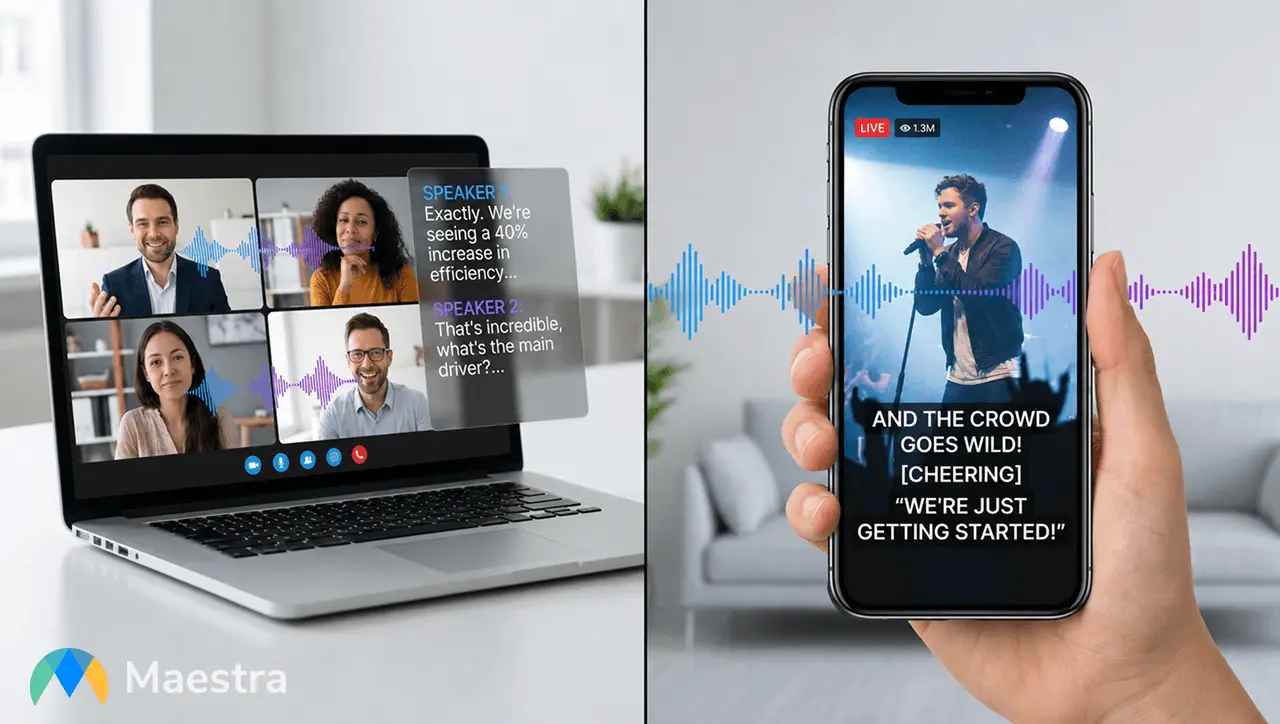
It's great that real-time captioning shows up in almost every situation now: meetings, classes, livestreams, and everyday conversations. But "captioning" isn't one uniform thing. Sometimes you just need quick speech-to-text, sometimes you need full translation, and sometimes you need captions accurate enough to go on a screen at a live event. This guide breaks those use cases apart so you can figure out which tools actually fit your needs.
Below, you’ll find what really matters when choosing a captioning tool, along with side-by-side comparisons of the ones that consistently perform well. Whether you want something free and simple or something reliable enough for a crowded conference hall, these best real-time captioning services help you quickly narrow down the choices and pick the one that makes the most sense for you.
First, here is the shortlist of tools and the situations where they work best:
- Maestra for free, all-around real-time captioning
- Apple Live Captions for iPhone users
- Live Transcribe for Android users
- Otter for meetings
- AI-Media for on-site events
- InterpretCloud for webinars and conferences
- Pixel Chat for streaming
- Genio Notes for education
- Verbit for broadcasts
- CaptionKit for churches
What to Look for in a Real-Time Captioning Service
Before choosing a captioning tool, it helps to be honest about what you actually need. Some tools handle messy conversations better, some shine during events, and some are only useful if you stay in one ecosystem. These are the things that matter most in practice.
How well it handles imperfect audio
Real conversations aren’t entirely clean. People sometimes interrupt each other, talk fast, mumble, sit too far from the mic, or join a call from a car. If a tool totally collapses under anything less than studio-quality audio, it won’t survive real usage.

How fast the captions appear
You’ll feel slow captions before you consciously realize what's wrong. If the text drags behind the speaker, the whole experience becomes unusable. Look for tools where the captions appear as the words are spoken, not half a sentence later.
How many languages it actually supports
You’ll find captioning tools with just a few language options, and others with very broad coverage and real-time voice translation. If your event or content reaches people in different countries, it’s worth paying attention to how wide that support actually is.
Whether it works where you work
This sounds obvious, but it’s the easiest thing to overlook. Does it run in your browser? Does it play nicely with your meeting platform? Does it run on your phone when you're not at your desk? These are the practical checks that make the difference between a tool you rely on and one that never quite fits.
How much setup it requires
There’s a clear advantage to tools that start working immediately versus those that need technical adjustments first. When accessibility is the priority, the fewer steps, the better.

What you get after the live session ends
Depending on the tool, you might walk away with nothing, a basic transcript, or a full set of summaries and highlights. If you reuse your content for teaching, events, or creation, having those extras is genuinely helpful.
Pricing that matches the use case
There are great free options, and there are pricier tools meant for broadcast or enterprise environments. It’s worth checking whether you’re paying for meaningful features such as higher accuracy, real-time translation, support for larger events, and platform integrations.
Top Real-Time Captioning Services Reviewed (AI & Human)
Now that you know what to look for, here’s a quick comparison of the best real-time captioning services, with a focus on critical factors.
| Real-Time Captioning Service | Languages | Platform Availability | AI or Human? | Pricing |
| Maestra | 125+ | Browser, Chrome extension | AI | Free for real-time captioning; paid plans for real-time translation start at $39/month |
| Apple Live Captions | 7 (with regional variants) | iPhone 11+, iPads with A12 or newer, Macs with Apple Silicon | AI | Free (built-in) |
| Live Transcribe | 80+ | Android devices | AI | Free |
| Otter | English, Spanish, French | Browser, iOS, Android, Chrome extension, macOS app | AI | 7-day free trial; paid plans start at $8.33/user/month |
| AI-Media | 48 | Hardware integrations (LED/AV), broadcast systems | AI + Human | LEXI AI (subscription); Human (custom quote) |
| InterpretCloud | 100+ | Browser, custom RTMP | AI + Human | Custom pricing based on the event |
| Pixel Chat | 100+ (via Google API) | Browser overlay (OBS, Streamlabs, Twitch, YouTube) | AI | Free tier available; Pro is $4.99/month |
| Genio Notes | 30+ | Browser, iOS, Android | AI | Custom institutional pricing |
| Verbit | 50+ | Browser, LMS integrations, video platforms | AI + Human | Free trial available; Self-service plan is $24/month; custom Full-service pricing |
| CaptionKit | 60+ | Browser, iOS, Android | AI | Free trial available; Starter plan is $16/month |
1. Maestra: Best for Free All-Around Live Captioning
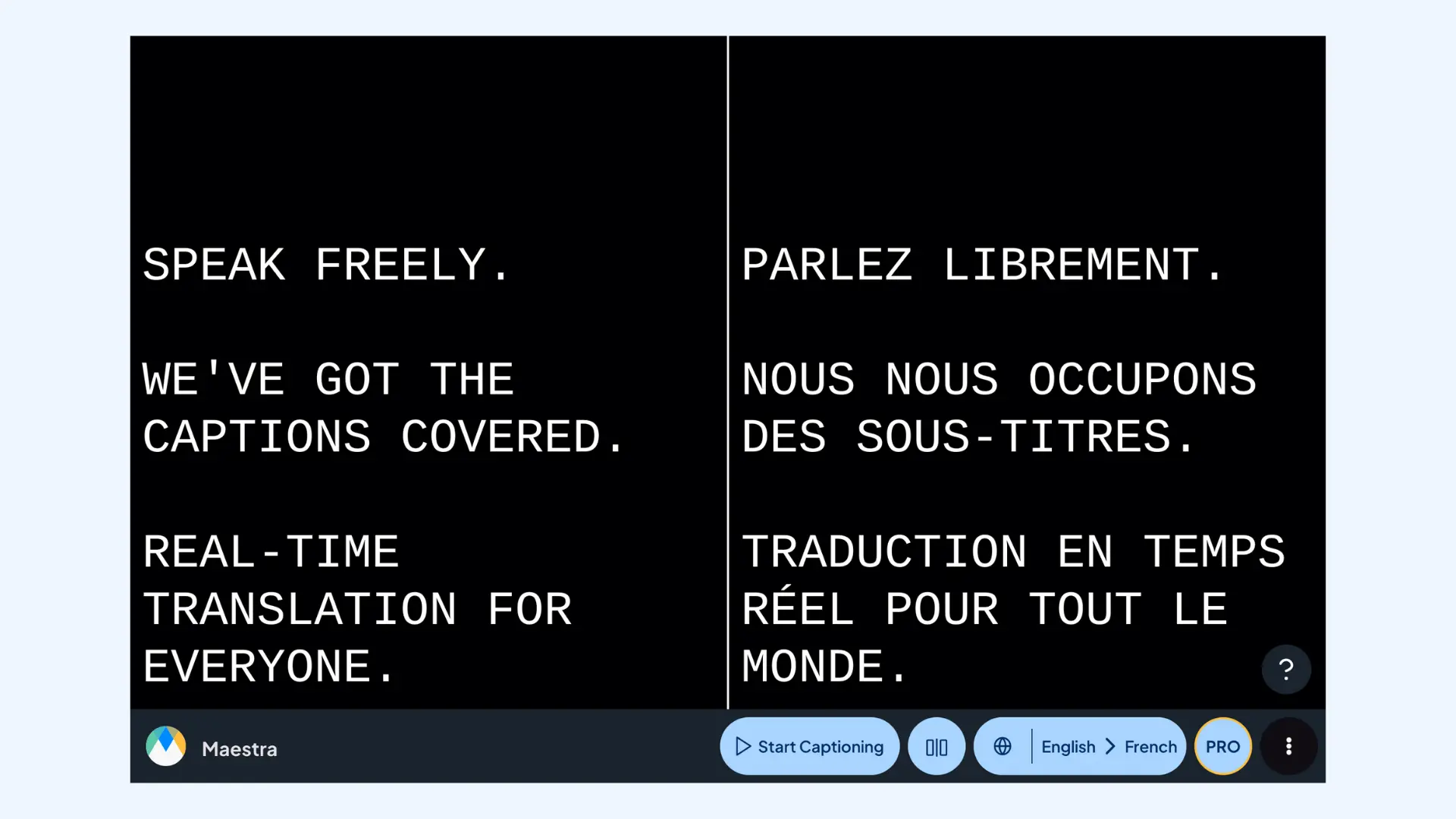
Maestra offers one of the most versatile real-time captioning experiences available today. Its free live transcription app handles instant speech-to-text in the spoken language directly in your browser, with no installation required. For users who need additional flexibility, Maestra also offers a real-time translator with AI interpretation (both caption and voice output) in 125+ languages, making it suitable for everything from everyday use to live events.
Key features:
- Free real-time captioning
- Style customization (fonts, colors, background, size, and placement)
- Integrations with OBS, vMix, Zoom, and Microsoft Teams
- Easy session sharing via a link or QR code
- Post-event transcripts available (with AI features for summarization, repurposing, and editing)
Pros
- Free, unlimited real-time captioning
- Fast and accurate for both personal and professional use
- Perfect for event organizers, educators, and creators who need instant setup
Cons
- No offline mode (requires stable internet)
- Advanced features such as AI repurposing and summarization require a paid plan
🗣️ What users say about Maestra: Users praise the interface for being incredibly intuitive: many mention it is the easiest tool to "just open and use" without a learning curve. On the negative side, some users find the lack of an offline mode limiting, as the tool becomes unusable in venues with poor or unstable Wi-Fi.
- 100% free web captioner
- Free trial for real-time translation available; plans start at $39/month
- Custom enterprise pricing
Get Real-Time Captions for Videos
2. Apple Live Captions: Best for iPhone Users
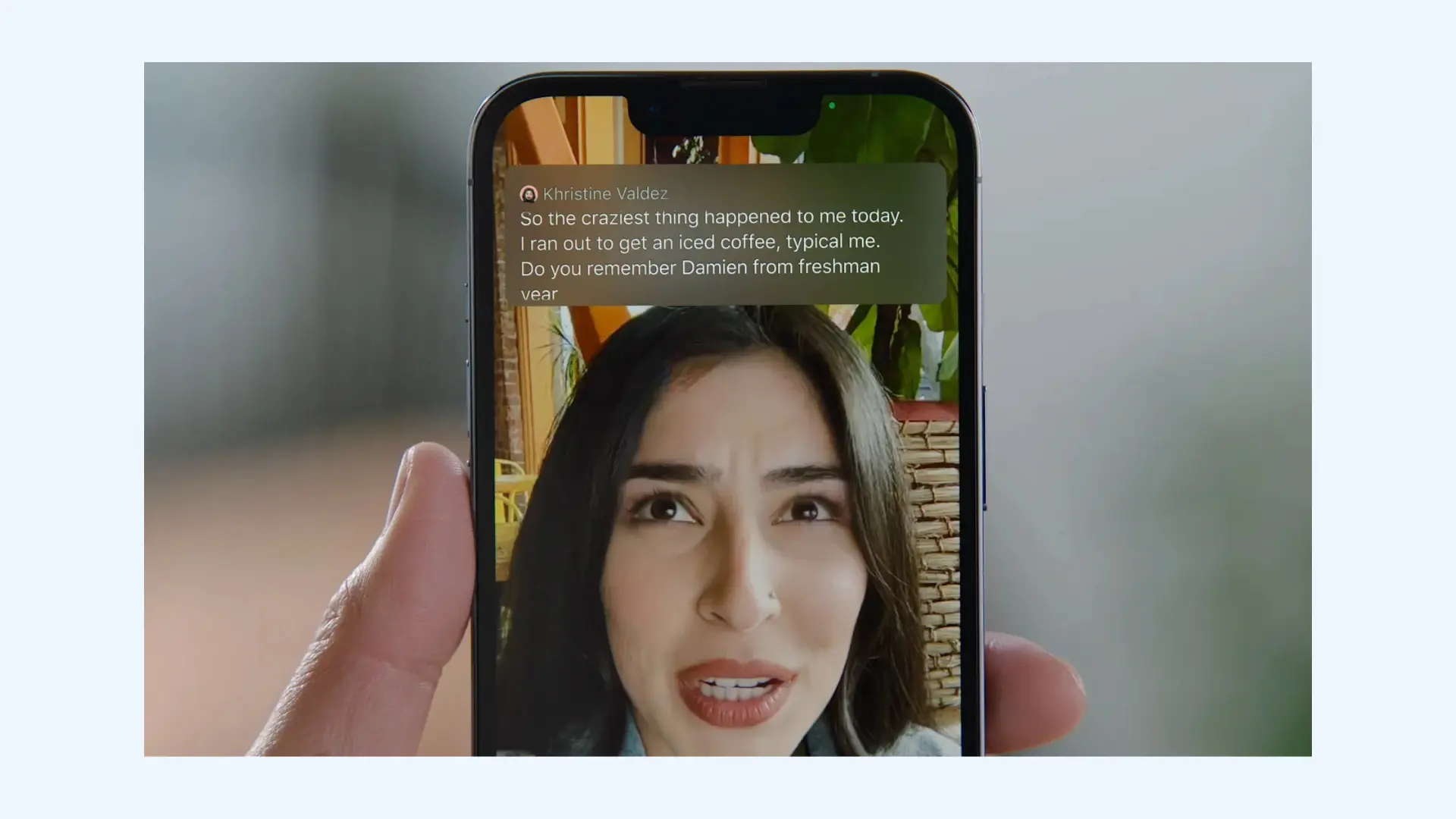
Apple Live Captions is a system-wide accessibility feature built directly into iOS, offering real-time captions for anything your iPhone can hear. It works across apps, FaceTime calls, livestreams, and in-person conversations without requiring any third-party software. For users who want instant, on-device captioning with zero setup, Live Captions is the most convenient option in the Apple ecosystem.
Key features:
- Live Captions in FaceTime, including group calls and video
- Adjustable font size, color, and caption window placement
- On-device processing for improved privacy
- Works in noisy environments thanks to iPhone’s built-in noise reduction feature
- Auto-follow mode that keeps the caption window pinned above active apps
Pros
- Completely free and available on iPhone 11 and later models
- Works automatically across every app without needing to integrate anything
- Great for accessibility on calls, social media, and in-person conversations
Cons
- Limited language support compared to Google's Live Transcribe
- Heavy local processing can drain your battery faster than usual
🗣️ What users say about Apple Live Captions: Deaf and hard-of-hearing users highlight the convenience of captions appearing instantly across apps without setup. The most common criticism is that it is only available on newer devices, leaving users with older but still functional phones without access to the feature.
Pricing: Free.
3. Live Transcribe: Best for Android Users
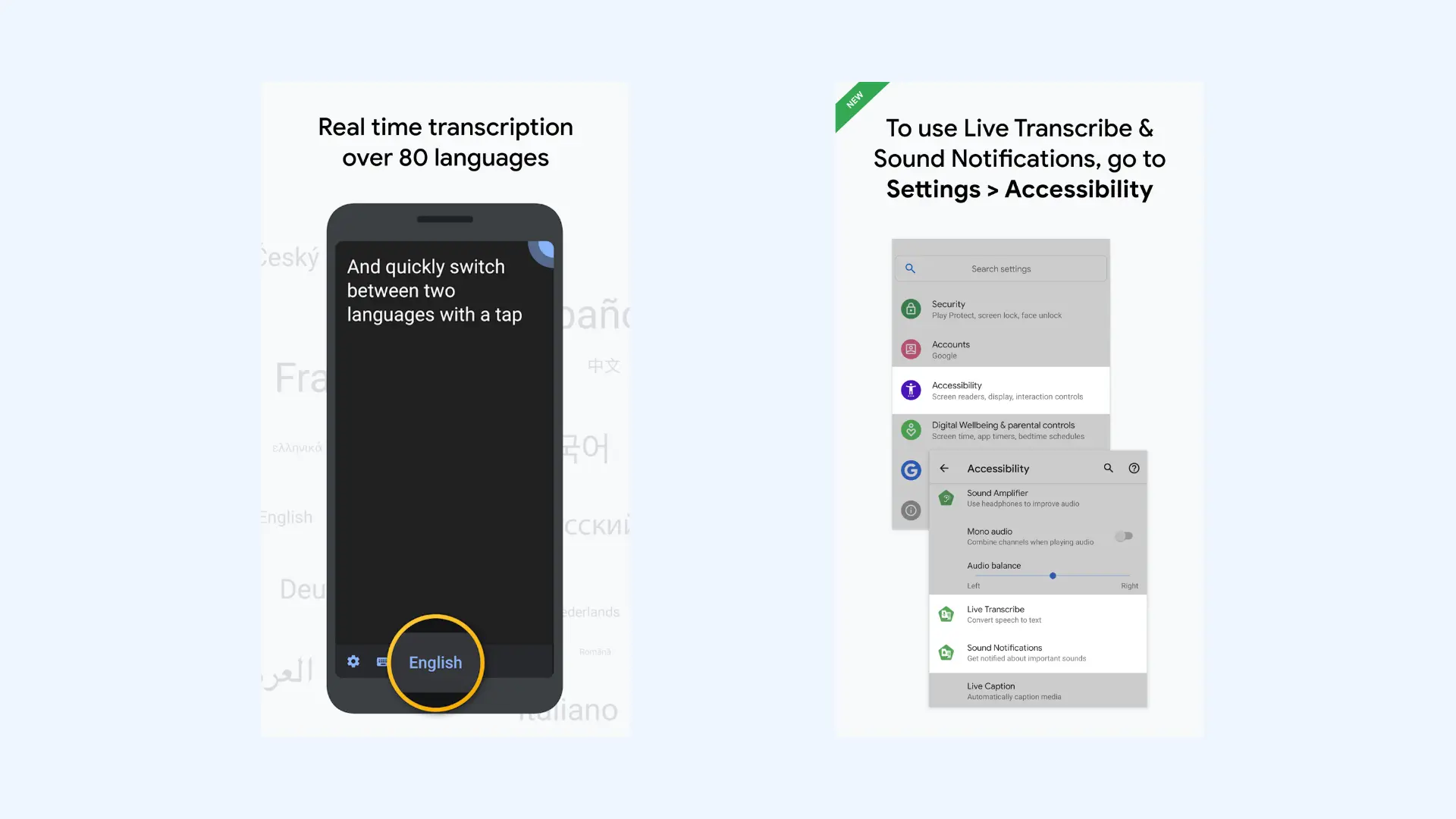
Live Transcribe is Google’s live captioning solution built specifically for Android devices. Designed in collaboration with the deaf and hard-of-hearing community, it turns spoken words into readable captions instantly using Google’s speech recognition engine. For anyone who needs fast, no-fuss captioning in daily situations, Live Transcribe remains one of the most accessible options on Android.
Key features:
- Real-time speech-to-text captions using Google’s speech recognition technology
- Visual sound indicators for non-speech noises (doorbells, alarms, knocks)
- Adjustable text size and contrast for improved readability
- Continuous caption window that stays active while the phone is unlocked
- Quick access shortcut for turning captions on instantly
Pros
- Completely free and available on most Android phones
- Very easy to use (ideal for spontaneous conversations)
- Strong accuracy for casual speech in quiet environments
Cons
- Not suitable for events, streams, or professional captions
- No exportable full transcripts unless manually copied
🗣️ What users say about Live Transcribe: Deaf and hard-of-hearing community widely considers this the best real-time captioning service for daily interactions. Users frequently mention utilizing it for "spontaneous" moments such as ordering coffee or talking to a doctor. The only major complaint is the inability to export long transcripts easily.
Pricing: Available for free on the Google Play Store, and pre-installed on most modern Android devices.
4. Otter: Best for Meetings
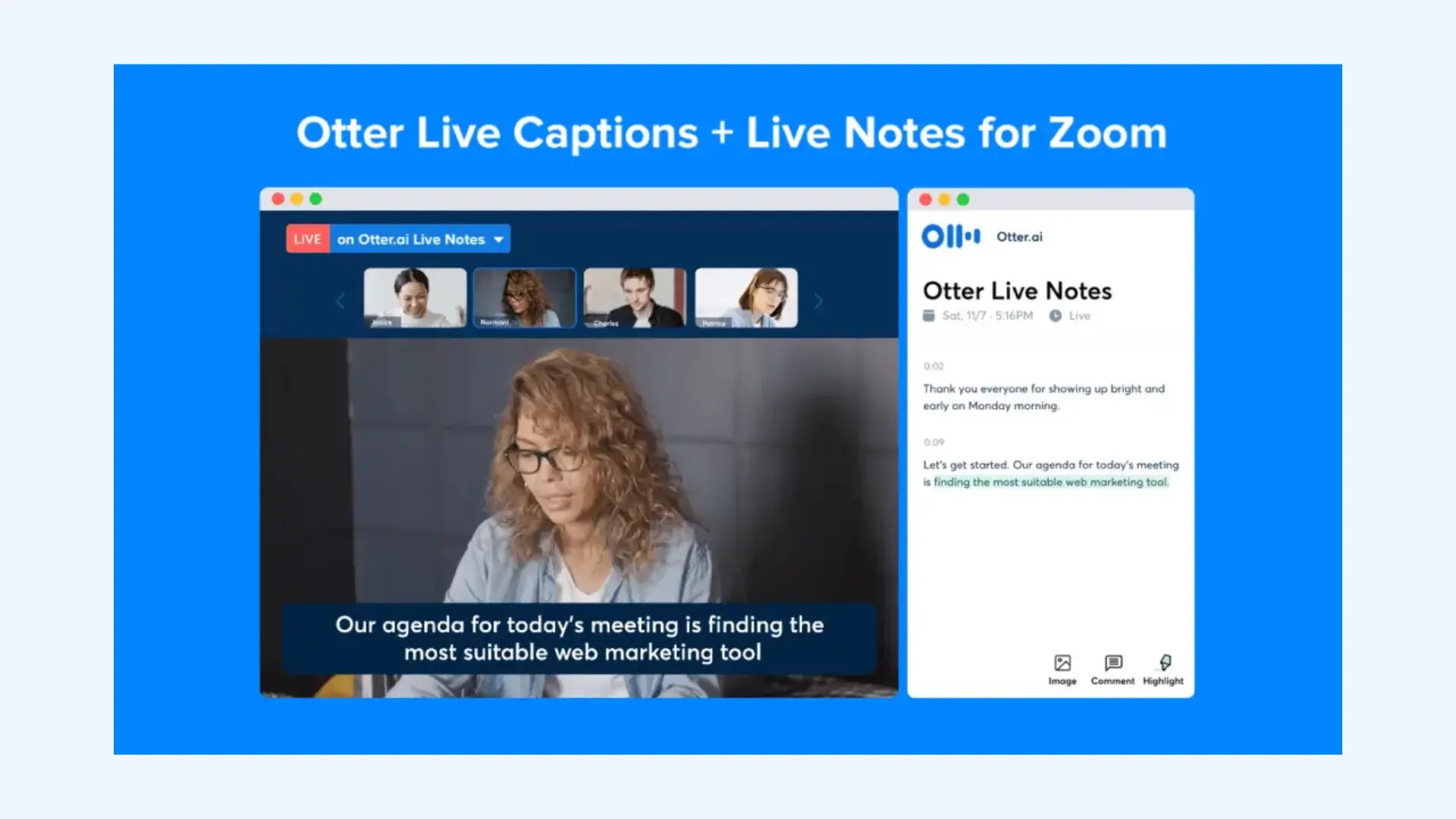
Otter is the corporate darling for meeting transcription, famous for its OtterPilot which joins Zoom, Teams, and Google Meet calls automatically to caption and take notes. It handles live transcription, post-meeting summaries, and searchable records without any extra effort from the user. For teams that live in back-to-back calls, Otter becomes the accessibility layer that keeps conversations understandable in real time.
Key features:
- Live captioning and notes for virtual meetings
- Automatic meeting attendance and recording on Zoom, Teams, and Google Meet
- Real-time transcription with speaker identification
- AI-generated summaries with key points and action items
- Otter AI Chat for asking questions about meeting content
Pros
- High accuracy rate
- Can attend meetings even when you're absent
- User-friendly, attractive interface
Cons
- Limited multilingual live captioning
- Not ideal for large events or anything beyond a typical meeting workflow
🗣️ What users say about Otter: Users consistently love not having to take notes anymore, and appreciate the tool's ability to save time and focus on conversations. Complaints mostly relate to accuracy for technical vocabulary or heavy accents, and limitations imposed by lower-tier plans.
- Free: 300 minutes/month, 30 minutes per conversation
- Pro: Starts from $8.33/user/month (annual billing)
- Business: Starts from $19.99/user/month (annual billing)
- Custom enterprise pricing
5. AI-Media: Best for On-Site Events
AI-Media is one of the most established names in real-time captioning for conferences, corporate events, and large in-person gatherings. While they are famous for their human captioning services (CART), they also offer "LEXI": a broadcast-grade AI that delivers near-human accuracy. For an instant alternative, Maestra's CART captioning services run on AI with no booking.
.png)
Key features:
- AI-powered real-time captioning with LEXI (designed to rival human accuracy)
- Premium human captioning (CART) for high-stakes or compliance-critical events
- Compatibility with LED walls, projectors, broadcast systems, and AV setups
- Multiple caption formats and display modes supported
- Optional multilingual captioning and translation support
Pros
- Flexible (choose AI, human, or hybrid depending on budget and requirements)
- Reliable in complex environments (large rooms, background noise, fast speakers)
- Suitable for compliance requirements and public-facing events
Cons
- Human captioning is far more expensive than AI tools
- Advanced scheduling required for human services
🗣️ What users say about AI-Media: Event organizers consistently praise the reliability of the company’s human captioners and the professionalism of the support team. Feedback on LEXI is generally positive for standard events, though users note that truly critical sessions still benefit from human oversight.
- Lexi AI captioning: Flexible subscription or block-hour packages
- LEXI Voice (live AI voice translation + captions): From $30/hour/language (requires active LEXI captioning subscription)
- Human (CART) captioning: Custom quote based on the event
6. InterpretCloud: Best for Webinars and Conferences
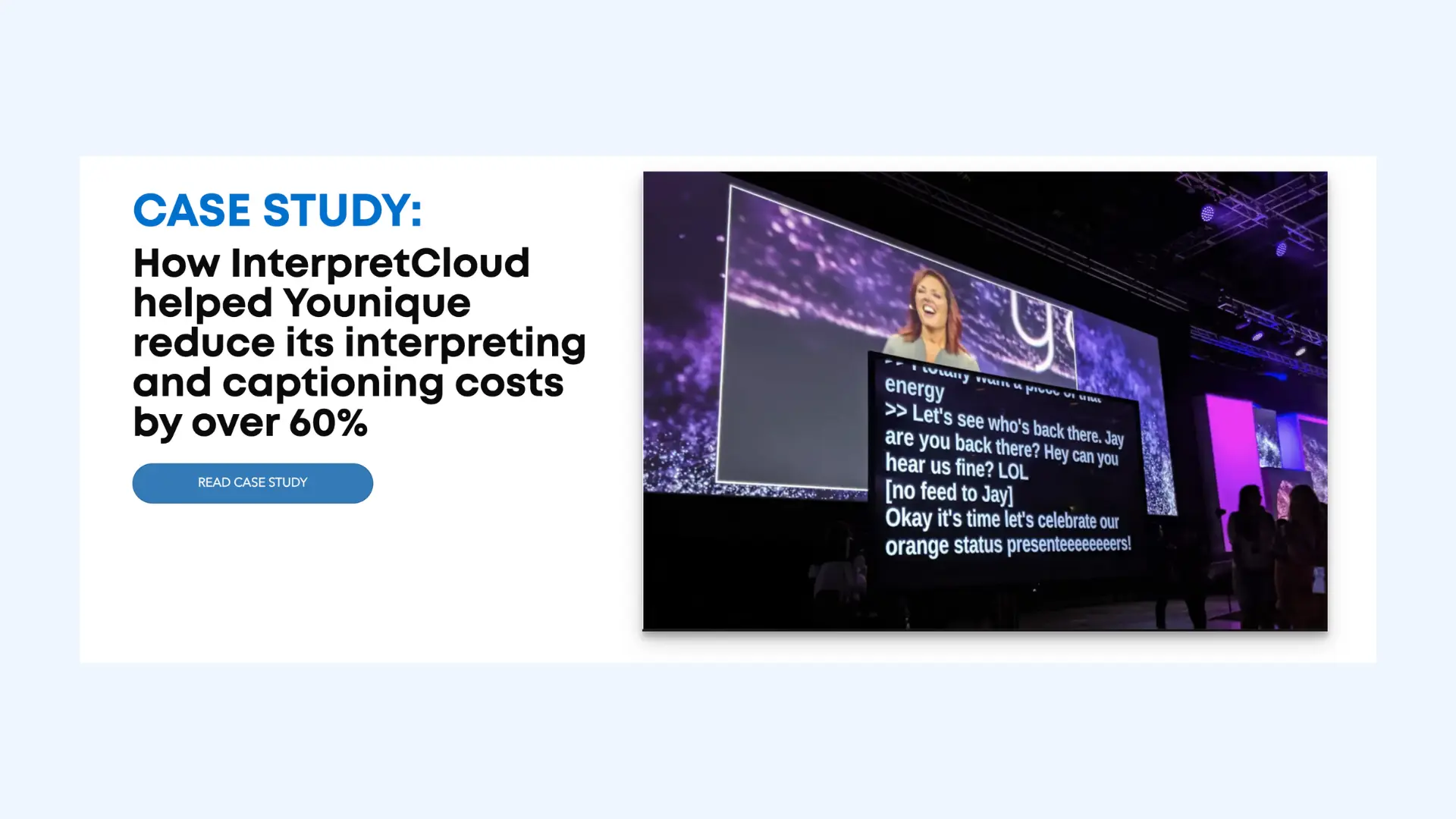
InterpretCloud specializes in breaking language barriers for virtual events by offering real-time interpretation and translated captions. It’s designed for occasions where multilingual accessibility isn’t optional but essential. Whether you’re hosting a small training session or a multi-day global summit, InterpretCloud delivers highly accurate captions without complexity.
Key features:
- Real-time captioning and subtitling for webinars and conferences
- Broad language support
- Works with platforms like Zoom, Webex, Hopin, Teams, and custom RTMP setups
- Supports high-volume events with thousands of participants
- Option to bring in human interpreters for hybrid delivery
Pros
- Strong multilingual capabilities for international events
- Much faster to set up than traditional Remote Simultaneous Interpretation (RSI) hardware
- Easy for attendees to access captions without installation
Cons
- Pricing isn’t public, making budgeting harder for smaller organizers
- Overkill for events that only need basic AI captions
🗣️ What users say about InterpretCloud: Event organizers appreciate how easy it is to run multilingual events without juggling multiple platforms. However, some users report slight delays or accuracy dips in highly technical sessions.
Pricing: Custom pricing depending on the number of languages, the mix of AI vs. Human interpreters, and the duration of the event.
7. Pixel Chat: Best for Gamers and Live Streams
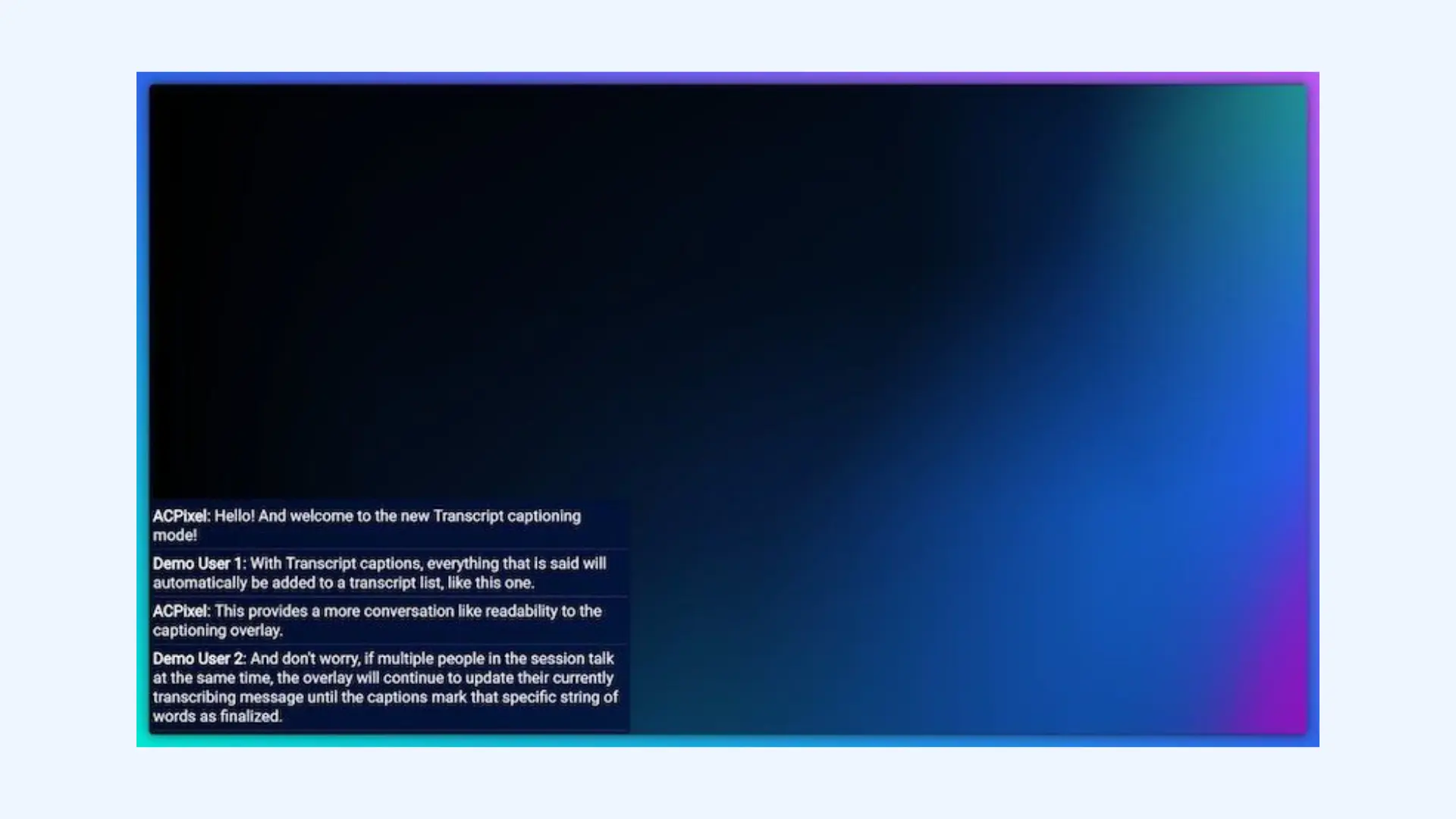
Pixel Chat provides real-time caption overlays tailored specifically for streamers on platforms like Twitch and YouTube. Instead of trying to be a full enterprise captioning platform, it focuses on doing one thing extremely well: making live gameplay streams accessible.
Key features:
- Real-time speech-to-text captions displayed as a stream overlay
- Integrates easily with OBS, Streamlabs, and other common broadcasting tools
- Customizable caption styles, colors, and layout
- Multi-caption support for co-streamers or guests
- Transcript mode for longer-form reading
Pros
- Simple to set up
- Lightweight and doesn’t interfere with gameplay or stream performance
- Uses Google's advanced speech-to-text technology for live captioning
Cons
- Accuracy depends heavily on microphone quality and game audio separation
- Requires browser to be open to specific page during streaming
🗣️ What users say about Pixel Chat: Streamers appreciate how easy it is to enable captions and how well it integrates with their existing overlay setup. Accuracy is generally good for clean audio, though fast or noisy games can sometimes cause mistranscriptions.
- Free tier available with basic overlay features
- Pro: $4.99/month
8. Genio Notes: Best for Lectures and Classes
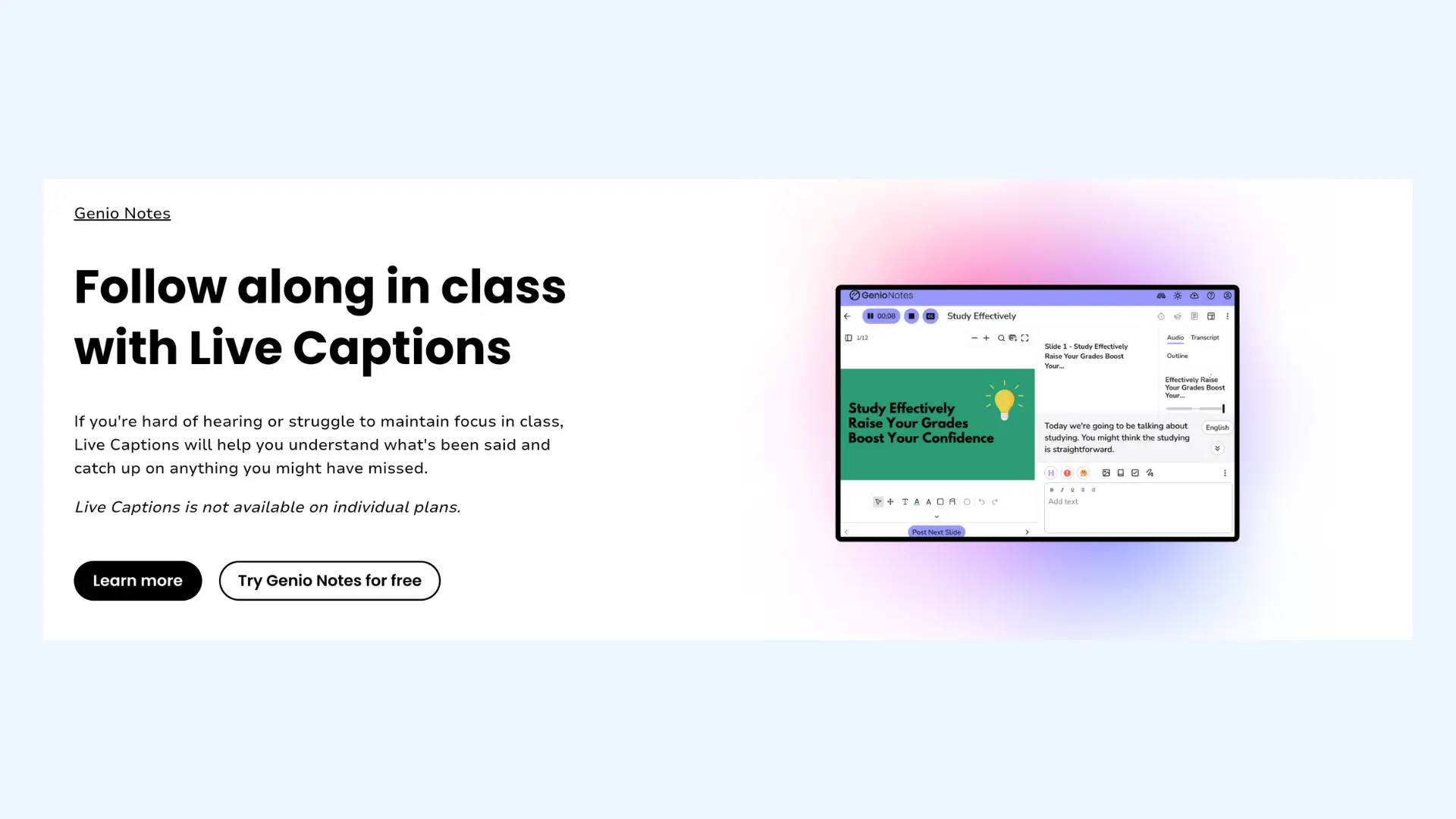
Genio Notes (formerly Glean) is designed for classrooms and academic environments where students need both real-time support and reliable post-class transcripts. Its Live Captions feature displays instant captions while a lecture is being recorded, and the platform automatically turns the full recording into a searchable transcript afterward.
Key features:
- Live captions during lecture recording for real-time accessibility
- Multi-language speech recognition for diverse classrooms
- Mobile and desktop support for on-campus or remote learning
- Note-taking tools layered on top of transcripts
- AI-generated quiz creation from lecture content (institutional plans only)
Pros
- Great for students with accessibility needs
- Simple process (hit record → get live captions → receive transcript)
- Available on both iOS and Android
Cons
- Live captions restricted to department/institution plans
- Not ideal for large auditorium events
🗣️ What users say about Genio Notes: Students with ADHD and dyslexia frequently describe it as a “GPA saver” because it removes the pressure to capture every detail manually. The most common complaint is that the mobile app lacks some of the editing features found in the desktop version.
- Pricing varies by institution or subscription plan.
- Individual users can only access Genio through institution-sponsored plans.
9. Verbit: Best for Broadcasts
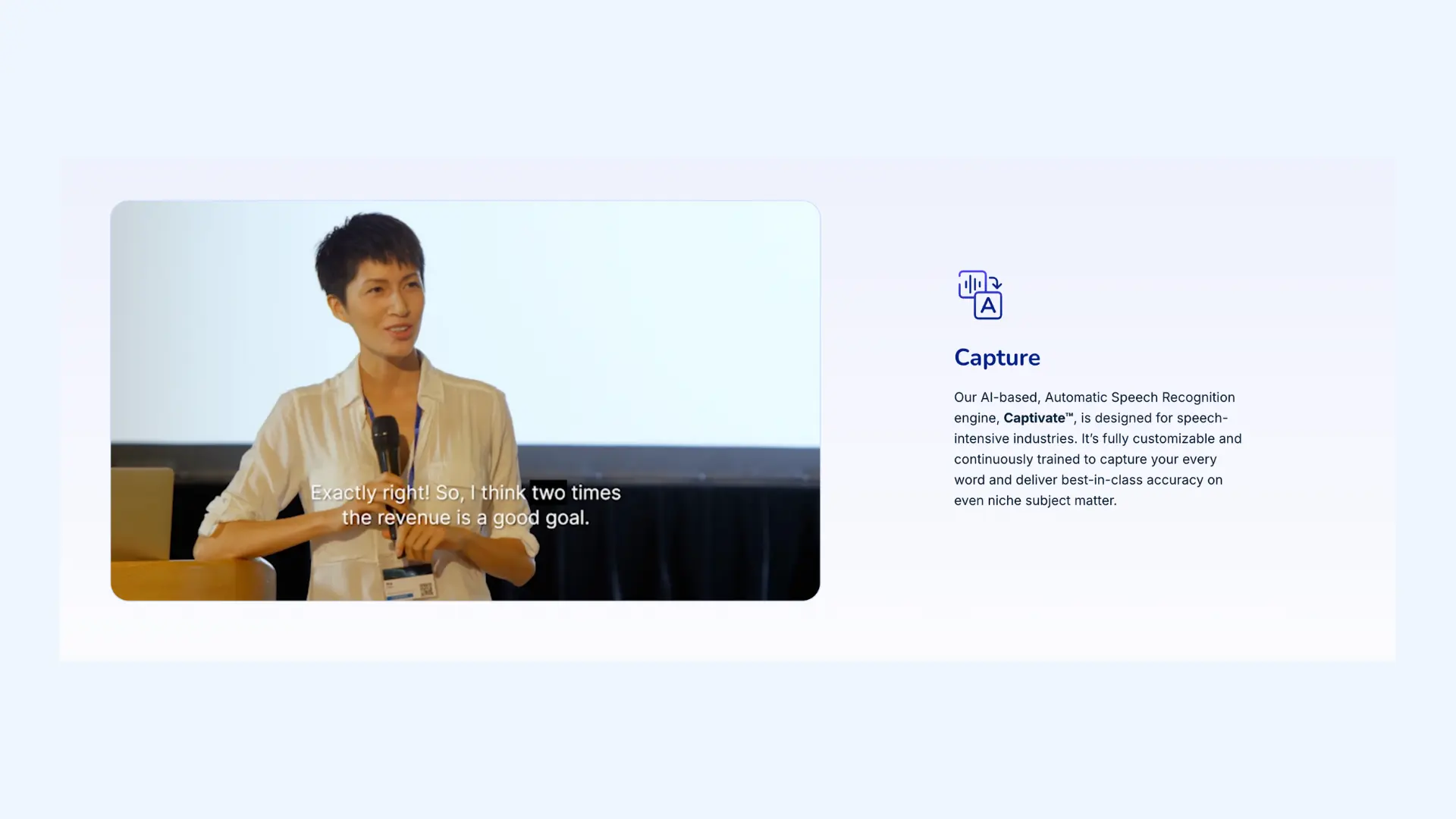
Verbit is built for industries where accuracy, compliance, and turnaround time matter a lot. It uses a hybrid workflow that combines AI speech recognition with human editors to produce captions that are consistently high-quality. For organizations that need captions they can legally or publicly stand behind, Verbit is one of the most trusted names in the market.
Key features:
- Support for FCC, ADA, WCAG, and broadcast compliance standards
- Integrations with popular video platforms, LMS systems, and media tools
- Custom glossaries and domain models for technical industries (legal, medical, academic)
- Enterprise-grade security controls
- Scalable workflows designed for high-volume content
Pros
- Extremely high accuracy
- Strong performance with fast speakers, technical terminology, and multi-speaker discussions
- Offers human-in-the-loop monitoring for events where captions can’t fail
Cons
- Human services require scheduling
- Not ideal for small teams or lightweight projects that don’t need compliance-grade captions
🗣️ What users say about Verbit: Media teams and universities consistently praise Verbit’s accuracy and the reliability of its human reviewers. The most common complaints involve higher pricing and occasional delays when human editors are involved.
- 5-day free trial available
- Self service: $24/month (annual billing)
- Full service: Custom pricing and exclusive features for businesses
10. CaptionKit: Best for Churches and Worship Services
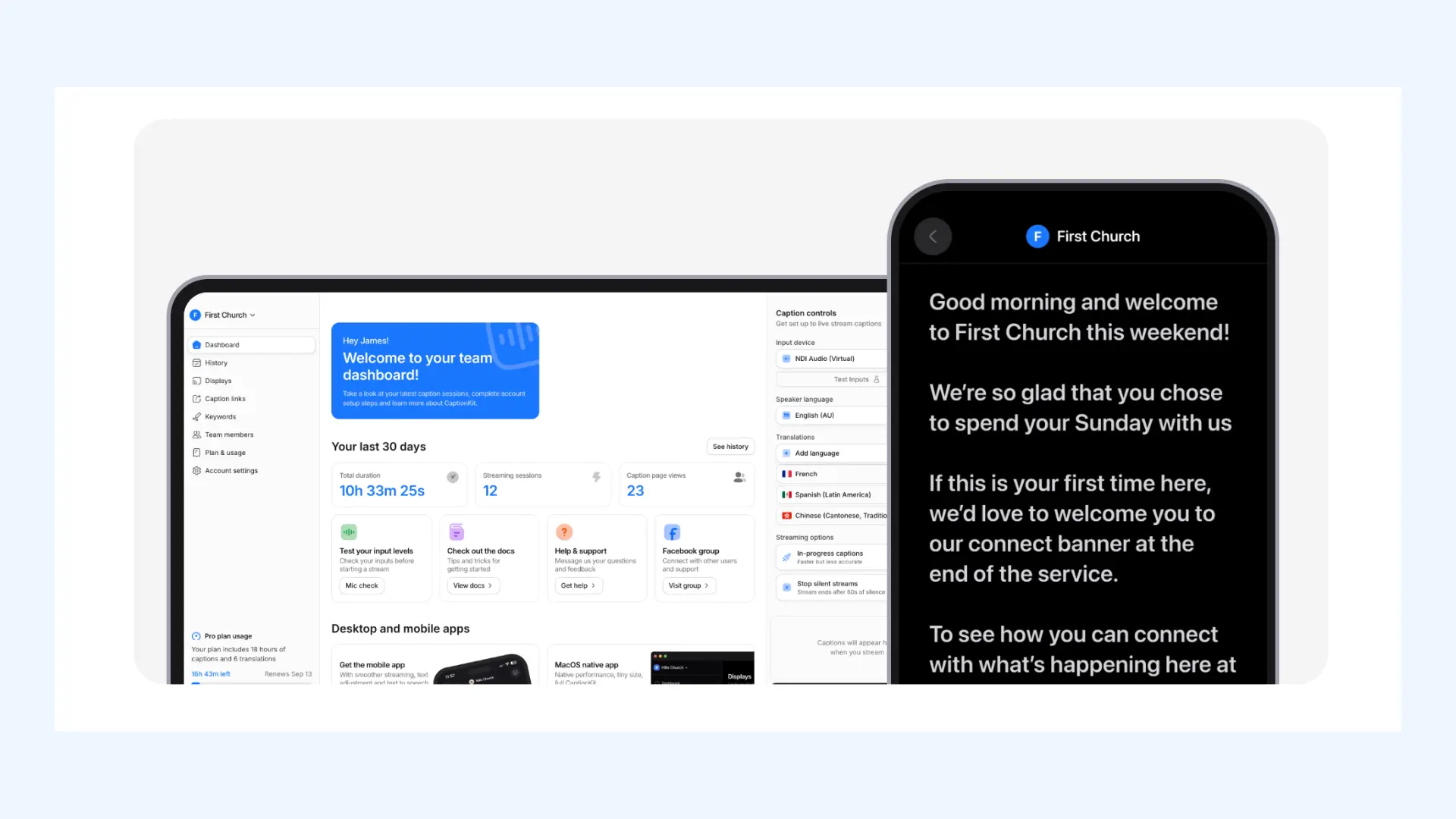
CaptionKit is built with worship spaces in mind, offering a straightforward way to display live captions and translations without expensive equipment or complicated setup. Rather than acting like a generic captioning tool adapted for churches, CaptionKit is intentionally designed for sermons, scripture readings, and congregational gatherings.
Key features:
- Live captions and translations delivered directly through a browser
- Congregants can view captions instantly via QR code or shareable link
- Compatible with projectors, screens (ProPresenter), and livestream outputs (OBS)
- Support for multiple languages during the same service
- Available on iOS and Android
Pros
- Built specifically for worship services rather than general events
- Quick and easy setup for churches
- Viewers can use their own devices without creating accounts
Cons
- Caption quality is influenced by mic placement and room acoustics
- Does not offer audio translation (only text-based captions)
🗣️ What users say about CaptionKit: Members of the deaf and hard-of-hearing community say CaptionKit helps them stay engaged during sermons in a way that wasn’t possible before. Some users note it requires a stable internet connection to function well.
- Free trial: 4 hours of captioning
- Starter: $16/month (includes Church License + 4 hours of captions)
- Additional hours or translation credits can be purchased as needed
Final Verdict
Different real-time captioning services solve different problems, and trying to force one tool into every scenario usually leads to frustration. Events, conference calls, classrooms, and livestreams each demand slightly different strengths: latency, language coverage, integrations, or compliance. Understanding that difference is what makes choosing a captioning service much easier.
The goal of this list isn’t to crown one universal winner but to help you skip the trial-and-error phase. We recommend starting with the free trial of the tool that matches your specific use case, as real-world testing is the only way to assess accuracy for your unique setup. In most cases, you’ll know within a few minutes whether it fits your workflow.
Frequently Asked Questions
What is the best real-time captioning service?
The best real-time captioning service depends on your use case. Maestra is the most versatile overall, Otter is great for meetings, and Apple/Google provide solid captioning on mobile devices. For professional events, AI-Media and Verbit are both great choices. For streaming, Pixel Chat is the simplest option.
What is the best real-time captioning service for phone calls?
For iPhone users, Apple Live Captions is the easiest option. On Android, Google's Live Transcribe works well for everyday call scenarios. Regardless of your device, InnoCaption is widely considered the best dedicated app because it integrates with your existing phone number to provide seamless, two-way captioning.
What is the best real-time captioning service for deaf and hard-of-hearing individuals?
Google's Live Transcribe is widely rated as the best free real-time captioning service for daily in-person interactions because it handles background noise well and visualizes non-speech sounds like doorbells. For group conversations, Ava is a top choice because it can connect multiple phones to color-code who is speaking.
How can I get real-time subtitles?
You can get real-time subtitles with Maestra's Live Voice Translation & Transcription Chrome extension. The tool instantly converts spoken content to text in 125+ languages and displays live captions on your screen. If you're watching something online, this Chrome extension works on any website, allowing you to view live captions for YouTube videos, podcasts, and more.
Do real-time captioning services use AI?
Today, most real-time captioning services use AI speech recognition to convert audio to text instantly. Some tools add human review for higher accuracy, especially in broadcast or legal settings. Meanwhile, AI has advanced to the point where it can deliver high-quality captions even in fast, everyday conversations.
Can I use ChatGPT for real-time captioning?
No; ChatGPT cannot listen to audio or produce live captions from a real-time audio stream. It can help you edit or format transcripts afterward, but it can’t caption as someone is speaking. You’ll need a dedicated captioning tool for live audio.
Can Zoom do real-time captioning?
Yes, Zoom offers a built-in feature that provides real-time captions for all users, including those on free plans. The host can enable this setting in their web portal, allowing any participant to turn on captions during the meeting with a single click. For a deeper breakdown of how it works (and its limitations), see our guide on Zoom transcription.