8 Best Chinese Translator Apps for Travel, Learning & Business
When it comes to translation tools, Google Translate is often the go-to option due to its wide language support and ease of use. However, it is not accessible in China, so alternatives become essential for maintaining smooth communication.
That's why I put together this guide: testing each app hands-on to see which ones actually hold up for translating text, holding voice conversations, and scanning Chinese in the real world. Some handle quick text translation beautifully but stumble the moment you need a live conversation; others are built for a single job and do it exceptionally well.
Whether you're heading to China for travel or business, studying the language, or simply need to communicate with Chinese speakers from anywhere in the world, the right app makes all the difference. The eight I've rounded up below cover Simplified and Traditional Chinese, plus dialects like Mandarin and Cantonese, and suit a range of needs, from real-time translation to in-depth study.





For each app, I'll break down its standout features, pros and cons, and where it fits best, as well as by a side-by-side comparison to help you choose.
Top Chinese Translator Apps Reviewed & Compared
The following table lists the best Chinese translator apps, each suited for different use cases, such as real-time translation, travel, business, and more.
| Chinese Translation App | Best For | Platform Availability | Live Voice Translation |
| Maestra | Real-time translation for live events, meetings, and conversations; AI dubbing and subtitles for multimedia content | Web-based (any browser); Chrome extension | ✅ |
| Baidu Translate | Precise Chinese translations | Web, iOS, Android | ✅ |
| Microsoft Translator | Business use, ideal for corporate settings | Web, iOS, Android, Windows | ✅ |
| Pleco | Learning Chinese, in-depth Chinese dictionary | iOS, Android | ❌ |
| iTranslate | Everyday and travel use | iOS, Android, Mac, Apple Watch | ✅ |
| Youdao | Learning Chinese, contextual translation | iOS, Android, Windows, Mac, Web | ✅ |
| DeepL | Text and document translation for professional and academic use | Web, Windows, macOS, iOS, Android, browser extensions | ❌ (✅ via DeepL Voice) |
| Waygo | Instant visual translation for travel and casual use | iOS; Android (via third-party stores) | ❌ |
1. Maestra: Best for Live Voice Translation
As one of the best Chinese translator apps, Maestra provides both real-time and on-demand translation, catering to a wide range of needs. The live Chinese Mandarin voice translator is ideal for meetings, events, and daily conversations, enabling users to capture the spoken language and convert it into translated speech and captions, Chinese and vice versa.
Meanwhile, if you want to translate Chinese videos to English, Maestra's AI video translator delivers fast and accurate results, also allowing users to export their videos with synchronized subtitles.
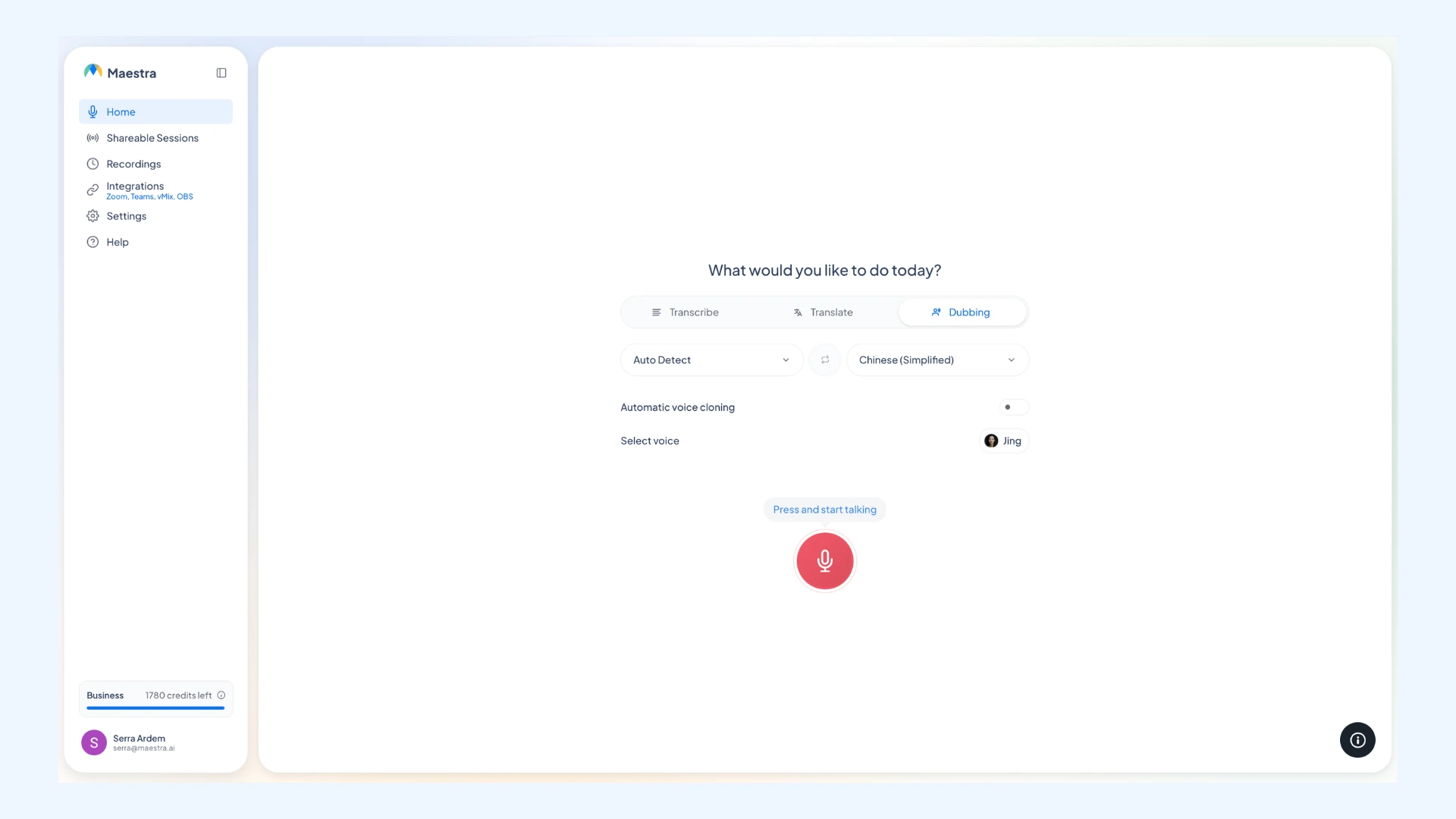
Standout features:
- Extensive language support: Translate speech and content in over 125 languages, including Simplified and Traditional Chinese, as well as dialects like Mandarin Chinese and Cantonese.
- Multilingual meeting rooms: Host live translation sessions with multiple source and target languages, and easily share them via a link or QR code to foster communication between Chinese speakers and others.
- Robust integrations: Easily integrate the real-time translator with apps like Zoom, Teams, OBS, and vMix for enhanced functionality.
Pros
- Free trial on both real-time and on-demand translation
- Echo cancellation and noise suppression for cleaner output
- Add multiple source and target languages in the live app
Cons
- Needs an internet connection
- Advanced features require higher-tier plans
- Not designed to be a quick pocket dictionary
Pricing: Maestra offers a free trial, with real-time translation plans starting at $79/month billed annually. See more on pricing.
Translate Chinese Speech in Real Time
2. Baidu Translate: Best for Precise Chinese Translation
Baidu Translate is a powerful translation tool developed by one of China's leading tech companies, tailored specifically to handle Chinese language nuances with a high degree of accuracy. It utilizes neural machine translation (NMT) technology, which leverages artificial intelligence to analyze entire sentences and their context, aiming for more natural results compared to traditional word-by-word methods.
As one of the best Chinese translator apps, Baidu supports an extensive list of 200 languages, as well as translation for various Chinese dialects, including Mandarin, Cantonese, and more.
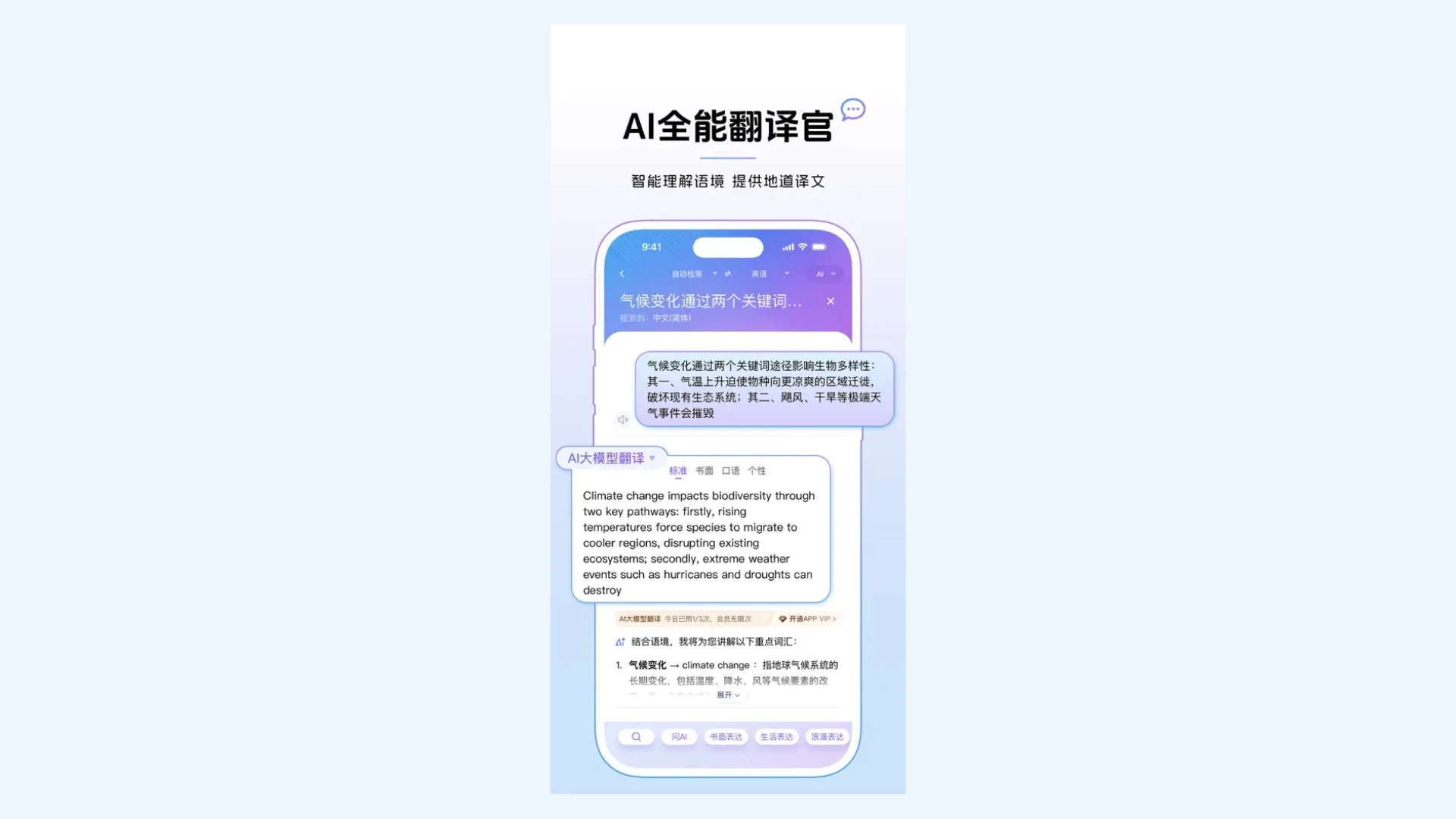
Standout features:
- Document translation: Upload entire documents to translate them while preserving original formatting.
- Bilingual example sentences: See original and translated sentences to understand the context and usage of words and phrases.
- Offline capabilities: Download language packs to translate text even without an internet connection.
Pros
- Built for Chinese nuance by a leading Chinese tech firm
- Supports voice and image translation, not just text
- Free on both desktop and mobile (basic use)
Cons
- Primarily built for the Chinese market
- Parts of the app appear in Chinese
- Limited English support and documentation
Pricing: Baidu Translate's desktop version is free to use. The mobile app is also free for basic functions, with optional in-app purchases for offline translation packs.

How to Translate Chinese to English in Seconds
3. Microsoft Translator: Best for Business and Microsoft Users
Microsoft Translator stands out as a reliable Chinese translator app due to its robust features and seamless integration within the Microsoft ecosystem, making it a convenient choice for students, teachers, professionals, and businesses alike. It supports both Simplified and Traditional Chinese, offering accurate translations for text, voice, conversations, and images.
Additionally, Microsoft's continuous development of AI-powered models contributes to increasingly natural-sounding and contextually appropriate translations over time. [1]
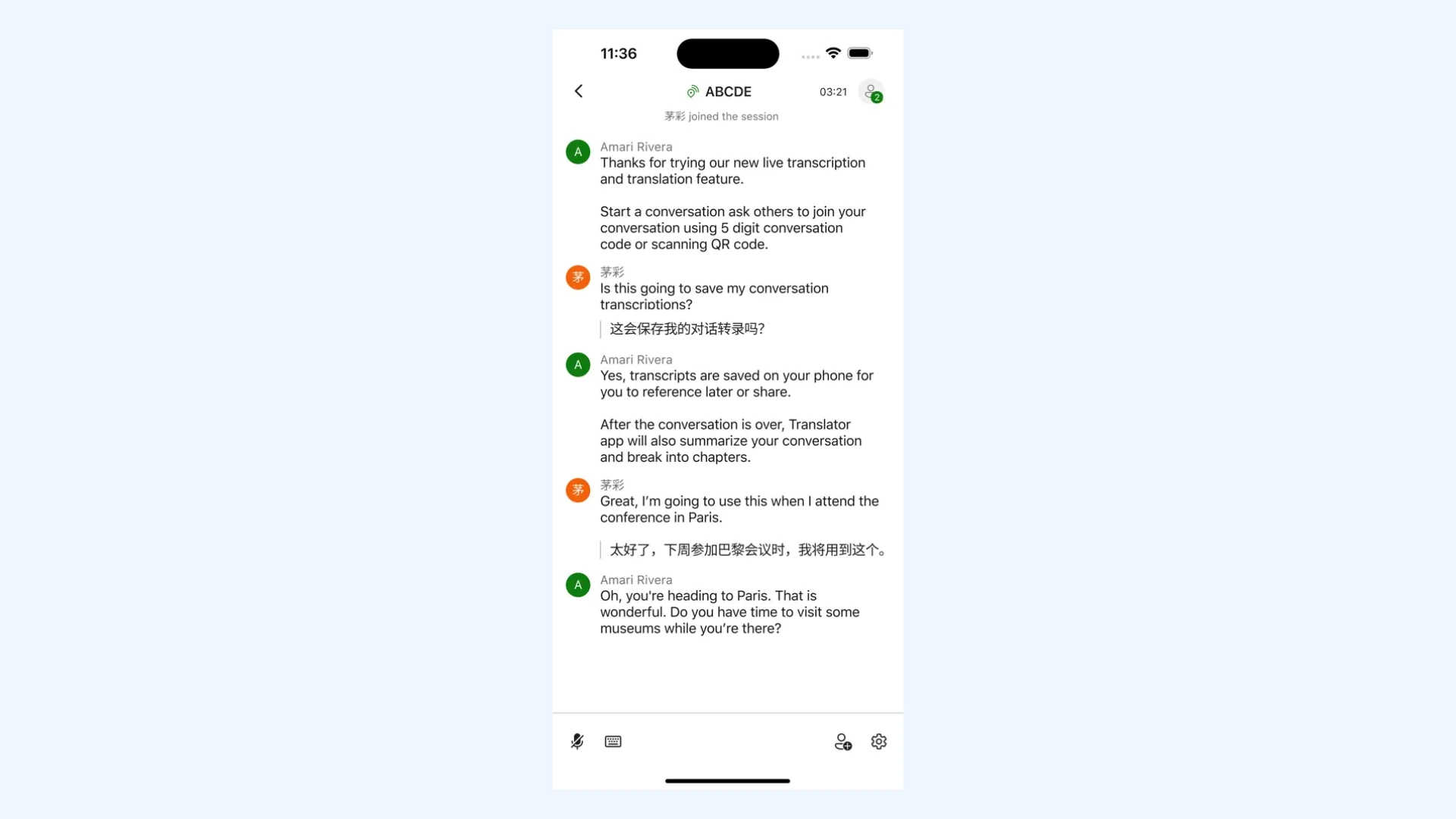
Standout features:
- Multi-person conversation translation: Facilitate real-time, translated conversations between multiple users across devices.
- Offline mode: Access translations without an internet connection by downloading specific language packs for offline use.
- Integration with other Microsoft tools: Enable translation within applications like Word, PowerPoint, Outlook, and Edge, enhancing productivity across the Microsoft suite.
Pros
- Free for individuals on web, mobile, and desktop
- Handles text, voice, and image input
- Performs well with formal and business language
Cons
- May struggle with slang and regional phrases
- Less specialized for Chinese than China-built apps
- Advanced/API features need a paid Azure tier
Pricing: Microsoft Translator is free to use for individuals across web, mobile, and desktop apps. For developers and enterprises, Microsoft offers a Translator Text API via Azure, with tiered pricing based on usage and features.
4. Pleco: Best for Learning Chinese
Pleco has earned its reputation as a top Chinese translator app, particularly for learners and serious users. Unlike typical translation apps, it functions more as a dictionary, offering detailed word meanings, example sentences, and even audio recordings by native speakers.
Pleco's offline functionality and customizable flashcards make it an essential companion for students, travelers, and teachers alike.
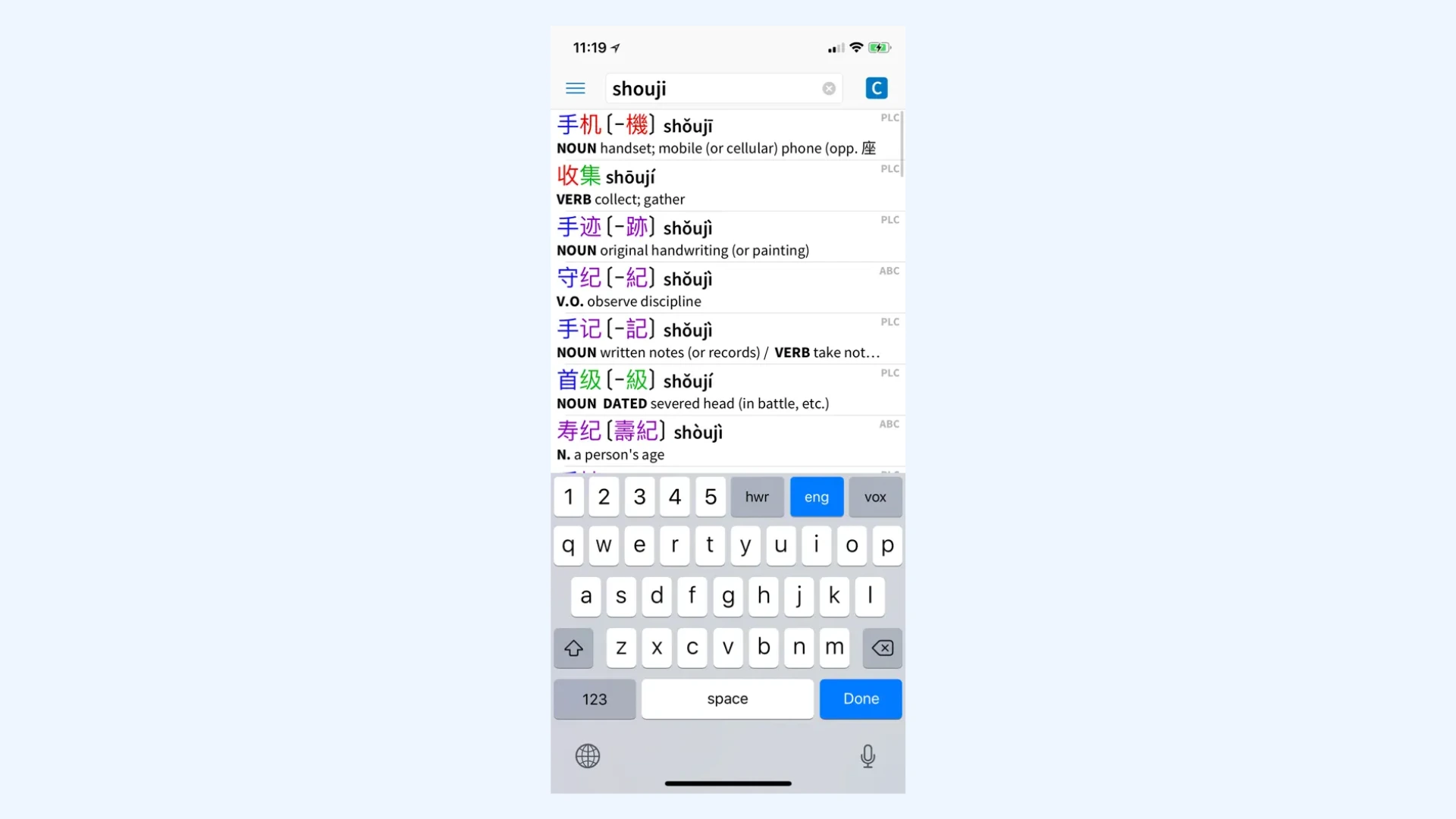
Standout features:
- Extensive dictionary database: Utilize multiple authoritative dictionaries such as CC-CEDICT and Oxford, providing in-depth linguistic insights and real-world language examples.
- Handwriting and OCR input: Write out unfamiliar Chinese characters by hand or scan printed text with your device's camera to look them up instantly.
- Stroke order diagrams and character decomposition: View animated stroke order diagrams and learn the correct way to write characters for better understanding and memorization.
Pros
- Expandable with optional add-on dictionaries
- Built for deep, long-term Chinese study
- Tap any word in a text to see its meaning instantly
Cons
- More of a dictionary than a translator (won't do full sentences or conversations)
- Utilitarian interface that feels a bit dated
- No voice or real-time conversation mode
Pricing: You can download Pleco for free from Google Play Store or App Store with access to core dictionary features. However, advanced tools such as OCR and handwriting input are available via in-app purchases.
5. iTranslate: Best for General Use and Travel in China
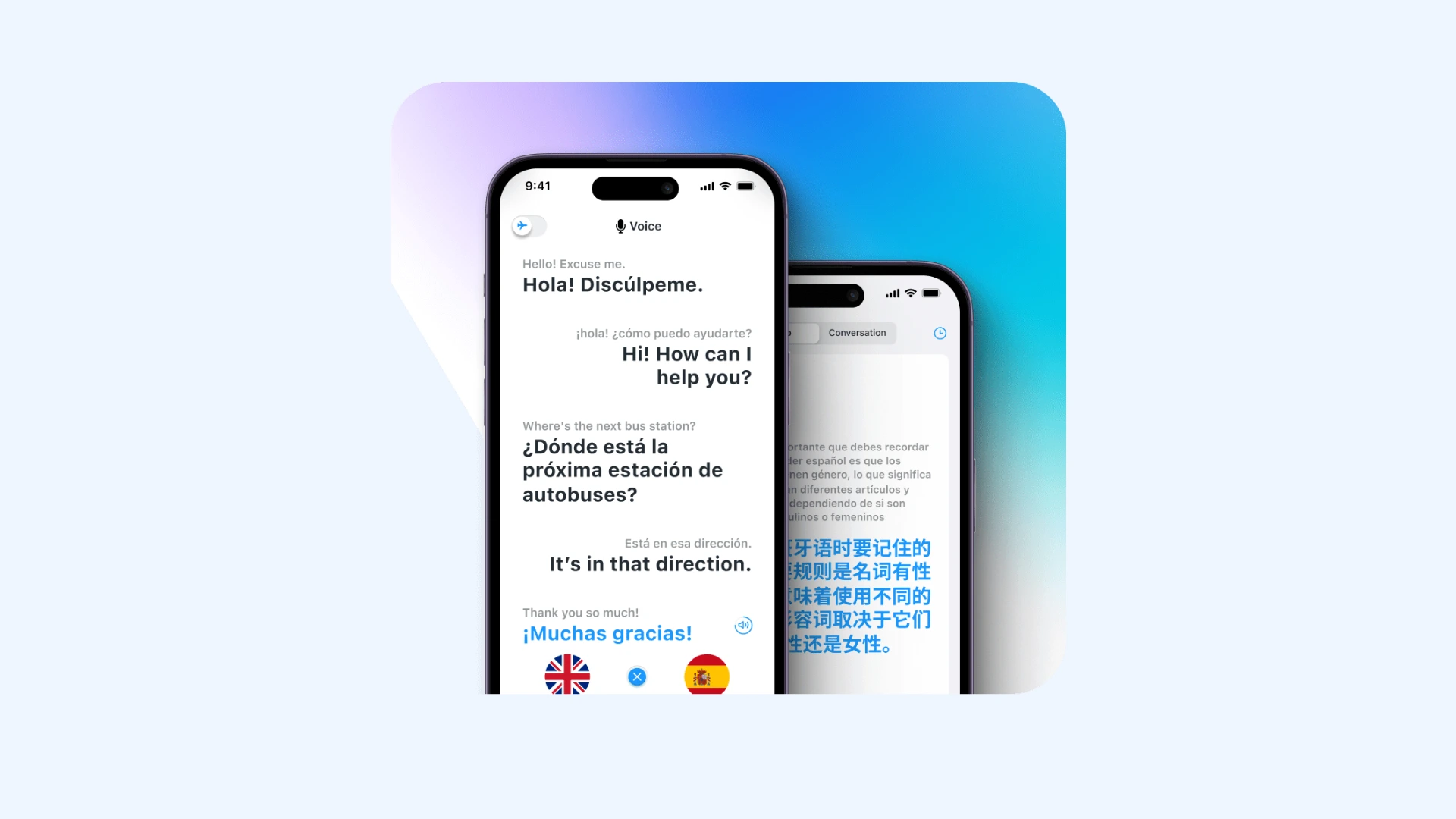
iTranslate is considered as one of the best Chinese translator apps because of its user-friendly interface, versatility, and strong performance in both casual and travel-related translation scenarios. It supports both Traditional Chinese and Simplified Chinese, making it accessible to a wide range of users needing to communicate in either form.
In addition to text translation, the app also offers voice translation, camera translation, and a built-in phrasebook, features that are especially helpful for users looking for practical, on-the-go communication tools.
Standout features:
- Voice and camera translation: Easily translate spoken Chinese or use your phone's camera to scan and translate text from signs, menus, or documents in real time.
- Website translation: Translate entire webpages or specific text within a website.
- Offline access: Download Chinese language packs to access translations without an internet connection.
Pros
- Works across phone, desktop, and Apple Watch (Watch version is more limited)
- Pronunciation and transliteration to help you say words right
- Built-in dictionary and verb conjugations
Cons
- Best features sit behind a paid subscription
- Can slow down when translating large amounts of text
- A generalist tool, not specialized for Chinese nuance
Pricing: iTranslate is free to download but users can unlock advanced features (such as offline access) through a premium subscription.
6. Youdao: Best for Contextual Chinese Translation
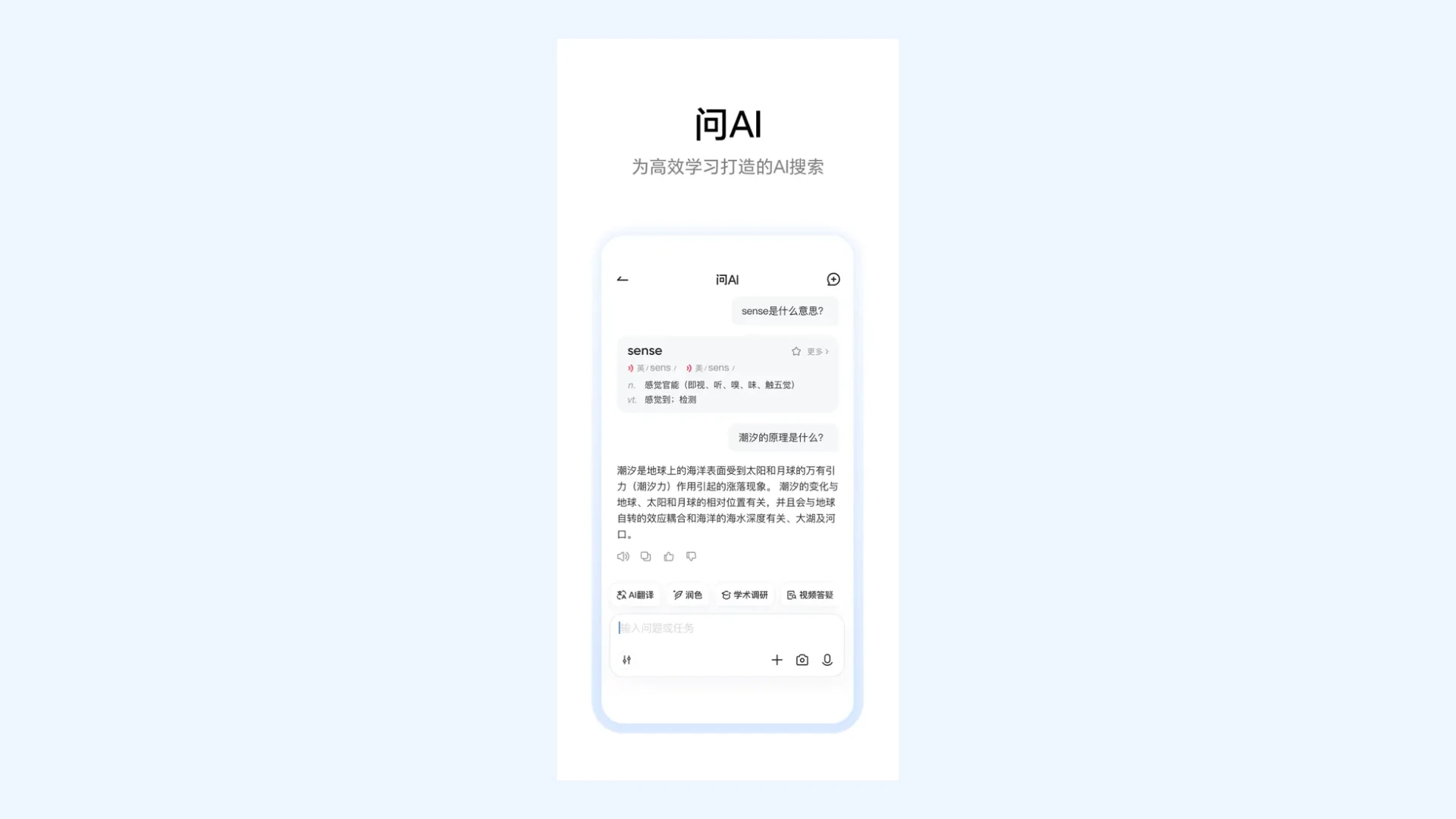
Youdao is particularly praised for its comprehensive language tools, including dictionary functions, contextual understanding, and detailed word usage explanations. The app is especially useful for language learners and those seeking a deeper grasp of Chinese vocabulary and grammar.
By combining machine learning and artificial intelligence, Youdao adapts to linguistic nuances, delivering more precise translations.
Standout features:
- Contextual translation: Avoid misinterpretations and get more accurate, natural-sounding translations that reflect the intended context.
- Pronunciation guide: Improve your speaking skills with audio from native speakers and phonetic breakdowns of words and phrases.
- Image translation: Scan and translate text from images, enabling quick translation of signs, menus, and documents.
Pros
- Especially strong for English–Chinese pairs
- Document translation for longer files
- Offline packs for basic translation on the go
Cons
- Some menus and content are in Chinese
- Less useful outside English–Chinese pairs
- Feature-heavy, so it may take time to learn
Pricing: Youdao is free to download and use, with optional in-app purchases for premium features such as advanced dictionaries and ad removal.

7 Best Japanese Translator Apps for 2026 (Free & Paid)
7. DeepL: Best for Text and Document Translation
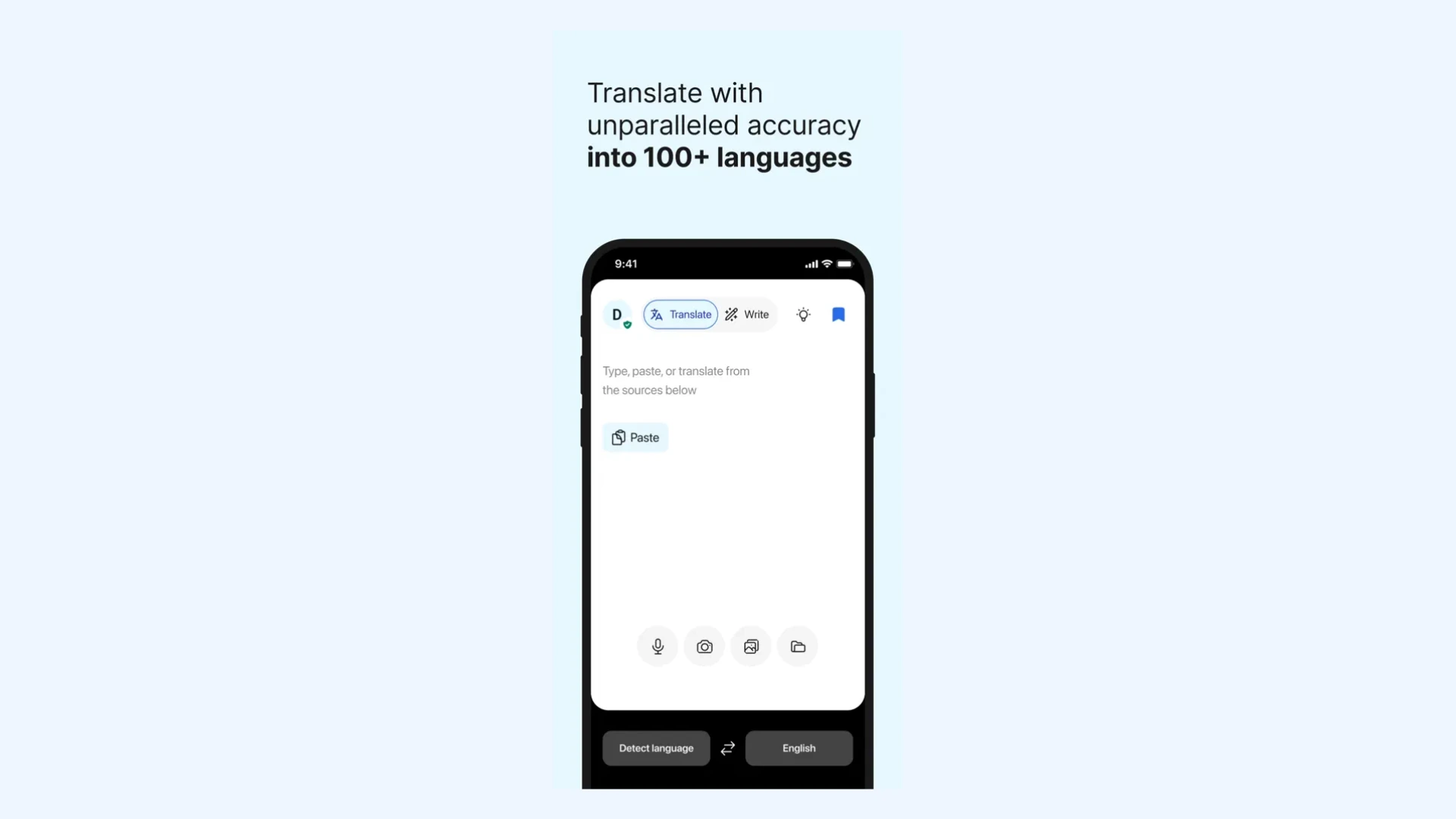
As one of the best Chinese translator apps, DeepL excels at preserving the tone and intent of the original text, making its output feel more human-like. This makes it particularly useful for students, professionals, and anyone needing high-quality translations beyond basic word-to-word conversion. Users can input entire paragraphs or documents and receive context-aware translations that maintain clarity and coherence.
💡 DeepL has also expanded beyond text with DeepL Voice, a real-time speech translation tool that delivers live translated captions in meetings and conversations, including spoken Mandarin Chinese. However, it's built for business and enterprise use rather than casual travel or learning, so for an everyday option, you can check our DeepL Voice alternatives blog.
Standout features:
- Alternative word suggestions: Choose from a list of nuanced vocabulary options to fine-tune the translation.
- Simplified and Traditional Chinese support: Seamlessly translate between English and other forms of written Chinese.
- Clean interface: Enjoy a streamlined interface that keeps the focus on your content and boost productivity.
Pros
- Simplified and Traditional Chinese support
- Alternative word and phrasing suggestions
- Clean, distraction-free interface
Cons
- No camera or image translation for signs and menus
- Free version has usage limits
- No offline mode (needs an internet connection)
Pricing: DeepL offers a free version with basic features and limited usage. See more on pricing.
8. Waygo: Best for Instant Visual Translation
Waygo specializes in instant visual translation without requiring an internet connection. It is designed with a strong focus on Asian languages, including Chinese, Japanese, and Korean, making it particularly useful for travelers navigating unfamiliar scripts.
Because it's optimized for the unique structures and characteristics of Asian languages, Waygo delivers more accurate and reliable translations in these contexts.
Standout features:
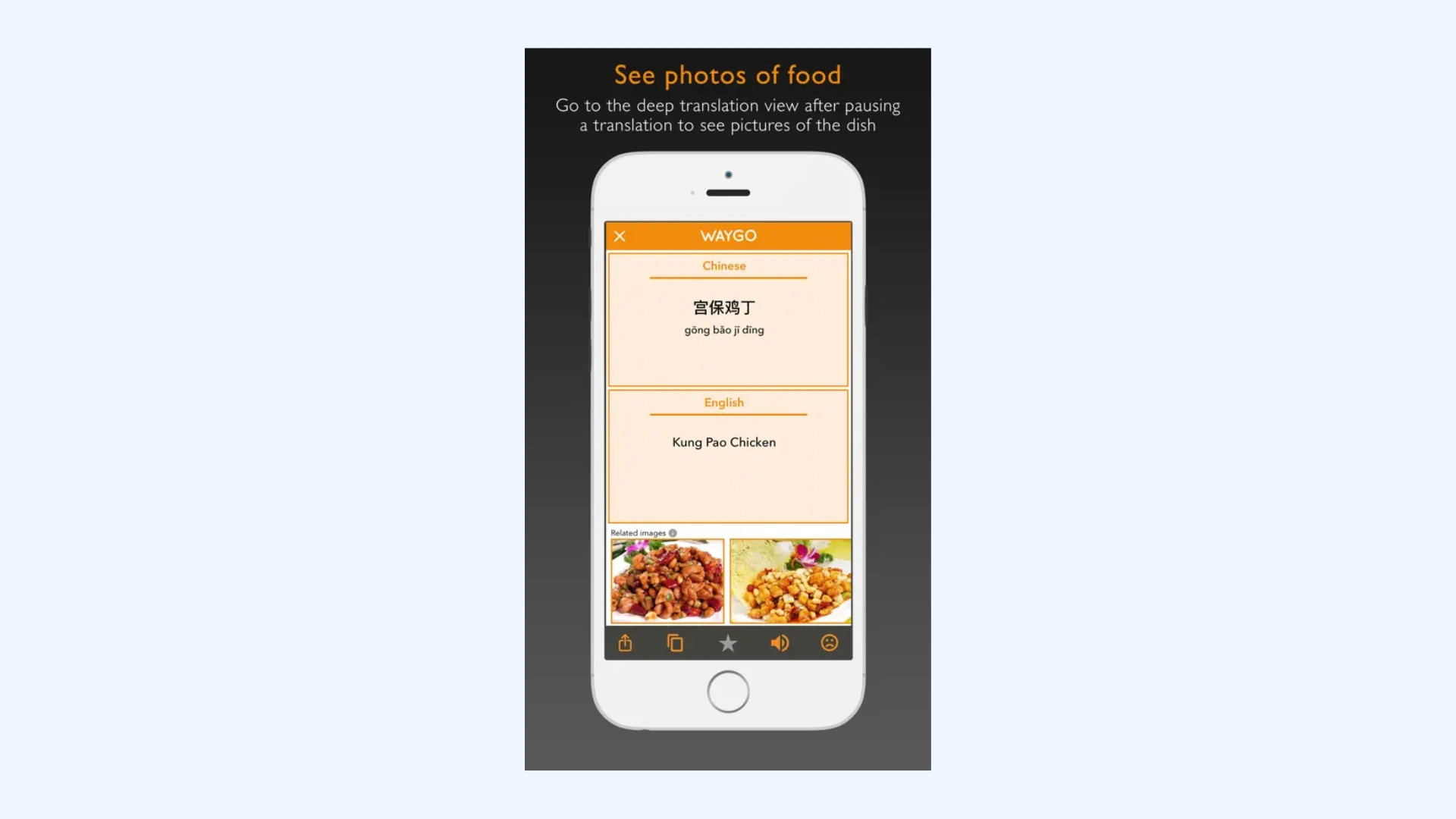
- Powerful OCR: Instantly scan and recognize Chinese characters using your camera and receive English translations without needing to type anything.
- Instant on-screen results: Get real-time translations by simply hovering your phone over signs, menus or printed text.
- No data usage abroad: Use the app offline, saving roaming fees while traveling in China.
Pros
- Shows pinyin romanization to help with pronunciation
- Lightweight and fast for quick lookups
- Tuned for restaurant menus and signs
Cons
- Translates into English only
- Full features require a paid upgrade
- Visual scanning only (no text entry, voice, or conversation mode)
Pricing: Waygo is free to download, with a paid upgrade that unlocks unlimited translations and full features.
Which is the best Chinese translator app for you?
The best app depends on your specific needs, workflow, and how you plan to use it. While some features will vary based on personal preference, there are key criteria that nearly apply to everyone. Here are a few essential factors to consider:
- Language direction support. Make sure the app can translate both to and from Simplified or Traditional Chinese, especially if you need dialect support like Mandarin or Cantonese.
- High accuracy rate: Features like echo cancellation and noise reduction can significantly improve the quality and clarity of translations. [2]
- User-friendliness: A clean, intuitive design helps you get translations quickly and with less frustration.
- Customization and output options: Whether it's a custom dictionary, voice cloning, subtitle styling, or export formats flexibility can enhance your workflow.
- Privacy and data security: This is especially important for professional or sensitive content, so always check how your data is handled. [3]
Noise reduction isn’t just about cleaner audio - it’s about smarter systems that handle complex, noisy environments effectively.
Best Translation Apps in 2026 - A Translator’s Review
Final Verdict
Every app on this list earns its place for a different reason, so the right choice really comes down to how and where you plan to use it.
Here's a quick summary of which app fits which need:
🎤 Live voice translation: Maestra is best for real-time events, meetings, and conversations.
📚 Learning Chinese: Pleco offers the deepest dictionary and study tools.
🀄 On-the-spot Chinese translation: Baidu is built for accurate, in-the-moment translation.
💼 Business and Microsoft users: Microsoft Translator fits right into Word, Teams, and Outlook.
✈️ Everyday and travel use: iTranslate is a simple, all-purpose pick for quick translations on the go.
🧠 Contextual translation for learners: Youdao handles nuance and context well, especially for English and Chinese.
📄 Documents and professional text: DeepL gives the most natural-sounding output.
📷 Offline use with no signal: Waygo provides instant camera translation, fully offline.
Whichever one you choose, I'd suggest starting with the free version before committing to a paid plan. Most of these apps let you do exactly that, so you can see what fits your needs first.
Translation tools also evolve quickly, with new features and language support added all the time, so I'll keep this guide updated as the apps change.
FAQs on Chinese Translator Apps
Can Chinese translator apps handle Mandarin and Cantonese?
Many do, but not all, and it's worth checking before you rely on one. Mandarin is the most widely supported, since it's the official spoken standard in mainland China and Taiwan. Cantonese, common in Hong Kong and Guangdong, has narrower support.
Does Google Translate work in China
No. Google Translate has been unavailable in mainland China since 2022, and the site won't load without a VPN. If you're traveling or working in China, it's worth setting up an alternative before you go.
Baidu Translate and Microsoft Translator both work without a VPN, while apps like Pleco and Waygo work fully offline, which is useful when your connection is unreliable.
Which Chinese translator apps work offline?
Offline support is one of the biggest differences between the apps listed above. Pleco, Waygo, Microsoft Translator, and iTranslate all offer offline modes, though some require downloading a language pack or a paid upgrade first. Cloud-based tools like Maestra and DeepL need an internet connection to work.
Is there a completely free Chinese translator app?
Yes. Several apps are free to use for everyday translation, including Baidu Translate, Microsoft Translator, and Youdao. Others, like Pleco and iTranslate, are free to download with optional paid upgrades for advanced features. Just keep in mind that the free version may not include everything, so check the limits before you depend on it for daily use.
How can I translate a live meeting or event into Chinese in real time?
For live meeting translation or live event translation, you'll want a tool built specifically for real-time speech rather than text. Maestra works well here, capturing spoken Chinese or other languages and generating translated speech and captions on the fly, with integrations for platforms like Zoom and Teams. It's free to try, so you can see how it performs in your setup before committing to a paid plan.
Can I translate a Chinese audio or video recording into English?
Yes, though most phone translator apps are built for live, on-the-spot use rather than uploaded files. If you have a recording, like an interview, podcast, or video, you'll want a dedicated audio translation tool. Maestra's Chinese to English audio translator handles this well: upload the file, pick an AI voice or clone your own, and export the English version with subtitles and a transcript.
Are Chinese translation apps safe for sensitive or private information?
It depends on the app and how it handles your data. Always check the app's privacy policy to see whether the content you translate, whether typed, spoken, scanned, or uploaded, is stored, shared, or used to train its models. To be safe, avoid putting confidential details into free, cloud-based translators.