10 Best Speech Translator Apps (Free & Paid) for Live Voice Translation

Real-time speech translation has become something I regularly rely on, especially as remote work and multilingual interactions have become part of everyday life. People don’t want robotic, delayed translations anymore. They want conversations that feel natural, fast, and accurate enough to trust in real situations.
After trying a wide range of speech translator apps, I noticed the best tools handle natural speech patterns, accents, tone, and context, while also offering practical features like offline access and integrations.
I tested these apps in real-world scenarios like live conversations, noisy environments, and fast back-and-forth dialogue. My main criteria were accuracy, speed, voice naturalness, ease of use, and how consistently each tool performed across different languages and accents.
In this guide, I’ve narrowed it down to the 10 best speech translator apps you can use right now, with notes on what each one excels at, where it falls short, and when it’s the right choice.
First, here’s a quick shortlist:





Now let's review each speech translator app in detail.
Top 10 Speech Translator Apps Reviewed & Compared
The table below offers a quick overview of each app’s platform availability, standout feature, language coverage, and whether it includes a free trial or free version.
| Speech Translator App | Platform Availability | Standout Feature | Number of Supported Languages | Free Trial or Version |
| Maestra | Web, integrations (Zoom, Teams, OBS, vMix) | AI voice cloning that preserves your voice tone and style in live speech translations | 125+ | ✅ |
| Google Translate | Web, iOS, Android | Completely free with conversation mode and automatic language switching | 133 | 100% free |
| Microsoft Translator | Web, iOS, Android | Multi-person sessions with up to 100 participants in real time | 100+ | ✅ |
| iTranslate Voice | iOS (standalone), Android (part of the main iTranslate app) | High-quality, natural-sounding voice output with offline capabilities (Pro) | 40+ | ✅ |
| Papago | iOS, Android | Superior accuracy for Asian languages with tonal and formality handling | 13 | 100% free |
| Reverso | iOS, Android | Native speaker audio examples showing real conversational context | 17 | ✅ |
| Yandex Translate | Web, iOS, Android | Exceptional performance for Russian and Slavic languages with offline mode | 100+ | 100% free |
| DeepL Voice | iOS & Android (DeepL Voice for Conversations), Zoom & Microsoft Teams (DeepL Voice for Meetings) | Enterprise-grade accuracy | 30+ | ❌ |
| Speak & Translate | iOS | Apple Watch integration with hands-free speech translation | 100+ | ✅ |
| Vocre | iOS | Extensive offline translation with region-specific dialect voices | 59 | ✅ |
1. Maestra
Best for: Anyone looking for an all-in-one speech translator with high accuracy and broad language support.
Not ideal for: Users who want a completely free app.
What stands out: Supports sessions where people can speak different languages, and each person can listen in the language they choose.
🌟 G2 rating: 4.8/5
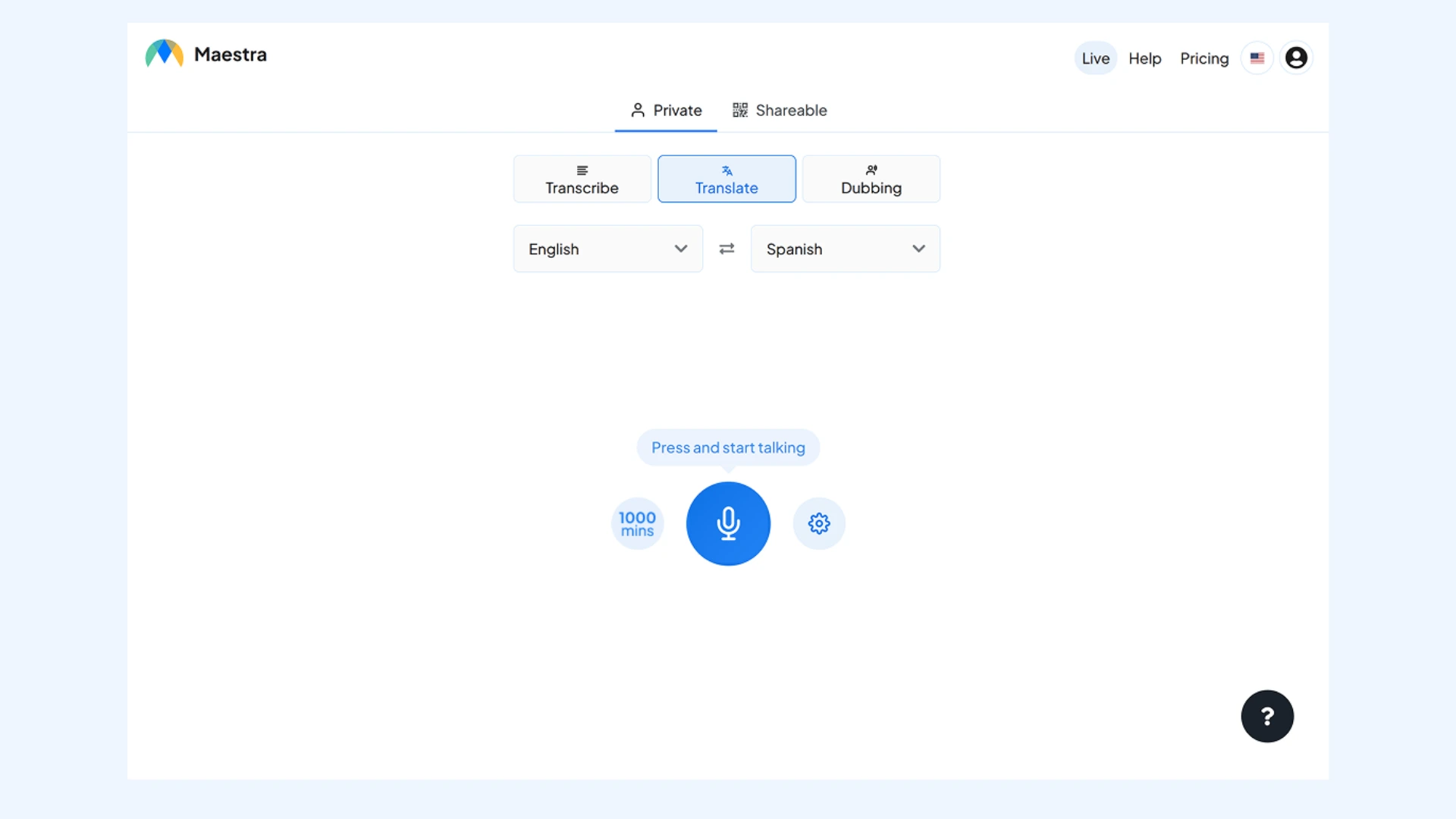
As one of the best speech translator apps, Maestra's instant voice translator allows you to speak naturally in one language and have your voice translated into many others. It supports over 125 languages, offers browser-based access (no download required), and handles multilingual sessions where each participant can hear translations in their own chosen language through AI interpretation.
Setup: You can go to Maestra on your browser and start a live session without installing anything. Choose your source and target languages, then pick an AI voice or clone your own. Once you speak, Maestra will translate in real time. You can invite others using a link or QR code to listen to translations and read captions.
Key features:
- Advanced translation models powered by OpenAI and DeepL
- Voice-to-voice translation, paired with live captions
- Speaker detection for multi-person conversations
Pros
- Natural AI voices with optional voice cloning
- Multi-language session with several source and target languages
- Zoom, OBS, vMix, and Microsoft Teams integrations
Cons
- Requires stable internet connection for best performance
- Short free trial before requiring a paid plan
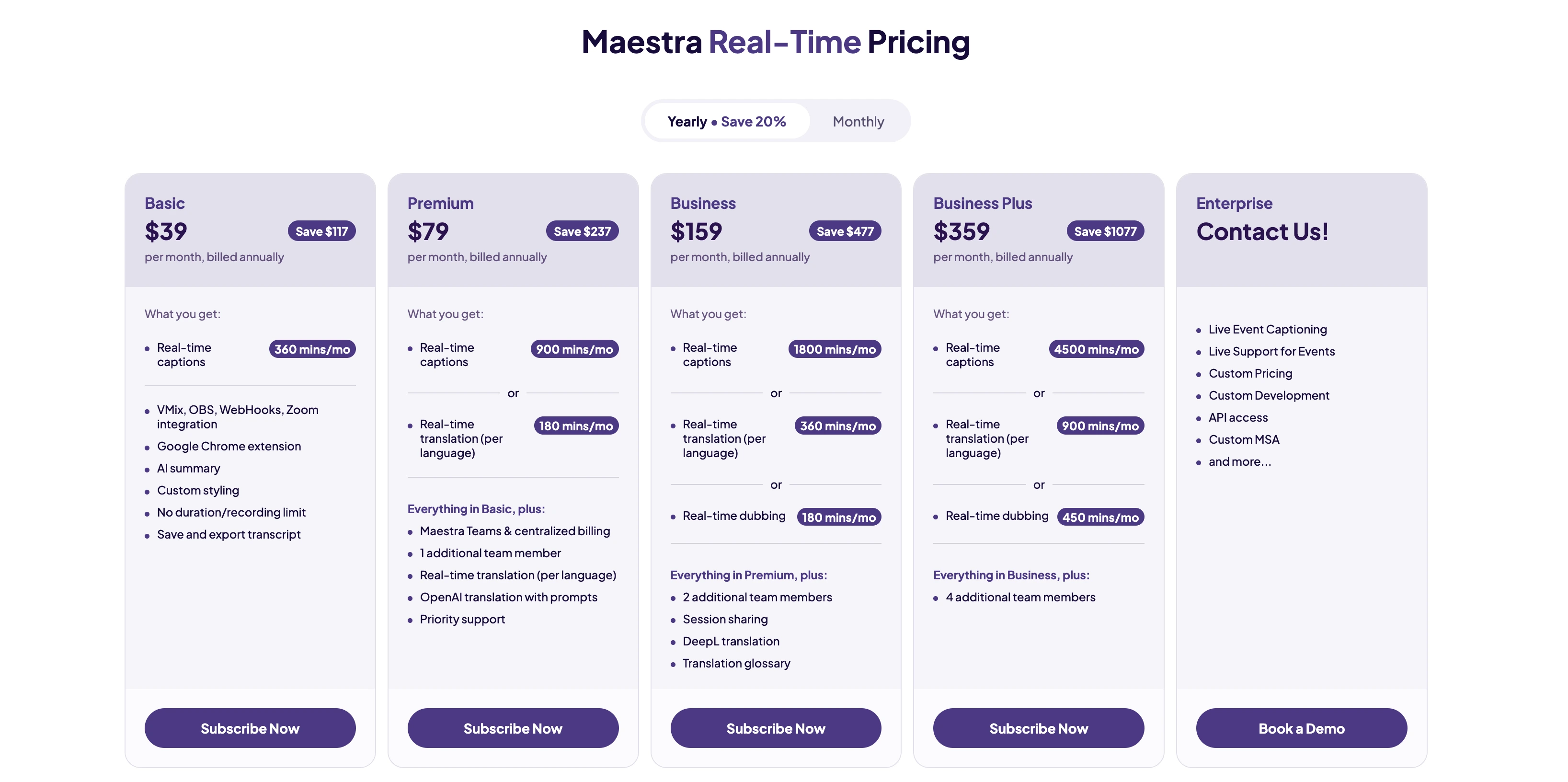
🎯 Bottom line: Maestra is the most complete solution on this list for live speech translation across languages. The voice quality and session flexibility make it more than a basic translator.
2. Google Translate
Best for: Everyday users needing a free and versatile speech translation app.
Not ideal for: Professional meetings, technical discussions, or environments with heavy background noise.
What stands out: Free conversation mode with automatic language detection and switching.
🌟 G2 rating: 4.6/5
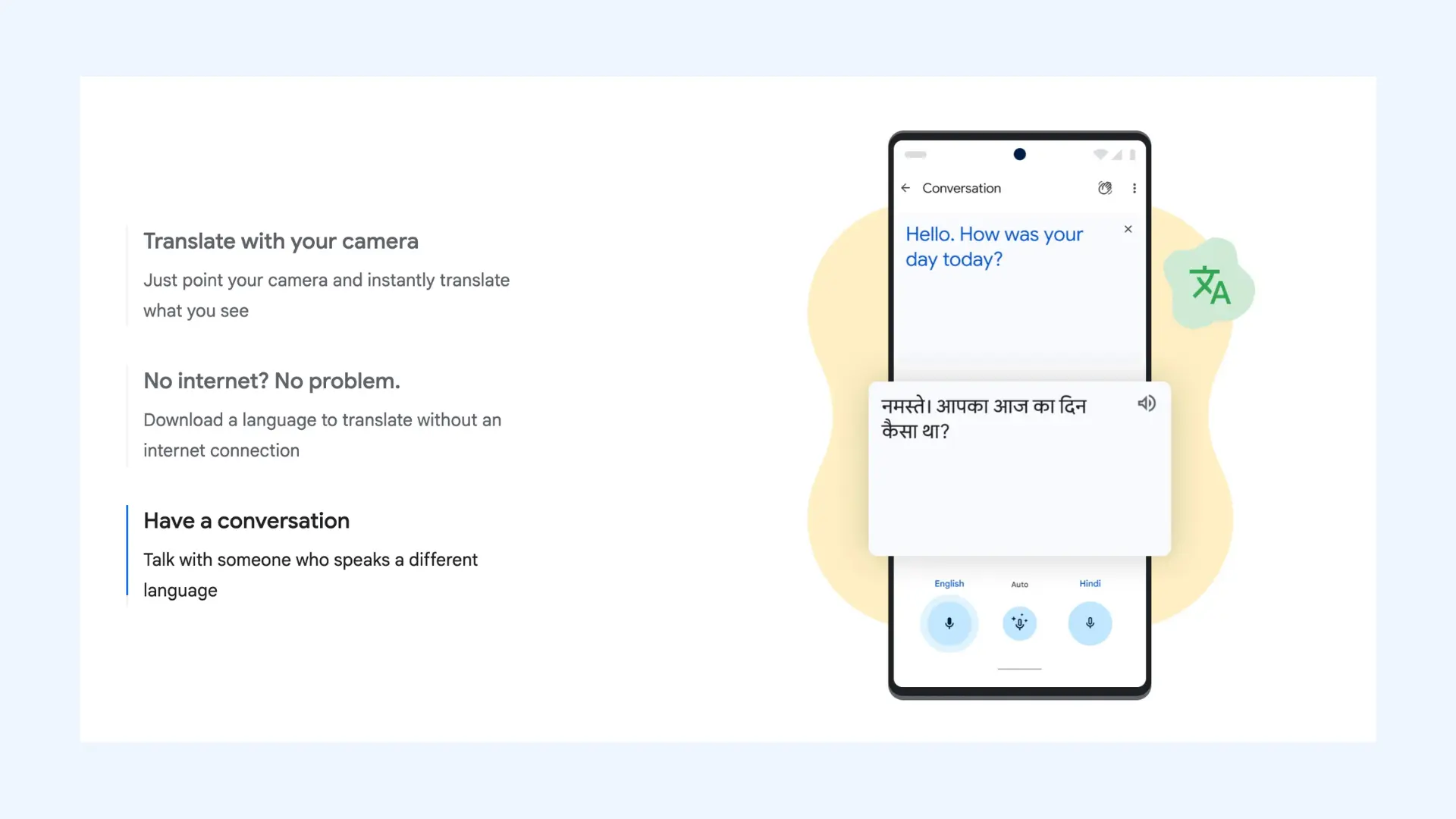
Google Translate lets you have real-time voice conversations in 133 languages. Simply tap the mic, speak normally, and hear your words instantly translated aloud. While not perfect with complex speech, it's the most accessible free option for travelers and casual users.
Setup: Google Translate requires no account to use. Open the iOS or Android app or website, tap the microphone icon, select languages (or let it auto-detect), and start speaking.
Key features:
- Tap-to-speak interface for instant voice input
- Automatic language detection during conversations
- Offline speech packs for selected languages
Pros
- Fast voice input with minimal setup or learning curve
- Handles different accents fairly well
- Completely free with unlimited speech translations
Cons
- Speech recognition may struggle with background noise and overlapping voices
- Accuracy can drop with complex sentences or technical speech
Pricing: Completely free.
🎯 Bottom line: Google Translate is unbeatable for free, everyday speech translation. However, accuracy and nuance may fall apart once conversations become complex or professional.
3. Microsoft Translator
Best for: Business users requiring professional-grade speech translation with multiple participants.
Not ideal for: Users who want instant use without setup or participants installing an app.
What stands out: Live multi-person translation sessions with up to 100 participants.
🌟 G2 rating: 4.3/5
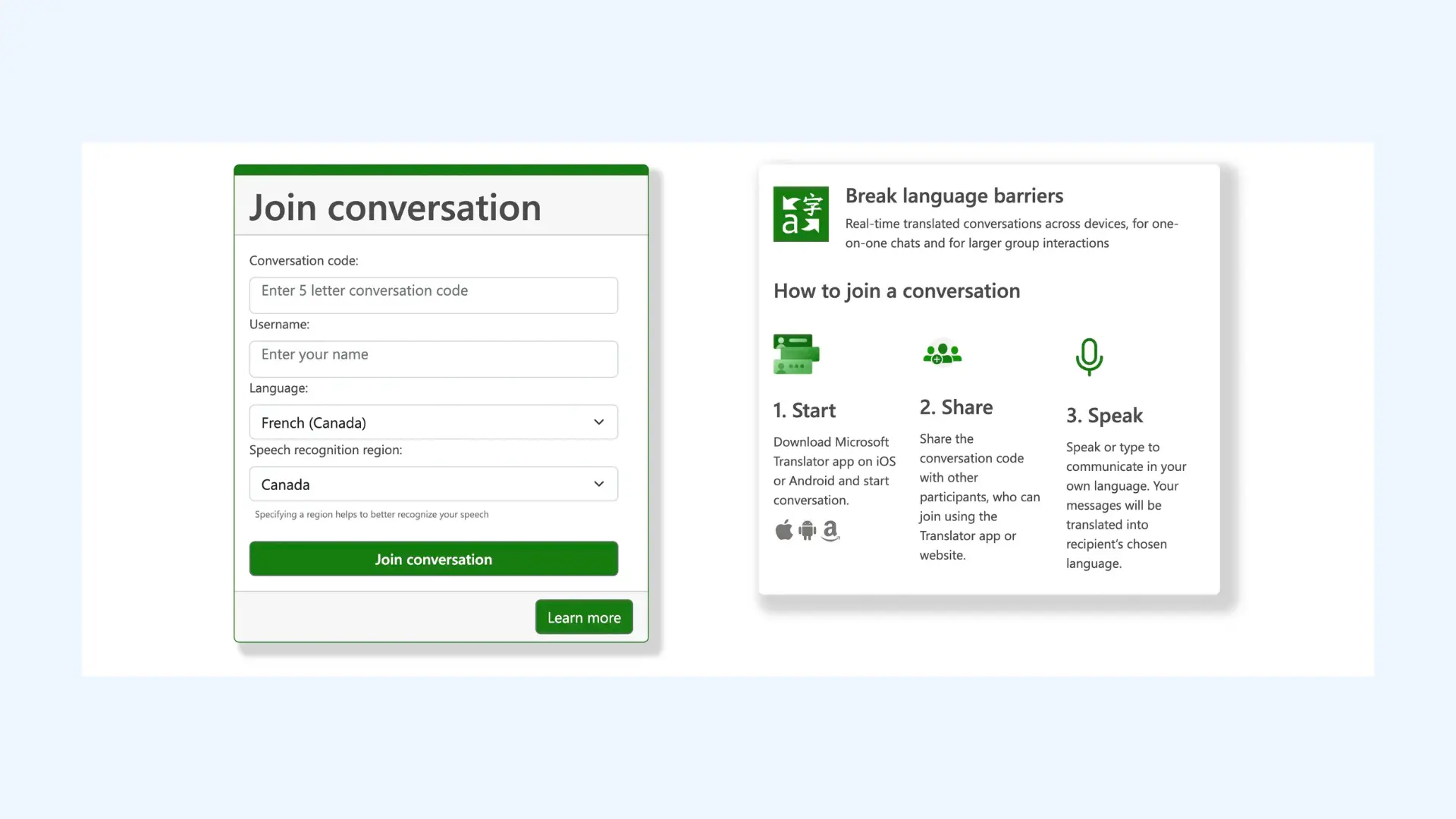
Microsoft Translator excels in professional and group settings. Up to 100 participants can join a shared translation session, each speaking their own language while receiving real-time speech translations on their devices. Perfect for international meetings, conferences, and multilingual events.
Setup: You can download the Microsoft Translator app on iOS or Android. One person starts a conversation and shares a join code with the group. Everyone joins on their own device, selects their preferred language, and can start speaking right away.
Key features:
- Joinable live sessions with shared conversation codes
- Real-time subtitle display alongside speech output
- Language preference settings per participant
Pros
- Excellent speech recognition accuracy across different languages and accents
- Real-time transcription of spoken conversations
- Split-screen conversation mode for two-person dialogues
Cons
- Interface can feel dated compared to newer translation apps
- Group conversation features require all participants to install the tool
Pricing:Free for personal use; enterprise features available through Microsoft 365 subscriptions (pricing varies by plan).
🎯 Bottom line: Microsoft Translator is built for structured, multilingual meetings. It’s reliable and scalable, but I also found it less modern than newer AI-first tools.
4. iTranslate Voice
Best for: Users seeking a polished speech translation experience with high-quality voice output.
Not ideal for: Heavy daily use unless you’re willing to pay for the Pro plan.
What stands out: Polished, natural-sounding voice output with offline support in Pro.
🌟 G2 rating: 4.8/5
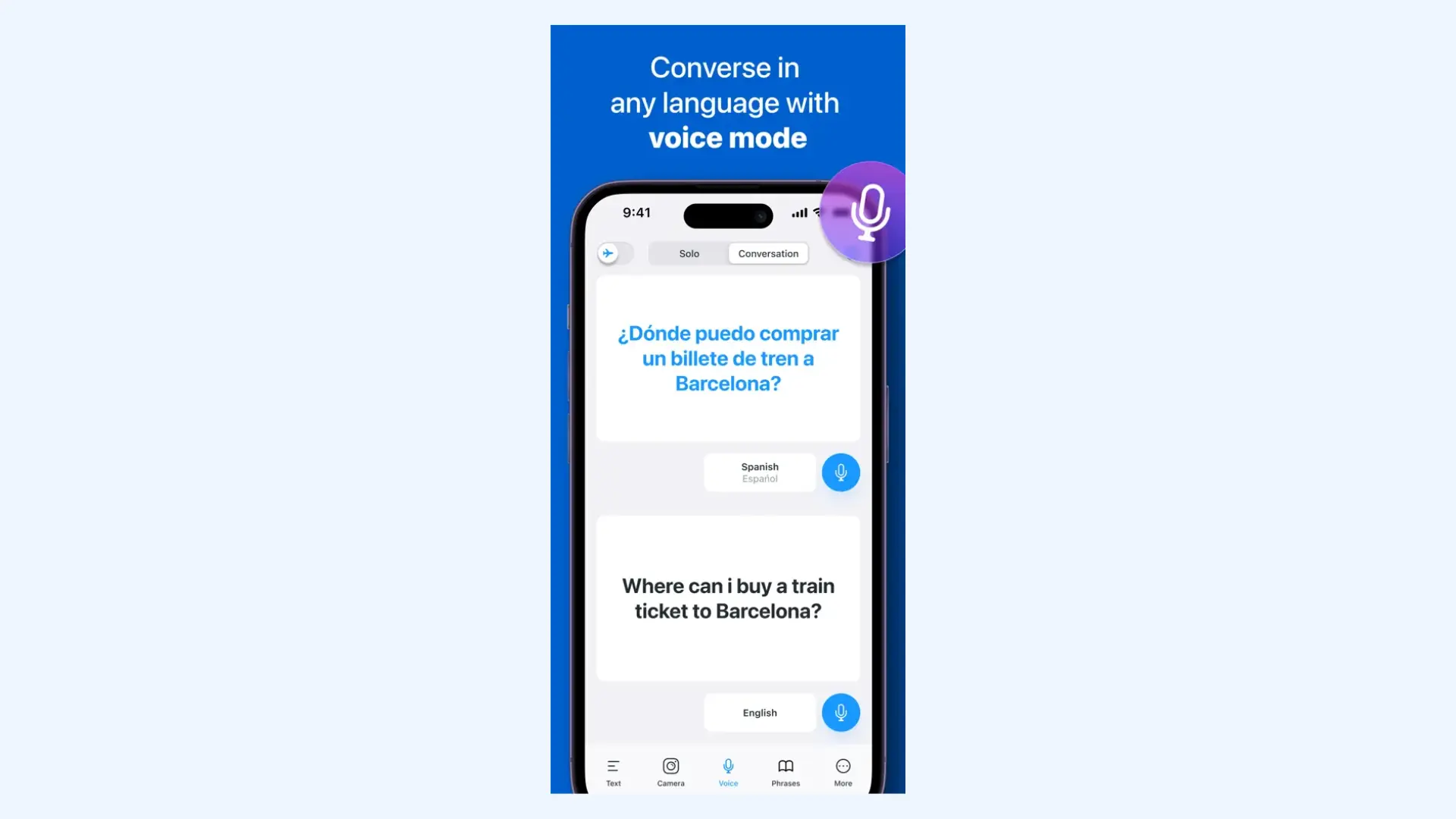
iTranslate Voice delivers smooth voice-to-voice translation with natural, lifelike speech output in over 40 languages. Its speech recognition is fast and accurate, handling different accents better than most competitors. The interface is simple: tap, speak, and get instant text and audio translations.
Setup: You can install iTranslate for iOS or Android and grant microphone access. Then select voice translation mode, choose languages, and tap to speak. Offline voice features require downloading language packs in advance (Pro).
Key features:
- Clean interface with speaker separation
- Adjustable playback speed and voice options
- Cross-device syncing for saved translations
Pros
- Quick speech recognition with minimal lag
- Conversation mode with clear speaker identification
- Offline voice translation available in the Pro version
Cons
- Free version severely limits speech translations (only 3 per day)
- Voice translation requires good internet connection in free version
Pricing: Free version with limitations; iTranslate Pro costs $9.99/month or $99.99/year.
🎯 Bottom line: I found iTranslate to be one of the smoothest speech translation apps I tested. The voice output sounds natural and the interface is easy to use, but the free tier is limited. It’s best suited for individuals who prioritize voice quality and simplicity and don’t mind paying for full access.
5. Papago
Best for: Travelers and professionals working with Asian languages, especially Korean, Japanese, and Chinese.
Not ideal for: Users needing broad global language coverage beyond Asian languages.
What stands out: Exceptional handling of Asian languages, tones, and formality levels.
🌟 G2 rating: Not available on G2 as this guide is written.
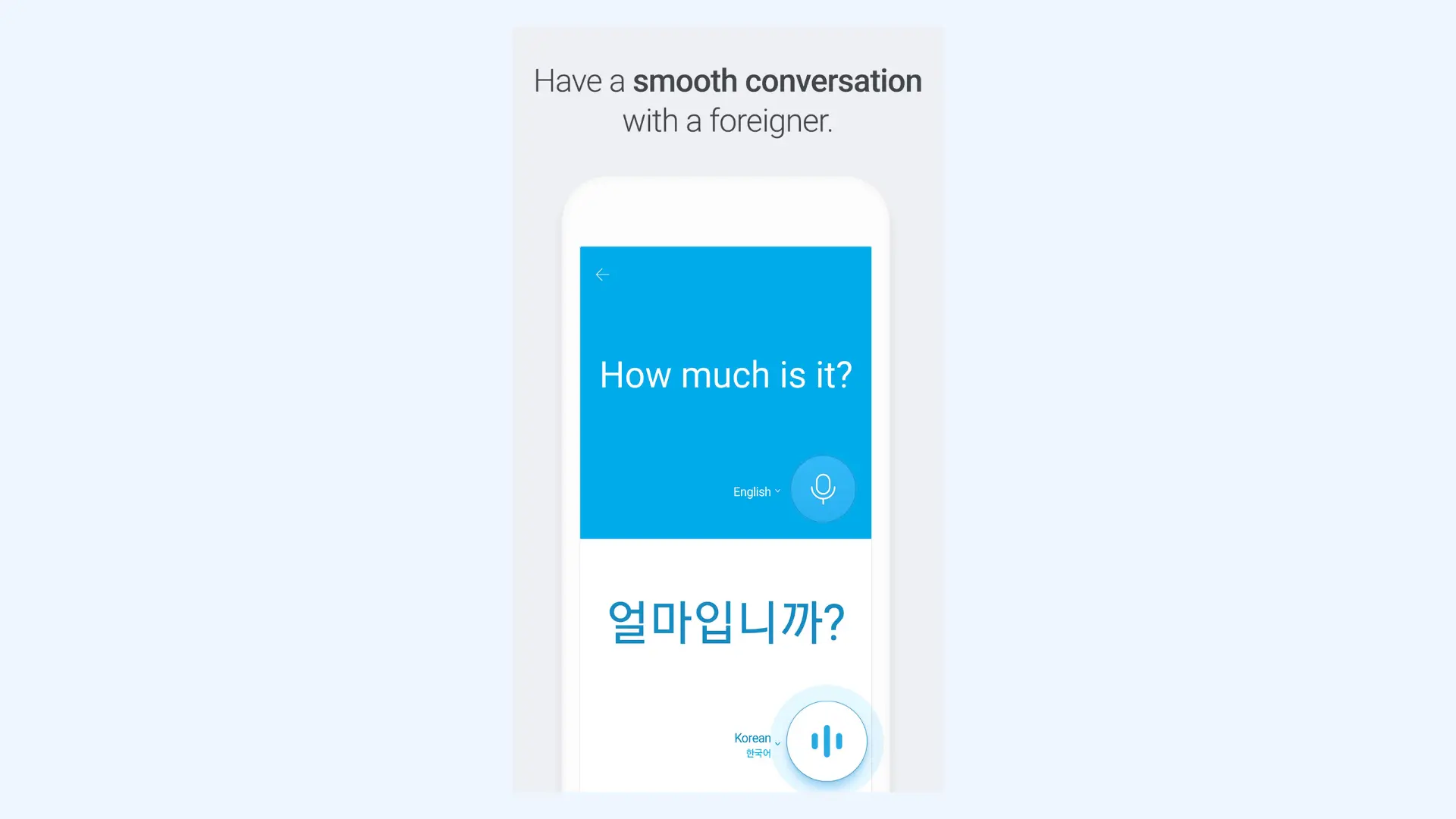
Papago excels at translating spoken Asian languages that often challenge Western-developed translation apps. Its speech recognition handles Chinese tones, Korean context, and Japanese formality levels with impressive accuracy. It even manages code-switching (mixing languages) better than most competitors, a major advantage in multilingual Asian contexts.
Setup: Download Papago app on iOS or Android and allow microphone access when prompted. Then open the app, switch to Voice or Conversation mode, choose your source and target languages, and start speaking. Papago will instantly translate your speech and play it back in the selected language.
Key features:
- Honorific-aware speech handling for Korean and Japanese
- Tone-sensitive recognition for spoken Chinese
- Context-aware translation for short conversations
Pros
- Natural-sounding voice output for Korean, Japanese, and Chinese
- Handles tonal languages and formal/informal speech levels effectively
- Offline voice translation available for key language pairs
Cons
- Limited to 13 languages (primarily Asian)
- Voice translation is only available in the mobile app
Pricing: Completely free.
🎯 Bottom line: Papago is a specialist, not a generalist. If Asian languages are your priority, it outperforms most global translators.
6. Reverso
Best for: Language learners who want to understand how native speakers actually talk, not just translate words.
Not ideal for: Fast-paced group conversations or high-stakes business meetings where you need flawless live translation.
What stands out: Contextual audio examples from native speakers.
🌟 G2 rating: 4.3/5
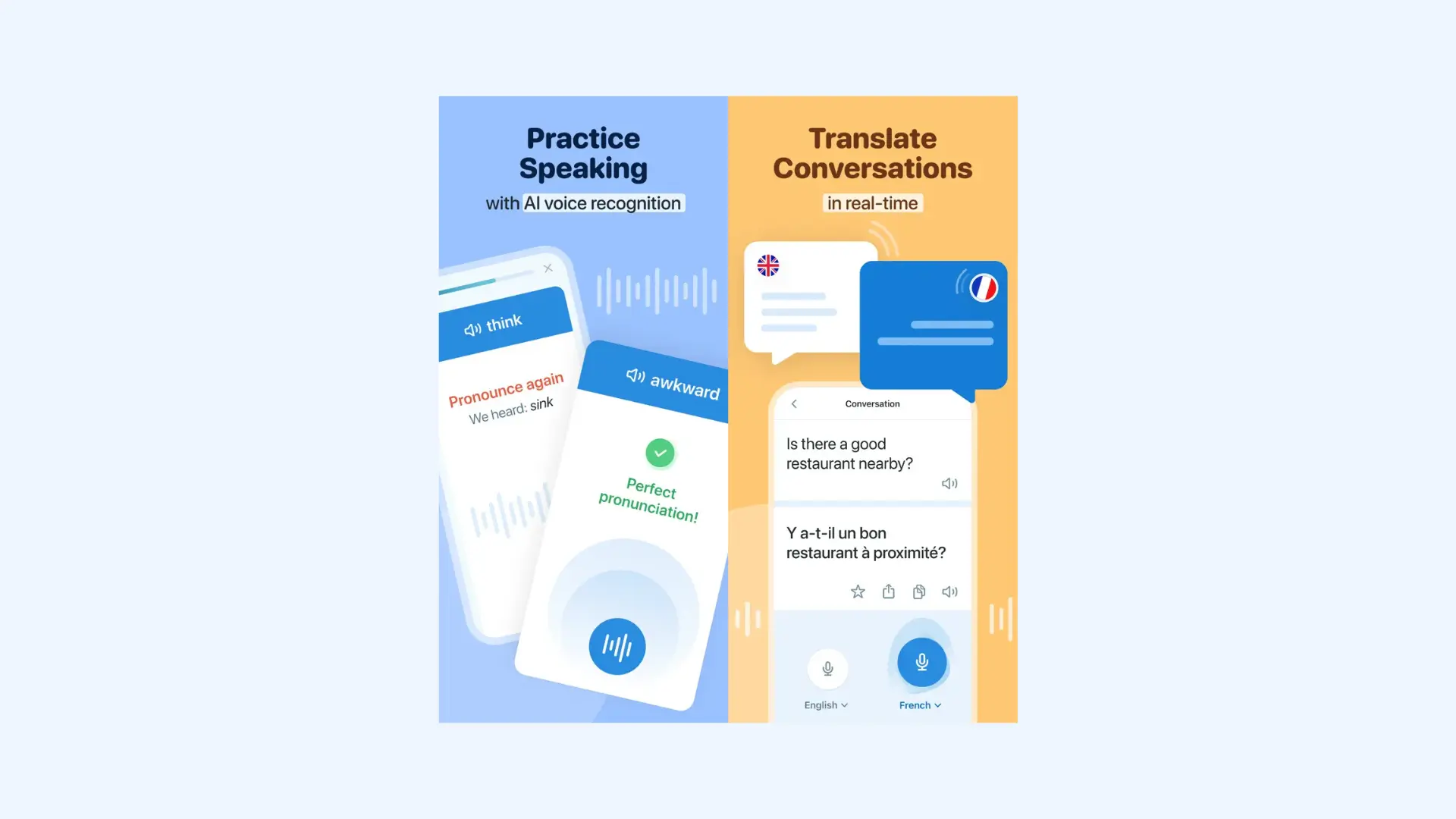
Reverso offers real-time voice translation but its real strength is helping you translate in context instead of word-for-word. It shows how native speakers actually use phrases in everyday speech, making it especially useful for learning natural phrasing and avoiding awkward translations. I use it when I’m traveling and need to translate a phrase in a way that locals would actually say it, like asking for directions or ordering food.
Setup: Reverso is available on iOS and Android, and you can start using it right away with optional account creation. After enabling microphone access, tap voice input, speak a word or sentence, and get a translation with contextual examples.
Key features:
- Example-based translations pulled from real-world usage
- Real-time voice translation with conversation mode
- Verb conjugation and grammar tools alongside voice translation
Pros
- Audio examples from native speakers in real conversational contexts
- Pronunciation guides with phonetic breakdowns for difficult words
- Voice input with comparison to native speaker pronunciation
Cons
- Not designed for fast, multi-speaker live translation
- Only 17 languages supported (major European languages only)
Pricing: Free with limitations; Premium subscription at $4.99/month.
🎯 Bottom line: Reverso is the best choice if you care about sounding natural, not just being understood. It is especially useful for scenarios like handling small talk without sounding overly literal.
7. Yandex Translate
Best for: Voice translation involving Russian and Eastern European languages in conversations.
Not ideal for: Users prioritizing consistent voice quality across all languages.
What stands out: Best-in-class performance for Russian and Slavic languages.
🌟 G2 rating: 4.1/5
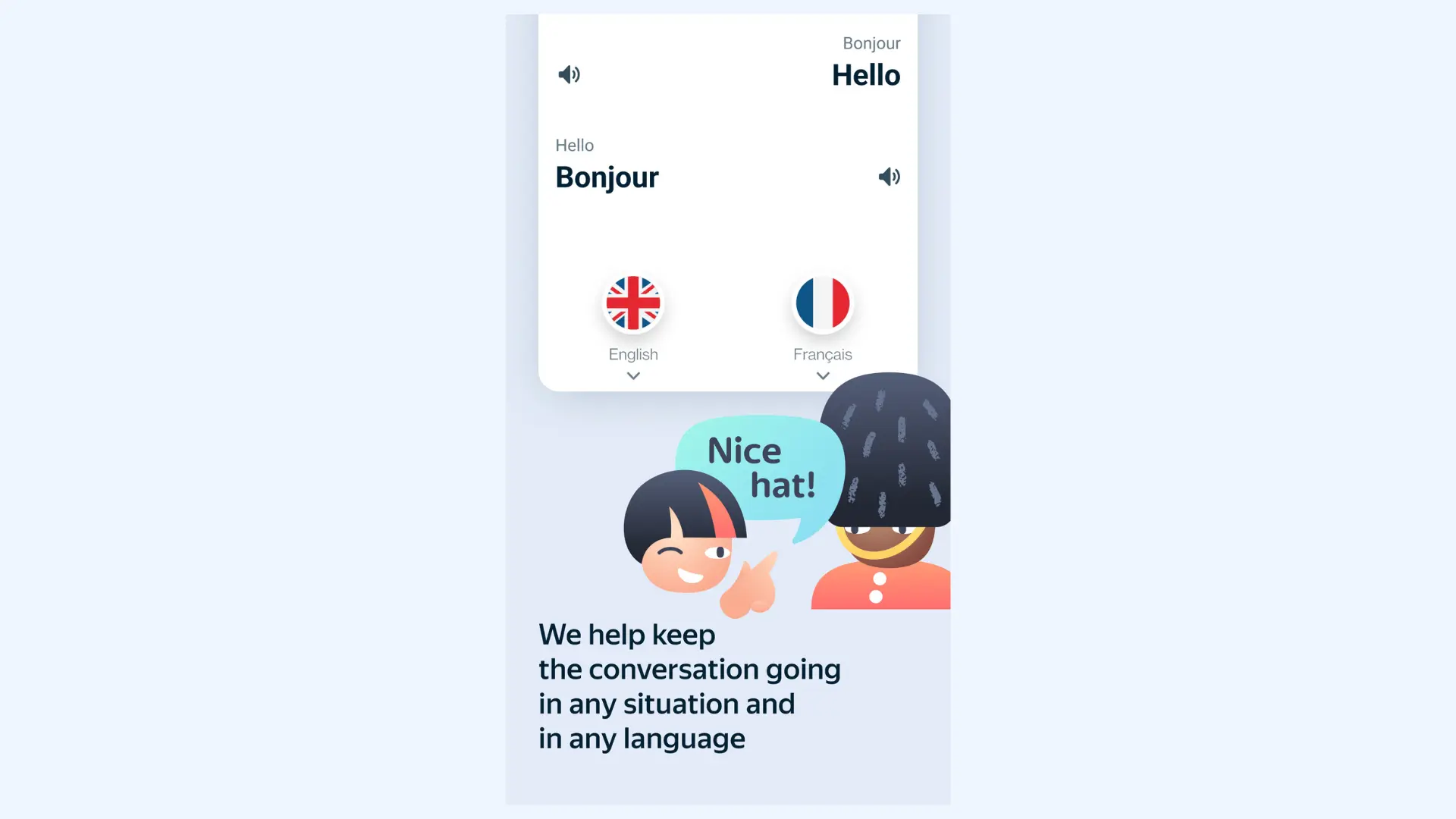
Yandex Translate stands out for Russian, Ukrainian, and other Slavic languages, outperforming many Western-developed translators. While it supports speech translation in over 100 languages, its best performance is with Russian and nearby regional languages. The speech features work offline with downloaded language packs, making it reliable for travelers in areas with poor connectivity.
Setup: Yandex Translate can be used instantly through its iOS and Android apps or website. You simply enable voice input, choose languages, and begin speaking. Offline speech translation requires downloading language packs in advance.
Key features:
- Auto language detection for faster voice-to-voice switching
- Built-in translation history to quickly revisit past voice translations
- Offline voice translation packs for travel with low connectivity
Pros
- Exceptional speech recognition accuracy for Russian and Slavic languages
- Completely free with unlimited voice translations
- Predictive voice input suggests completions as you speak
Cons
- Voice quality varies significantly (excellent for Russian, mediocre for others)
- Background noise may impact speech recognition accuracy
Pricing: Completely free.
🎯 Bottom line: Yandex Translate is uneven but dominant in its niche. For Russian or Eastern European languages, it’s one of the strongest free options available.
8. DeepL Voice
Best for: Businesses and professionals needing secure, real-time voice translation for meetings and face-to-face conversations.
Not ideal for: Casual users looking for a free or simple everyday speech translator.
What stands out: High-quality, real-time voice translation with strong security and enterprise-grade data protections.
⭐ G2 rating: 3.5/5

DeepL Voice brings DeepL’s industry-known translation quality into speech-to-speech use in two main ways: Voice for Meetings and Voice for Conversations. Both are designed for business use, supporting multilingual communication in professional settings. While Voice for Meetings is built for live calls, Voice for Conversations supports in-person dialogue (for example, with frontline staff) through the mobile app.
Setup: You can download the DeepL app on iOS or Android, and sign in to access Voice for Conversations. Then tap the Conversations icon, choose your languages, and start speaking to get real-time speech translation. For meetings on desktop, DeepL Voice for Meetings supports live call translation and integrates with Zoom and Microsoft Teams.
Key features:
- Real-time speech translation for both virtual meetings and in-person conversations
- Automatic speaker detection for smooth bilingual exchanges
- Custom vocabulary support for industry-specific terminology
Pros
- Maintains context and nuance even in fast-paced business discussions
- Direct integration with Zoom and Microsoft Teams
- Advanced accent and speech pattern detection for diverse speakers
Cons
- Limited to 31 languages (primarily European)
- Enterprise focus means it’s not accessible for casual users (yet)
Pricing:Custom enterprise plans; requires a consultation with the DeepL sales team.
🎯 Bottom line: DeepL Voice is a strong choice for businesses that need accurate, secure voice translation in meetings and in-person conversations. However, it’s less accessible than most apps on this list since it’s positioned as an enterprise solution and requires contacting DeepL for pricing and access.
9. Speak & Translate
Best for: Apple device users seeking premium speech translation with offline capabilities and Apple Watch integration.
Not ideal for: Android users or those looking for a low-cost long-term solution.
What stands out: Apple Watch support for hands-free speech translation.
⭐ G2 rating: Not available on G2 as this guide is written.
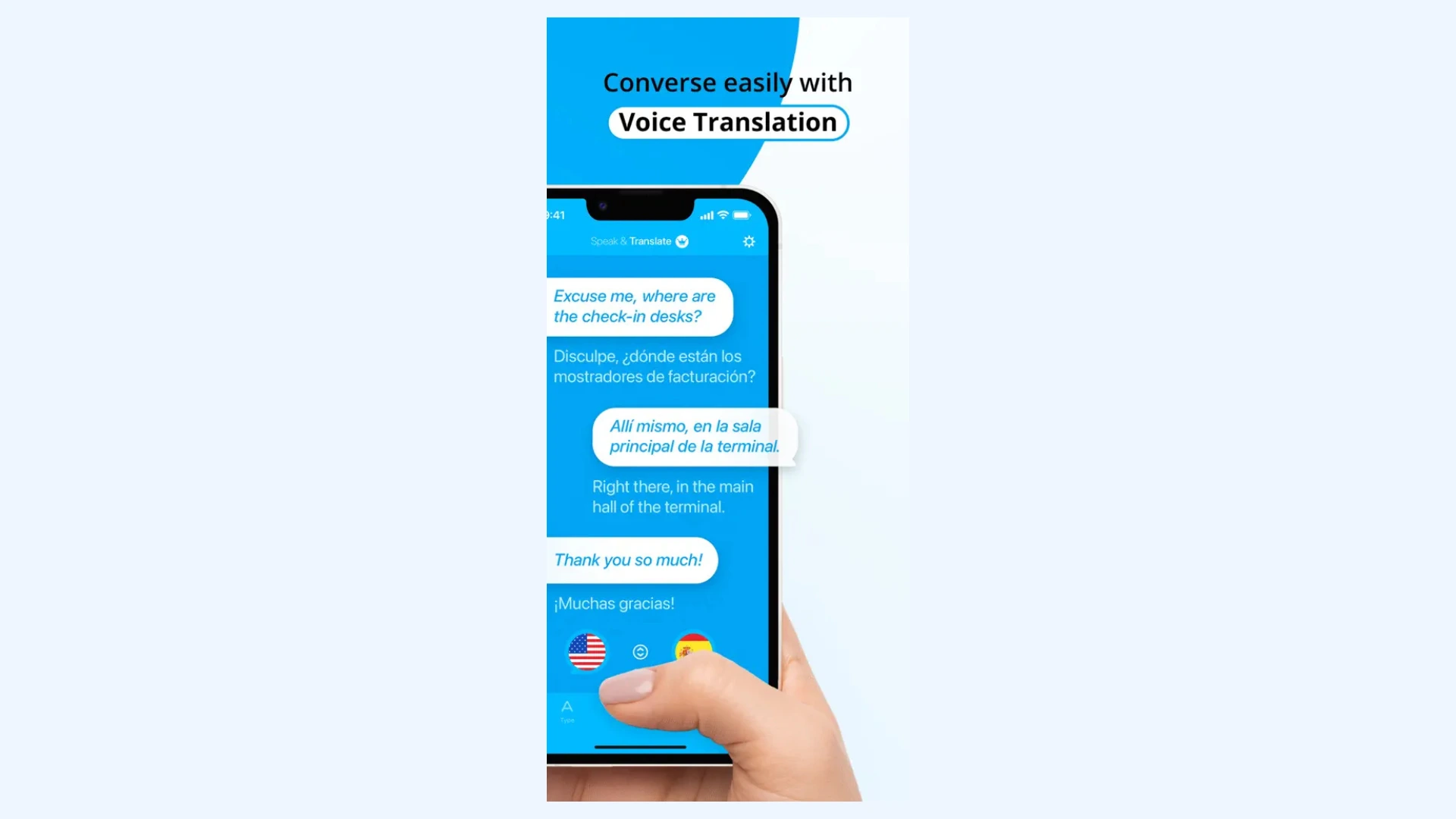
Speak & Translate is a popular iOS-focused app offering voice-to-voice translation in 100+ languages. What sets it apart is robust offline speech translation, Apple Watch support for hands-free use, and iCloud sync across devices. Its voice recognition is highly accurate, with adjustable voice speeds and accent options for playback.
Setup: After installing the app on iOS, users grant microphone and speech permissions. Voice translation is accessed with a single tap, and Apple Watch setup mirrors the iPhone configuration.
Key features:
- Instant language switching with one-tap conversation mode
- Conversation history saved and searchable across devices
- Phrase suggestions based on recent inputs
Pros
- Apple Watch app for hands-free speech translation
- iCloud sync keeps conversation history across Apple devices
- Offline speech translation available for major language pairs
Cons
- Primarily optimized for iOS (limited Android functionality)
- Higher price point than some competitors
Pricing: Free version with limitations; Premium subscription starts at $7.99/month.
🎯 Bottom line: Speak & Translate is the app I reach for when I need fast, reliable voice translation on my iPhone without breaking my flow. It’s especially convenient for quick, on-the-go conversations, and the Apple Watch support makes it feel effortless in real situations.
10. Vocre
Best for: Travelers wanting offline speech translation with dialect-specific voices for authentic conversations.
Not ideal for: Users who need real-time group conversations or business meeting integrations.
What stands out: Dialect-specific voice output with strong offline speech translation for travel use.
⭐ G2 rating: Not available on G2 as this guide is written.
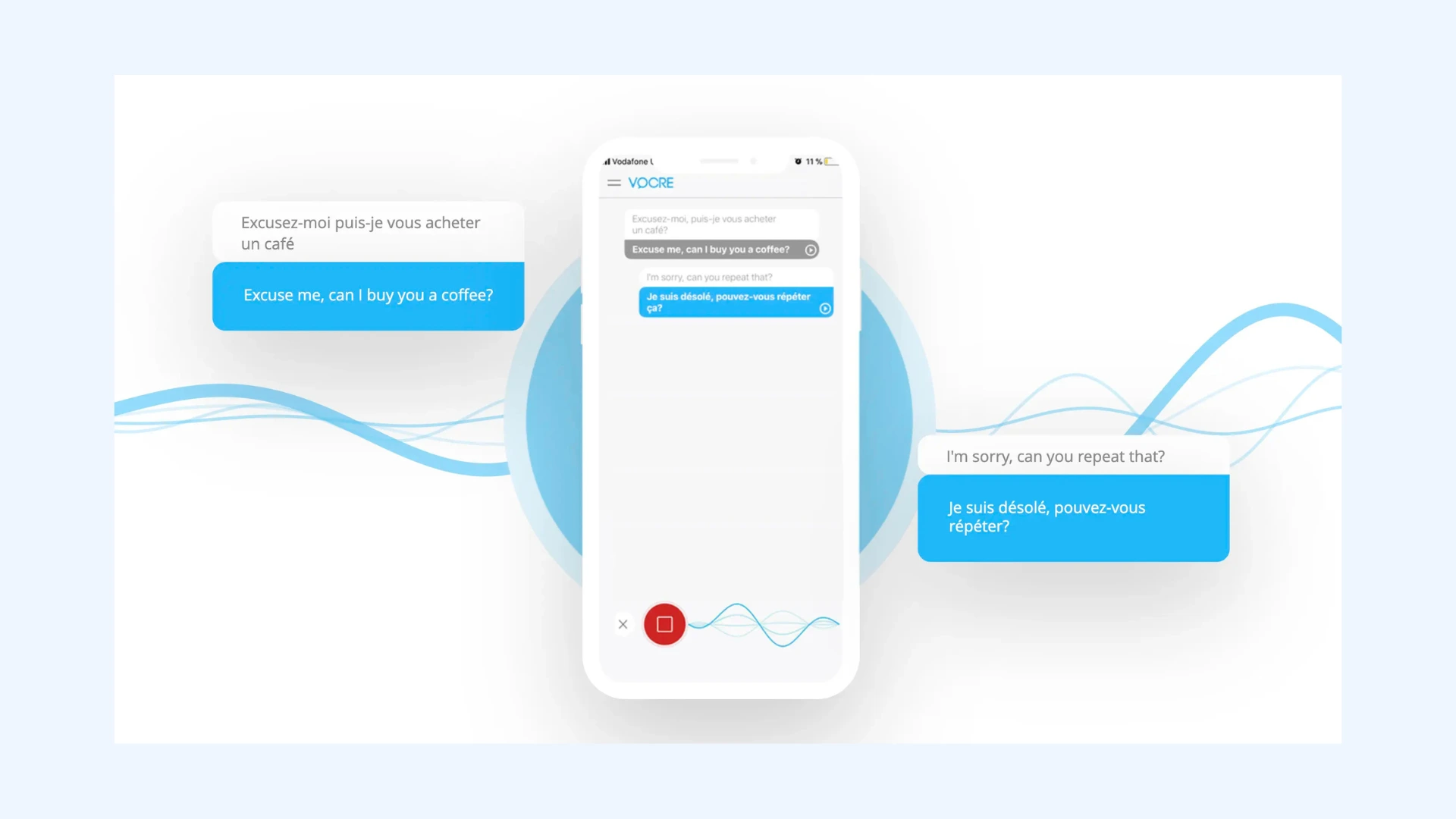
Vocre is known for its extensive offline translation features and attention to regional dialects and accents. It supports voice-to-voice translation in 59 languages, with downloadable packs that work entirely offline. Its standout feature is dialect selection: instead of generic “Spanish” or “English,” you can pick Mexican or Castilian Spanish, or British or American English, with voice output matching each accent.
Setup: Download Vocre for iOS, allow microphone access, and select your source and target languages. Once set, you can tap to speak and get instant voice-to-voice translations with your preferred dialect and accent.
Key features:
- Offline language packs for voice translation without Wi-Fi or data
- Dialect and region selection for more natural-sounding speech output
- Quick-access widget for one-tap voice translation on the go
Pros
- Apple Watch support for quick access while traveling
- Phrasebook with audio for common travel scenarios
- One-time purchase option (no forced subscription)
Cons
- Offline language packs require significant storage space
- Interface feels dated compared to modern apps
Pricing: Free version with ads and limited features; Premium subscription is $8.99/month.
🎯 Bottom line: You can rely on Vocre when you need offline voice translation that still feels natural, especially while traveling in areas with weak or expensive internet.
How to Choose the Best Speech Translator App for You
Finding the best speech translator app depends on your specific needs: whether you’re a traveler, business professional, or language learner. Below is a breakdown of the most important factors to consider before committing to any tool.
Accuracy and Language Coverage
A speech translator app is only as good as its reliability.
- Look for apps with strong AI models (like DeepL or Microsoft Translator) that handle context well, approaching the accuracy of professional translators.
- Check language availability: some apps like Maestra cover more than 100 languages, while others specialize in a few (e.g., Papago for Asian languages).
- Consider accent recognition and tone handling, especially if you need it for multilingual conversations.

Real-Time Performance and Offline Access
Speed and reliability matter most during live interactions. According to Google Research, newer AI speech-to-speech translation systems can translate in about 2 seconds, which is much faster than older methods that could take 4–5 seconds.[1]
- Choose apps offering real-time voice translation with minimal delay.
- For travel or fieldwork, ensure offline functionality, as downloadable language packs can be lifesavers when you lack connectivity.
- Test the latency and response time in real-world conditions, not just demo videos.
Voice Quality and Naturalness
Not all voice outputs sound human. According to recent research in ScienceDirect, voice naturalness (how closely a synthetic voice resembles human speech in terms of intonation, rhythm, and expressiveness) directly affects how users interact with and perceive it.[2]
- Prioritize apps with clear, natural-sounding voices that reflect proper pronunciation and emotion.
- Some tools, like Maestra, go further by offering AI voice cloning, allowing translated speech to retain the original speaker’s voice for a more authentic result.
- If you’re learning languages, seek apps with phonetic guides or native speaker audio samples (like Reverso) to help you practice conversations more effectively.

Privacy and Security
Privacy is non-negotiable, especially if you’re using speech translation professionally.
- Avoid apps that store or share your audio recordings without consent.
- Always read each app’s data usage and retention policy before enabling microphone access.
- If you're a business user, don't forget that enterprise-grade encryption and GDPR compliance are essential.
Platform Compatibility and Integrations
Make sure the app fits your devices and workflow.
- If you switch between devices, choose one that supports cross-platform syncing.
- For professional use, prioritize tools that integrate with video conferencing platforms such as Zoom, Microsoft Teams, or Google Meet.
- If you’re part of a multilingual team, choose apps that allow collaboration features for consistent communication across members.

Pricing and Long-Term Value
A free app isn't always the best deal.
- Compare free vs. premium tiers, as many speech translator apps offer full features only in paid plans.
- Check for lifetime purchase options if you prefer a one-time payment.
- For professional use, consider enterprise plans that include enhanced privacy and API access.
Conclusion
Speech translation has quietly become one of the most practical uses of AI: not flashy, just transformative. The best apps respond with the tone and rhythm of the conversation. What separates them now isn’t whether they work, but how naturally they fit into real communication.
Here's a final quick look at how each speech translator app stands out:
- 🗣️ Maestra — AI voice cloning and real-time multilingual translation in 125+ languages.
- 🌐 Google Translate — Free, simple, and supports 133 languages.
- 💼 Microsoft Translator — Ideal for team meetings and collaboration.
- 🎧 iTranslate Voice — Natural voice output with offline mode.
- 🇰🇷 Papago — Excels in Asian languages and tonal accuracy.
- 🗨️ Reverso — Great for language learners with native examples.
- 🇷🇺 Yandex Translate — Strong for Russian and Slavic languages.
- 🧠 DeepL Voice — Enterprise-grade precision and integrations.
- 🍎 Speak & Translate — Optimized for Apple users with offline access.
- ✈️ Vocre — Travel-friendly with regional accent support.
In the end, best speech translator apps are the ones that disappear into the conversation, letting people take center stage.
Frequently Asked Questions
Is there an app that can translate speech in real time?
Yes, Maestra can translate speech in real time across more than 125 languages. It instantly converts spoken words into your preferred language with natural voice output. The tool works directly in your browser, making it ideal for meetings, events, and live conversations.
How accurate are live speech translators?
Most live speech translators today are highly accurate because of major improvements in machine translation technology. They can deliver fluent and context-aware translations in real time. Still, accuracy may drop with background noise, heavy accents, or very technical language.
Which voice translator is most accurate?
While no single tool can claim perfect accuracy, Maestra stands out for real-time speech translation across 125+ languages with robust performance in live sessions. Microsoft Translator also performs strongly for professional meetings, while iTranslate delivers smooth results for everyday communication. For Asian languages, Naver Papago remains one of the most reliable options.
Is it safe to use speech translator apps?
Yes, most speech translator apps are safe to use, but it depends on the service and how it handles your data. Trusted apps use encryption and follow strict privacy standards to protect your information. Always review a service’s privacy policy before granting microphone access or having conversations online.
Is there a better speech translation app than Google?
This depends on your needs and preferences. While Google Translate offers broad language support and free access, some apps may outperform it in specific areas like accuracy or enterprise features. Ultimately, the best speech translation app is the one that delivers the right balance of accuracy, features, and usability for your specific situation.
What is the best speech translator app for Android?
For Android users, Google Translate is generally considered the best all-around speech translation app. It supports 133 languages, offers offline translation, and includes a conversation mode for real-time dialogue. iTranslate is another reliable and user-friendly option for those who value clear voice playback and offline functionality.
What is the best speech translator app for iPhone?
Speak & Translate is one of the best speech translation apps for iPhone, offering seamless Apple Watch integration, offline capabilities, and support for over 100 languages. iTranslate is equally worth considering for its natural-sounding voice translations and everyday usability. Meanwhile, those seeking a built-in solution can turn to the default Apple Translate app, which comes preinstalled on iPhones.
What is the best speech translator app for PC?
For PC users, Maestra is one of the best options for real-time speech translation. Its browser-based platform requires no installation and supports live multilingual conversations in over 125 languages. Another strong tool is KUDO, which is designed for international meetings and conferences and offers high-quality live speech translation.
Can ChatGPT translate a live conversation?
ChatGPT can assist with translating text-based conversations in real time, but it doesn’t yet support live speech translation. It can help translate what’s said if you input the text manually. For actual speech-to-speech translation, you'll need a dedicated tool like Maestra.
References