10 Best Korean Translator Apps: Complete Guide

If you've ever tried translating Korean online, you know how tricky it can be to get results that actually make sense. The wrong translator can turn a polite phrase into something awkward or confusing. That’s why the best translation apps go beyond word-for-word accuracy to deliver natural, context-aware results.
In this blog, I've tried and listed the best Korean translator apps based on accuracy, contextual understanding, ease of use, and reliability in different scenarios.
Each app here solves a different translation challenge. Whether you’re learning Korean, traveling in Seoul, or translating for work, these tools can make understanding and communicating in Korean feel effortless.
Here are the apps that I'd recommend for clear and dependable Korean translation:







Top 10 Korean Translator Apps: Real-Time Voice, Text & Image Translation
From AI-powered live translation apps to specialized tools for reading menus and signs, today's tools offer far more than simple word-for-word conversion. Below is a compilation of the 10 best Korean translator apps, each excelling in different areas.
| App | Standout Feature | Languages Supported | Platform Availability | Free Trial/Version |
| Maestra | Real-time translation with voice and captions | 125+ | Web, Chrome extension | ✅ |
| Papago | Korean-specific accuracy and cultural context | 14 | Web, iOS, Android | 100% free |
| Google Translate | Widest language coverage & flexibility | 130+ | Web, iOS, Android | 100% free |
| Microsoft Teams Interpreter | Teams integration & group conversations | 9 | Web, iOS, Android (via Microsoft Teams) | ❌ |
| Flitto | Hybrid AI + human translation | 25 | Web, iOS, Android | Free; paid credits for human translation |
| iTranslate | Polished interface with learning features | 100+ | Web, iOS, Android | ✅ |
| Waygo | Offline visual translation of text in images | 3 (from Korean, Chinese, Japanese to English) | iOS | ✅ |
| KoTranslate | Simple Korean-English translation | 2 (two-way Korean-English only) | iOS | ✅ |
| VoiceTra | Voice translation with verification | 30+ | iOS, Android | 100% free |
| DeepL | Professional, human-like written translations | 100+ | Web, Windows, macOS, iOS, Android, Chrome, Edge, Google Workspace | ✅ |
1. Maestra: Best for Live Korean Speech-to-Speech Translation
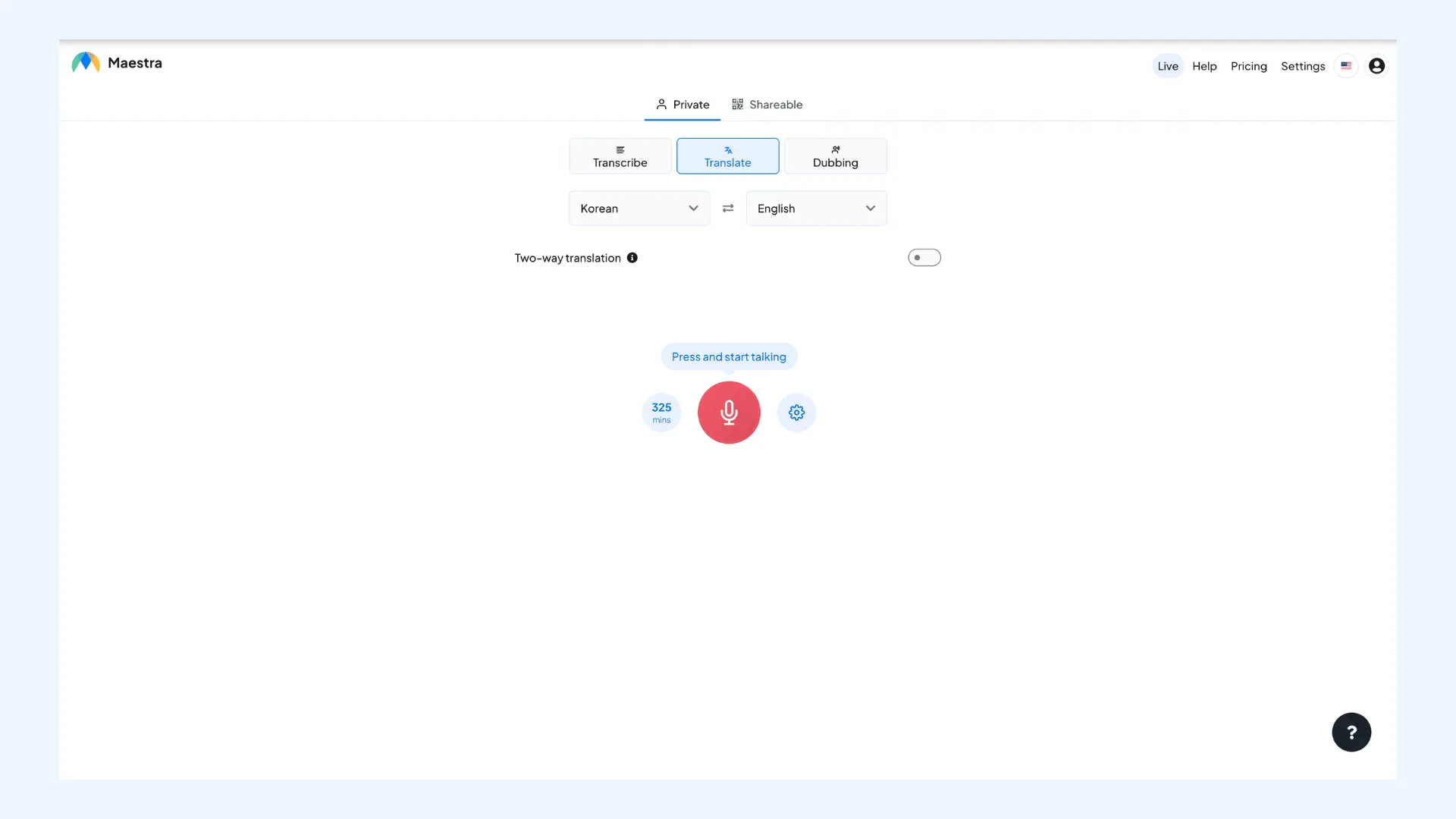
Communicating across languages, including Korean, is effortless with Maestra's real-time online voice translator, which doubles as a real-time interpreter for speech-to-speech sessions. You speak naturally in Korean or any of the supported 125+ languages, and Maestra instantly translates your speech into the target language, complete with AI-spoken audio and on-screen captions. What I like most is that you're not limited to one language pair: you can host sessions with multiple source and target languages, and people can join quickly using a direct link or a QR code.
Available on: Web, Chrome Web Store (browser extension)
Pros
- Supports AI voice cloning for personalized translations
- Multilingual sessions with multiple language outputs
- Integrates with Zoom, OBS, vMix, and Microsoft Teams
Cons
- Requires internet connection
- Small lag may occur in real-time sessions
Pricing:Free trial available.
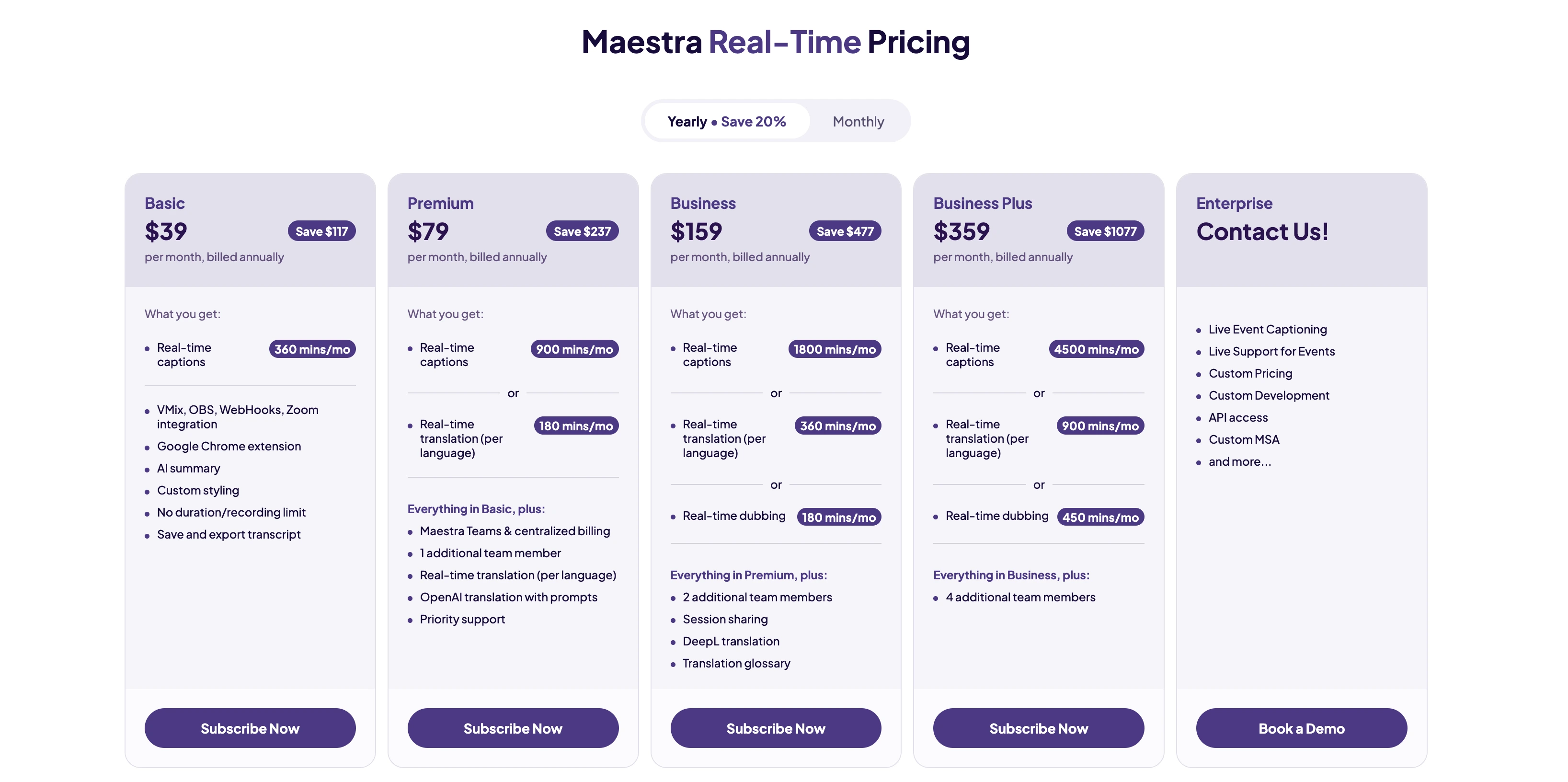
Translate Korean in Real Time
2. Papago: Best for Maximum Accuracy in Korean
Developed by Naver, South Korea's leading search engine, Papago is widely considered as one of the best Korean translator apps. It excels at understanding Korean grammar structures, honorifics, and cultural context better than general-purpose translators. The app offers text, voice, image, and conversation translation modes, with particularly impressive camera translation for reading Korean signs and menus.
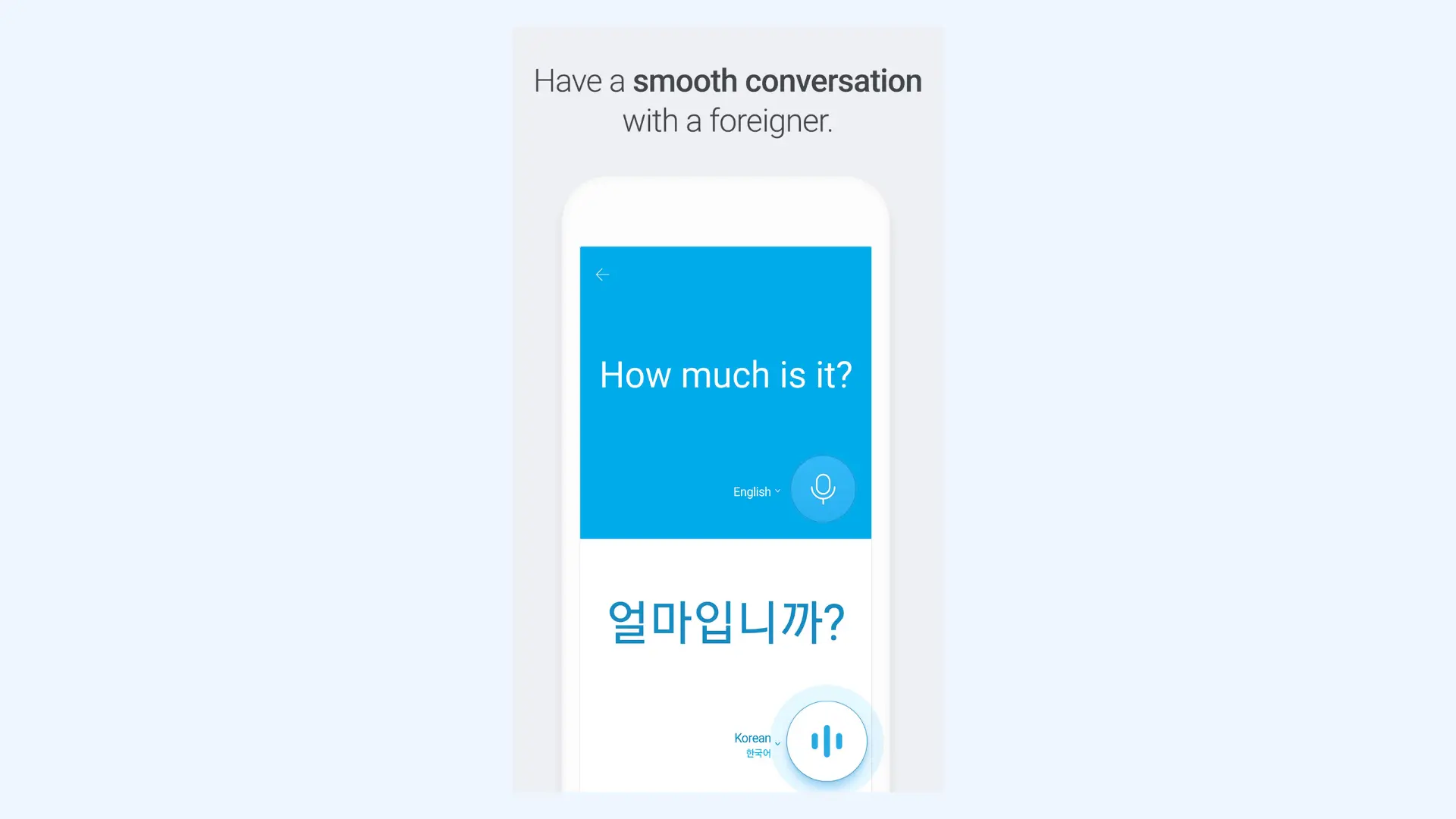
Pros
- Excellent image translation for Korean text (signs, menus, documents)
- Understands Korean honorifics and formal/informal speech levels
- Offers offline translation with downloadable language packs
Cons
- Supports around 14 languages (much fewer than Google Translate)
- Optimized mainly for Korean and other Asian language pairs
Pricing: Free.
3. Google Translate: Best for Quick & Reliable Korean Translations
Google Translate is the most widely used translation service globally, supporting 130+ languages including well-developed Korean translation capabilities. The app offers text, voice, camera, and handwriting input, plus a conversation mode and offline translation. While not as specialized for Korean as Papago, I think it is the most flexible option when you need to translate between Korean and less common languages.
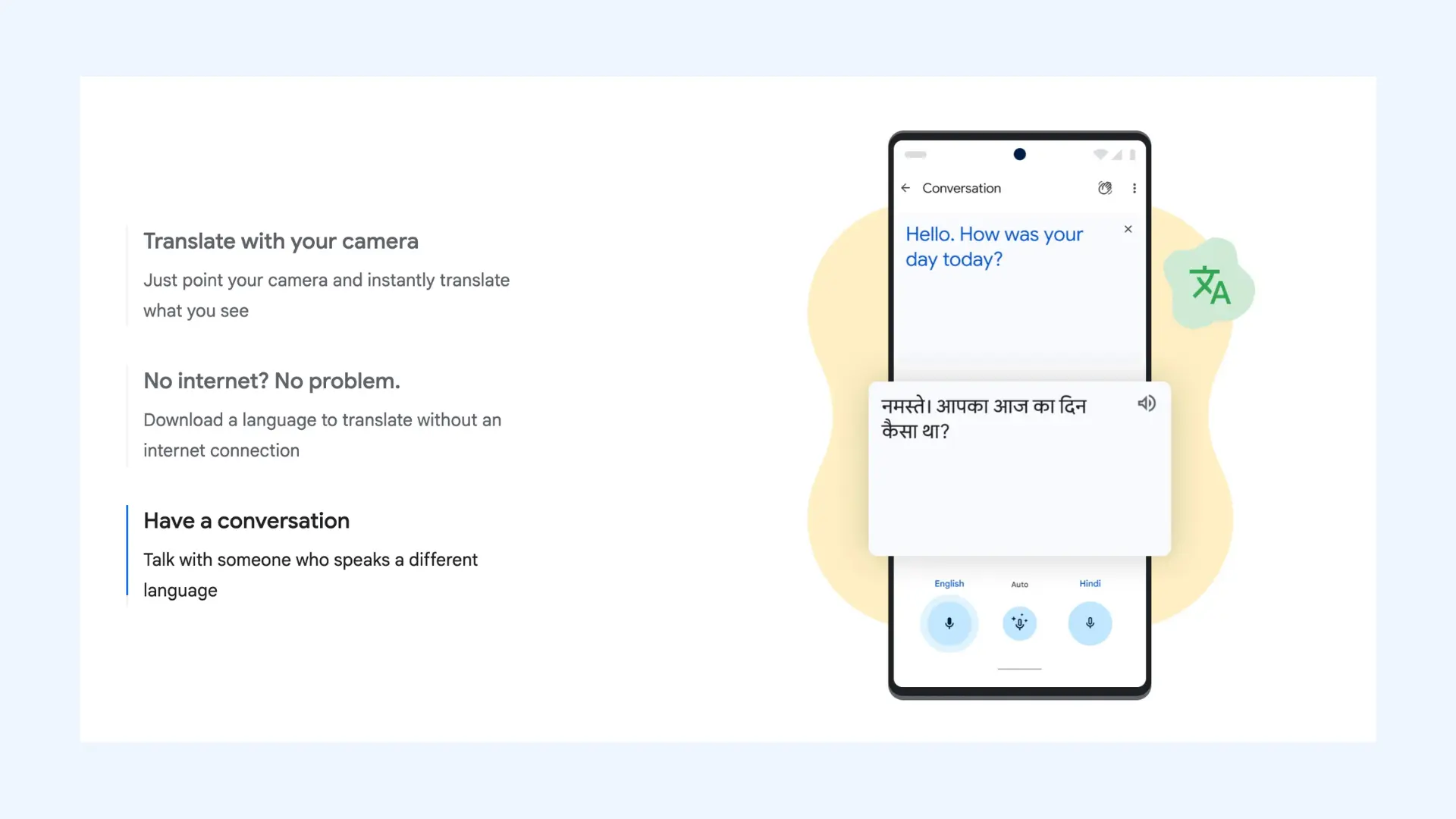
Pros
- Offline translation available for Korean
- Integrates with other Google services
- Supports handwriting input for Korean characters (Hangul)
Cons
- Less accurate with Korean nuances and honorifics than specialized tools
- Can struggle with complex Korean sentence structures
Pricing: Free.
4. Microsoft Teams Interpreter: Best for Businesses Using Teams
Microsoft Teams Interpreter works directly inside Microsoft Teams to provide live speech interpretation between participants speaking different languages, including Korean. Unlike standalone translation apps, it is designed specifically for professional, real-time communication. By integrating directly into the call interface, it eliminates the need for external devices or human interpreters, making it one of the most convenient options for daily corporate syncs.
Available on:iOS, Android (via the Microsoft Teams app)
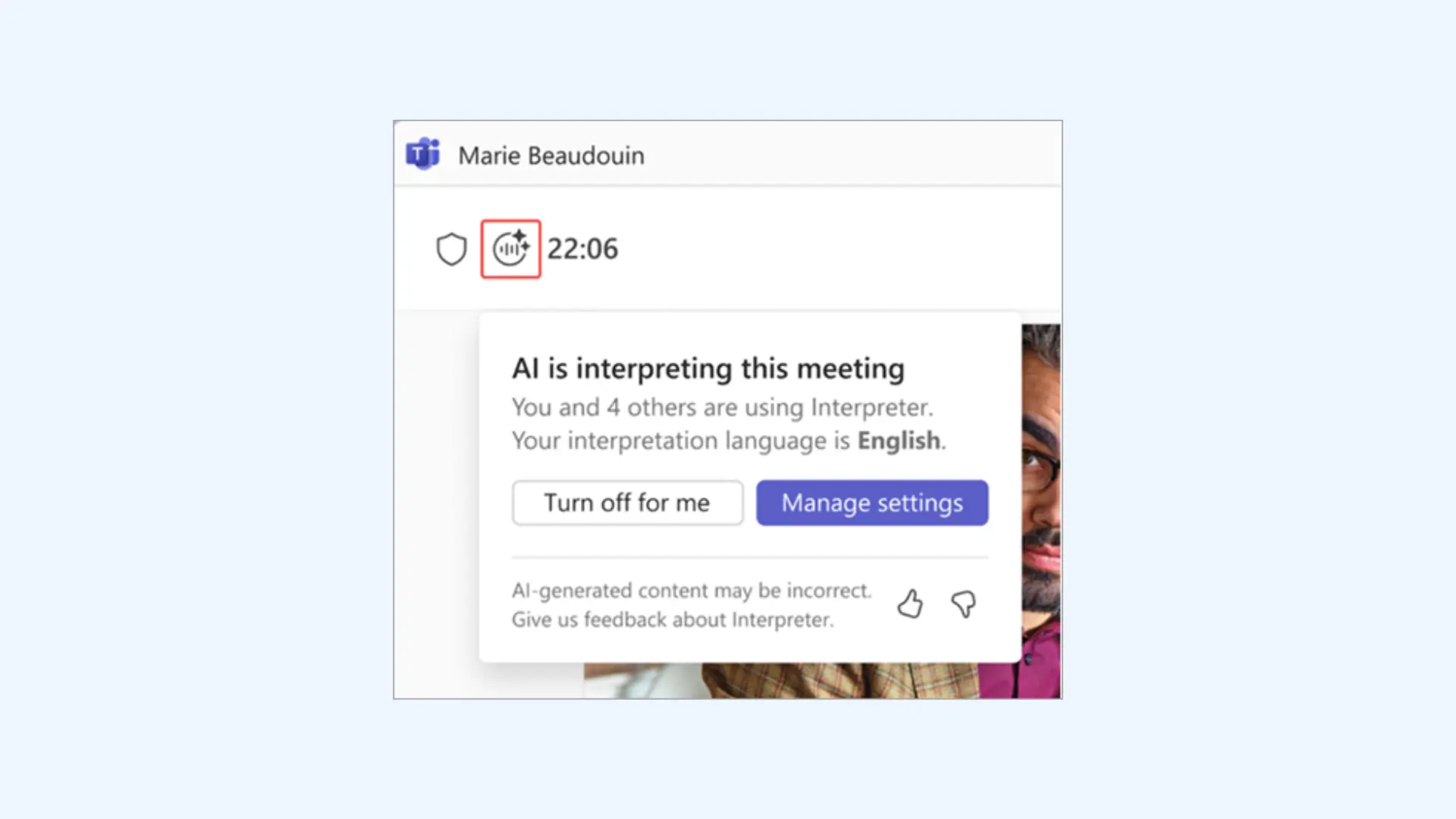
Pros
- Real-time speech-to-speech translation during meetings
- Personal voice simulation to mimic your actual tone and pitch
- Multilingual captioning that can run simultaneously with audio interpretation
Cons
- Locked behind Microsoft 365 Copilot license
- Limited to nine core languages including Korean, which is significantly fewer than most general-purpose translation apps
Pricing:Included with Microsoft 365 Copilot license. No standalone pricing available.
5. Flitto: Best for When AI Isn't Enough
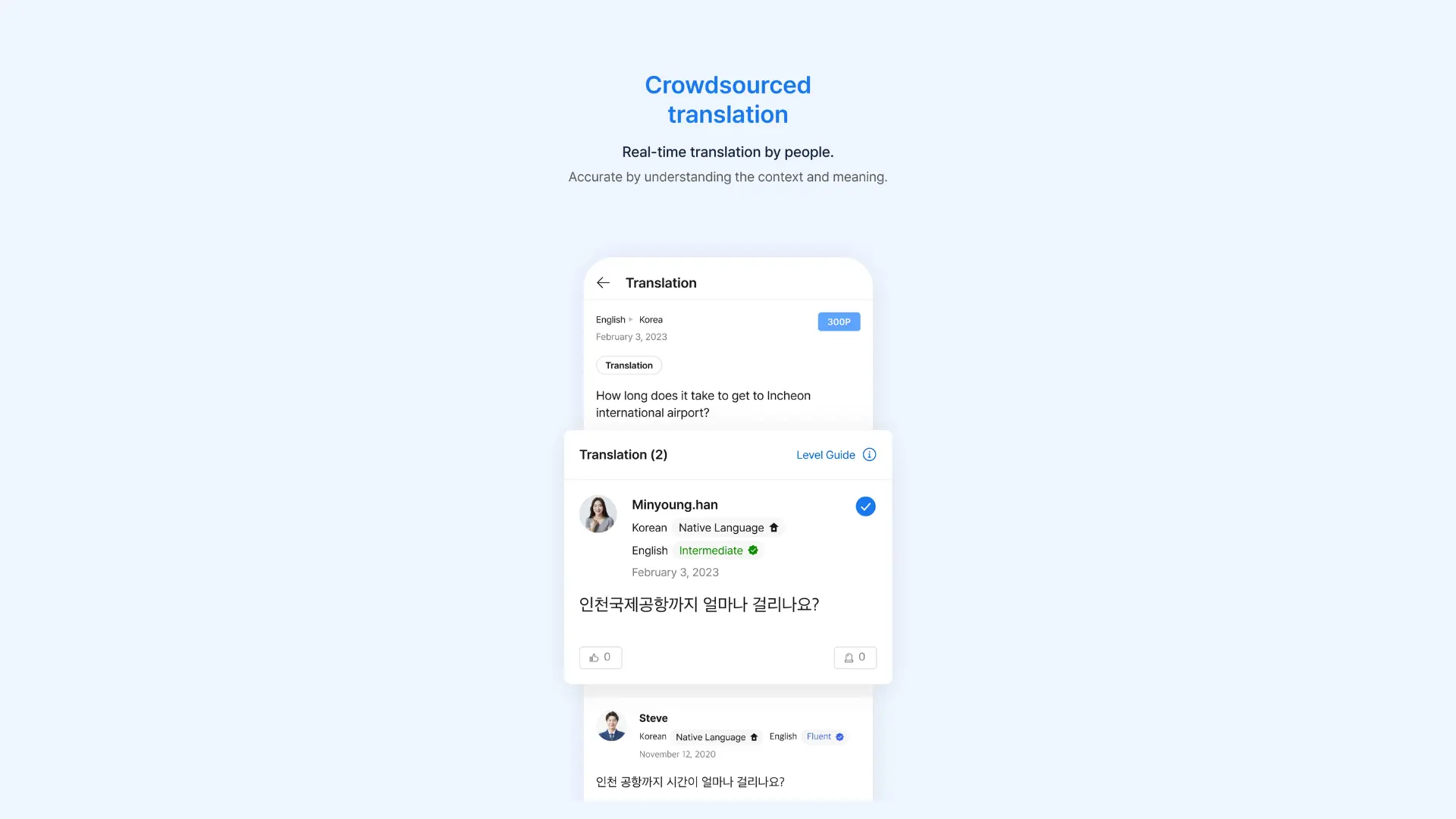
Flitto takes a unique hybrid approach by combining AI translation with a community of human translators. Users can request human translation for important documents or unclear phrases, ensuring accuracy for critical communications. The app is particularly strong for understanding Korean slang, idioms, and cultural references that AI might miss.
Pros
- Handles text, voice, and image translations
- Community-driven insights and explanations
- Users can contribute translations and earn rewards
Cons
- Human translation requests may take time and require credits
- Fewer automation features compared to apps like Google Translate
Pricing: Free for AI translations. Paid credits required for human translations.
6. iTranslate: Best for Feature-Rich Everyday Korean Translation
iTranslate is a popular all-purpose translation app known for its sleek interface and broad language coverage, supporting over 100 languages, including Korean. It offers text, voice, and camera translation with an intuitive design that makes switching between modes simple. While it isn’t specifically built for Korean, I’ve found it reliable for everyday translations, especially for travel and casual conversations.

Pros
- Phrasebook and verb conjugation features helpful for learners
- Works well across many language pairs including Korean
- Clean, easy-to-navigate interface
Cons
- Translations can be less nuanced for Korean compared to Papago
- Some advanced features (like offline mode or camera translation) require a Pro subscription
Pricing: Free basic version. iTranslate PRO starts at $7.99 per month.
7. Waygo: Best for Translating Korean Signs & Menus
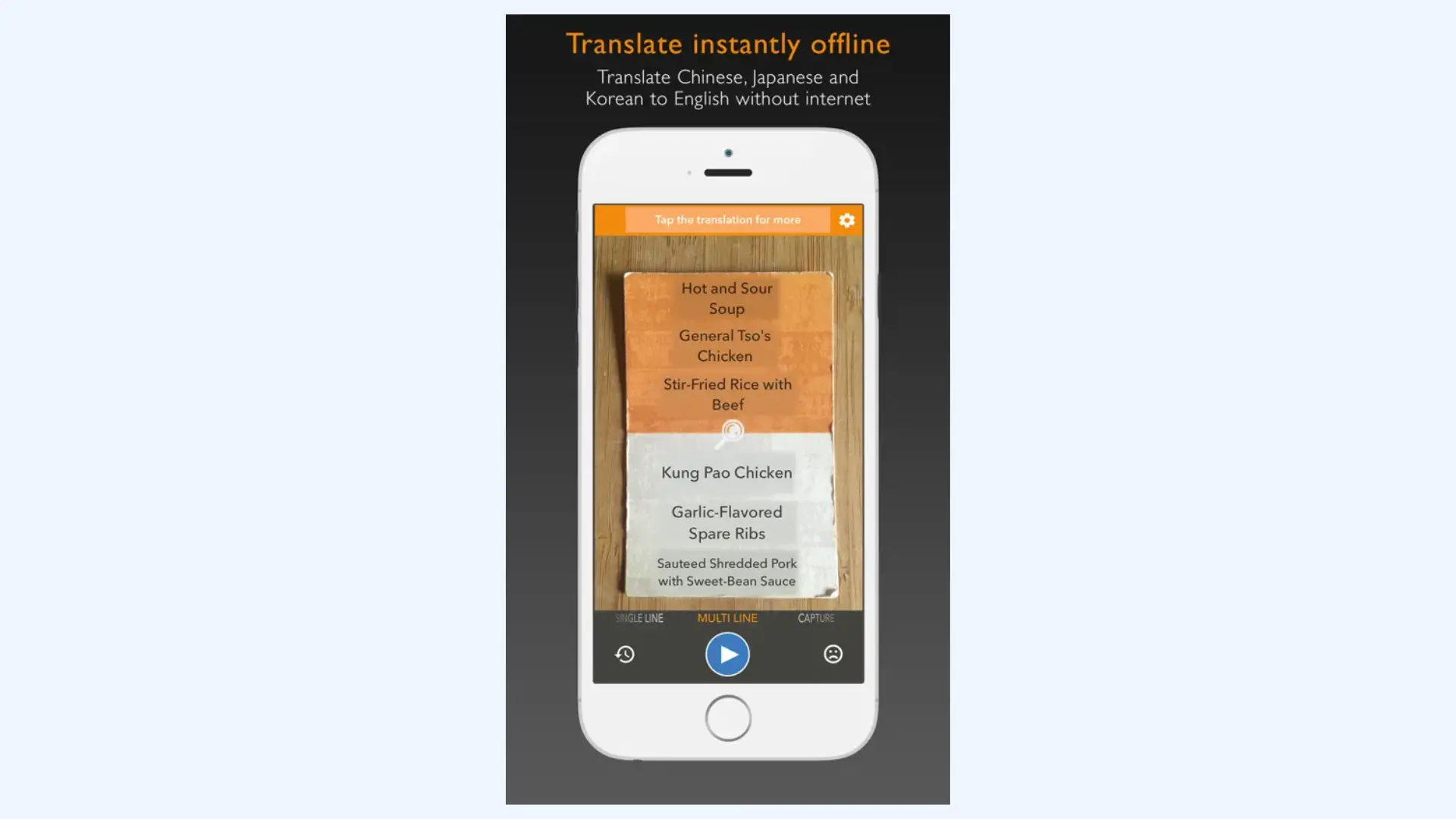
Waygo specializes in visual translation, allowing you to point your camera at Korean text and see instant translations overlaid on your screen. It's particularly excellent for reading restaurant menus, street signs, and product labels in Korea. Unlike many camera translation apps, Waygo works completely offline, making it invaluable for travelers without consistent data connectivity.
Available on: iOS
Pros
- Works completely offline (ideal for travel abroad)
- Fast, lightweight app with minimal setup
- Simple interface designed for quick use
Cons
- Limited to visual translation only (no voice or conversation modes)
- Free version limits number of daily translations
Pricing: Free with 10 translations per day. Unlimited translations for $6.99 one-time purchase per language.
8. KoTranslate: Best for Focused Korean-English Translation
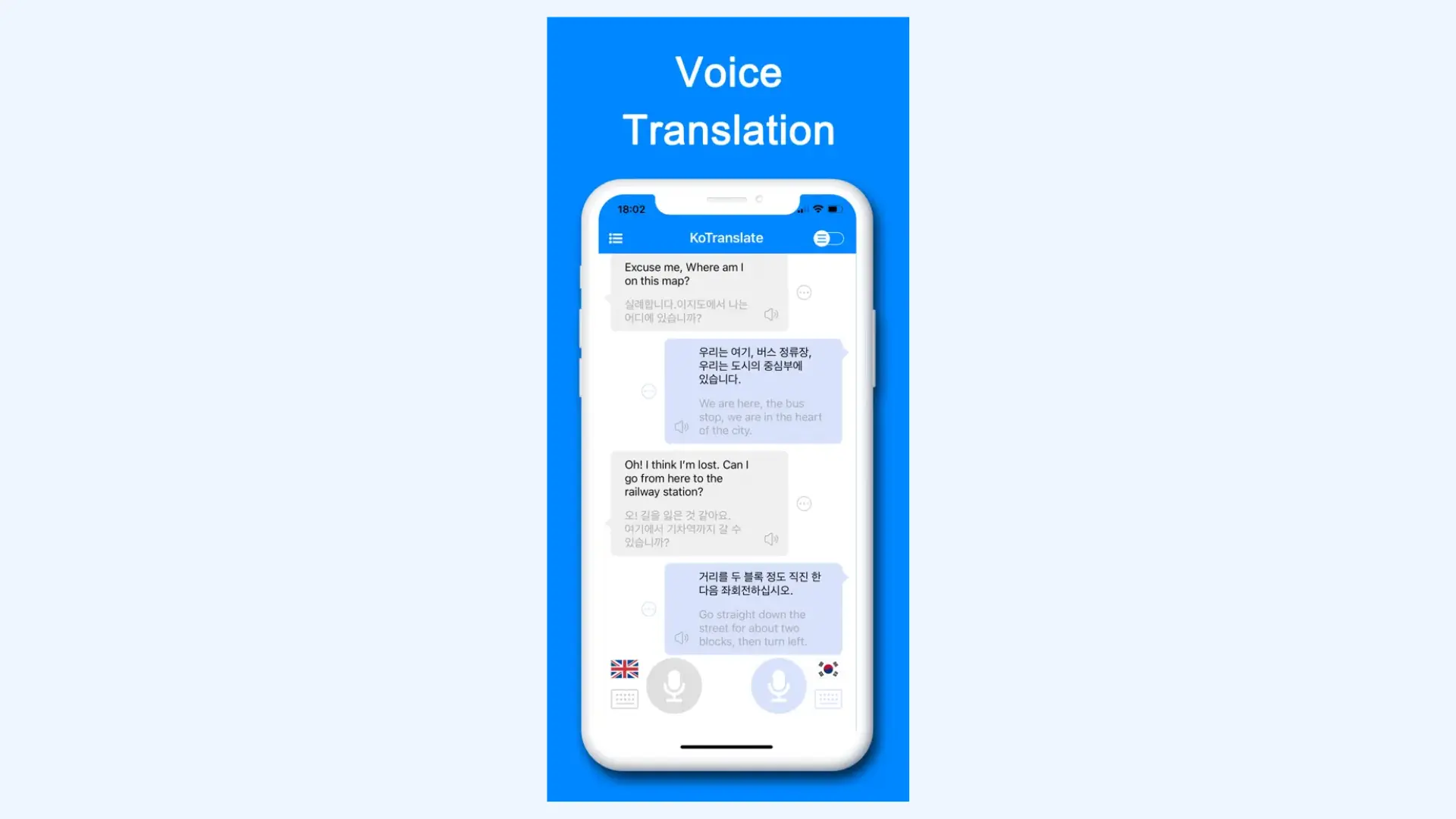
KoTranslate is a Korean to English translation app that offers voice translation, photo translation, and text translation with dictionary features. The app is designed specifically for the Korean-English language pair, making it a focused tool for travelers and students studying Korean. Its clean interface and real-time translation capabilities make everyday communication smooth and intuitive, even for beginners.
Available on:iOS
Pros
- Real-time two-way voice translation
- Supports text and photo translation with quick detection
- Includes transliteration for learning proper pronunciation
Cons
- Limited to only Korean-English (no other language pairs)
- Occasional lag in noisy environments during voice translation
Pricing: Free basic version. Optional premium upgrades for advanced features.
9. VoiceTra: Best for Reliable Voice Translation While Traveling
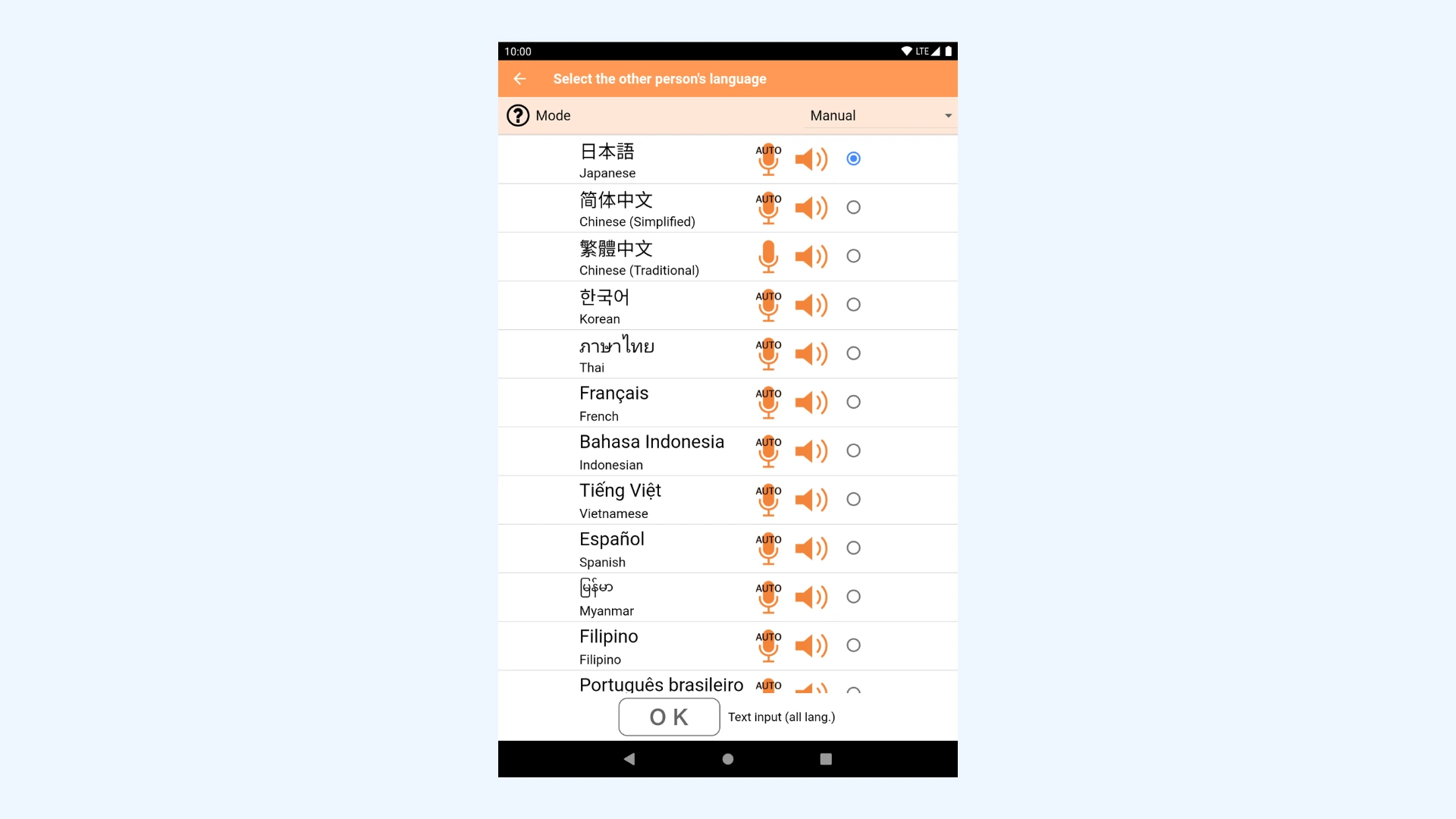
Developed by Japan's National Institute of Information and Communications Technology (NICT), VoiceTra is a research-based translation app with strong Korean language support among its 30+ languages. It shows you the original language text before translation, allowing you to verify what was heard before translating. The app can re-translate phrases into the original language for confirmation, reducing miscommunication.
Pros
- Excellent speech recognition accuracy for Korean and other Asian languages
- Research-backed technology for reliable performance
- Quick setup for immediate use (no account required)
Cons
- Primarily voice-focused with limited text translation features
- Requires internet connection (no offline mode)
Pricing: Completely free with no ads.
10. DeepL: Best for High-Quality Written Korean Translations
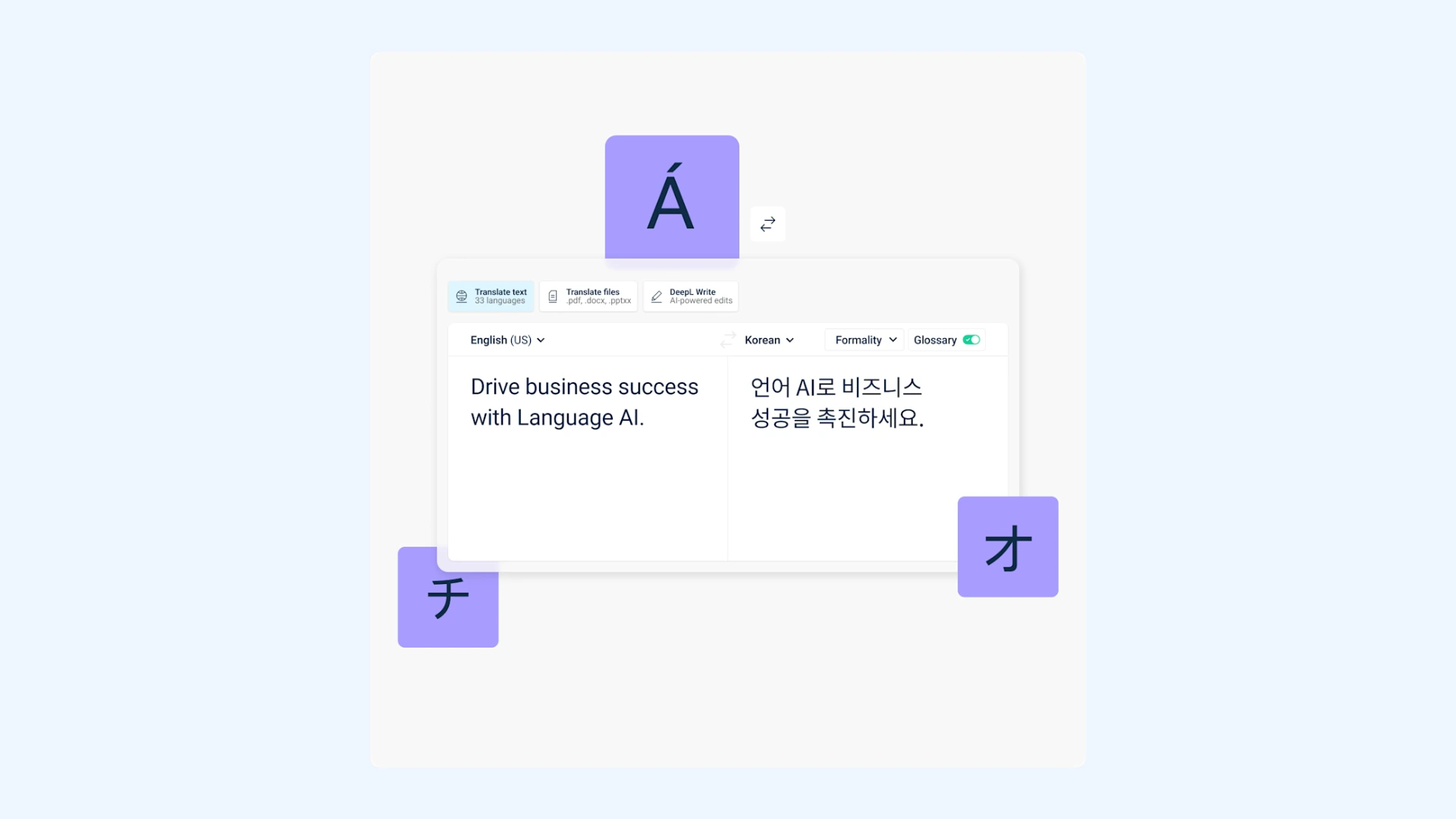
DeepL is widely recognized for delivering some of the most accurate and natural-sounding translations available, thanks to its advanced AI and neural network technology. While it supports fewer languages than Google Translate, its Korean translation quality has improved significantly, producing results that feel more context-aware and fluent than literal. DeepL Voice for Meetings is also available in Korean, enabling high-quality speech translation for enterprises.
Pros
- Exceptionally natural and contextually accurate written translations
- Supports full document uploads (Word, PDF, etc.)
- Great for professional, academic, or creative writing
Cons
- Korean support is newer and not as refined as its European language pairs
- Free version has character limits and limited document translations
Pricing:Free plan available. Paid plans starts at $8.74 per month.
How to Translate Korean: Tips & Best Practices
Accurate Korean translation goes beyond picking a popular app. In my own testing, I’ve seen that simple habits (like clearer phrasing or better framing for camera translations) can dramatically improve translation quality and naturalness.
Below are the best practices for voice, text, and image translations to help you get clearer, more reliable results every time.
Best Practices for Real-Time Voice Translations
- Speak slowly and clearly for better recognition. Research shows that speaking too quickly makes it much harder for voice systems to understand what's being said. Studies find that speaking at about 75% of normal speed yields the best recognition accuracy, and overlapping speech significantly degrades system performance. [1]
- Minimize background noise and echoes. Using headphones or quiet environments significantly reduces misrecognition.
- Use complete phrases instead of single words. Voice translation engines perform better with full contextual phrases. Fragments or interjections often cause mistranslations.
- Download offline voice packs if available. This ensures functionality even without internet access.

Best Practices for Text Translations
- Keep sentences concise and context-rich. Whether you’re translating into or from Korean, shorter and clearer sentences help translation engines interpret meaning accurately. Korean frequently omits subjects when they’re contextually understood, which can confuse translation systems that rely on explicit sentence structure. Adding clarity to who is doing what can noticeably improve results.
- Maintain consistency in terminology and phrasing. Use a glossary or translation memory for frequently used terms, whether you’re translating marketing copy, documentation, or dialogue.
- Avoid idioms, slang, and culture-specific expressions. Direct equivalents often don’t exist between Korean and other languages, so literal translation can distort meaning.
- Review the translation for tone and cultural accuracy. A quick post-translation check (by a native speaker or using back-translation) helps confirm that tone, context, and meaning are preserved.
💡 Tip: For Korean, always double-check honorifics and speech levels to avoid sounding unintentionally rude or overly formal.

Best Practices for Image Translations
- Ensure good lighting and camera focus. OCR (Optical Character Recognition) engines rely on sharp image quality for text detection. Poor lighting or shadows reduce accuracy significantly.
- Capture printed text whenever possible. Stick to printed materials like menus, signage, or packaging. Benchmarks show leading OCR engines achieve around 95-96% accuracy on simple printed text, with performance dropping significantly on handwritten documents. [2]
- Align the text horizontally in the frame. Tilting or angled shots often produce incomplete or jumbled translations.
- Double-check translations for context errors. OCR may misread one or two Hangul characters, completely changing meaning. Always verify key words, especially in menus or legal documents.
While AI translation has improved significantly, research presented at COLING 2025 shows that even leading large language models still struggle with certain linguistic phenomena, which is why clear input and careful review still matter. [3]
Conclusion
Finding the best Korean translator app really depends on what you plan to use it for. After testing different apps myself in real scenarios, it's clear that no single app dominates every situation.
The right choice becomes obvious once you narrow it down by what you actually need it to do:
🌏 Travel and daily use: Papago, Google Translate, iTranslate, and Waygo for quick, accurate Korean translations on the go.
🎙️ Real-time translation: Maestra and Microsoft Teams Interpreter for live Korean voice and caption translation in meetings or events.
✍️ Professional use: DeepL for precise written Korean, Flitto for AI + human translations in business or creative work.
📚 Learning: KoTranslate, Papago, and iTranslate for vocabulary, pronunciation, and grammar support.
💬 Voice translation: VoiceTra and Maestra for smooth, instant Korean speech translation.
Korean may be a complex language, but with the right translator, it becomes connection, not confusion. Whether you’re closing a deal in Seoul or learning your first Hangul characters, these apps can make translating Korean faster, smoother, and surprisingly natural.
Frequently Asked Questions
Is there a free Korean translator app?
Yes, several excellent Korean translator apps are completely free to use. Naver Papago is one of the best, offering accurate text, voice, and image translation without subscription costs. Google Translate is also a great free option, supporting Korean and 130+ other languages.
What is the best live translator for Korean?
For live Korean translation, Naver Papago is widely regarded as the most accurate and culturally aware option. It handles Korean words, grammar, honorifics, and speech levels better than most general-purpose tools. For real-time conversations or meetings, Maestra and Microsoft Translator are also reliable options.
What is the most accurate Korean translation app?
The most accurate Korean translation app is Naver Papago, developed by South Korea’s leading tech company, Naver. It excels in understanding nuances like politeness levels and sentence structure. For professional or written translations, DeepL is another excellent alternative.
What is the best online Korean to English translator?
If you’re looking for the best English to Korean translator, you can try Papago, DeepL, or Maestra. Papago is great for quick, accurate translations, and DeepL works best for polished writing. For real-time conversations Maestra offers instant Korean translation with voice and subtitles.
Which app can translate multiple languages to Korean?
Maestra is one of the best tools for translating multiple languages to Korean using AI-powered automatic translation. In addition to its real-time translator, it also offers a powerful AI video translator, allowing users to translate video files, recorded meetings, and podcasts in minutes. With support for over 125 languages, Maestra makes it easy to generate voiceovers and subtitles in Korean.
What is the best Korean translator app for iPhone?
For iPhone users, iTranslate is one of the best Korean translator apps thanks to its sleek design and accurate performance. It includes text, voice, and camera translation, plus offline mode for travelers without internet access.
What is the best Korean translator app for Android?
Google Translate remains the most versatile Korean translation app for Android, supporting over 130 languages and offering text, voice, and camera translation. It’s easy to use and works even without internet access.
Are Korean translator apps safe and secure to use?
Most reputable Korean translator apps like Papago, Google Translate, and Microsoft Translator are safe for everyday use and employ standard encryption practices. However, avoid translating highly sensitive information (medical records, legal documents, financial data) through free consumer apps, as your text may be stored or used to improve translation algorithms. For confidential business communications, use enterprise versions of Microsoft Translator or Maestra, which provide enhanced security and data protection.