Chaitanya P.
Managing Director"Master the Media with Maestra"
The best side of this product is auto subtitling. And most importantly, it supports multiple languages.
Read full reviewTranslate voiceovers into 125+ languages and keep the original voice with AI cloning. Try it free.
MP3, WAV, M4A, AAC, FLAC, SRT…
Your free trial is used — convert your next file in the Maestra app.
Continue in the AppYouTube, Vimeo, Google Drive, or a direct media URL
Your free trial is used — convert your next file in the Maestra app.
Use your microphone
Your free trial is used — convert your next file in the Maestra app.
Speak into your microphone and see your words translated live into another language.
Do this and so much more in the appThis is just a sampleYour file was translated successfully.No speech was found in your file.The result came up empty again.
Edit the text, use 1000+ AI voices, and clone your own voice in the Maestra app.
Your transcript is ready to preview.
Sign up to download or export your file.
Try it with your own file. Upload one here, or continue in the Maestra app.
This is a 1-minute preview. Sign up to download or export your transcript.







Trusted for Voiceover Translation
From the original narration to translated audio in minutes.
Add the video or audio file, and pick one or more target languages from 125+ options.
Choose from 850+ AI voices or clone the original narrator, then generate the translated voiceover.
Check every line in the editor, adjust the delivery where needed, and export the voice over translation ready to publish.
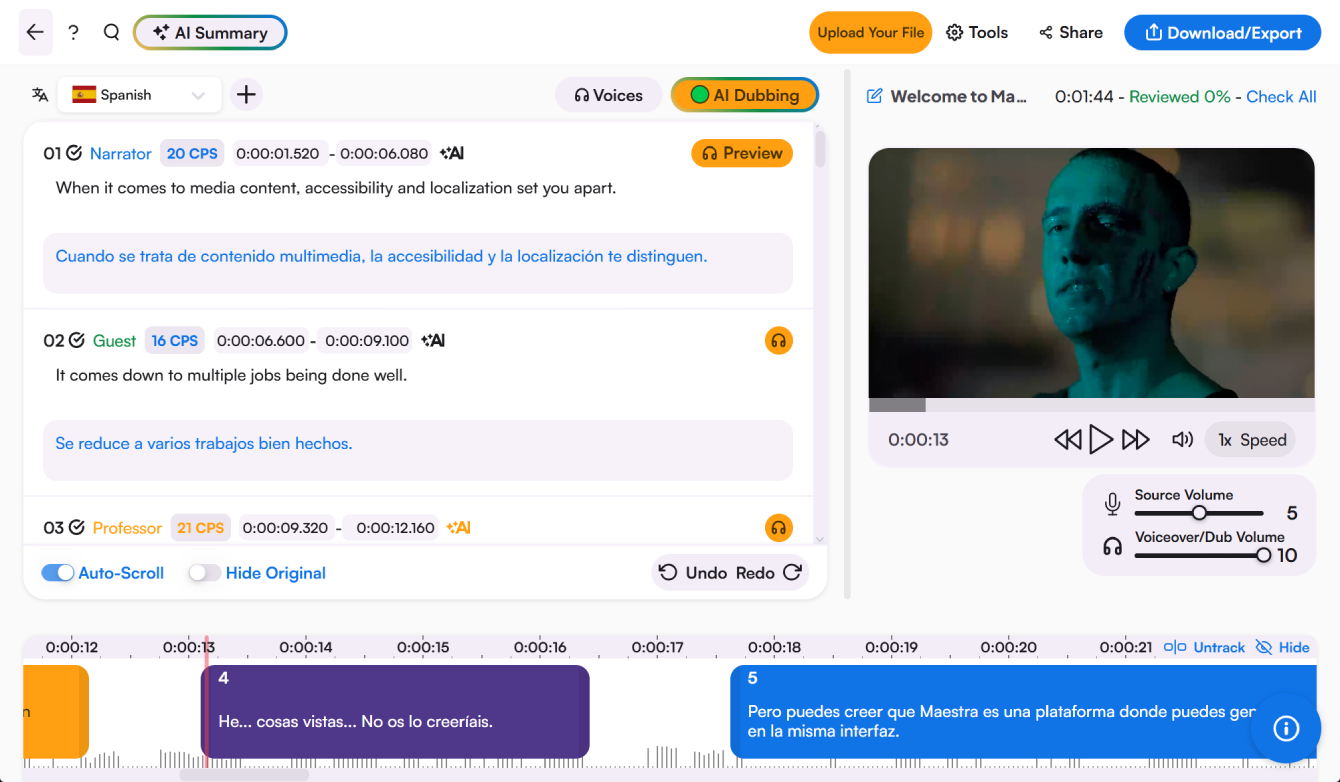
The translation sits as text next to the audio. Adjust a line's wording or delivery, switch the voice, and listen back before exporting the new voiceover.
Course narration, corporate videos, and every language your audience speaks.
What voice over translation is, how it works, and what you get back.
It's replacing narration with a translated voice track, so the same content speaks another language. The term comes from film localization, where a narrator reads the translation over the original audio; AI now does the same job with generated voices, in minutes.
Upload the video or audio, choose your target languages, and the AI transcribes, translates, and voices the narration. You review the lines in the editor and export when it sounds right.
Voice cloning makes that possible, the narrator's voice carries into every language, so a course or documentary sounds like itself everywhere.
You can start free and hear translated results before paying. Full projects run on paid plans priced by usage.
125+ languages, and you can translate one voiceover into several of them in a single job, each exports as its own track.
Course narration is the most common use. Upload each module, translate into your learners' languages, and the narrator's voice stays consistent across the whole curriculum.
Course narration is the most common use. Upload each module, translate into your learners' languages, and the narrator's voice stays consistent across the whole curriculum.