Chaitanya P.
Managing Director"Master the Media with Maestra"
The best side of this product is auto subtitling. And most importantly, it supports multiple languages.
Read full reviewUpload an audio file to translate it to more than 125 languages.
MP3, WAV, M4A, AAC, FLAC, SRT…
Your free trial is used — convert your next file in the Maestra app.
Sign up nowYouTube, Vimeo, Google Drive, or a direct media URL
Your free trial is used — convert your next file in the Maestra app.
Use your microphone
Your free trial is used — convert your next file in the Maestra app.
Live Translation from spoken audio, transcribed and translated as you speak.
Trusted By Teams Worldwide
Upload your audio file from your device, Dropbox, Zoom, or paste a link. Select the source language and your target language.
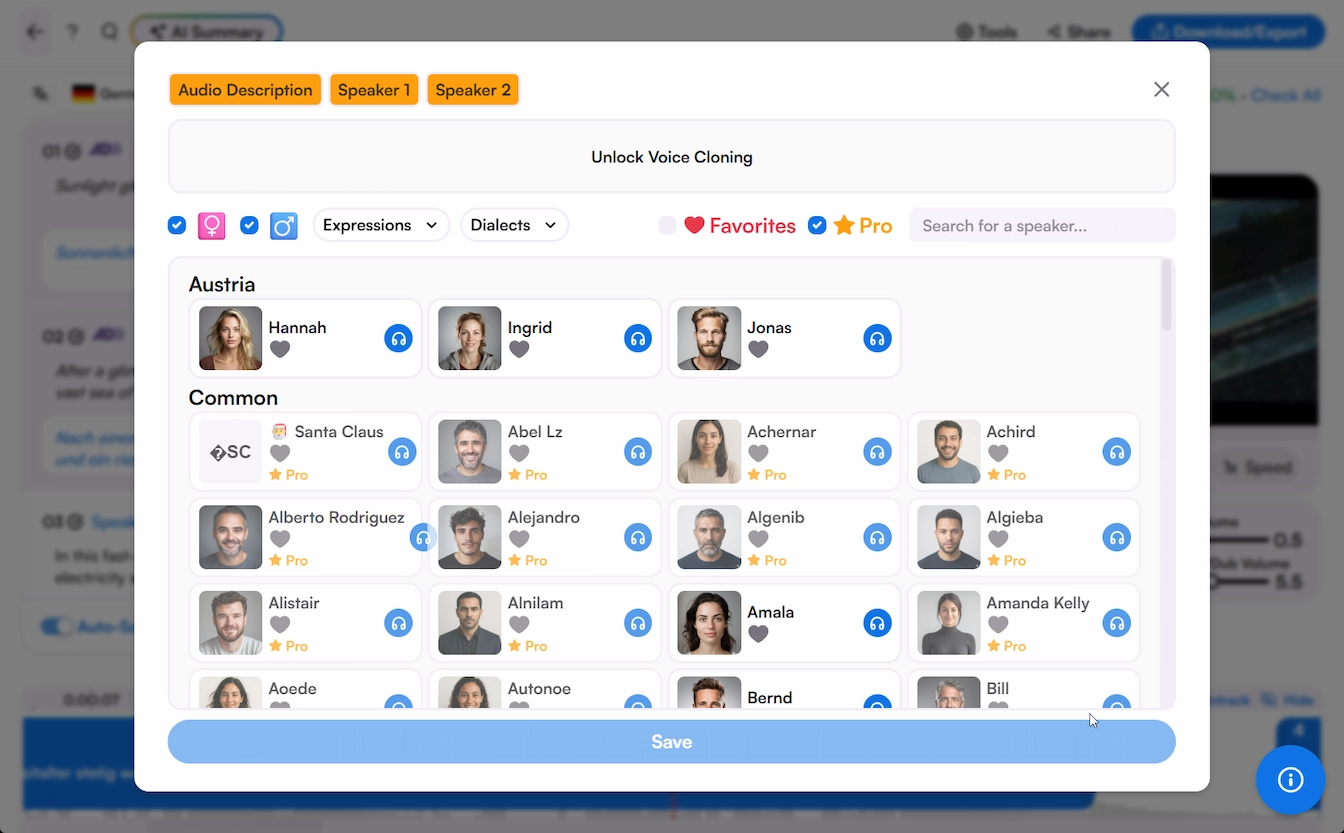
Choose from a rich portfolio of voices and receive the full audio translation within minutes. Fine-tune every aspect of the voiceover with a simple yet advanced voiceover editor.
Share to collaborate or export as MP3 or MP4 with the translated voiceover, along with the option to export as various subtitle and transcript formats.
Upload your audio and the translation comes back as editable text, paired with AI voices in 125+ languages. Adjust any line, audition the voice, and listen to the result before you export. Nothing reaches your audience that you haven't already heard.
.webp)
Translate audio across 125+ languages with AI voices, voice cloning, and real-time support, all in one place.




Yes, Maestra’s AI audio translator has a free trial so that everyone can experience cutting-edge voice translation. No account required, upload a file and start translation audio for free.
Maestra uses cutting-edge AI to translate audio across 125+ languages. Realistic AI voices paired with voice cloning deliver natural translations for podcasts, interviews, meetings, and recordings.
Upload audio in any format including MP3, WAV, M4A, FLAC, and others. Export the translated audio as MP3 or MP4, or download subtitles and transcripts in SRT, VTT, DOCX, PDF, and other formats with timestamps and speaker tags.
Yes. Manage multiple translations of the same audio in one editor and switch between them seamlessly without re-uploading.
AI trained on native speech patterns delivers accurate pronunciation and natural delivery in every supported language. You can edit the output in the editor before exporting to refine specific phrases.
Yes. Every translated audio opens in the editor where you can adjust pacing, refine pronunciation, edit text, and switch between voices before exporting.