Chaitanya P.
Managing Director"Master the Media with Maestra"
The best side of this product is auto subtitling. And most importantly, it supports multiple languages.
Read full reviewAI-powered live translation for federal, state, and local agencies, covering public meetings, hearings, and constituent services where everyone attends in their preferred language.
Fill out the form for a personalized demo from our team.







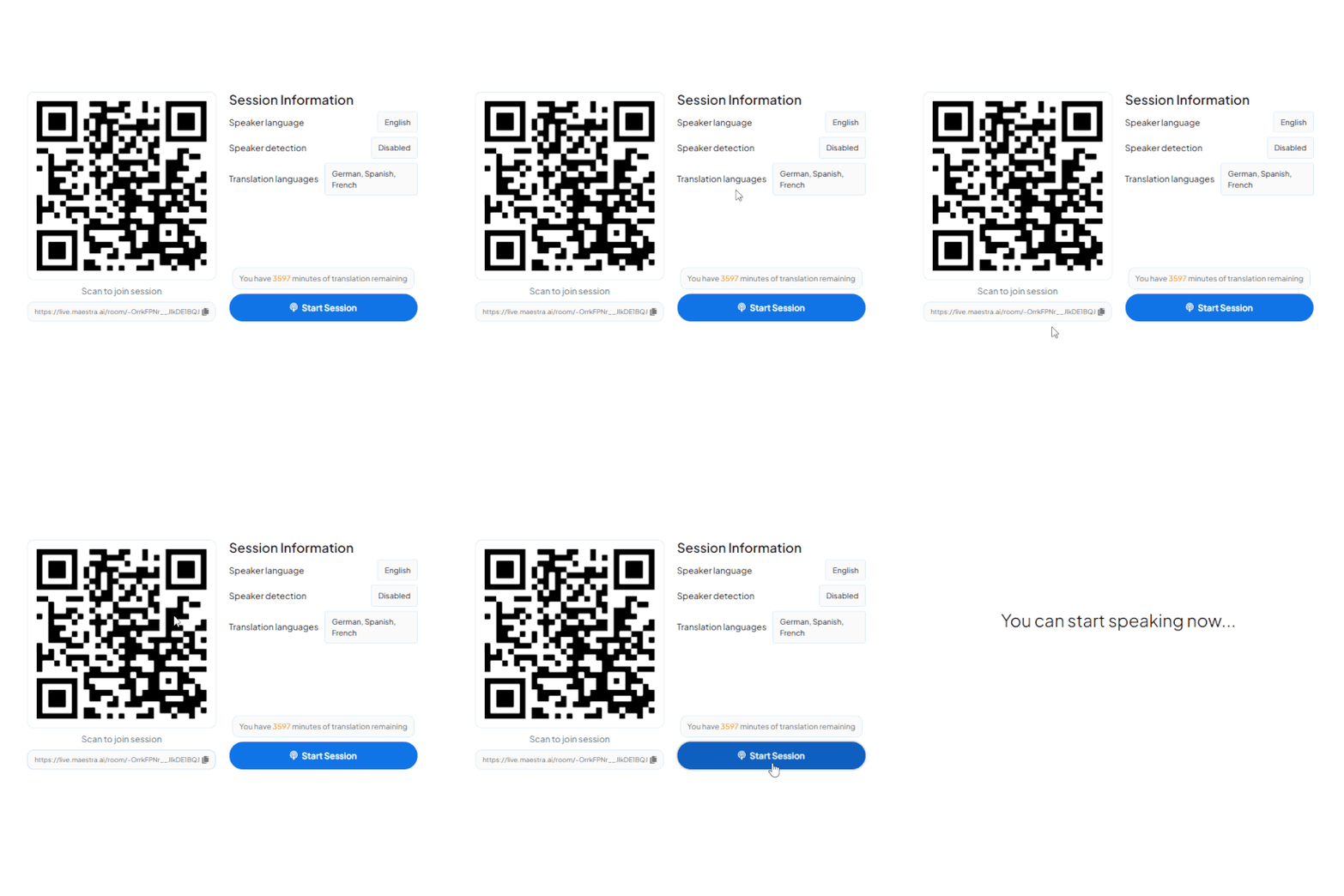
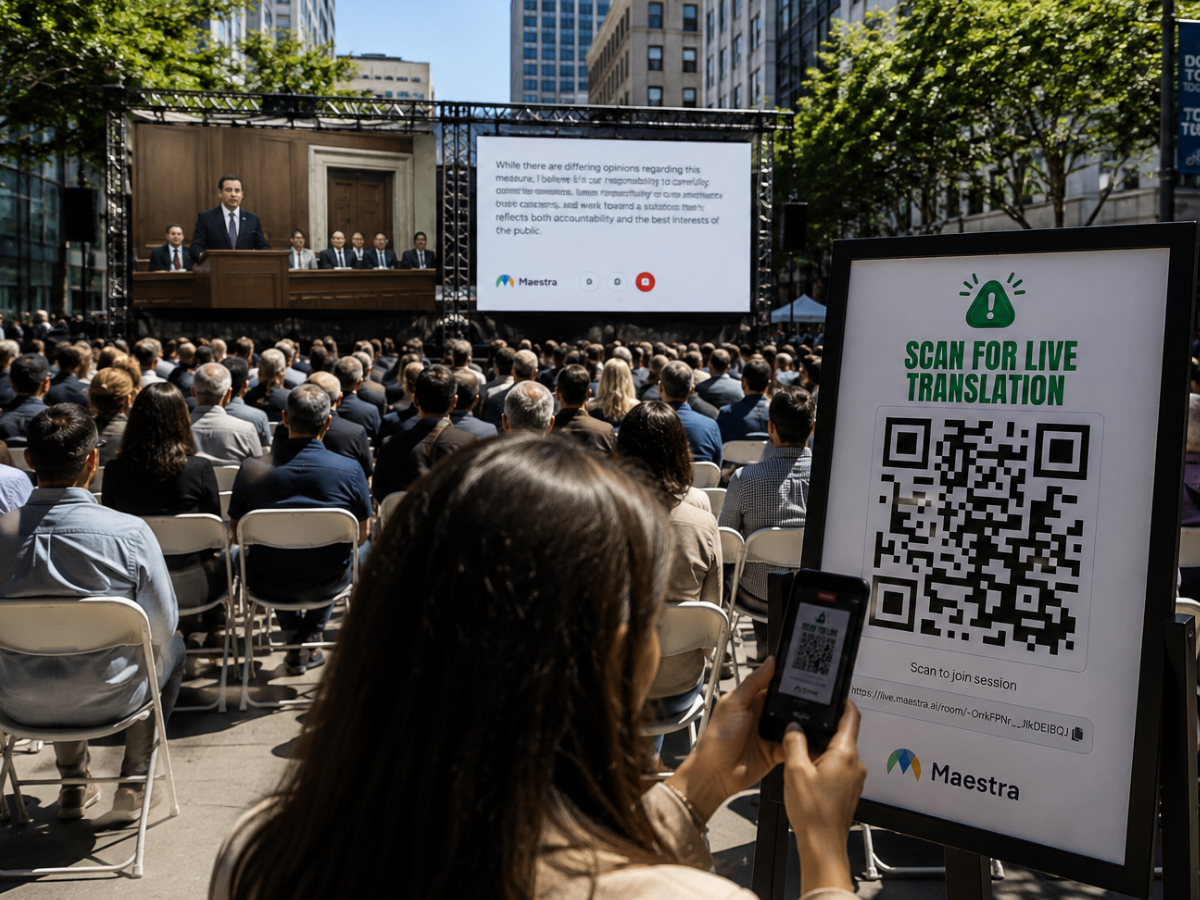
A QR appears on the meeting screen or printed card. Constituents scan with their camera, no app download, opens instantly in any browser.
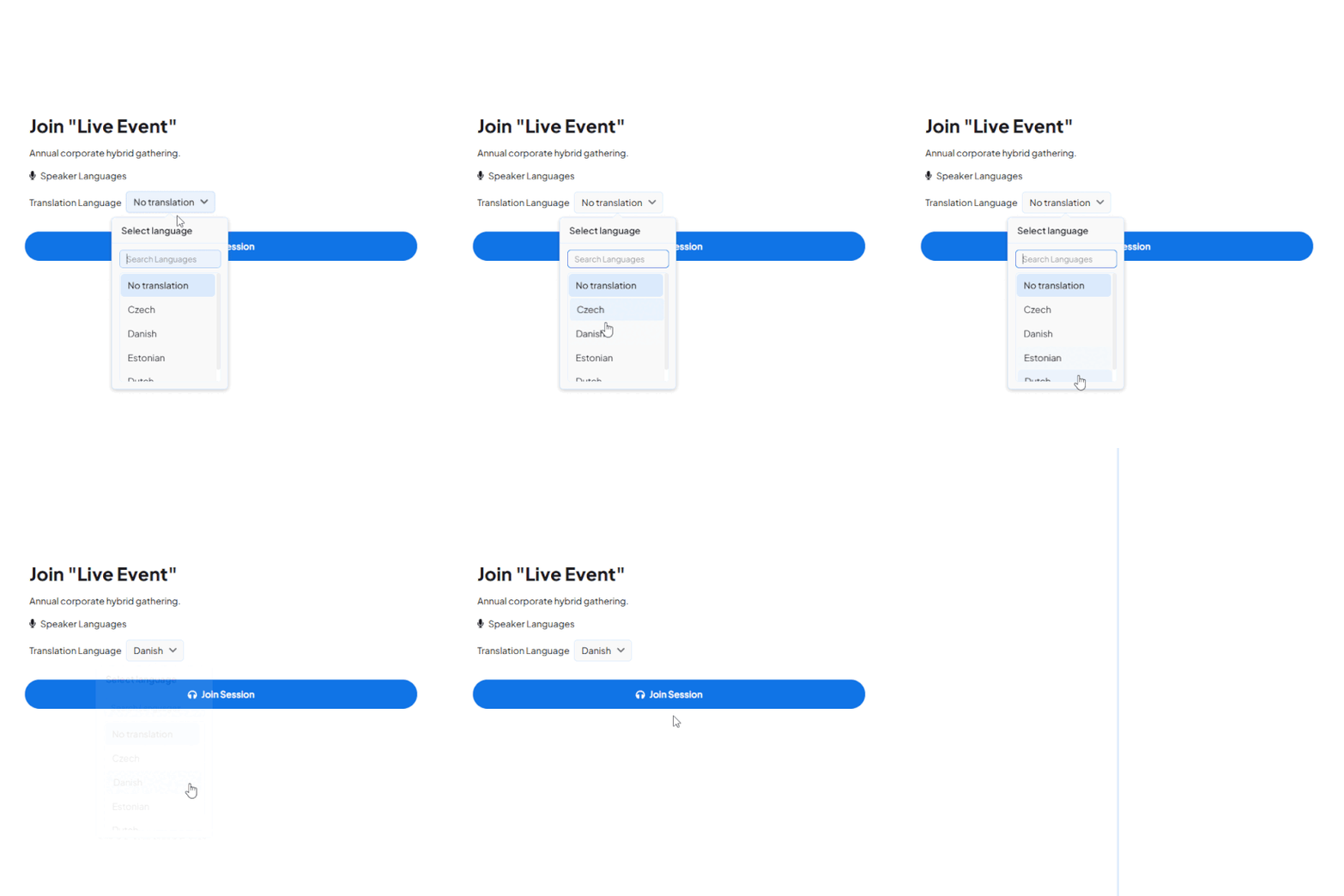
All active channels appear instantly, 125+ languages available. One tap and they're connected to the live audio stream in their language.
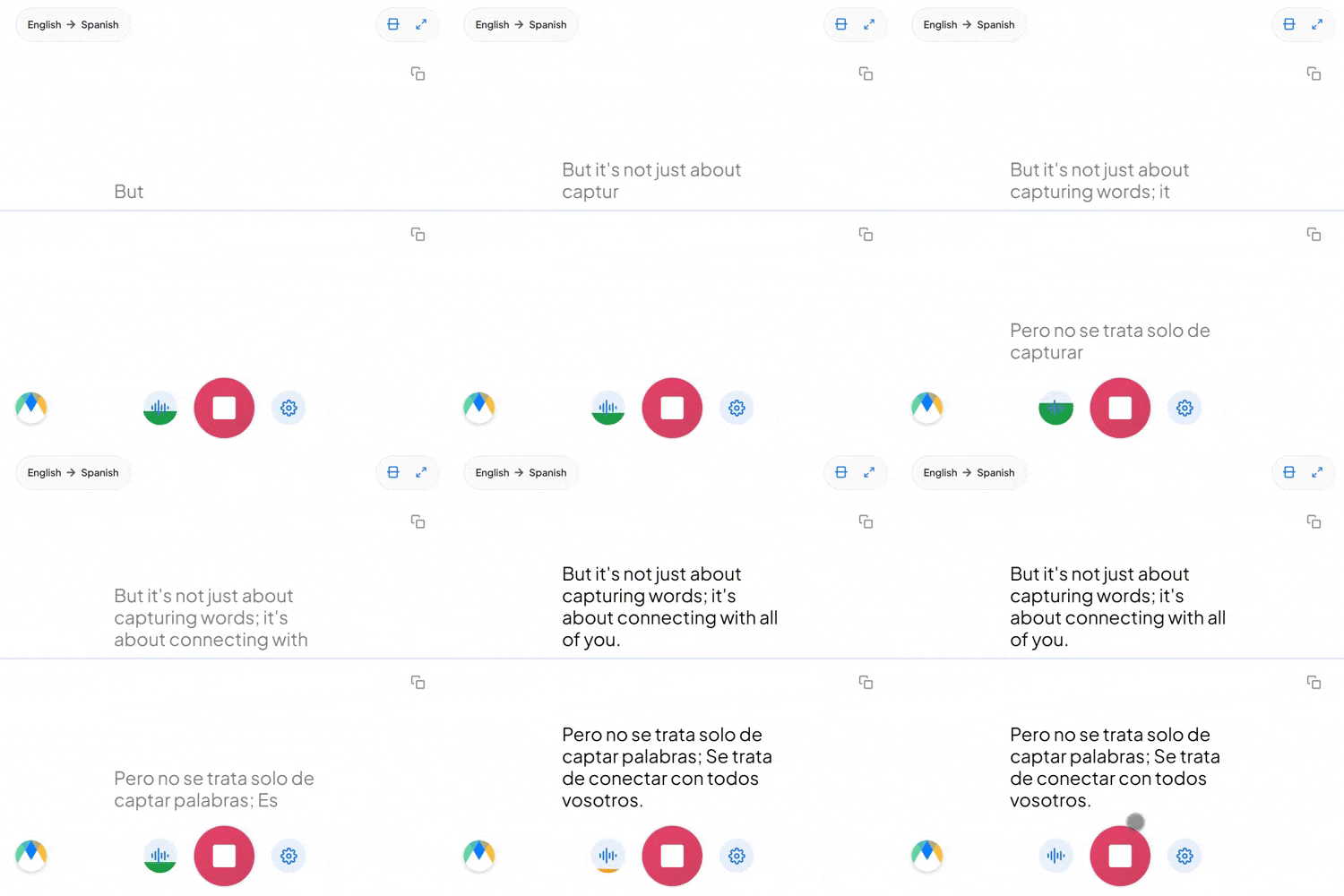
Constituents hear the speaker's cloned voice or selected AI voices live in their preferred languages. Simultaneously, they can read live captions on their screens.
Whether residents attend in person, watch the livestream, or both, Maestra keeps the whole meeting available in their own language.
Connect Maestra to the conferencing and broadcast tools agencies already use for public meetings, hearings, and remote sessions.
Add live translation and captions to Zoom public meetings, hearings, and remote sessions.
Learn more
Translate Teams meetings and constituent sessions for multilingual communities.
Learn more
Stream live meeting translation as captions and translated audio inside your OBS broadcast.
Learn more.webp)
Mix live translated audio and captions into vMix production for council livestreams and public broadcasts.
Learn more



Designed for government agencies that need reliable translation for every constituent, every meeting, every public session.
Connect Maestra to your meeting platform, council chamber mic, or audio source, choose the spoken language and the languages to translate into, then start the session. Constituents join with a QR code or link and select their preferred language.
Over 125 languages are supported for live captions and speech-to-speech translation, covering most multilingual communities and constituent populations.
Yes. Live translation works across council meetings, town halls, public hearings, community forums, and other public-facing government sessions.
Yes. Constituents scan a QR code or open a link in any browser on phone, tablet, or desktop. No app install or account is required.
Yes. Maestra detects the spoken language and switches translation automatically, so officials, presenters, and constituents can each speak in their own language across 125+ options.
Yes, almost every feature has a free trial so that users can try them out for themselves. But for a better experience, reach out to us and book a demo!
Yes. During public comment, constituents speak in their own language and officials hear the translation in real time, while other attendees follow along in their preferred language. Two-way translation works for back-and-forth dialogue, not just one-way announcements.
Yes. Maestra supports community outreach, neighborhood meetings, civic engagement events, and constituent forums. Reach multilingual communities in person or virtually with live captions and translated audio.
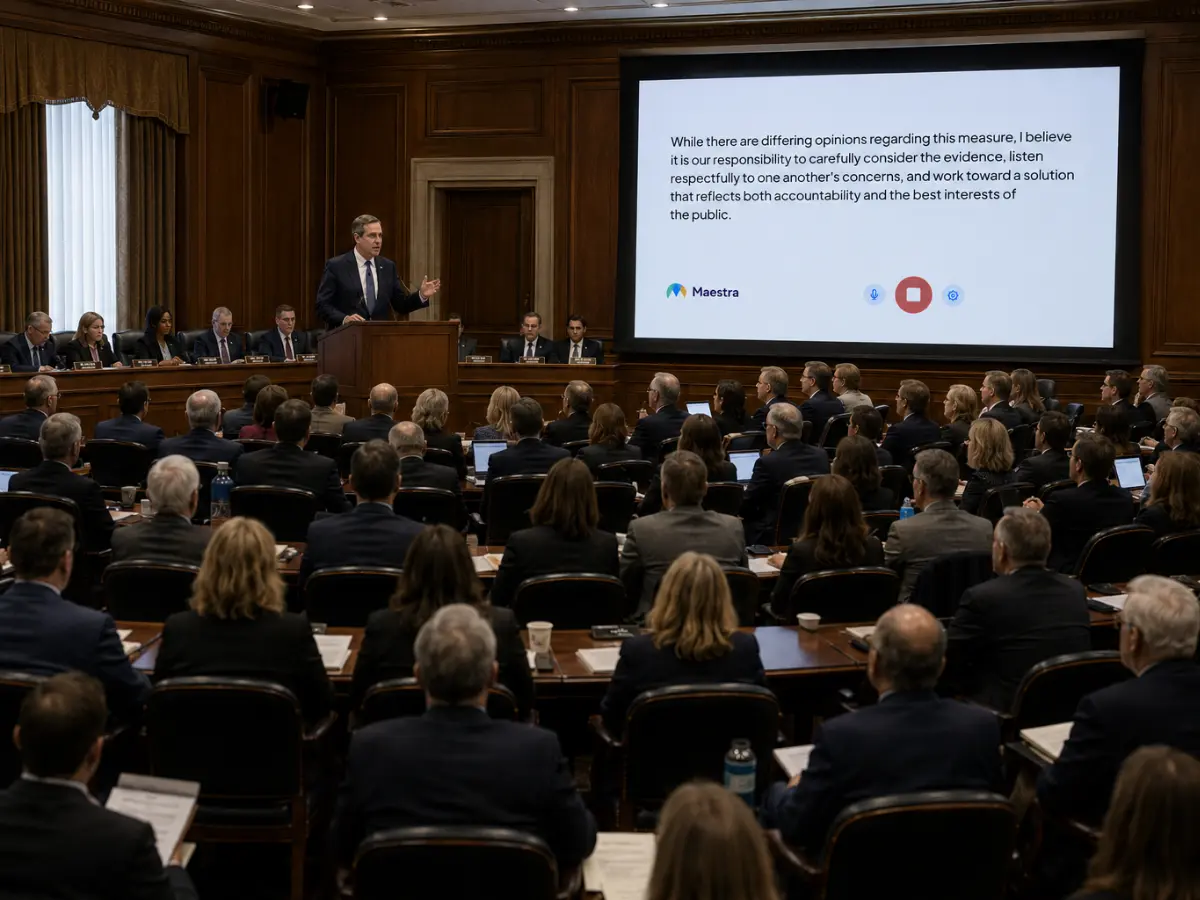
Yes. Live captions can be displayed on chamber screens, side displays, or any in-room screen during meetings and hearings. Constituents in the room follow along visually, while attendees on their own devices read in their preferred language.
Yes. Both transcripts and translated audio can be saved when the relevant options are enabled in your session settings before the meeting starts. Saved sessions are available for public archives, post-meeting reference, and constituent access.
Maestra delivers high-accuracy translation across major language pairs for live captions and AI voice. Accuracy depends on audio quality and speaker clarity, with clean source audio from a council chamber mic or AV system producing the strongest results. Custom glossaries can also improve accuracy on government-specific terminology like agency names, policy terms, and program acronyms.