Chaitanya P.
Managing Director"Master the Media with Maestra"
The best side of this product is auto subtitling. And most importantly, it supports multiple languages.
Read full reviewAI-powered live translation for marketers, hosts, and global teams in webinars, virtual events, and online sessions where everyone follows along in their preferred language.
Fill out the form for a personalized demo from our team.







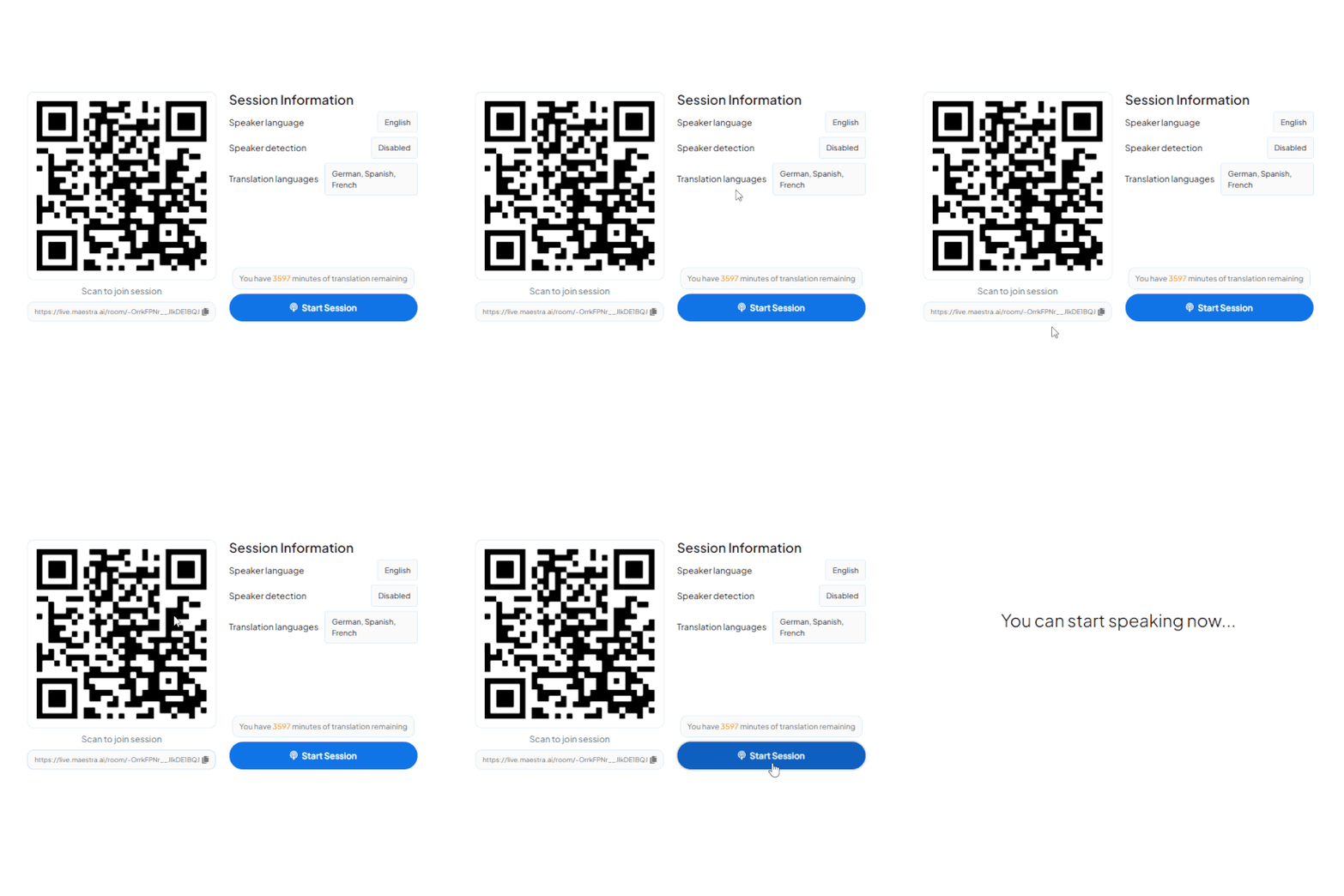
A QR appears in the webinar window or registration page. Attendees scan with their camera, no app download, opens instantly in any browser.
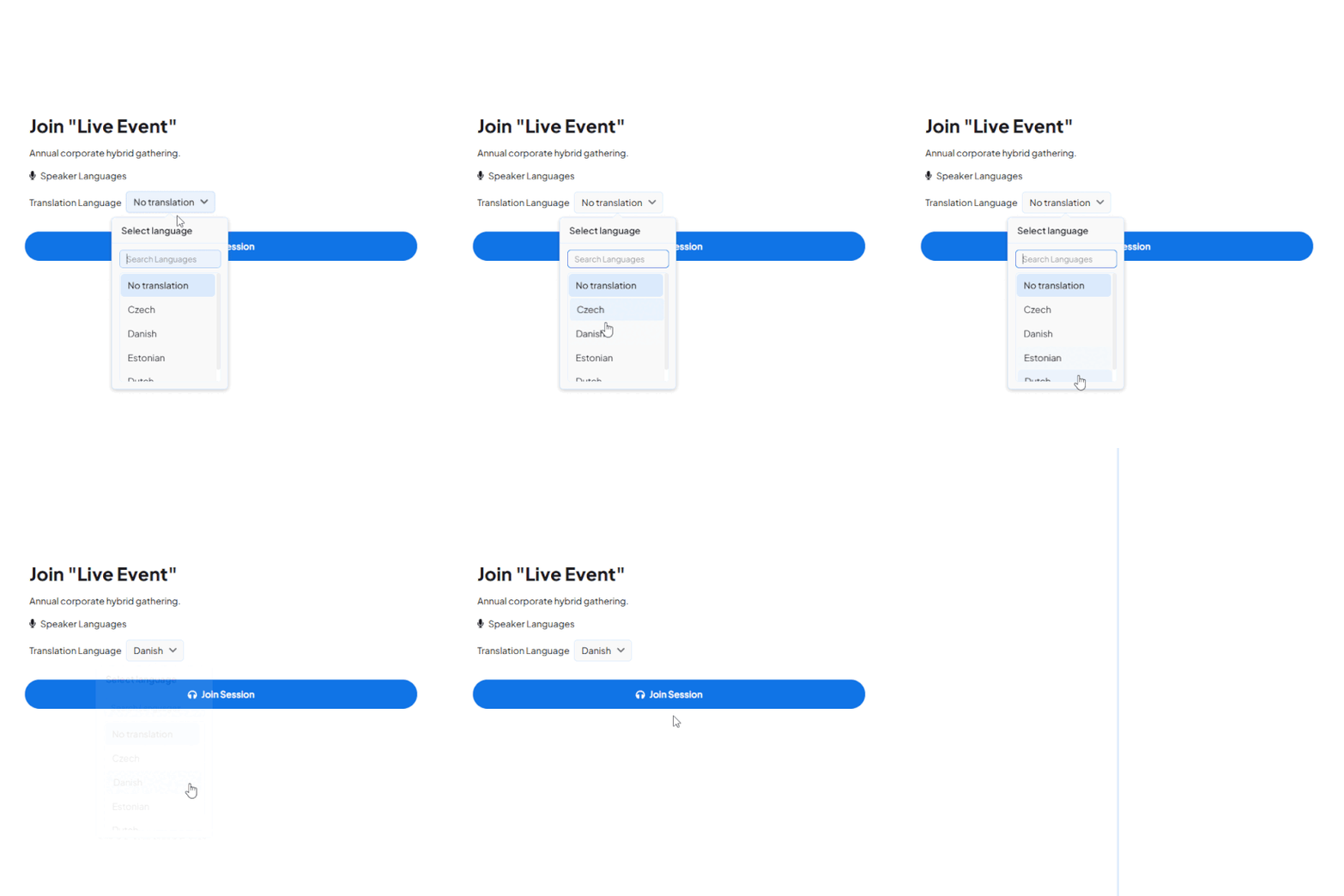
All active channels appear instantly, 125+ languages available. One tap and they're connected to the live audio stream in their language.
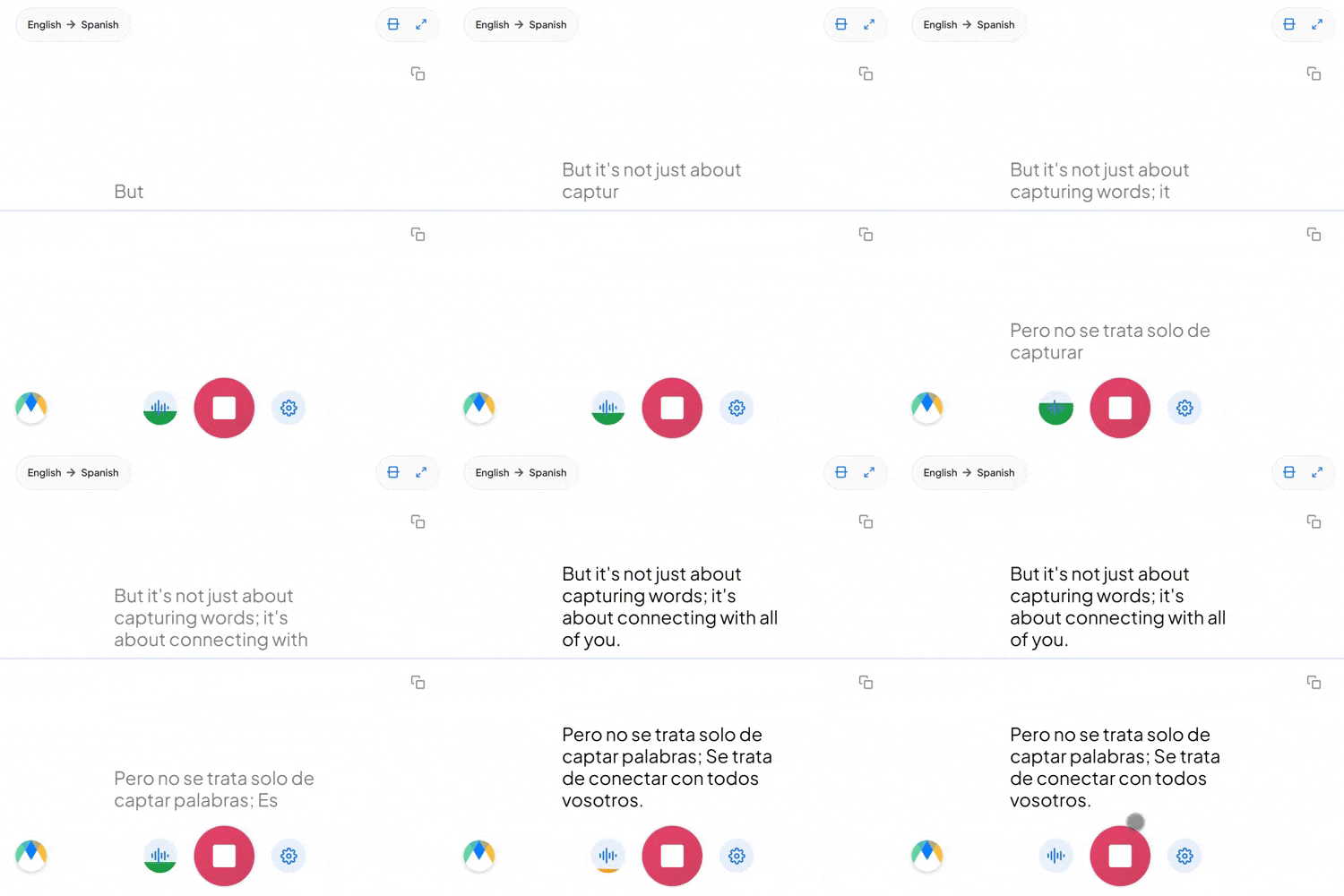
Attendees hear the host's cloned voice or selected AI voices live in their preferred languages. Simultaneously, they can read live captions on their screens.
Run live webinar translation alongside the platforms your team already uses to host and broadcast webinars.
Add live translation and captions to Zoom webinars and large-scale virtual sessions.
Learn more
Translate Teams webinars and live events for multilingual audiences.
Learn more
Stream translated captions and audio inside your OBS webinar broadcast.
Learn more.webp)
Mix live translated audio and captions into vMix webinar production.
Learn more


.webp)
Run live webinar translation for audiences anywhere, in 125+ languages.
Connect Maestra to your webinar platform or audio source, choose the spoken language and the languages to translate into, then start the session. Attendees join with a QR code or link and select their preferred language.
Yes. You can select multiple source and target languages so attendees can follow the webinar in their preferred language.
Over 125 languages are supported for live captions and speech-to-speech translation, covering most regional and global webinar audiences.
Yes. Maestra runs alongside Zoom, Microsoft Teams, OBS, vMix, and other webinar platforms your team already uses, adding live captions and voice translation to the session.
Yes. Attendees scan a QR code or open a link in any browser on phone, tablet, or desktop. No app install or account is required.
Yes. A single webinar session can be translated into multiple languages at once, and attendees choose the language they want to read or listen in.
Yes. You can save live sessions to translate them into 125+ languages using Maestra's many translation solutions.
Maestra uses leading AI translation technology to detect speech and translate it in real-time, resulting in exceptional accuracy during webinars. Although keep in mind that disruptions in the audio or overlapping speech can cause minor inaccuracies.
Yes. You can start a live webinar translation session through Maestra and try the feature before subscribing to a paid plan.