Get Started Free

Training Translation

AI-powered live training translation for employees, partners, and global teams, available in 125+ languages.

Looking for a live solution?

Translate training sessions with dubbing and captions.

Try live translation
HP
Walmart
Bayer
Meta
NHS
Dell
Deloitte
HP
Walmart
Bayer
Meta
NHS
Dell
Deloitte

Scalable Training Translation, Made Simple

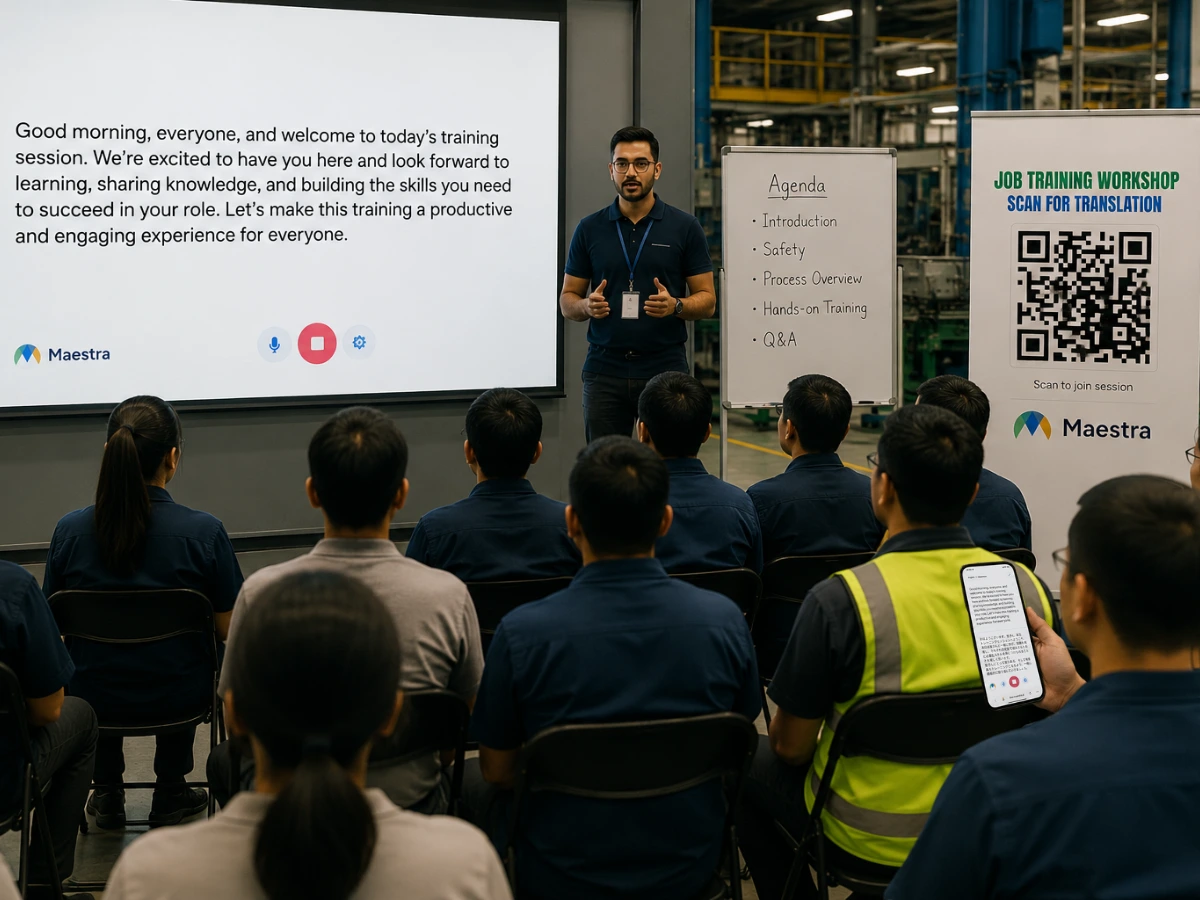
Multilingual session sharing via QR code of a training session

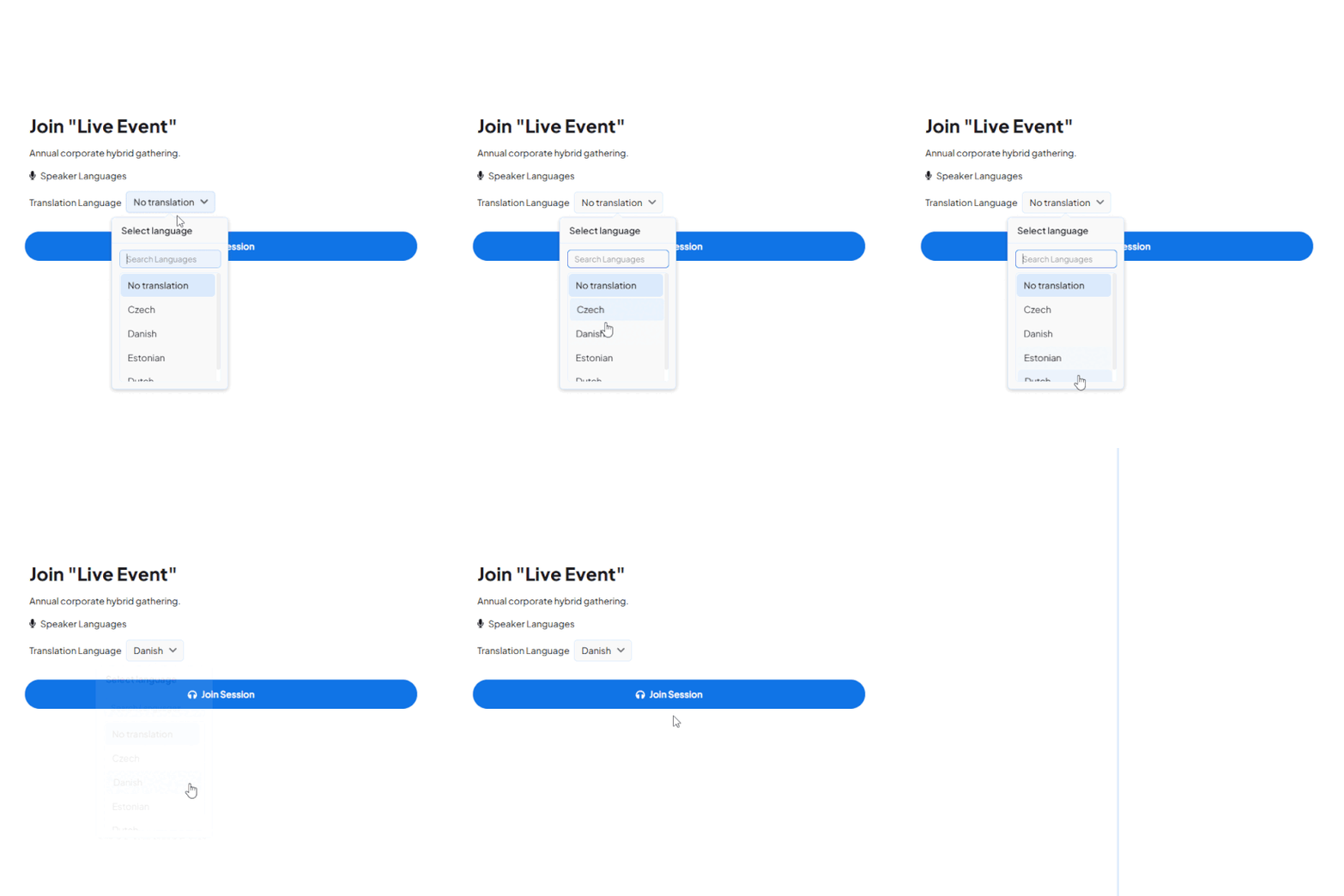
Multilingual Training via Sharing

hare multilingual training sessions via QR code or public link. Employees and partners join in their preferred language with live captions and AI voice translation.
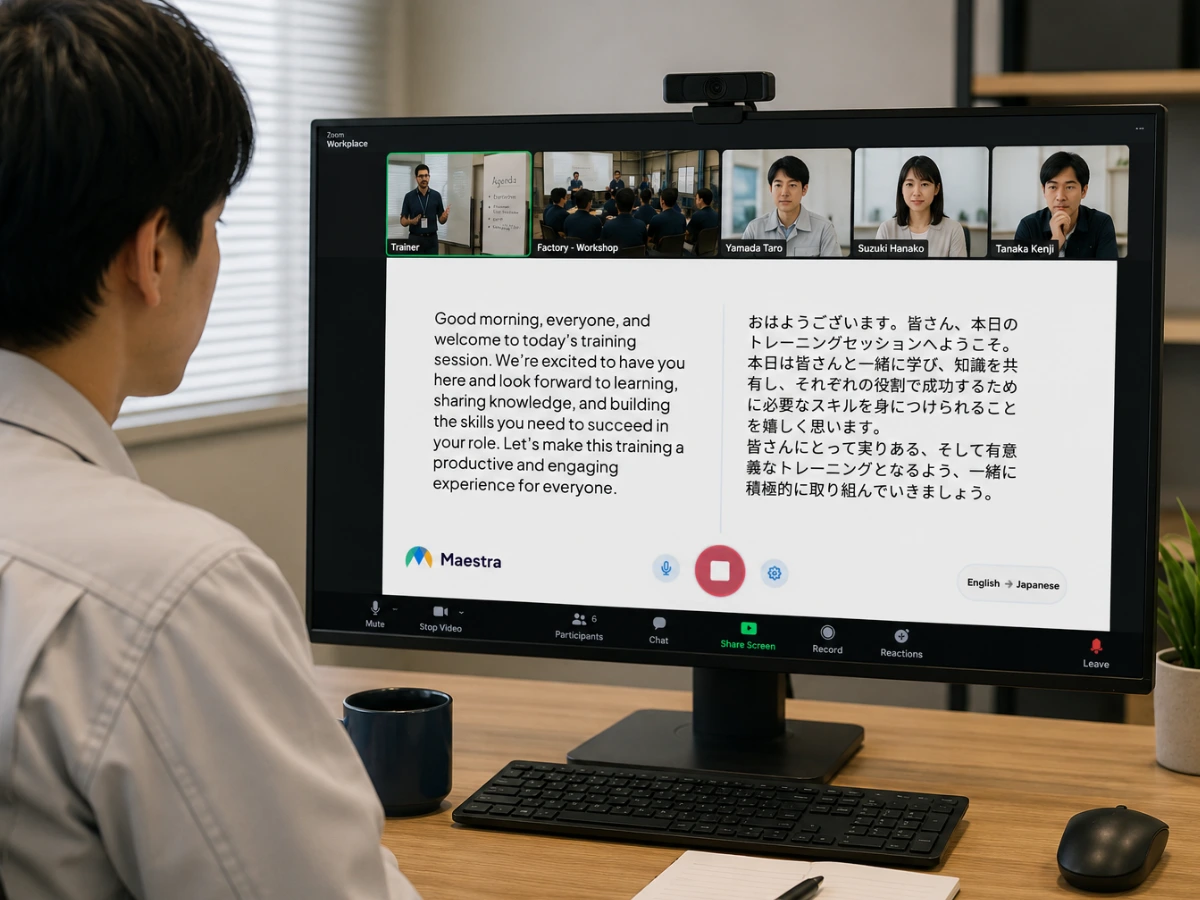
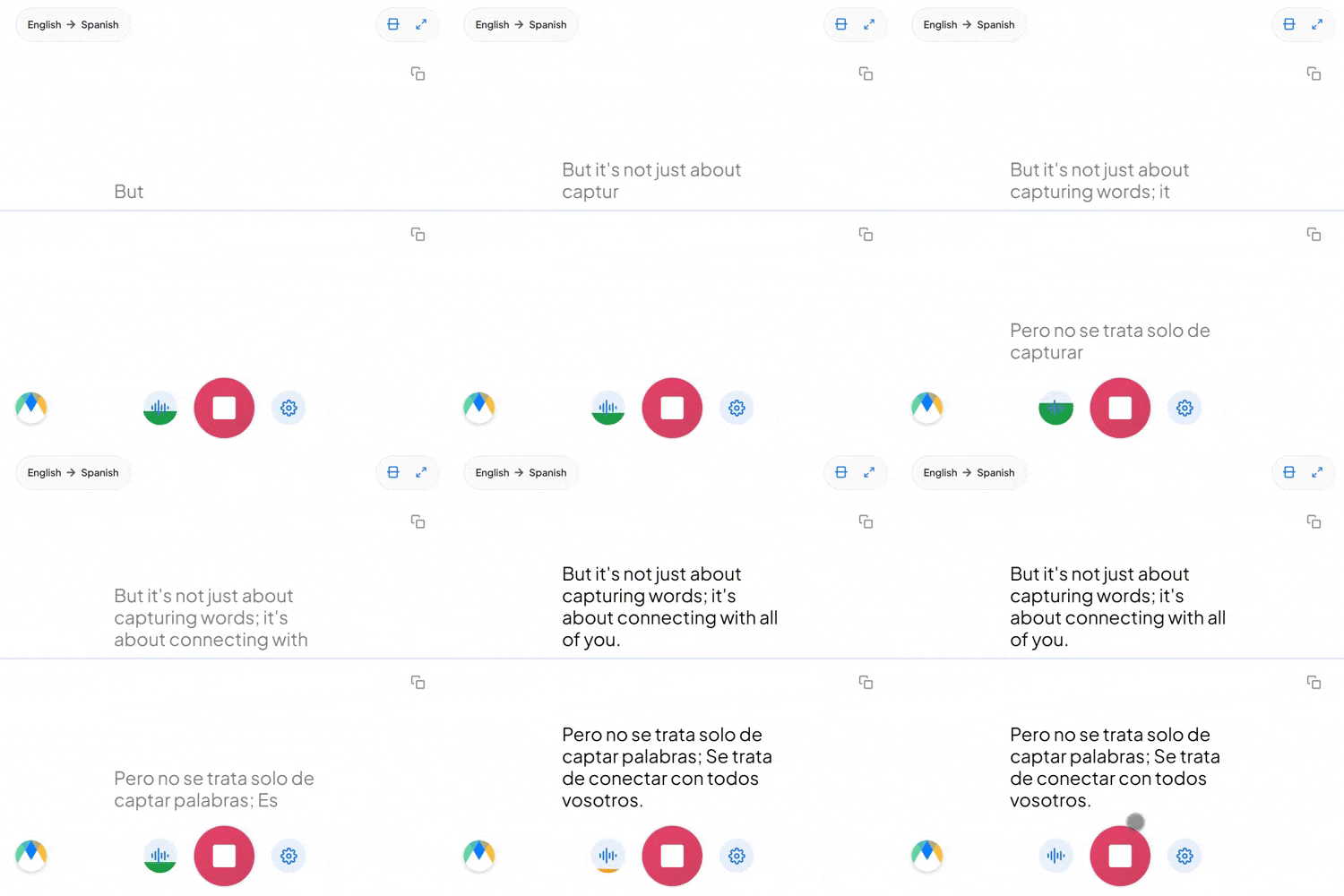
Two way translation during training

Hybrid Translation on Any Device

Run training sessions online or in hybrid setups across any browser on mobile, desktop, or tablet. Live captions and translated audio reach every participant on the device they already have.

Every Feature Training Teams Need

Built for employee onboarding, compliance, partner enablement, and global team training across 125+ languages.

Two-Way Training Translation

Trainers, subject matter experts, and participants speak in their own language. Q&A and workshop dialogue flow in every direction without manual setup.

Auto Speaker and Language Detection

Maestra detects who is speaking and switches translation automatically. Multi-presenter sessions, panel trainings, and live demos run smoothly across 125+ languages.

Custom Glossaries

Add company-specific terminology, product names, and acronyms so training translations stay accurate to your internal language.

No Headsets or Booth Required

Skip interpreter booths, headset rentals, and on-site distribution. Trainees join with a QR code from their own phone, even at large in-person workshops.

Enterprise-Grade Privacy

Run confidential training sessions with private session links restricted to invited participants only.

Captions and Translated Audio

Participants choose to read live captions or listen to AI voice translation in their preferred language. Each person picks how they learn best.
Translate Your Next Training Session

How to Translate Training Sessions in Real-Time

STEP 1

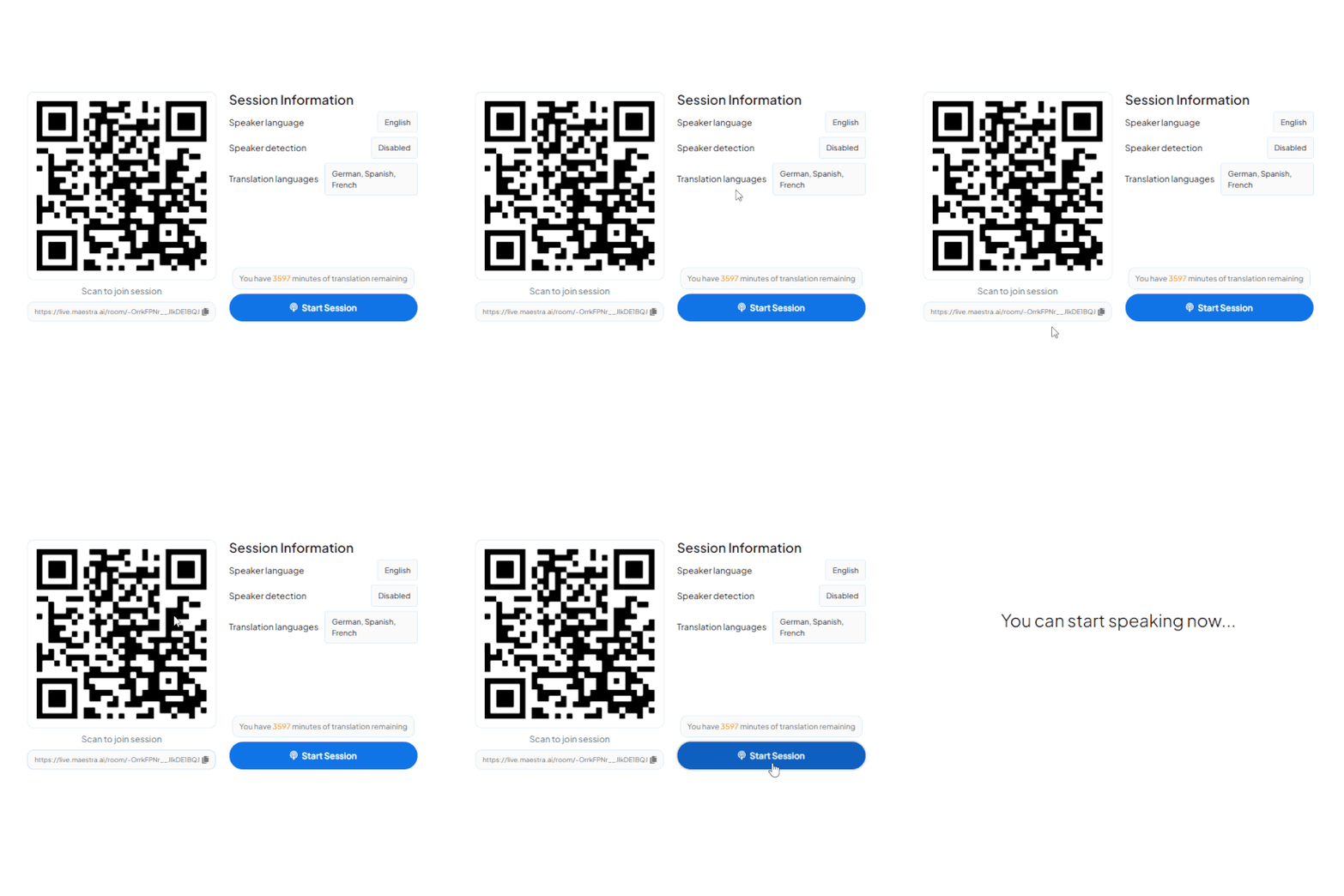
Connect and Select Languages

Connect Maestra to your training platform, AV mixer, or audio source, then choose the spoken language and the languages you want to translate into for your participants.

Enabling translation on Maestra's real time translator.
STEP 2

Live Training Translation

Translate live speech during the training session as captions, real-time dubbing, or both. Participants join with a QR code or link from their own device in their preferred language.

Live translation showcase
STEP 3

Save and Repurpose

Save the training session transcripts and audio for further editing, translation, or review. Saving options can be enabled in session settings before starting.

Saving options

Beyond Live Training Translation

A live and online meeting taking place

Live Meetings

Translate distributed team meetings, sales calls, and customer reviews with live meeting translation.
A person holding their hand during a training conference

Conferences

Host multilingual keynotes, panels, and Q&A with live conference translation.
People talking during a webinar meeting

Webinars

Broadcast to multilingual audiences across regions with webinar translation.
A professor giving a lecture to students

Education

Translate lectures and classes for multilingual students with live education translation.

Customer Reviews

4.8 out of 5 stars G2

Chaitanya P.

Managing Director

"Master the Media with Maestra"

The best side of this product is auto subtitling. And most importantly, it supports multiple languages.

Read full review

Ricardo Y.

"The All In One 'over the top' turnkey solution for Automatic Transcripts, Subtitles and Voiceovers"

What comes to mind as Maestra being the go-to solution for our company is that it's such a time and money saver.

Read full review

Matthew S.

CSR

"perfect for anything transcript needs"

The best thing about Maestra is how well it creates transcripts. It's so useful for me. It makes my day a lot easier.

Read full review

Mary M.

Program Development

"Maestra 100% worth the investment in captioning your videos"

Ability to share captioning of our videos with multiple volunteer users is getting our captioning done quickly. Saving time and money with good quality captioning and ease of use.

Read full review

Carolina A. H.

Director

"MAESTRA IS THE GO-TO FOR SUBTITLING. LOVE IT!"

Maestra is just amazing! We were able to produce subtitles in multiple languages assisted by their platform. Multiple users were able to work and collaborate thanks to their super user-friendly interface.

Read full review

Janet S.

Enterprise

"Great product and very easy to use."

Maestra was intuitive to use and created a fairly accurate transcript in the first upload. It is easy to make corrections and ensure accuracy.

Read full review

FAQ

What is training translation?

Training translation converts spoken training content into other languages in real time, delivered as live captions, translated audio, or both. Employees, partners, and global teams follow training sessions in their preferred language without separate per-language deliveries.

How do I translate a live training session?

Connect Maestra to your training platform, AV mixer, or audio source, choose the spoken language and the languages to translate into, then start the session. Participants join with a QR code or link and select their preferred language.

How many languages are supported for training translation?

Over 125 languages are supported for live captions and speech-to-speech translation, covering most multilingual workforces and global partner networks.

Can I translate employee onboarding, compliance, and product training?

Yes. Live training translation works across employee onboarding, compliance, sales enablement, partner training, and any session where consistent multilingual delivery matters.

Can participants join training without downloading an app?

Yes. Participants scan a QR code or open a link in any browser on phone, tablet, or desktop. No app install or account is required.

Can multiple speakers in different languages share the same training session?

Yes. Maestra detects the spoken language and switches translation automatically, so trainers, subject matter experts, and participants can each speak in their own language across 125+ options.

How does AI training translation compare to hiring a human interpreter?

AI training translation removes the need to schedule interpreters or coordinate per-language sessions. It scales to dozens of languages on demand at a fraction of the cost, making recurring employee training, partner enablement, and global onboarding programs financially viable.