10 Best AI Voice Generator Apps with Realistic Voices

AI voice generators have advanced faster than anyone expected. Nowadays, creators rely on them for everything from multilingual dubbing to long-form narration and character performances. From firsthand experience, I can say that the gap between a good AI voice and a great one is huge, and it directly affects how well your content feels.
In this guide, I break down the AI voice generators that actually stand out. Some excel at realism and emotional delivery, others are built for marketing content, and a few pair an AI lip sync tool with translation and subtitles in a single end-to-end workflow.
The goal is simple: to give you a clear, honest understanding of which AI voice generator aligns with your needs, so you can produce better audio and work faster with fewer compromises.
Here's a shortlist of the best AI voice generators:
- Maestrafor all-in-one voiceovers, dubbing, and translation
- ElevenLabsfor emotional, human-sounding narration
- PlayHTfor polished, brand-ready marketing audio
- Speechifyfor long-form listening and narration
- LOVO AIfor corporate training and e-learning content
- HeyGenfor avatar-style presenter videos
- Typecastfor character voices and expressive storytelling
- Voicemodfor real-time voice changing in gaming and streaming
- Uberduckfor music-focused voices
- TTSMakerfor quick and free text to speech
First, let's set the foundation by focusing on what truly matters in an AI voice generator.
What makes an AI voice generator great?
Not all AI voice generator tools are created equal. Some focus on realism, others on creativity, and some are built for full video production workflows.
Still, regardless of your use case, top AI voice generators tend to excel in certain key areas:
- Realistic voices: A great AI-generated voice should sound natural, with proper pacing, clarity, and emotion. If it feels robotic or flat, the audience loses interest fast.
- Language and accent variety: More languages mean broader reach. Meanwhile, diverse accents help you match tone, region, or brand identity.
- Customization options: Voice cloning, style controls, and emotion settings allow for tailored performances. They help creators craft voices that genuinely fit their content.
- Speed and ease of use: Rapid generation saves valuable time. Moreover, an intuitive interface keeps the entire process simple.
- Scalability: Top platforms handle long text, batch processing, and high-volume generation smoothly. This is essential for creators who publish often.
- Clear licensing: Platforms should offer straightforward usage rights so you know exactly where and how you can use the generated audio. Confusing or restrictive licensing can create problems later, especially for commercial projects.
- Security: A trustworthy AI voice generator should protect your data, recordings, and voice clones. Strong security measures ensure your content stays private and under your control.
With these core criteria in mind, it becomes much easier to evaluate which tools truly stand out.
Top AI Voice Generators Reviewed (Free & Paid)
Now let’s break down the best AI voice generators and see how they compare across essential factors like language support, availability, and pricing. Then I'll walk through each tool one by one, with a focus on what makes them stand out for different use cases.
| AI Voice Generator | Languages | Platform Availability | Pricing |
| Maestra | 125+ | Web | Free trial; paid plans from $39/month |
| ElevenLabs | 70+ | Web, iOS, Android | Free plan; paid plans from $5/month |
| PlayHT | 40+ | Web | Free plan; paid plans from $31.20/month |
| Speechify | 60+ | Web, iOS, Android, Chrome extension, Mac app | Free plan; paid plans from $29/month |
| LOVO AI | 100+ | Web | Free plan; paid plans from $24/month |
| HeyGen | 175+ | Web, iOS | Free plan; paid plans from $24/month |
| Typecast | 6 | Web | Free plan; paid plans from $7.99/month |
| Voicemod | N/A (real-time voice changer, not TTS) | Windows, Mac | Free version; $39.99 one-time payment |
| Uberduck | 70+ | Web | Free plan; paid plans from $2/month |
| TTSMaker | 100+ | Web | Very generous free plan; paid plans from $13.99/month |
1. Maestra — Best for Complete Voice and Video Localization
⭐ What makes it stand out: Maestra isn't just a voice generator tool. It's an all-in-one solution for voiceovers, dubbing, subtitles, and translations, bringing everything together in one place.
Maestra is designed to take any piece of content (text, video, or audio) and turn it into fully localized, multilingual output. It excels at both simple text to speech tasks and more complex workflows like video dubbing.
You can generate voiceovers, translate them, sync them to the lip movement, and add subtitles automatically, all in the same platform.
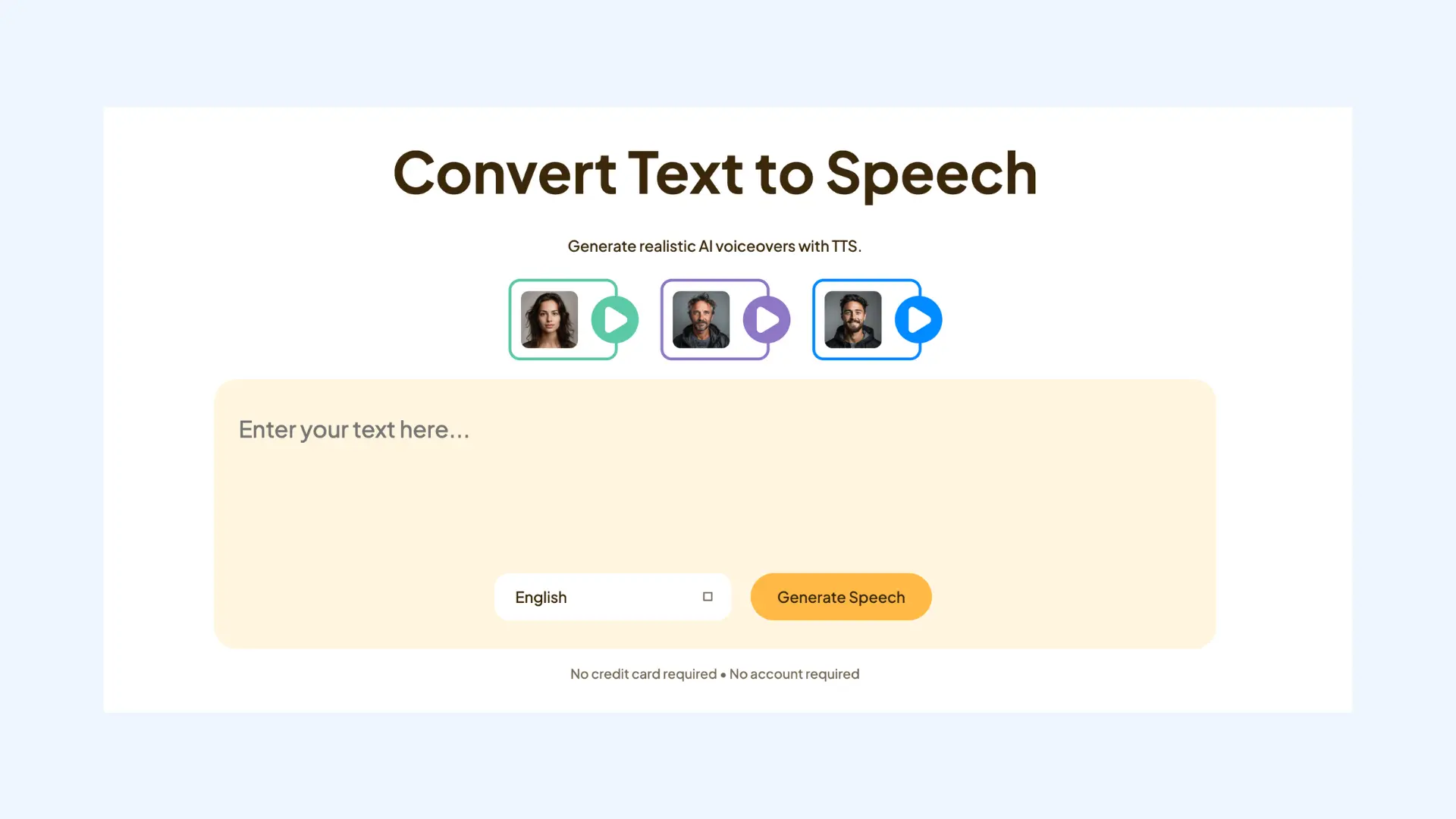
⚙️ How Maestra works:
Maestra's text to speech tool focuses on speed and ease of use.
- Enter your text or paste your script, and choose the language.
- Select an AI voice from Maestra’s library, or clone your own voice.
- Edit your script and translate it into another language if needed.
- Generate and export your audio or video voiceover in the format you prefer.
Pros
- 125+ languages with diverse and realistic AI voices
- AI voice cloning for personalized, on-brand voiceovers
- Automatic lip syncing for video dubbing
- Strong translation accuracy and contextual delivery
Cons
- More feature-rich than necessary if you only need basic TTS
- Complex projects require more processing time
❤️ Why people choose Maestra: It solves the multilingual content problem completely. Instead of using one tool for transcription, another for translation, a third for voice generation, and a fourth for subtitles, Maestra handles everything in a single place.
- Free plan: Limited credits for testing features
- Basic: $39/month
- Premium: $79/month
- Business: $159/month
- Business Plus: $359/month
- Custom enterprise pricing
2. ElevenLabs — Best for Lifelike Narration
⭐ What makes it stand out: If there’s one thing ElevenLabs absolutely nails, it’s emotion. Its voices don't just read your script; they perform it. This is the tool people turn to when they want narration that feels genuinely human, not “AI-ish.”
ElevenLabs is an AI voice-generation platform built for creators who care about quality above everything else. Many podcasters, YouTubers, audiobook creators, and even indie game developers use it because the voices sound strikingly natural.
You get access to a massive library of voices in dozens of languages, plus the option to clone your own voice if you want something more personal or brand-aligned.
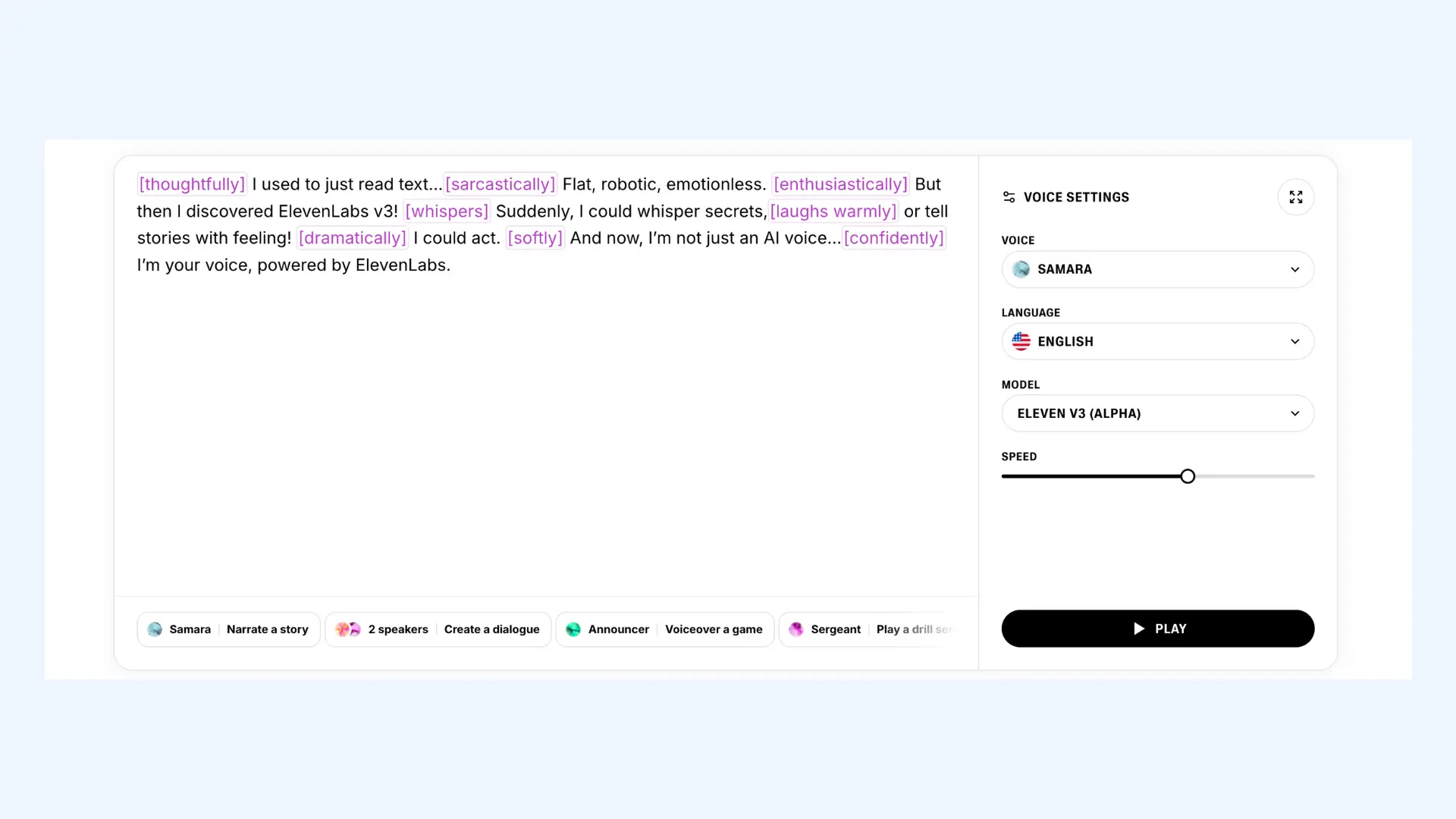
⚙️ How ElevenLabs works:
Using ElevenLabs is pretty simple.
- Drop in your script.
- Pick a voice (or use your clone) and the text to speech model.
- Tweak the speed, stability, and style sliders.
- Generate, and listen for that “wow, this does NOT sound like AI” moment.
Pros
- Voices with real emotional depth
- Almost instant output even for long scripts
- Easy and convincing voice cloning
- Great API if you're building anything voice powered
Cons
- Prices jump if you produce a lot of audio
- Lower tiers limit access to the best voices
❤️ Why people choose ElevenLabs: If you want your content to feel alive, especially podcasts or narrative projects, ElevenLabs is the go-to. It’s one of the few tools that consistently surprises people when they hear the results, and that alone makes it worth featuring.
- Free plan: Limited usage
- Starter: $5/month
- Creator: $22/month
- Pro: $99/month
- Custom enterprise pricing
3. PlayHT — Best for Professional Marketing Audio
⭐ What makes it stand out: PlayHT is known for producing polished, brand-friendly voices that fit perfectly in marketing content. The audio sounds clean and intentional, which is exactly what businesses want when speaking to customers.
PlayHT is an AI voice generator designed for marketers, content teams, and creators who need reliable, professional-sounding narration. It’s widely used to turn written content into engaging audio versions and to add high-quality voiceovers to websites, promotional materials, and tutorials.
The platform’s strength is consistency: once you choose a voice, it delivers the same clean, professional tone across every piece of content.
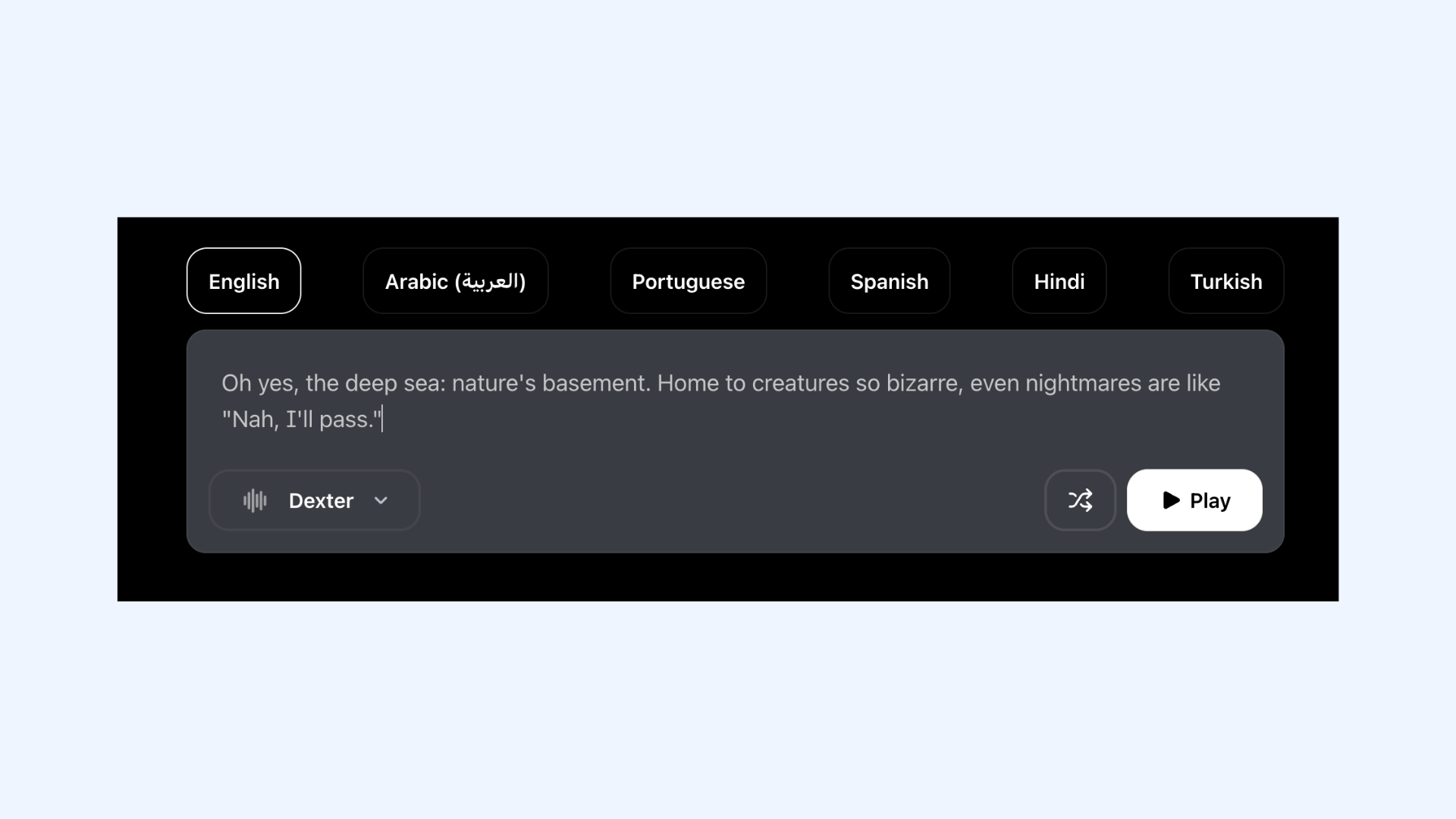
⚙️ How PlayHT works:
The workflow is designed for efficiency.
- Paste your text or upload a document.
- Select a voice model and pick a specific style.
- Fine-tune pronunciations using PlayHT's custom pronunciation library.
- Generate the audio, download it, or grab the embed code to place a player directly on your webpage.
Pros
- Clean, professional voices that work well for business content
- Large library of languages and accents
- Easy integration with blogs and websites
- Reliable voice consistency across projects
Cons
- Less emotional range compared to tools like ElevenLabs
- Higher-tier plans needed for commercial use and advanced features
❤️ Why people choose PlayHT: If you're converting blog posts to audio, creating product demos, or adding voiceovers to landing pages, PlayHT delivers professional results every time. It won't wow you with theatrical emotion, but that's not the point; it's built for clarity and consistency, and it does that exceptionally well.
- Free plan: Limited usage
- Creator: $31.20/month
- Unlimited: $99/month
- Custom enterprise pricing
4. Speechify — Best for Long-Form Narration
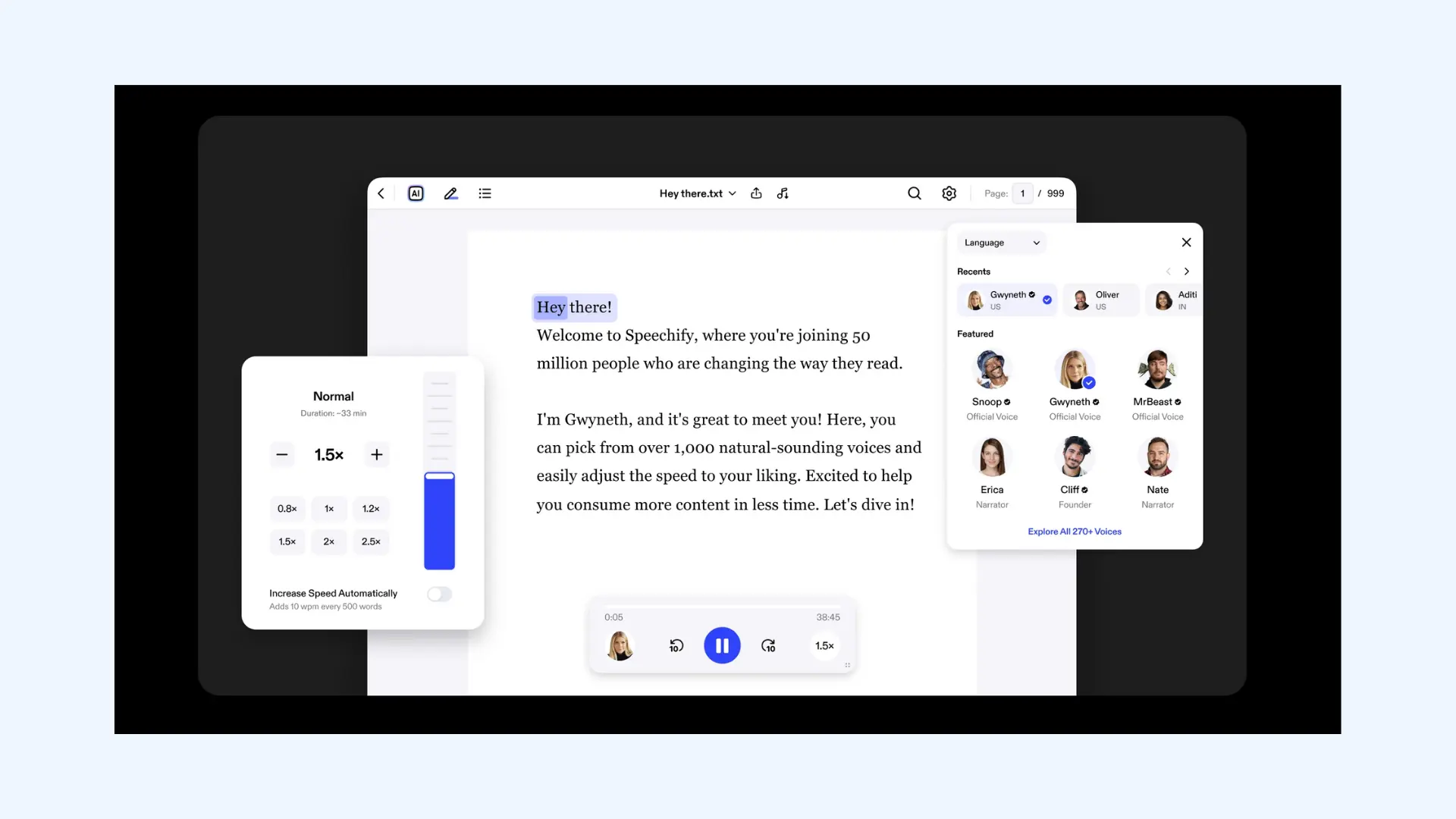
⭐ What makes it stand out: Speechify’s biggest strength is effortless long-form listening. It’s built for people who want to convert large amounts of text (books, articles, PDFs, reports) into smooth, easy-to-follow audio.
Speechify is an AI text to speech tool originally created to help people with reading difficulties, but it quickly became a favorite among students, professionals, and audiobook lovers. Its voices sound natural, steady, and designed for long sessions, the kind of audio you can listen to for hours without fatigue.
It also supports importing virtually anything: documents, web pages, PDFs, screenshots, and even physical books via OCR scanning.
⚙️ How Speechify works:
The tool is designed around accessibility and speed.
- Upload your content (PDF, doc, textbook page, screenshot) or paste text.
- Choose a voice from Speechify’s large library, including celebrity voices on paid plans.
- Adjust playback speed, tone, and reading preferences.
- Generate the audio and listen in the app, save it, or export it as an MP3.
Pros
- Excellent for long-form content consumption
- Supports OCR for scanning physical texts
- Large library of natural voices
- Great mobile and browser experience
Cons
- More focused on listening than content creation
- Best voices locked behind higher-tier plans
❤️ Why people choose Speechify: It solves a specific problem beautifully: turning reading into listening. If you're drowning in articles, PDFs, or study materials and need a way to consume them faster, Speechify is unmatched.
- Free plan: Limited voices and features
- Monthly: $29/month
- Annual: $11.58/month
- Audio API: Custom pricing for developers
5. LOVO AI — Best for Instructional Content
⭐ What makes it stand out: LOVO AI shines in corporate training, e-learning, and educational content. It’s one of the few tools where you can instantly generate narration that sounds like it belongs in a training module or onboarding course.
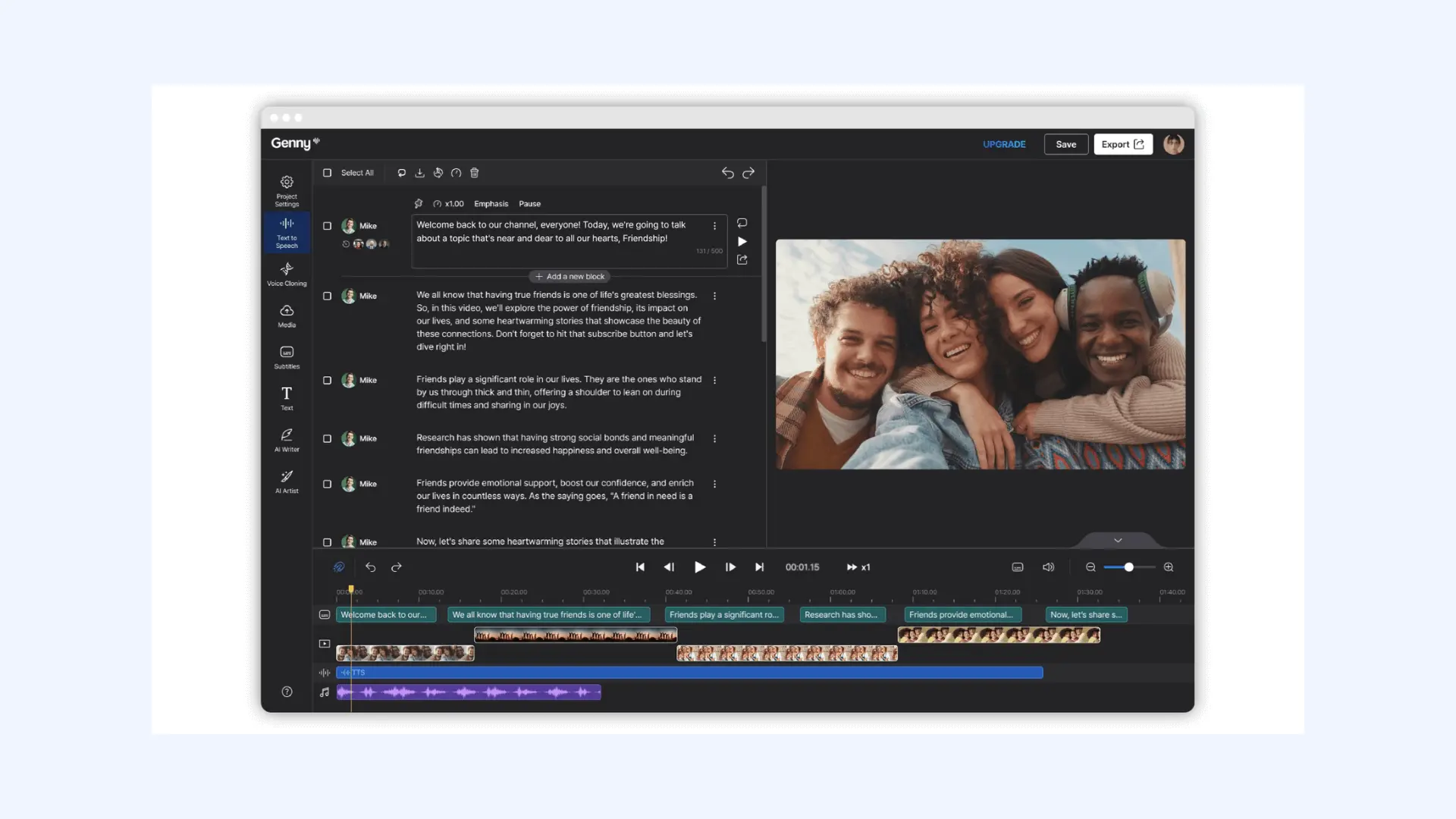
LOVO AI is a voice generation platform designed specifically for businesses and educators who create instructional content. It combines text to speech with video editing tools, making it a complete solution for producing training videos, explainer content, and corporate presentations without needing multiple apps.
The platform also offers voice cloning, multiple language options, and project-based workflows that make it easy to generate narration in bulk.
⚙️ How LOVO AI works:
The platform integrates voice and video creation into one workflow.
- Write or import your script directly into the editor.
- Select a voice that matches your content's tone.
- Sync the voiceover with visuals using LOVO's built-in video editor, adding text overlays, images, or stock footage.
- Export the finished video with embedded audio.
Pros
- All-in-one platform combining voice generation and video editing
- Excellent for corporate training, onboarding, and instructional content
- Supports many languages and accents
- Large library of stock assets for quick video creation
Cons
- Learning curve if you're only looking for simple text to speech
- Video editor is functional but not as robust as dedicated video software
❤️ Why people choose LOVO AI: It understands what educational content needs: clarity, consistency, and efficiency. Instead of juggling a voice generator, video editor, and asset library separately, you get everything in one place.
- Free plan: Limited credits and features
- Basic: $24/month
- Pro: $48/month
- Pro+: $149/month
- Custom enterprise pricing
6. HeyGen — Best for Avatar Videos
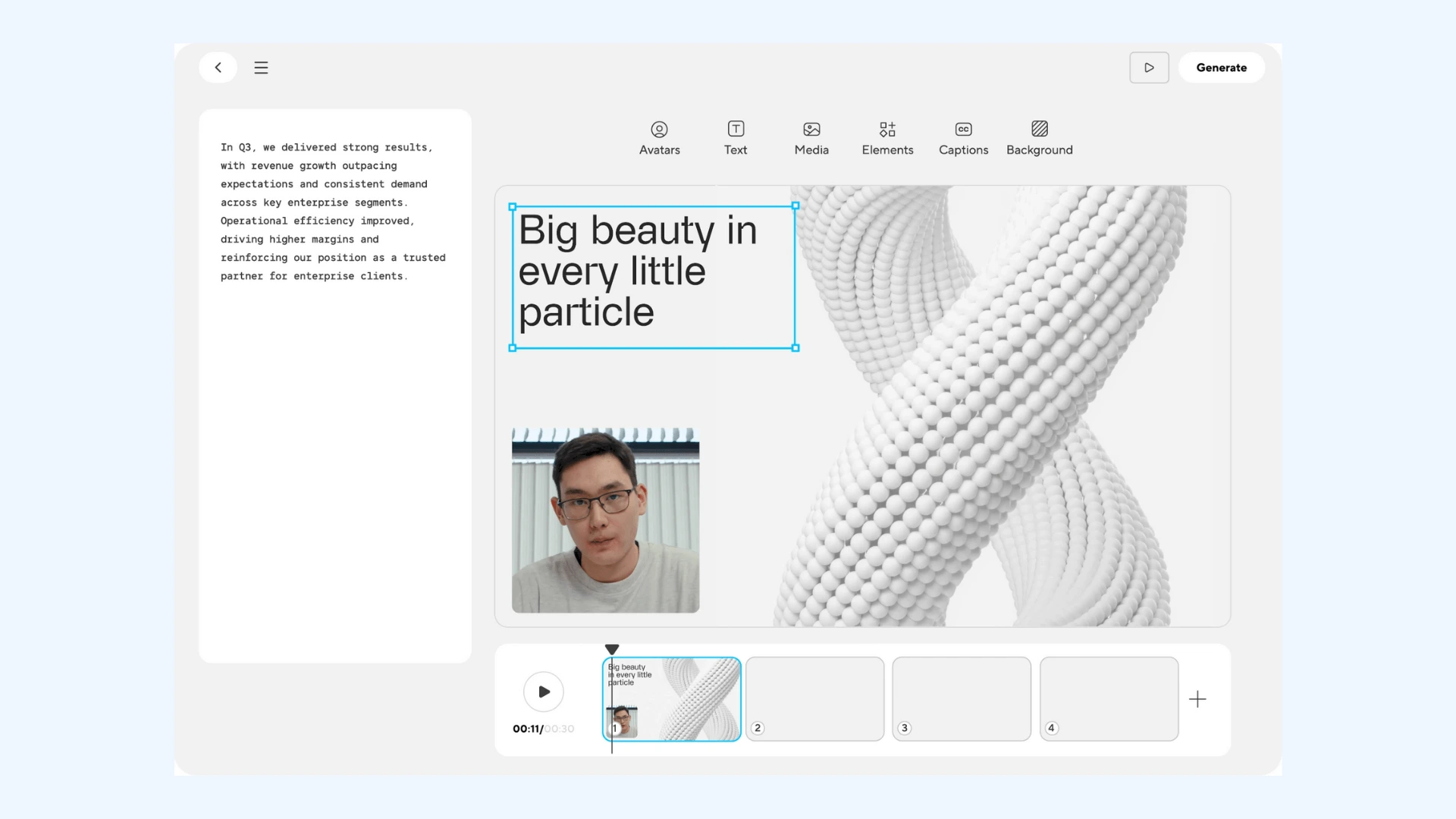
⭐ What makes it stand out: HeyGen is the go-to tool for AI avatars and lip-synced talking videos. It’s built for anyone who wants to turn scripts into spokesperson-style videos without hiring actors, cameras, or a production team.
HeyGen is an AI video platform that combines voice generation with realistic avatar technology to create professional talking-head videos in minutes. It's widely used by marketers, sales teams, content creators, and educators who need to produce personalized video content at scale without the traditional costs and complexity of video production.
The platform's strength lies in how naturally the avatars move and lip-sync with the generated voices. It doesn't look like a static image with moving lips, but rather like an actual person speaking to the camera.
⚙️ How HeyGen works:
- Choose an avatar from HeyGen's library or create a custom avatar.
- Write or paste your script directly into the editor.
- Select a voice that matches your avatar and adjust the tone, language, and accent as needed.
- Generate the video. HeyGen handles lip sync, facial movement, and timing automatically.
- Review, download, or export directly to your content platform.
Pros
- Strong alignment between voice and avatar performance
- Supports a wide range of languages and accents
- Voices designed for presenters, instructors, and spokespeople
- Voice cloning feature for personalized or branded videos
Cons
- Less suitable for highly expressive or narrative video content
- Avatars can still look “AI” in some emotional or fast-paced deliveries
❤️ Why people choose HeyGen: The voices are clean, natural, and perfectly matched to the avatars. It’s the quickest way to get presenter-quality narration without stepping in front of a camera or microphone.
- Free plan: Up to 3 short videos per month with limited features
- Creator: $24/month
- Team: $30/month per seat
- Custom enterprise pricing
7. Typecast — Best for Character Voices
⭐ What makes it stand out: Typecast is all about character voices and expressive storytelling. It feels less like a TTS generator and more like casting voice actors for a scene.
Typecast is an AI voice generator built for creators who need expressive, character-driven audio. YouTubers, animators, indie game devs, and storytellers use it to give their videos life through unique, stylized voices.
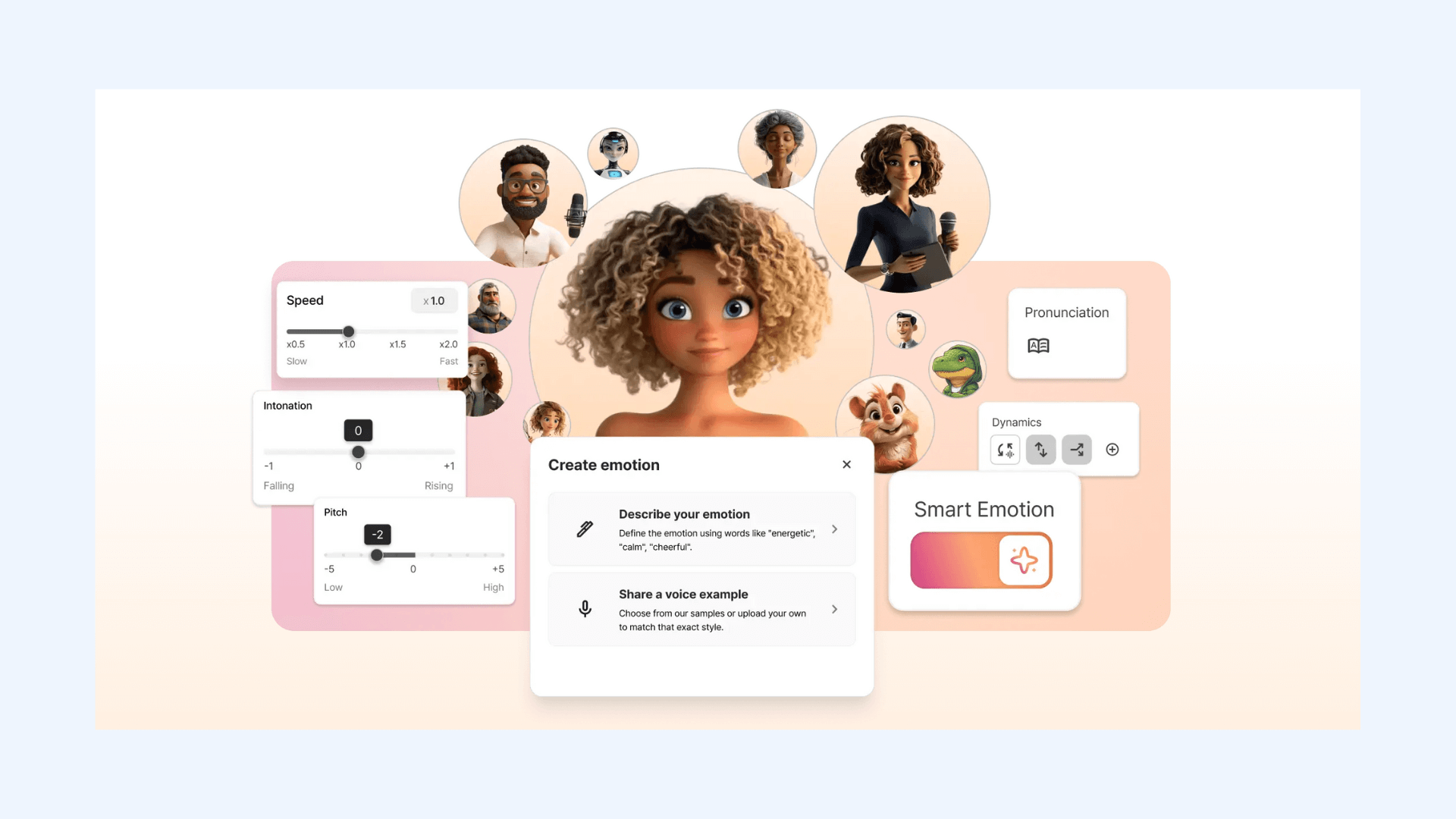
The platform's library includes voices designed specifically for different character types and emotional scenarios, making it easy to match the right voice to the right role in your story.
⚙️ How Typecast works:
Typecast is designed around creative storytelling and character work.
- Start a new project and choose from Typecast’s large cast of character voices.
- Paste your script and assign different characters to different lines.
- Adjust emotional tone to match each moment of the story.
- Add pauses, pacing changes, and emphasis to shape the performance.
- Generate your audio and download it for use in videos, animations, podcasts, or games.
Pros
- Huge library of expressive, character-focused voices
- Multi-voice casting to create full conversations and scenes
- Intuitive interface for assigning voices to different speakers
- Affordable pricing compared to hiring multiple voice actors
Cons
- Not ideal for polished business or corporate content
- Limited language support compared to other tools
❤️ Why people choose Typecast: Typecast makes it ridiculously easy to add personality and emotion to your content. If you're creating stories, animations, or character-driven videos, you’ll get far more expressive range here than with typical TTS platforms.
- Free plan: Limited voices and basic features
- Basic: $7.99/month
- Pro: $28.99/month
- Business: $80.99/month
- Custom enterprise pricing
8. Voicemod — Best for Voice Changing
⭐ What makes it stand out: Voicemod is built for real-time voice changing, making it the perfect pick for gamers, streamers, and VTubers. Unlike typical text-to-speech tools, Voicemod modifies your voice on the fly.
Voicemod is a real-time voice transformer and soundboard used across gaming, Discord chats, livestreams, and online entertainment. You can switch between dozens of character voices (from deep narrators to anime characters) all while you're speaking into your mic.
It’s popular with streamers because it’s fast, stable, and integrates seamlessly with platforms like OBS, Twitch, Discord, Fortnite, Minecraft, and VRChat.
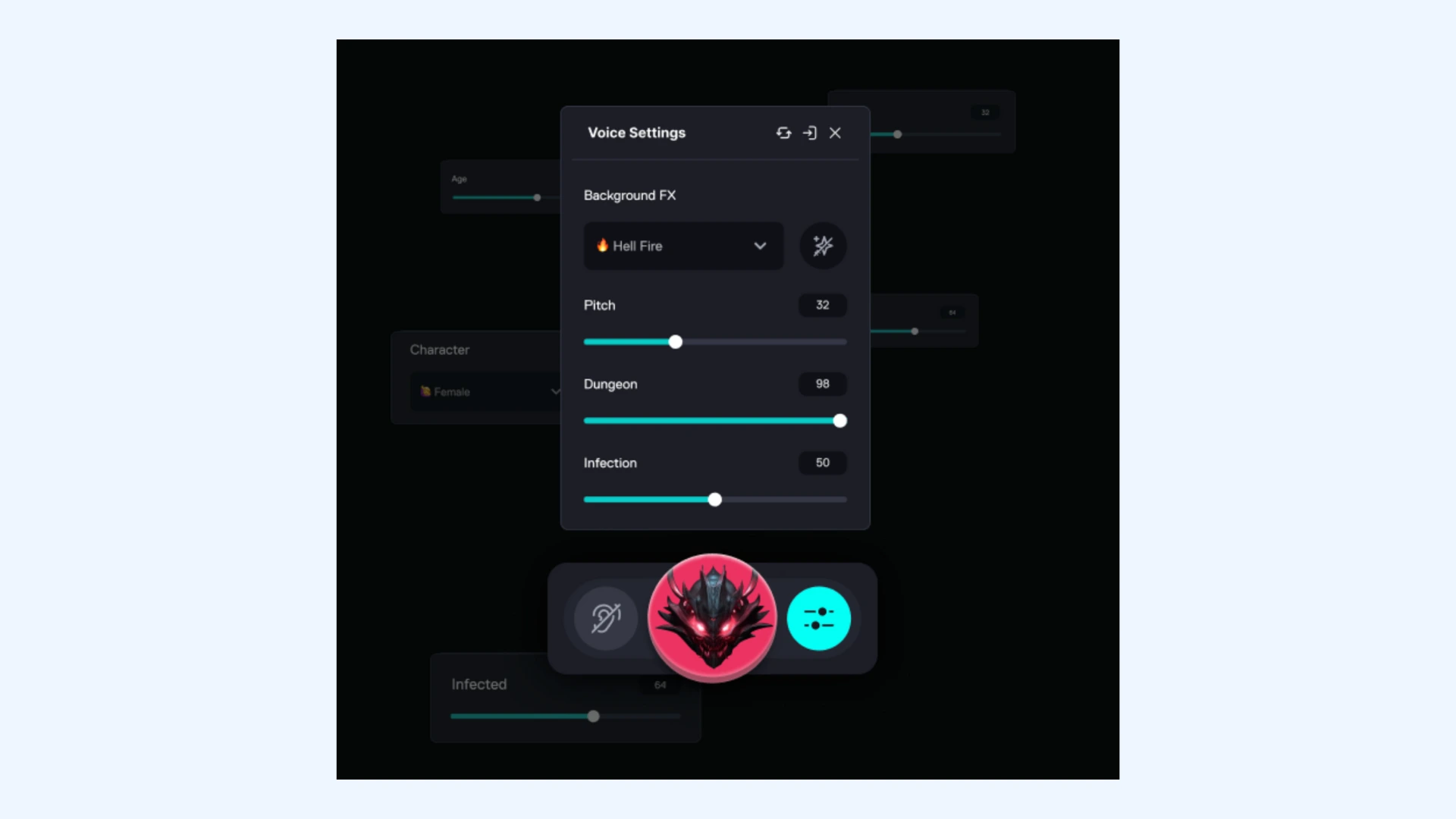
⚙️ How Voicemod works:
The tool acts as a virtual microphone between your real mic and the app you're using.
- Install the app and select “Voicemod Virtual Microphone” as your input device.
- Choose a voice effect from the library.
- Speak into your mic and hear your transformed voice instantly through your headphones while others hear it in-game, on stream, or in voice chat.
Pros
- Real-time voice transformation with virtually no latency
- Huge library of fun, character-driven voice presets
- Works seamlessly with Discord, OBS, Zoom, and most games
- Custom voice creation through Voicelab
Cons
- Effects intentionally sound artificial, which isn’t ideal for all use cases
- Low-end systems may experience performance issues
❤️ Why people choose Voicemod: While other tools on this list focus on creating polished audio content, Voicemod is about adding personality and humor to live interactions. It brings a level of spontaneity and fun that pre-recorded audio tools just can’t match.
- Free version: Access to rotating daily voices and limited soundboard
- Pro (monthly): $10/month
- Pro (lifetime): $39.99 one-time payment
9. Uberduck — Best for Music-Focused Voice AI
⭐ What makes it stand out: Uberduck carved out a unique niche by focusing on AI-generated rap and singing voices. While most tools focus on narration or voiceovers, Uberduck leans fully into music, rhythm, and vocal performance.
Uberduck started as an open-source voice experiment and quickly gained popularity among musicians, producers, and meme creators. Today, it's used to generate AI-styled rap verses, hooks, ad-libs, and stylized vocals that you can drop directly into songs or social content.
You can also train custom voices, build flows, and even create full lyric-to-rap tracks where Uberduck handles timing, cadence, and delivery.
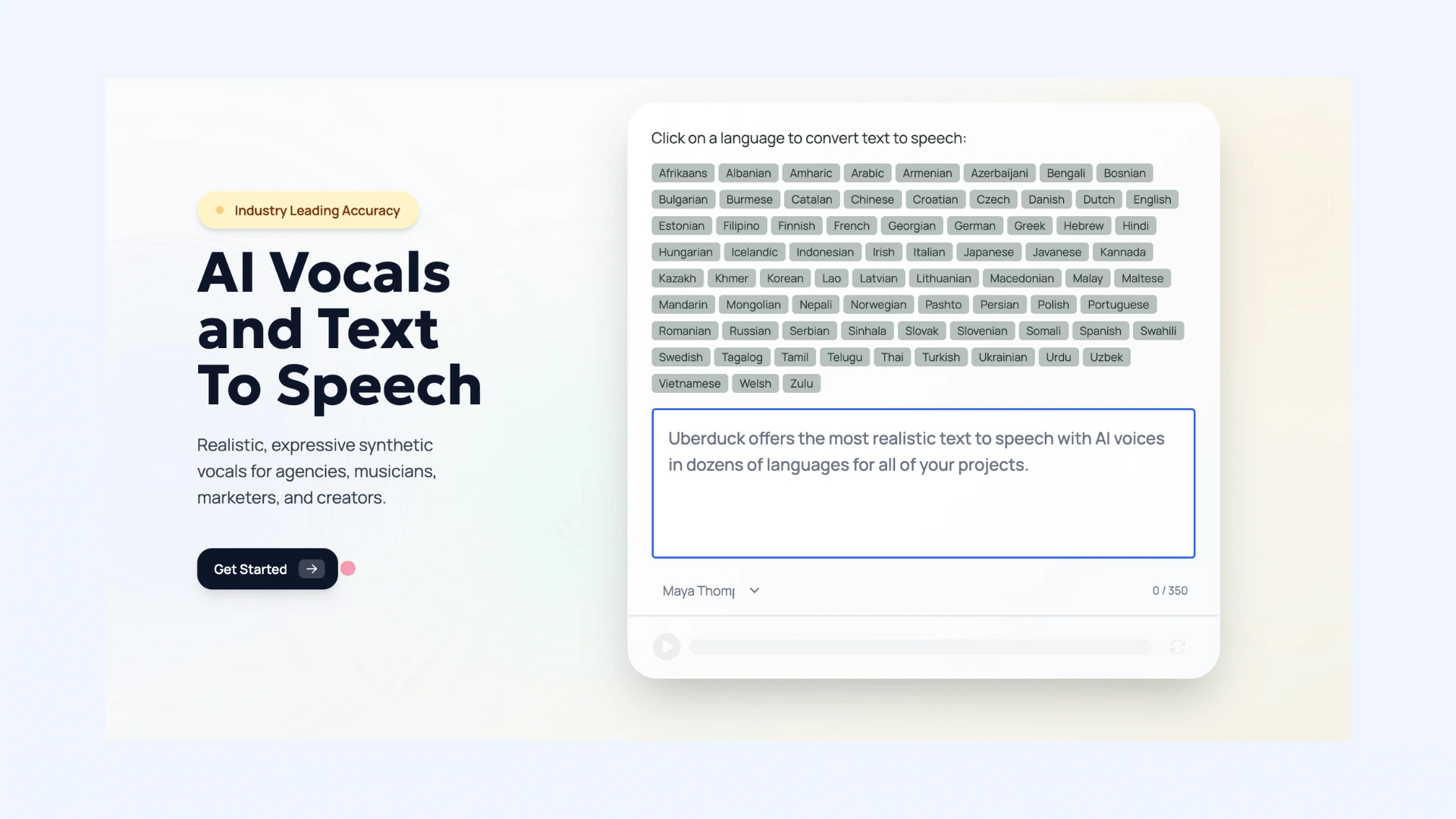
⚙️ How Uberduck works:
Uberduck is built for fast, creative experimentation.
- Enter your lyrics or upload a script.
- Choose a voice (from rap styles to stylized singing voices).
- Select delivery settings like flow, cadence, tempo, or rhythm pattern.
- Generate your vocal track and download it as an audio file for your music project, video, or social post.
Pros
- Best-in-class for AI rap, vocals, and stylized music delivery
- Huge library of character, rapper-style, and meme voices
- Custom voice training options
- Voice cloning to create personalized vocal models
Cons
- Not suitable for business or professional narration
- Advanced voice training requires paid plans
❤️ Why people choose Uberduck: It’s easily the most creative and experimental voice tool on this list. While the platform has faced challenges and pivoted from its celebrity voice origins, it still offers something unique: the ability to make AI voices actually perform music rather than just speak.
- Free plan: Limited voices, watermarked output
- Starter: $2/month
- Creator: $5/month
- Pro: $30/month
- Custom enterprise pricing
10. TTSMaker — Best for Free Voice Generation
⭐ What makes it stand out: TTSMaker’s biggest selling point is that it’s completely free. It’s the tool you turn to when you need quick, simple voice generation without signing up for anything or pulling out a credit card.
TTSMaker is a lightweight text to speech tool designed for quick, no-fuss voice generation. It doesn’t try to compete with premium platforms on realism or emotion. Instead, it focuses on accessibility and convenience.
It’s especially useful for students, hobbyists, small creators, or anyone who needs basic audio for YouTube captions, school projects, tutorials, or simple narration.
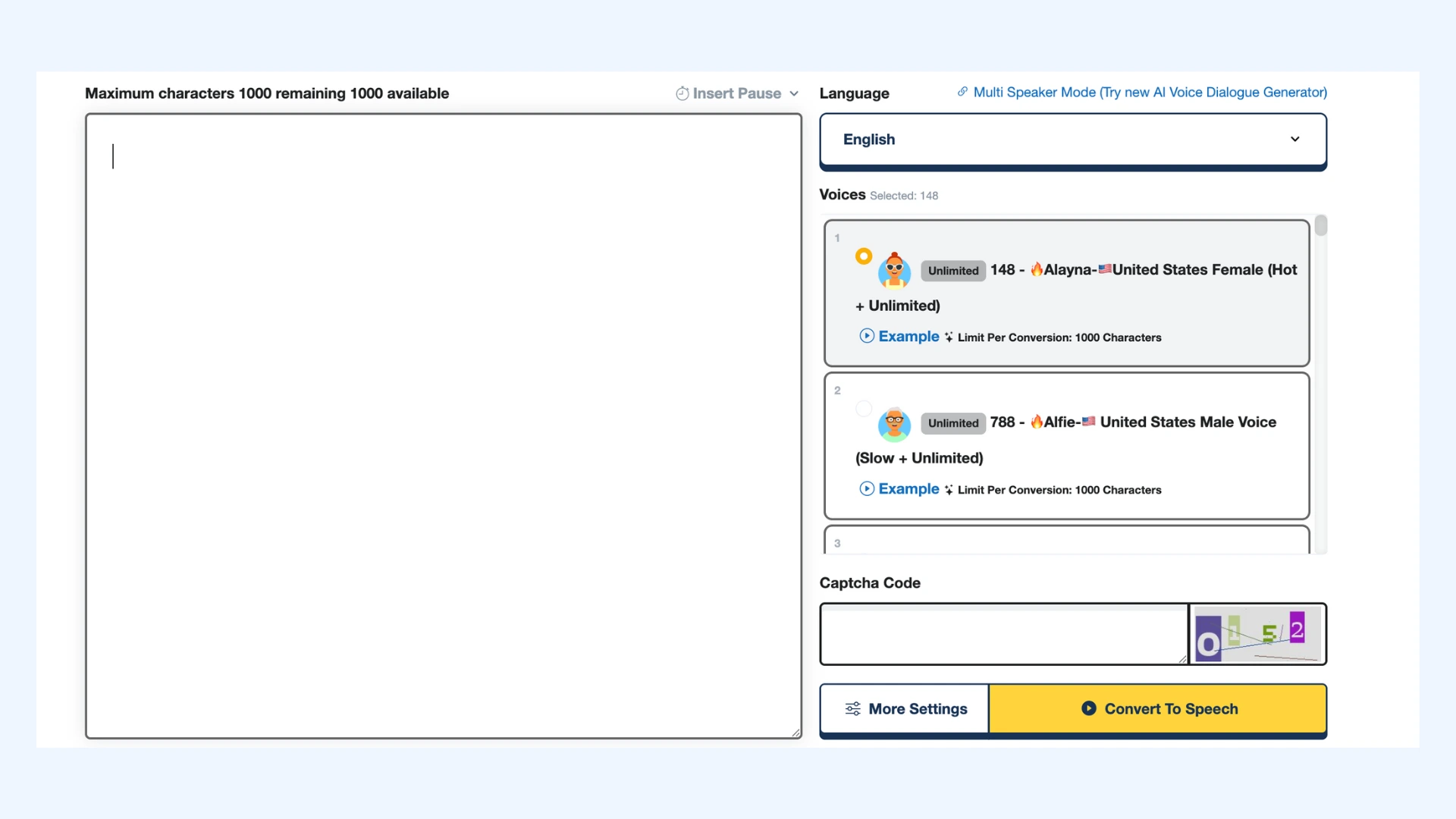
⚙️ How TTSMaker works:
The process is as simple as it gets.
- Paste your text directly into the editor.
- Select your preferred language and choose from the available AI voices.
- Adjust basic settings like speed or emphasis.
- Generate the audio and download it instantly as an MP3 or WAV file.
Pros
- Completely free to use
- No signup needed
- Supports many languages and simple voice styles
- Instant audio generation and downloads
Cons
- Voice quality is basic compared to premium tools
- Not suitable for commercial, polished, or brand-driven audio
❤️ Why people choose TTSMaker: It’s a reliable “get it done” tool. For students, small creators, or anyone testing voice generation for the first time, it delivers exactly what's needed without asking for anything in return.
- Free plan: Generous weekly limit (approx. 20,000 characters/week)
- Lite: $13.99/month
- PRO Mini: $23.99/month
- PRO Max: $32.99/month
- Studio: $140/month
You’ve now seen how each tool shines in a specific area, from expressive storytelling to marketing audio. But if you're a YouTuber, you may still be wondering the one question that matters most.
What is the best AI voice generator for YouTube videos?
The truth is, the “best” tool depends entirely on what kind of YouTube content you create. Different use cases demand different strengths. Here’s a clear breakdown so you can choose confidently:
🎙️ Maestra: One of the best all-around options for YouTube creators. Perfect for clean voiceovers, multilingual dubbing, subtitles, and lip syncing. Ideal for tutorials, explainer videos, education channels, and global audiences.
🎧 ElevenLabs: The top pick for emotional connection and human-sounding narration. Great for storytime channels, commentary, documentaries, and any creator who wants a cinematic or personal feel.
📢 PlayHT: Great for polished, brand-ready narration.If your channel feels like a business or product review hub, PlayHT delivers crisp, professional voiceovers that sound ready for marketing videos.

🎭 Typecast: The go-to for character voices and expressive storytelling. Amazing for animation, skits, dialogues, and any channel where personality, emotion, or character acting is part of the content.
🧑💻 HeyGen: Ideal for avatar-style presenter videos. Perfect for creators who don’t want to be on camera but still want a professional-looking presenter delivering their message.
No single AI voice generator is perfect for every channel, but each of these options excels in a specific type of YouTube workflow. However, once you know the style of content you’re creating, choosing the right tool becomes straightforward.
Final Verdict
The landscape of AI voice generation is changing faster than most creators can keep up with, and that’s exactly why choosing the right tool matters. At this point, the question isn’t whether AI can produce great audio. It’s how you want to use it.
Some creators want speed. Others want emotion. Some need full production pipelines, and others just need a reliable voice that never stumbles. The good news is that the current generation of AI tools finally gives you the flexibility to pick exactly what fits your process instead of forcing you into a one-size-fits-all solution.
Frequently Asked Questions
What is the best free AI voice generator?
The best free AI voice generator for most people is TTSMaker, thanks to its generous weekly character limits. It supports many languages and doesn't require an account to get started. While it lacks premium realism, it’s perfect for quick, no-cost voice generation.
What is the most realistic AI voice generator?
ElevenLabs is widely considered the most realistic voice generator available today. Its voices deliver emotional depth and highly natural-sounding tones. Creators rely on it when they need to produce lifelike audio.
What is the best AI voice generator for characters?
Typecast is the strongest option for character-driven voices and expressive performances. It offers a large library of stylized voices tailored for animation, storytelling, and dialogue scenes. You can adjust emotions and tone to match each character perfectly.
What is the best AI voice generator for celebrities?
Speechify is the best option if you want to use a celebrity voice without worrying about legal issues or low audio quality. Its exclusive partnerships allow you to access fully licensed voices from icons like Snoop Dogg, Gwyneth Paltrow, and MrBeast. It’s the easiest way to add star power to content.
What is the best male voice generator?
Maestra's male voice generator offers a wide range of realistic male voices for both simple and advanced projects. It supports 125+ languages, ideal for translating or dubbing content across multiple markets. ElevenLabs and PlayHT are also solid options with their lifelike and expressive male voices.
What is the best female voice generator?
Maestra’s female voice generator is one of the best options for creators who need natural, clear female narration. It’s especially strong for video voiceovers, dubbing, and educational content. Another solid tool is Typecast if you need female voices with personality and emotional range.