12 Best Transync Alternatives for Live Translation (Reviewed & Compared)
Transync is a relatively new player in the real-time translation space, but it has quickly gained attention for tackling multilingual communication in an effective way. Its focus on instant voice translation and ease of use makes it a solid option for meetings. As global teams and cross-border communication become the norm, tools like Transync are naturally on the rise.
Yet in practice, I’ve found that real-time translation tools vary widely once you move beyond meetings. Some perform better in large events, some excel at voice-to-voice conversion, and some focus heavily on documentation or accessibility. That’s why I’ve tried and evaluated a range of Transync alternatives across different scenarios.
Before we begin, here is a shortlist of leading Transync alternatives and what each is best for:
- Maestra — Best for meetings and large multilingual events
- Langfinity — Best for voice-to-voice translation in global team meetings
- Talo — Best for low-latency translation in Zoom, Teams, and Meet
- JotMe — Best for meetings with live translation and AI-generated notes
- Wordly — Best for conferences, webinars, and accessibility-focused events
- LiveVoice — Best for on-site and hybrid events with BYOD access
- Interprefy — Best for high-stakes events with professional interpreters
- KUDO — Best for flexible AI and human interpretation at scale
- Zoom Language Interpretation — Best for human-led interpretation in Zoom meetings
- Microsoft Translator — Best for classrooms and group listening
- DeepL Voice — Best for high-quality translation for major global languages
- Google Translate Interpreter Mode — Best for free, in-person conversations
Since many of these tools solve different problems, the best place to start is by looking at Transync’s core functionality and strengths.
What is Transync?
Transync is a real-time translation tool that translates spoken conversations across languages during live meetings. It’s enables instant communication without relying on human interpreters or switching between separate tools.
The platform listens to speech, converts it into text, translates it into the target language, and delivers the output as real-time captions or synthesized voice. By keeping latency low, it allows conversations to flow naturally in multilingual settings.
This addresses a common challenge in global communication: conversations slow down or break when participants don’t share a common language. Instead of pausing for interpretation or restricting participation, Transync enables real-time translated dialogue.
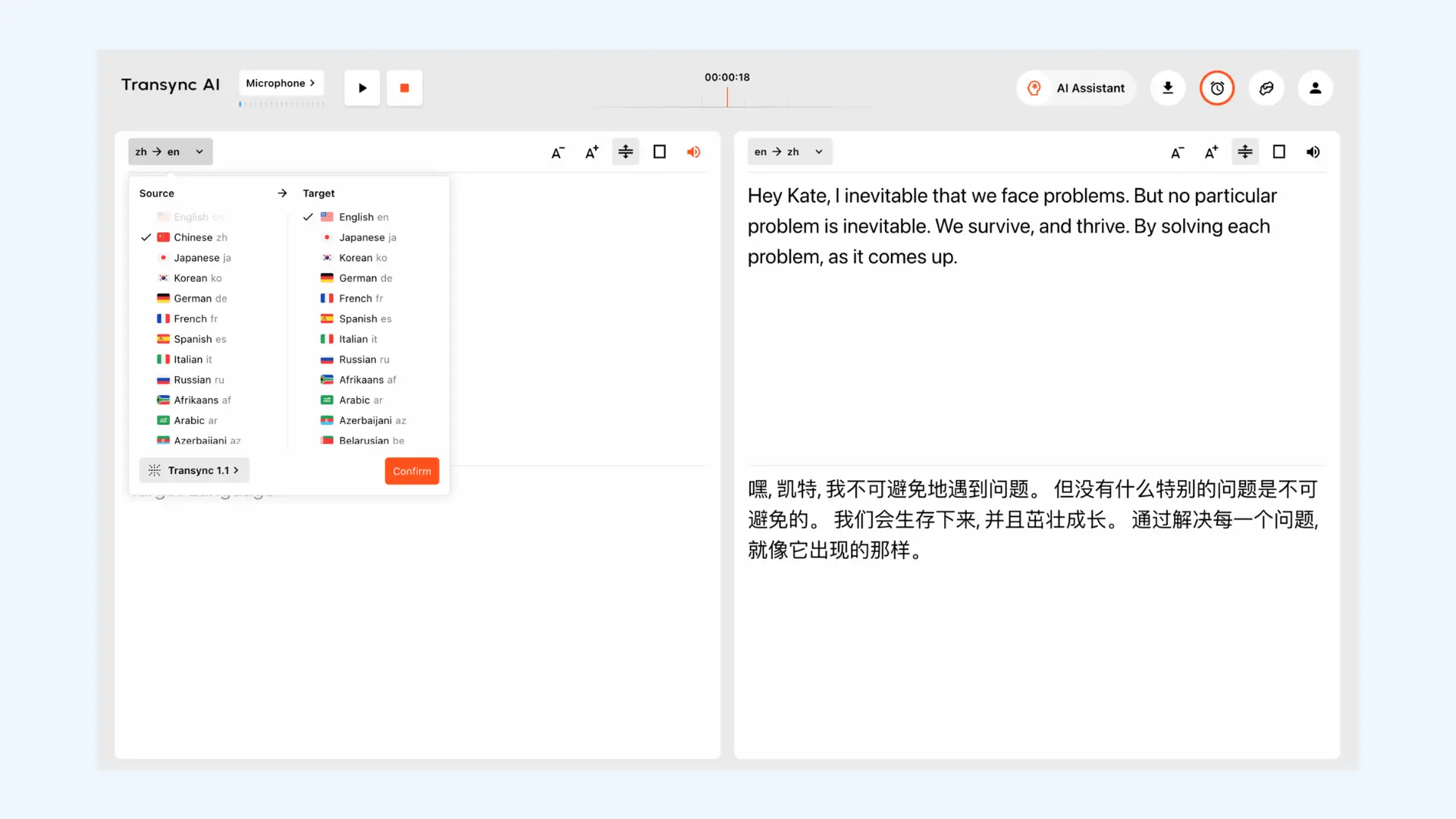
Transync also supports offline and on-the-go communication, extending its use beyond traditional video conferencing. Common use cases include:
- Online meetings and remote collaboration with support for platforms like Zoom, Microsoft Teams, and Google Meet
- Offline multilingual communication (face-to-face meetings, exhibitions, classrooms, and more)
- International travel and everyday interactions (daily conversations, restaurants, local services)
Although Transync is effective for real-time translation, it may not fit every use case or situation. Factors such as pricing, language support, or the need for advanced features can lead users to explore alternative solutions.
What to Look for in a Transync Alternative
Many tools claim to offer live translation, but the hands-on experience can feel very different depending on how the tool handles actual conversations. After experimenting with several real-time translators myself, I've found that certain factors have a much bigger impact on usability.
- Latency: In live conversations, even small delays can disrupt the flow. Low latency is crucial, especially in fast-paced discussions where people speak back and forth frequently.
- Contextual accuracy: Real-time translation needs to handle accents, speaking speed, and informal phrasing, not just literal word-for-word output. When context is lost, even accurate translations can feel confusing or misleading.
- Ease of setup and onboarding: If a tool takes too long to configure or requires every participant to install unfamiliar software, adoption drops quickly. In practice, the tools that get used consistently are the ones that work with minimal setup and fit naturally into existing workflows.
- Voice and caption delivery quality: How translations are delivered matters just as much as what’s translated. Clear captions and natural-sounding voice output make a noticeable difference in whether people can actually follow the conversation.
- Scalability in large sessions: Some tools work well in one-on-one conversations but struggle as participant numbers or languages increase. Performance issues tend to show up quickly as sessions grow in size.
- Reliability in non-ideal conditions: Real conversations don’t always happen with perfect audio or stable internet connections. In my experience, tools that can handle background noise, mobile use, or weaker connections are far more practical in everyday scenarios.
- Pricing model: Pricing models can look simple at first but become expensive with frequent or long sessions. What matters most is whether the cost aligns reasonably with actual usage.
Based on these criteria, we'll now look at each Transync alternative in detail.
12 Best Transync Alternatives for Live Translation (What Actually Differs)
The table below highlights the top Transync alternatives and how they compare across language support, platform availability, and pricing.
| Transync Alternative | Supported Languages | Platform Availability | Pricing |
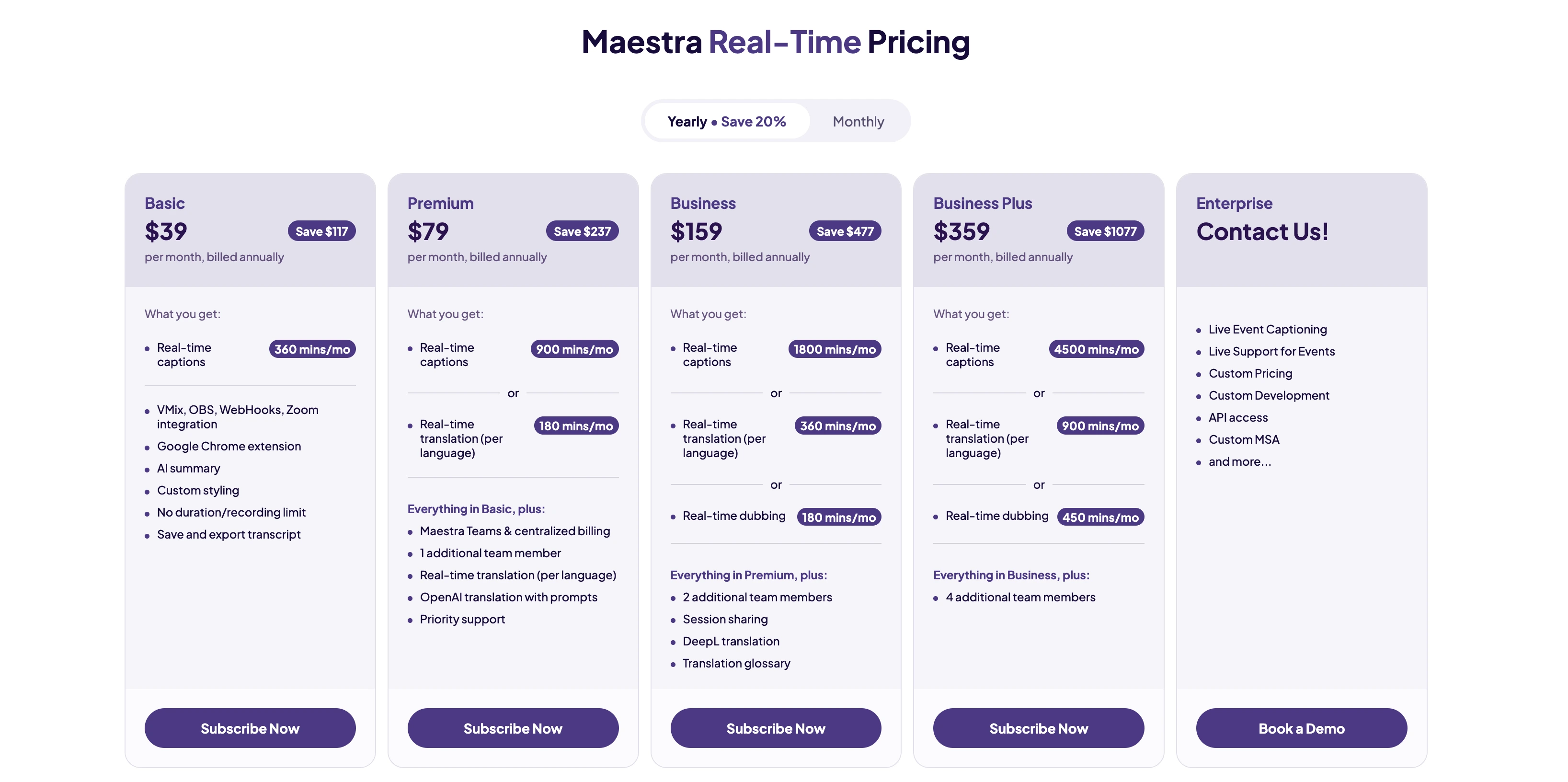
| Maestra | 125+ | Web, integrations (Zoom, Teams, OBS, vMix) | Free trial available; paid plans start at $79/month |
| Langfinity | 50+ | Microsoft Teams (Zoom and Google Meet integrations coming soon) | Free trial, pay-as-you-go, and subscription plans available |
| Talo | 60+ | Web, integrations (Zoom, Meet, Teams) | Free trial available; paid plans start at $33/month |
| JotMe | 107+ | Mac, Windows, Chrome extension | Free trial available; paid plans start at $10/month |
| Wordly | 60+ | Web, iOS, Android | Free trial available; usage-based model depending on number of hours and attendees |
| LiveVoice | 65+ | Web, iOS, Android | Account plans + additional AI services for voice translation and captions |
| Interprefy | 80 (AI,) 100+ (interpreters) | Web, iOS, Android | Tailored pricing depending on the event; annual contracts for recurring users |
| KUDO | 200+ | Web, iOS, Android | Subscription models for AI translation; pay-as-you-go models for human interpretation services |
| Zoom Language Interpretation | Depends on interpreters (up to 20 different languages per session) | Zoom desktop & mobile app | Included in Zoom Workplace Business, Education, and Enterprise plans; interpreters hired separately |
| Microsoft Translator | 100+ | Web, iOS, Android, Windows, Office apps | Free for personal use; included in Microsoft 365 Business and Enterprise plans |
| DeepL Voice | 30+ | iOS & Android (DeepL Voice for Conversations); Zoom & Teams (DeepL Voice for Meetings) | Custom pricing for businesses |
| Google Translate Interpreter Mode | 100+ | Web, iOS, Android | Free |
1. Maestra
Good fit if: You need a single platform that works equally well for live multilingual meetings and large-scale events.
🌟 G2 rating: 4.8/5
Maestra's live voice translator is designed to handle real-time speech translation and captions across multilingual environments in the easiest way possible. Unlike tools that specialize in only one format, Maestra bridges linguistic gaps in meetings, webinars, events, and live streams. It combines accessibility with localization, allowing teams to reuse translated transcripts and captions after meetings or events for documentation or publishing.
Setup: I really like how simple Maestra’s setup is. Everything runs in the browser with no installs required, and you simply choose the source and target languages along with an AI voice or voice cloning option. Hosts can create sessions with multiple source and target languages, and share access via a dedicated link or QR code.
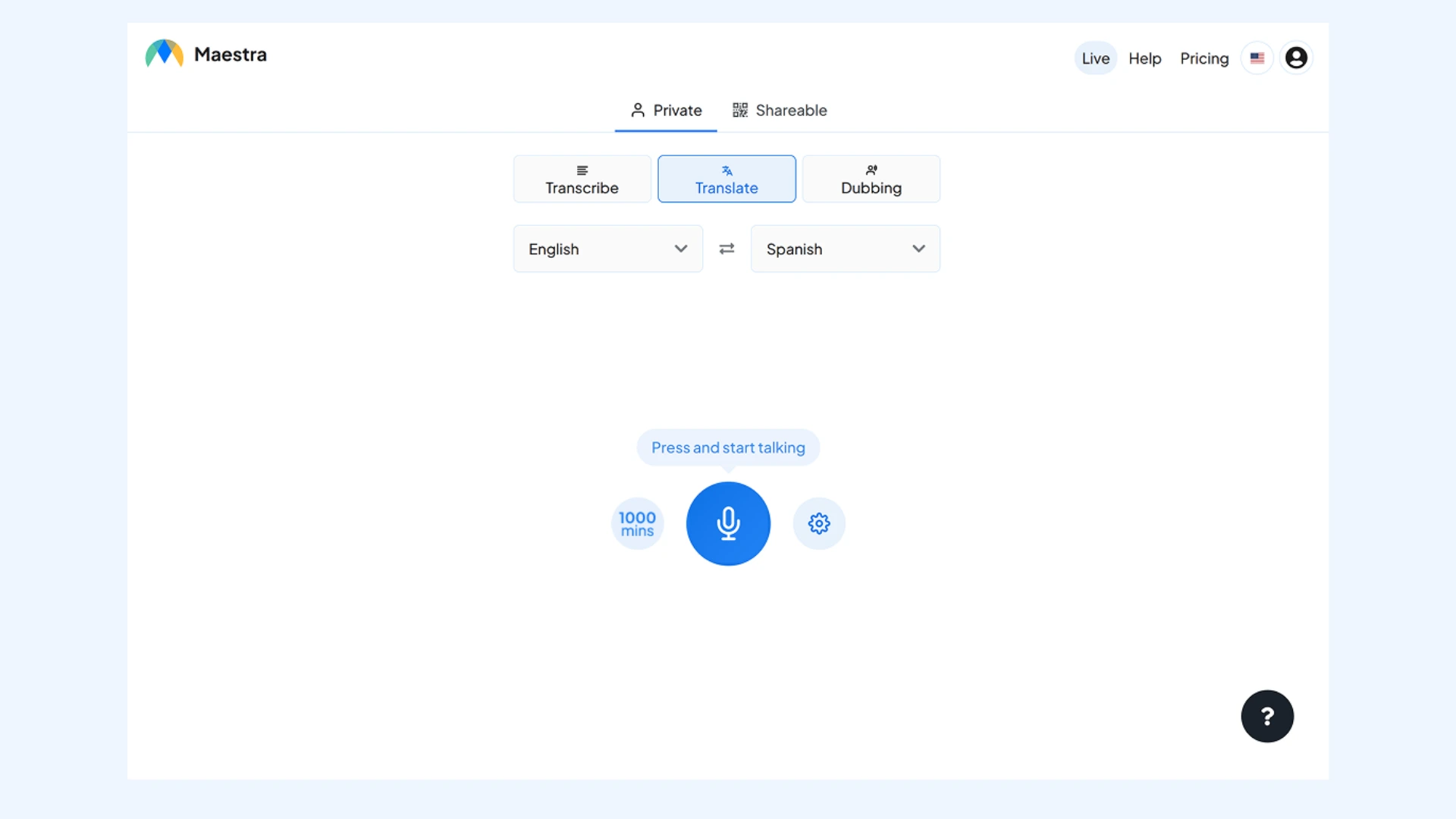
Key features:
- Simultaneous live dubbing and captioning that allows participants to either listen to or read translations in real time
- Private sessions or shareable links for participant access
- Integrations with Zoom, Microsoft Teams, OBS, and vMix
Pros
- Two-way translation, allowing participants to speak in their own language while translations flow automatically in both directions
- Optional AI voice cloning for more natural, speaker-consistent translated audio
- Post-session transcripts with AI-generated summaries and keyword extraction for easy review and reuse
Cons
- Requires a stable internet connection to maintain high-quality AI voice synthesis and real-time synchronization
- Free trial is limited in duration compared to some other Transync AI alternatives
Translate Meetings, Events & More in Real Time
2. Langfinity
Good fit if: You are a global team looking for voice-to-voice translation and automated documentation in one place.
🌟 G2 rating: 4.9/5
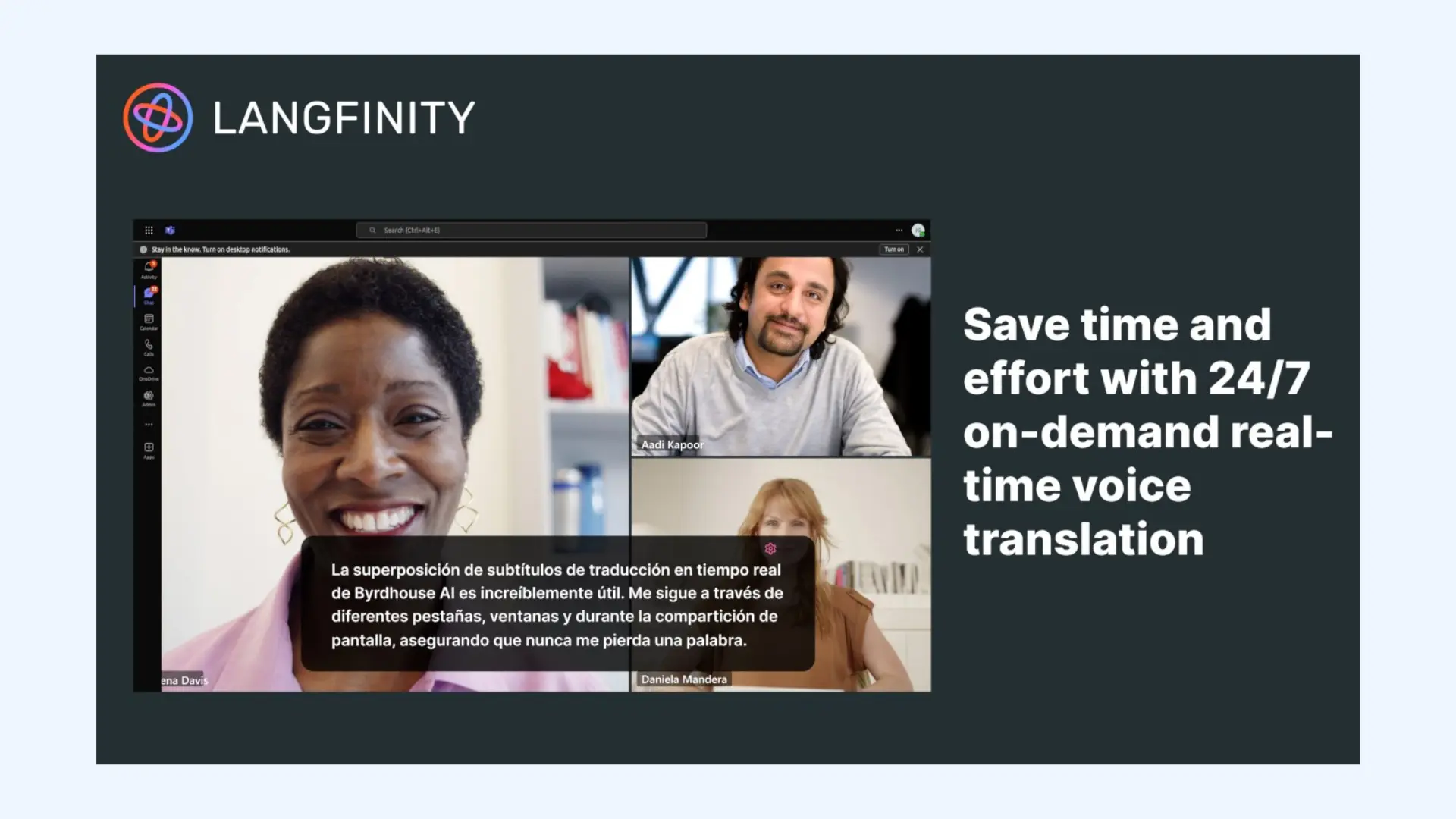
Langfinity focuses on breaking down language barriers in real-time video calls and meetings. It is designed to feel less like a tool and more like an invisible assistant that lives within your conferencing software. It stands out for its "AI Voice" technology, which doesn't just provide text captions but actively "dubs" the speaker’s voice into your language using natural-sounding tones.
Setup: You can install the Langfinity app directly within Microsoft Teams. I really liked the modern interface, which allows you to select languages and enable voice translation without a fuss.
Key features:
- Human-like voice-to-voice translation that recreates the speaker's intent and emotion
- AI-powered meeting summaries and action items generated immediately after the call
- AI auto-language detection that recognizes when a speaker switches languages mid-sentence and adapts the translation instantly
Pros
- Fast processing with minimal conversation lag
- Preserves speaker tone for more natural translated speech
- "AI Magician" context engine to understand idioms and industry-specific jargon
Cons
- Premium context-matching features are typically reserved for higher-tier plans
- Less suitable for large conferences or broadcast-style events
- Free trial available
- Starter: Flexible, pay-as-you-go pricing with no long-term commitment
- Pro: Subscription plans with higher usage limits and advanced AI features
- Business: Custom pricing for teams with larger volumes and enterprise needs
3. Talo
Good fit if: You need AI translation during live Zoom, Teams, or Google Meet calls for small to mid-sized multilingual meetings.
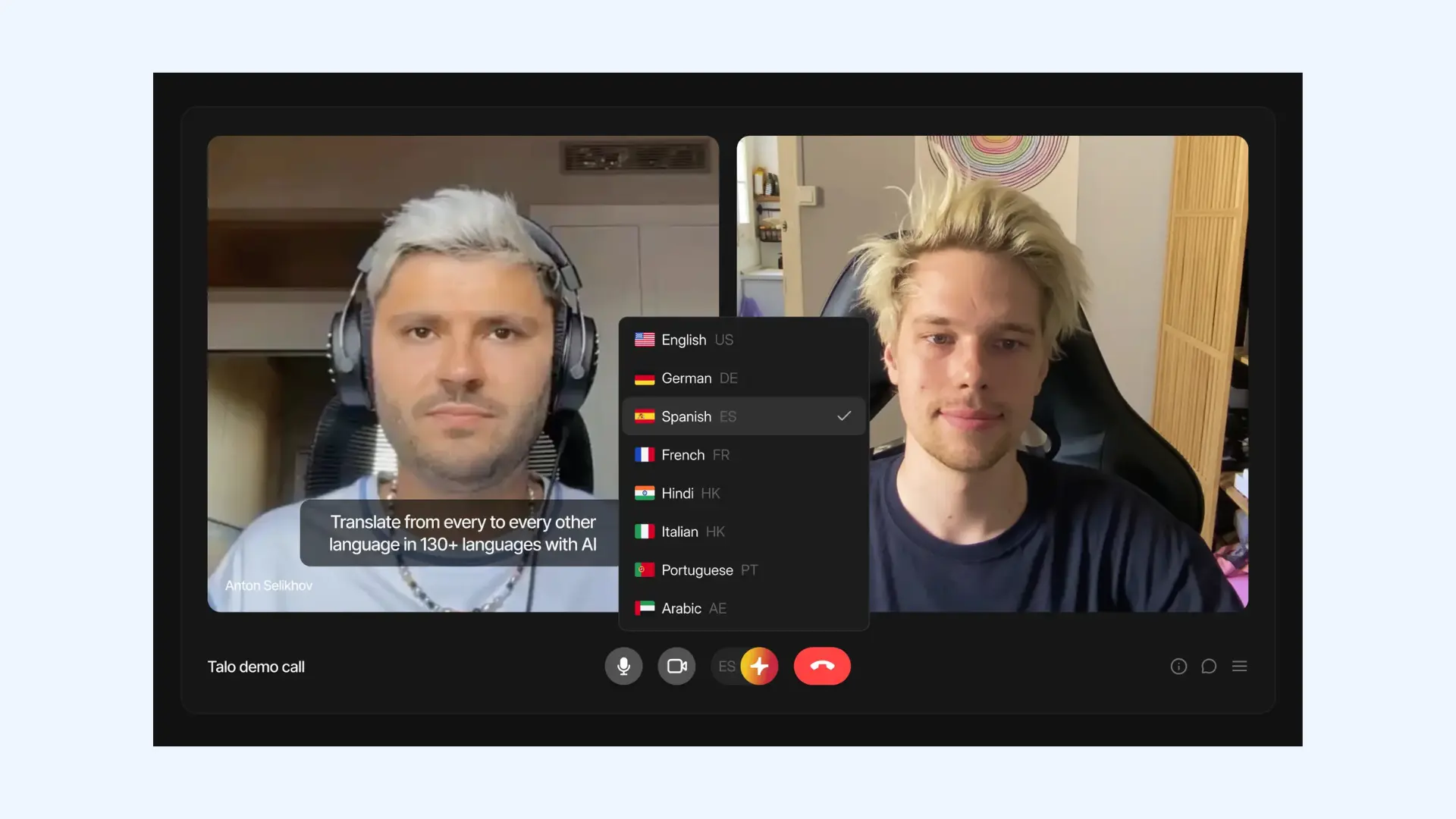
Talo is an AI-powered real-time translation tool built specifically for video calls and online meetings. It integrates with popular conferencing platforms like Google Meet, Microsoft Teams, and Zoom, and inserts an AI translation bot directly into the call. The bot listens to participants’ speech and delivers translated output as live captions or synthesized voice.
Setup: I really like how straightforward the setup is. You sign up on the Talo website and connect it to your preferred conferencing platform. For each meeting, you copy and paste the video call link into Talo’s interface, select source and target languages, and invite the AI bot to join the call.
Key features:
- Real-time voice translation in 60+ languages
- Processes live speech with a focus on consistent audio clarity
- Encrypted handling of live audio without storing meeting content
Pros
- Works well for fast back-and-forth conversations without long translation delays
- Doesn’t require attendees to create accounts or install software
- Minimal UI distractions once the meeting starts
Cons
- Supports fewer languages than some other Transync alternatives like Maestra
- Requires stable internet connection (offline use isn’t supported)
- 7-day free trial
- Starter: Starts from $33/month (billed annually)
- Pro: Starts from $80/month (billed annually)
- Team: Starts from $400/month (billed annually)
- Custom enterprise pricing
4. JotMe
Good fit if: You need live translated captions and automated meeting notes without a complex enterprise setup.
🌟 G2 rating: 4.7/5
Compared to event-focused tools, JotMe is more meeting-native and geared towards ongoing team or client conversations. It acts as both a real-time translator and a transcription assistant, allowing you to focus on the conversation while the AI handles the language barrier and the note-taking. Unlike tools that send a visible "bot" into the room, it often operates via a browser extension to provide a more integrated feel.
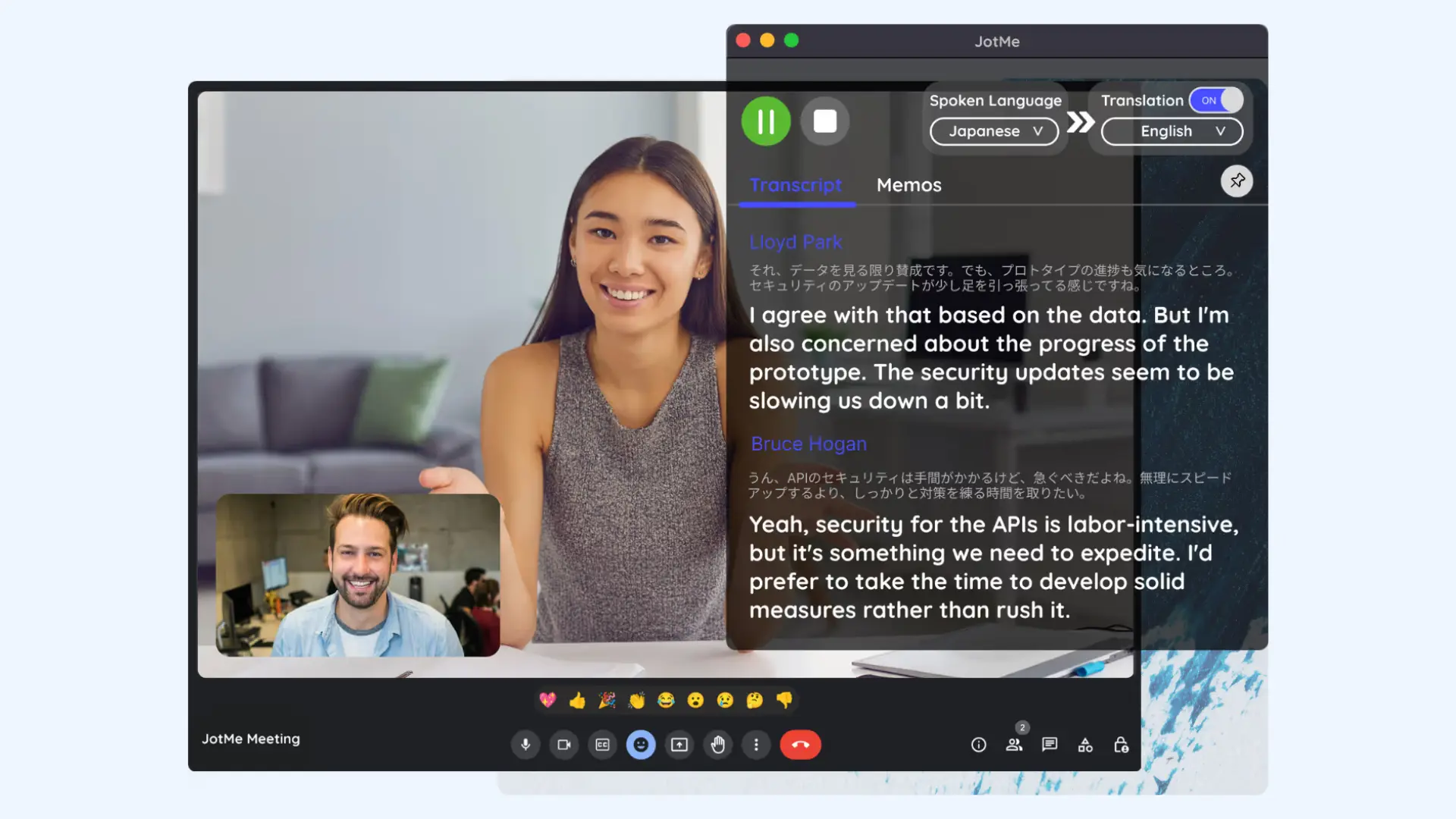
Setup: To get started, install JotMe on your device (Mac, Windows, or Chrome). Once installed, join your meeting, online or in person, and JotMe will capture audio directly from your device without requiring a bot to join the call. You then select the spoken and target languages, and start the session to receive live translation.
Key features:
- Two-way real-time translation during meetings
- Structured meeting minutes and action items once the call ends
- Simultaneous multilingual transcription for up to 10 languages at once
Pros
- Useful for teams that want documentation alongside translation
- Operates without a visible bot, making it less intrusive during high-stakes client calls
- Supports a wide range of over 100 languages
Cons
- Not designed for large-scale conferences or public events
- Interface can occasionally feel cluttered when managing both live captions and the AI note-taking panel
- Free trial available
- Pro: Starts from $10/month (billed annually)
- Premium: Starts from $15/month (billed annually)
- Custom enterprise pricing
5. Wordly AI
Good fit if: You need real-time multilingual captions for webinars, conferences, or larger meetings where accessibility and scale are crucial.
🌟 G2 rating: 4.6/5
Wordly focuses on making multilingual events accessible to large audiences. It delivers live voice translation and on-screen captions, giving participants flexible ways to follow the conversation. As a result, it works best in organized sessions rather than informal team meetings.
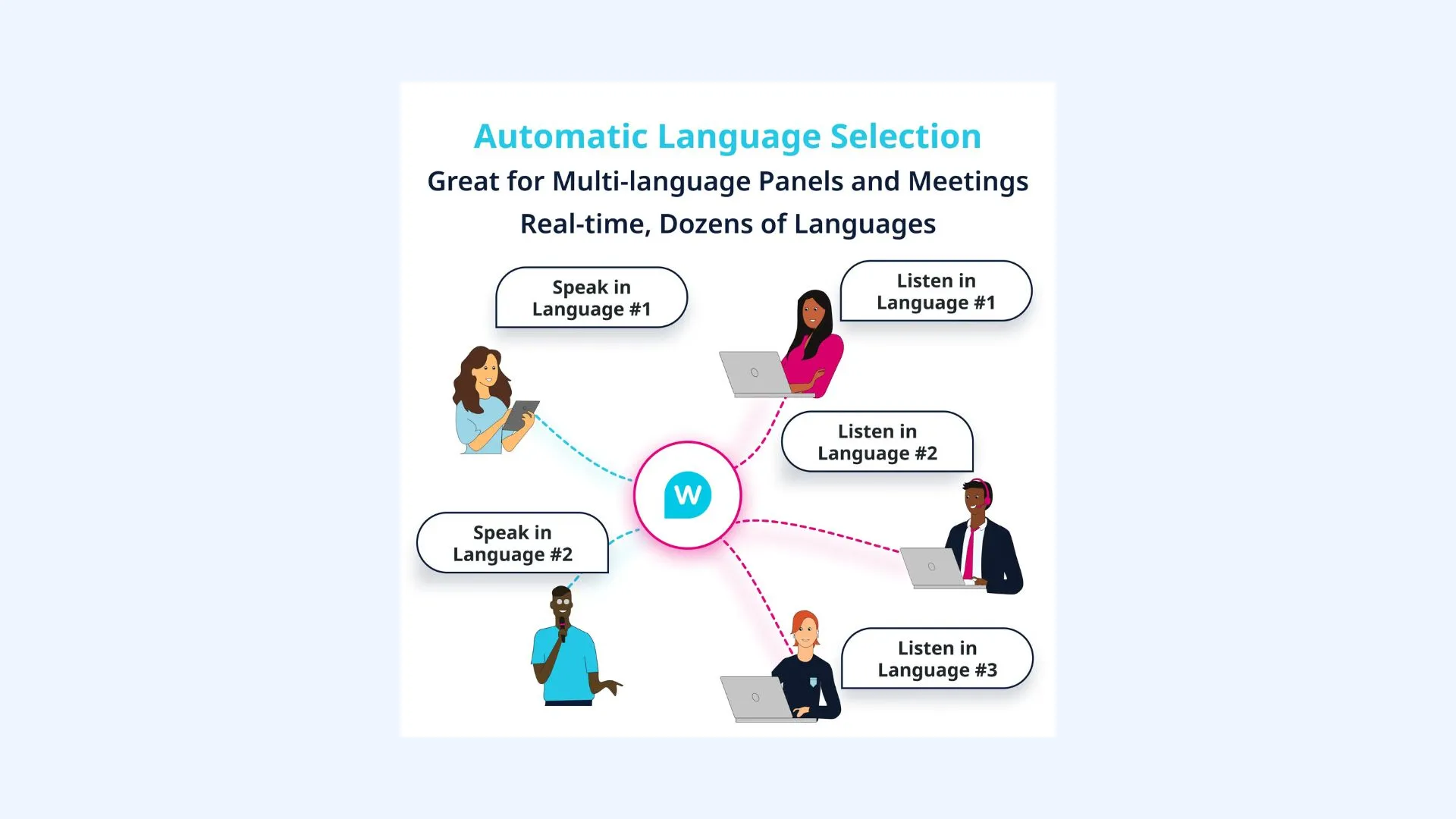
Setup: Setup is handled by the event or meeting host through Wordly’s web-based dashboard. Languages are selected in advance, and a link is shared with participants, who can access translated voice and captions directly in their browser.
Key features:
- Participant-controlled language selection within the same session
- Custom glossaries to upload technical jargon or brand names
- Post-event transcripts and AI-generated summaries for documentation
Pros
- Versatile enough to work for in-person, virtual, and hybrid event formats
- Handles multiple languages simultaneously without complex setup
- Well-suited for accessibility and inclusion-focused use cases
Cons
- Can feel excessive for small internal team calls
- Usage-based model based on the number of interpretation hours and attendees
- Free trial available
- Usage-based model depending on the number of interpretation hours and attendees
6. LiveVoice
Good fit if: You are hosting on-site, hybrid, or online events, and want want a simple, "bring-your-own-device" solution for live audio translation.
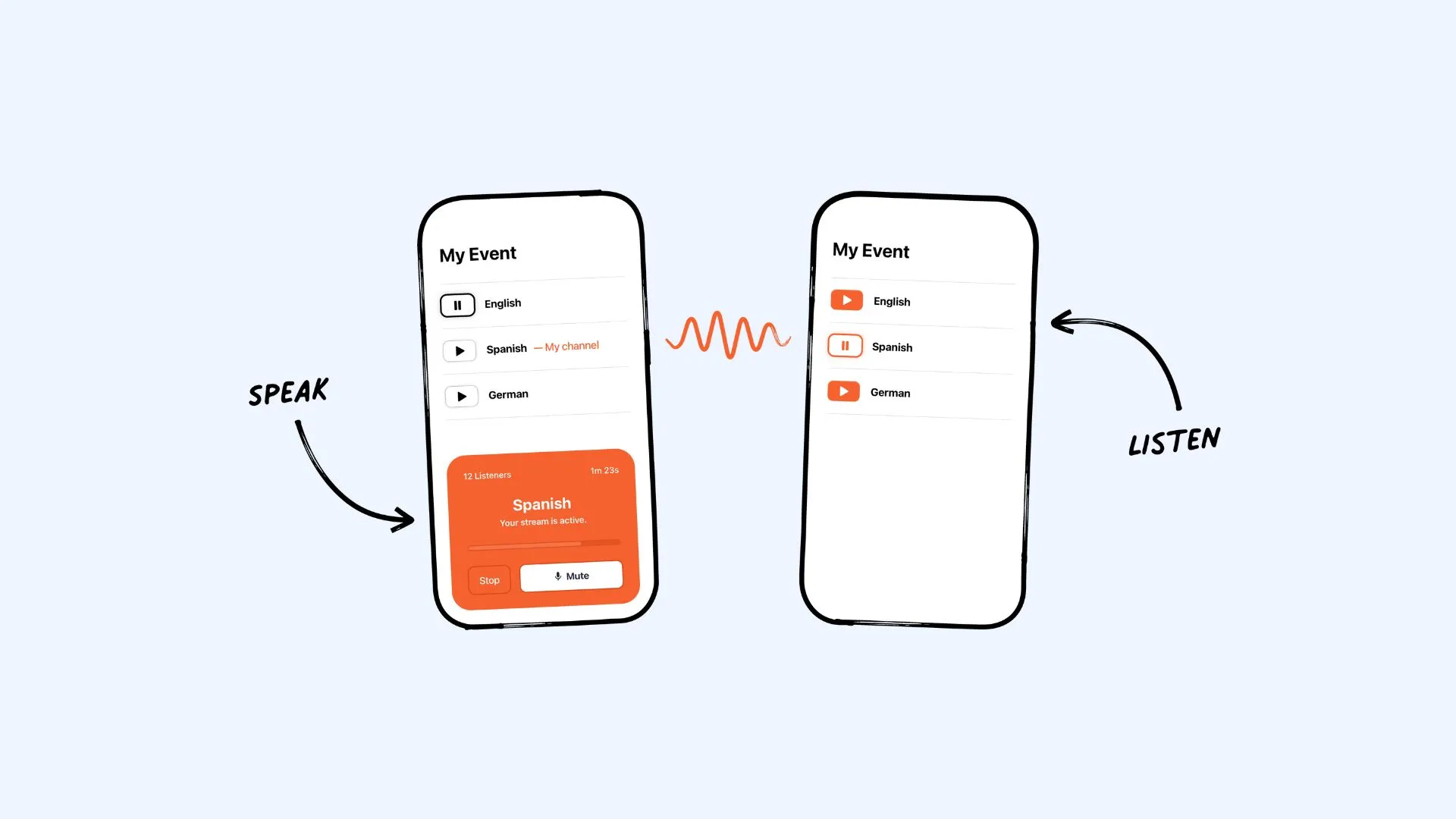
LiveVoice is a live audio translation and streaming platform designed to eliminate the need for traditional interpretation hardware. Attendees access translated audio directly on their own smartphones, reducing logistical complexity for event organizers. The platform supports both AI translation and professional interpreters, making it a practical option for conferences, tours, exhibitions, and hybrid events.
Setup: To get started, an admin creates an event on the LiveVoice dashboard and sets up as many language channels as needed. Attendees join by scanning a QR code or clicking a link on their phone, then select their preferred language channel.
Key features:
- Real-time audio streaming with ultra-low latency
- AI-powered voice translation and live captions available in 65+ languages
- Unlimited event channels allowing you to offer dozens of languages
Pros
- Flexible pricing that allows you to pay per day or per minute of AI usage
- Low bandwidth requirements, ensuring stability even on crowded event Wi-Fi
- Simple enough for non-technical volunteers to operate (making it popular among non-profits and churches)
Cons
- Less suited for small meetings or fast back-and-forth discussions
- The modular pricing (Plan + AI credits) can be confusing for first-time users
- Account Plans: "Light" (basic), "Smart" (branding/recording), or "Pro" (professional features) based on participant count
- AI Voice Translation: Account plan + 0,50 €/ min / language
- AI Subtitles: Account plan + 0,09 €/ min / language
7. Interprefy
Good fit if: You are hosting high-stakes international conferences, government summits, or large-scale corporate events that require professional human interpreters alongside AI translation options.
🌟 G2 rating: 4.5/5
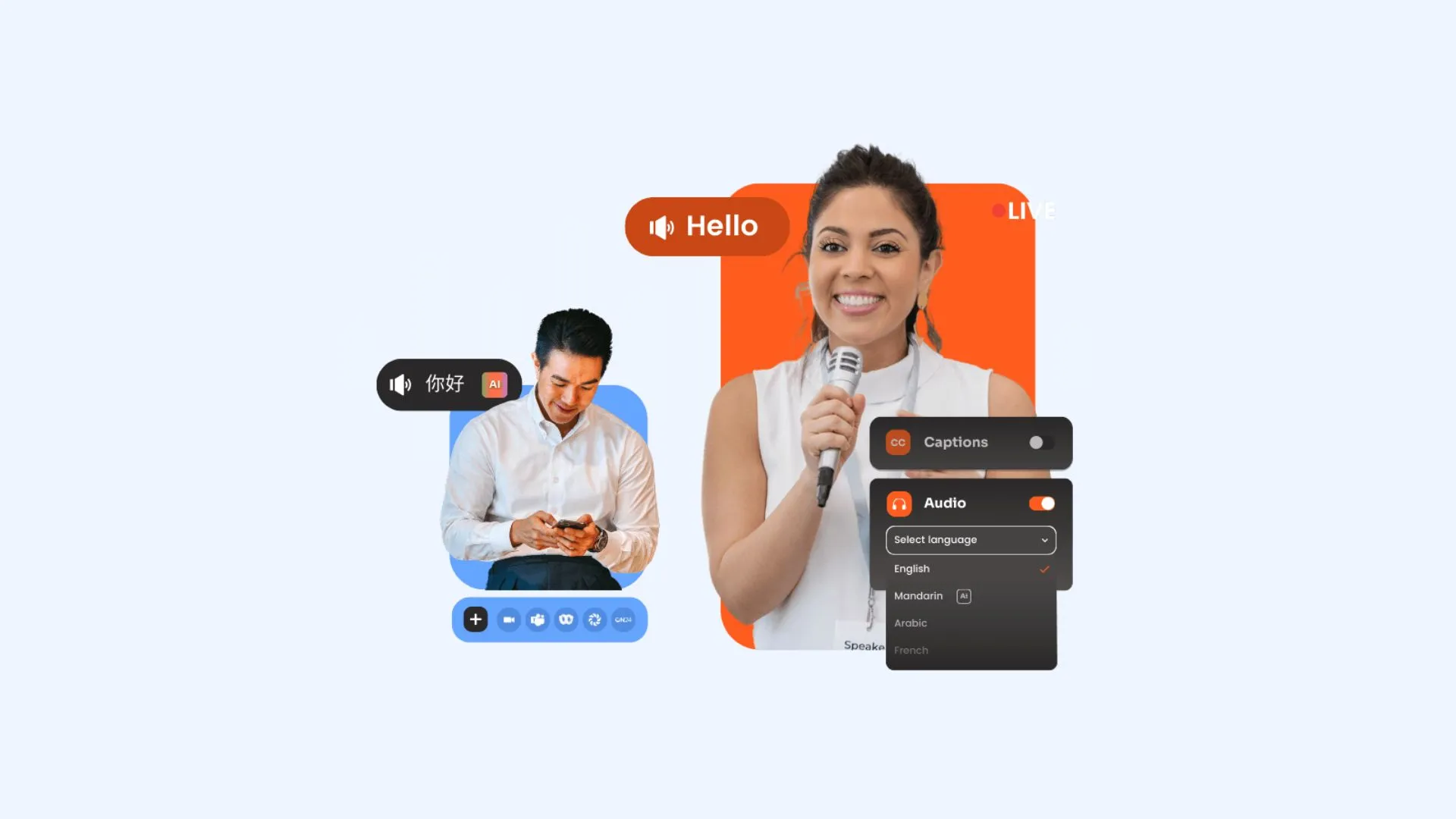
Interprefy is an enterprise-grade platform designed for complex multilingual communication. It’s built for scenarios where absolute precision and cultural nuance are non-negotiable, though it has recently expanded to include AI-powered speech-to-text and voice translation for more cost-sensitive sessions. The platform's main strength is Remote Simultaneous Interpretation (RSI), which allows professional human interpreters to deliver real-time translation through dedicated audio channels.
Setup: Getting started with Interprefy usually involves a consultation with their team to integrate the service into your specific needs. From my experience joining a session as an attendee, the actual process is remarkably easy. Once I entered the event token into the Interprefy app, I could start listening to live interpretation without additional setup.
Key features:
- Remote Simultaneous Interpretation (RSI) that connects professional human interpreters to your live event from anywhere in the world
- AI-powered speech translation and live captions available in over 3,000 language combinations
- Native integration with 80+ platforms
Pros
- Combines professional human interpretation with optional AI translation
- Reliable performance across many languages and regions
- Technical support provided by Interprefy team
Cons
- Significantly more expensive than AI-only alternatives
- Requires advance planning and coordination for hosts
- Tailored based on the number of languages, duration of the event, and whether you require human interpreters or AI-only services
- Annual contracts are available for organizations with recurring large-scale multilingual needs
8. KUDO
Good fit if: You’re running large multilingual meetings or events and want the flexibility to switch between professional human interpreters and AI-powered translation depending on budget and context.
🌟 G2 rating: 4.1/5
Like Interprefy, KUDO is well known for supporting professional human interpreters, but it places stronger emphasis on flexibility between human and AI interpretation. Organizations often use the platform to balance accuracy, scale, and cost across different types of sessions. It’s widely adopted in corporate, governmental, and institutional settings.
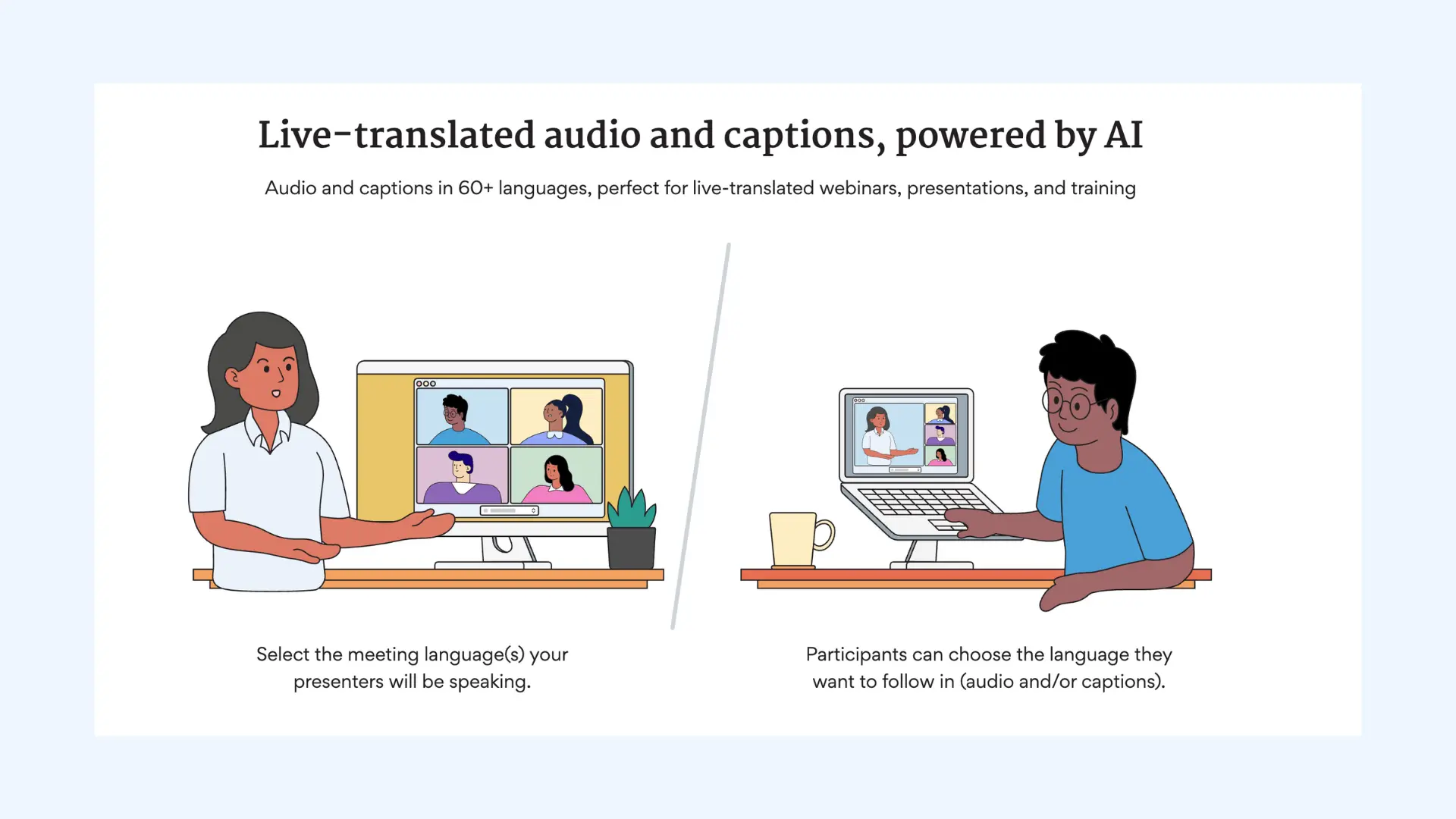
Setup: Getting started with KUDO typically involves onboarding with their team, especially for events that require human interpreters. Hosts configure languages, interpretation modes, and integrations in advance through KUDO’s dashboard. If you're a participant, you join a session by simply clicking a link or entering a session ID into the KUDO app.
Key features:
- Real-time speech-to-speech translation that provides high-quality, natural-sounding audio
- Professional interpreters for high-stakes meetings where AI isn't sufficient
- Multiple-language audio channels for large meetings and events
Pros
- Audio-first translation experience optimized for live events
- Eliminates the need for dedicated interpretation hardware by using attendees’ smartphones
- Offers detailed post-event analytics on participant engagement and language usage
Cons
- Professional human interpretation carries a much higher price point
- Requires high-quality internet stability
- Subscription model for a set number of AI translation hours
- Pay-as-you-go pricing for human interpretation services
- Custom enterprise pricing
9. Zoom Language Interpretation
Good fit if: You are hosting high-stakes professional meetings or large webinars where linguistic nuance and tone are critical.
Zoom Language Interpretation is a built-in feature that allows meeting hosts to assign interpreters who deliver simultaneous translation into multiple languages. It can be considered as a Transync alternative if your priority is human-led interpretation that preserves cultural nuance, tone, and accuracy in real time. This method is particularly effective for legal, governmental, or corporate sessions where precision is non-negotiable.
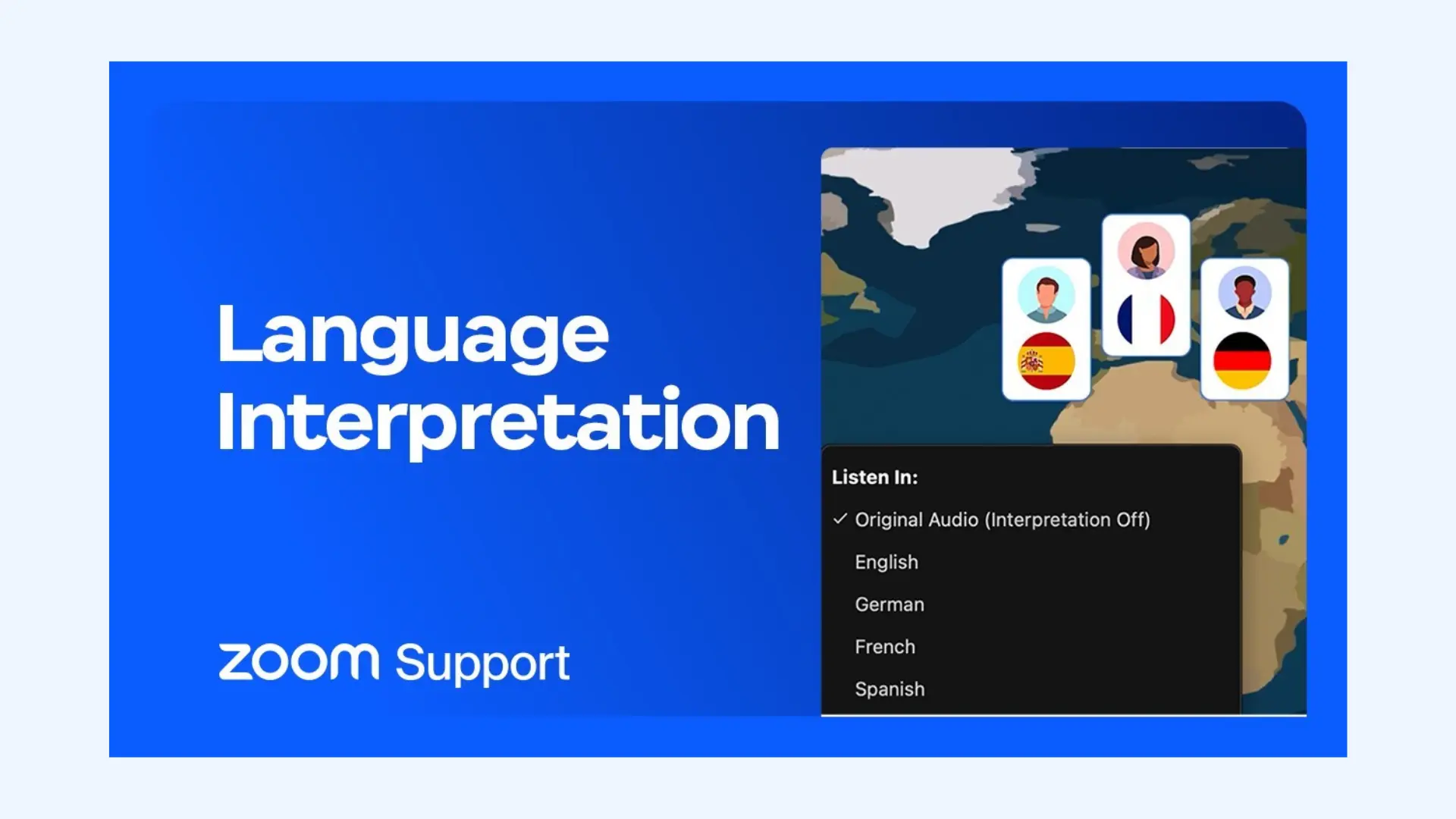
Setup: Hosts enable the Language Interpretation option when scheduling a meeting or webinar. Interpreters are assigned to specific language pairs, and during the session, participants select their preferred audio channel to hear the interpretation alongside the original speaker at a reduced volume.
Key features:
- Multiple audio channels allowing up to 20 different languages to be interpreted simultaneously in one meeting
- Adjustable audio balance between interpreter and original speaker
- Bi-directional interpretation which allows an attendee to ask a question in their native language and have the interpreter relay it back to the host
Pros
- Flexible for both small meetings and large webinars
- Familiar interface for organizations already using Zoom
- Superior for Q&A sessions where technical AI delays would make a live conversation feel disjointed
Cons
- Requires advance planning and coordination with interpreters
- No native AI voice-to-voice translation
- Included in Zoom Workplace Business, Education, and Enterprise plans: Starts from $17.48/user/month (billed annually)
- Professional interpreters are hired independently by the host
10. Microsoft Translator
Good fit if: You need a versatile tool for group conversations, classroom settings, or live presentations where every participant uses their own device to follow along.
🌟 G2 rating: 4.3/5
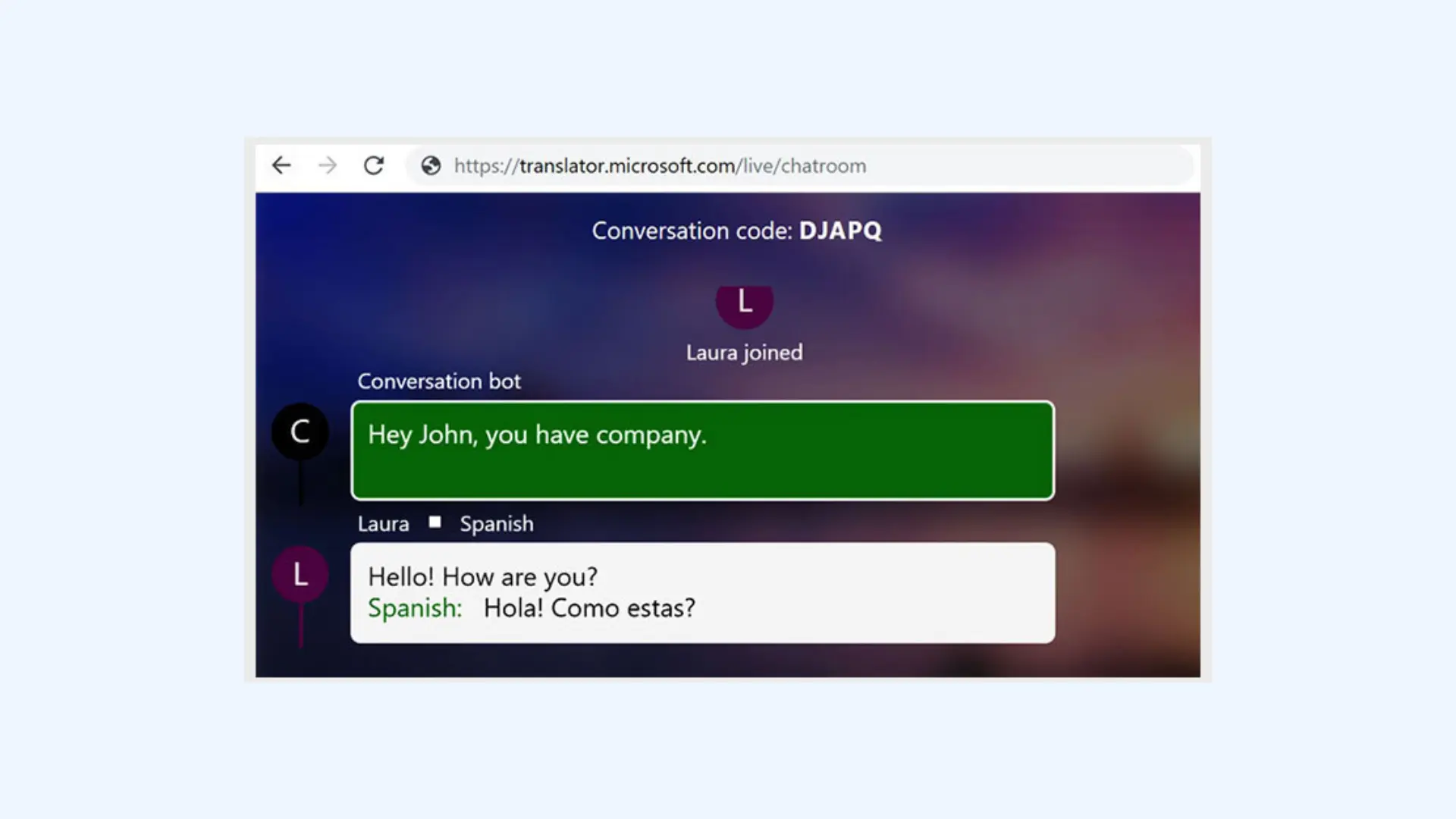
Microsoft Translator is a solid Transync alternative for multilingual group interactions. It allows one person to start a session and others to join using a short code on their own smartphones or laptops. Once connected, participants can follow the conversation in real time through translated captions or audio in their chosen language, making it easy to include diverse groups without technical barriers.
Setup: The host opens the Microsoft Translator app or web interface, selects the spoken language, and generates a session code. Attendees enter the code on their devices to join and choose their preferred translation language.
Key features:
- Real-time translation for both text and speech across 100+ languages
- Offline translation available for select languages with downloadable packs
- Integration with PowerPoint for live translated subtitles during presentations
Pros
- Extremely accessible and easy to use for large groups
- Familiar interface for users already in the Microsoft ecosystem
- Integrates natively with the Microsoft 365 tools (Word, Excel, PowerPoint)
Cons
- Less tailored for high-stakes corporate or government events compared to enterprise platforms
- Lacks advanced AI features like transcript analysis or action item generation
- Free for personal use via the mobile and web apps
- Included with Microsoft 365 Business and Enterprise plans
- Pay-as-you-go pricing for developers and enterprise-scale API usage
11. DeepL Voice
Good fit if: You care most about translation quality and natural-sounding output, and need voice translation for conversations or meetings.
🌟 G2 rating: 4.6/5
DeepL Voice extends DeepL’s translation technology to spoken conversations, with a strong focus on accuracy and natural phrasing. It allows each participant to speak in their own language while translated text appears on screen in real time. A face-to-face mode splits the screen so both speakers can easily read translations during in-person conversations. Meanwhile, DeepL Voice for Meetings brings similar translation capabilities into meeting contexts.
Setup: To start using DeepL Voice for conversations, open the DeepL mobile app and log in with your DeepL credentials, then tap the Conversations icon to enter conversation mode. For DeepL Voice for Meetings, you can enable the feature within supported meeting environments and select the relevant languages before the session begins.

Key features:
- High-quality translation for major global languages
- Allows you to toggle between formal and informal tones
- Complies with strict data protection standards
Pros
- High-quality translations that sound more natural than many real-time tools
- Handles complex sentences and nuanced language well
- Benefits from DeepL’s proven translation engine
Cons
- Narrower language support compared to some competitors
- Not designed for large multi-participant events
- Not available on subscription-based DeepL Pro plans
- Pricing is custom and provided through DeepL’s sales team
12. Google Translate Interpreter Mode
Good fit if: You need a free tool for spontaneous face-to-face conversations or quick "in-the-field" translations.
🌟 G2 rating: 4.6/5
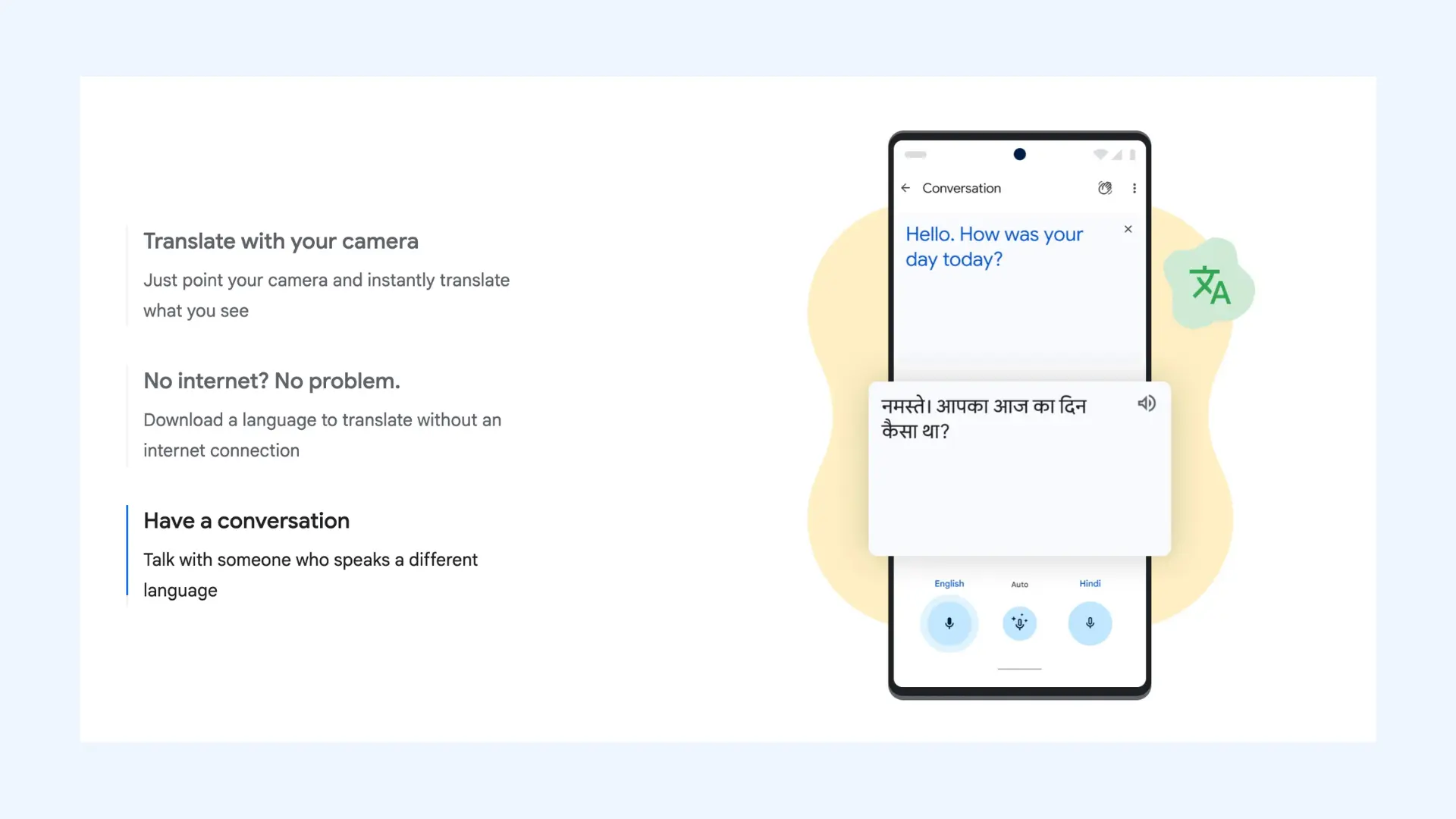
While other tools on this list are built for structured corporate video calls or events, Google Translate’s Interpreter Mode is designed for the real world. It turns your smartphone into a bridge for two-way, bilingual conversations. The app now leverages Gemini-driven "Advanced" models to better handle complex sentence structures, moving it beyond simple phrases and into a more capable tool.
Setup: Setup is as simple as saying, "Hey Google, be my Spanish interpreter" or "Hey Google, help me speak Vietnamese." You can also launch it directly from the Google Translate app by tapping the conversation icon. It’s my go-to option for quick, in-person conversations and travel scenarios.
Key features:
- Two-way, real-time voice translation for face-to-face conversations
- Automatic language detection for back-and-forth dialogue
- Works offline for select languages after downloading language packs
Pros
- Entirely free, making it the most accessible tool on the list
- Gemini-powered "Advanced" model that allows you to prioritize high-accuracy translation for complex topics
- Familiar interface that most users already know how to use
Cons
- Audio quality and pacing can feel uneven in longer conversations
- No native integration with video conferencing tools
Pricing: Completely free to use.
Conclusion
Real-time translation has come a long way, but as this comparison shows, there’s no single “best” tool for every situation. If you’re evaluating a Transync alternative, the most practical approach is to start with a free trial and test it in a real scenario. Feature pages don’t reveal much until you see how a tool behaves in an actual meeting, with interruptions, accents, and people talking over each other.
What matters in the end is fit. Some tools shine in fast-paced team calls, others are clearly built for large events, and a few are better treated as lightweight, situational helpers rather than core communication infrastructure. Once you’re clear on your use case (meetings, events, classrooms, or everyday conversations) the right choice usually becomes obvious.
Frequently Asked Questions
What is the best free Transync alternative?
There is no fully free Transync alternative that offers live voice-to-voice translation for meetings at a professional level. Most real-time meeting translators provide free trials or limited demos, but require a paid plan for ongoing use.
What are the best Transync AI alternatives for simultaneous interpretation?
AI-first alternatives to Transync include Maestra, Langfinity, Talo, and JotMe. These tools offer real-time speech translation during live meetings, with varying strengths in voice-to-voice output, captions, and post-meeting documentation.
Which Transync alternative is best for live meetings?
Maestra is one of the best Transync alternatives for live multilingual meetings. It supports 125+ languages with real-time voice translation and captions, and integrates directly with Zoom and Microsoft Teams. It’s well suited for professional meetings where low latency and accuracy matter.
Which Transync alternative is best for global teams?
Maestra is one of the best Transync alternatives for global teams. It supports real-time voice translation and live captions across many languages, making it suitable for recurring meetings and cross-border collaboration. The platform also handles a wide range of accents and dialects, helping conversations stay accurate in diverse, real-world speaking conditions.
Which Transync alternative is best for conferences and large events?
For large-scale events, Wordly AI, Interprefy, KUDO, and LiveVoice are better suited than meeting-native tools. These platforms are designed to support many participants, multiple languages, and structured events, often with dedicated audio channels or attendee-controlled access. Maestra is also a strong option, allowing participants to join via a simple link or QR code and select their preferred language for live translation.
Is there a Transync alternative for classrooms or education?
Microsoft Translator is a great Transync alternative for classrooms and educational settings. Teachers or presenters can start a session and share a code, allowing students to follow lectures in their preferred language on their own devices. It works best for one-to-many communication rather than interactive, back-and-forth discussions.