Chaitanya P.
Managing Director"Master the Media with Maestra"
The best side of this product is auto subtitling. And most importantly, it supports multiple languages.
Read full reviewTurn long lectures into clear notes with key points and summaries in 125+ languages.
Students get a 20% discount.
MP4, MOV, WebM, AVI, MKV, MPG…
Sign up to export the transcript.
Sign up nowYouTube, Vimeo, Google Drive, or a direct media URL
Sign up to export the transcript.
Use your microphone
Sign up to export the transcript.
Transcribe a lecture in real time, then turn the transcript into an AI summary.
Your file transcribed successfully. Sign up to download.This is just a sampleYour file was transcribed successfully.No speech was found in your file.The result came up empty again.
Your 1-minute transcription trial has ended. Sign up to export the transcript.
Your transcript is ready to preview.
Sign up to download or export your file.
Try it with your own file. Upload one here, or continue in the Maestra app.
This is a 1-minute preview. Sign up to download or export your transcript.







Trusted by Teams Worldwide
Add the recording and pick from 125+ languages.
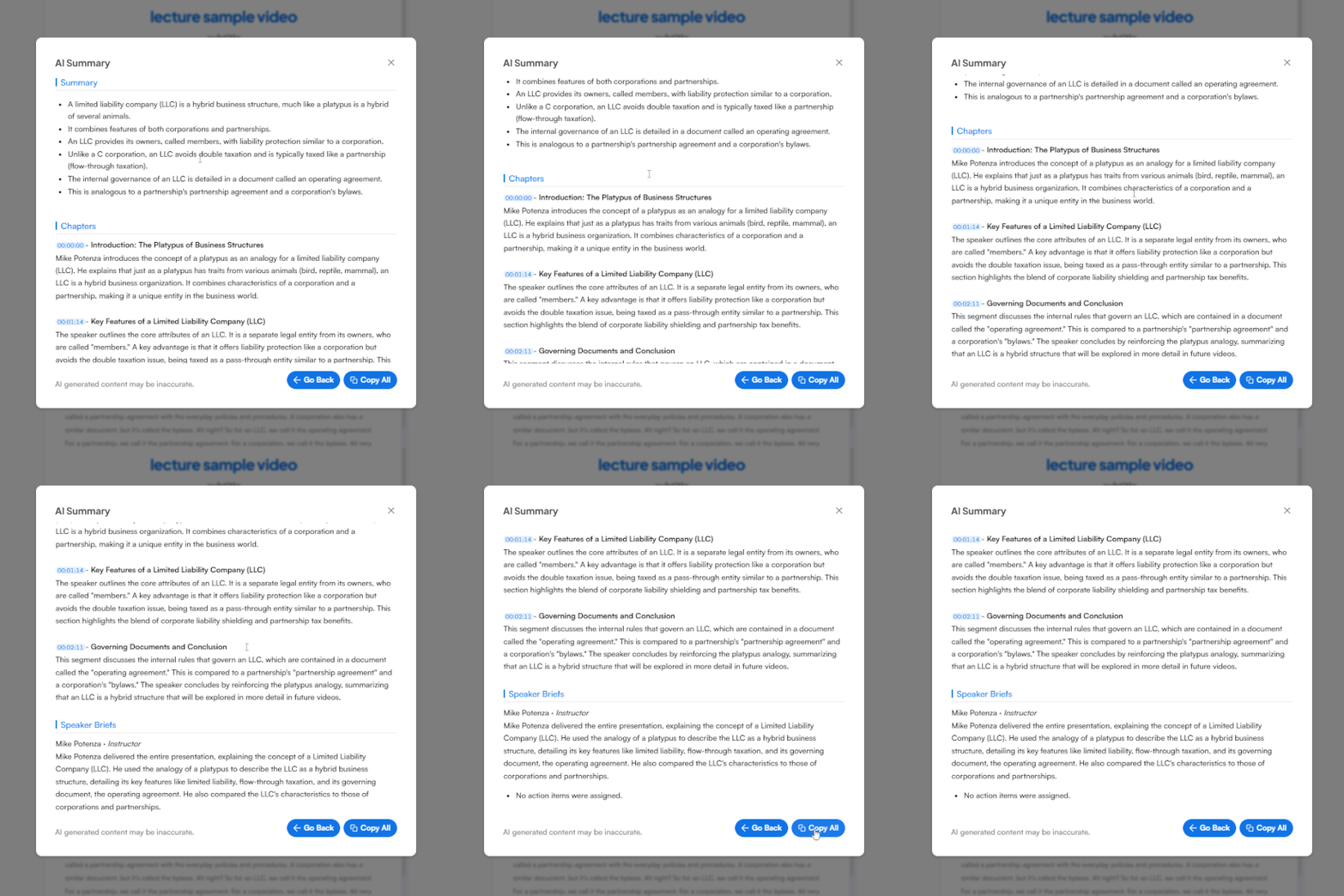
After the transcript is ready, click "AI Summary" to receive detailed and customizable summaries with more options.
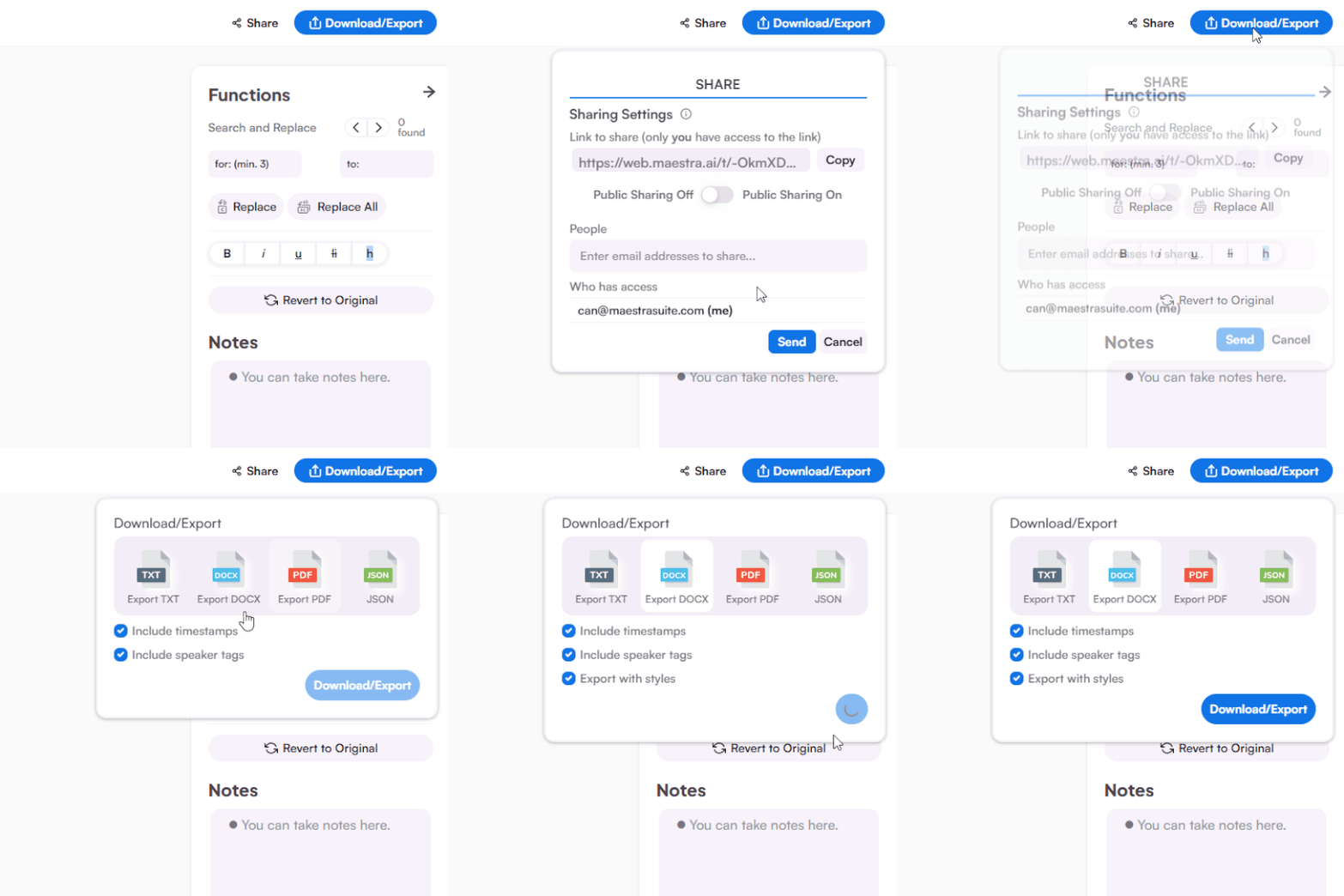
Edit the lecture summary, turn it into notes, and export or share it with your class.
Skip the rewatch. Maestra's lecture summarizer turns full classes into study material you can actually use.


One upload gives you everything you need to review the class, not just a shorter version of it.
An AI lecture summarizer turns a recorded lecture into a short, structured summary with key topics and chapters, so you can review the class without replaying it.
Upload the recording, choose your language, and Maestra generates the lecture summary in minutes. You can then edit it, highlight key parts, and export your notes.
That's the core of it. Upload any class recording and the AI turns the lecture into clean, structured notes you can study from.
Currently Maestra summarizes audio and video recordings. Upload the class recording and you'll get notes and a summary generated from the actual lecture.
You can try Maestra's lecture summarizer with a free trial, no credit card required, and students get a 20% discount on any plan.
Full-length lectures are no problem. The summarizer handles hour-long classes and splits them into chapters so long sessions stay easy to navigate.
More than a class summary. You get key topics, chapter breakdowns, a brief per speaker, and action items alongside the main lecture summary.
Summaries are available in 125+ languages, so you can summarize a lecture taught in one language and study it in another.
It can. Each speaker gets their own brief, which makes it useful for seminars, panels, and guest lectures.
Yes, before summarization, you receive the full transcript, ready to edit and adjust with speaker tags and time codes.