10 Best German Translator Apps for Accurate Translation (Free & Paid)

German can be intimidating. I’ve seen even confident language learners struggle with long compound words, four grammatical cases, and strict word order. Over time, I’ve tested a wide range of AI-powered translator apps in real situations, from navigating travel scenarios to managing real-time conversations where clarity and speed are critical. The right tools make German far more approachable, helping users communicate naturally without getting lost in the mechanics of the language.
To put this list together, I researched and tested today’s leading German translator apps by comparing:
- Accuracy
- Feature set
- Platform support
- Real-world usability
These apps rely on advanced AI to understand context, preserve tone, and produce translations that sound genuinely human. The result is a curated list of the 10 best German translator apps available right now.





Before we examine each app in detail, let’s first look at the criteria that make a German translator truly reliable and useful.
What to Look for in a German Translator App
From casual travel use to professional communication, I’ve tested German translator apps in situations where correctness really matters. What separates the decent from the dependable isn’t always obvious at first glance. These are the practical criteria I use to determine whether a German translator can be trusted beyond basic phrases.
German translation accuracy
Accuracy matters more in German than in many languages due to strict grammar rules around cases, gender agreement, and verb placement. A reliable translator should consistently handle complex sentence structures and preserve meaning, not just translate word for word.
Tip: Translate a sentence that requires choosing between Sie and du, for example, a polite request or email opener. If the app consistently picks the correct level of formality and keeps it throughout the translation, it’s a strong sign the tool understands German context, not just vocabulary.
Natural-sounding output
Machine translation research shows that a sentence can score well on metrics and still sound unnatural to humans.[1] High-quality translation apps balance grammatical accuracy with natural phrasing, idioms, and word order.
Tip: Translate a common everyday phrase (greetings, small talk, polite requests) and check whether the result sounds conversational rather than textbook-formal. If it feels like something you’d actually hear from a native speaker, the app is handling natural phrasing well.

Offline functionality
Offline translation is essential for travelers and users in low-connectivity environments, but it comes with trade-offs compared to cloud-based systems. The best apps are transparent about these limitations and allow you to download optimized German language packs.
Tip: Download the German language pack in advance and switch your device to airplane mode while testing. If key features (voice, camera, or conversation mode) suddenly stop working, you’ll know exactly what the offline mode can (and can’t) handle before you need it.
Specialized vocabulary support
German is widely used in technical, legal, medical, and business contexts. Apps that offer glossaries, terminology control, or domain-specific dictionaries are far more reliable when accuracy really matters.
Tip: Test the app with a domain-specific German term, for example from legal, medical, or technical writing. If it defaults to a generic meaning with no context control, it’s not suited for professional use.
Platform availability
If you move between web, mobile, and desktop, you’ll want the same German translation quality and features everywhere. For professionals, integration with tools like video conferencing platforms can significantly improve usability and efficiency.
Tip: Try the same German translation on two different platforms (for example, web and mobile). If features, tone, or quality change noticeably between devices, the experience won’t be consistent enough for regular or professional use.
Privacy and data security
Privacy research and industry guidance emphasize checking how translation data is handled, whether it’s stored, shared, or retained, and whether users can opt out of data collection entirely. [2] Apps designed for professional or enterprise use are typically more transparent about data handling and may offer features like no-storage policies and encrypted processing, important signals of trustworthiness.
Tip: Before using a translator for sensitive German content, review its privacy policy and look specifically for statements about data storage, reuse for training, and opt-out options. If this information is vague or missing, assume your translations may be retained.
Pricing
Free translators are great for occasional use, but limits on characters, voice features, or offline access can quickly become restrictive. When comparing pricing, look beyond the headline cost and consider what’s actually included, especially if you rely on German translation daily or need advanced features like voice translation.
Tip: Use the free trial to test the features you’d actually pay for. If those feel limited or underwhelming during the trial, they won’t improve after you subscribe.
10 Best German Translator Apps Reviewed & Compared
The table below provides a quick overview of each app's standout feature, language support, platform availability, and pricing before we explore them in depth.
⚠️ Note on ratings: Some of the apps in this list have verified G2 ratings, while others don’t currently have reviews available on G2. In those cases, I’ve referenced App Store or Google Play ratings instead, so you still have a clear sense of how real users rate each tool.
| German Translator App | Standout Feature | Number of Supported Languages | Platform Availability | Free Trial |
| Maestra | Real-time voice translation with AI voice cloning | 125+ | Web (browser-based) | ✅ |
| DeepL | Exceptional accuracy for German translations | 100+ | Web, Windows, macOS, iOS, Android | ✅ |
| Linguee | Context-based translations with real-world German sentence examples | 25 language pairs | Web, iOS | 100% free |
| Google Translate | Multi-input translation (text, voice, camera, handwriting) with offline mode | 133+ | Web, iOS, Android | 100% free |
| PONS | Comprehensive dictionary with grammar, punctuation, and usage notes | 50 (dictionaries) and 40 (text translation) | Web, iOS, Android | ✅ |
| iTranslate | Voice-to-voice German translation with offline mode | 100+ | Web, iOS, Android | ✅ |
| dict.cc | Extensive German vocabulary with community contributions | 50+ language pairs | Web, iOS, Android | 100% free |
| Microsoft Translator | Real-time multilingual meetings with Microsoft 365 integration | 100+ | Web, iOS, Android, Windows | Free for personal use; Enterprise plans via Microsoft 365 |
| TalkPersona | Instant voice-to-voice browser-based translation | 18 | Web (browser-based) | 100% free |
| Speak & Translate | iOS-exclusive translation with Apple Watch integration | 100+ | iOS (iPhone, iPad, Apple Watch) | ✅ |
1. Maestra: Live German Voice Translation
Best for: Both professionals and everyday users who need real-time German voice translations.
⭐ G2 rating: 4.8/5
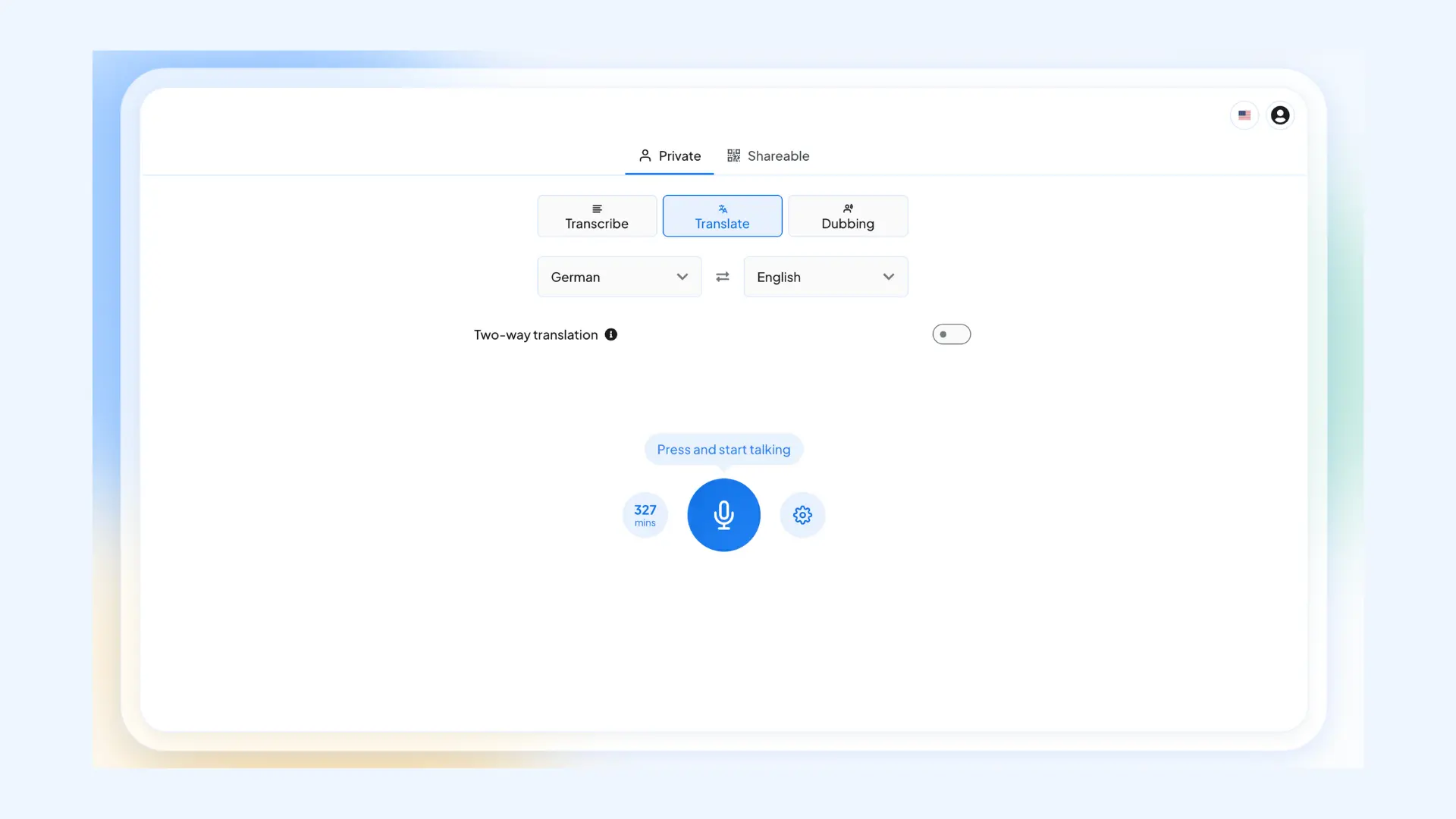
As one of the best German translator apps, Maestra’s live German voice translator lets you communicate effortlessly across 125+ languages, including German. You can speak in your native language, and Maestra instantly translates (and revoices) your speech into German using lifelike AI voices, complete with live captions in both the source and target languages. It even allows you to clone your own voice, so your translated speech sounds authentically like you.
Key features:
- Two-way real-time translation for natural back-and-forth conversations
- Advanced translation engines (OpenAI, DeepL, Gemini) for higher accuracy
- Easy session sharing via link or QR code
Pros
- Shareable multilingual sessions where each attendee can hear the conversation in their preferred language
- Works directly in your browser, no installation required
- Zoom, OBS, vMix, and Microsoft Teams integrations
Cons
- Requires a stable internet connection for live voice translation
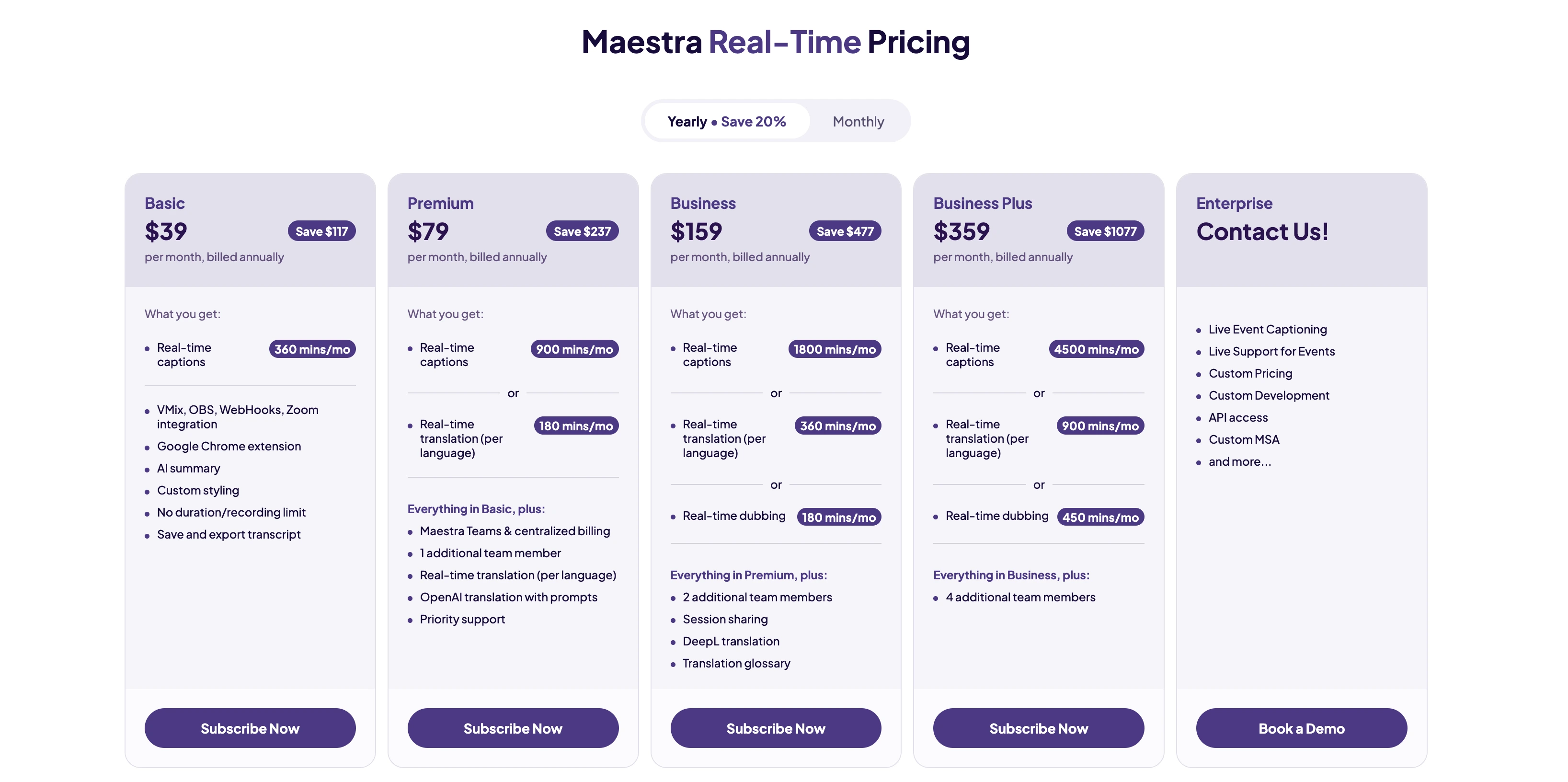
- Voice cloning is limited to higher-tier plans
Translate German in Real Time
2. DeepL: Most Accurate German Translator
Best for: Users who prioritize translation accuracy and natural-sounding results for German above all else.
⭐ G2 rating:4.6/5
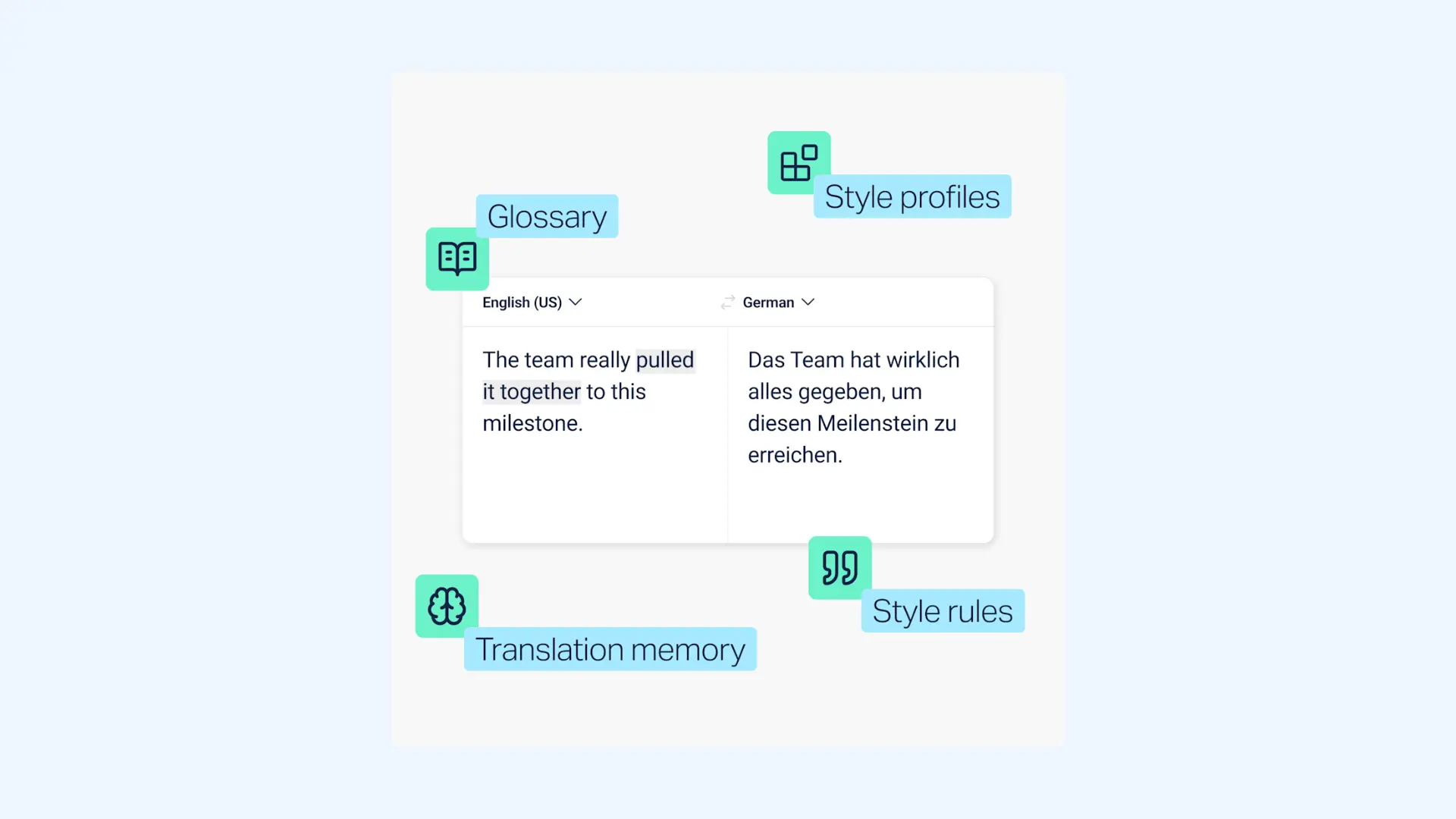
No wonder DeepL has earned its reputation as the most accurate translator for German: it often produces results that rival human translators. Developed by a German company, it understands the nuances of German grammar, including proper case usage, gender agreement, and verb placement. The trusted tool is a great choice if you want to preserve the original meaning while producing German translations that sound natural to native speakers.
Key features:
- Glossary and terminology control for consistent wording
- Alternative translation suggestions for better wording
- DeepL API and integrations for automated processes
Pros
- Formal/informal detection (Sie vs. du) for appropriate tone
- Document translation preserves formatting
- Available on web, desktop, and mobile
Cons
- Free version limits text length to 5,000 characters
- Limited customization compared to full localization platforms
Pricing:Free version available. Paid plans start at $8.74 per month billed annually.
DeepL now offers voice translation too, but it’s only available for enterprise users. It includes DeepL Voice for Meetings (real-time translation for online meetings) and DeepL Voice for Conversations (real-time translation for in-person discussions).
3. Linguee: Contextual German Translations
Best for: Language learners and professionals who want to see how German phrases are used in real-world contexts.
⭐ App Store rating:4.8/5
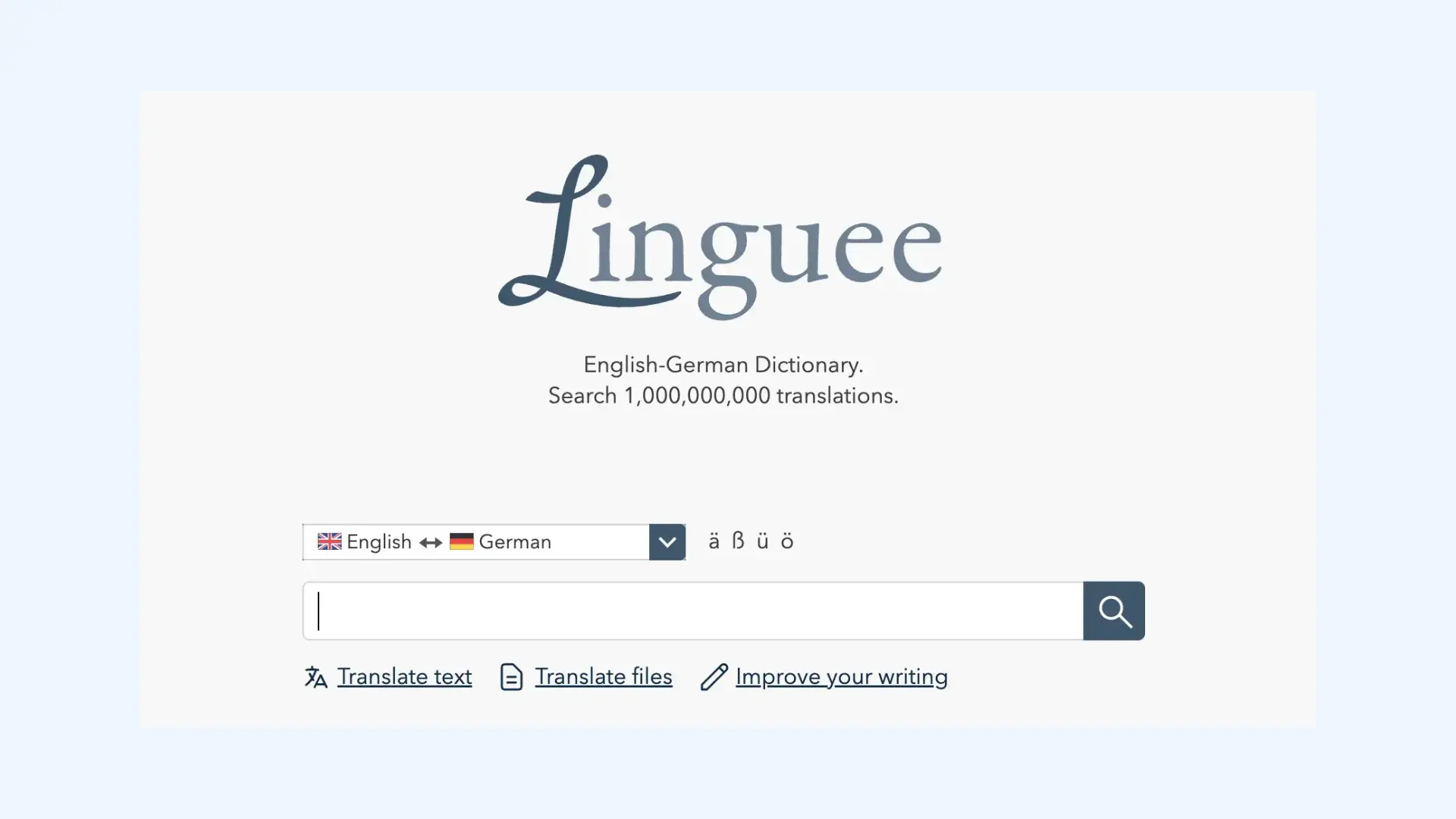
Also powered by DeepL, Linguee is a dictionary app that shows you how words and phrases are actually used in authentic German texts. It pulls data from millions of bilingual documents including official EU publications, technical manuals, and professionally translated content. I find it invaluable for understanding subtle differences in meaning and finding the right German expression for specific contexts.
Key features:
- Bilingual search with side-by-side results for quickly comparing German and English phrasing
- Source-linked examples showing where each translation comes from
- Word-level breakdowns with alternative translations and common phrase combinations
Pros
- Real-world usage examples
- Completely free with no limitations
- Offline mode available with downloadable language packs
Cons
- Focuses on contextual examples rather than instant translation
- No live or voice translation features
Pricing: Completely free.
4. Google Translate: Best Free German to English Translation App
Best for: Travelers and everyday users who need a free and versatile German translator with multiple input methods.
⭐ G2 rating:4.6/5
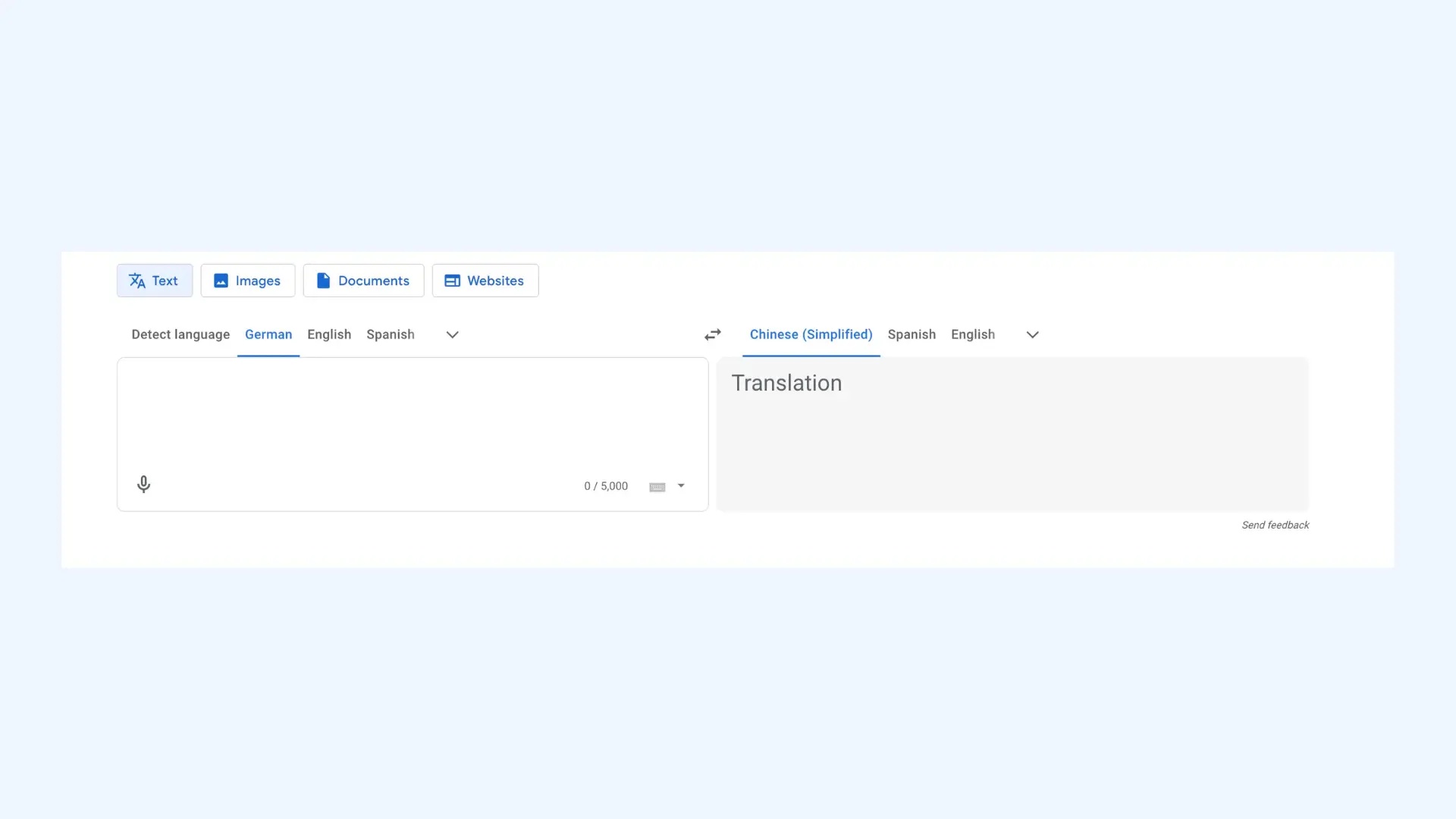
Google Translate remains the most accessible German translator app available. It handles text, voice, camera, and handwriting input in 133 languages, making it perfect for tourists navigating German cities. The camera feature helps me instantly translate German signs, menus, and documents whenever I’m on the go.
Key features:
- Pronunciation playback to hear how German words and phrases are spoken
- Website translation to instantly translate German web pages in your browser
- Camera “Scan” mode to translate larger blocks of text from documents more accurately
Pros
- Offline German translation with downloaded language packs
- Conversation mode for two-way German dialogues
- Completely free with unlimited translations
Cons
- Accuracy can drop for complex sentences
- May struggle with technical or specialized German vocabulary
Pricing: Completely free.
5. PONS: German Language Learning
Best for: Serious German learners and professionals who need comprehensive dictionary features alongside translation.
⭐ App Store rating:4.7/5
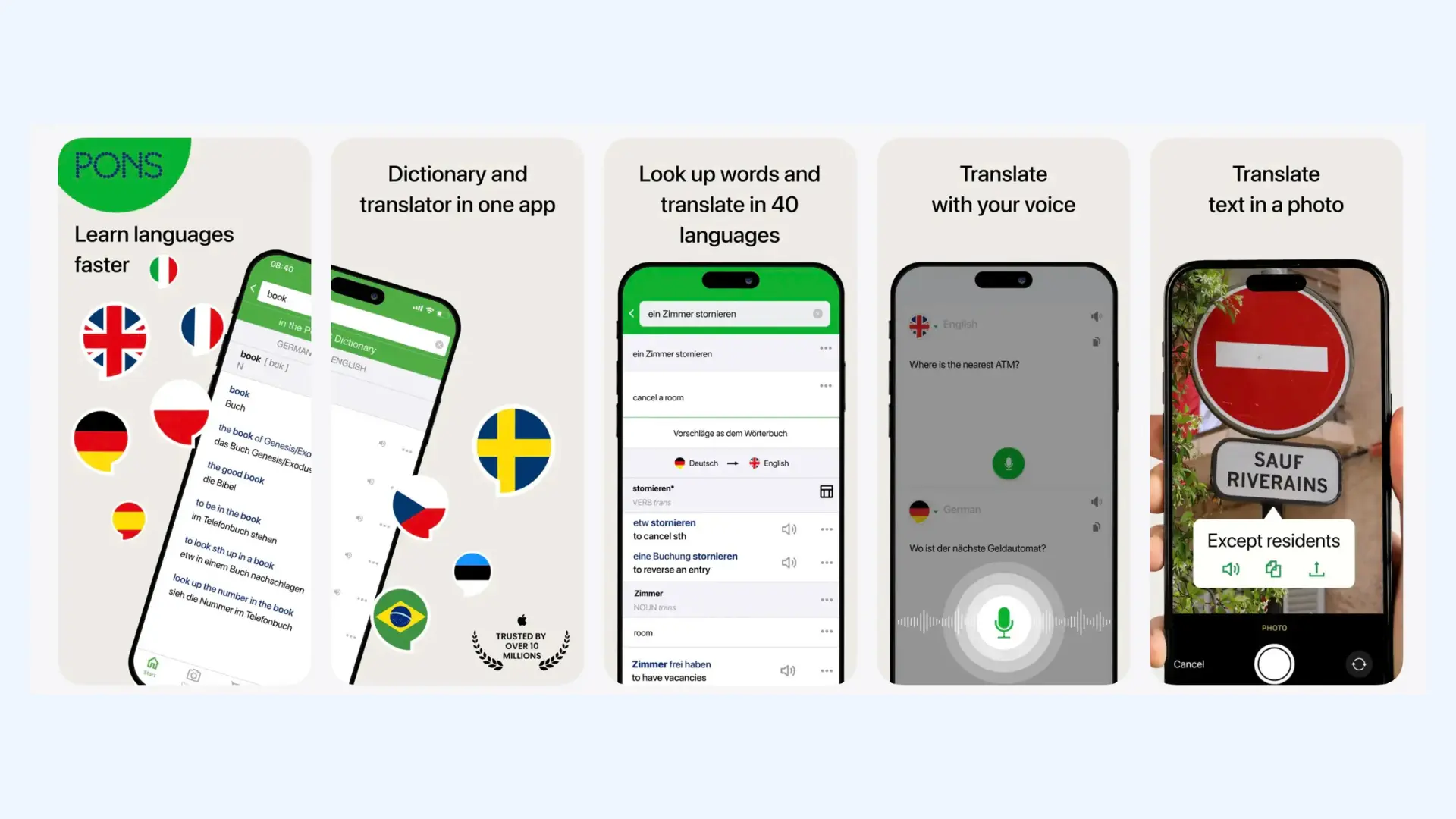
PONS is a respected German dictionary publisher that brings decades of linguistic expertise to its digital platform. Beyond simple translation, PONS provides detailed grammar explanations, conjugation tables, and usage notes that help you understand how German really works. It's particularly valuable for learners who want to grasp the "why" behind translations, not just the "what."
Key features:
- Verb conjugator and declension tools for quickly checking German forms across tenses and cases
- Example sentences and phrase translations to see how words are used in everyday and professional contexts
- Specialized dictionaries (business, law, tech, medicine) for more accurate terminology in specific fields
Pros
- Created by German language experts
- Audio pronunciation from native German speakers
- Offline mode available
Cons
- Interface can feel cluttered with extensive information
- Free version includes advertisements
Pricing: Free version available. Premium version is $29.99 for one year.
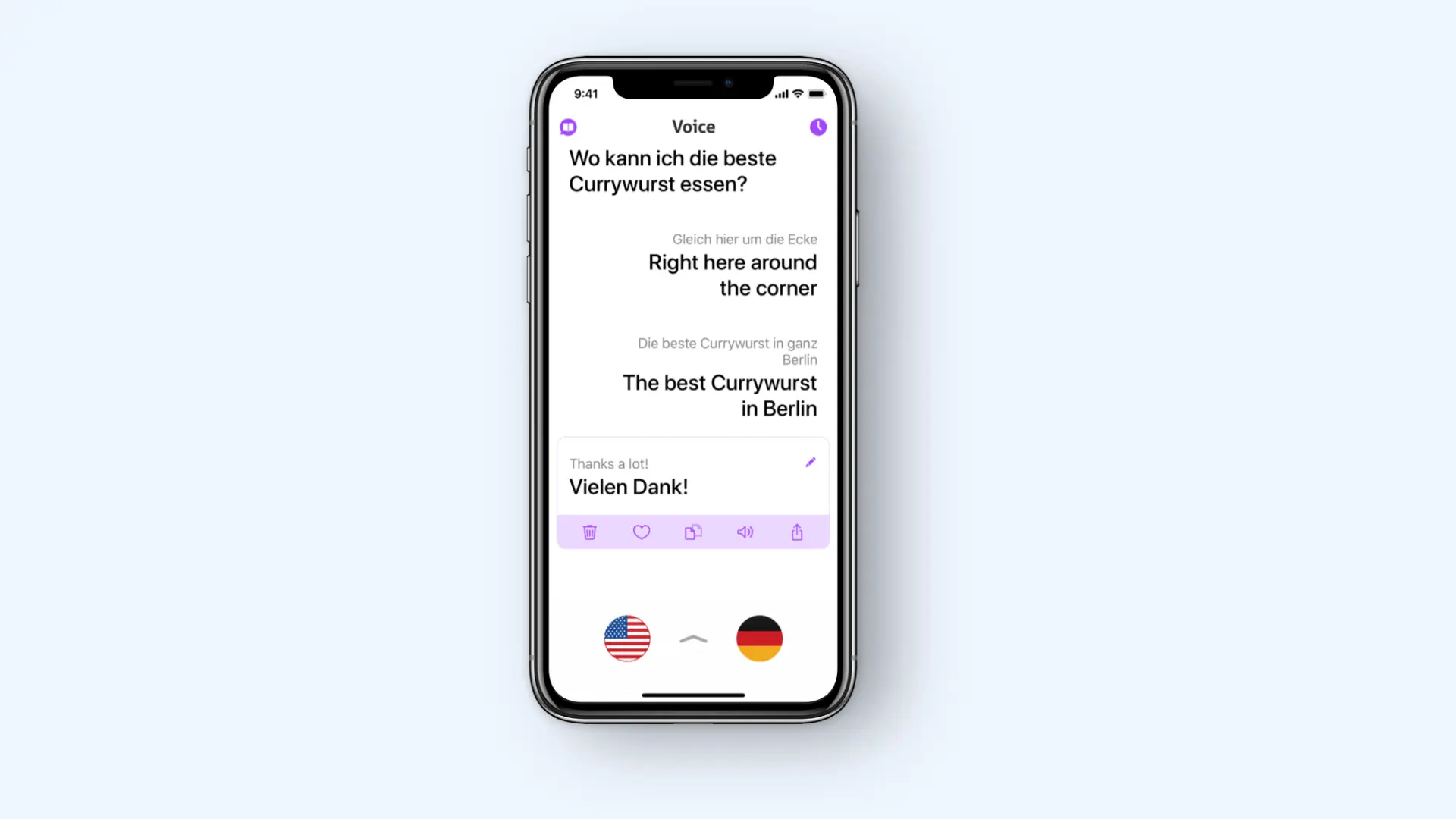
6. iTranslate: German Translation App for Android
Best for: Users seeking smooth voice-to-voice German translation with high-quality audio output.
⭐ App Store rating:4.7/5
iTranslate delivers polished German translation with natural, clear voice output that accurately reflects German pronunciation. The app's voice recognition handles German umlauts (ä, ö, ü) and special characters effectively, and its conversation mode enables fluid two-way dialogue. The intuitive, responsive interface makes it easy for me to communicate in German, even though I’ve never studied the language.
Key features:
- Voice playback speed control to slow down or speed up spoken German for easier understanding
- Built-in phrasebook to save common German phrases and reuse them quickly
- Keyboard and autocomplete support for typing German without hassle
Pros
- Fast voice recognition for German input
- Offline German translation in the Pro version
- Clean, user-friendly interface
Cons
- Free version is limited to 3 translations per day
- Voice features require internet connection in free version
Pricing: Free version with limitations. iTranslate Pro costs $9.99/month or $99.99/year.
7. dict.cc: Advanced German Vocabulary & Terminology
Best for: Advanced German learners and translators who need extensive vocabulary coverage and specialized terminology.
⭐ App Store rating:4.5/5
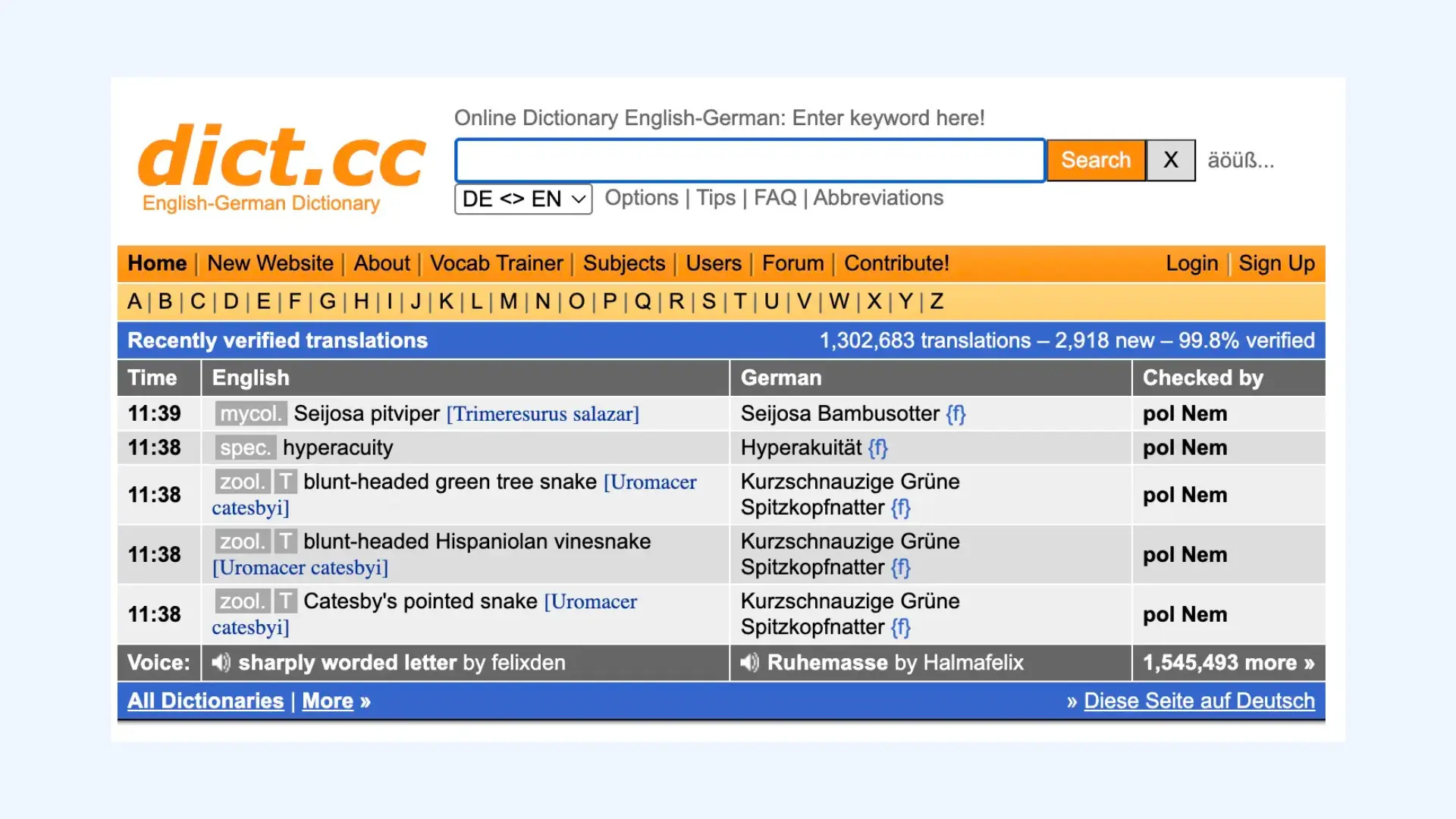
Dict.cc has become the go-to resource for serious German learners and professional translators. It features one of the most comprehensive German-English dictionaries available, with over 1.9 million entries including technical terms, slang, and regional expressions. The community-driven approach means the database constantly grows with new vocabulary, idioms, and usage examples contributed by native speakers.
Key features:
- Flexible search options to find the right German term faster
- User voting and entry history to evaluate translation quality
- Pronunciation support for learning how words sound in real German
Pros
- Massive vocabulary database with specialized German terminology
- Works completely offline with downloaded dictionary files
- Forum where users can ask about difficult German translations
Cons
- Interface is basic and outdated
- Primarily a dictionary rather than a full translation tool
Pricing: Completely free.
8. Microsoft Translator: German Translation for Business Meetings
Best for: Business professionals conducting multilingual meetings that include German participants.
⭐ G2 rating:4.3/5
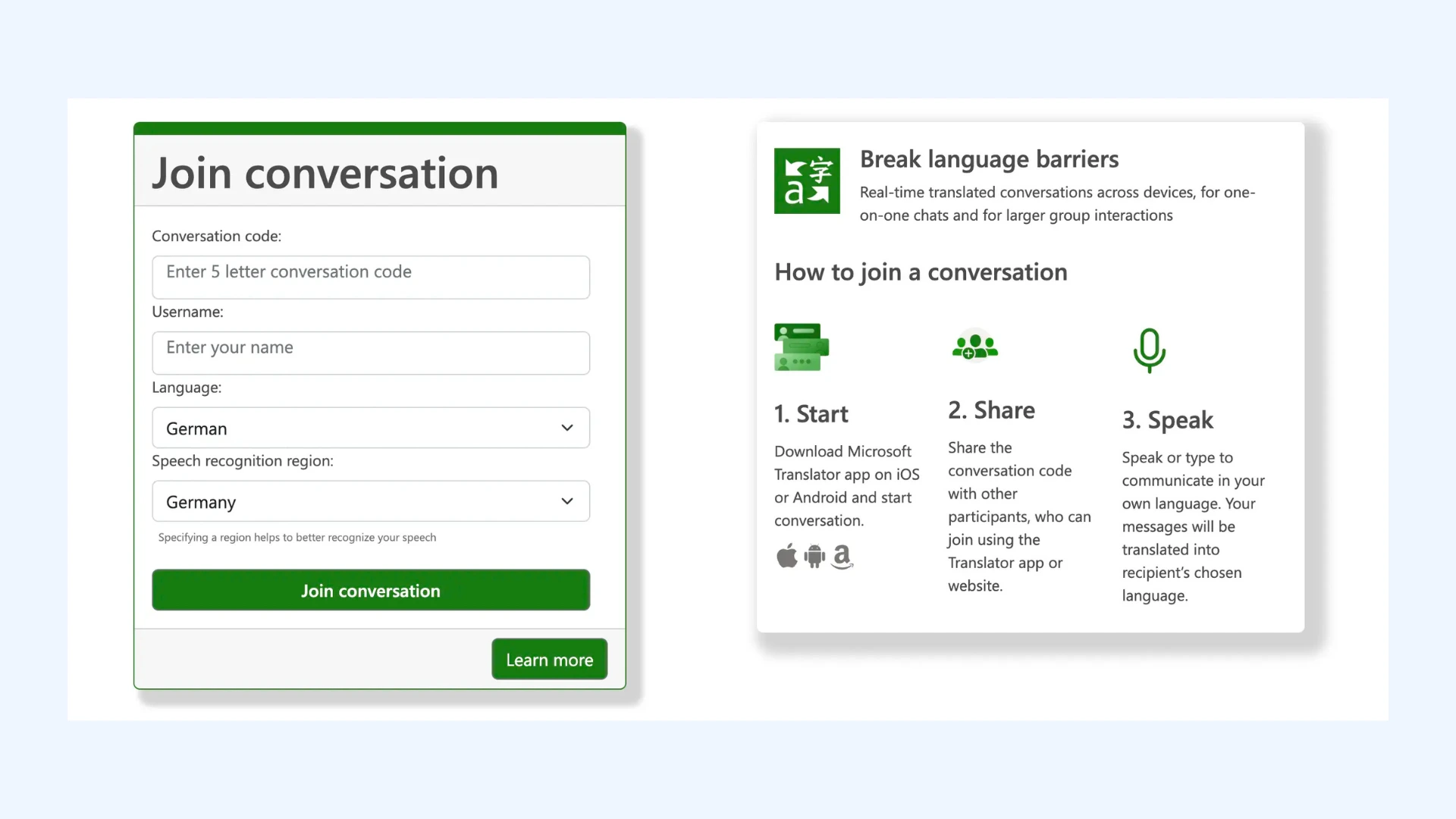
Microsoft Translator excels in professional environments where German translation needs to be reliable. Up to 100 people can join a shared translation session, each speaking their own language while receiving real-time German translation on their devices. The integration with Microsoft 365 makes it effortless for businesses already using the Microsoft ecosystem.
Key features:
- Live captioning with speaker labeling to follow who said what during meetings
- Phrasebook and saved translations for quick access to commonly used business phrases
- Cross-device syncing so your German translations stay available across mobile and desktop
Pros
- Multi-participant conversation mode for German meetings
- Real-time German transcription with text output
- Integration with Microsoft Office applications
Cons
- Voice recognition accuracy may vary with different German dialects
- Interface feels less modern than competing apps
Pricing:Free for personal use. Enterprise features available through Microsoft 365 subscriptions.
9. TalkPersona: Free & Instant German Voice Translation
Best for: Travelers and casual users who need quick live voice-to-voice German translation.
⭐ Rating: N/A as this guide is written.
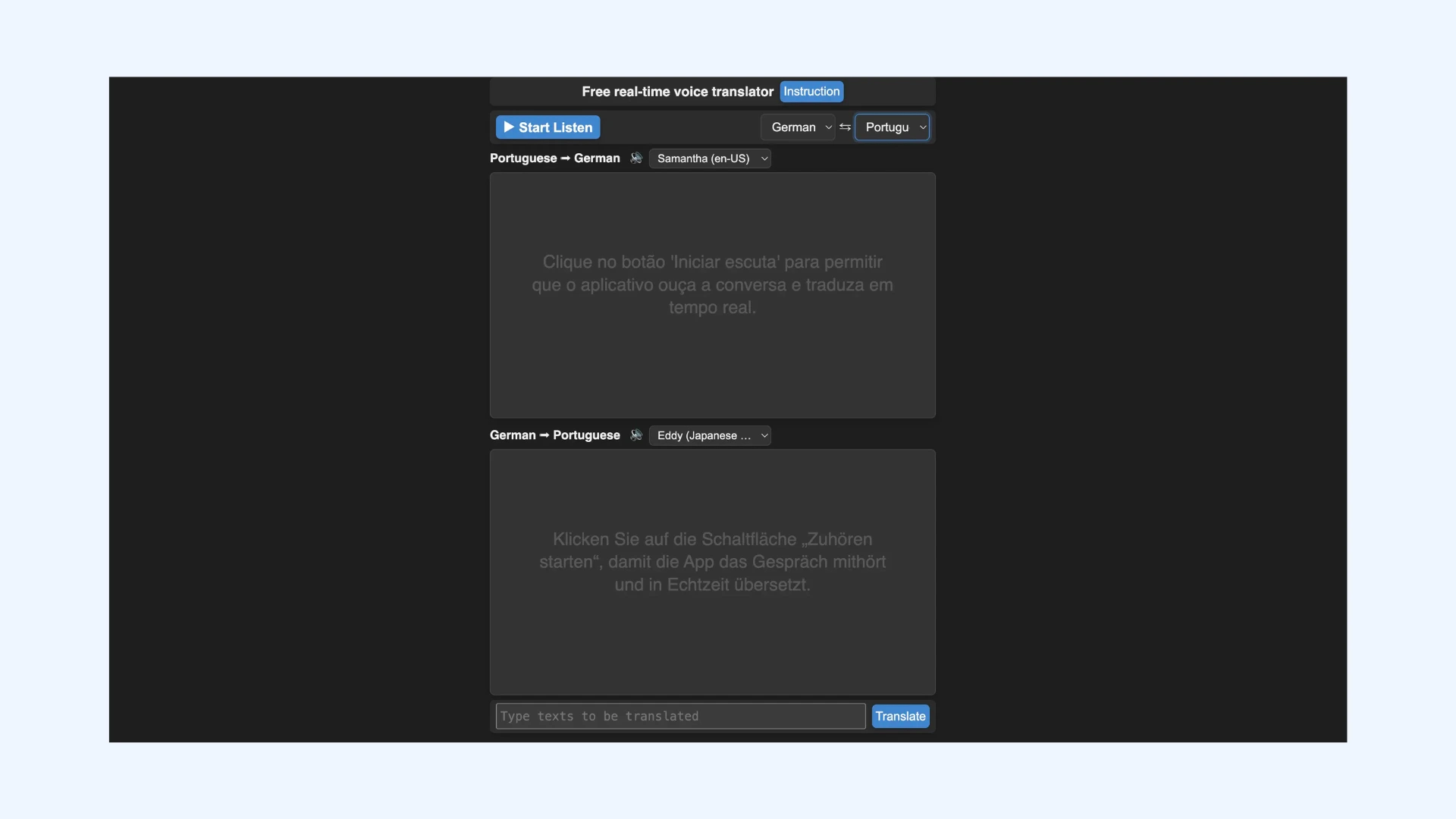
TalkPersona offers a free instant voice translator option that supports German amongst other major languages. It runs directly in your browser, so there’s no need to install or register anything. The translation quality is impressive for short, everyday interactions, helping users bridge language gaps while traveling, ordering food, or asking for directions in Germany.
Key features:
- One-tap microphone controls to start and stop German voice translation instantly
- Auto-play translated speech so both speakers can hear the result without extra steps
- Browser-based access across devices (phone, tablet, laptop) with no setup required
Pros
- Simple, intuitive interface for quick use
- Clear audio output that repeats translations aloud for both speakers
- Lightweight design that performs smoothly even on low-end devices
Cons
- Focuses mainly on live speech, lacks text or document translation
- Limited language support compared to options like Maestra
Pricing: Completely free.
10. Speak & Translate: Offline German Translation for iOS
Best for: Apple users traveling to German-speaking countries who need offline translation capabilities.
⭐App Store rating:4.6/5
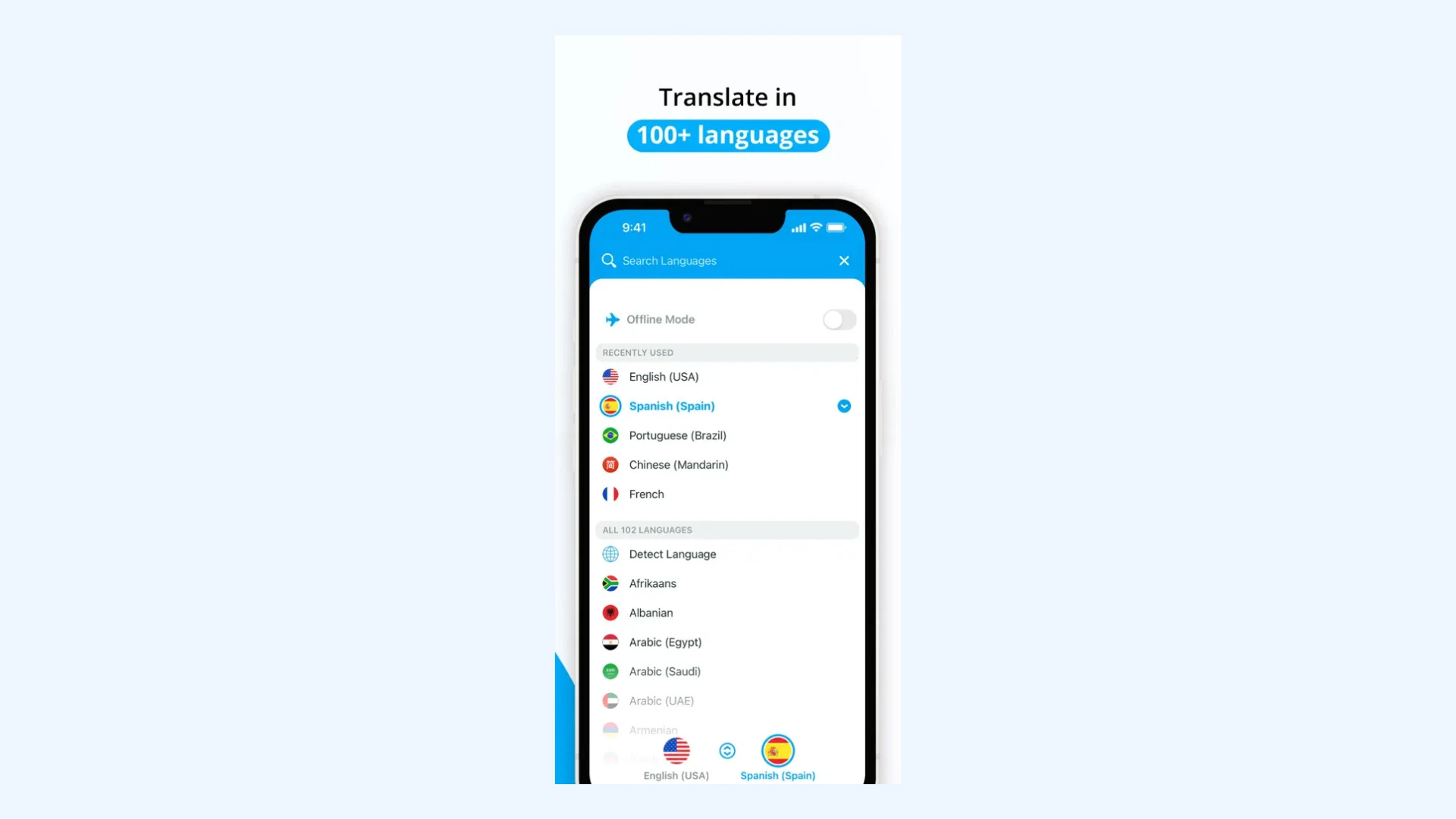
Speak & Translate is a powerful iOS-exclusive translation app that delivers dependable German translations across text, voice, and conversation modes. Its standout feature is the ability to translate offline using downloadable German language packs, which is a major advantage when traveling in regions with limited internet access. Plus, the Apple Watch integration allows for hands-free German translation.
Key features:
- Hands-free mode for smoother voice translation without constantly tapping the screen
- Camera translation for instantly translating German signs, menus, and printed text
- Phrasebook and favorites to save common German translations for quick access
Pros
- Real-time voice recognition and playback for both speakers
- Voice speed adjustment for clearer German pronunciation
- Integrated with iCloud for syncing translations across Apple devices
Cons
- iOS-only; unavailable for Android users
- Some advanced features require the Premium version
Pricing: Free version with limitations. Premium subscription starts at $7.99/month.
Smart Tips for Using German Translator Apps
Whether you’re translating a conversation in real time or decoding a complex document, German translator apps perform best when used strategically. Knowing how to prepare, speak, and check translations can dramatically improve accuracy and naturalness.
Below are a few actionable tips to help you get the most out of any German translation app, from live voice tools to text-based platforms.
Live Voice Translation
Voice translator apps are incredibly useful when you’re traveling or communicating with native German speakers, but small adjustments in how you use them can make a big difference.
- Speak clearly and at a natural pace. Avoid rushing your sentences or using heavy slang, so the speech recognition model can understand your words accurately.
- Minimize background noise. Live translators struggle with overlapping sounds. When possible, move to a quieter area or use earbuds with a built-in mic to isolate your voice from environmental noise.
- Test before important situations. Before relying on live translation for a meeting or event, run a short practice conversation to check latency, accuracy, and pronunciation handling.
- Check the tone and formality. German differentiates between du (informal) and Sie (formal). While some apps like DeepL or Microsoft Translator can detect tone, it’s worth confirming the correct form for your context.
- Download offline language packs. Before traveling, download German for offline use in apps like Google Translate or Speak & Translate. This ensures you can still translate conversations even without an internet connection.
Text Translation
Text translation tools are ideal for written communication, study, and professional use, but they work best when you prepare the content properly.
- Proofread before translating. Spelling errors, missing punctuation, or inconsistent capitalization can mislead translation algorithms. Clean input text equals more accurate German output.
- Translate in small sections. Splitting long documents into shorter parts helps you maintain meaning and prevents small mistakes from adding up.
- Watch out for idioms and expressions. German often has no direct equivalent for English idioms (“hit the books,” “piece of cake”). Rephrase idioms into literal language before translating for better accuracy.
- Translate names and technical terms carefully. Avoid automatically translating brand names or specialized jargon. Proper nouns and product names should stay as they are.
- Leverage built-in editing tools. Some translation apps like DeepL Write let you refine the translation directly, adjusting tone, phrasing, and clarity for a more natural German result.
Final tip: Use back translation as a final quality check. After translating German content, translate it back into your original language and compare it with the source text.
With back translation, you can easily spot discrepancies and evaluate translation accuracy.
Final Verdict
Based on hands-on testing and comparison across real-world scenarios, the apps reviewed in this guide reflect the current state of German translation technology. While automated tools still can’t replace human translators for highly specialized or high-stakes content, they are more than capable of handling everyday communication, travel, learning, and most professional use cases with impressive accuracy and fluency.
Below is a quick cheat sheet to help you choose the right German translator app based on how you actually plan to use it:
- 🎙️ Maestra — Professional real-time voice translation with AI voice cloning
- 🎯 DeepL — Very high accuracy, German company, neural translation excellence
- 📚 Linguee — Contextual learning through authentic German usage examples
- 🌍 Google Translate — Comprehensive free solution with multimodal input
- 📖 PONS — Authoritative German dictionary with linguistic depth
- 🗣️ iTranslate — Smooth voice translation with natural German pronunciation
- 💬 dict.cc — Extensive vocabulary database for advanced learners
- 💼 Microsoft Translator — Enterprise integration for business environments
- 🌐 TalkPersona — Lightweight browser-based voice translation
- ✈️ Speak & Translate — iOS-optimized with offline functionality
From my experience, the most effective approach is choosing a tool that matches your primary use case, and then supplementing it with others when needed. Translation quality, work pattern fit, and trustworthiness matter more than any single feature, and using the right combination of apps can significantly improve how confidently you work with German.
Frequently Asked Questions
What is the most accurate German translator app?
DeepL is widely regarded as the most accurate German translator app, thanks to its advanced deep learning technology. Developed in Germany, its AI engine excels at handling complex sentence structures, verb placement, and idiomatic expressions. Meanwhile, for real-time speech translation, Maestra stands out with its precise, natural-sounding German voice translations.
What is the best free German translator?
Google Translate is the best free German translator for everyday use. It supports text, voice, and camera translation, making it incredibly versatile for travel or casual communication. Although it’s less nuanced than premium tools like DeepL, it’s unbeatable for quick, everyday German translations.
What is the best English to German translation app?
DeepL is widely considered the best English to German translation app due to its exceptional accuracy. It produces translations that read fluently instead of feeling literal or robotic. This makes it a strong choice for both personal and professional use.
What is the best English to German translator with correct grammar?
A strong English to German translator with correct grammar is Microsoft Translator. It handles sentence structure and formal language well, especially in business and professional contexts. While it may not sound as natural as DeepL in every case, it remains a reliable alternative for accurate German translations.
What is the best German to English voice translator?
One of the best German to English voice translators is Maestra, offering real-time speech translation with natural AI voice output. It allows you to speak in one language and instantly hear your words in another. iTranslate is another strong option for everyday use, with quick voice translations and offline functionality for travelers.
What is the best German translator app for business?
For business communication, two powerful German translator apps are Microsoft Translator and Maestra. Microsoft Translator integrates seamlessly with Microsoft 365, making it ideal for companies that need reliable document, text, and voice translation within their existing workflow. Maestra, meanwhile, is perfect for multilingual meetings, offering real-time German translation where every participant can hear the conversation in their chosen language.
What is the best German translator app for students?
The best German translator apps for students are Linguee and PONS, both offering excellent learning support alongside accurate translations. Linguee helps students understand real-world German usage through example sentences from authentic texts. PONS, on the other hand, combines dictionary precision, grammar help, and a built-in vocabulary trainer.
Can translator apps handle German dialects?
Today’s translator apps are far better equipped to handle German dialects like Austrian German or Swiss German, thanks to advances in speech recognition and contextual AI. While strong regional accents can still pose challenges, most tools can now capture the overall meaning quite well.
Can translator apps translate compound German words?
Yes, most German translator apps can translate compound words. They break the compounds into smaller units to produce clear, precise translations. Still, unique or highly technical compounds may confuse even advanced apps.
Do German translator apps understand formal vs. informal language?
Yes, most German translation apps are now smart enough to distinguish between formal and informal speech. This makes it easier to communicate appropriately in both personal and professional contexts. However, reviewing the translation is still helpful to ensure the formality matches your intended audience.