Best Translation Apps in 2026 - A Translator’s Review
Most translation apps look fine until you actually need them.
You’re trying to read a menu.
Reply to a message.
Translate something quickly — maybe without internet.
Some apps handle that well. Others don't.
Let's get to it.




Compare Translation Apps at a Glance
Quick snapshot before the details.
| App | Free / Paid | Offline | Voice | Camera | Best for |
| Google Translate | Free | ✅ | ✅ | ✅ | Everyday use & travel |
| Microsoft Translator | Free | ✅ | ✅ | ✅ | Voice conversations |
| DeepL | Free / Paid | ✅ | Limited | ❌ | Accurate text translation |
| iTranslate | Free / Paid | ✅ | ✅ | ✅ | Quick mobile translation |
| Papago | Free | ✅ | ✅ | ✅ | Asian languages |
| Reverso | Free / Paid | Limited | ❌ | ❌ | Context & learning |
| Linguee | Free | ✅ | ❌ | ❌ | Professional context |
Best Translation Apps, Reviewed by a Translator
1. Google Translate
This is the default for a reason.
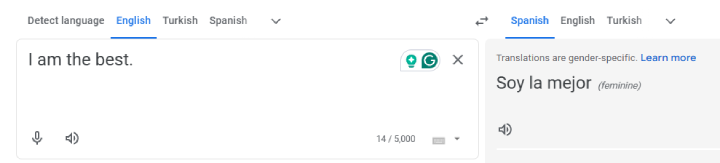
It’s free.
It’s fast.
And it works in most situations.
Google Translate handles everyday text translation well, especially for common language pairs. Voice input is quick, camera translation is genuinely useful for menus and signs, and offline language packs are easy to download before a trip.
Where it struggles is nuance.
Longer sentences, idioms, or formal writing don’t always come out clean.
You usually understand the meaning — just not the tone.
Still, for travel and quick, everyday translations, it’s often the easiest option to rely on.
Strength
- Extremely versatile — text, voice, camera, and offline all in one place.
Limitation
- Struggles with nuance and idiomatic phrasing in longer or more complex sentences.
2. Microsoft Translator
Microsoft Translator shines when speech is involved.
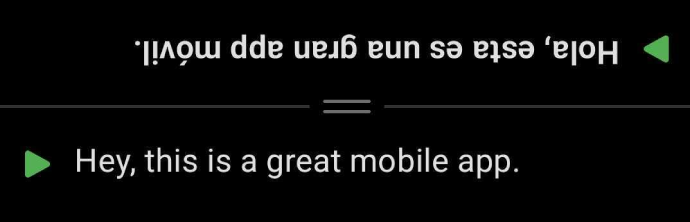
It handles voice conversations better than most apps.
Turn-taking feels natural.
Group conversations are surprisingly usable.
Text translation is solid; it even shows the translation in reverse for face-to-face conversations.
You’ll get the meaning right away, but phrasing can feel a bit mechanical.
Where it really fits is live conversation — especially if you’re already using Microsoft products.
It makes the most sense when spoken conversation matters more than perfectly polished text.
Strength
- One of the better options for real-time spoken conversations.
Limitation
- Text translations can feel stiff compared to more accuracy-focused tools.
3. DeepL
DeepL is about accuracy.
Not speed.
Not features.
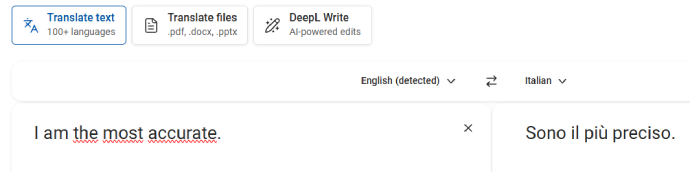
For longer or more formal text, it’s one of the strongest options.
Sentences sound more natural.
Grammar usually holds up better than competitors.
But it’s not built for quick interactions.
Voice features are limited.
Camera translation isn’t there.
If accuracy and natural phrasing are your priority, this is where DeepL clearly stands out.
Strength
- Produces some of the most natural-sounding translations for Italian–English text.
Limitation
- Limited voice and camera features compared to all-in-one apps.
4. iTranslate
iTranslate is made for mobile use.

Voice input is quick.
The interface is simple.
It’s easy to use without thinking.
Offline mode is helpful, but most advanced features are locked behind a subscription.
For longer text or more precise translations, it can feel basic.
Still, for fast translations on the go, it does the job.
It’s a practical choice when you need fast translations on mobile and don’t want to dig through settings.
Strength
- Fast and easy to use on mobile, especially for voice translation.
Limitation
- Many useful features are locked behind a paid subscription.
5. Papago
Papago stands out for one reason: Asian languages.
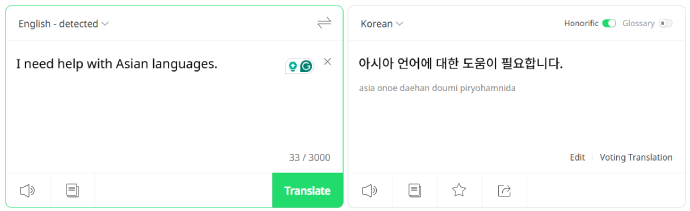
Korean.
Japanese.
Chinese.
For those, it’s often more accurate than Google Translate.
Voice and camera translation work well, and offline mode is available.
Outside Asian languages, it’s less impressive.
European translations are fine — just not special.
Its real strength shows when you’re working with Asian languages rather than European ones.
Strength
- Excellent accuracy for Asian languages, often outperforming larger apps there.
Limitation
- Italian translations are fine, but not a standout compared to competitors.
6. Reverso
Reverso is not about speed.
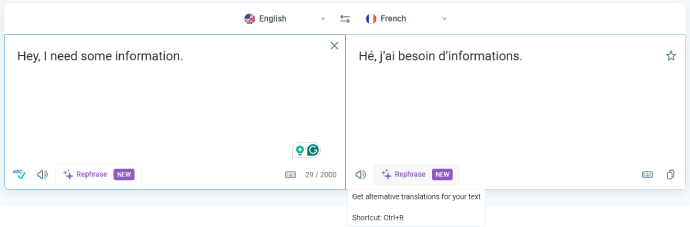
It’s about context.
Instead of one translation, you get examples.
Phrases used in real sentences.
Different meanings side by side.
There’s no camera translation.
No real voice features.
But for learning and understanding how language is actually used, it’s very useful.
This works best when you’re trying to understand how words are actually used, not just what they translate to.
Strength
- Strong contextual examples that help you understand how phrases are actually used.
Limitation
- Limited language coverage and fewer interactive translation features.
7. Linguee
Linguee is closer to a dictionary than an app.
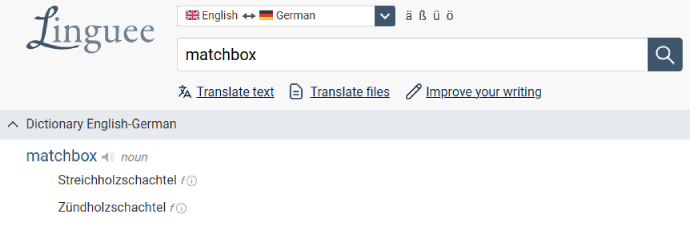
You don’t talk to it.
You don’t point your camera at signs.
You search words and phrases.
And see how professionals actually use them.
It’s especially good for academic, legal, or formal text.
Just don’t expect real-time translation.
Think of it less as a translator and more as a reference tool for precise, professional language.
Strength
- High-quality, real-world examples that are useful for professional or academic text.
Limitation
- Not designed for quick translations, voice input, or on-the-go use.
Expert Tips: How to Get Better Results from Translation Apps
Even the best translation apps can give bad results if you use them the wrong way. These tips come from practical use, not manuals.
1. Keep sentences short
Translation apps work best with simple, direct sentences. Long paragraphs or multiple ideas in one sentence are more likely to lose meaning.
If accuracy matters, break things up.
2. Use camera translation for context, not precision
Camera translation is great for menus, signs, and labels. It helps you understand what something is about, not every word perfectly.
For anything important, double-check with text input.
3. Don’t rely on voice input in noisy environments
Voice translation drops in accuracy quickly with background noise, accents, or overlapping speech.
If you’re in a busy place, typing usually gives better results.
4. For important text, compare two apps
When wording matters — emails, forms, or professional content — it’s often worth checking the translation in a second app.
If both apps agree, you’re usually safe.
Live Translate Speech to Text
5. Offline mode is useful, but limited
Offline translations are convenient, especially while traveling. Just remember that features like voice input and camera translation may be restricted or less accurate.
What Real Users Say (Based on Public Reviews)
Fast and convenient, but not always reliable for nuanced or complex sentences.
Smooth voice translation and conversation mode, especially useful for travel and meetings.
Noticeably better text quality than most alternatives, especially for longer or formal content.
Easy to use on mobile, but many useful features require a paid subscription.
Excellent accuracy for Asian languages, but less impressive outside that focus.
Very helpful for learning and context, but slower and less flexible than instant translators.
Trusted for professional and academic context, but not practical for quick translation tasks.
FAQ
What is the most accurate translator app?
DeepL is widely considered the most accurate for translating nuanced and formal text, especially in professional settings. For online video translation, we recommend Maestra for accurate subtitles and AI dubbing, including real time translation.
Which translation app is best for travel?
Google Translate is still the easiest option for travel. Camera translation, offline mode, and wide language support make it reliable when you’re on the move.
Is DeepL better than Google Translate?
DeepL is better for formal translations and European languages, while Google Translate is superior for handling a wider variety of languages and different types of input (voice, image).
Are free translation apps accurate enough?
For basic use, yes. Free apps handle short sentences and common phrases well. Accuracy drops with longer text, idioms, or formal writing.
Is there an AI better than Google Translate?
Microsoft Translator or Papago can be better in certain contexts, like real-time conversations or translating between Asian languages. And Maestra AI is better for content localization, in both video and AI audio translation.
What translator is 100% correct?
No translator is 100% accurate. While Google Translate, Microsoft Translator, and DeepL offer high accuracy, all machine translations have limitations with complex sentences and idiomatic expressions, as of the year 2025.
Do translation apps work offline?
Some do. Apps like Google Translate, Microsoft Translator, and iTranslate allow offline language downloads, though certain features may be limited without internet access.
Are translation apps safe to use?
Most well-known apps are safe for everyday use. For sensitive or confidential content, it’s best to use paid plans or tools with clear privacy policies.
Can translation apps replace human translators?
No. They’re useful for speed and convenience, but they still struggle with tone, cultural nuance, and specialized professional content.
Can translation apps replace human translators?
No. They’re useful for speed and convenience, but they still struggle with tone, cultural nuance, and specialized professional content.
