10 Best JotMe Alternatives Reviewed & Compared
Most communication breakdowns don't look dramatic at first. They show up as small delays, repeated clarifications, missed nuances, and over time, real business losses. According to Preply, "up to 20% of working hours are wasted weekly clarifying unclear communication" and "64% of companies report losing international business due to language gaps".
As teams become more global, these costs add up. Tools like JotMe aim to solve this problem, but not all solutions work equally well across languages, meeting types, and processes. This led me to test alternatives in real meeting scenarios.
My testing focused on typical conditions: standard meeting lengths (up to 60 minutes), everyday audio setups (built-in laptop microphones), common business language pairs (such as English ↔ Spanish, Japanese, and Arabic), and practical meeting scenarios (team syncs, client calls, and presentation meetings). I evaluated latency, setup time, and translation error types, and intentionally left out edge cases such as extremely noisy environments or highly scripted sessions.
Here are the highlights based on my observations:
- Transync AI and Talo are a good fit for recurring internal meetings when speed and simplicity are the priority.
- Wordly and KUDO work best for large meetings, webinars, and events that require stable translation at scale.
- Interprefy and Langfinity are better suited for enterprise teams that need domain awareness or access to human interpreters.
- DeepL Voice for Meetings, Microsoft Teams Interpreter, and Google Meet Real-Time Speech Translation make sense for teams that prefer native platform tools and can accept more limited language coverage.
- Maestra is an all-in-one option that works well across internal meetings, client calls, and larger sessions, combining fast setup with broad language support and strong post-meeting tools.
Before taking a closer look at each tool in detail, it helps to set clear expectations for what a strong JotMe alternative should deliver.
What to Look for in a JotMe Alternative
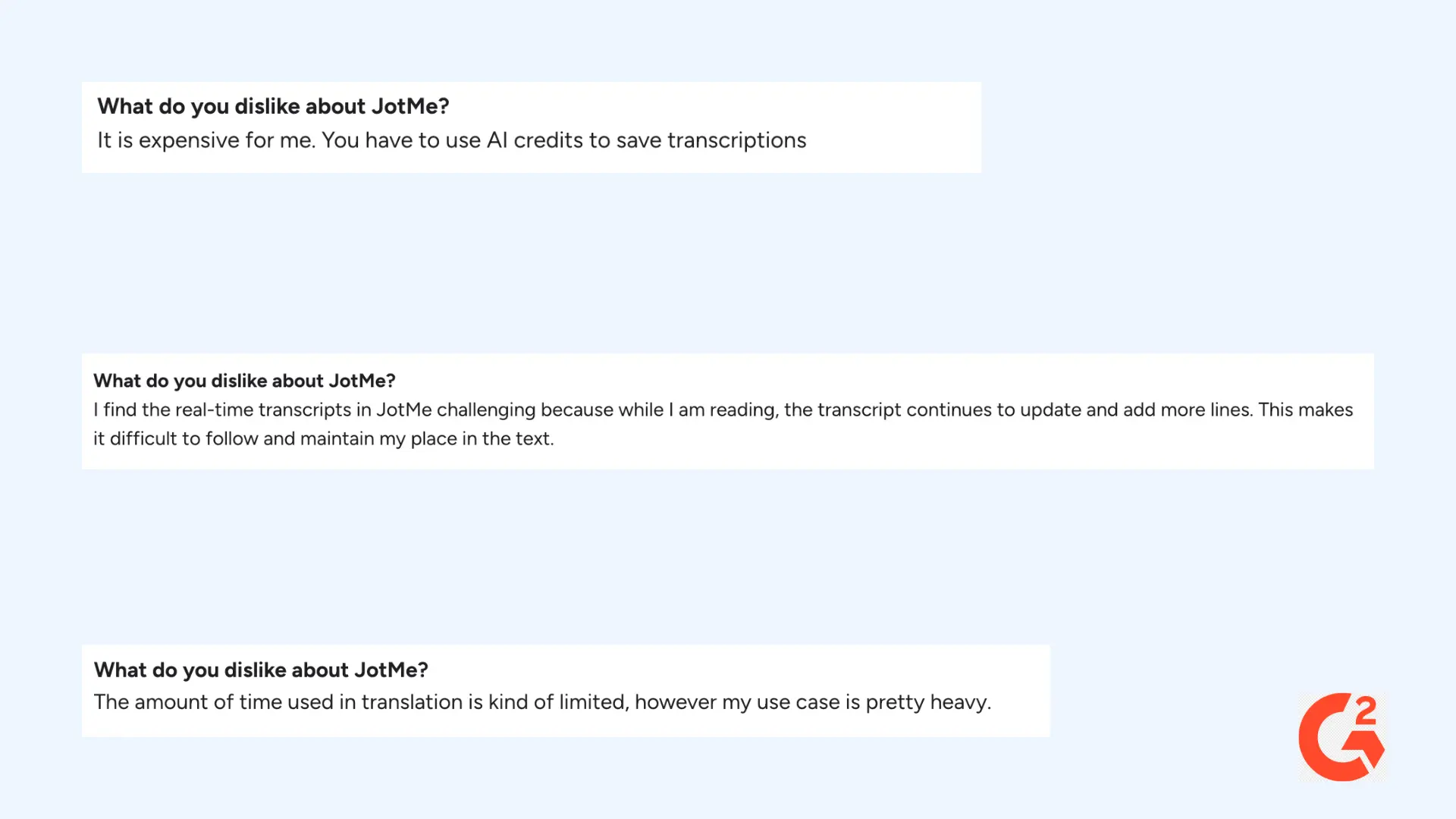
While JotMe is appreciated for its real-time translation and meeting intelligence, several users report limitations that become more noticeable with heavier usage. G2 reviews point to:
- Restricted translation time for power users
- High costs driven by AI credit consumption for saving transcripts
- Real-time transcripts that update continuously, making them difficult to read and follow during live meetings
These issues can create challenges for users who rely on translation throughout long or fast-paced conversations, rather than occasional or lightweight use.
When evaluating alternatives, focusing on the following criteria can help you find a solution that delivers better value for heavy or ongoing use.
- Real-time translation accuracy: Choose tools that translate speech quickly and accurately, without long delays or confusing errors during real meetings.
- Language coverage and automatic detection: Look for broad support across target languages and automatic source language identification for fluid multilingual dialogues.
- Usability and setup: Solutions that are browser-based or require minimal installs speed adoption for distributed teams.
- Platform integration: Ensure the tool integrates well with major conferencing platforms (Zoom, Microsoft Teams, Google Meet, Webex) without intrusive bots or complex setup requirements.
- Post-meeting utility: Tools that generate transcripts, summaries, and exportable files help extend value beyond live meetings.
- Transparent pricing: Avoid tools that rely heavily on opaque credit systems and instead look for predictable pricing that supports your needs.
- Data privacy and security: Check that the platform clearly explains how meeting audio and transcripts are handled, stored, or deleted, especially for sensitive discussions.
Using these criteria as a guideline, let's first take a look at the basics.
Top JotMe Alternatives for Live AI Meeting Translation
The table below compares the most popular JotMe alternatives by language coverage, platform support, and free trial availability.
| JotMe Alternative | Supported Languages | Platforms Supported | Free Trial |
| Maestra | 125+ | Web, integrations (Zoom & Microsoft Teams) | ✅ |
| Wordly | 60+ | Web, iOS, Android | ✅ |
| Interprefy | 80 (AI), 100+ (human interpreters) | Web, iOS, Android | ❌ |
| KUDO | 200+ | Web, iOS, Android | ❌ |
| Langfinity | 50+ | Microsoft Teams (Zoom and Google Meet integrations coming soon) | ✅ |
| DeepL Voice for Meetings | 30+ | Zoom, Microsoft Teams | ❌ |
| Microsoft Teams Interpreter | 9 | Microsoft Teams | ❌ |
| Google Meet Real-Time Speech Translation | 6 | Google Meet (desktop) | ❌ |
| Transync AI | 60 | Google Meet, Zoom, Microsoft Teams | ✅ |
| Talo | 60+ | Web, integrations (Zoom, Google Meet, Microsoft Teams) | ✅ |
1. Maestra
Best for: Global teams and organizations that need accurate real-time translation where conversation flow and comprehension matter most.
Not ideal for: Highly regulated medical or legal scenarios where human-certified interpretation is mandatory.
What stands out: What I love most about Maestra is how easy it is to use, from starting live translation to post-meeting repurposing. The interface is clean and minimal, so you can stay focused on the meeting instead of juggling software.
⭐ G2 rating: 4.8/5
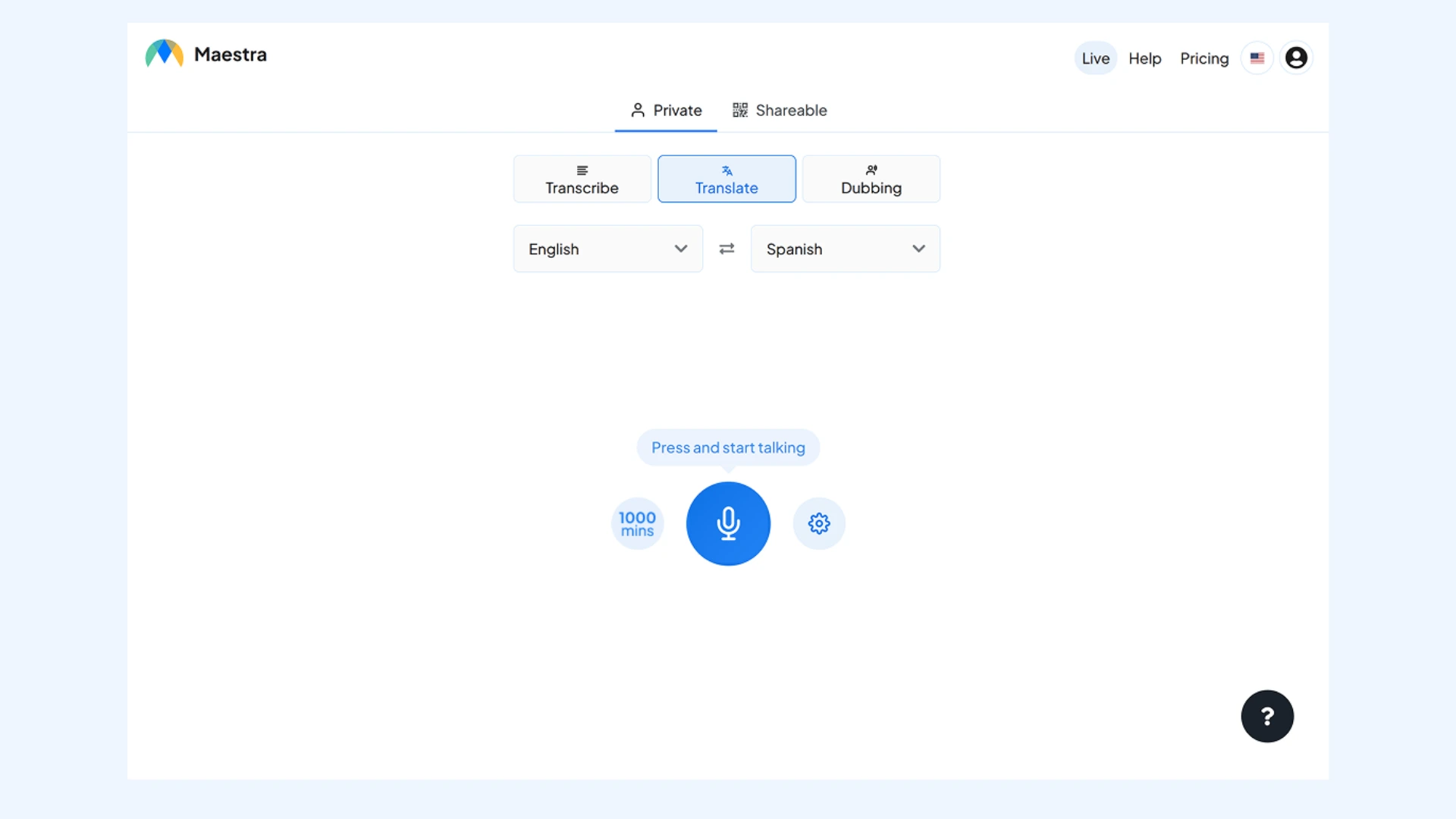
Maestra’s live voice translator converts speech directly into spoken translations in real time, utilizing advanced engines like OpenAI and DeepL. The tool also displays captions in both the original and translated languages for added clarity. It runs entirely in the browser with no downloads or plugins required, making it easy to start and share across devices. After the meeting, the full transcript is automatically saved, and can be accessed, edited, or repurposed at any time.
Setup: You can start a live session in your browser without downloads. Choose your source and target languages, then select an AI voice or clone your own. Begin speaking, and Maestra will capture the audio and deliver voice translations instantly. You can also share the session via a link or QR code so others can follow live captions and audio.
Key features:
- Real-time speech-to-speech translation with live voice output and captions
- Shareable multilingual sessions supporting multiple source and target languages
- Zoom and Microsoft Teams integrations for live meetings
Pros
- Wide selection of AI voices, with optional voice cloning
- Custom glossary for consistent terminology across translations
- Built-in AI summaries, keyword extraction, and content repurposing features
Cons
- Requires stable internet connection for real-time translation
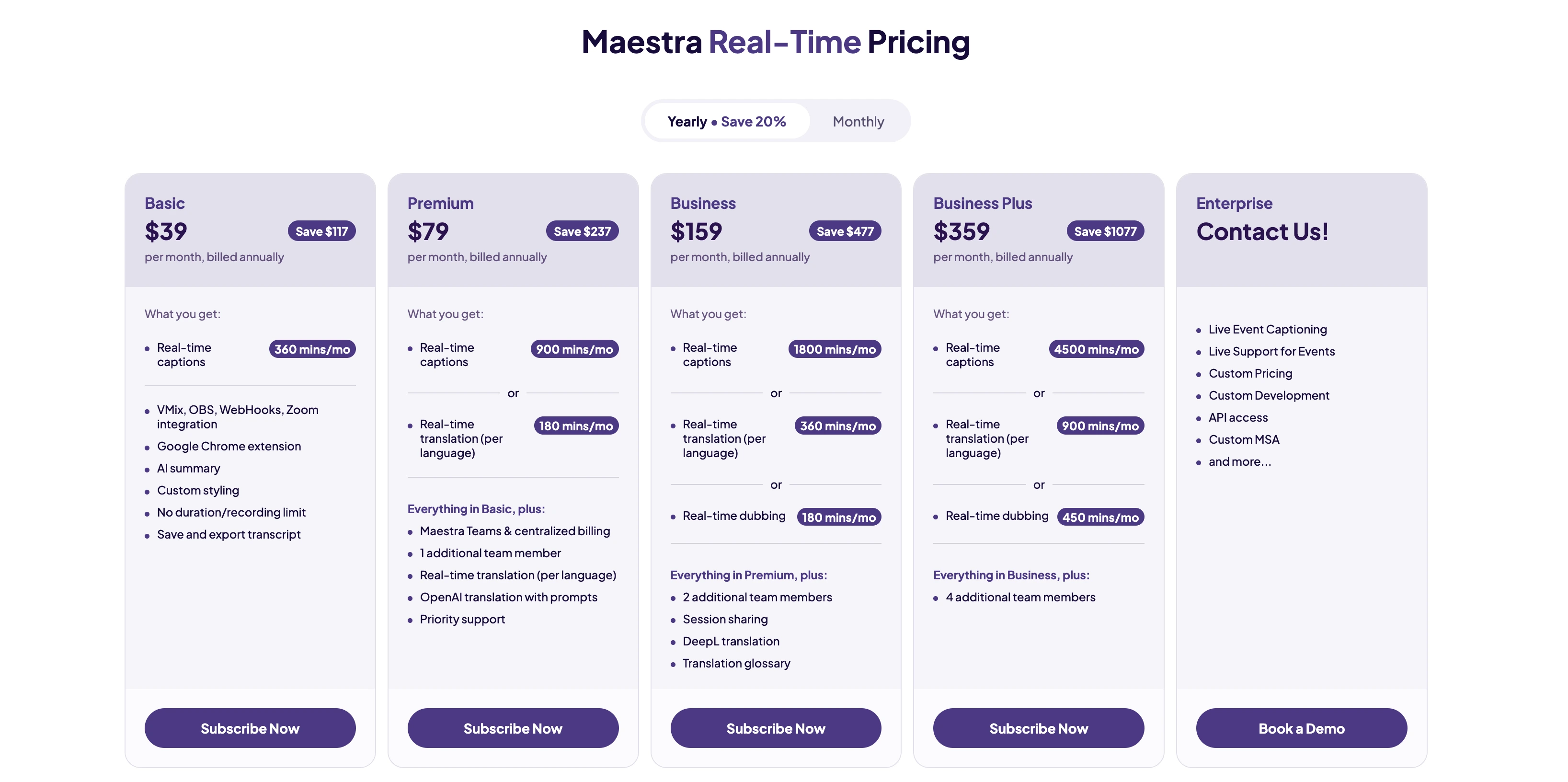
- Some advanced features are limited to higher-tier plans
🎯 Bottom line: With real-time voice translation, bilingual captions, and browser-based access, Maestra makes multilingual meetings accessible without complex setup. This makes it a practical JotMe alternative for both lightweight translation tools and heavyweight enterprise platforms.
Translate Meetings in Real Time
2. Wordly
Best for: Large-scale meetings and conferences, corporate town halls, and high-attendance webinars.
Not ideal for: Small and casual 1:1 meetings, or budget-conscious startups needing only basic translation.
What stands out: What stood out to me is how well Wordly handles scale without delays. Once the session begins, large numbers of attendees can select their preferred language instantly, and the translated captions and audio keep up without slowing the meeting down. This makes a real difference in high-attendance town halls or webinars, where even small delays can quickly become distracting.
⭐ G2 rating: 4.6/5
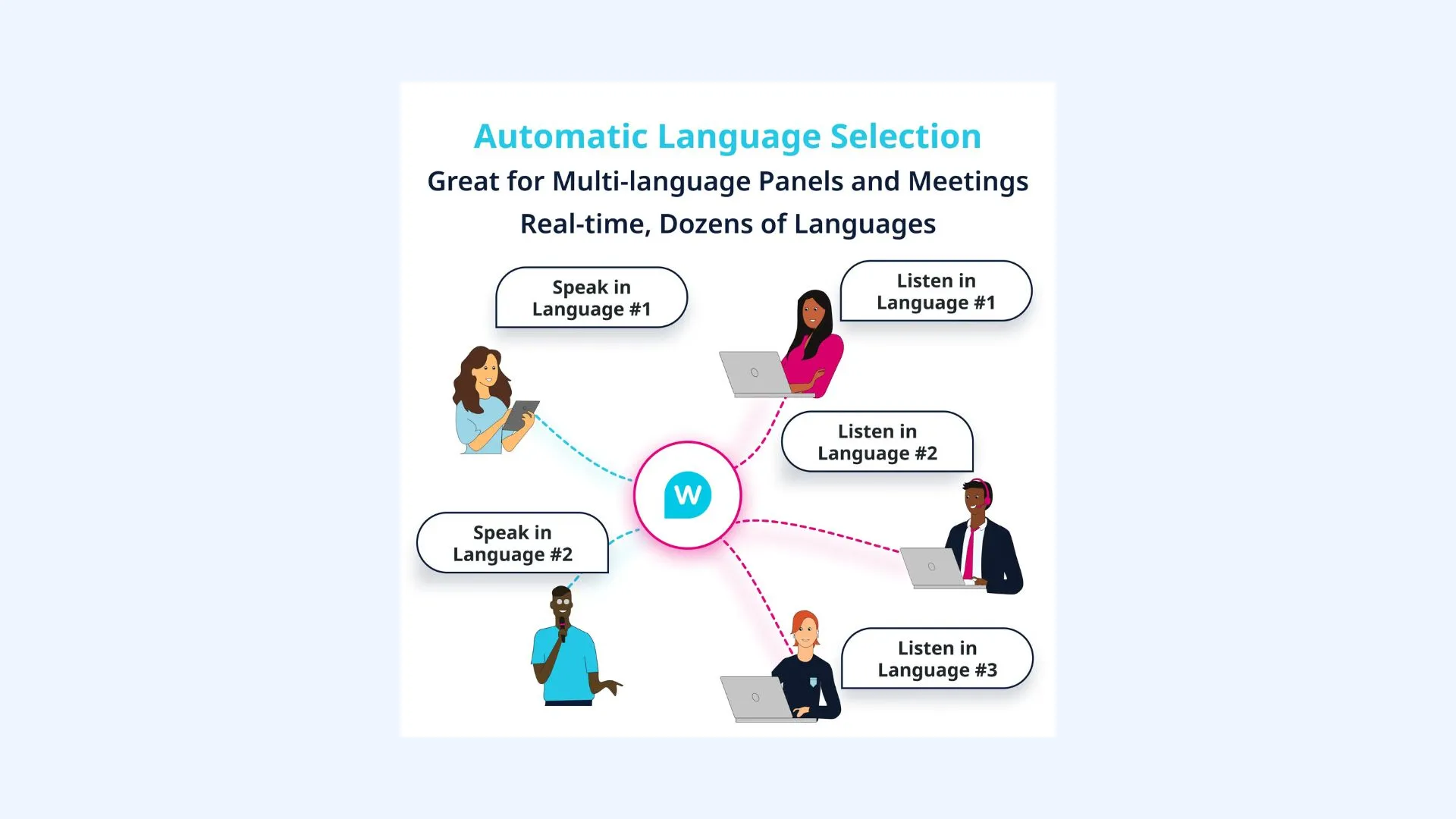
Wordly is one of the best JotMe alternatives in the AI-powered live translation space, specifically designed to bridge language gaps in professional environments. While many tools focus on individual use, Wordly is built for the "one-to-many" or "many-to-many" scenarios. It is a reliable choice for organizations that need a "zero-hardware" solution to replace expensive human interpretation booths.
Setup: Setting up Wordly involves creating a session in your dashboard and connecting it to your meeting or event link. Attendees join translation via a shared URL or QR code and choose their language on their own device. The process is simple and usually takes only a few minutes.
Key features:
- Simultaneous audio and text translation during live meetings, allowing attendees to listen to or read subtitles in their preferred language
- Custom glossaries to upload technical jargon, brand names, or industry-specific acronyms
- Post-session assets including AI-driven transcripts and summaries
Pros
- Handles large audiences smoothly with minimal lag
- Easy for attendees to join and select a language
- Supports enterprise security and compliance needs for large organizations
Cons
- Usage-based credit system can be hard to predict when attendee numbers vary
- Accuracy may drop with heavy regional accents or highly specialized jargon
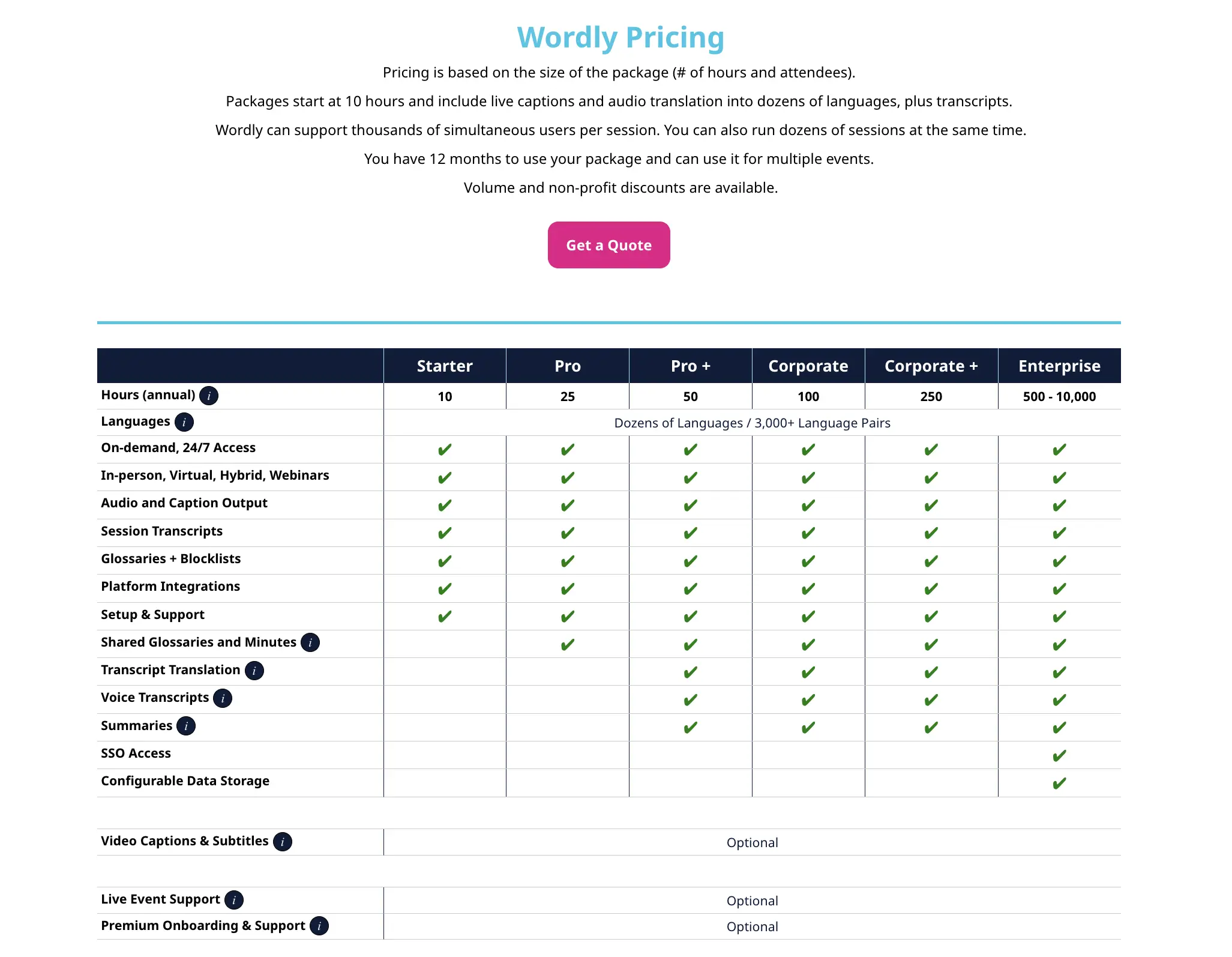
🎯 Bottom line: Wordly is a strong choice if your primary goal is delivering live translation to large audiences quickly and reliably. For smaller teams or occasional meetings, lighter or more flexible tools may be a better fit.
3. Interprefy
Best for: Large global teams, multinational enterprises, and high-stakes online meetings or events that require AI speech translation or human interpreters.
Not ideal for: Small teams or casual internal meetings where basic translation or simple captions suffice.
What stands out: What impressed me most about Interprefy is how it combines professional human interpreters with AI speech translation in one suite. You can seamlessly choose between AI speech translation for routine sessions and professional human interpreters for high-stakes meetings, all within the same ecosystem.
⭐ G2 rating: 4.5/5
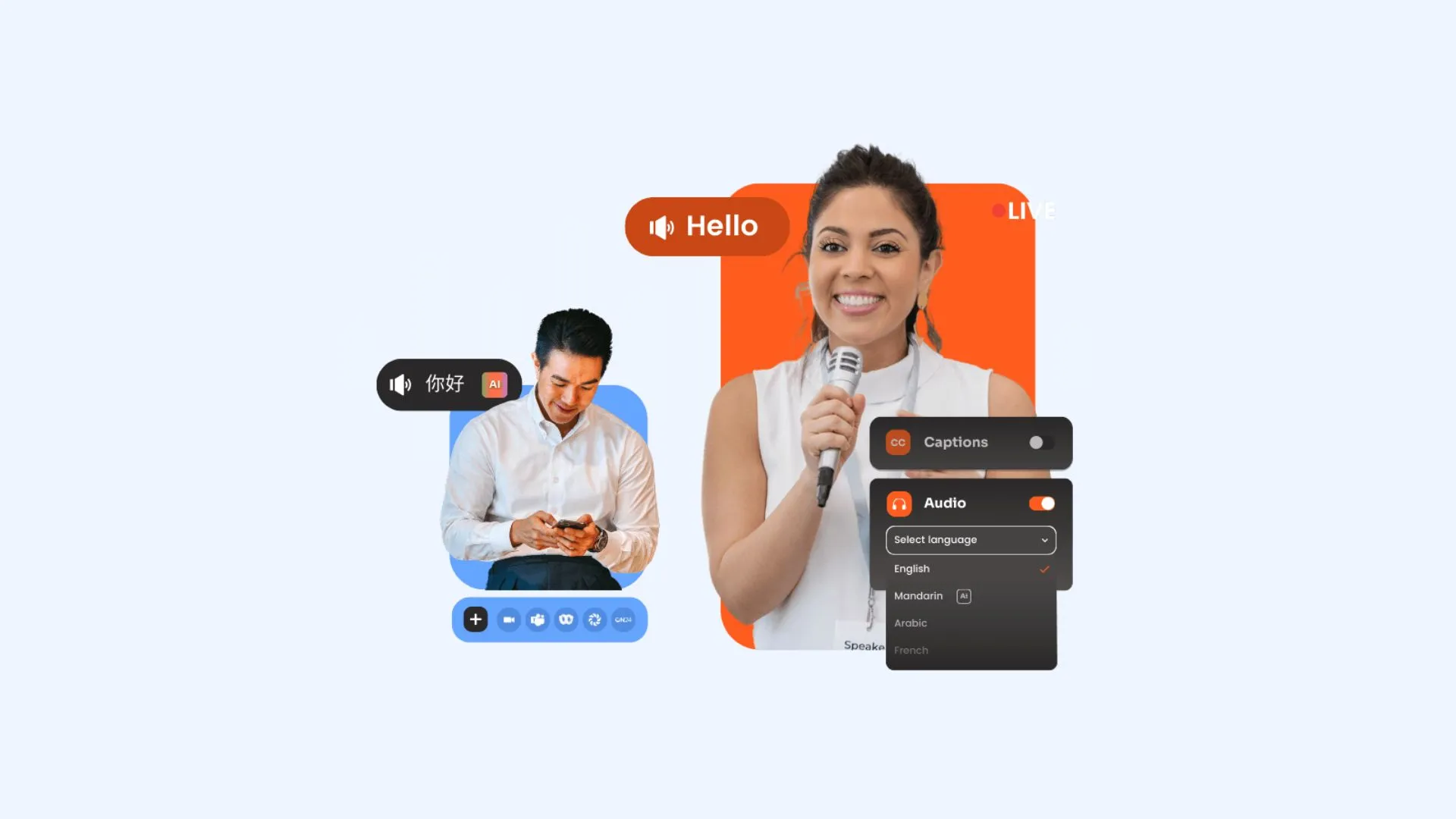
Interprefy is an enterprise-grade platform designed to enable fully multilingual online meetings through AI speech translation, live captions, and professional human interpreters. It integrates with major meeting platforms like Zoom, Microsoft Teams, and Webex, allowing participants to listen and read in their preferred language. The solution is built for global meetings where reliability and language accuracy are critical.
Setup: Interprefy integrates with your chosen meeting platform using the Interprefy Agent (an automated participant you invite to your session) or via direct integration if supported. Once connected, Interprefy captures the meeting audio and streams it for interpretation or AI translation. Participants then join through provided links or QR codes to access captions, interpreted audio, or translated speech.
Key features:
- Interprefy Agent for real-time AI translation across meeting platforms
- Works with 80+ online meeting platforms including Zoom, Teams, Webex
- Mobile and web access modes for flexible participation
Pros
- Flexible choice between AI translation and human interpreters
- 24/7 global support for mission-critical meetings
- Built with enterprise security standards for confidential communications
Cons
- Setup and pricing geared towards enterprises, not casual users
- Requires coordination for live interpreter services if used
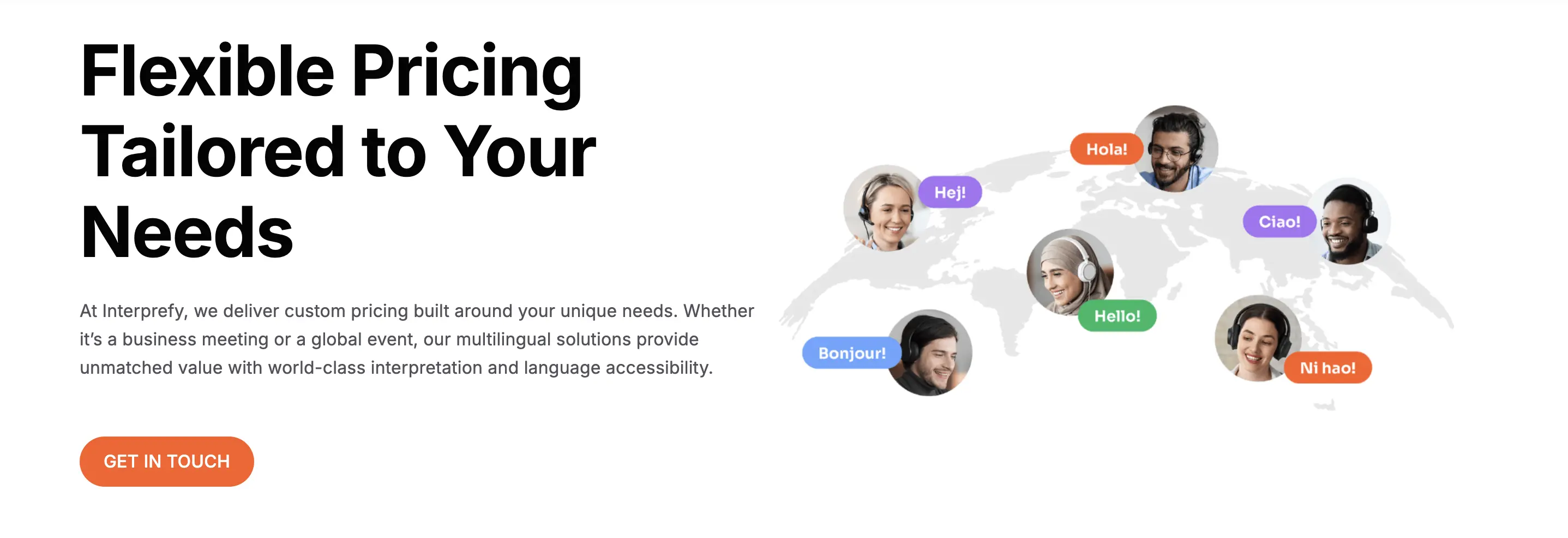
🎯 Bottom line: Interprefy excels when accuracy, platform compatibility, and support matter more than simplicity or cost. For global organizations running critical meetings, it offers a level of reliability that lightweight tools can’t match.
4. KUDO
Best for: Organizations that want true live speech-to-speech translation with audio and captions across many languages for meetings, training, and presentations.
Not ideal for: Teams looking for lightweight, self-serve tools that work with simple meetings, especially if cost and rapid setup are primary concerns.
What stands out: KUDO’s AI provides continuous live audio that actually flows naturally. It doesn't just translate word-for-word; it captures the intonation, making it feel like you have a professional interpreter in your ear even when using the AI version.
⭐ G2 rating: 4.1/5
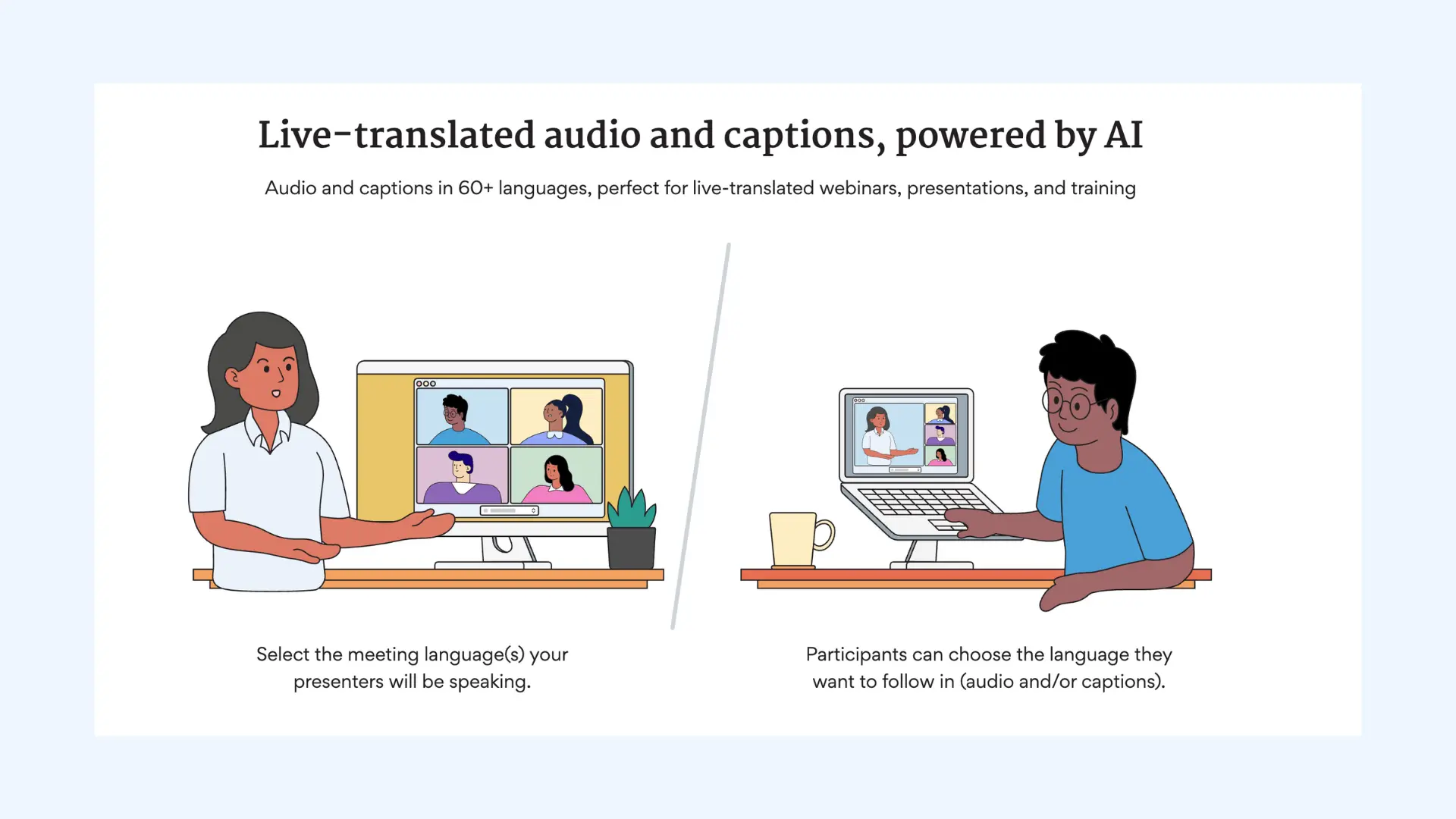
KUDO's AI Speech Translator combines advanced speech recognition, synthesis, and translation to deliver real-time audio and caption translation across meetings and events. The system emphasizes natural-sounding multilingual audio and continuous translation rather than chunked segments. It supports dozens of languages with options for human interpreters, making it adaptable for both casual meetings and formal multilingual presentations.
Setup: Schedule or initiate a KUDO session through the platform or app and define your source and target languages. Provide participants with a link or QR code to join and choose their language preference. KUDO then streams translated audio and captions in real time.
Key features:
- Two-way conversational translation with ultra-low latency
- Natural-flow audio using research-trained language models
- Wide device support including laptops and mobile apps
Pros
- Can translate both audio and captions in real time, not just text
- Works across in-person, hybrid, and virtual settings with broad platform compatibility
- Strong security standards with ISO 27001 and SOC 2 Type II compliance
Cons
- Higher cost than lightweight, subscription-based tools
- Steeper learning curve than simpler JotMe alternatives
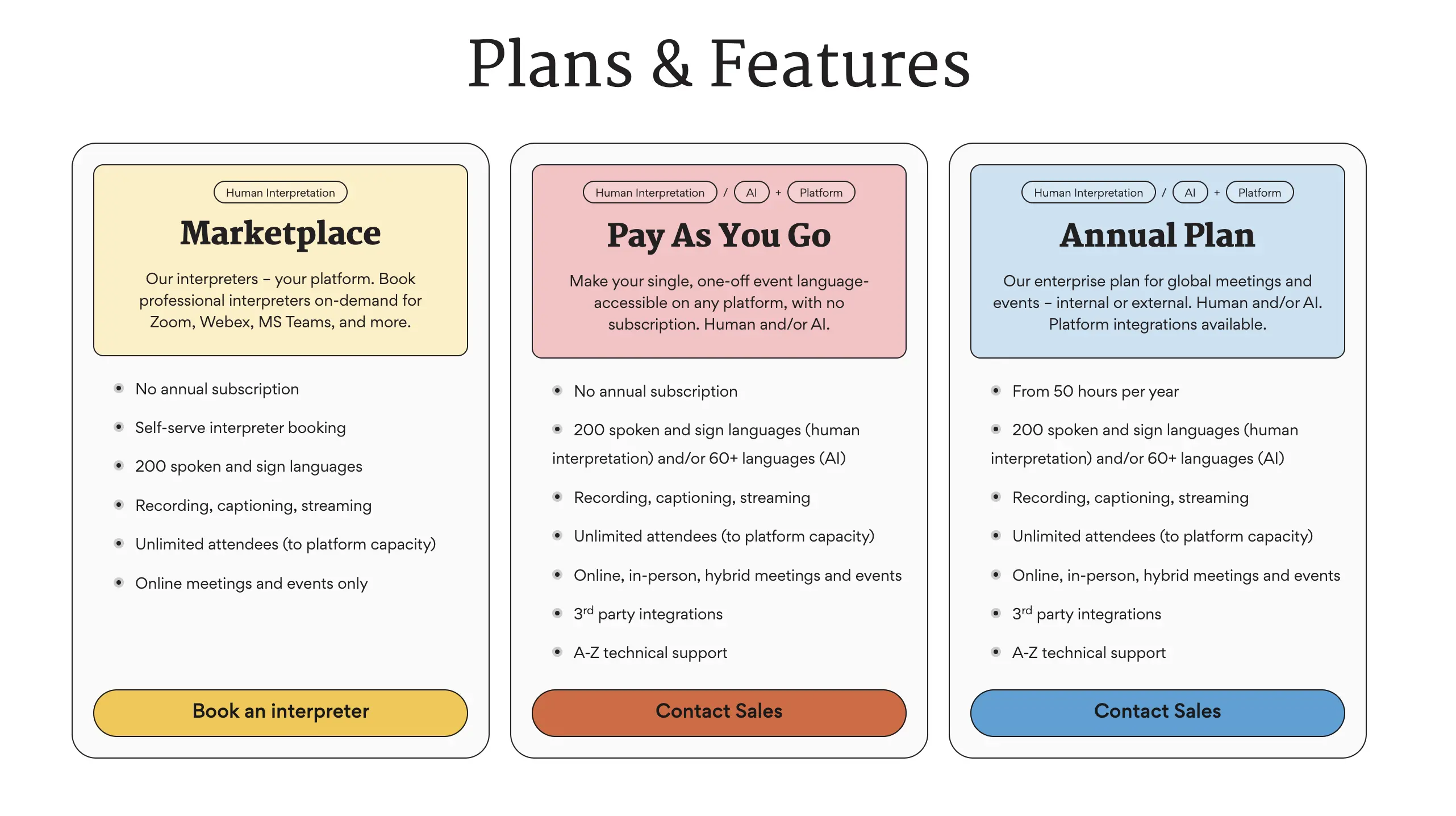
🎯 Bottom line: KUDO delivers continuous real-time speech translation with enterprise-grade security and broad platform support. It works best when accuracy and reliability matter more than speed of setup or cost.
5. Langfinity
Best for: Teams and organizations that want real-time voice translation, especially when domain-specific terminology and natural voice output matter.
Not ideal for: Casual meetings where simple captions are enough, or where enterprise pricing and onboarding are a concern.
What stands out: Langfinity (formerly known as Byrdhouse) stands out for its voice-to-voice translation speed and domain-specific accuracy. Unlike generic tools, it uses a specialized context engine that handles industry jargon with far fewer errors.
⭐ G2 rating: 4.9/5
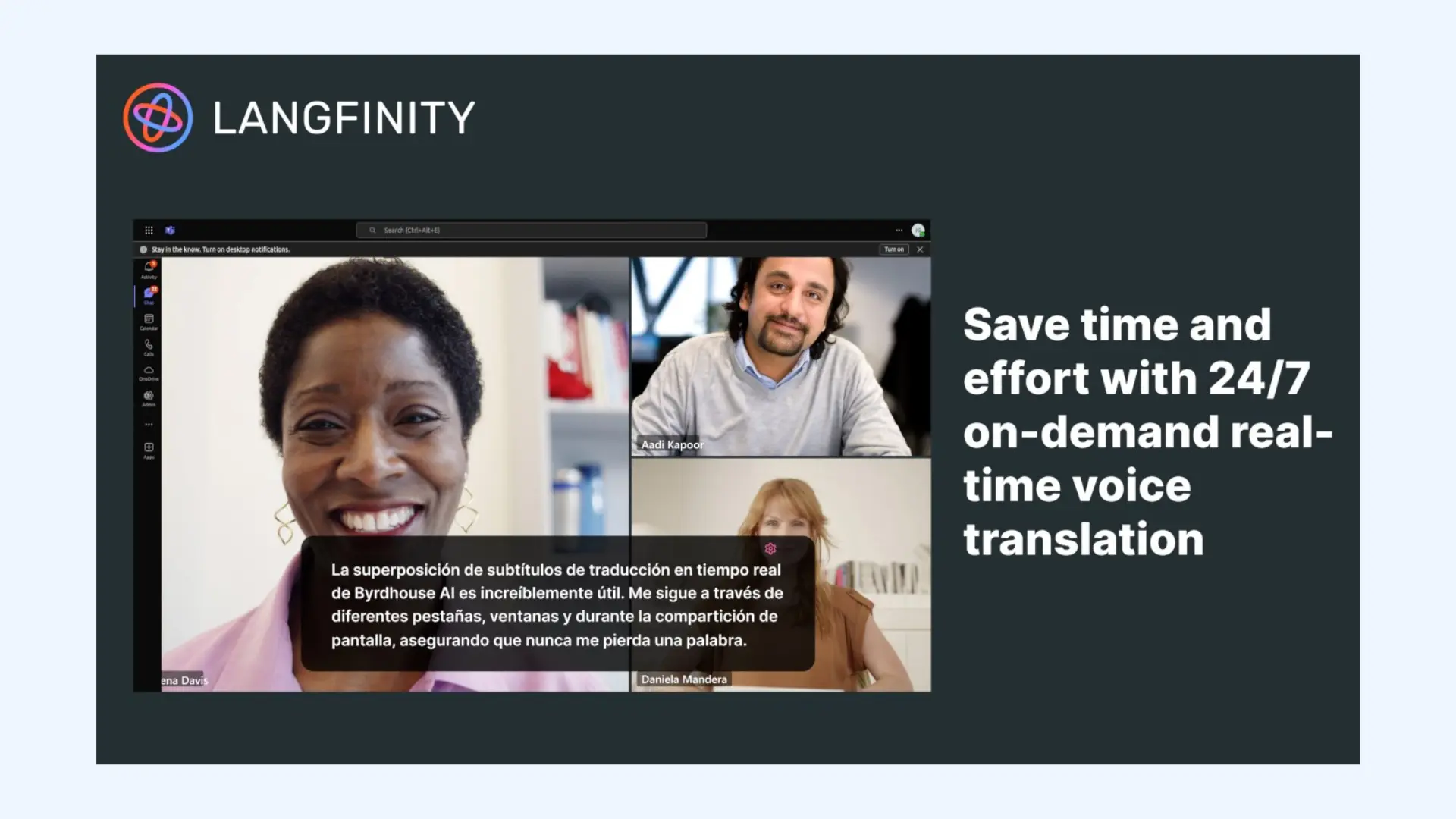
Langfinity is an AI-powered real-time translation platform built specifically for complex business operations where accuracy is critical. It moves beyond basic subtitling by delivering human-like voice translations that preserve the speaker's original intent and emotion. While it offers a dedicated Microsoft Teams app, it also operates as a standalone translation tool via links or QR codes.
Setup: Langfinity can be used either through its dedicated Microsoft Teams app or as a standalone tool via link or QR code. After selecting your source and target languages, participants join the session and Langfinity begins real-time voice and text translation automatically. No additional accounts are required for listeners.
Key features:
- Natural voice translation with human-like audio output
- Language detection for multilingual conversations
- Automatic transcripts and AI summaries after meetings
Pros
- Customizable translated voices (gender and accent options)
- Clean, intuitive interface that’s easy to navigate
- Effortless export of translated notes and summaries
Cons
- Pricing and plans are typically custom and may require sales engagement
- Platform support outside Microsoft Teams is still in progress
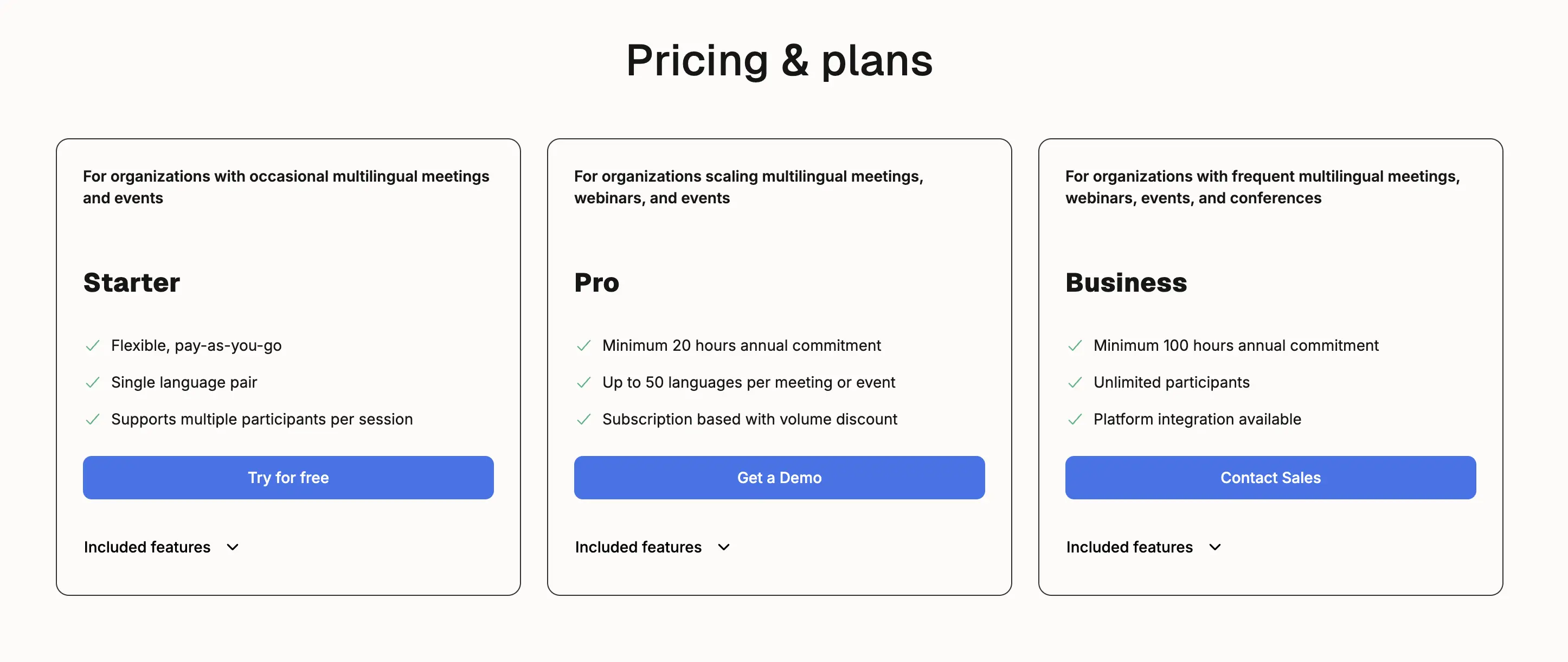
🎯 Bottom line: Langfinity works best for Microsoft Teams–centric organizations that want natural-sounding voice translation and domain-aware accuracy in multilingual meetings.
6. DeepL Voice for Meetings
Best for: Corporate teams that already rely on DeepL’s high-accuracy text translation and need the same level of precision for internal discussions.
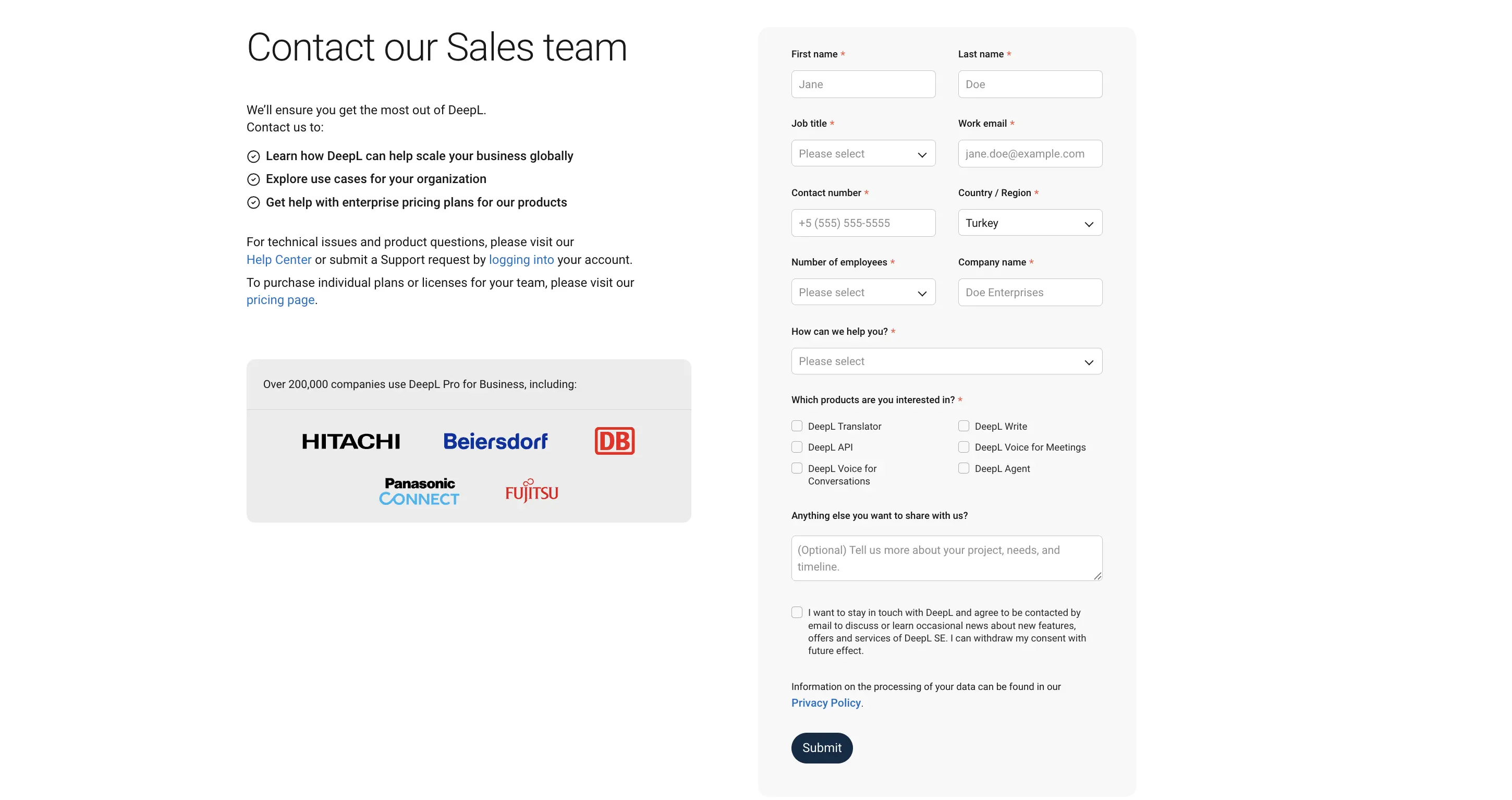
Not ideal for: Freelancers or small teams on a tight budget, as it currently requires a specialized business license and custom enterprise pricing.
What stands out: The standout advantage is accuracy. DeepL Voice prioritizes precise translations over flashy features, which shows in professional, detail-sensitive discussions.
⭐ G2 rating: 3.5/5

DeepL Voice for Meetings is the long-awaited speech-to-text expansion of the DeepL translation engine. It brings the platform's reputation for high-quality written translation into live conversations, focusing on accuracy and linguistic nuance rather than broad meeting management features. The tool is designed primarily for internal discussions where getting terminology and phrasing right is crucial.
Setup: DeepL Voice for Meetings is enabled through DeepL’s desktop application with a business license. Once activated, you select the source and target languages and allow the app to access your microphone and meeting audio. Live translation starts automatically without adding bots or external links.
Key features:
- Strong support for major European languages
- Formality control to adjust tone for different meeting contexts
- Enterprise-grade privacy with no data retention
Pros
- Exceptional translation accuracy, especially for professional and technical language
- Natural handling of tone and nuance in formal business conversations
- Participants can view live captions without creating a DeepL account
Cons
- No synthesized voice (translations are captions only)
- Pricing requires contacting sales, with no self-serve plans
🎯 Bottom line: DeepL Voice for Meetings is ideal for organizations that prioritize translation accuracy and data privacy in internal conversations. Yet it’s not suited to teams that need voice-to-voice translation or self-serve, subscription-based pricing.
💡 Looking for DeepL Voice alternatives with voice-to-voice translation? See our comparison guide.
7. Microsoft Teams Interpreter
Best for: Global organizations and teams that use Microsoft Teams and want built-in real-time speech translation.
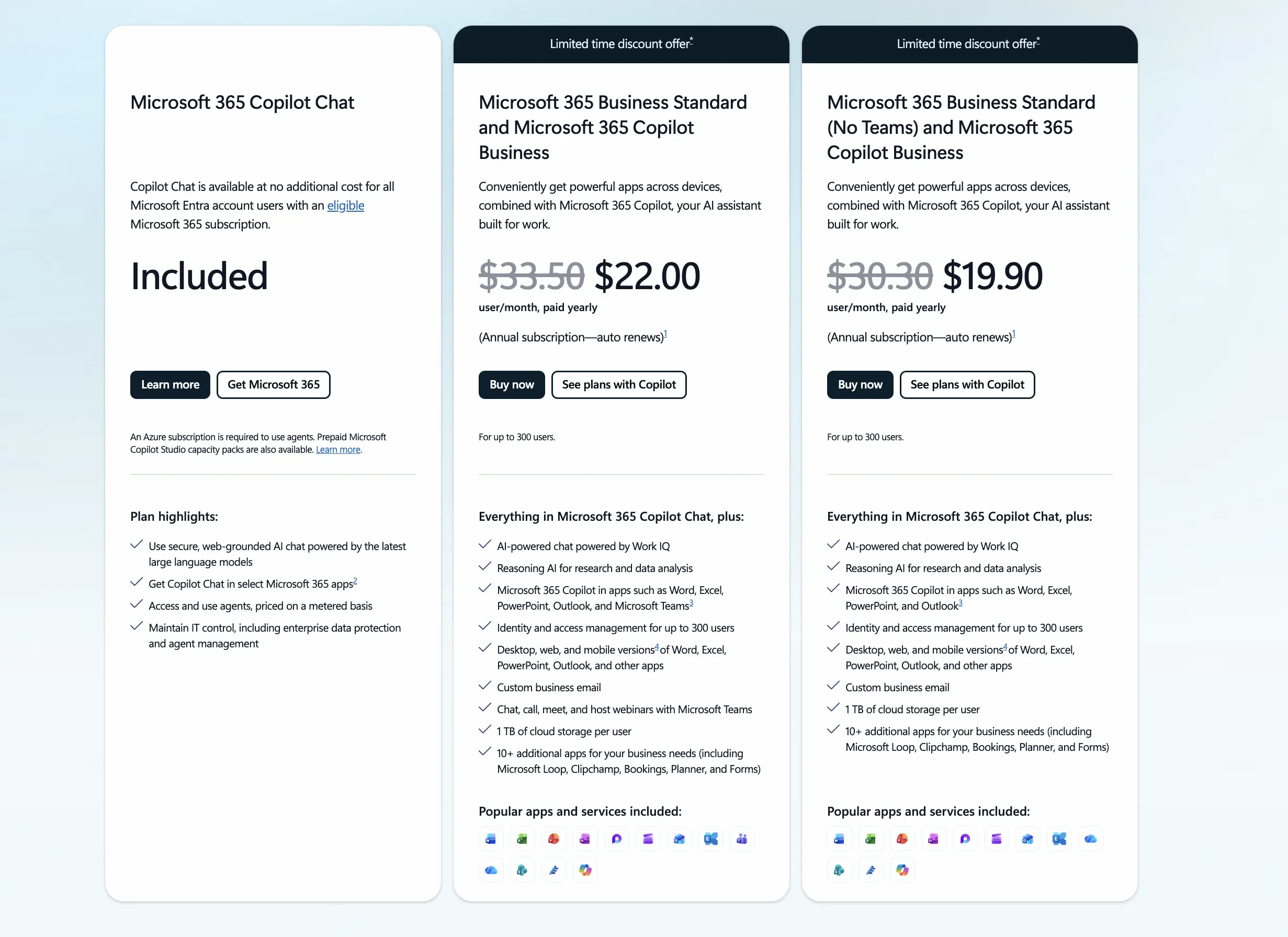
Not ideal for: Teams without a Microsoft 365 Copilot or Teams Premium license.
What stands out: What stood out to me is the simplicity of the experience when it’s available. Within supported meetings, the AI-powered live interpretation works smoothly, though it’s clearly designed to complement Teams rather than replace dedicated translation platforms.
⭐ G2 rating: N/A (native platform feature)
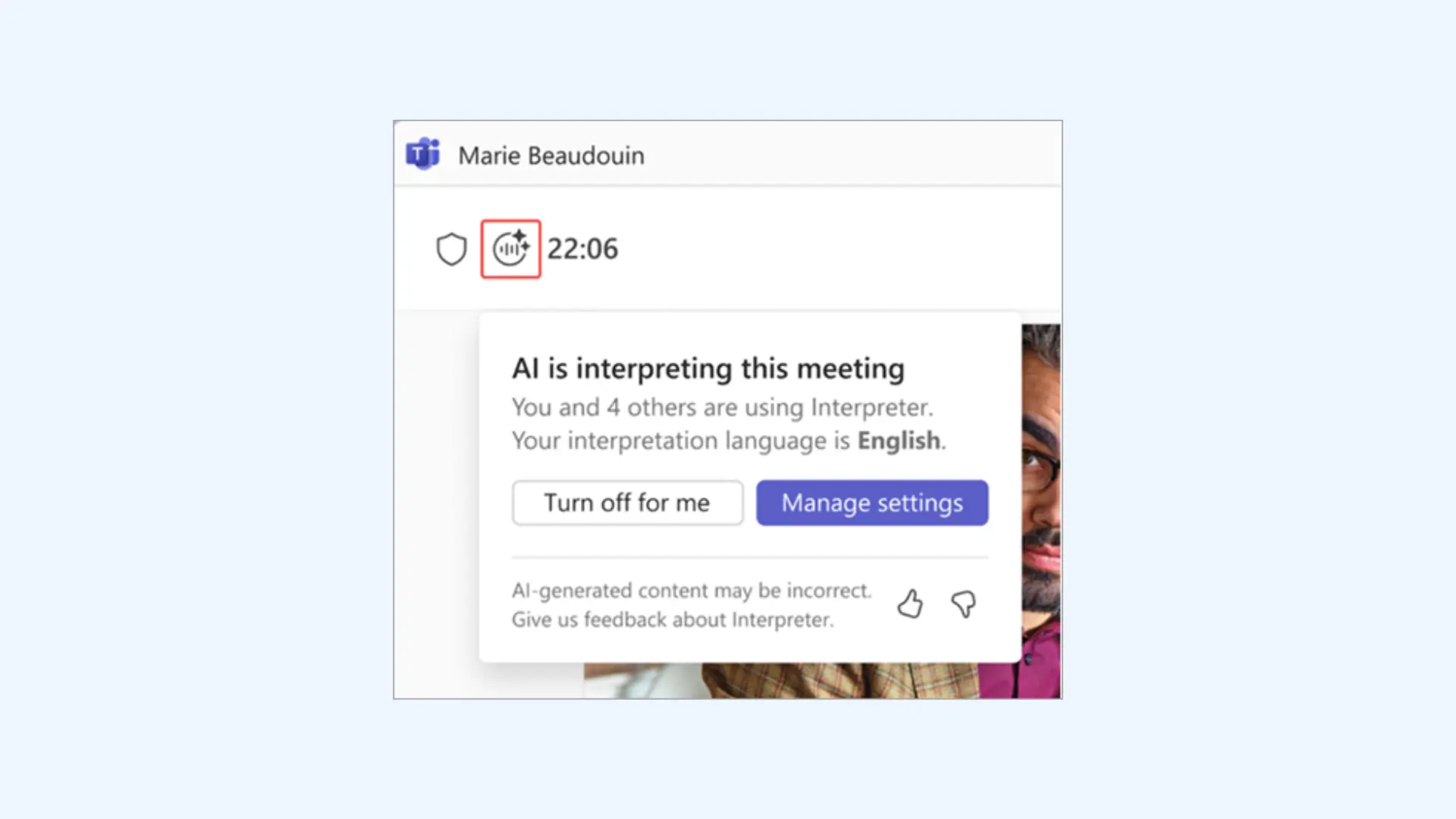
Microsoft Teams Interpreter (often referred to as the Interpreter Agent) is a native AI-driven solution that provides real-time speech-to-speech translation. Because it is tightly embedded in the Teams ecosystem, setup is minimal. However, its capabilities and language coverage are more limited than those of specialized meeting translation tools.
Setup: To use the Interpreter, the meeting organizer must have an eligible Microsoft 365 Copilot or Teams Premium license. During the meeting, open More actions (…) > Language and speech > Interpreter, turn it on, and select your listening language. Participants can then pick their preferred language and adjust the balance between interpreted audio and the original speaker.
Key features:
- Real-time speech-to-speech translation inside Microsoft Teams
- Automatic spoken language detection synced with live captions and transcripts
- Voice simulation that preserves the speaker’s tone in the target language
Pros
- Native, bot-free experience that keeps meetings uncluttered
- Interpretation included with Copilot licenses, with generous usage for subscribers
- Enterprise-grade security and privacy under Microsoft 365 compliance standards
Cons
- Language options are limited compared to dedicated translation tools
- Limited to supported meeting types only
Pricing: 20 hours of interpretation are included per person per month with a Microsoft 365 Copilot license.
🎯 Bottom line: Microsoft Teams Interpreter is useful for basic multilingual collaboration within Teams, but teams with broader translation needs may find more flexibility in standalone solutions.
8. Google Meet Real-Time Speech Translation
Best for: Teams already using Google Workspace that want built-in AI speech-to-speech translation during video calls.
Not ideal for: Organizations requiring broad language coverage, granular enterprise translation controls, or mobile-first translation (currently desktop-only).
What stands out: Google Meet can now translate spoken language as you talk, preserving voice tone and inflection in near real time, a step beyond traditional text captions.
⭐ G2 rating: N/A (native platform feature)
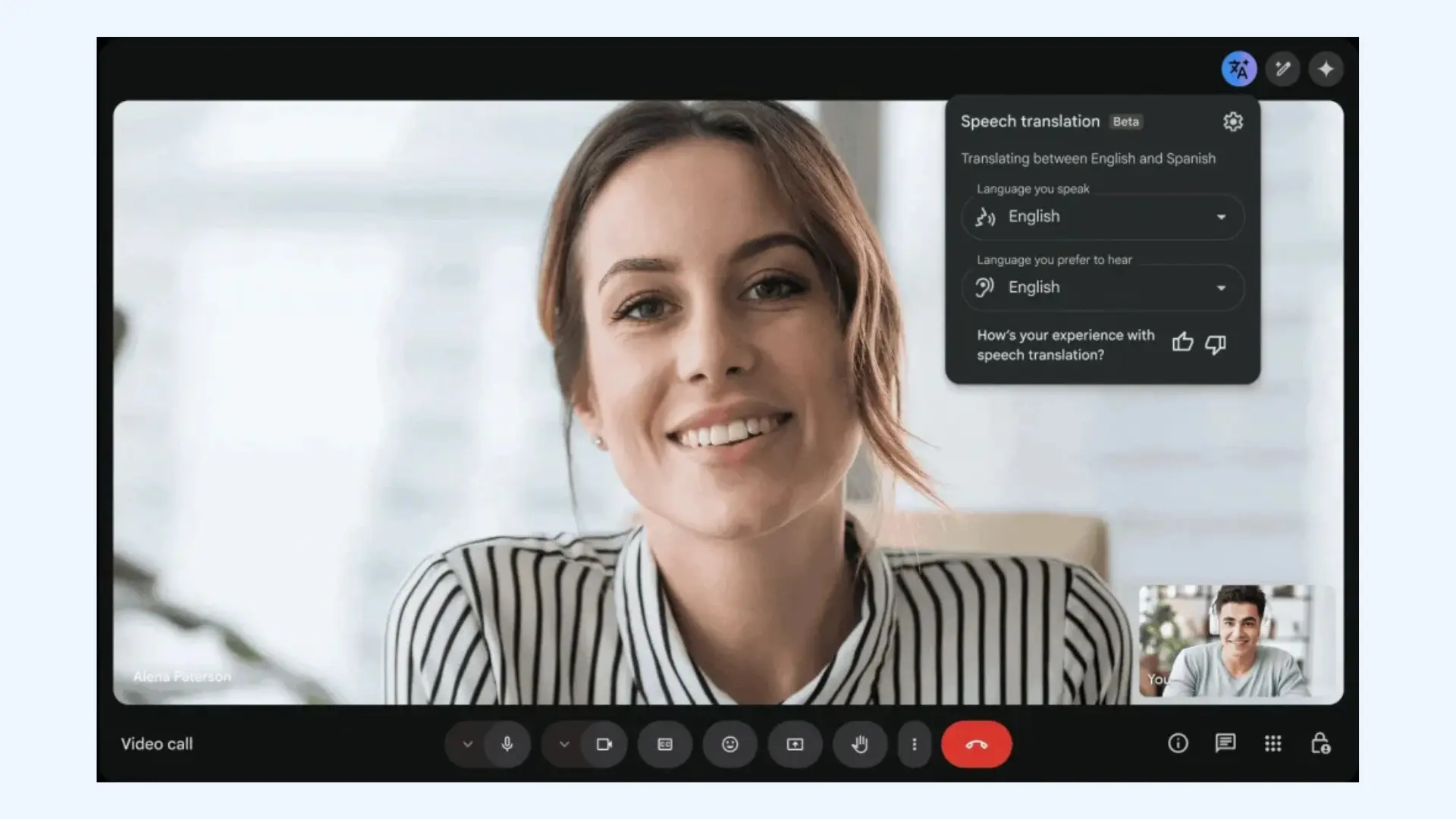
Google Meet real-time speech translation is powered by Google’s Gemini models and translates spoken language live into another language during a call. Instead of just offering translated captions, this feature produces spoken translations that preserve elements of the speaker’s voice. Currently, language support is very limited, with initial availability focused on a small number of language pairs and gradual expansion planned over time.
Setup: Real-time speech translation is enabled directly within Google Meet for eligible Google AI subscription plans. During the meeting, the host turns on speech translation and selects the source and target languages. Once configured, the system begins a near-instant audio translation depending on the specific language pair.
Key features:
- Native Google Meet integration with no bots, extensions, or third-party tools
- Automatic caption support alongside spoken translation
- Google Workspace security standards with no audio retention
Pros
- Natural-sounding translated speech that avoids robotic AI voices
- Built directly into Google Meet, so there’s nothing to install or manage
- Predictable pricing through plans instead of per-minute usage
Cons
- Speech translation is limited to desktop, with no mobile audio support yet
- Language coverage is still narrow compared to dedicated translation platforms
Pricing: This feature can only be enabled by Google AI Pro subscribers and those who are part of the Enterprise Alpha program.
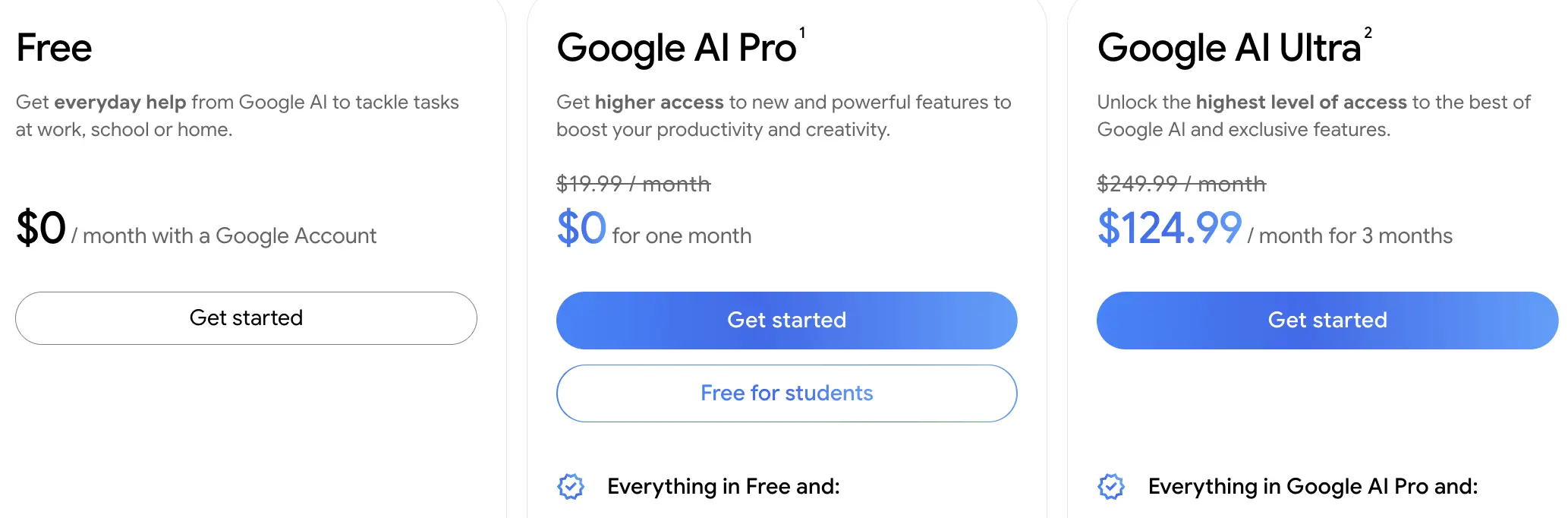
🎯 Bottom line: Google Meet’s speech-to-speech translation is a promising native feature for teams already on Google Workspace, but its limited language support and desktop-only access make it better suited for early adopters than for serious multilingual meetings.
9. Transync AI
Best for: Meetings where you want both real-time translation and meeting notes in one tool, especially for global teams using Zoom, Teams, or Google Meet.
Not ideal for: Large corporate conferences or enterprise events with thousands of passive attendees.
What stands out: I like how Transync AI blends live translation with AI-generated meeting summaries, giving you both immediate multilingual output and useful post-meeting documents without switching tools.
⭐ G2 rating: No G2 rating available at time of writing.
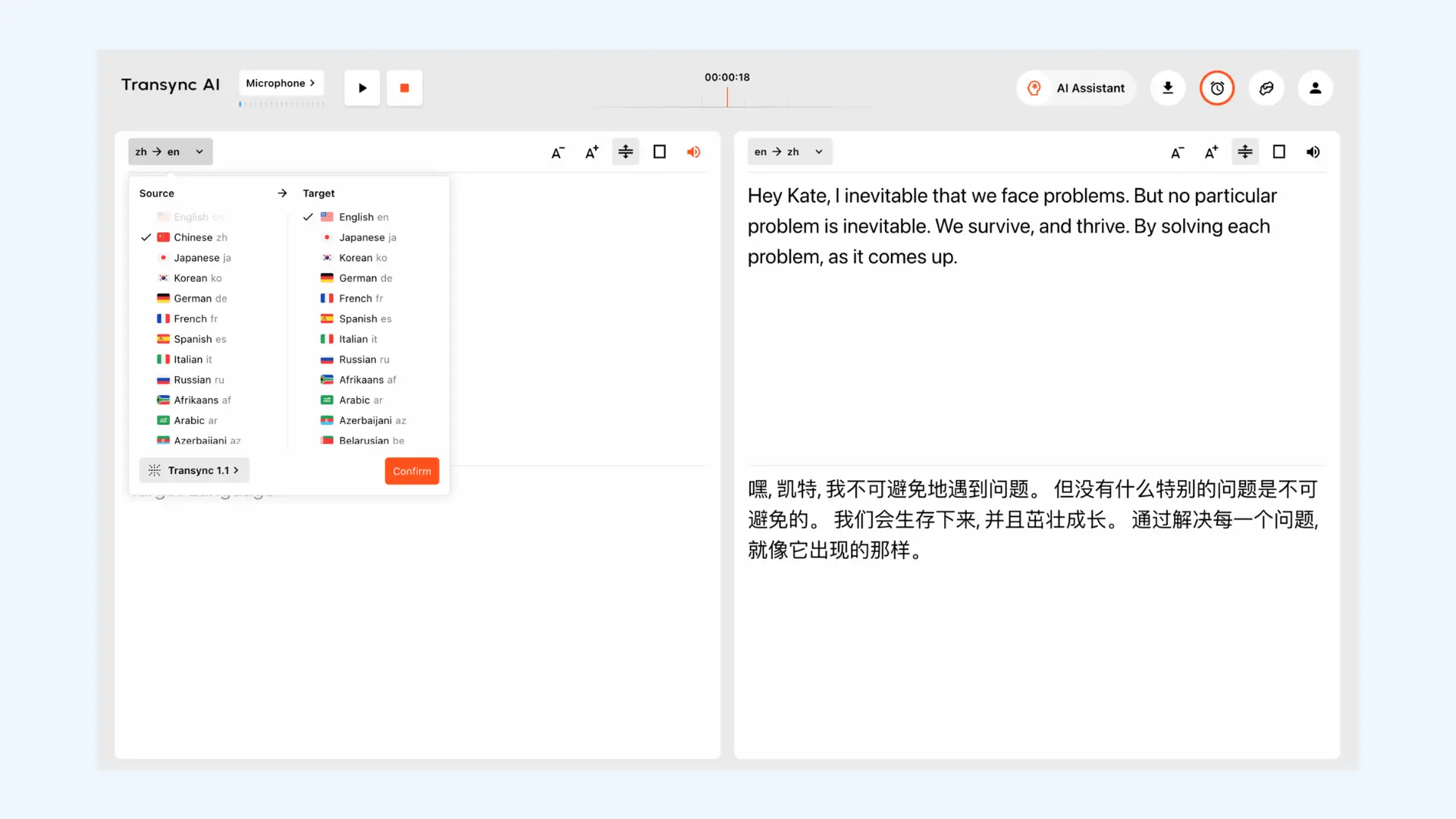
Transync AI is a real-time translation tool supporting both live speech translation and captions. The product is designed for day-to-day collaboration across languages, where participants need to understand each other in real time and still walk away with structured notes. Whether it’s organized business discussions or informal team meetings, Transync AI focuses on practicality and speed.
Setup: Download or open Transync AI and sign in with your account. Join your Zoom, Teams, or Google Meet session and enable system audio sharing so Transync can capture the meeting sound. Once the meeting is live, select your languages and start the real-time translation. Captions and voice playback begin instantly.
Key features:
- Dual-screen layout showing the original speech and translated text side by side
- Integrations with major meeting platforms like Zoom, Microsoft Teams, and Google Meet
- Support for 60+ languages and 1,770+ language pairs
Pros
- Low latency translation that feels closer to natural conversation
- Flexible enough to work beyond meetings, including face-to-face or travel scenarios
- Runs in the background without adding an intrusive bot to the meeting
Cons
- Language coverage is solid but narrower than some other JotMe alternatives
- Dual-screen layout can feel crowded on smaller screens during screen sharing
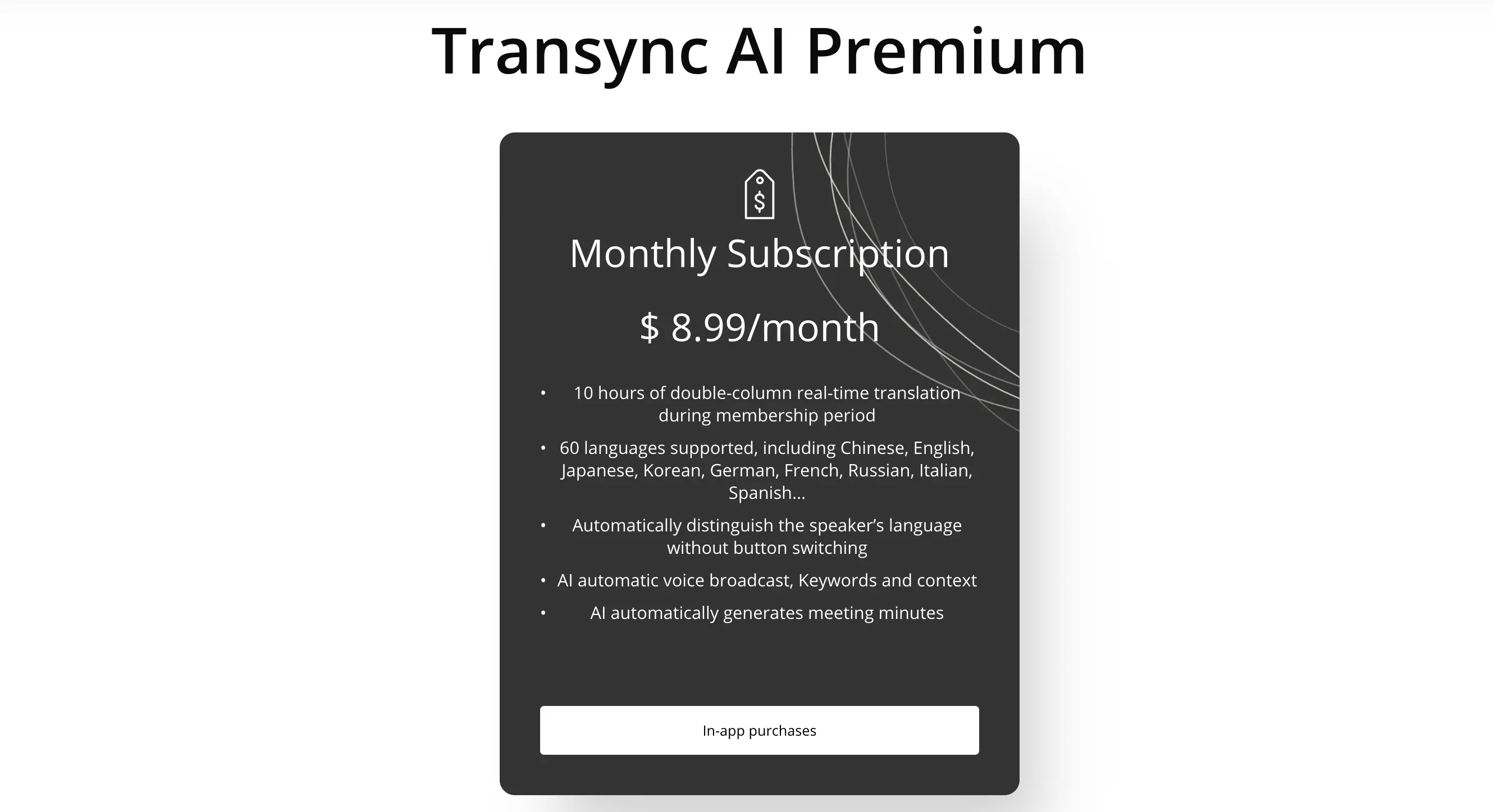
🎯 Bottom line: Transync is optimized for everyday multilingual collaboration rather than massive audiences. Teams running regular meetings will benefit most, while enterprise events with thousands of listeners will require a more specialized solution.
💡 If Transync isn’t the right fit, our Transync alternatives blog breaks down other options to consider.
10. Talo
Best for: Small to mid-sized teams that want lightweight, real-time meeting translation for Zoom or Google Meet without complex setup.
Not ideal for: Organizations that require advanced admin controls or deep customization.
What stands out: What I like most about Talo is how fast you can get started. In practice, it feels closer to a “turn it on and translate” experience than a full platform, which makes it appealing for teams that just want language barriers out of the way without changing how they run meetings.
⭐ G2 rating: No G2 rating available at time of writing.
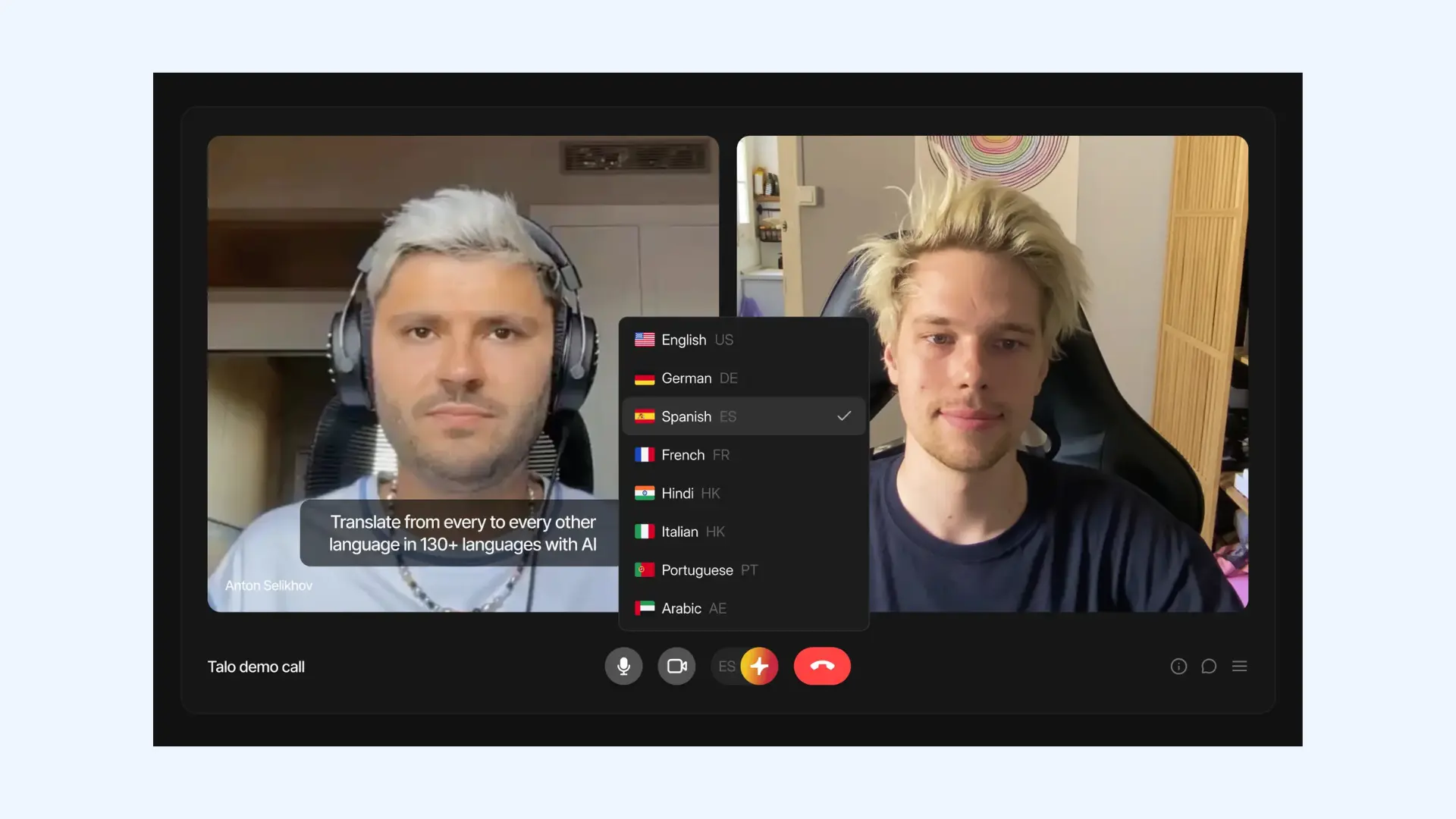
Talo is a browser-based AI meeting translation tool designed for simplicity. It delivers a smooth experience by joining meetings directly as a participant bot. Compared to heavier JotMe alternatives, Talo prioritizes ease of use over depth or scale.
Setup: To set up Talo, copy your meeting link and paste it into the Talo dashboard. You then select your target languages and invite the Talo AI bot to join the call as a participant. Once admitted by the host, the bot immediately begins translating the audio for everyone in the session.
Key features:
- Single multilingual AI bot that supports all language pairs
- Browser extension for quick activation
- No separate attendee links or dashboards required
Pros
- Clean, minimal interface that doesn’t overwhelm users
- Works consistently across Zoom, Google Meet, and Microsoft Teams
- Natural-sounding audio compared to many budget tools
Cons
- Not built for large audiences or webinars
- Fewer customization and control options than more advanced platforms
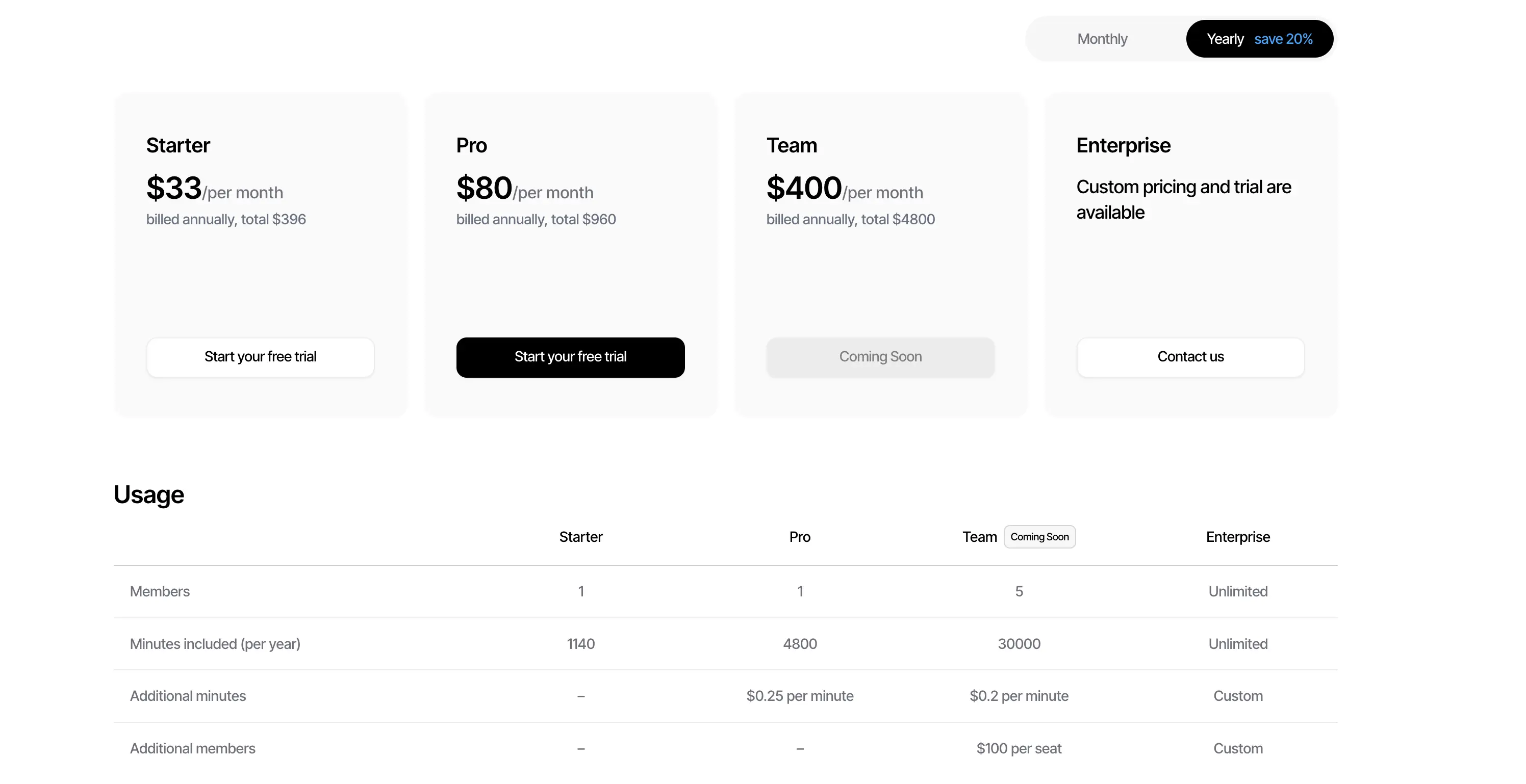
🎯 Bottom line: Talo is best suited for teams that want a simple way to translate live meetings without dealing with enterprise tooling. If your needs grow beyond basic meeting translation, platforms built for greater scale and control can better accomodate your needs.
Conclusion
Running these JotMe alternatives in real conditions quickly separates what works from what looks good on paper. To sum up, here is where each tool performs best:
- Transync AI, Talo: fast setup with minimal complexity, recurring internal meetings
- Wordly, KUDO: large meetings, webinars, and events at scale
- Interprefy, Langfinity: enterprise use, domain-specific accuracy, human interpreters
- DeepL Voice for Meetings, Microsoft Teams Interpreter, Google Meet Real-Time Speech Translation: native platform convenience
- Maestra: easy live meeting translation for both everyday meetings and large events, broad language support
When evaluating these tools, take advantage of free trials and test them in the same conditions your team actually works in. In practice, the right choice usually makes itself clear.
Frequently Asked Questions
Are there free alternatives to JotMe for live meeting translation?
Native options like Google Meet Real-Time Speech Translation and Microsoft Teams Interpreter can provide built-in multilingual support without needing external tools. These features let participants hear or view live translations in supported languages as part of the platform experience. For broad language support, dedicated paid solutions are usually required.
Do I need to install software to use JotMe alternatives?
This depends on the platform. Some tools run entirely in the browser, like Maestra, while others require desktop apps or platform integrations. Browser-based tools usually offer faster setup and easier access for participants.
Which JotMe alternative is best for small teams?
For small teams, the best JotMe alternatives are tools that are easy to set up and don’t require enterprise-level configuration. Talo, Maestra, and Transync AI work well because they offer real-time translation without complex onboarding. This makes them practical for regular team meetings.
Which JotMe alternative is best for large enterprises?
For large enterprises, tools that combine real-time speech translation with enterprise security and scalability are best. Platforms like Interprefy and KUDO offer professional interpreters alongside AI translation to handle complex, high-stakes meetings. Maestra is another strong option, suitable for both meetings and large-scale events such as webinars, town halls, and hybrid conferences.
How can I choose the right JotMe alternative?
Think about the size and frequency of your meetings first. Some tools are designed for large-scale events, while others are better suited for everyday team meetings. Choosing the right alternative depends on how much control and scalability you actually need.